Finding the right business phone system shouldn’t mean sacrificing your budget or struggling with complex features.
If you are feeling the pinch from Aircall’s high pricing, mandatory license minimums, and costly add-ons, you are not alone.
Many businesses discover that what starts as an investment quickly increases once they add AI features, advanced call analytics, and international calling capabilities.
This comprehensive guide explores the top Aircall alternatives to help you find a VoIP solution that fits your budget and business needs.
Best Aircall alternatives in 2026
- KrispCall: Best for virtual phone number and contact center solutions
- Dialpad: Best for AI-powered intelligence
- Nextiva: Best for reliability and support
- Quo: Best for small teams and solopreneurs
- Ooma: Best for budget-friendly basic calling
- RingCentral: Best for enterprise features and scalability
- CloudTalk: Best for international calling
- JustCall: Best for sales teams and automation
- Zoom Phone: Best for existing Zoom users
- Talkdesk: Best for enterprise contact centers
Why are businesses switching from Aircall?
Many businesses are moving away from Aircall for several consistent reasons. Although Aircall is well-regarded for its user-friendly interface and strong CRM integrations, evolving market demands, particularly regarding AI capabilities and pricing flexibility, have prompted companies to seek alternatives.
Here are the primary reasons businesses are making the switch:
1. High basic pricing and hidden costs
Aircall’s pricing starts at $30 per user per month for the Essentials plan, jumping to $50 per user per month for Professional features. But the real costs emerge when you add essential capabilities.
AI features cost an additional $9 per license per month, while advanced analytics add another $15 per license. For a 10-person team, these add-ons can push your monthly bill from $300 to over $500.
2. SMS message limits
Aircall caps outbound SMS at 4,000 messages per month, with additional per-message charges that can catch teams that rely heavily on text communication off guard. Advanced messaging features require a $20 monthly add-on per user.
3. Limited features on entry plans
Essential features such as Salesforce integration, a power dialer, and advanced analytics are locked behind higher tiers or paid add-ons. Even call forwarding counts as an outbound call, which can lead to unexpected charges on your bill.
4. Mandatory minimum licenses
Both the Essentials and Professional plans require a minimum of 3 licenses, while the Custom plan requires at least 25 seats. This structure forces small teams and solo entrepreneurs to pay for users they don’t have, making Aircall prohibitively expensive for businesses just starting.
5. International calling complications
While domestic calling is unlimited, international calling either requires purchasing country-specific bundles or upgrading to the 25-user custom plan. Small businesses trying to reach overseas customers face significant barriers.
How did we select the top Aircall alternatives?
Choosing the right business phone system requires careful evaluation across multiple factors.
Here is the specific breakdown of how the top alternatives were selected:
1. Transparent pricing structure
We prioritized providers offering transparent, upfront pricing without hidden fees or surprise charges. The best alternative presents its costs honestly, helping you budget accurately from day one.
2. Feature accessibility
Rather than locking essential capabilities behind expensive add-ons, top alternatives offer robust features across all pricing tiers. We evaluated which providers offer the best value for small teams and growing businesses.
3. Integration capabilities
Modern workflows depend on connectivity. We assessed how seamlessly each provider integrates with industry-standard CRMs (like Salesforce and HubSpot), help desk software, and productivity suites.
4. Call quality and reliability
A communication tool is only as good as its connection. The selection process included reviewing uptime guarantees, global VoIP call quality reports, and real-world user feedback on system stability.
Why trust our software reviews?
Over the years, we’ve helped thousands of businesses find and implement smarter communication tools.
We’ve reviewed dozens of products, analyzed hundreds of verified reviews from business-relevant platforms like G2, Capterra, and Trustpilot, and drawn insights from real user discussions on forums like Reddit and Quora.
All articles are written and reviewed by humans, for humans, to provide reliable, data-backed insights you can trust. Learn how we maintain content integrity, follow our software review methodology, and stay up to date through our content update methodology.
Best Aircall alternatives & competitors in 2026
Choosing the right Aircall alternative depends on whether you need a simple phone line, a high-volume sales dialer, or a full–scale enterprise contact center.
Here are some of the best alternatives to Aircall, selected based on features, pricing, and ease of use.
| Provider | Starting price | Best for | What it stands out for |
| KrispCall | $12 /user/month | Global communication | Unified Callbox & affordability |
| Dialpad | $15 /user/month | AI-powered intelligence | Real-time transcription |
| Nextiva | $15 /user/month | Reliability support | 99.999% uptime |
| Quo | $15 /user/month | Small teams | Shared numbers |
| Ooma | $19.95 /user/month | Budget calling | Simple setup |
| RingCentral | $20 /user/month | Enterprise scalability | Comprehensive UCaaS |
| CloudTalk | $25 /user/month | International calling | Global coverage |
| JustCall | $25 /user/month | Sales automation | Power dialer |
| Zoom Phone | $15 /user/month | Zoom users | Seamless integration |
| Talkdesk | $85 /user/month | Enterprise contact centers | Advanced AI |
1. KrispCall: Best for virtual phone number and contact center solutions
KrispCall is a rapidly growing contact center solution that stands out for its Unified Callbox, which centralizes calls, SMS, and voicemails from multiple numbers into a single, collaborative dashboard for remote teams and distributed workforces.
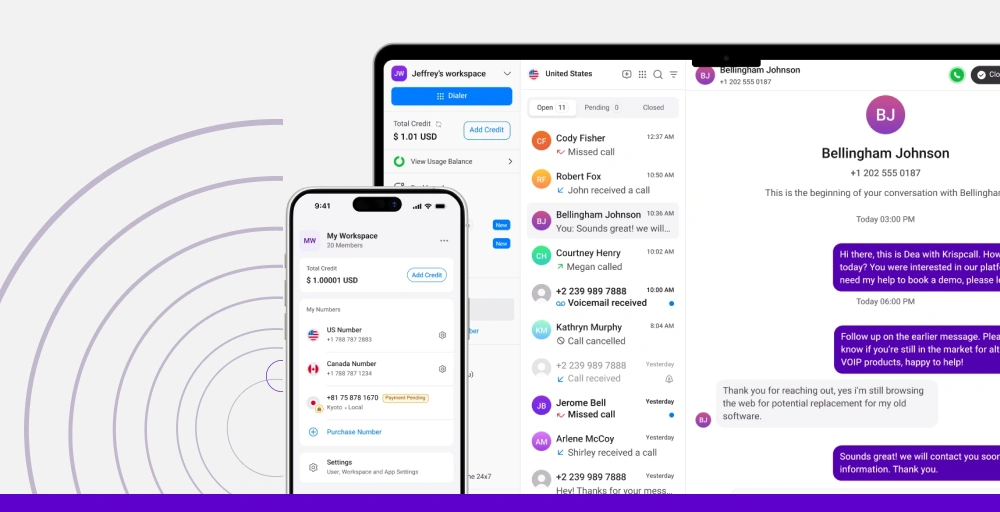
It is powerful for global teams, offering virtual phone numbers in over 100 countries with very competitive international rates.
What makes KrispCall the best alternative to Aircall?
KrispCall eliminates Aircall’s most significant pain points. There’s no mandatory minimum user requirement, making it perfect for solo entrepreneurs and small teams.
The platform includes AI-powered call center solutions, advanced features, analytics, and international numbers in its base plans rather than charging separately for each capability. Starting at just $12 per user per month, KrispCall delivers functionality similar to Aircall’s Professional plan at less than half the cost.
KrispCall pricing
KrispCall offers straightforward, affordable pricing plans:
| Plan | Annual price (per user/month) | Key feature set |
| Essential | $12 | Unified Callbox, Call Filter, Number Porting |
| Standard | $32 | Bulk SMS, Advanced Reporting, Call Transfer |
| Enterprise | Custom | Power Dialer, Developer Support Teams, Unlimited Call Recordings, and Storage |
KrispCall’s standout features
- Unified Callbox: Manage calls, texts, voicemails, and automatic call recordings in a single, organized dashboard. This centralized approach eliminates the need to jump between multiple windows or apps.
- AI-Powered Capabilities: Get automatic call transcription, customer sentiment analysis, and intelligent response suggestions without paying extra for AI add-ons.
- Global Number Support: Acquire local, toll-free, and mobile numbers in 100+ countries instantly, including reliable USA non-VoIP numbers for 2FA and verification.
- Power Dialer: Accelerate outbound campaigns with automated dialing, voicemail drops, and connect-rate tracking included in the Standard plan.
- Flexible Integrations: Connect seamlessly with 100+ CRMs and help desk platforms, including HubSpot, Salesforce, Pipedrive, Zendesk, and Freshsales.
KrispCall Pros
- Significantly lower pricing than Aircall with no hidden fees.
- No minimum user requirements are perfect for solopreneurs and small teams.
- AI features are included rather than charged as add-ons.
- Perfect Solution for Virtual Numbers and Call Center Needs
KrispCall Cons
- Larger teams may need more advanced features.
What users say about KrispCall
“As someone new to these cloud phone systems, I’ve got to say my experience with KrispCall has been surprisingly smooth. Setting up my voicemail gave me a tiny bit of trouble, but a support person jumped on chat and got me sorted in literally minutes. That kind of quick help makes a huge difference.”
- Piper H. Sales Development Executive, Small-Business (50 or fewer employees) from G2.
2. Dialpad: Best for AI-powered intelligence
Dialpad is a cloud-based unified communications platform that offers voice calling, video meetings, SMS messaging, and team collaboration features.
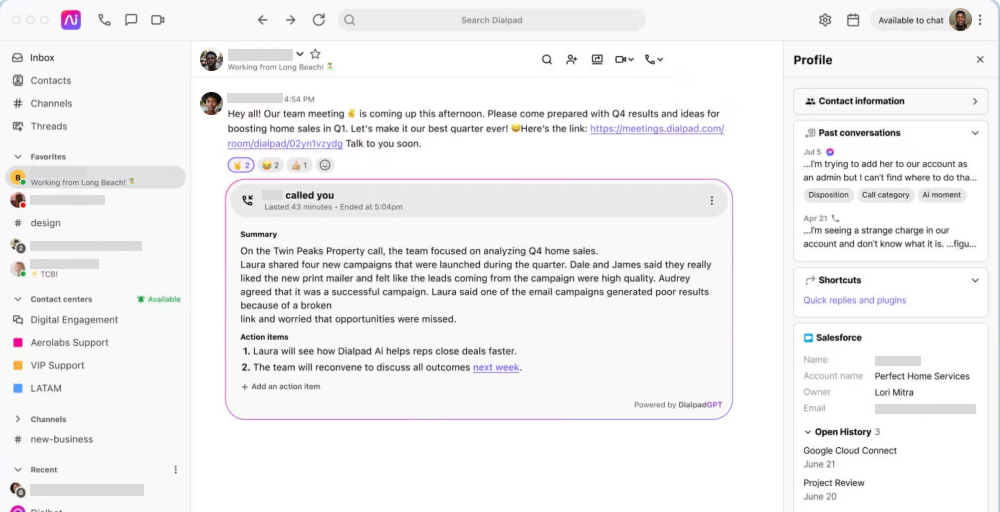
Its standout features are virtual call center software for remote teams, AI-powered real-time transcription, call summaries, sentiment analysis, and coaching, available even on its entry-level plan.
Dialpad’s standout features
- Real-time AI transcription: Capture every conversation with automatic transcription and keyword detection, making calls searchable and actionable.
- Post-call automation: Facilitates AI and streamlines tasks such as logging call notes, scheduling follow-ups, and updating CRMs.
- Contact center integrations: Connect with more than 300 business tools, including Salesforce, HubSpot, Zendesk, Slack, and many more.
- AI coaching hub: In calls, prompts help representatives improve communication by suggesting when to slow down, speak more clearly, or actively listen.
- Workforce management (WFM) software: Upgrade to dynamic scheduling, automated and comprehensive performance, tracking, and customizable forecasting for operations.
Dialpad pricing
Dialpad pricing offers tiered business plans for business communication, billed annually for the best rates.
| Plan | Annual price (per user/month) | Key feature set |
| Standard | $15 | HD voice, Visual Voicemail, Custom call routing, Unlimited calling |
| Pro | $25 | Phone support, Hold Queues, Quality-of-service reports |
| Enterprise | Talk to Sales | Service Level Agreement (SLA), Priority Routing, Extensions |
Dialpad Pros
- Industry-leading AI features such as DialpadGPT.
- Strong integration ecosystem with major business tools.
- Competitive base pricing with a 14-day free trial.
Dialpad Cons
- Limited SMS allowance on the standard plan.
- Advanced features require tier upgrades or add-ons.
- International calling is not included in the base plan.
3. Nextiva: Best for reliability and support
Nextiva is a powerhouse in the Unified Communications as a Service (UCaaS) space, known for its extreme reliability and customer support.
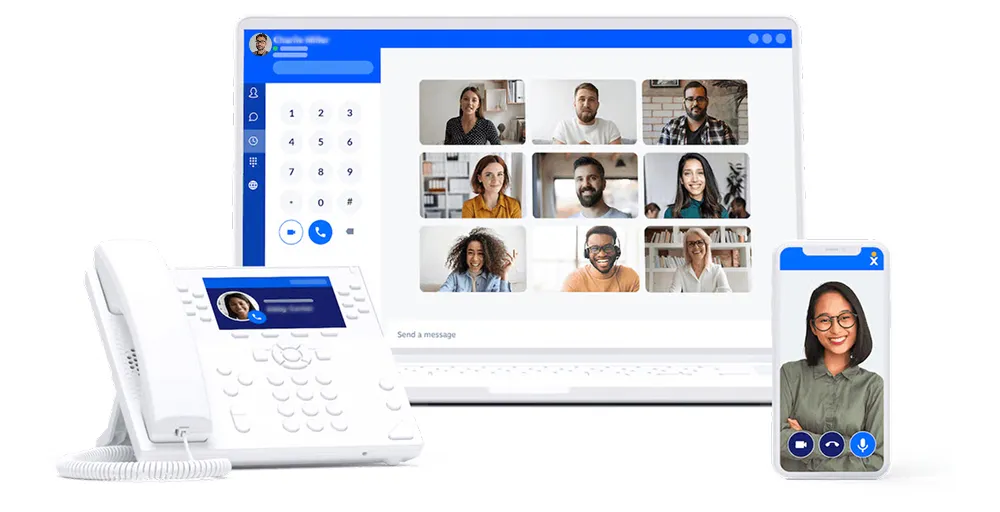
Their NextivaONE app provides a holistic view of the customer, pulling in data from various touchpoints to give agents full context before they even pick up the phone.
It supports structured business hours and maintains uptime for mission-critical communications across internal teams.
Nextiva’s standout features
- Unlimited business text messaging: With the NextivaONE app, you can send and receive unlimited business text messages and stay up-to-date from anywhere.
- Call pulling: Effortlessly transfers customer calls to a smartphone, ensuring uninterrupted communication and superior service at all times.
- Priority alerts: You can customize your phone’s ringtone to play differently for specific contacts or based on call information.
- Anonymous call rejection: Prevents callers from reaching you if their caller ID is blocked or shows up as a private number.
- VoIP switchboard: Transforms your business phone by giving you the freedom to make and take customer calls while on the go.
Nextiva pricing
Nextiva pricing is structured into several tiers based on business size and feature needs.
| Plan | Annual price (per user/month) | Key feature set |
| Core | $15 | Inbound/Outbound Voice, Simple IVR |
| Engage | $25 | Live Chat, Toll-free number, Voice analytics |
| Power Suite CX | $75 | Workflow Builder, Voice Recording, WebCall Back |
Nextiva Pros
- Industry reliability with 99.999% uptime.
- Consistently top-rated customer support.
- Free professional setup assistance.
Nextiva Cons
- Some advanced call center features are available only with top-tier plans.
- No free trials, though a demo is available.
- Limitations on video conferencing.
4. Quo (Open Phone): Best for small teams and solopreneurs
Quo, formerly known as Open Phone, is designed to feel like a modern productivity tool rather than a legacy phone system.
Its primary focus is team collaboration; it allows multiple people to manage a single phone number via shared inboxes, where they can see who is responding to a text in real-time or leave internal notes on call logs.
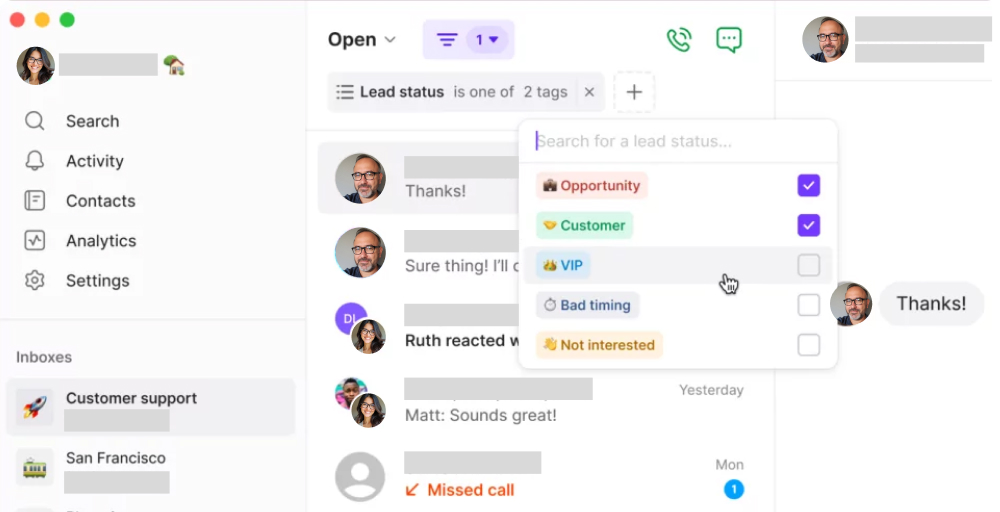
With a beautiful interface and deep integrations with tools like Slack and HubSpot, it is the top choice for startups and digital-native remote teams.
Quo’s standout features
- AI call tag: Allows users to label their calls based on their conversation context.
- Shared phone numbers: Multiple team members can use the same business number, ensuring coverage and collaboration without requiring separate lines for each person.
- Auto-replies: Set up automatic text responses for common inquiries, handling routine communications even when you’re unavailable.
- Sona AI agent: Your helpful assistant, always there for you. Sona answers calls all day and night, so you never miss a customer and don’t lose any chances.
- Conversation threads: Keep context with threaded messages that organize communications by customer, making it easy to follow complete interaction histories.
Quo pricing
Quo is a popular business communication and cloud phone system. Their pricing is per-user and offers a discount for annual billing.
| Plan | Annual price (per user/month) | Key feature set |
| Starter | $15 | Calling (US & Canada), Group Messaging, User Groups |
| Business | $23 | Group Calling, Phone Menus, Advanced call forwarding |
| Scale | $35 | Inbound Phone Support, Ring Order, HIPAA Compliant |
Quo Pros
- Shared numbers reduce costs for small teams.
- It offers free number porting.
- Transparent pricing with no hidden fees.
Quo Cons
- Limited international number availability.
- Smaller integration ecosystem than larger platforms.
- Basic reporting capabilities on low-tier plans.
5. Ooma: Best for budget-friendly basic calling
Ooma is the “simplicity first” alternative for small businesses seeking a low-maintenance, reliable phone service.
While it offers modern features like mobile apps and virtual receptionists, Ooma excels at supporting physical desk phones and analog hardware, making the transition from a traditional landline seamless.
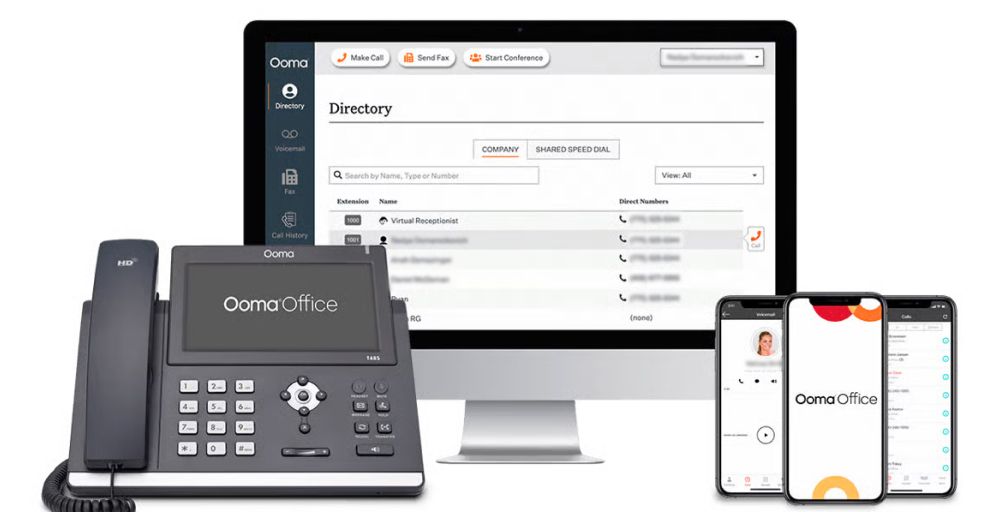
It is best for local businesses, such as dental offices, retail shops, or law firms, that need a professional image and clear voice quality without the “bells and whistles” of complex AI.
Ooma’s standout features
- Conference line: You can host up to 10 simultaneous conference rooms, each accommodating up to 10 participants.
- Paging groups: allow a user to page multiple phones at once with important information, such as announcements.
- Call leaderboard: See who is making the most of their Ooma office setup, and who is lagging in their calling metrics.
- Hot desking: Users can log in to any unassigned VoIP phone to make and receive calls, just as they would on their assigned telephone.
- Personal directory: Contacts you add to your Personal Directory are easy to search for and interact with in the End User Portal.
Ooma pricing
Ooma Business pricing is per-user and does not require an annual contract, making it ideal for startups and small teams.
| Plan | Annual price (per user/month) | Key feature set |
| Essentials | $19.95 | 911 Service, Bulk User Import, IP Phone Paging |
| Pro | $24.95 | Screen Sharing, Voicemail Transcription, Message Templates |
| Pro Plus | $29.95 | Auto-Dialer, Hot Desking, Call Screening |
| Enterprise | Custom Pricing | Call Queuing, Shared Voicemail Boxes, Online Bookings |
Ooma Pros
- Lowest pricing among established VoIP providers.
- Simple, straightforward feature set.
- Option for physical desk phones.
Ooma Cons
- Limited advanced features compared to competitors.
- Fewer integrations with business software.
- Video conferencing is only on the Pro plan.
6. RingCentral: Best for enterprise features and scalability
RingCentral is a strong Aircall alternative for businesses looking for a more unified, comprehensive communication platform beyond just call center needs.
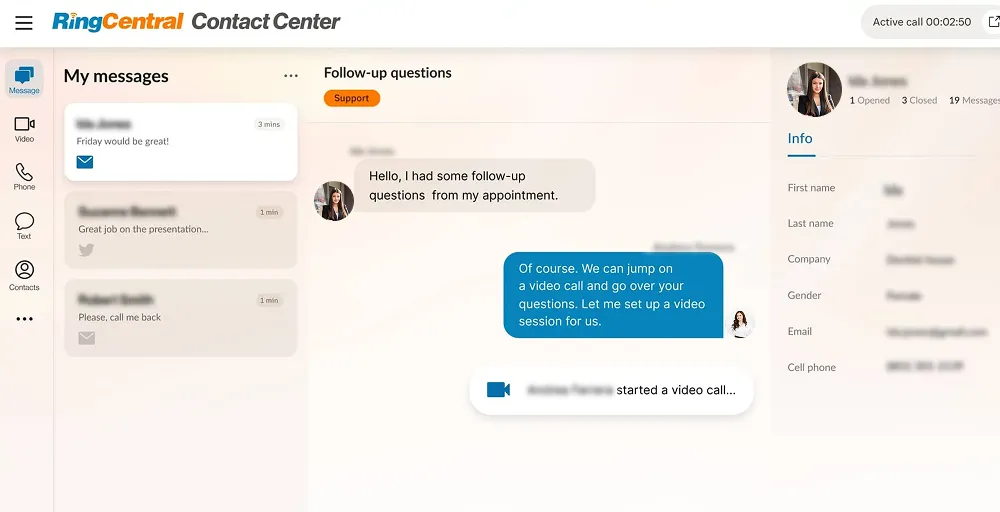
It offers deep UCaaS (Unified Communications as a Service) with video, messaging, contact center (CCaaS), robust analytics, and integrations.
If your business requires advanced call routing, high-volume digital faxing, and a single platform for global operations, RingCentral is generally the gold standard.
RingCentral’s standout features
- Call flip: Easily transfer calls between devices.
- Answering rules: Route calls to your local numbers from anywhere in the world, utilizing effective answering rules.
- Shared lines: Share calls and lines across traditional phone systems, allowing you to answer incoming calls on any phone.
- Push-to-talk: Enable secure, clear voice communication over the cloud, enhancing employee- and company-owned smartphones and tablets with walkie-talkie functionality.
- Native dialer (AT&T Only): Enjoy native dialing and voicemail without extra software, keeping your everyday workflows uninterrupted.
RingCentral pricing
RingCentral pricing includes tiered plans for businesses of all sizes. These plans include:
| Plan | Annual price (per user/month) | Key feature set |
| Core | $20 | Team messaging and file sharing, Transcribe meetings, Call log reports |
| Advanced | $25 | Unlimited internet fax, Translate SMS texts, Collaboration notes |
| Ultra | $35 | Contact center management, Device analytics and alerts, |
| Customer Engagement bundle | Contact sales | Call back from queue, SMS compliance management, Shared SMS inbox |
RingCentral Pros
- Connects seamlessly with CRMs and other business apps.
- Grows with your business, offering powerful features for larger needs.
- Known for high uptime and strong security measures.
RingCentral Cons
- The basic “Core” plan has restrictions on toll-free minutes and texts, and lacks CRM integration and recording.
- Key AI and advanced call handling features are behind pricier plans.
- Advanced admin setup requires technical skill.
7. CloudTalk: Best for international calling
CloudTalk is a specialized VoIP system explicitly designed for customer service and sales teams who handle high call volumes. It also offers 24/7 customer support, making it a comprehensive solution for call centers and customer service operations.
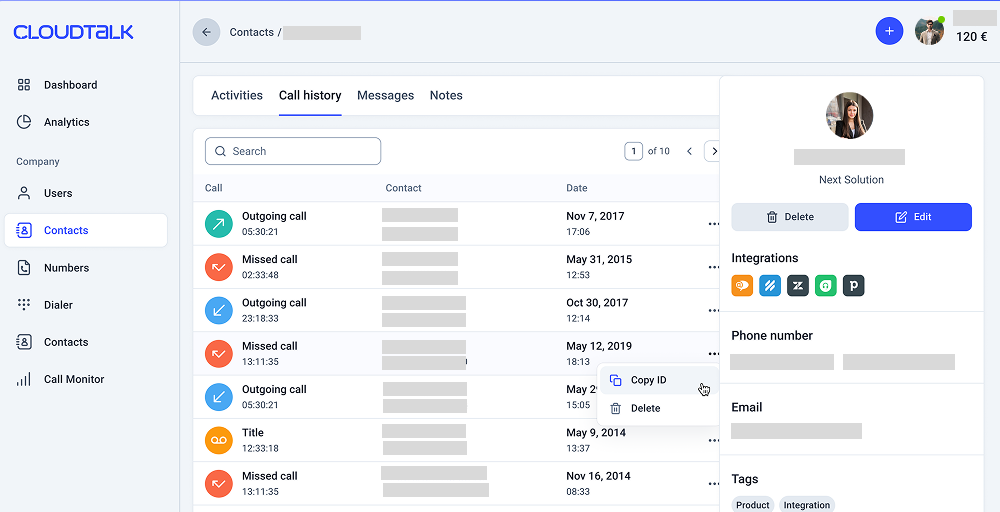
However, CloudTalk is frequently recommended as a strong alternative to Aircall, particularly for businesses seeking advanced AI features, seamless native integrations, and transparent pricing.
CloudTalk’s standout features
- Smart dialer: Create custom, single-click call queues from any website or CRM, reducing call times by up to 50%.
- Personalized messages: Tailor each step of your customer journey and utilize pre-recorded audio messages to connect with customers more effectively.
- Call flow designer: Design your inbound call process to meet your business’s unique needs and customers’ expectations.
- Wallboard: Display real-time performance and call center metrics to your entire team live, in various formats.
- Spam protection: Block known spam numbers manually, automatically, or in bulk for both inbound and outbound calls, streamlining your calling process.
CloudTalk pricing
CloudTalk pricing is flexible, with no hidden fees or long-term commitments, allowing you to change your package at any time.
| Plan | Annual price (per user/month) | Key feature set |
| Starter | $25 | Branded Caller ID, Visual call flow builder, Click-to-call |
| Essential | $29 | Auto outbound number, International SMS/MMS, APIs & data sync |
| Expert | $49 | Smart Dialer, Live monitoring, Agent Status, Custom Dashboards |
CloudTalk Pros
- AI features are included rather than charged separately.
- Excellent international calling support.
- 14-day free trial with no credit card required.
CloudTalk Cons
- Higher starting price than budget alternatives
- Some advanced features require the Expert tier.
- Smaller integration ecosystem than larger competitors
8. JustCall: Best for sales teams and automation
JustCall is an AI-powered business communication platform that integrates calls, texts, email, and WhatsApp into a single interface. This sales-focused communication suite prioritizes outbound productivity.
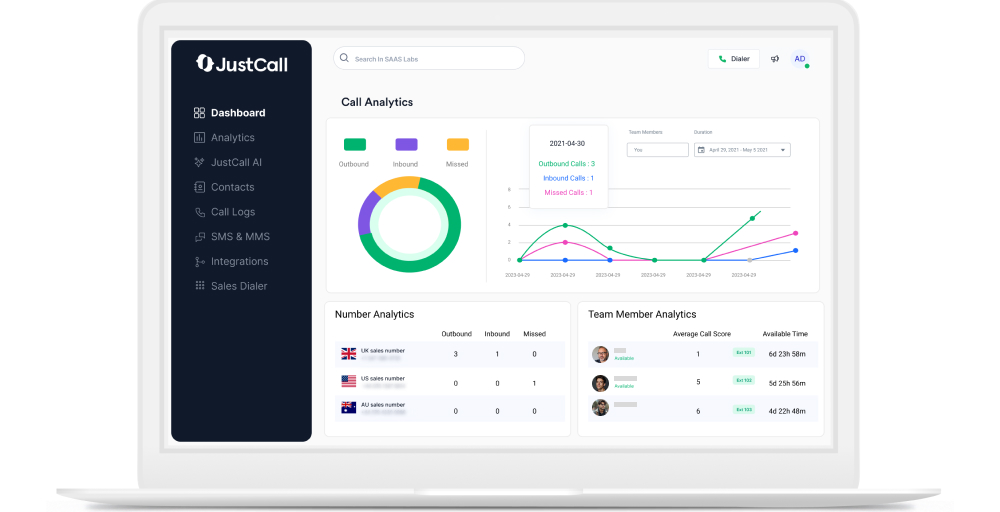
It aims to enhance cross-functional sales and support teams’ operations by offering multi-channel communication capabilities and 24/7 AI agents.
JustCall’s standout features
- DND/Blacklist calls: Easily block spam callers and bots by adding their phone numbers to your blocklist. This allows you to focus on important phone calls.
- Outbound & inbound Calling: Initiate proactive outreach and effortlessly handle unlimited incoming customer calls using your business phone number.
- Slash commands: Utilize shortcuts within the chat to quickly and efficiently report issues from JustCall while collaborating in your Workspace.
- Queue callback: Give callers the option to exit the call queue. They can be directed to voicemail with the opportunity to leave a callback request.
- Parallel dialer: Automatically dial multiple numbers at once to boost your contact rates, reduce sales burnout, and ensure you make the most of your time.
JustCall pricing
JustCall pricing offers three pricing plans:
| Plan | Annual price (per user/month) | Key feature set |
| Team | $25 | SMS Bundles, IVR & Call menus setup, Messaging suite |
| Pro | $49 | Power dialer, Intelligent call routing, Bulk SMS campaigns |
| Pro Plus | $89 | Multi-channel AI-notetaker, SMS Co-pilot, Sentiment analysis |
| Business | Request a Quote | Real-time agent assist, Personalized onboarding, Enterprise-grade SLA |
JustCall Pros
- Sales-focused features at competitive pricing.
- Excellent automation capabilities.
- Substantial CRM integration depth.
JustCall Cons
- Learning curve for advanced automation features.
- Some users report occasional call quality issues.
- Pricing increases significantly for AI features.
9. Zoom Phone: Best for Zoom meeting users
Zoom Phone leverages the massive popularity of the Zoom meeting platform to provide a seamlessly integrated communication experience.
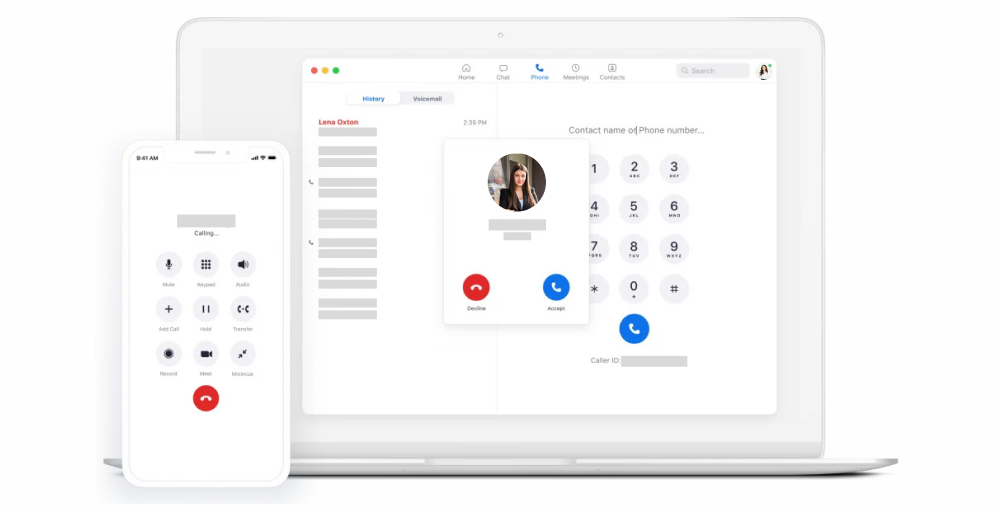
For existing Zoom users, it offers a unified platform for voice, video, and chat with robust features such as AI summaries, basic call routing, recording, and integration capabilities.
This makes it ideal for scaling businesses seeking an all-in-one solution beyond Aircall’s core call center software.
Zoom Phone’s standout features
- Zoom auto dialer: Streamline your automated outbound calling with our automated solution that uses your CRM contact lists to maximize dialing efficiency and enhance productivity.
- Call transferring: Effortlessly transfer calls to other users, numbers, queues, or voicemail, ensuring seamless communication and customer satisfaction.
- Online fax: Revolutionize your faxing with our digital solution, send and receive faxes without the hassle of a traditional fax machine.
- Fax logs: Gain comprehensive visibility into sent and received faxes and their delivery statuses.
- Email-to-fax: Simplify your communication by sending faxes directly from your email, complete with attachments, for a more efficient workflow.
Zoom Phone pricing
Zoom Phone offers a tiered pricing structure, with plans typically ranging from $8 to $20 per user/month. Annual pricing is available, but there is no free trial.
| Plan | Annual price (per user/month) | Key feature set |
| US & CA Unlimited | $15 | International Calling, Call park, Plug-and-play VoIP phones |
| Pro Plus | $18.33 | Unlimited domestic calling, Virtual background, Push-to-talk |
| Business Plus | $22.49 | Custom Mail Domain, 15GB Cloud Storage, Unlimited Domestic online fax |
Zoom Phone Pros
- Lowest base price among major providers.
- Perfect integration for existing Zoom users.
- Consolidated billing with Zoom Meetings.
Zoom Phone Cons
- Best value requires an existing Zoom subscription.
- Limited advanced contact center features.
- Basic SMS capabilities compared to specialized platforms.
10. Talkdesk: Best for enterprise contact center
Talkdesk is a Contact Center as a Service (CCaaS) platform, built for large-scale, reliable customer support operations rather than general office use.
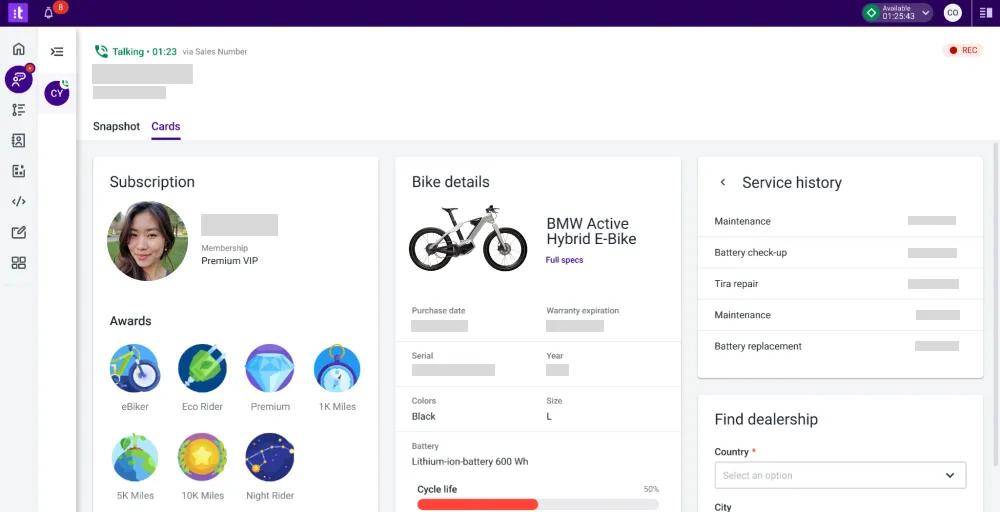
It utilizes “Agentic AI” to power sophisticated voice bots and self-service options, allowing companies to handle thousands of inquiries without human intervention.
It is a high-end, highly customizable enterprise tool meant for companies that treat their call center as a core part of their customer experience strategy.
Talkdesk’s standout features
- Forward-to-phone: Forward calls to mobile phones, SIP phones, or landlines to keep your team connected.
- Interactive Voice Response (IVR) System: Easily configure a multi-level IVR to ensure that each caller is directed to the correct department or agent.
- Automated Workflows: Set up simple workflows to automate tasks. After a call ends, automatically populate your CRM with the recording and call data.
- Call barging: Join live calls to interact with both the caller and the agent. This feature helps reduce call transfers and enhances customer satisfaction.
- Local caller ID: Talkdesk selects the best phone number and area code to display on your outbound caller ID, improving the likelihood of calls being answered.
Talkdesk pricing
Talkdesk pricing ranges from $85 to $145/user/month across 4 plans. Here are the plans:
| Plan | Annual price (per user/month) | Key feature set |
| Digital Essentials | $85 | Studio & Routing, Business Intelligence, Quality Management |
| Voice Essentials | $105 | Voice Engagement, API Access, Conversations Mobile App |
| Elite | $165 | Screen Recording, Automated Notifications, Workspace Designer |
| Industry Experience Clouds | $225 | Industry AI Agents, Performance Management, Real-time Dashboards |
Talkdesk Pros
- Enterprise-grade contact center solution capabilities
- Sophisticated AI and automation features
- Comprehensive omnichannel support. Advanced workforce optimization tools.
Talkdesk Cons
- It can be pricey, especially with add-ons or when needing both voice and digital communication key features.
- The allotted ACW time (e.g., 30 seconds) is often insufficient for detailed notes or escalations.
- Reports can be hard to access or manipulate (requiring export to Excel), with dashboard customization needing improvement.
Which Aircall alternative is best for you?
Choosing the right Aircall alternative depends on your specific business needs, team size, and budget. Here’s how you can select the best one:
- For solopreneurs and freelancers: Choose KrispCall or Quo if you are working solo or with a tiny team. Both offer no minimum user requirements and shared number capabilities that let you maintain a professional presence without breaking the bank.
- For Small to Medium Businesses: Choose Dialpad or Nextiva for a balance of features, reliability, and value. These platforms offer robust cloud-based phone system functionality without the enterprise-level complexity or pricing.
- For sales-focused teams: Try to use JustCall or CloudTalk if your primary focus is outbound sales. Both platforms offer powerful dialers, smart call routing, automation features, and CRM integrations explicitly designed for sales workflows.
- For growing companies: RingCentral or Nextiva if you are planning to scale significantly. These platforms can grow from your 10 users to 1,000+ without requiring a platform migration.
Why choose KrispCall over Aircall?
When it comes to finding a true Aircall alternative that addresses all the pain points without creating new ones, KrispCall stands out as the clear winner thanks to its intuitive user interface and robust cloud communication platform. KrispCall starts at just $12/user/month, which is lower than Aircall’s entry-level plan.
With virtual numbers in 100+ countries and competitive international calling rates, KrispCall makes global business communication accessible and affordable.
You get automatic call transcription, sentiment analysis, and intelligent response suggestions included in your plan, not as costly add-ons that double your monthly bill.
KrispCall offers everything Aircall does, and more, at a fraction of the cost. Whether you’re a solopreneur just starting or a growing business looking to scale, KrispCall adapts to your needs without forcing you into expensive tiers or unnecessary licenses.
Start Now and see why thousands of businesses are making the switch from Aircall to KrispCall.