Making hundreds of calls each day helps convert more leads and drive more sales. But, in reality, manual dialing often leads to high operational costs, compatibility issues, and the headache of complex setups.
Likewise, sales teams often become stuck in multiple spreadsheets and outdated systems, and experience lost productivity, resulting in leads slipping through the cracks.
Fortunately, things do not have to be that way. With VoIP dialer solutions like sales dialers, businesses can automate the dialing process and focus on what really matters: closing deals.
In this blog, we will walk you through everything you need to know about sales dialers, types, features, benefits, how they work, and the reliable solution.
Keep Scrolling!
✨ Key Takeaways
- A sales dialer is a tool that automates the dialing process in the call center by placing outbound calls from a pre-loaded list.
- The types of sales dialers include predictive dialer, power dialer, progressive dialer, preview dialer, click-to-call dialer, and more.
- Sales dialer helps to reduce manual work and improve call efficiency by providing data-driven insights.
What is a sales dialer?
A sales dialer is a software application that helps to automate the dialing process for sales representatives. It uses the outbound calling software to boost the auto dialing process, save time, and increase efficiency. Instead of wasting time between calls, it places outbound calls from a pre-loaded list.
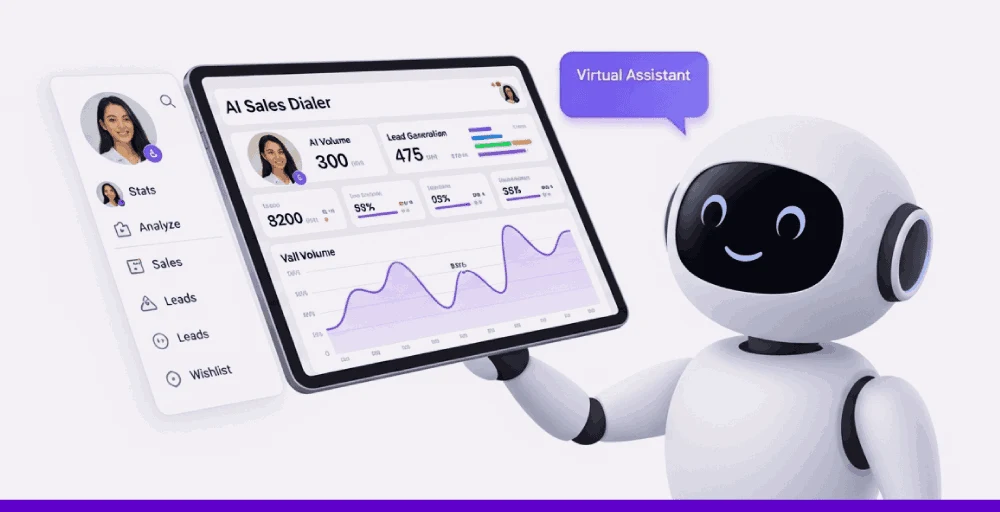
It actually works as part of a larger VoIP or CRM system to benefit high-volume outbound sales environments, such as call centers, SaaS sales, insurance, or real estate. It reduces the time spent on unanswered calls and invalid numbers, thereby increasing call efficiency and overall team productivity.
Features of sales dialer
A sales dialer increases the efficiency of the call center by using features like CRM integration, call recording, call monitoring, voicemail drop, and call analytics. These features enable sales teams to manage leads, track performance, and enhance customer interactions.
Let’s discuss some of these features briefly:
- Automated dialing: Automated dialing helps with auto dialers and call queuing in a call center by eliminating the burden of manual dialing.
- Call Recording: Call recording is an essential feature that allows the sales dialer to record live calls that can further be used to extract insights and perform predictive analysis.
- Call Monitoring: Call monitoring helps to supervise and monitor the live or ongoing calls and conversations. This gives supervisors complete control of coaching and quality control.
- Voicemail drop: It is a feature that allows agents to leave pre-recorded voicemails when a call goes unanswered.
- Integration with CRM: It connects with Customer Relationship Management (CRM) systems to access and update customer information during live calls.
- Analytics and reporting: Auto dialer provides insights into call volume, connection rates, conversion rates, and other key metrics.
- Mobile accessibility: It allows sales representatives to make and receive calls regardless of location, making it easily accessible on mobiles.
Types of sales dialers
There are various types of dialers, each tailored to meet specific needs, volume requirements, and personalization preferences. Let’s discuss some of them:
| Types | Functions |
| Predictive dialer | Optimize for call volume |
| Progressive dialers | Prioritize call quality |
| Preview dialers | Offer a more personalized approach |
| power dialers | Provide a balance between speed and control. |
| Click-to-call dialer | Allow agents to initiate calls manually with a single click |
| Parallel dialer | Call multiple numbers simultaneously to maximize connections. |
| Automatic dialer | Automatically dials numbers from a list without agent input |
1. Predictive dialer
A predictive dialer is an automated telephone dialing system that uses algorithms to predict when agents will be available. And based on that, it connects calls to the agents.
Pros: It improves call efficiency and reduces agent downtime.
Cons: It requires careful monitoring and regulatory compliance.
Best for: It is ideal when combined with CRM and business tool integrations, and summaries can be saved to customer profiles for future reference. For telemarketing, political campaigns, and mass outreach.
2. Power dialer
Power dialer is a feature that automatically dials the available agents based on the uploaded contacts.
Pros: It benefits from improved agent focus by allowing agents to handle a larger number of calls in the same amount of time.
Cons: It is not efficient for high call volume, like predictive dialers.
Best for: Moderate call volumes and sales representatives that require speed and efficiency.
3. Progressive dialer
A progressive dialer is an automated outbound dialer that automatically dials the next number on the call list as soon as an agent finishes their current call or after a certain interval.
Pros: It reduces the call abandonment issue and provides a better customer experience.
Cons: It is slower than predictive dialing.
Best for: It is well-suited for small to mid-sized teams or teams that need to maximize conversation.
4. Preview dialer
Preview dialer is an outbound call center that represents customer information to the agents before initiating the call. This allows agents to be well prepared before actually interacting with the callers.
Pros: It provides a sense of more control with personalization and improves customer interaction.
Cons: It can result in slower dialing speed due to the prior preparation, and can reduce call volumes compared to other dialers.
Best for: It is ideal for VIP costumes, high-stakes sales, and complex B2B transactions.
5. Click-to-call dialer
Click-to-call dialer is a feature that allows users to initiate phone calls with a single click, from within a webpage, CRM, or other applications.
Pros: It is time-efficient and improves accuracy.
Cons: They can limit the number of calls the agents can make.
Best for: It is best for businesses that are looking to improve their sales and customer support.
6. Parallel dialer
A parallel dialer is a type of telecommunication tool that is used in call centers to dial multiple calls simultaneously. It reduces waste time between calls and maximizes agent talk time.
Pros: It can boost efficiency and productivity by allowing agents to connect with more prospects in less time.
Cons: It reduces personalization and has the potential for regulatory violations that can further increase the call abandonment rate.
Best for: It is best for high-volume teams that focus on speed and scale.
7. Automatic dialer
An automatic dialer is a software system that dials the numbers automatically from a list. It eliminates the manual dialing process.
Pros: It increases the outbound call volume and reduces the agent idle time.
Cons: It can have compliance issues and customer annoyance.
Best for: It is best for collection service and emergency notifications.
Related 👉: What are Sales Discovery Calls: Proven Templates + Scripts
How does a sales dialer work?
A sales dialer automates and simplifies the calling process, allowing sales reps to focus on critical tasks. Although the technical mechanisms of the working process vary slightly across different platforms, here is a simplified breakdown of the process.
1. CRM integration &contact syncing
Modern sales dialers such as KrispCall easily integrate with your CRM system to pull in contact data such as lead details, call summary, and call history. It eliminates the need for manual data entry and makes sure the agents are up-to-date before making a call.
2. Uploading or selecting contact lists
Once the integration is completed, the sales team can easily upload the contacts manually or use the list in the dialer’s dashboard. These lists are separated by region, state, priority, and targeted outreach.
3. Choosing the right dialing mode
The sales dialer offers several dialer types customized for different sales strategies. Selection of one of the types of dialers based on quality engagement and high-volume outreach.
4. Automated dialing & call routing
After the dialing mode is selected, the number is automatically dialed from the list, and the busy signals, voicemails, and disconnected lines are filtered out. This then connects the live lines to the sales representatives, thereby saving time through automating outbound calls and eliminating downtime.
5. Live call handling & in-call features
During the live calls, the sales representatives can access the real-time data on customer insights and also allow features like call recording, live monitoring, and call coaching to help the sales leads improve the team’s performance without interrupting the conversation.
6. Call disposition & follow-up automation
After the call ends, the sales representatives can note the outcome (eg, successful, voicemail, follow-up needed). This information then syncs automatically with CRM and keeps the records organized. Many advanced dialers automate the next step, such as scheduling a callback or triggering a follow-up email.
7. Analytics & reporting
Sales dialers collect real-time metrics like call duration, pickup rates, conversion ratios, and more. These insights help managers assess performance, identify bottlenecks, and refine strategies. With the right access to data, the team can continually improve its workflow.
Benefits of using sales dialer
Sales dialer benefits sales agents in multiple ways by providing a flexible workflow and boosting efficiency. Let’s discuss some of the major benefits of a sales dialer:
- Reduce manual work: With the use of an automated sales dialer, organizations can reduce the manual work for routine tasks and focus on the critical ones.
- Improves call efficiency: Businesses can improve call efficiency by implementing a sales dialer in their organization. This can also save a lot of time.
- Automated follow-ups: Many sales dialer offers features that allow automated follow-up calls and messages to make sure no leads are missed.
- Improves sales performance: Sales dialer automation increases the call metrics, and as a result, the overall sales performance is improved.
- Provide data-driven insights: Sales dialers often integrate with CRM systems and provide valuable data and analytics on call performance.
- Ease lead management: It helps to centralize lead information, track call history, and manage leads effectively.
- Integrates well with CRM: Sales teams can easily integrate their dialer with CRM and get insights into customer call logs, daily updates, and a unified view of customer interactions.
Speed up outbound sales with KrispCall’s power dialer
If your team is still wasting a lot of time and investment by relying on the manual dialing process, it’s time to switch to smarter VoIP options, such as a dialer.
KrispCall’s power dialer is a feature that uses your uploaded contact list to initiate the call rather than having to dial each one of them manually. It is designed to simplify your outbound call operations and help you close more deals quickly.
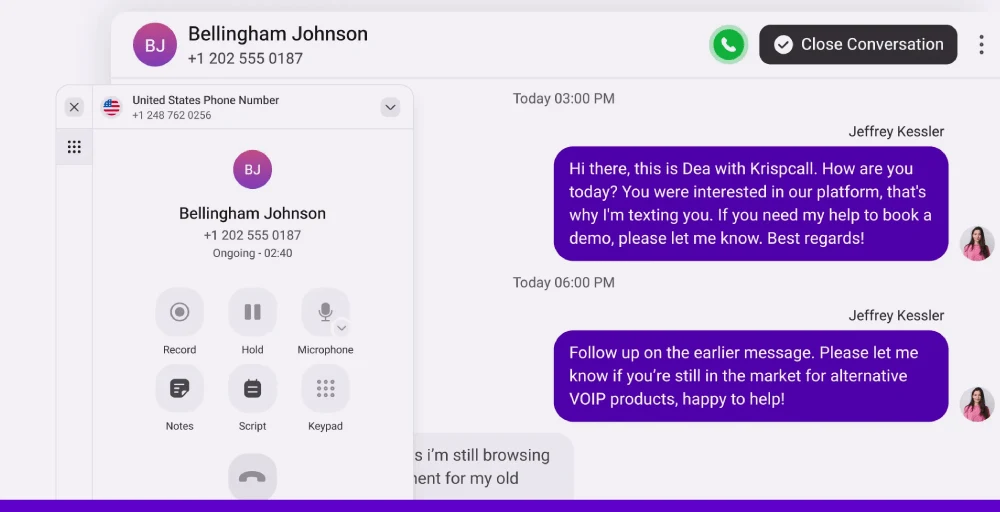
Using KrispCall’s power dialer, your agents can automatically dial one number at a time per available representative and ensure full control with real-time engagement. So, without wasting time on voicemails and busy tones, switch to power dialer options for faster connections and higher conversion opportunities.
Setting up the Power Dialer in KrispCall is a quick and straightforward process. Upload your lead list and select your dialing preferences, and you can launch a full-blown outbound campaign in just a few clicks. Here’s a detailed guide to help you get started:
In KrispCall’s power dialer, you will see various options like Campaigns, Contact Lists, Voicemail drops, and Call Scripts. Additionally, you can view analytics to get insights into detailed call log history.
Ready to see it in action?
Book a Free Demo Now and experience how KrispCall’s Power Dialer can transform your outbound sales process.