It is crucial for call center managers to measure performance for delivering great customer service, but it’s not always easy. Many call centers struggle with high customer wait times, which frustrate callers and hurt satisfaction.
At the same time, agents often face burnout from overwhelming workloads, which leads to high turnover. Such challenges can feel overwhelming, but by tracking the right metrics for contact center optimization, you can find solutions.
In this blog, we’ll explore key call center metrics and how they can drive better performance and satisfaction.
✨ Key Takeaways
- Call center metrics are key performance indicators (KPIs) used to measure and evaluate the efficiency, effectiveness, and overall performance of a call center.
- The main customer experience metrics are customer effort score (CES), customer satisfaction score (CSAT), net promoter score (NPS), and first call resolution (FCR).
- To improve call-centric metrics, analyze customer performance, set clear and measurable goals, track progress, use AI to uncover hidden gaps, & learn from outcomes.
What are call center metrics?
Call center metrics, also referred as customer support metrics, are key standard measurements that show how well customer service teams are performing.
It tracks metrics like wait times, call duration, and how quickly issues are resolved. With the right data, it becomes easier to see what’s working and what needs attention.
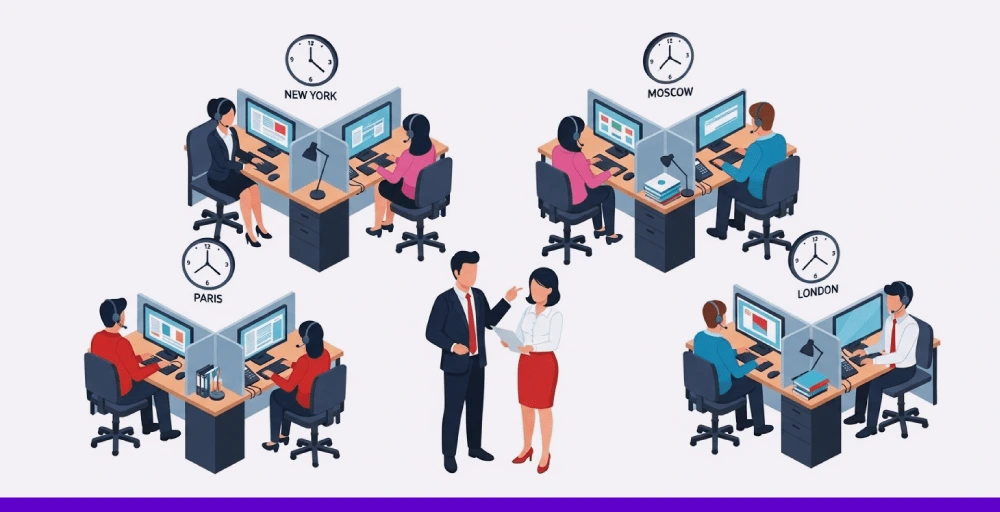
When customer service managers understand how to monitor call center performance using the right metrics and apply contact center analytics effectively, they can spot problems early, improve agent performance, and deliver faster, better service.
It’s not just about numbers; it’s about using data to create smoother, more satisfying customer experiences.
Top call center metrics and KPIs to monitor
The following contact center metrics and key performance indicators provide insights into how effectively customer service is being delivered.
Carefully monitoring these figures allows call centers to boost customer service agent performance and enhance customer satisfaction.
1. Customer experience metrics
Customer experience metrics reflect how callers perceive their support interactions. They highlight the effectiveness of issue resolution and the level of satisfaction following each call. The data offers a clear path to improving service quality through measurable feedback.
i. Customer effort score
Customer Effort Score (CES) measures how simple or difficult it is for a customer to receive help or fix an issue. A lower score indicates a smooth experience, while a higher score points to frustration during the process. CES helps identify friction points in support that might be driving customers away.
How to calculate CES?
CES = Total of all effort scores ÷ total number of survey responses
ii. Customer satisfaction score
Customer Satisfaction Score (CSAT) shows how happy customers are after speaking with support. After the interaction, you can send a satisfaction survey asking a quick question such as “How satisfied were you?”, typically using a 1 to 5 scale.

It’s an easy way to see whether the support met their expectations.
How to calculate CSAT?
CSAT = (Number of positive ratings ÷ total number of responses) × 100
iii. Net promoter score
Net Promoter Score (NPS) evaluates customers’ willingness to recommend your service to others. After a support call, ask: “How likely are you to recommend us on a scale from 0 to 10?” The results make it easy to identify both strong supporters and dissatisfied users.
Here’s how responses are grouped:
- Promoters (score 9–10): Loyal fans who are likely to spread positive word-of-mouth.
- Passives (score 7–8): Generally satisfied but not excited enough to promote your brand.
- Detractors (score 0–6): Unhappy customers who may share negative feedback and hurt your reputation.
How to calculate NPS?
NPS = % of promoters − % of detractors
iv. First call resolution
First Call Resolution (FCR) measures how many customer queries are fully resolved during the initial call, without requiring a second contact. It reflects the effectiveness of the customer support team, as resolving issues quickly often leads to higher customer satisfaction.
How to calculate FCR?
FCR = (Number of issues resolved on the first contact ÷ Total number of first contact cases) × 100
2. Agent performance metrics
Agent performance metrics in a contact center help assess how effectively support agents handle customer issues. They monitor factors like response time, support quality, and professional conduct, crucial elements that influence both team development and customer satisfaction.
i. Average speed of answer
Average Speed of Answer (ASA) indicates the average time customers wait before their calls or messages are handled by support staff in a call center. It is a crucial metric for customer service leaders who aim to reduce wait times and improve responsiveness.
How to calculate ASA?
ASA = Total wait time for answered calls ÷ number of answered calls
ii. Agent utilization rate
The Agent Utilization Rate shows the percentage of time contact center agents spend actively handling customer interactions compared to their total logged-in time during a set period. It helps identify whether team members are stretched too thin or not being fully utilized, which makes it useful for improving workforce efficiency.
How to calculate agent utilization rate?
AUR = (Total handling time ÷ total logged in time) × 100
iii. Wrap up time
Wrap-up time is the interval after a call during which an agent finalizes related tasks for call center operations, like documenting notes, creating support tickets, or updating customer records. Although it occurs after the conversation ends, it plays a crucial role in maintaining organized support operations.
How to calculate wrap-up time?
Wrap-up time = [Total Handle Time – (Talk Time + Hold Time)] ÷ Total Number of Customer Calls
iv. Calls answered per hour
The metric tracks the number of customer calls an agent handles in one hour. It provides insight into an agent’s efficiency and the total number of calls handled within a shift. For example, if an agent handles 40 calls during an 8-hour shift, they average 5 calls each hour.
How to calculate calls answered per hour?
Call answered per hour = Total calls answered ÷ total working hours
v. Agent effort score
Agent Effort Score (AES) reflects how challenging or straightforward agents find it to resolve customer issues, based on their direct input. A lower AES indicates that systems and workflows supported efficient work, whereas a higher score highlights obstacles that made their tasks more difficult.
How to calculate AES?
AES = Total of all submitted effort ratings ÷ Number of agent responses
vi. Average handle time
Average handle time (AHT) measures the total time an agent spends on a customer interaction from the start of the call to completing post call tasks afterward. It includes time spent speaking with the customer, periods on hold, and post-call activities.
For instance, if an agent spends 4 minutes speaking with the customer, 1 minute placing the caller on hold, and 2 minutes completing follow-up tasks, their Average Handle Time (AHT) totals 7 minutes.
How to calculate AHT?
AHT = (Talk Time + Hold Time + After Call Work) ÷ Total Number of Calls Handled
vii. Occupancy rate
Occupancy Rate reflects how much of an agent’s logged-in time is spent actively assisting customers, whether through calls or after-call work. It highlights the balance between productivity and idle time in a call center environment.
How to calculate occupancy rate?
Occupancy rate = (Total Handle Time ÷ Total Logged In Time) × 100
A healthy occupancy rate typically falls between 75% and 85%. If the rate drops below 70%, it may indicate that agents are spending too much time idle, which can negatively impact overall performance and reduce the return on your staffing investment. On the other hand, pushing too far above 85% may lead to burnout and impact service quality.
viii. Transfer rate
Transfer rate measures how frequently agents pass calls to other agents or departments instead of resolving them directly. For instance, if 10 out of 100 calls are transferred to another agent or department, the transfer rate would be 10%. A high rate can suggest gaps in training or resources.
How to calculate transfer rate?
Transfer rate = (Number of transferred calls ÷ total number of calls) × 100
3. Call center performance metrics
Call center performance metrics track key areas like average handle time, first call resolution, and customer satisfaction to assess issue resolution. They also track metrics such as average speed of answer, transfer rate, and agent utilization to detect delays and manage workload effectively.
i. Service level
Service level tracks how effectively a call center responds to incoming calls within a set time frame, which minimizes active waiting calls and improves overall satisfaction. It represents the percentage of calls that are answered by agents before a defined wait-time threshold.
A widely used benchmark is the 80/20 rule, meaning that 80% of calls should be answered within 20 seconds. However, ideal targets vary by industry and are influenced by customer expectations, operational expenses, and the level of service desired.
How to calculate service level?
Service level = (Number of calls answered within target time ÷ total incoming calls) × 100
ii. Call volume
Call volume tracks the total number of calls a contact center manages, including inbound calls, outbound calls, and calls blocked, within a given timeframe (such as daily, weekly, or monthly). It offers valuable insight into the overall workload and resource demands.
How to calculate call volume?
Call Volume = Answered Calls + Missed Calls + Abandoned Calls
iii. Calls handled
Calls Handled counts only the calls that were successfully answered, either by a live agent or an automated system like interactive voice response. It excludes any calls that were dropped, missed, or abandoned.
How to calculate calls handled?
Calls Handled = Agent-Handled Calls + IVR-Handled Calls
iv. Average age of query
The average age of query tracks the usual duration a customer issue stays unresolved before being closed. It highlights how efficiently support cases are handled and helps pinpoint delays in the follow-up. A lower average age indicates quicker responses and improved customer satisfaction.
How to calculate average age of query?
Average age of query = Total time all open queries have been pending ÷ total number of open queries
v. Call arrival rate
Call arrival rate refers to how many calls enter the call center within a specific time unit, such as per minute or per hour. It helps forecast peak periods and aids in resource allocation to schedule the right number of agents to reduce hold times. Monitoring it closely supports better workload management.
How to calculate call arrival rate?
Call arrival rate = Total Number of Incoming Calls ÷ Total Time Period (in minutes or hours)
vi. Call abandonment rate
Call abandonment rate shows the percentage of callers who hang up before reaching an agent. It reveals if wait times are too long or if customers get frustrated. Lower abandonment rates mean better service and fewer lost calls.
How to calculate call abandonment rate?
Call abandonment rate = (Number of abandoned calls ÷ total number of attempted calls) × 100
vii. Cost per call
Cost per call indicates the average expense contact center operations incur to manage one customer call. It covers agent wages, software fees, telecom expenses, and various other overhead costs. Tracking this metric helps pinpoint where spending occurs and highlights opportunities to reduce costs while maintaining service quality.
How to calculate CPC?
CPC = Total Operational Costs ÷ Total Number of Calls Handled
viii. Repeat call rate
Repeat call rate measures how frequently customers contact support again for the same problem. It often happens when the initial response is unclear or the issue isn’t fully resolved. A high repeat rate may suggest problems with agent training or internal processes.
How to calculate repeat call rate?
Repeat call rate = (Number of Repeat Calls ÷ Total Number of Calls) × 100


How to improve call center metrics?
Improving call center performance goes beyond simply addressing specific KPIs—it requires a comprehensive, strategic approach that considers the bigger picture through effective call center quality management.
If you want to drive real results across your team, follow these key steps to build a high-performing and customer-friendly support operation.
1. Analyze Your Current Performance
Start by gaining a clear understanding of how your call center is currently performing. Look into customer feedback scores, agent productivity, inquiry resolution metrics, and other key metrics to identify where things are working, and where they’re falling short.
It’s equally important to involve your team in this process. Get feedback from agents and supervisors to understand the on-the-ground challenges they face. When you combine real-world input with data insights, you’ll get a well-rounded view of what needs to improve.
2. Set Clear and Measurable Goals
Once you’ve reviewed your performance, define specific targets that align with your overall business objectives. Give your team clear focus and purpose by setting goals that are well-defined, trackable, realistic, aligned with team priorities, and tied to a specific deadline.
For instance, instead of a vague goal like “improve response time,” aim for something actionable like: “Reduce average wait time by 10% within 90 days by adjusting staffing during peak hours and implementing callback options.”
3. Track Progress Consistently
Improvement doesn’t happen overnight, and success requires ongoing measurement. Use call center reporting tools to set regular check-in points to evaluate your progress and make course corrections if needed.
Midway evaluations can help you spot early warning signs and adjust your approach to stay on track toward your goals.
4. Use AI to Uncover Hidden Gaps
AI-powered tools can play a crucial role in identifying inefficiencies and training needs. Instead of manually reviewing a handful of calls, AI solutions can automatically analyze every customer interaction to surface trends and anomalies.
Platforms like Zendesk QA can flag agent performance issues, detect customer dissatisfaction early, and reveal operational bottlenecks. It helps you act before small issues become big problems.
5. Learn From the Outcome
At the end of your goal period, take time to reflect on what worked and what didn’t. If you met your targets, identify the tactics and tools that drove that success.
If you fell short, dig into the data and team feedback to understand why, and use those lessons to shape your next strategy.