What’s new
KrispCall in 2026 – More of What Works. Less of What Doesn’t
Every update this year is built around one idea: your calls, workflows, and teams should just work faster, more smoothly, and with less friction.
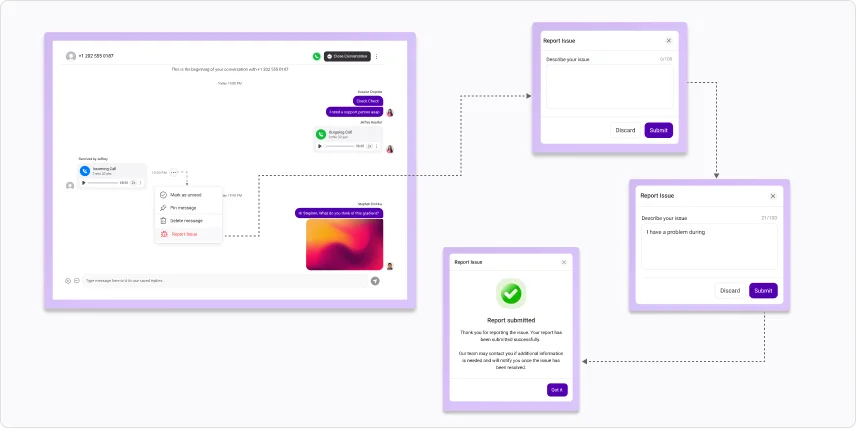
Report Issue from Conversations
Report call or SMS issues directly from conversation logs, with contextual details for faster support resolution.
AI Summary Purchase Experience
Streamlined the AI Summary purchase flow for faster, easier upgrades.
Upgraded AI Transcription and Call Summary
AI transcription and call summaries now deliver greater accuracy and higher-quality insights.
Stability and Reliability Enhancements
Significant improvements in platform stability, performance, and reliability for a smoother communication experience.
Better Call Connectivity
Improved overall call connectivity and communication quality across the platform.
Enhanced Security
Replaced Google reCAPTCHA with Cloudflare Turnstile for a faster, more privacy-friendly, and secure verification experience.
Drag & Drop File Sharing
Drag and drop files directly into the message box for faster, more intuitive file sharing.
Real-Time Unread Counts
Unread conversation counts now sync in real time for better inbox accuracy.
Bulk SMS Analytics Filtering
Resolved filtering issues in Bulk SMS Analytics to deliver more reliable reporting.
Voicemail Drop
Improved the Voicemail Drop experience within Power Dialer for more reliable, efficient outbound campaigns
Reliable Device Connectivity
Resolved device offline and call connectivity issues for a more reliable calling experience.
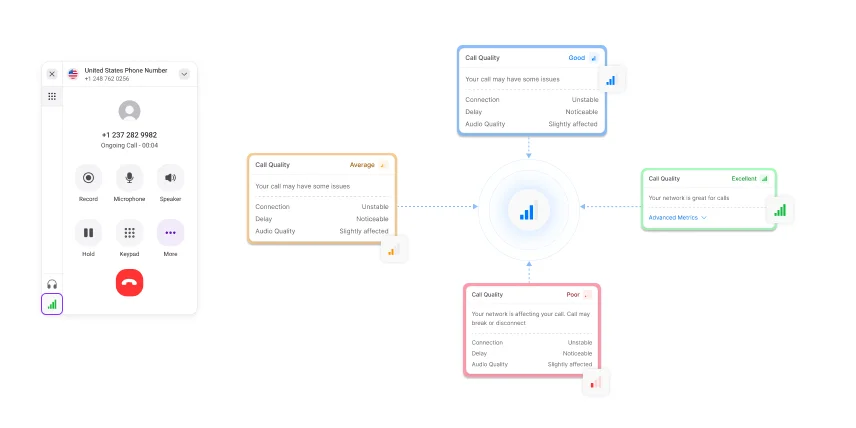
Network Call Quality Indicator
A new dialer indicator lets users monitor call quality in real time.
Clearer Country Flags
Improved country flag visibility for short codes and country selection.
Phone Number Ordering
Fixed phone number ordering in the navigation panel for easier accessibility and organization.
Accurate Phone Number Counts
Corrected phone number counts to ensure accurate channel visibility.
Workspace invitation details
Users now see workspace invitation details when opening a link, even while logged out.
UK Mobile Number Purchase
Resolved payment issues affecting UK mobile number purchases.
Accurate Deletion Billing
Improved phone number detention billing to ensure accurate charge calculations.
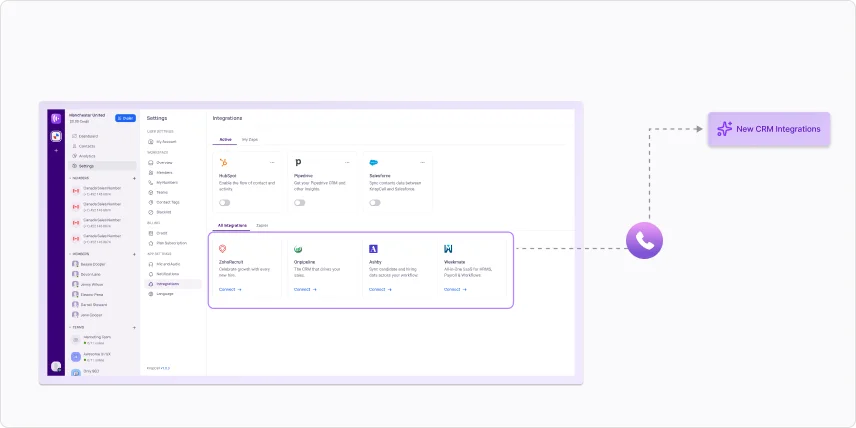
New CRM Integrations (V2 only)
- KrispCall now integrates with Zoho Recruit, Weekmate, Ashby, and Onpipeline.
- Call candidates or prospects directly from each platform, with calls and SMS automatically logged to records.
Mexico Mobile Numbers Available
Mexican Mobile virtual phone number is now available for purchase in KrispCall.
Subscription Lifecycle Management
- Renewal, upgrade, downgrade, and cancellation handling have all been made more reliable.
- Grace-period handling has been improved to ensure more reliable continuity.
- Reminders go out automatically for failed renewals and disabled auto-renewals.
- Add-on purchases are now blocked when a subscription is inactive.
One-Time Password (OTP) Delivery
OTP delivery for sign-up and sign-in is now more reliable, ensuring verification codes reach you without delay. Password validation has also been strengthened for added security.
Onboarding & Account Management
Free number selection can now be skipped during signup. Onboarding and workspace management have been improved overall, and integration visibility inside member profiles has been added.
OTP Login
Log in to the Android app using a one-time password for an extra layer of security.
Inbox Design Refinement
The inbox screen has been updated with a cleaner layout and visual refresh.
Hide Email Verification When 2FA is Active
When two-factor authentication is already active, the email verification step no longer appears during login.
Faster Performance with Native Android App
The Android app is now fully native, making it quicker and more responsive whether you're on a call or managing your workspace.
Improved UI/UX
The app interface has been updated with a cleaner look and a more consistent design.
Enhanced Inbox
Finding and managing conversations is now quicker, with an inbox layout that gives you a clearer view of what needs attention.
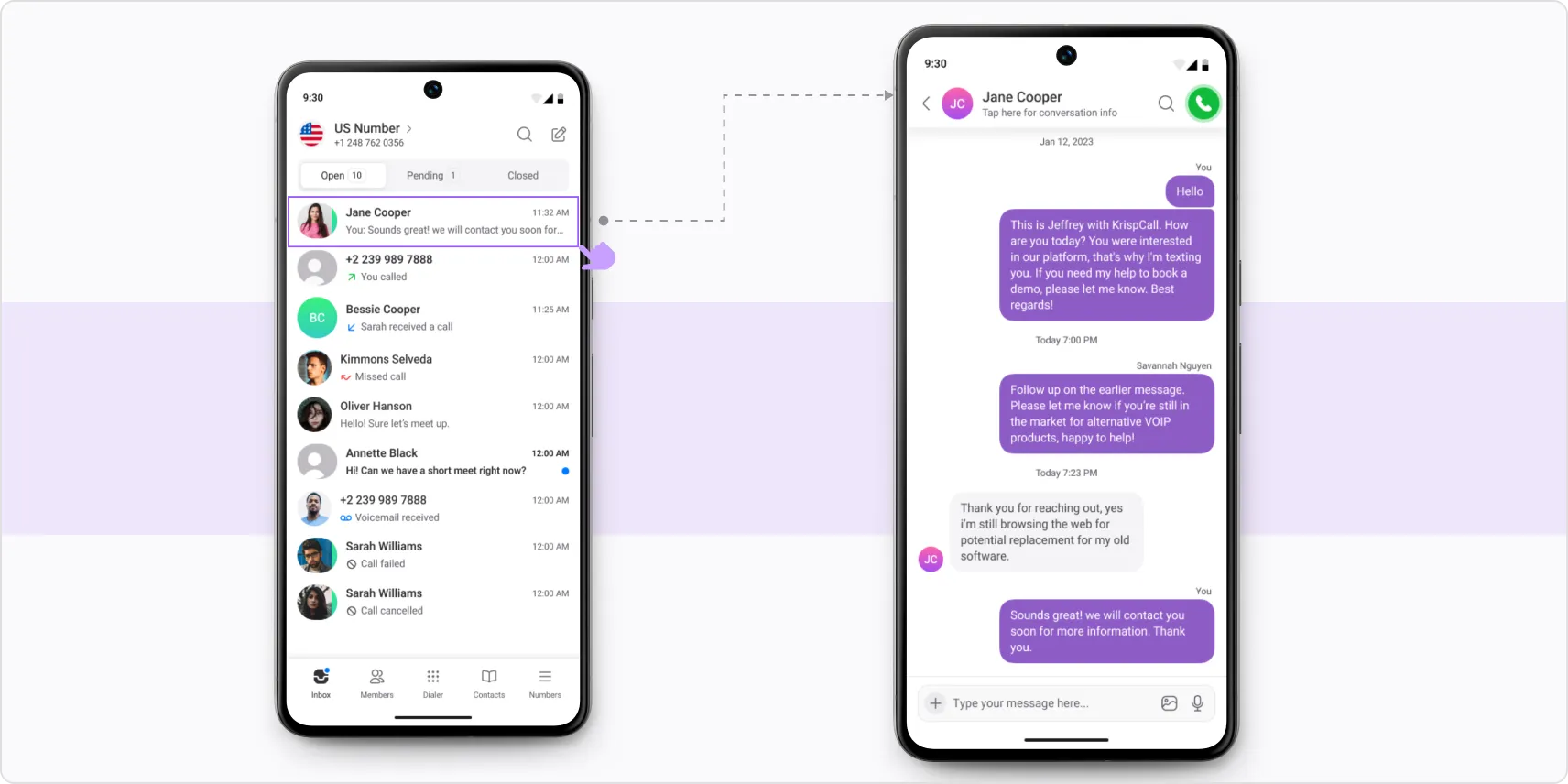
Internal Reply
Coordinate and share context, notes, or next steps privately with your team within any conversation thread.
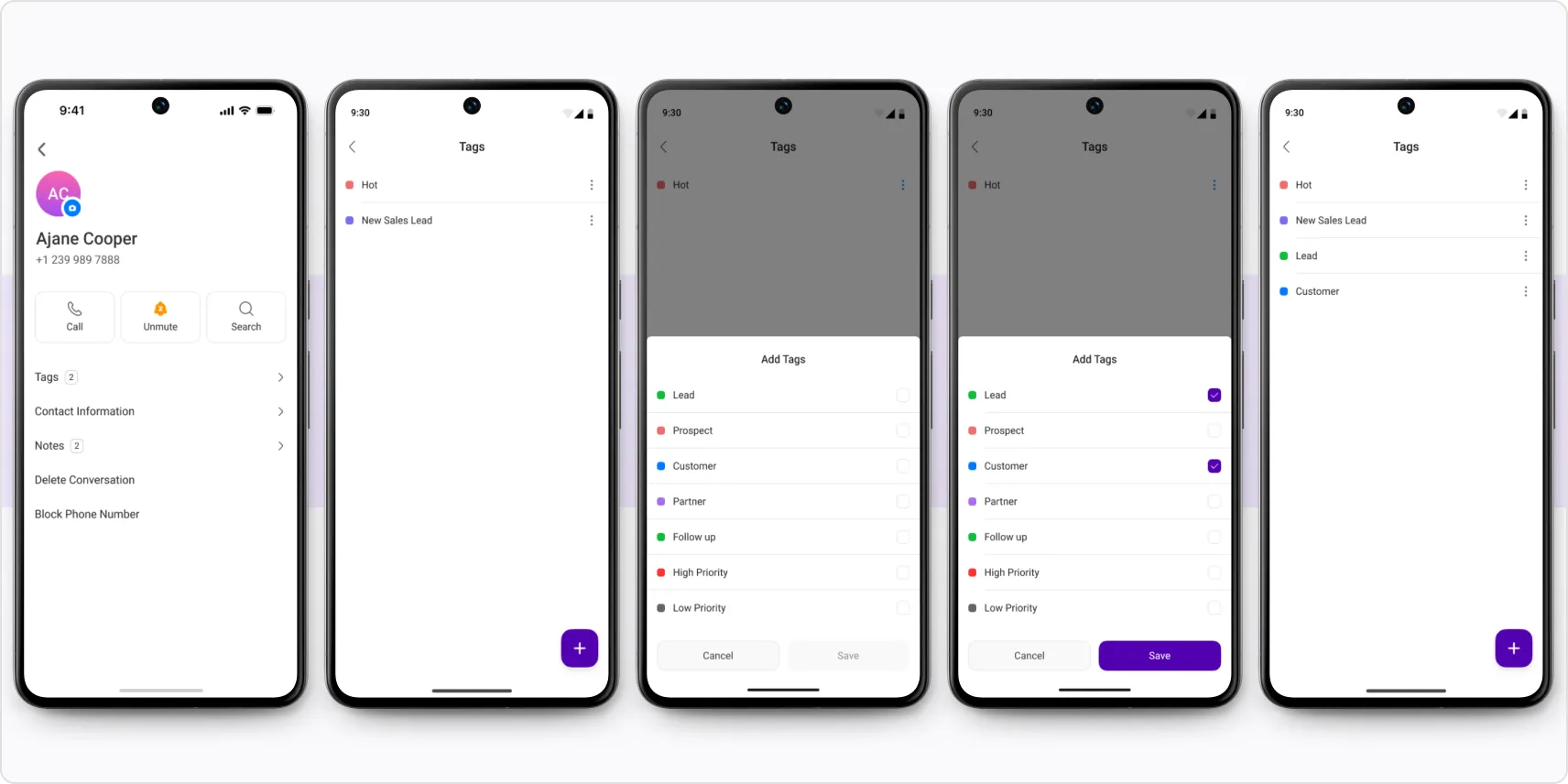
Contact Tags & Notes
Organize contacts with tags and notes right from your Android device so the right context is always there before a call.
Number Sharing & Role Management
Give team members access to shared numbers and manage their roles directly from the Android app.
Filters in CDR Reports
Date and time filters are now available in CDR reports, giving you more precise control when pulling specific call records.
Subscription Renewal Reliability
Subscription renewal handling has been improved for more consistent, uninterrupted processing.
MMS Charging Accuracy
MMS charge calculations have been improved across different countries and number types.
Dark Mode
Dark Mode is now available on Android for a more comfortable experience in low-light environments.
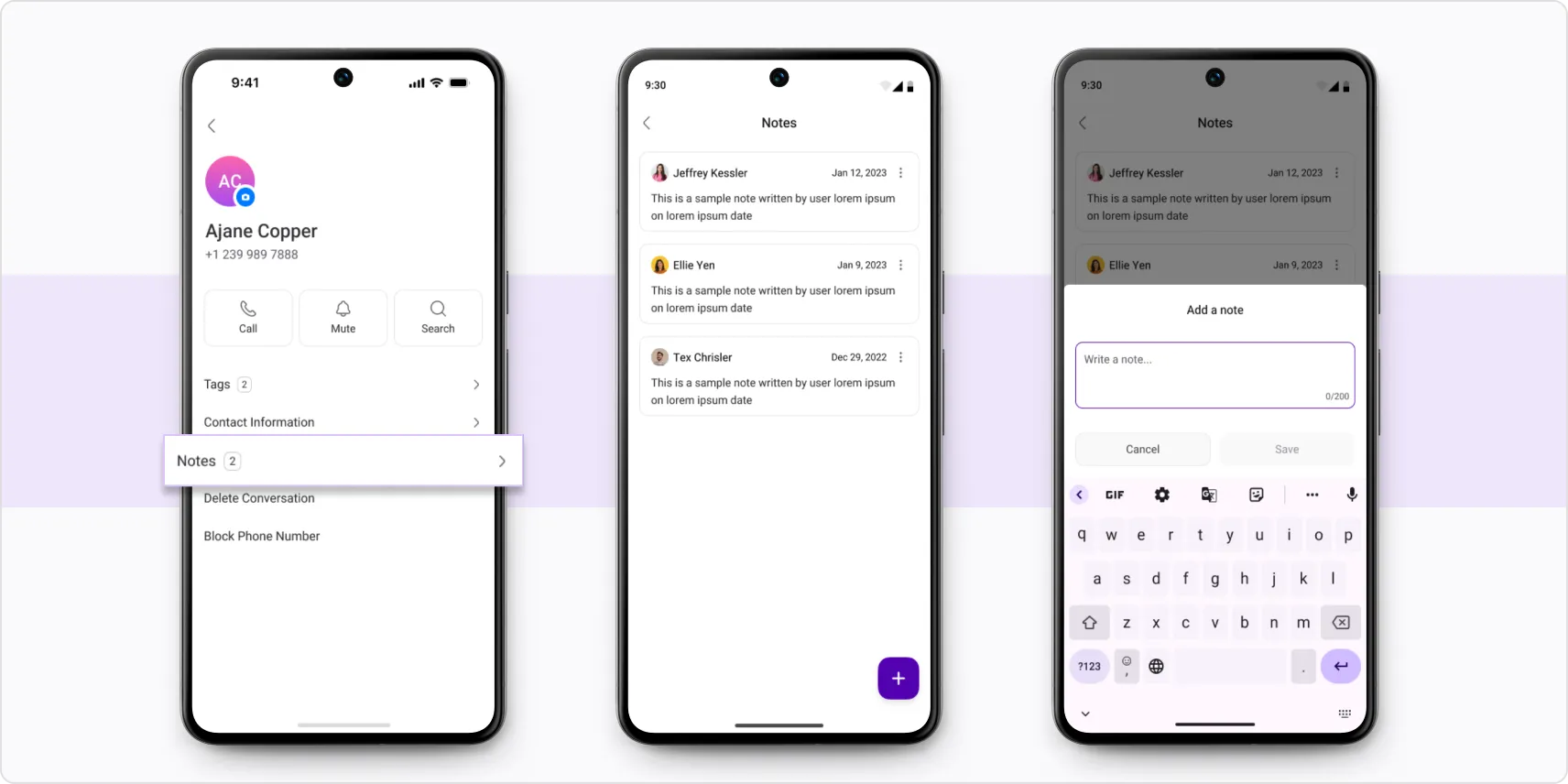
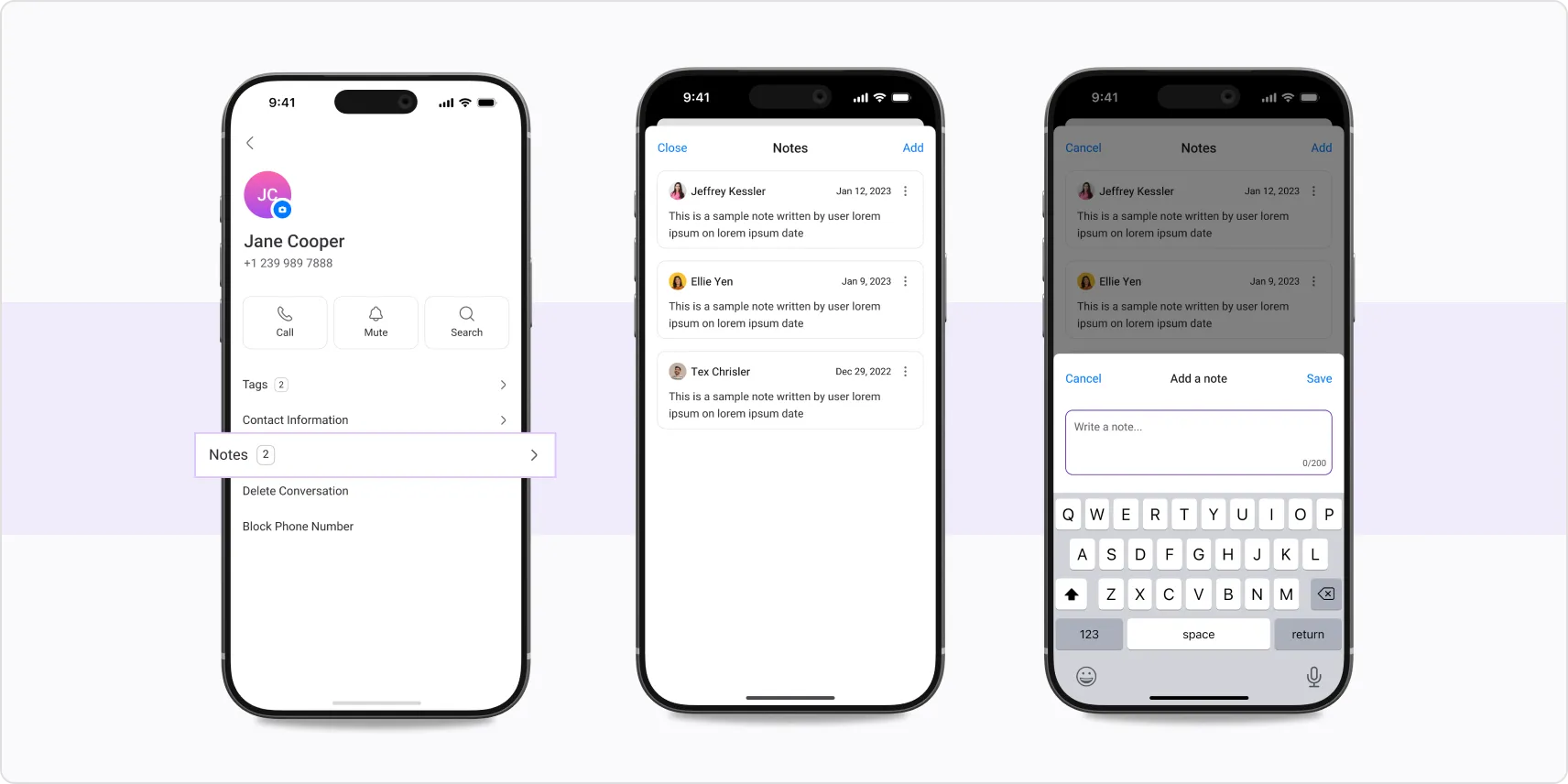
Notes
View and add notes directly within the Android app, without jumping to desktop.
Mobile App Improvements
- Non-VoIP numbers and their conversations can now be viewed via mobile apps.
- Unverified phone numbers now show a visible mark in both Android and iOS.
Android App Improvements
- Full-screen incoming calls on a locked screen.
- Website links in conversations now open in your phone’s default browser.
- Accidental empty messages are blocked.
- Invalid characters in phone numbers are automatically trimmed while making calls.
- Member chat now updates in real time.
- Notes are automatically saved as drafts if a new call interrupts while adding notes.
- The exact end time is now shown when Do Not Disturb is set for a channel.
Improved Accessibility for iOS
The iOS app now adapts correctly to device-wide font size settings, keeping text and layouts readable.
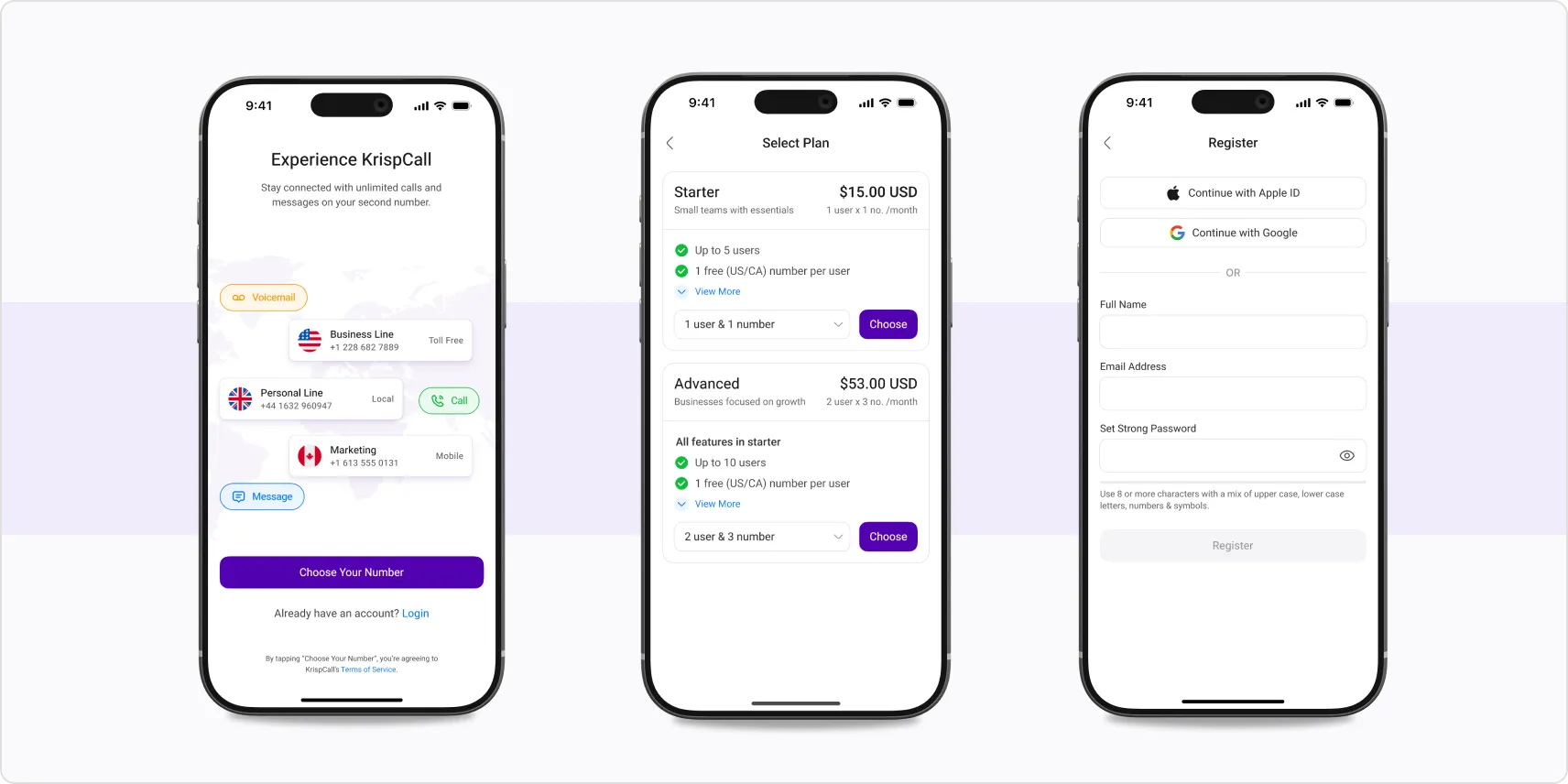
Sign In with Google or Apple
You can now create an account or log in to KrispCall using your Google or Apple credentials on web and mobile apps. Phone number collection is handled within the flow to ensure a smooth, complete setup.
Refer & Earn
The referral program is now available. Enroll directly from your account and start earning for bringing in new users.
Social Sign-Up Guidance
Clearer messages now guide you through the process when signing up via Google or Apple.
Number Settings Label
The hardcoded "Mobile" label has been removed from the Number Settings screen for a cleaner display.
Password Character Limit
The Change Password screen now enforces a maximum of 46 characters.
Audio Recording During Calls
Audio recording now continues correctly during calls in the conversation box, with the playback timer behaving as expected.
DND for Unshared Channels
Do Not Disturb settings for unshared channels are no longer visible to admins and owners, keeping channel controls where they belong.
Faster Performance with Native iOS App
The iOS app now runs on a native architecture, delivering noticeably faster performance across the board.
Improved UI/UX
The iOS interface has been updated with a cleaner, more intuitive design for a smoother everyday experience.
Enhanced Inbox
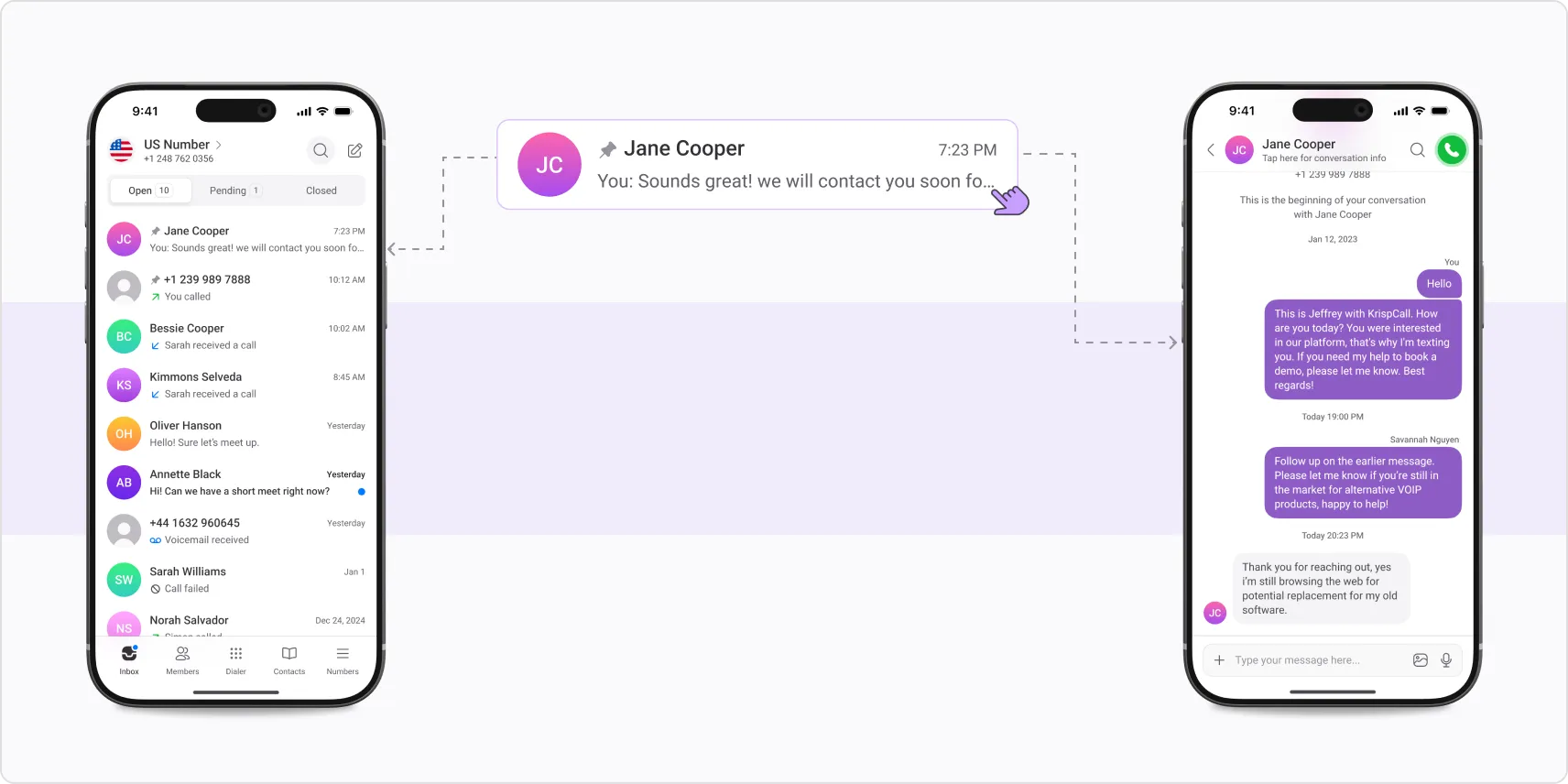
The inbox has been redesigned for better visibility and easier conversation management.
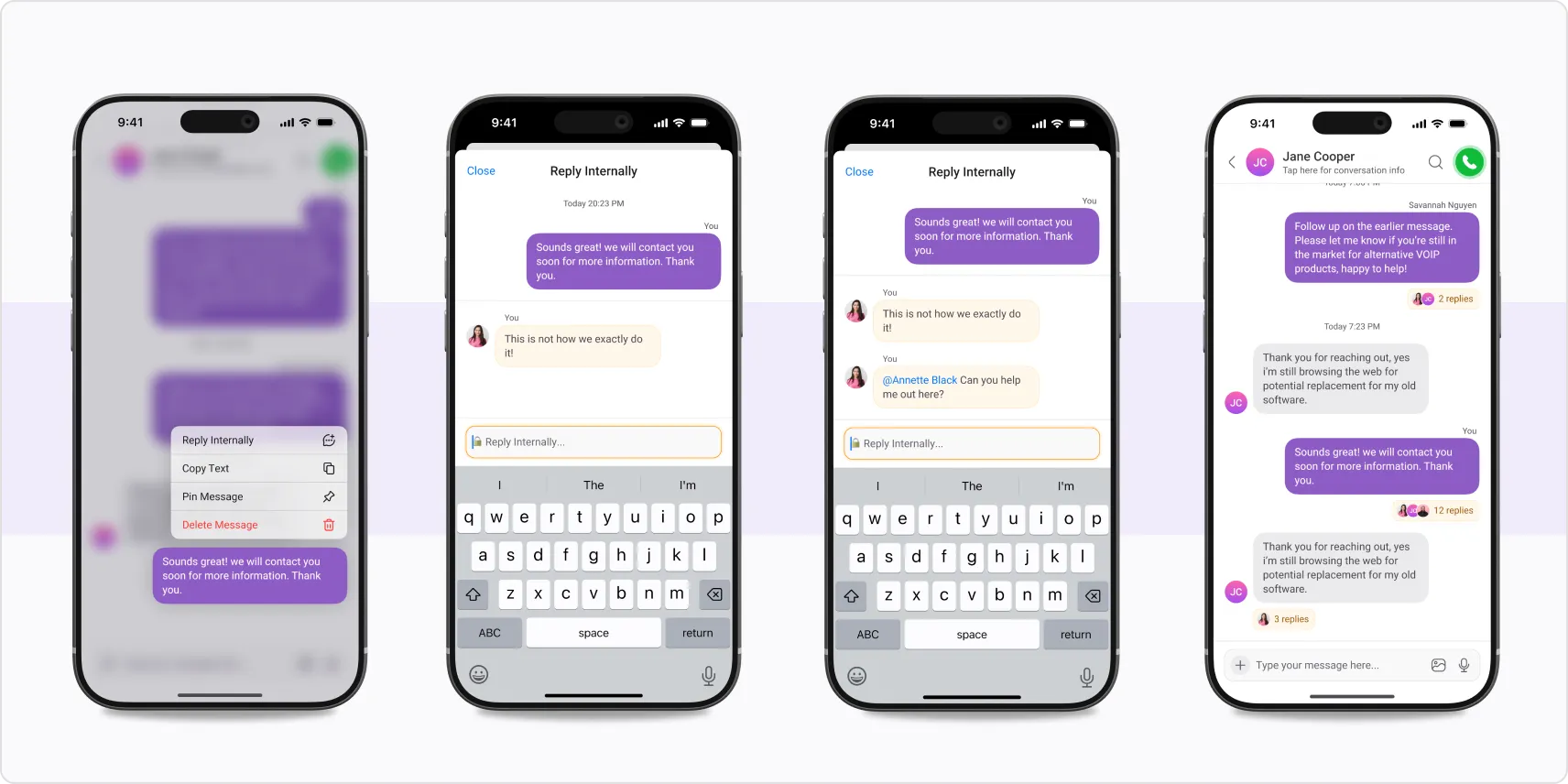
Internal Reply for Team Collaboration
Reply privately within a conversation thread to collaborate with your team without the customer seeing it.
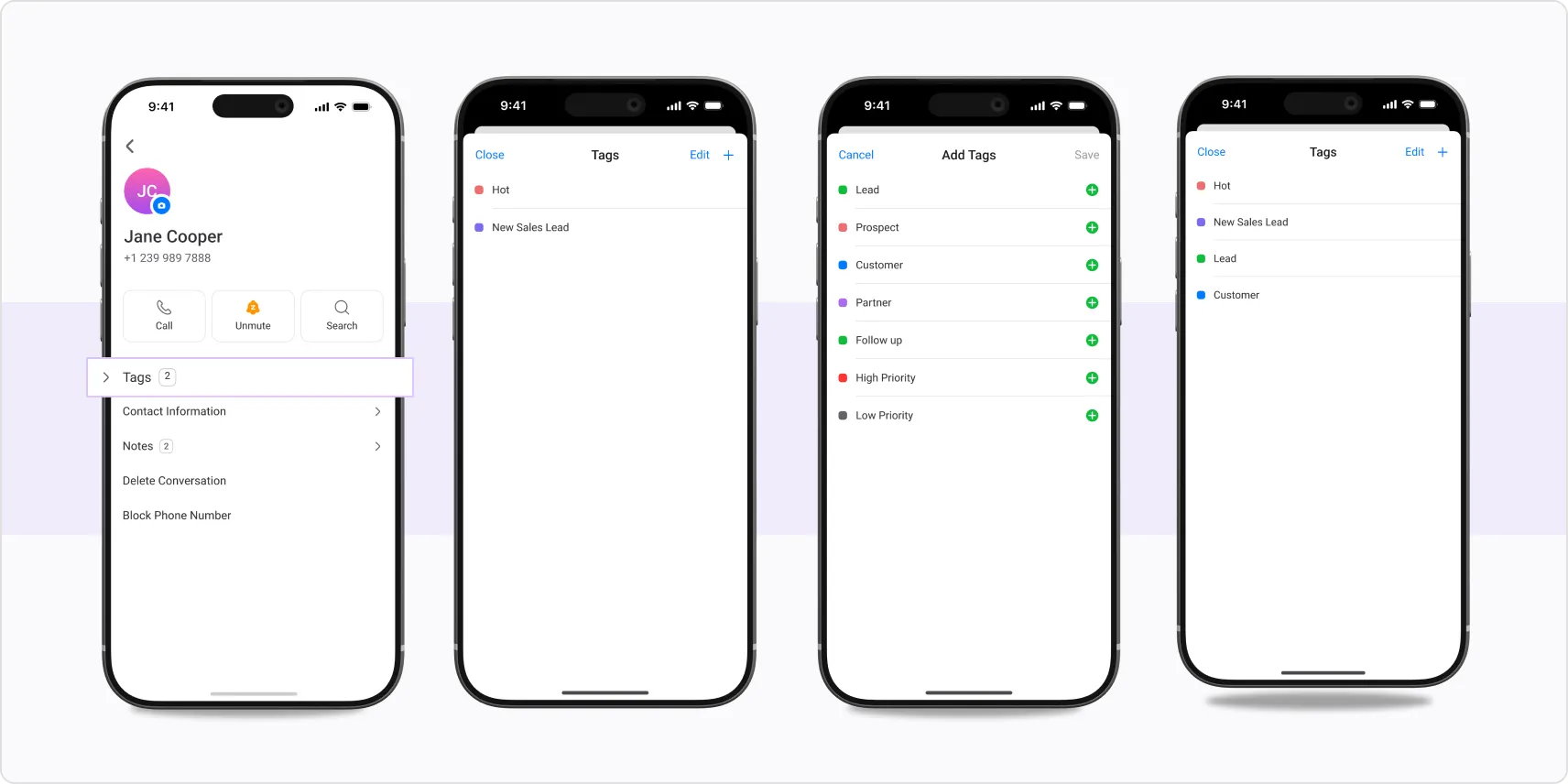
Contact Tags & Notes
Tag contacts and add notes directly from the app to keep context organized and accessible.
Number Sharing & Role Management
Share numbers across team members and manage roles directly from iOS, giving admins more control on the go.
AI Transcription and Summary Behavior Settings
AI transcription and summary now follow your subscription configuration. Integration sync for AI transcripts has also been improved for more reliable data flow.
Bulk Contact Import
Import large contact lists in one go. KrispCall now supports bulk imports of up to 50,000 contacts at once.
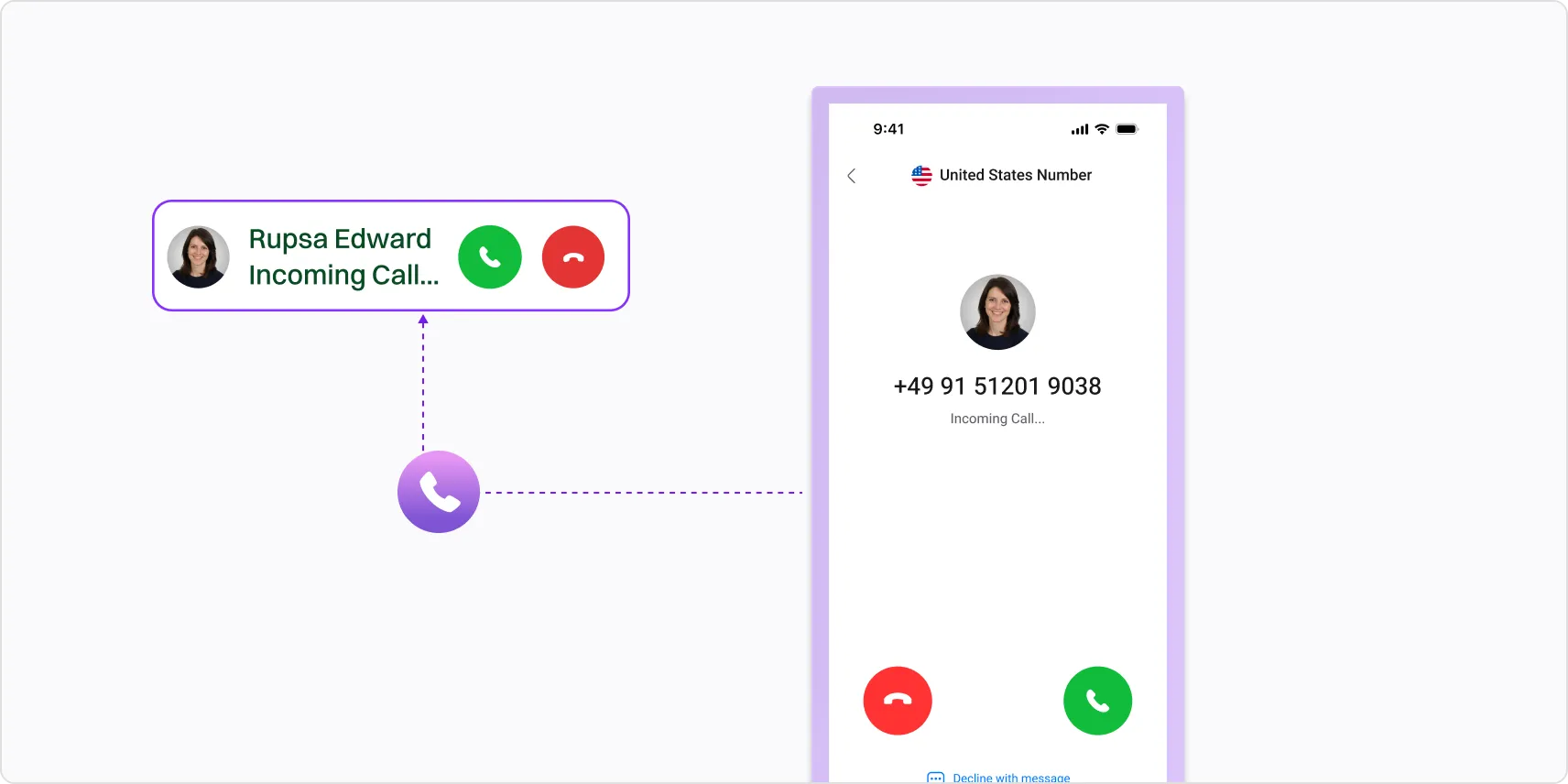
Incoming Call Number Display
The incoming call screen now displays which specific workspace number is being called, so you always know the context before answering.
Manual AI Transcription Control
If recording is on and AI transcription is off, you can trigger transcription manually, giving you more intentional control over what gets recorded and summarized.
Timezone-Aware Dashboard
The dashboard now adjusts its display based on your time zone, so time-sensitive information is always accurate to your location.
Port Existing Numbers
A tooltip has been added to the "Port Existing" number option to walk you through the process step by step.
Authentication & Security
An issue with password change confirmation emails not being delivered has been resolved, strengthening overall session security.
AI Features & Subscription
AI Call Transcription and Summary is now fully visible as an add-on in your plan overview, so you can see what you have, manage it, and understand exactly what’s included.
Communication Logs
A “Messages” filter has been added to communication logs so you can quickly find SMS and messaging records without scrolling through all call activity.
Faster CDR Exports
Large CDR downloads now use streaming instead of waiting to generate in full, significantly reducing wait times.
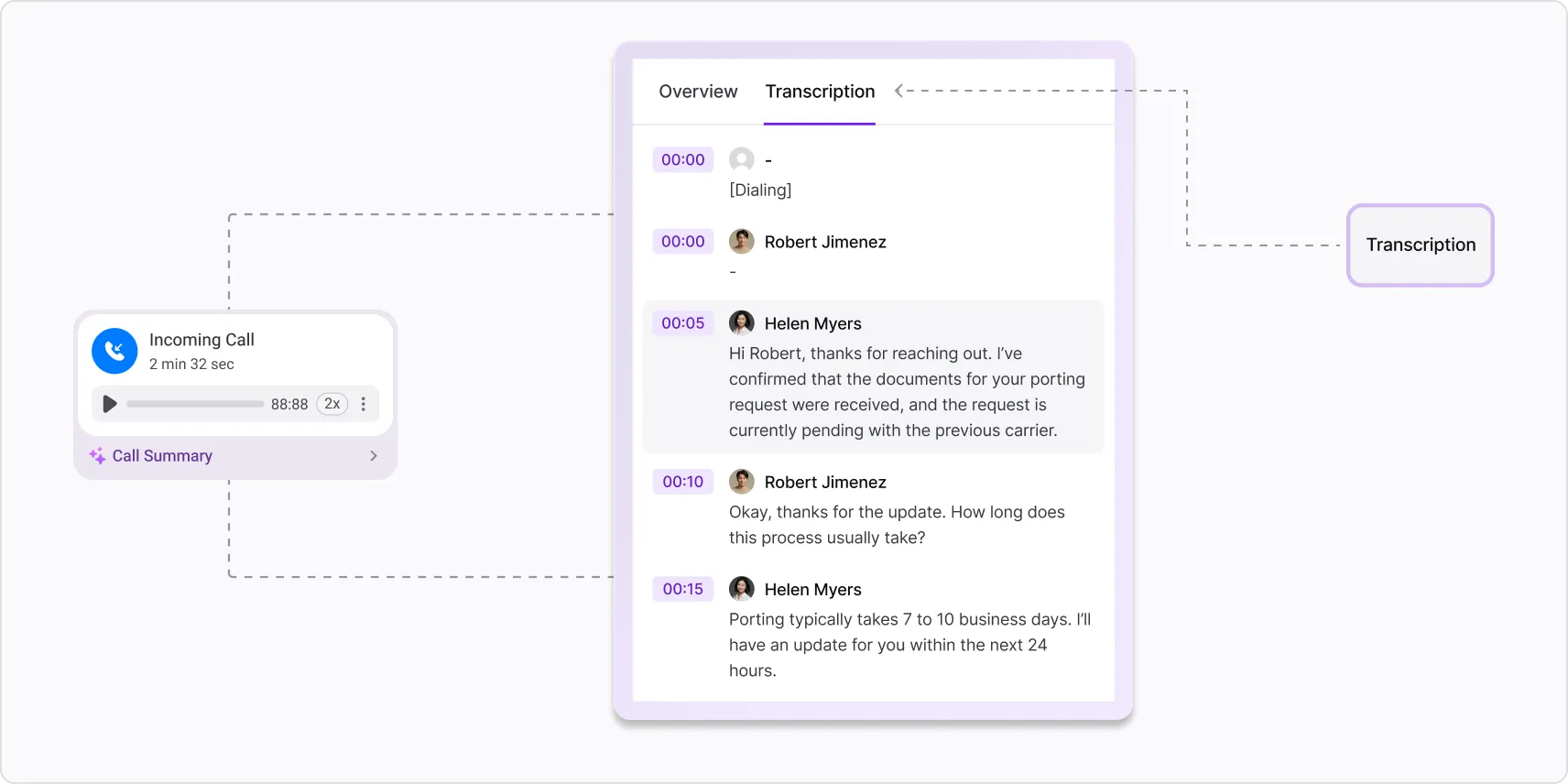
Speaker Separation & Timestamps in Transcripts
AI call transcripts now help identify who said what and when, making it much easier to review conversations and pull out key moments.
CDR Reports
Reports now default to a 7-day view for a more useful starting point, and multi-month date ranges are now also supported.
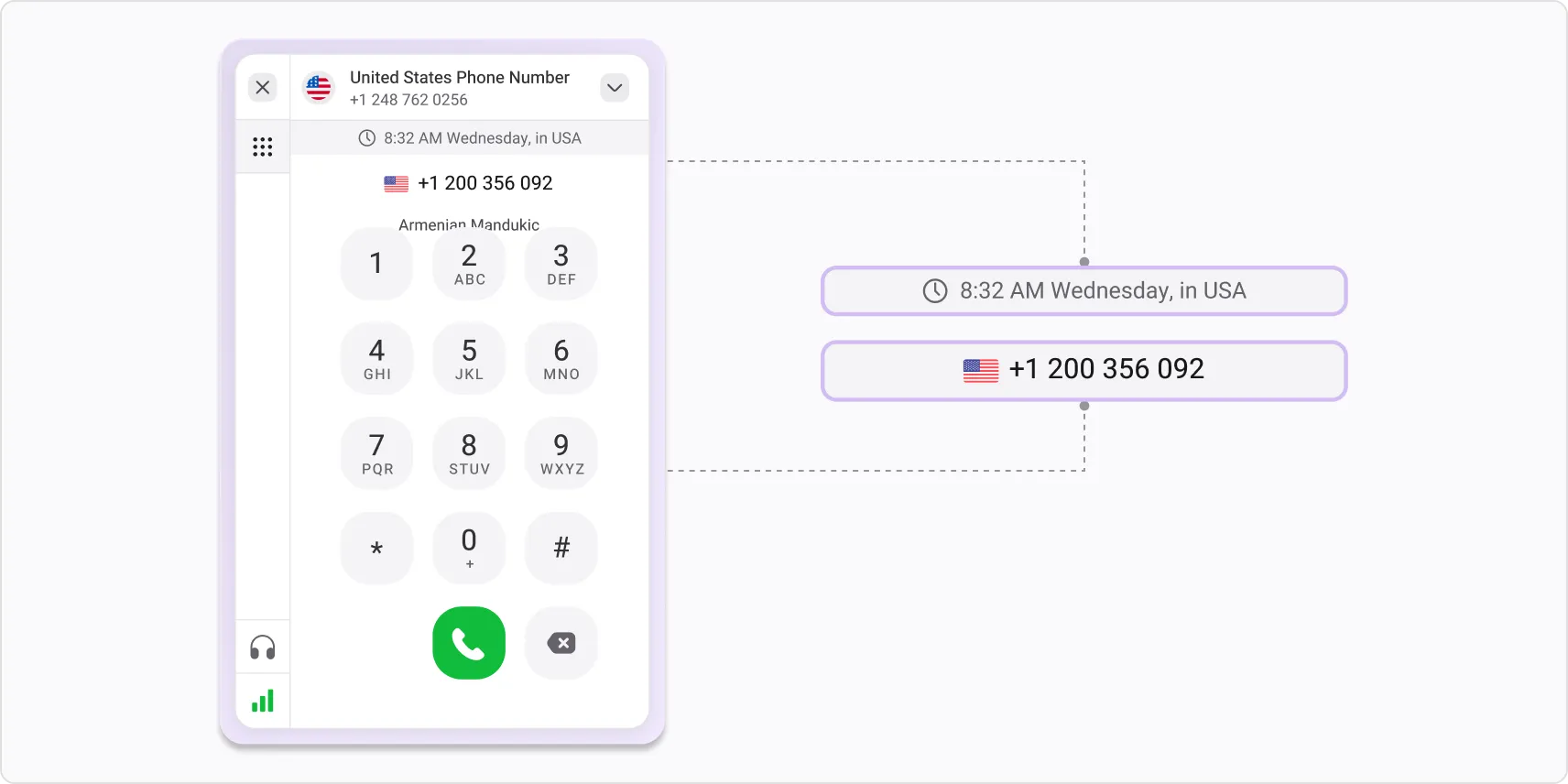
Destination Time in Conversation Box
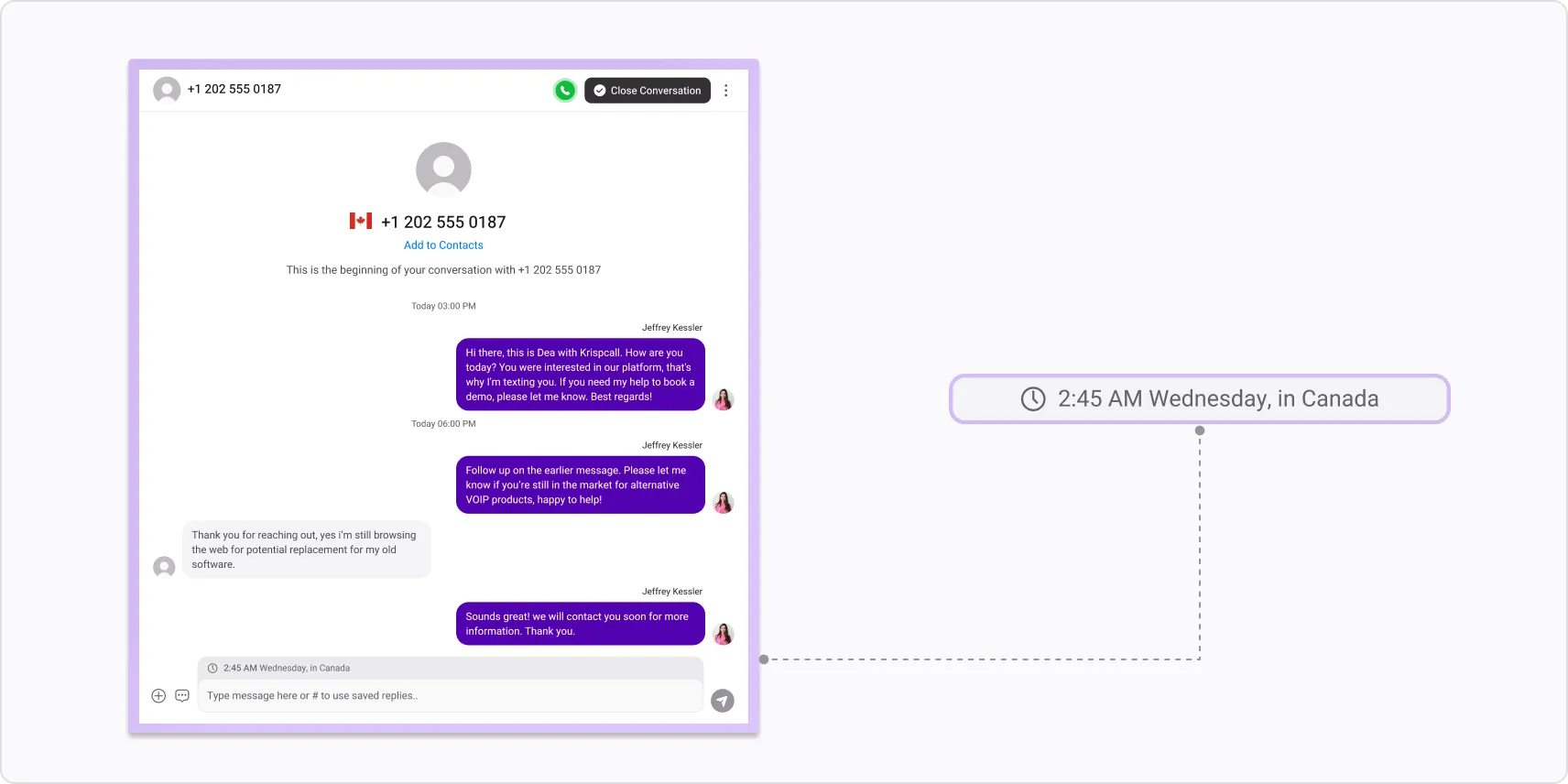
Time and country information for the person you’re communicating with is displayed in the message box in the conversation window.
CDR Reports & Communication Logs
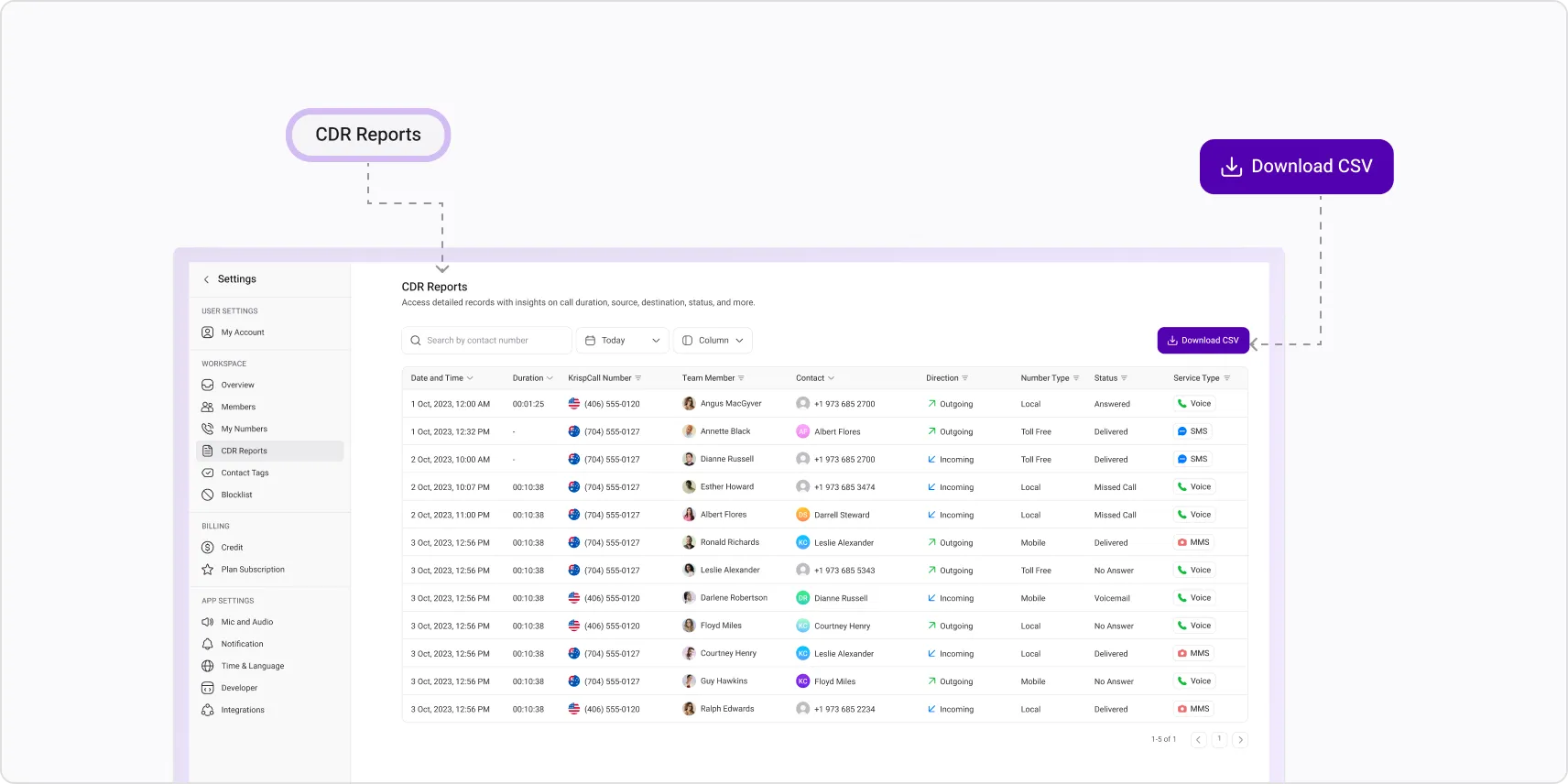
A dedicated Call Detail Records page is now available in settings. Filter by date, contact, or number, export results to CSV, and view accurate timestamps and IVR key presses captured within call records for a complete picture of every call.
AI Call Features
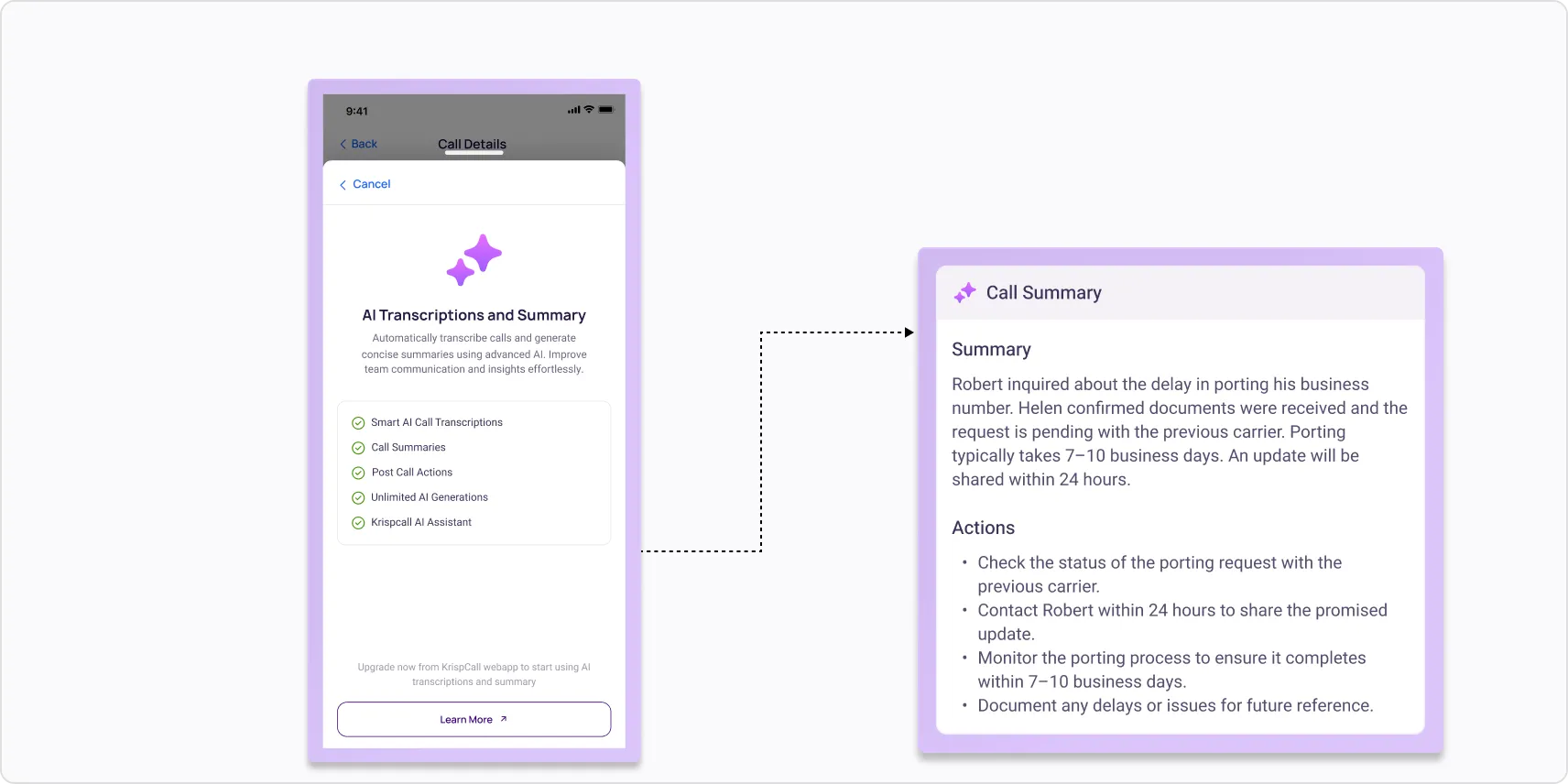
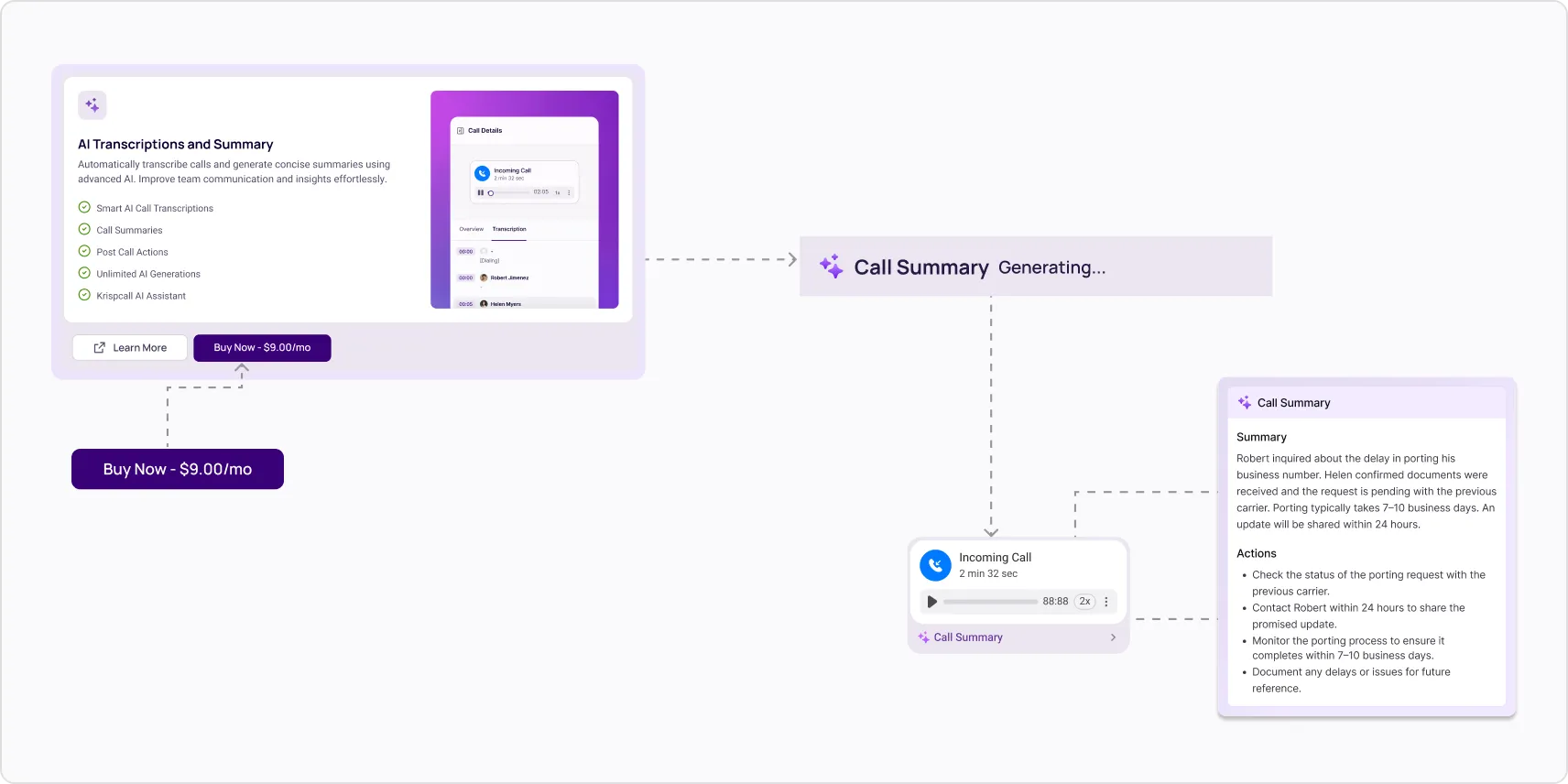
Call summaries and transcription now appear directly in the conversation overview after each call, alongside detailed call metadata for richer context. You can purchase AI transcription from within the platform. New upgrade prompts will automatically surface the features when they're most relevant to your workflow.
Suspended Account Visibility
Suspended accounts now show a clear notification banner, so the status is immediately obvious.
AI Call Transcription & Summary
Every call can now be automatically transcribed and summarized. Enable it as a subscription or add-on from your account settings to get a written record of every conversation.
Invoice & Number Renewal Accuracy
Invoice handling for grouped-number renewals has been improved to provide clearer, more accurate billing records.
Default Dial-From Number
Set a default outbound number so you don’t have to select one every time you make a call.
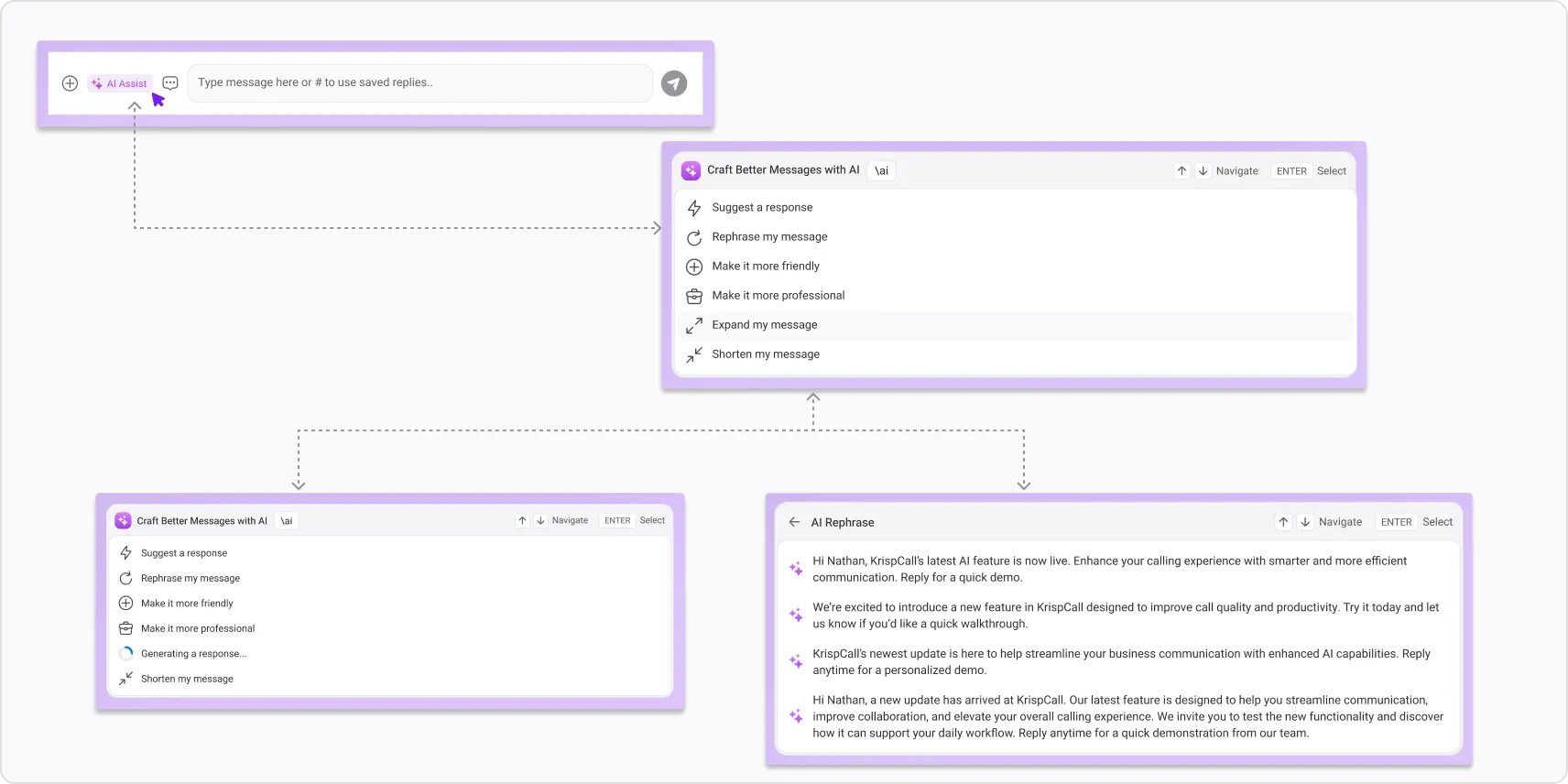
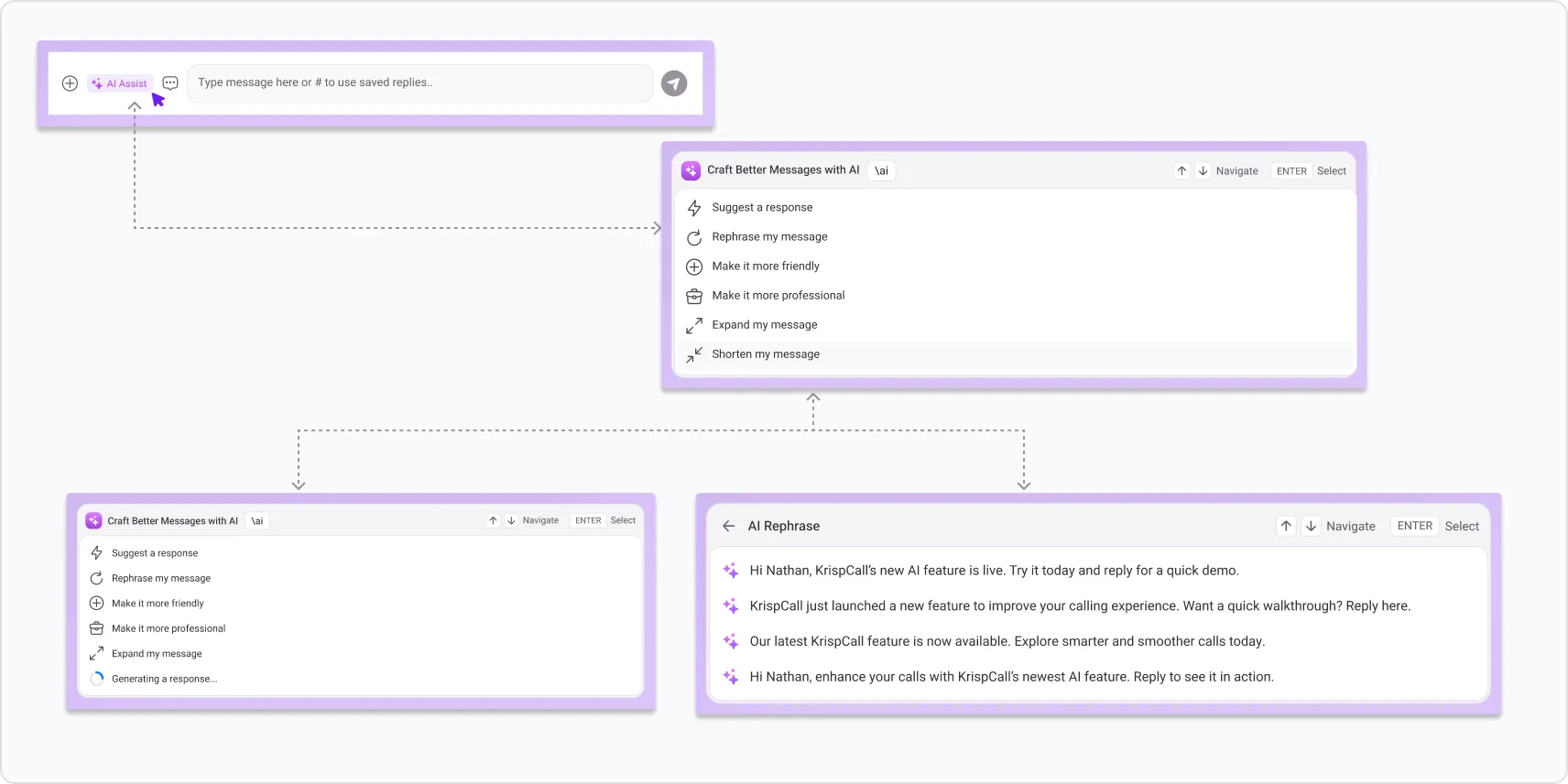
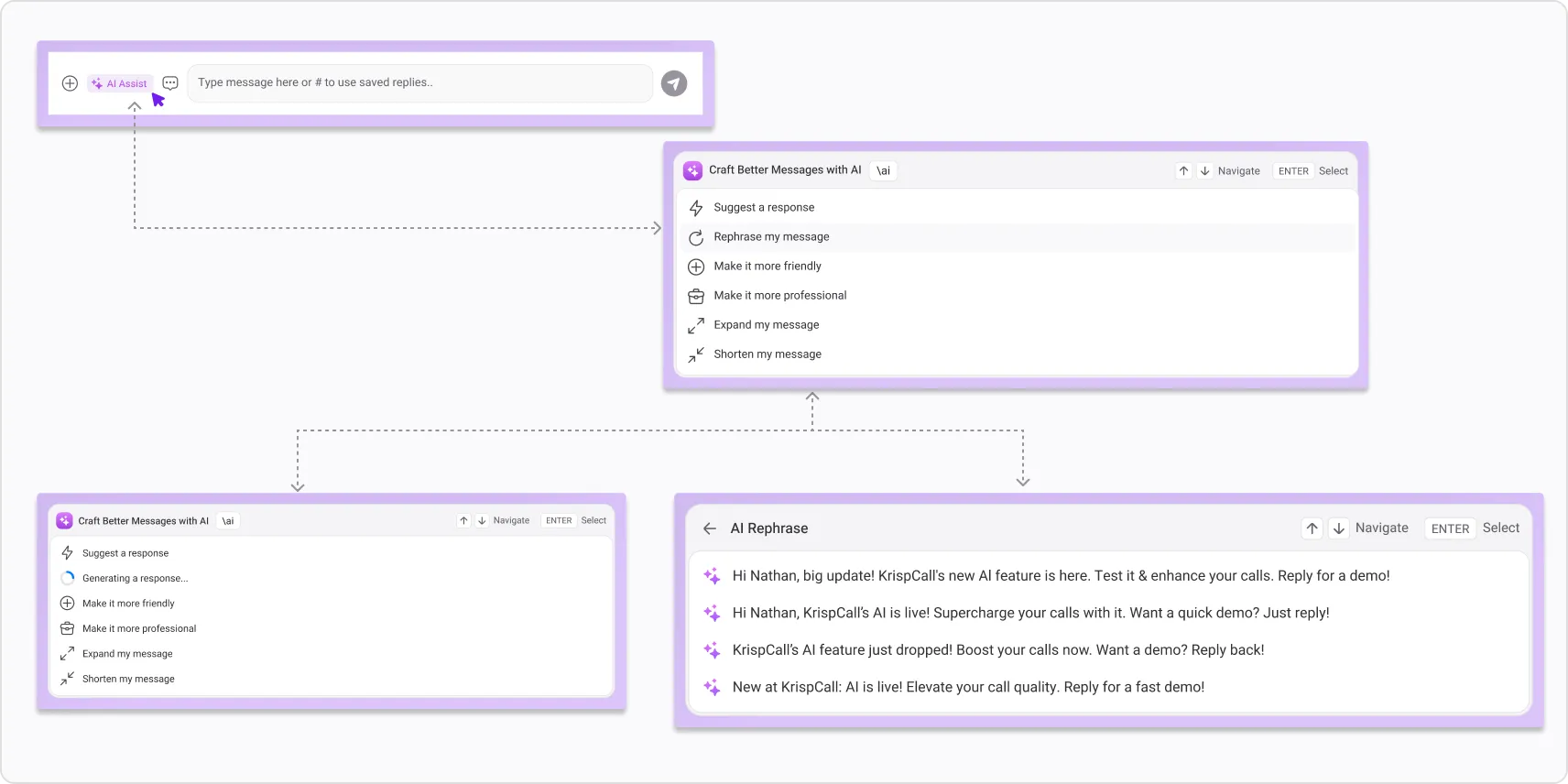
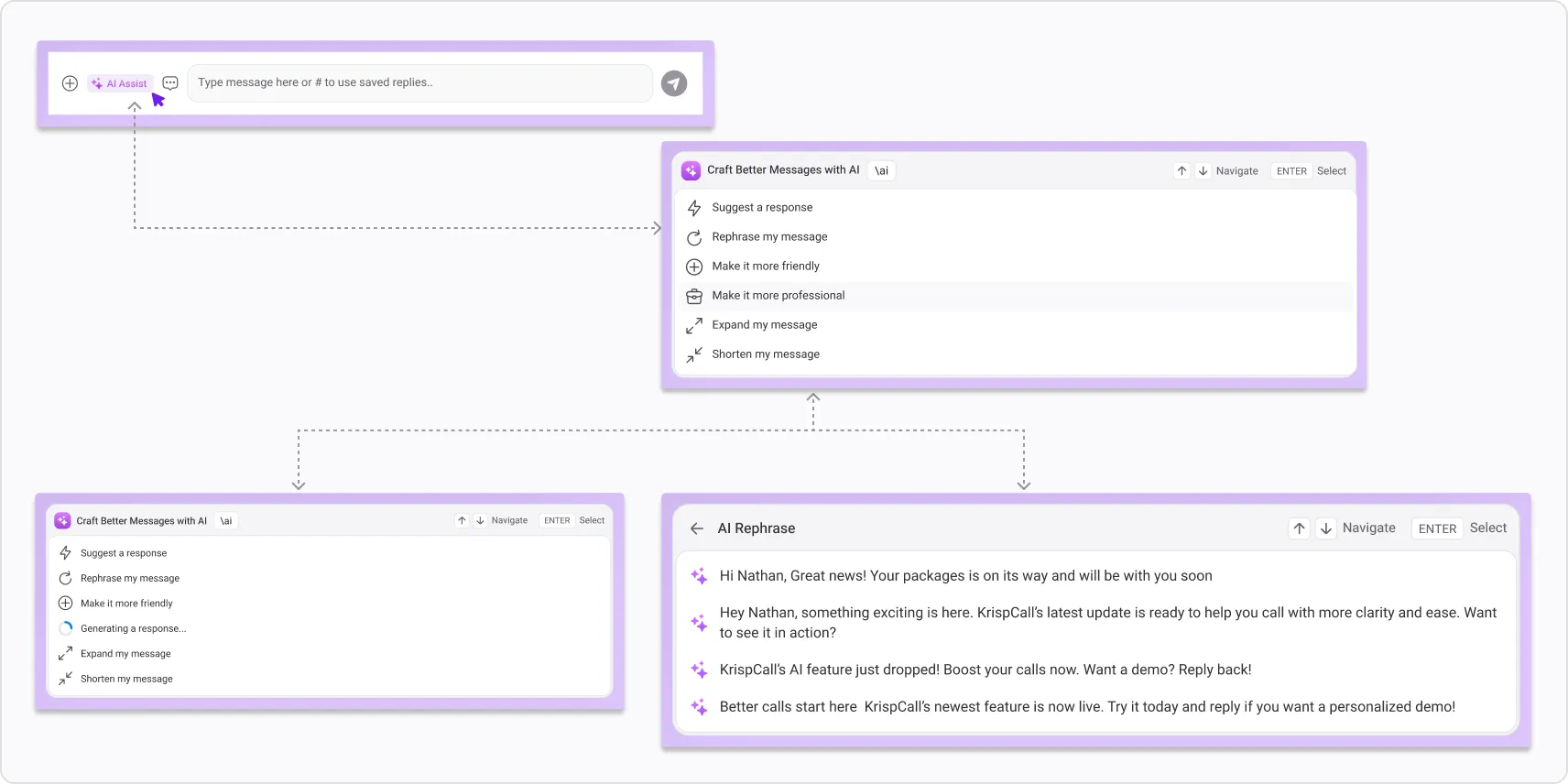
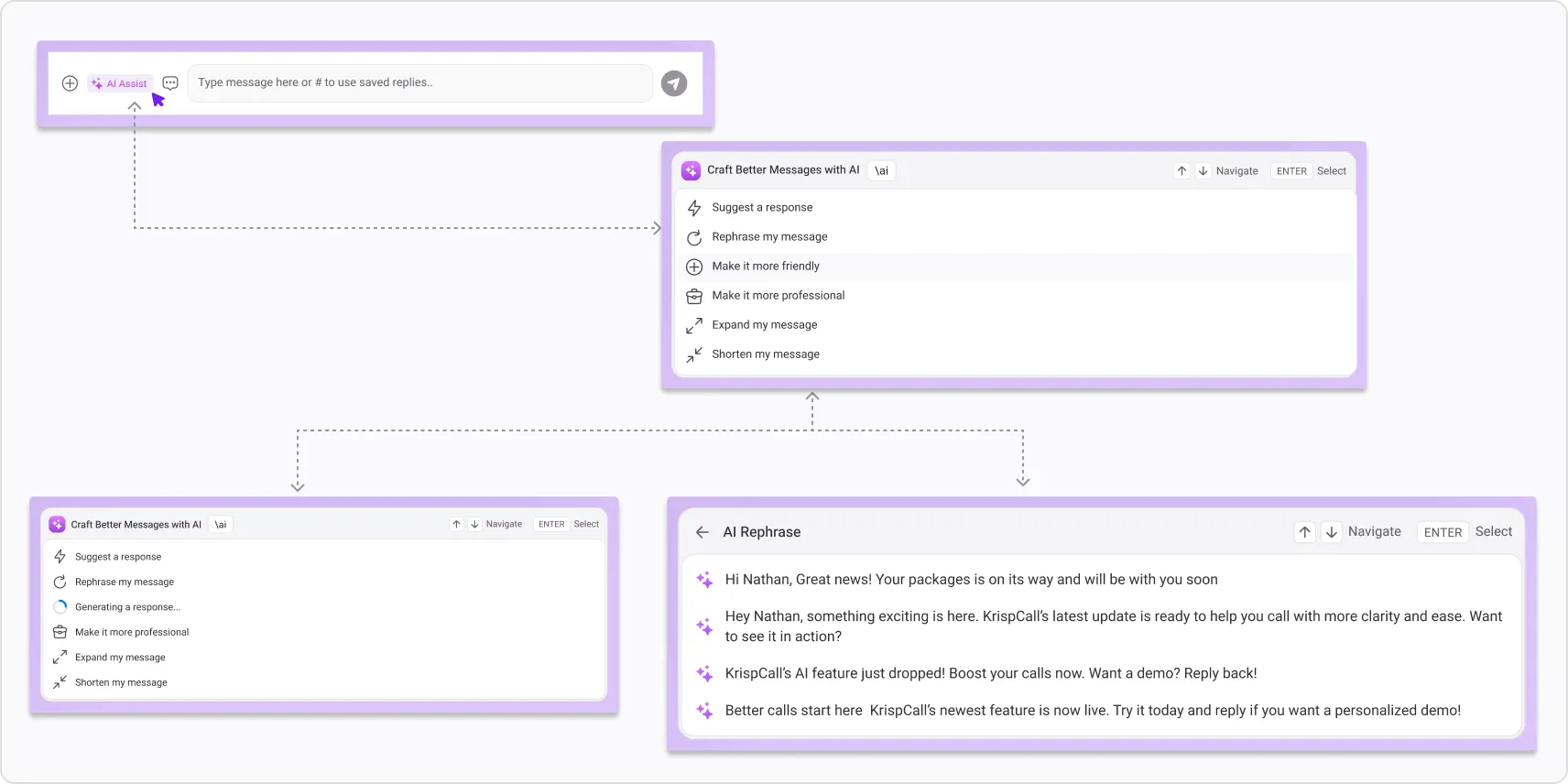
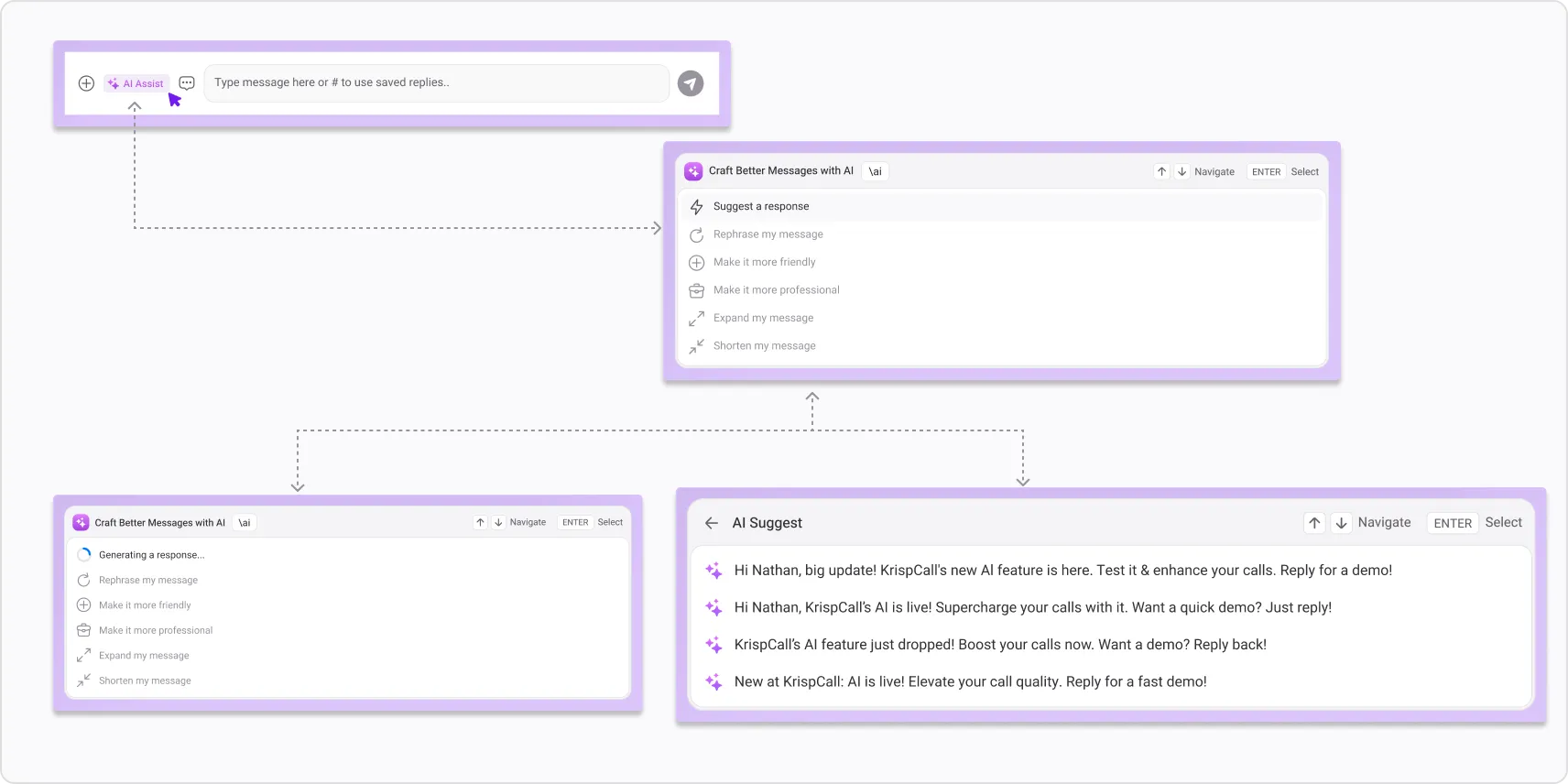
AI Writing Assistance in Messaging
Compose better messages faster. Rephrase, shorten, or expand any message with a single tap. Adjust tone to sound more professional or friendly and get smart reply suggestions based on the conversation, all without leaving the chat.
Inbox & Session Handling
- SMS filtering in the conversation inbox is more accurate.
- Call transfer button labels have been updated for clarity.
- You're now automatically logged out when your role changes, keeping your session aligned with your current permissions.
Auto-Recharge Confirmation
Auto-recharge settings now require you to explicitly save or cancel changes, preventing accidental updates.
Smarter Identity Verification
KYC and selfie verification are more accurate and easier to complete. If your submission is rejected, a status banner now appears with a direct option to resubmit. No guesswork about what went wrong.
See Your Contact's Local Time While Dialing
The dialer now shows your contact's local time, country, and day before and during a call, so you always know when you're reaching out.
Desktop Notifications for Incoming Calls
Incoming calls now trigger desktop notifications, so you never miss a call even when KrispCall isn't your active window.
More Reliable Billing & Auto-Recharge
Outbound call charges process more reliably, and failed auto-recharge attempts are now retried automatically.
Dialer Tooltips
Tooltips have been added to the dialer menu to help you quickly understand available options without digging through settings.
