KrispCall x HubSpot

Hubspot Integration Overview

HubSpot Integration for Increased
Functionality of KrispCall Cloud Phone
Unlock your business’s full potential and grow better with HubSpot CRM and KrispCall’s integration.

Reduced Manual Data Entry

Increased Agent Productivity

Optimized Inbound Marketing

Improved Accessibility and Flexibility

Enhanced Customer Service
Reduced Manual Data Entry
Increased Agent Productivity
Optimized Inbound Marketing
Improved Accessibility and Flexibility
Enhanced Customer Service
In-App Dialer With
Click-to-Call Functionality
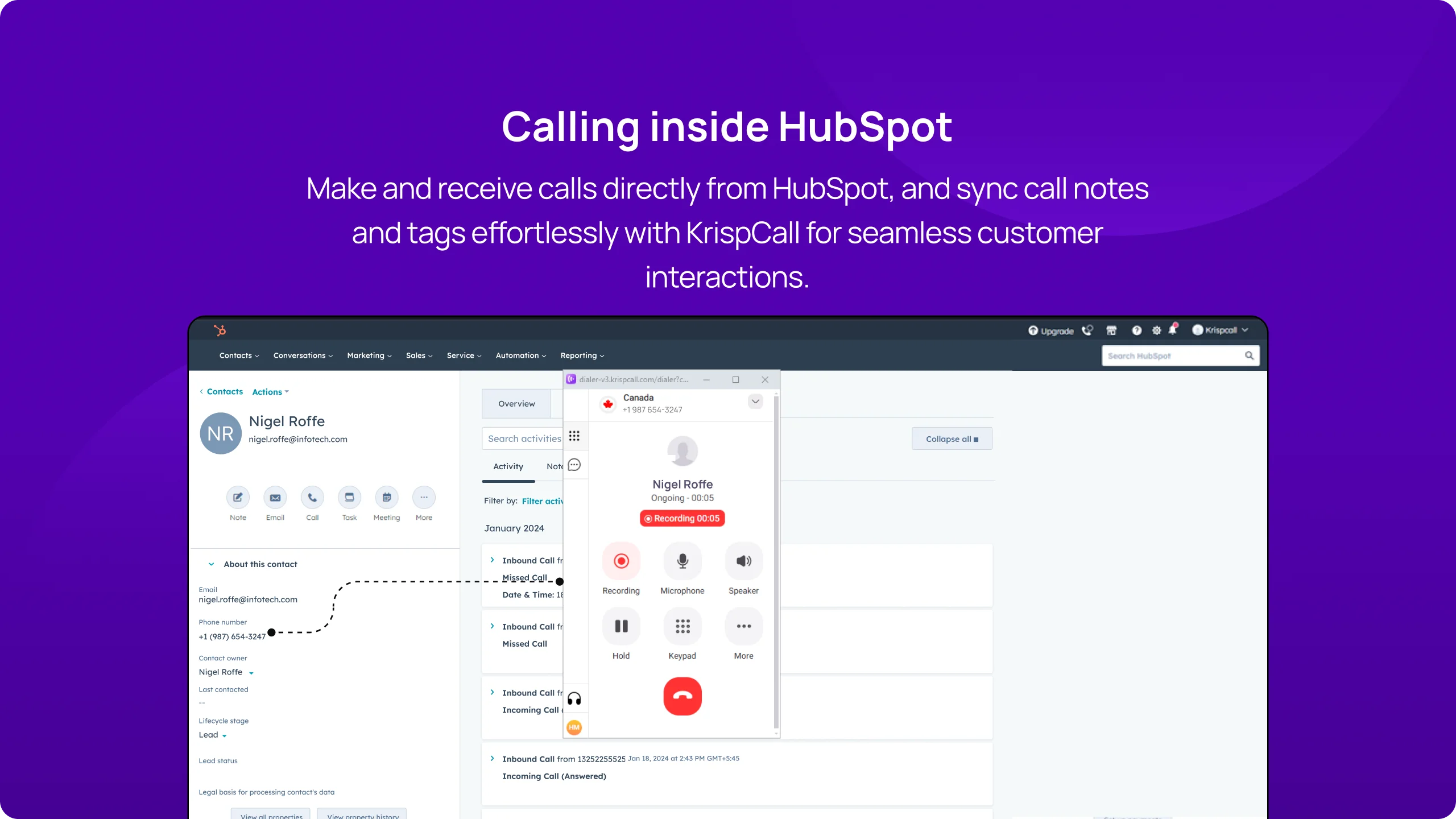
Every business can enjoy the convenience of an in-app dialer and click-to-call functionality by integrating KrispCall with HubSpot CRM. Businesses can make phone calls with prospects and contacts and receive calls from them directly from Hubspot with a single click. There is no need to switch between apps and tabs.
As a result, businesses can streamline their workflow and calling process. This feature also allows the sales and marketing team to reach their prospects on time.
Instant SMS with Automatic Logging
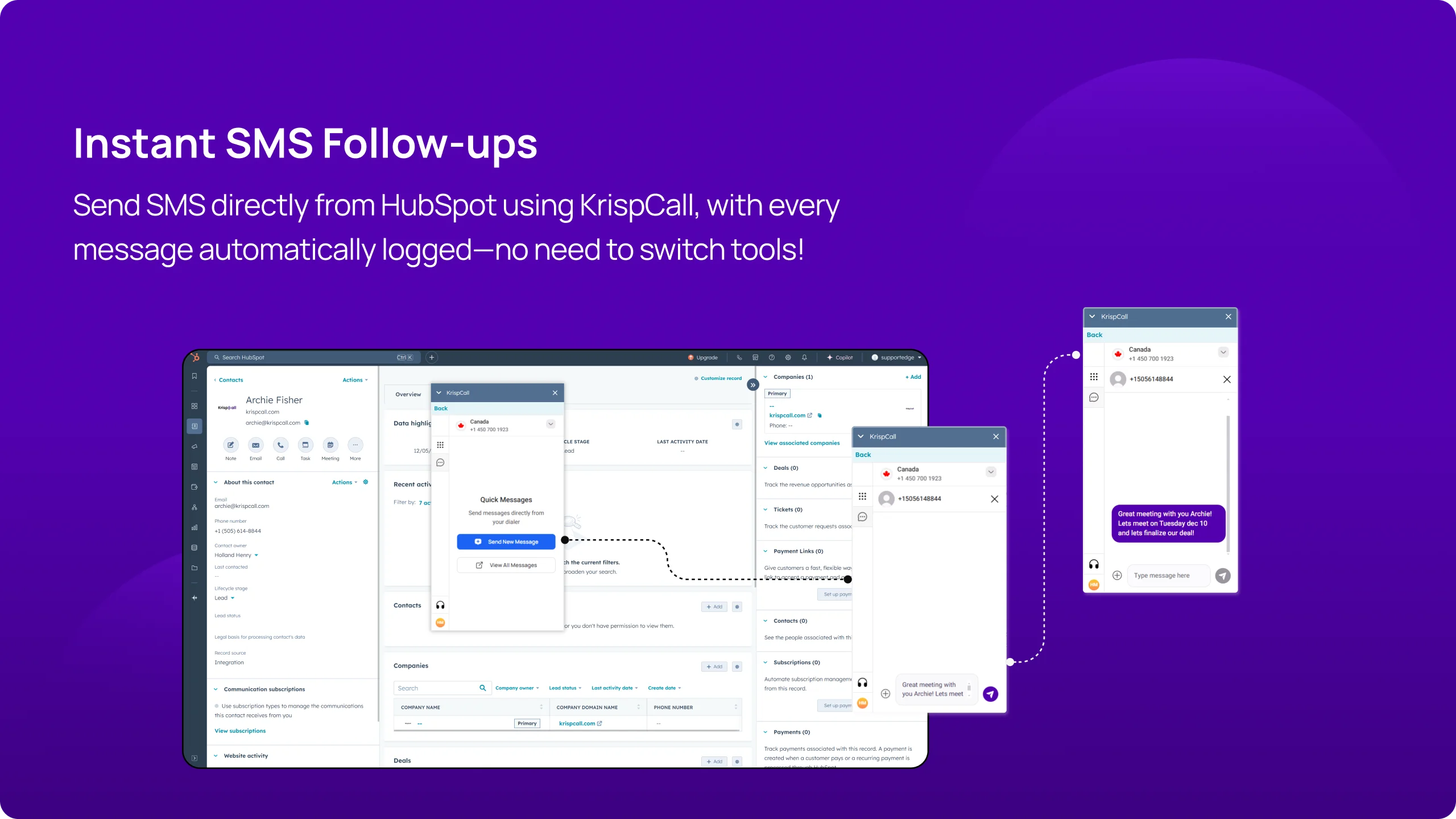
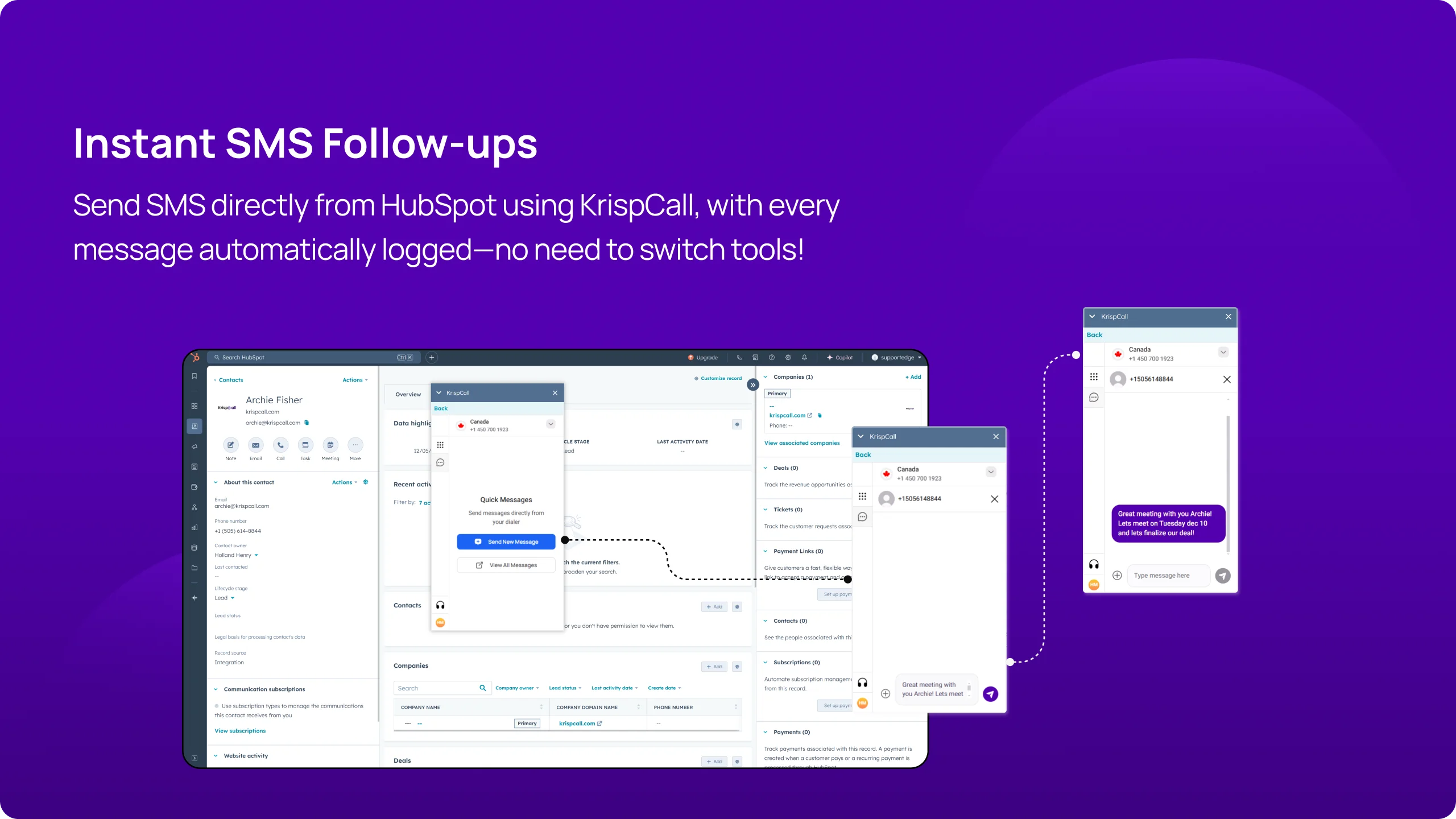
With KrispCall and HubSpot integration, sales and support teams can now send SMS directly from HubSpot using KrispCall. Whether it’s confirming appointments, sending quick follow-ups, or notifying clients of updates, all SMS interactions are instantly logged in both platforms, giving teams complete visibility without switching tools.
This feature improves efficiency by keeping all records in one place. Sales reps can quickly refer to past messages, ensuring smooth client interactions, while support teams can track and resolve issues faster with a detailed SMS history.
Automatic Call Logging
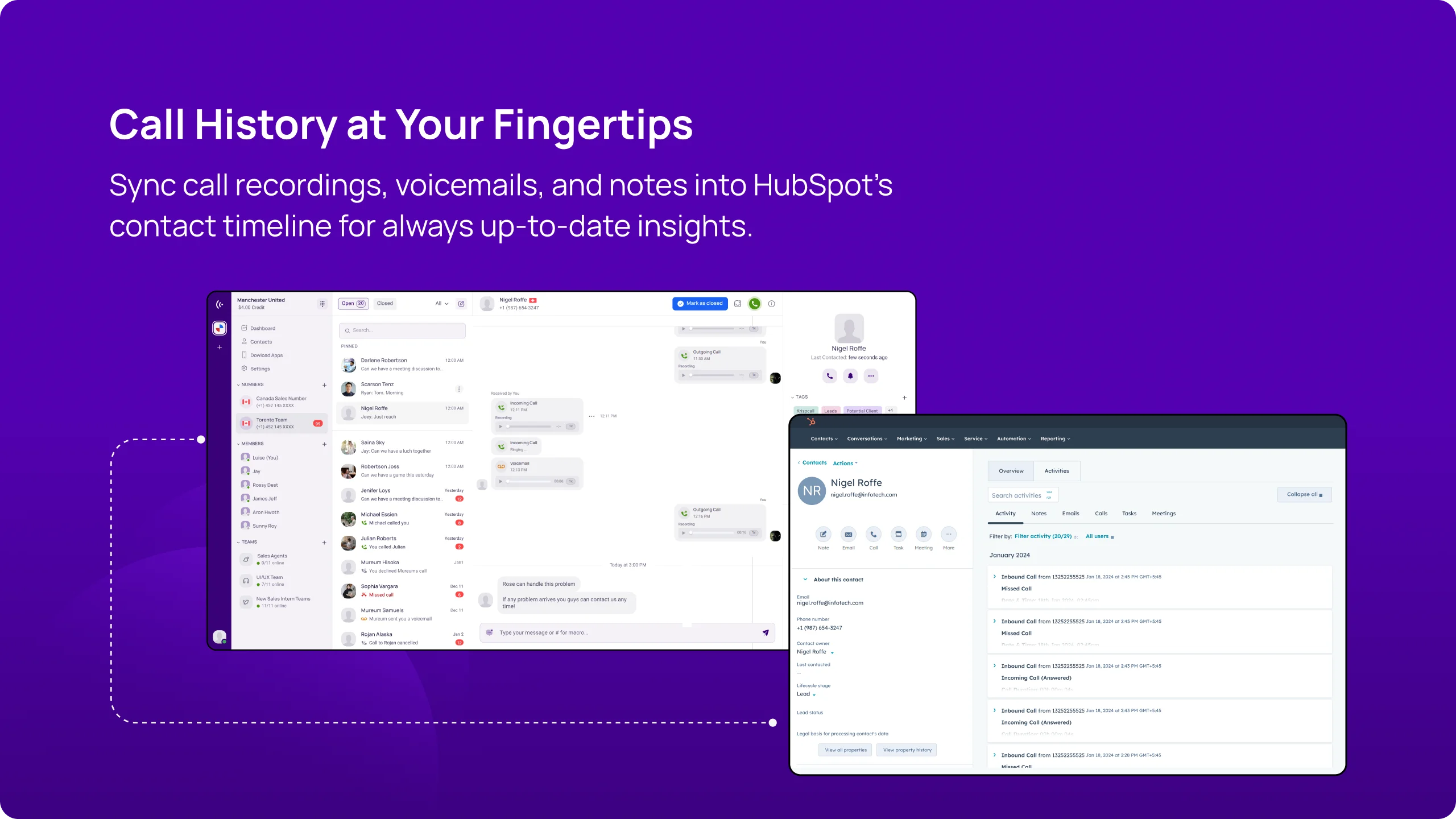
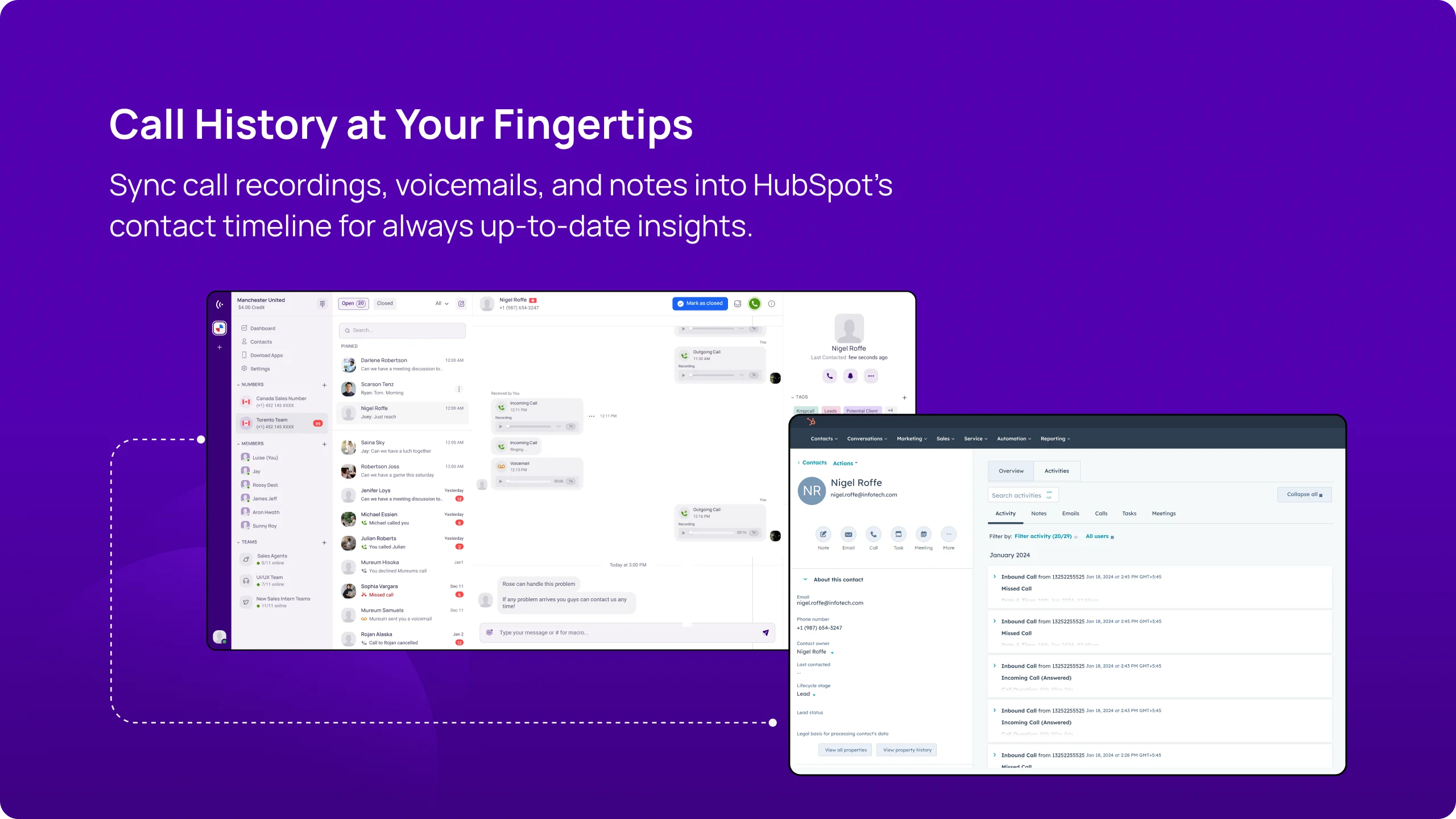
With KrispCall and HubSpot integration, keeping track of phone call details on both platforms is easy. The automatic call logging feature automatically saves all call activities, such as incoming, outgoing, missed, and transferred calls, into both platforms (HubSpot and KrispCall), regardless of where the call started.
This means every interaction is recorded without anyone needing to type it in. As a result, your data stays accurate and up-to-date, so your team can easily find the information they need whenever they want.
Always Know Who’s Calling
KrispCall automatically syncs with HubSpot’s phone records. Thus, if the contact information is saved in HubSpot but not in the KrispCall phone records, you can still identify the callers if you receive calls from them through this KrispCall integration with HubSpot.
With this feature, you will always be aware of who the caller is so that you can provide personalized and efficient service to them. It is helpful for businesses that frequently receive calls from unfamiliar or unidentified numbers.
Seamless two-way contact syncing
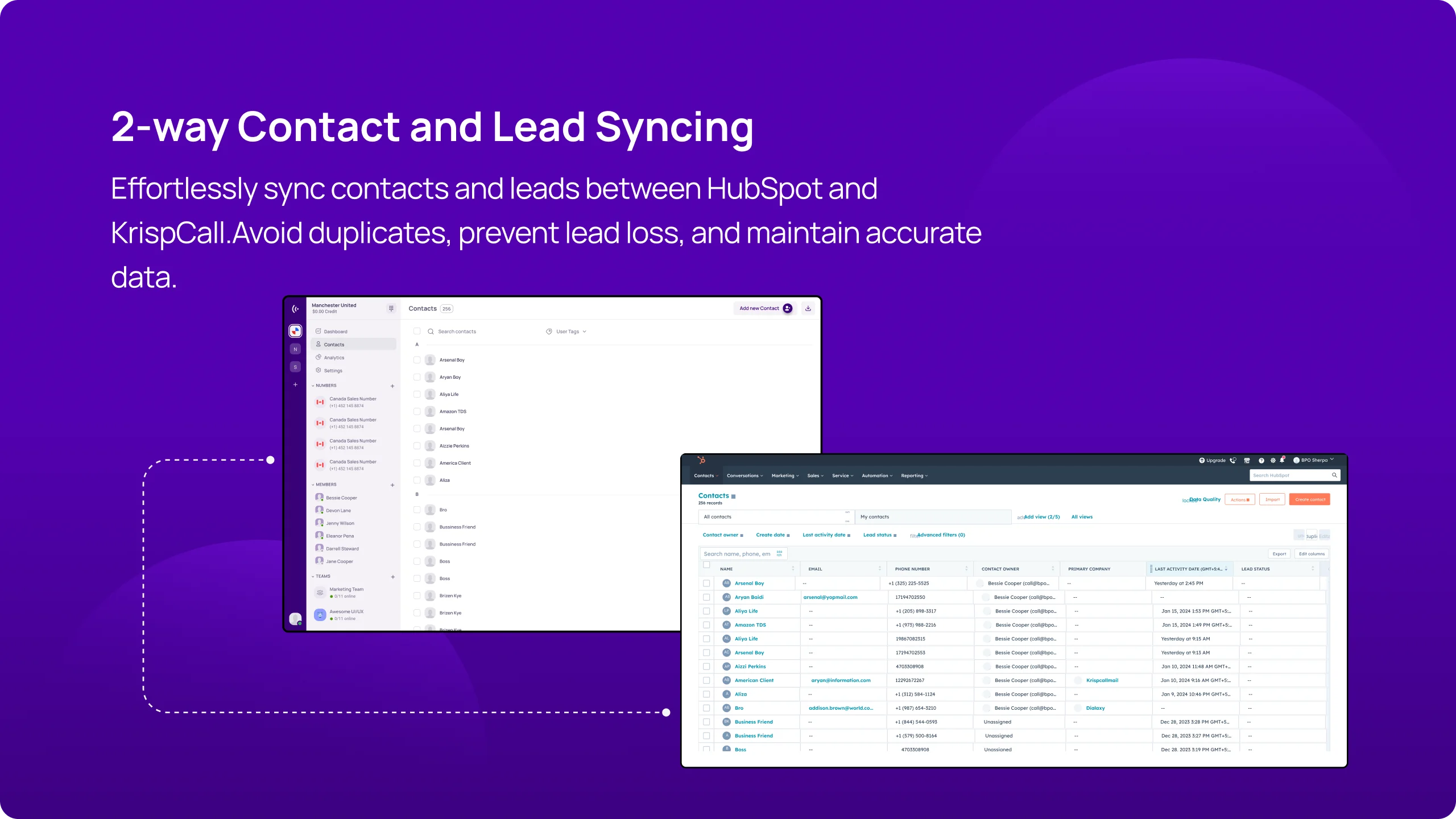
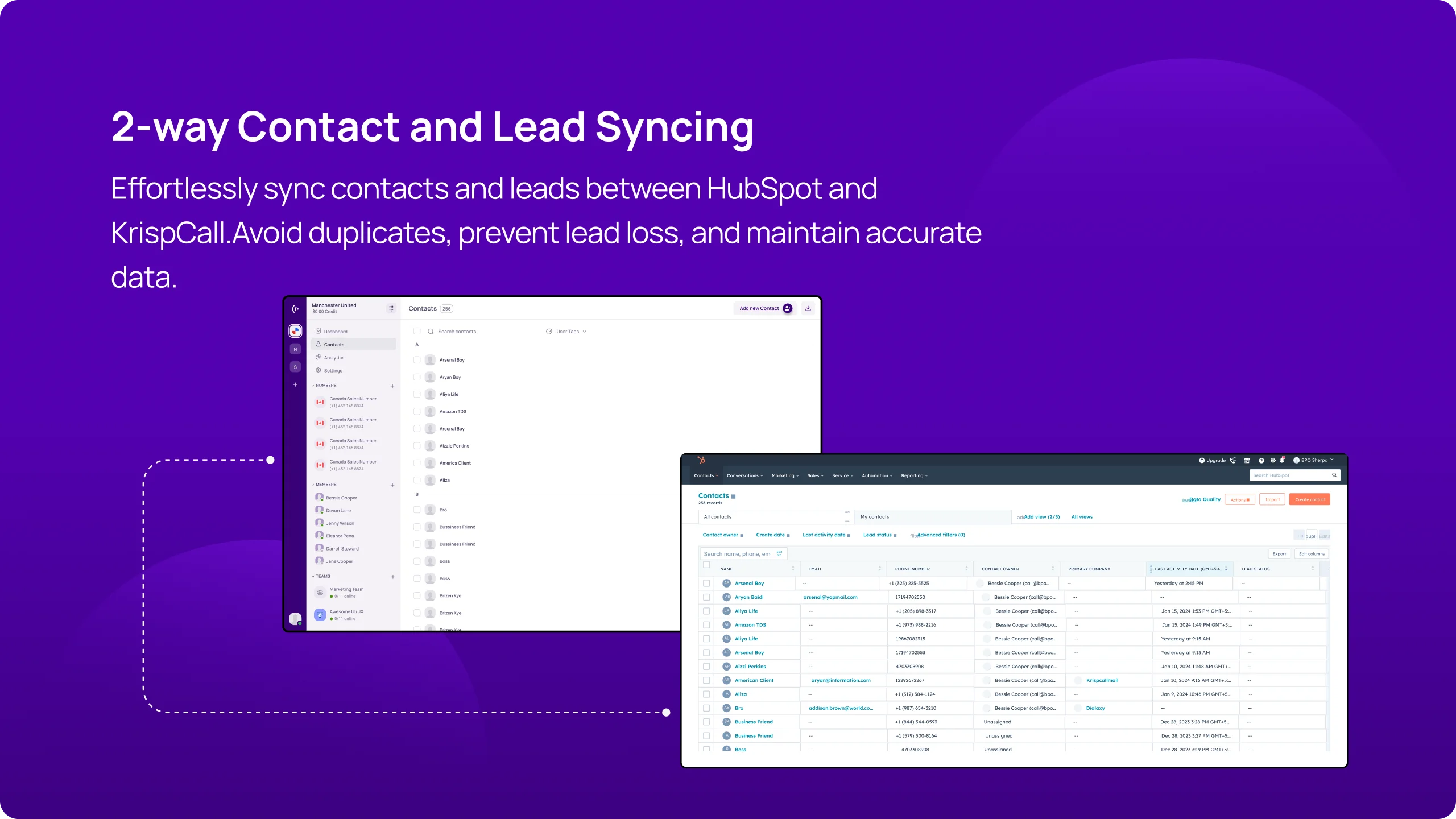
The integration between KrispCall and HubSpot offers seamless two-way contact syncing features. The two-way contact syncing ensures that if you add, remove, or update contact information in one platform (KrispCall/HubSpot), this information is automatically updated in another platform (HubSpot/KrispCall).
Also, you can access the contact details of KrispCall on HubSpot and of HubSpot on Krispcall. This practice eliminates the need for manual data entry and ensures that contact details are up-to-date.
Benefits of Integrating HubSpot CRM with
KrispCall

Efficient Telephony Conversation

Better Account Management

Helps in Faster Onboarding of New Team Members

Better Prospect Profiling
More Integration


Boosting Sales, Marketing, and Remote Work
Sales Team
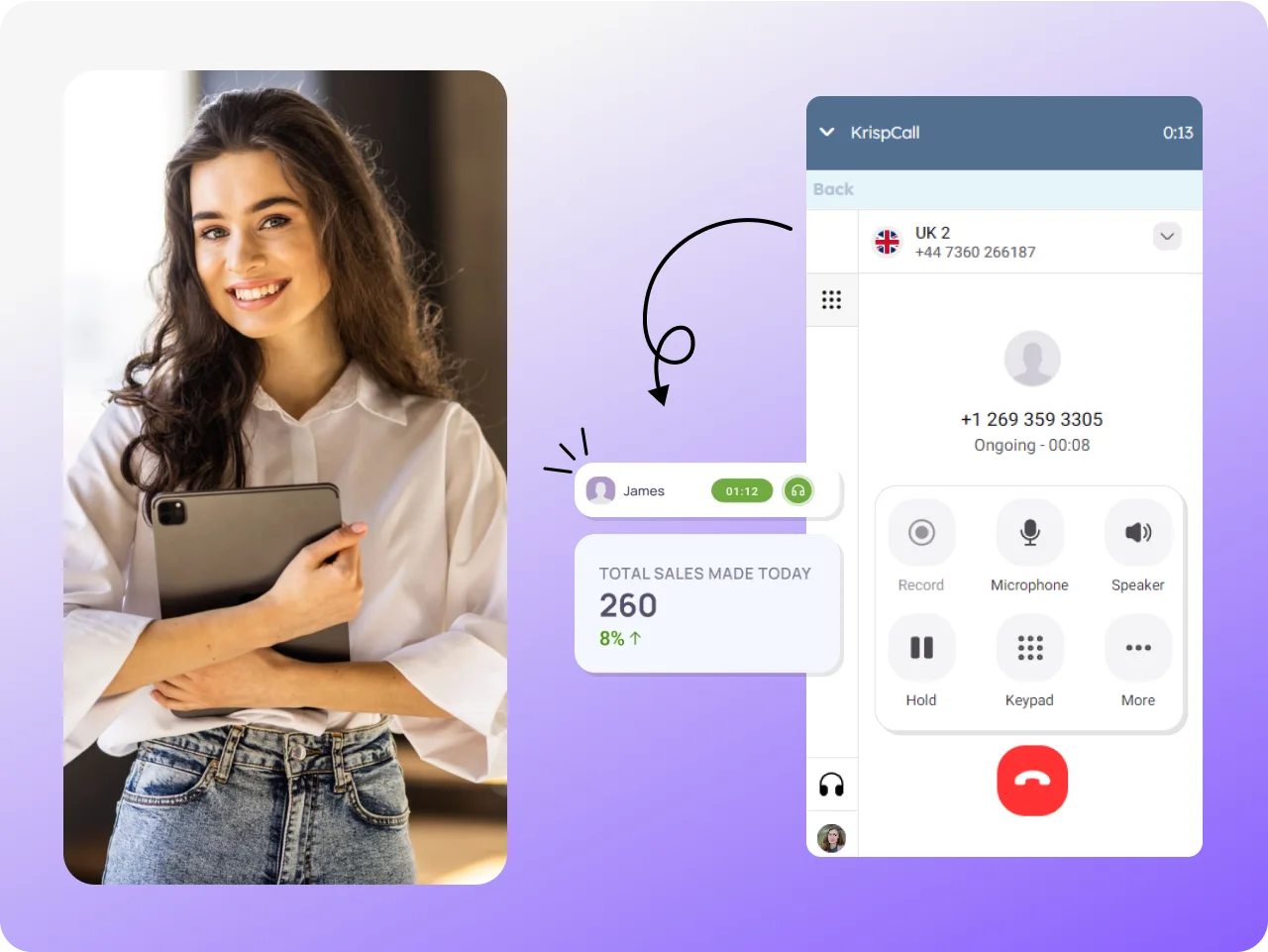
Marketing Team

Remote Team
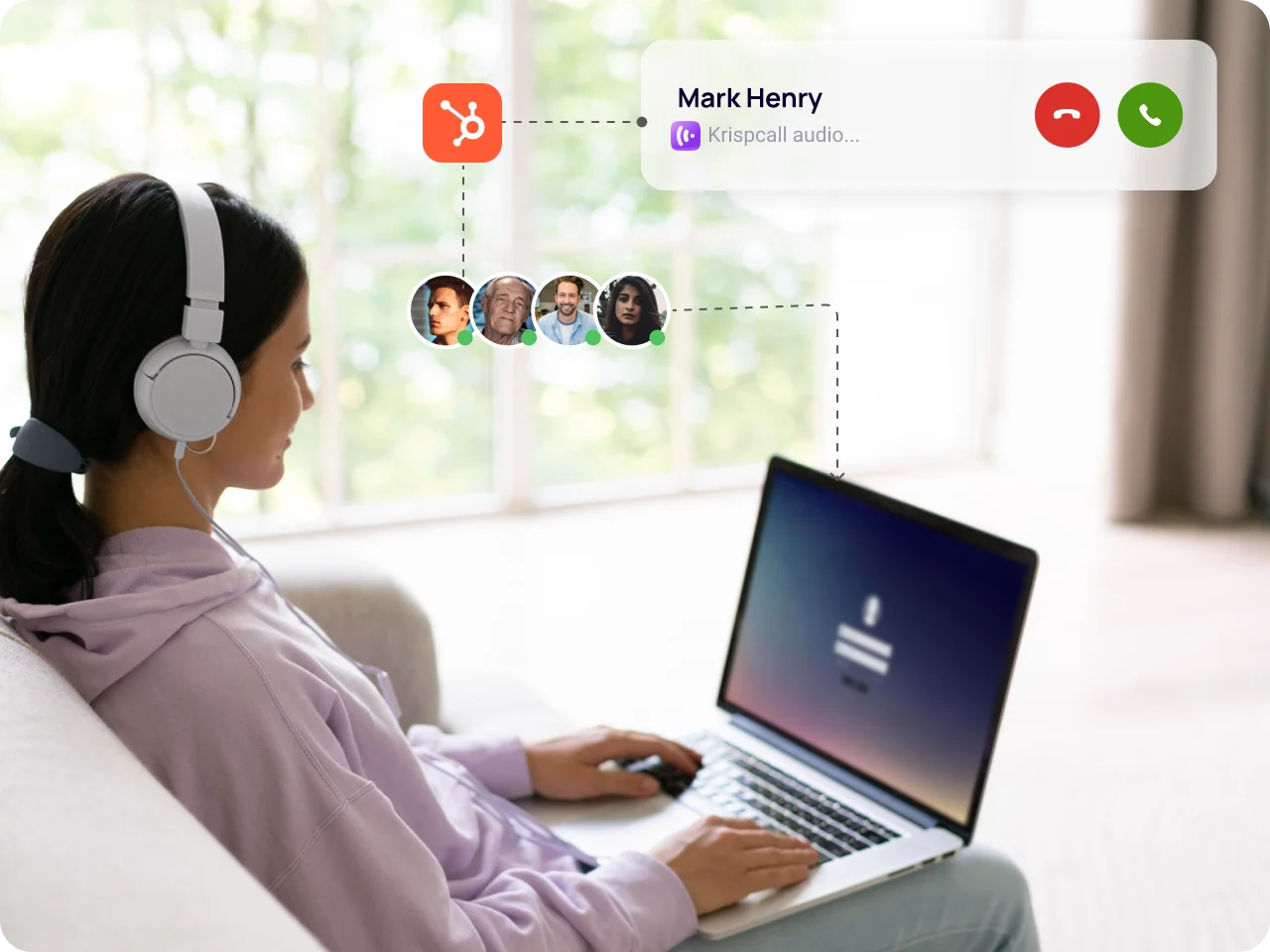
Integrate HubSpot CRM with KrispCall easily with our guide
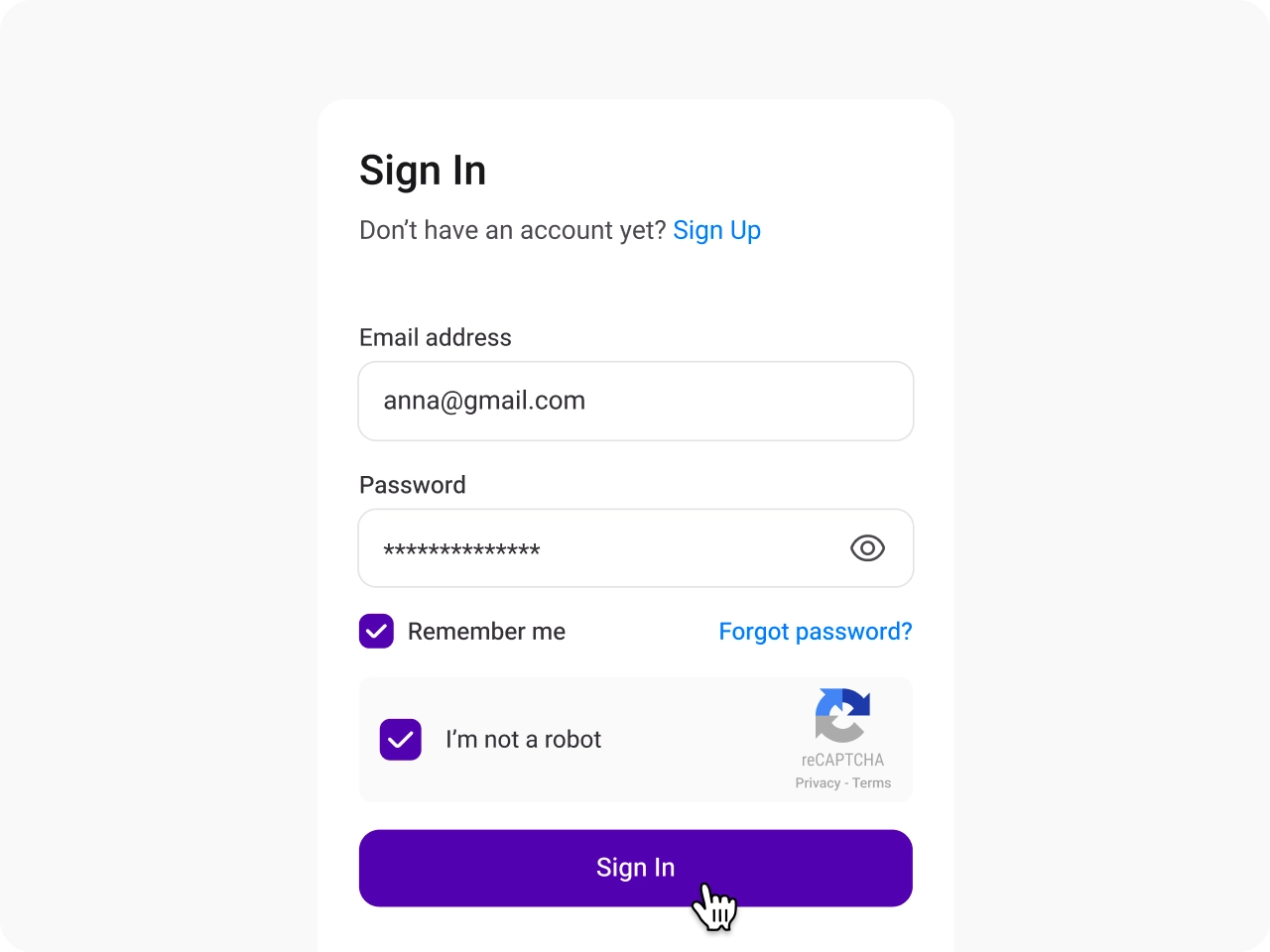
Sign in to KrispCall
Access your KrispCall account to begin the integration process with HubSpot.
Navigate to Integration Settings
Go to the settings menu, find the integration option and select HubSpot to start.
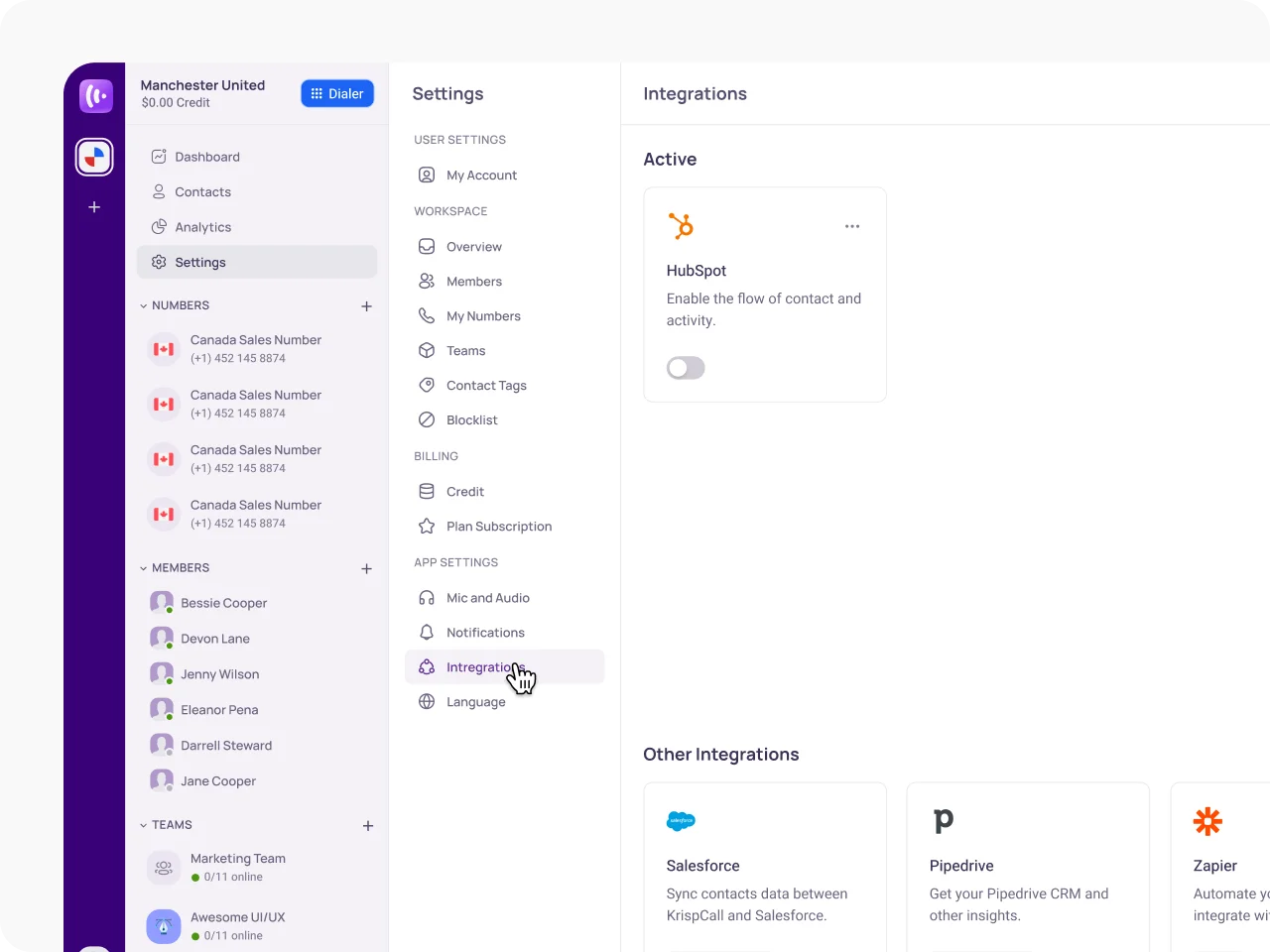
Select & Add HubSpot Account to KrispCall
Choose the specific HubSpot account you want to integrate & click the toggle button to activate HubSpot integration with KrispCall.
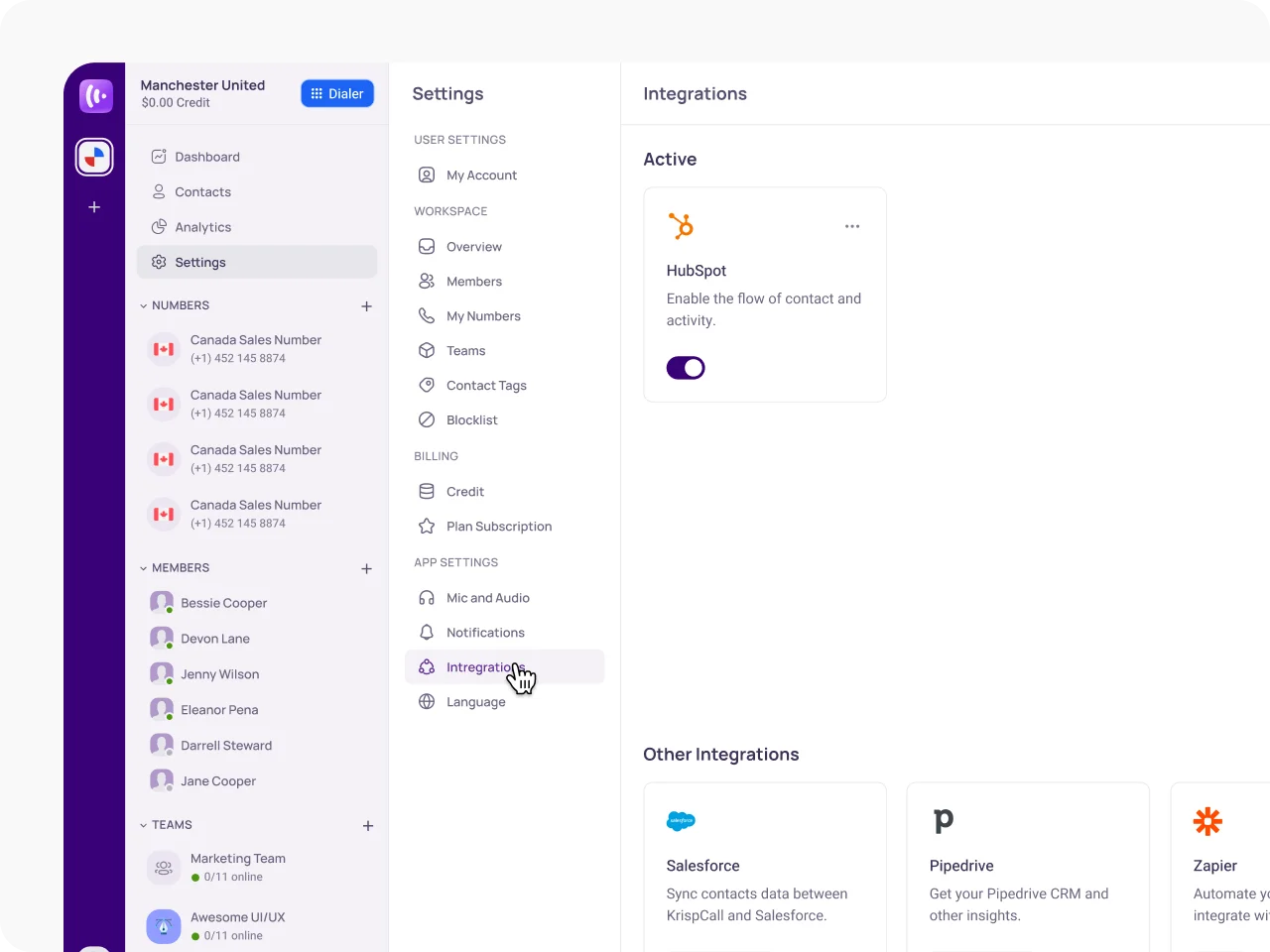
Access Integration Settings
Click on the three-dot icon next to HubSpot and select "Edit" to configure the integration.
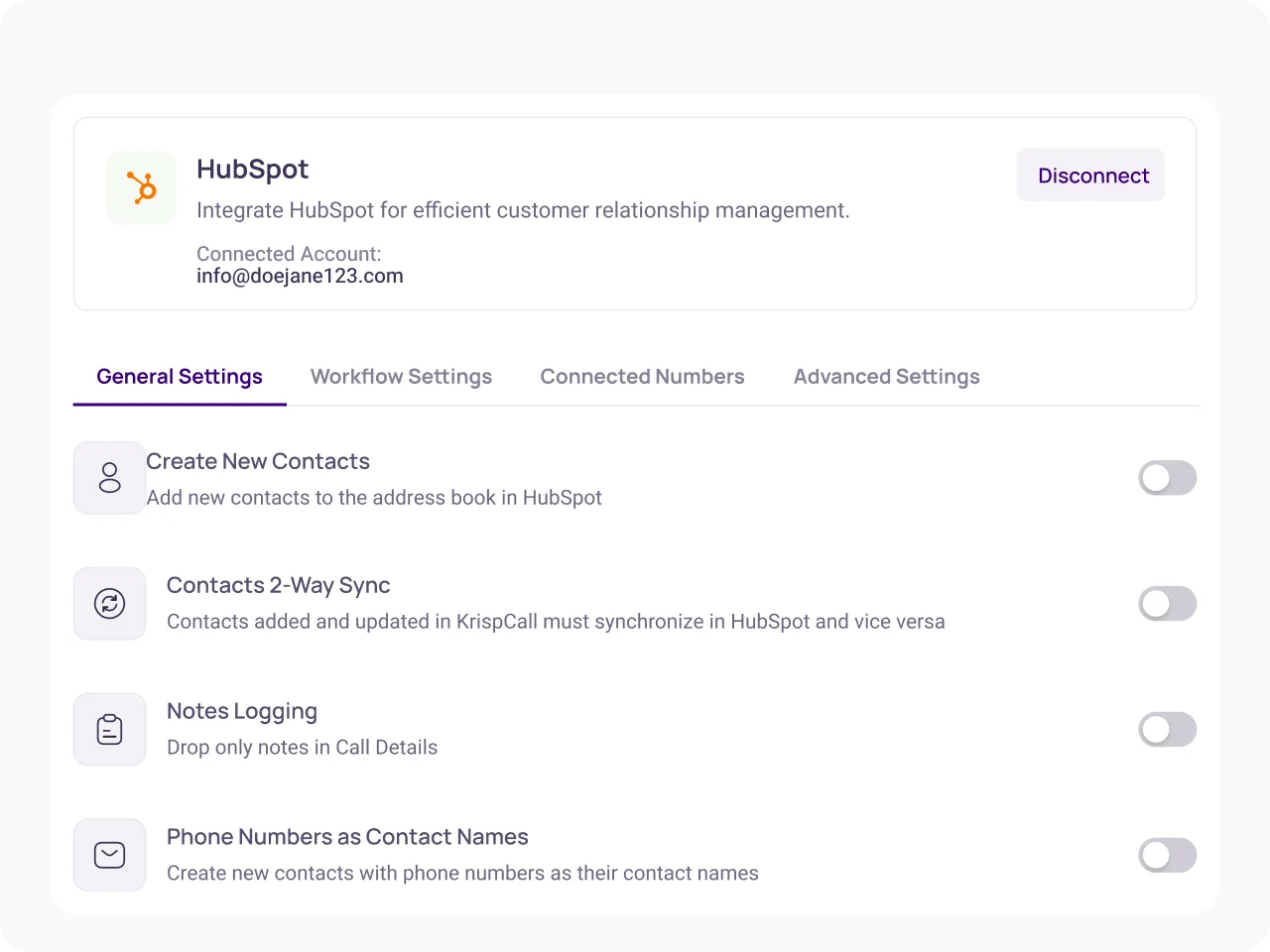
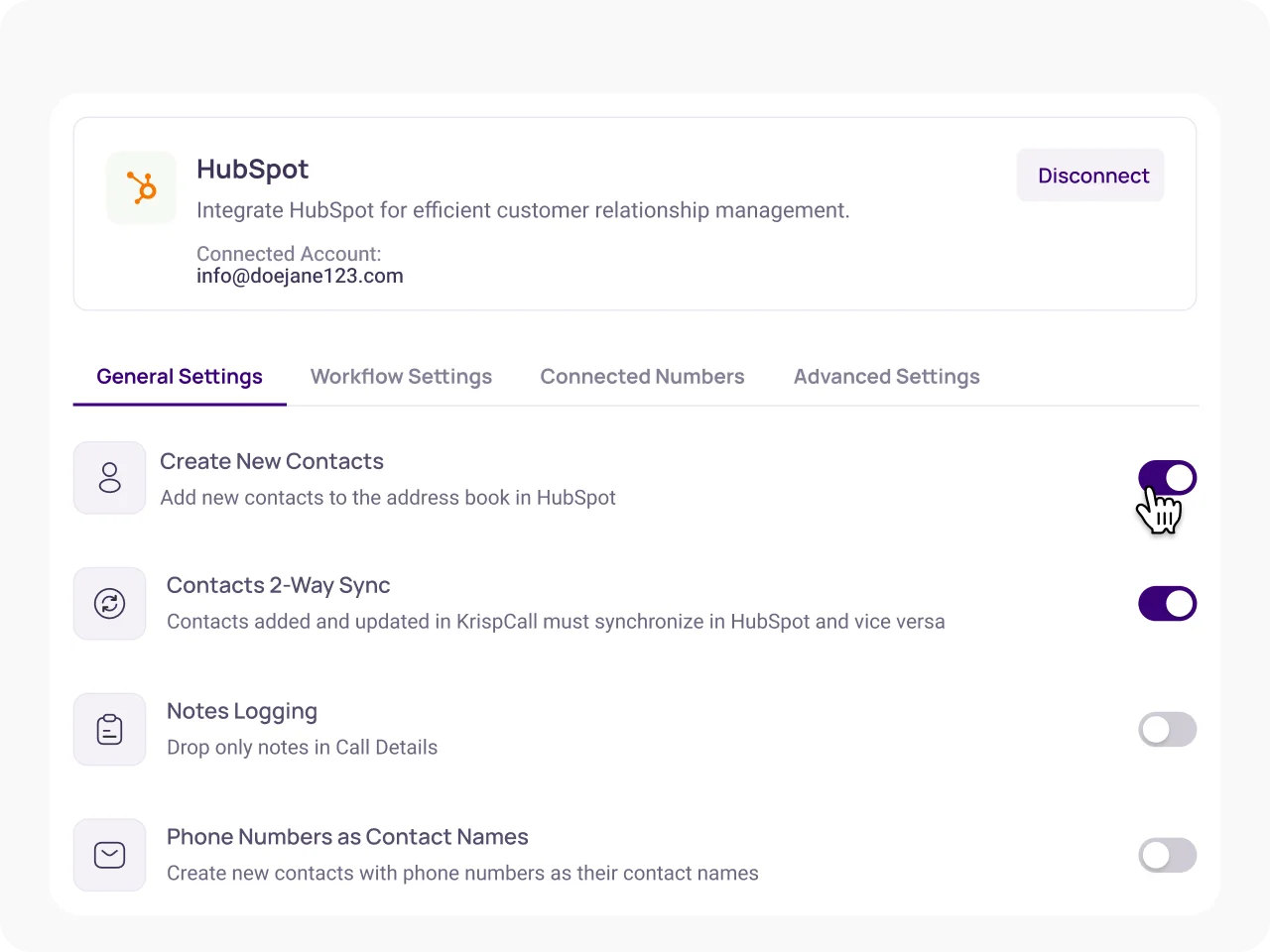
Customize Integration Settings
Adjust the general workflow, connected numbers, and advanced settings as needed for seamless operation.
Read KrispCall’s reviews on Hubspot’s marketplace



Jun 19, 2024
“I’m impressed with how quickly the integration is done and how smoothly the data syncs. It also makes calling within HubSpot incredibly easy. However, I hope they upgrade the SMS sync soon, which would make this integration even more convenient!”
Apr 16, 2024
“I rarely leave reviews, but KrispCall truly deserves one. I’ve been using KrispCall for the past few months, and my overall experience has been very satisfying. The support team is approachable and always ready to answer my questions and provide quick assistance. I highly recommend using KrispCall.”
Mar 8, 2024
“KrispCall is ideal for SMBs, with their dedication and customer support clearly showing they care about their customers. The setup was easy, and adding users was quick and hassle-free. Their account executive is very patient and skilled in guiding those new to the VoIP industry.”
Mar 7, 2024
“It delivers exceptional performance, is incredibly user-friendly, and provides a seamless experience. Since integrating it into our operations, the impact has been remarkable. We’ve seen significant improvements in cost management and a substantial increase in adoption rates. The speed at which we connect with clients is impressive. Additionally, the ability to obtain multiple numbers for marketing, with a dedicated number for each campaign, has greatly enhanced our efficiency.”
Feb 26, 2024
“The service provides everything we needed in a business phone system, and its easy setup has been a huge help in establishing both remote and on-premise contact centers to manage clients effortlessly.”
Apr 25, 2024
“I wholeheartedly recommend KrispCall to anyone seeking reliable virtual number solutions. With its user-friendly platform, reliable service, and exceptional customer support. The support is available 24*7 and actively helps you to fix the issues. KrispCall has undoubtedly earned my trust and loyalty as a valued communication partner. Whether you’re a freelancer, entrepreneur, or enterprise, KrispCall is your go-to choice for seamless communication.”
Jun 19, 2024
“I’m impressed with how quickly the integration is done and how smoothly the data syncs. It also makes calling within HubSpot incredibly easy. However, I hope they upgrade the SMS sync soon, which would make this integration even more convenient!”
Mar 7, 2024
“It delivers exceptional performance, is incredibly user-friendly, and provides a seamless experience. Since integrating it into our operations, the impact has been remarkable. We’ve seen significant improvements in cost management and a substantial increase in adoption rates. The speed at which we connect with clients is impressive. Additionally, the ability to obtain multiple numbers for marketing, with a dedicated number for each campaign, has greatly enhanced our efficiency.”
Apr 16, 2024
“I rarely leave reviews, but KrispCall truly deserves one. I’ve been using KrispCall for the past few months, and my overall experience has been very satisfying. The support team is approachable and always ready to answer my questions and provide quick assistance. I highly recommend using KrispCall.”
Mar 8, 2024
“KrispCall is ideal for SMBs, with their dedication and customer support clearly showing they care about their customers. The setup was easy, and adding users was quick and hassle-free. Their account executive is very patient and skilled in guiding those new to the VoIP industry.”
Apr 25, 2024
“I wholeheartedly recommend KrispCall to anyone seeking reliable virtual number solutions. With its user-friendly platform, reliable service, and exceptional customer support. The support is available 24*7 and actively helps you to fix the issues. KrispCall has undoubtedly earned my trust and loyalty as a valued communication partner. Whether you’re a freelancer, entrepreneur, or enterprise, KrispCall is your go-to choice for seamless communication.”
Feb 26, 2024
“The service provides everything we needed in a business phone system, and its easy setup has been a huge help in establishing both remote and on-premise contact centers to manage clients effortlessly.”
Frequently Asked Questions
Didn’t find the Answer you were looking for? Visit our Help Center or Contact Support
The integration allows sales teams to make and receive calls directly from HubSpot, eliminating the need to switch between applications. This streamlining of processes helps sales representatives focus on conversations without distraction, thereby improving productivity and efficiency
Yes, you can track call details in HubSpot. The integration automatically logs all call activities in HubSpot. This includes details such as call duration, missed calls, and notes taken during calls, which helps in tracking interactions and analyzing performance.
Yes, the integration features two-way contact syncing. Any changes made to contact information in either platform will automatically update in the other, ensuring that users always have access to the most current data
Key features include click-to-call functionality, automatic call logging, seamless two-way contact syncing, caller identification, and access to call history directly within HubSpot
