Call Recording

9000+ companies worldwide trust and cherish our service















Get a Virtual Number
Get local, mobile, and toll-free virtual phone numbers from 100+ countries and expand your business worldwide.

Why call recording matters?
You know how easily critical details are missed during the call. Especially if your business or contact center team spends hours on handling sales, support, and customer retention. That’s why you need to revisit every call and use the information to improve your customer service.
Hundreds of suggestions and information can slip by unnoticed. However, the solution is much easier: a reliable call recording system that’s easy to access and act on.
How call recording works in a cloud phone system?
Most business systems have built-in call recording software to capture valuable information. These phone systems run on cloud-based VoIP (Voice over Internet Protocol) technology, using SIP and cloud infrastructure to handle calls reliably.
You’ll only need a desktop or mobile call recording app to record both inbound and outbound calls, either manually or automatically. A reliable recording app is not limited to only a call recording feature.
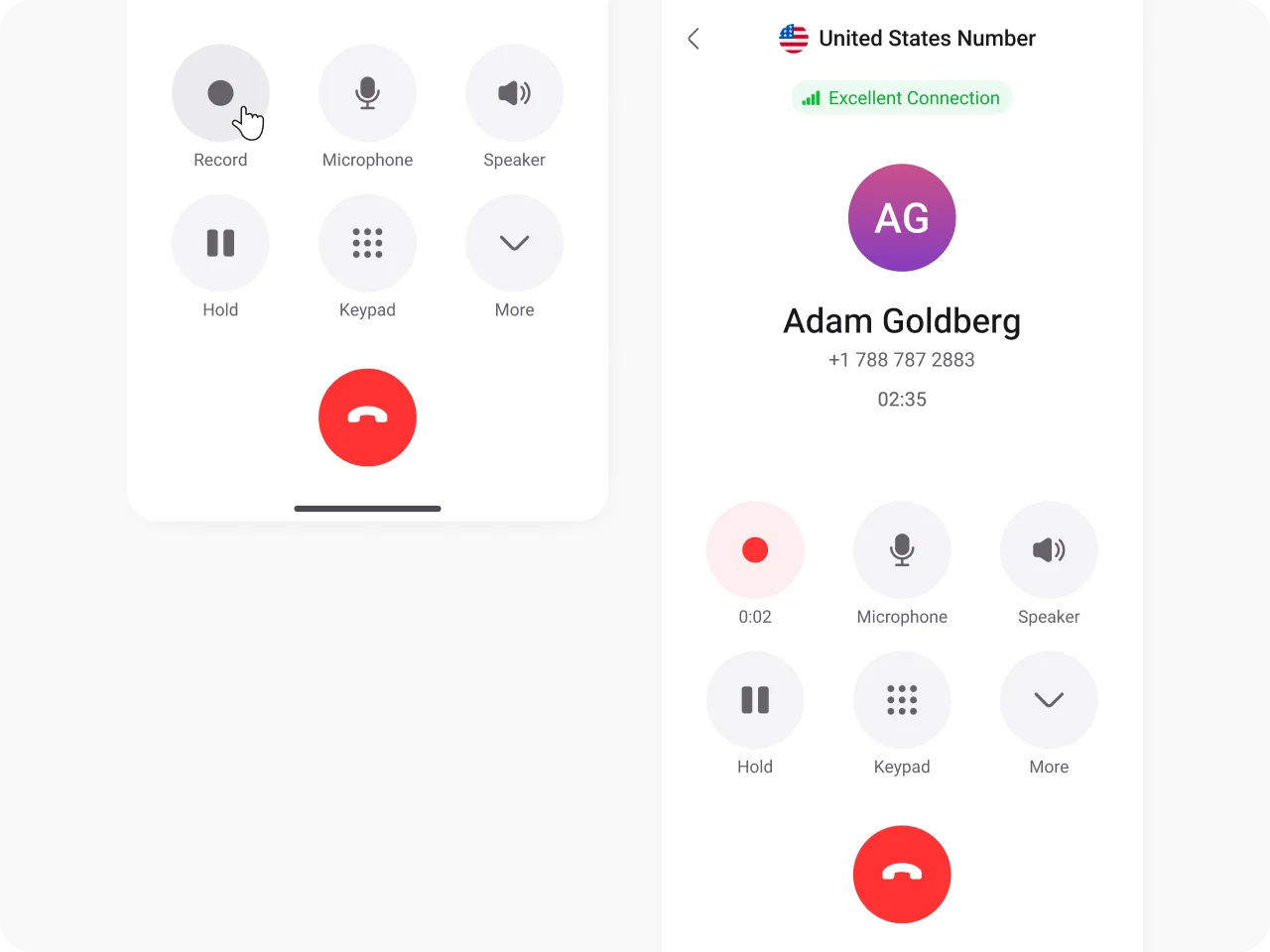
Examples of how call recording works in a cloud phone system
KrispCall not only stores your call recording data in secure cloud storage but also organizes and syncs it across devices. You can easily retrieve recordings by date, caller, and call type, and respond instantly.
Additionally, you can set up automatic call recording for meetings, support, and other sales calls linked to a desired phone number.
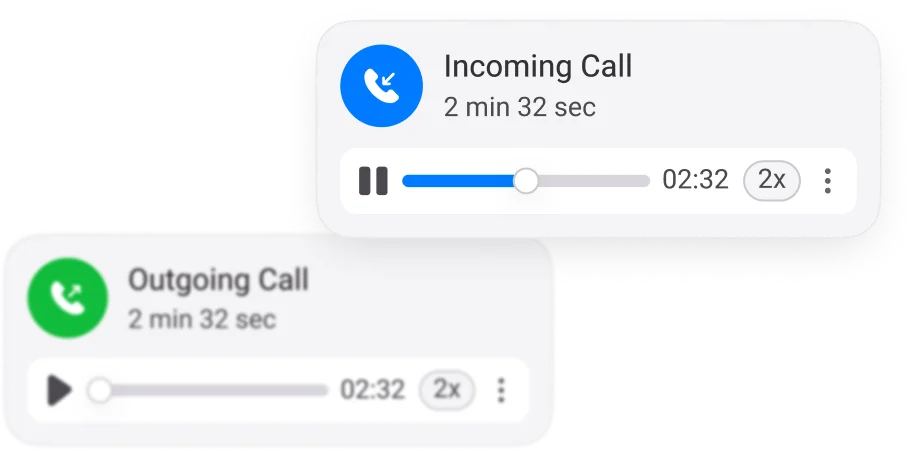
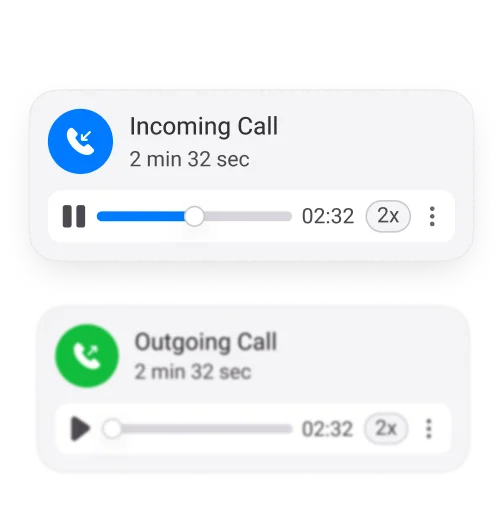
Where does the recording get stored?
It’s stored on encrypted servers and is easily visible in the call logs inside the KrispCall app. Play it anytime in your desired speed (1.5x, 2x) and use it to coach your team, review customer interactions, and verify details.
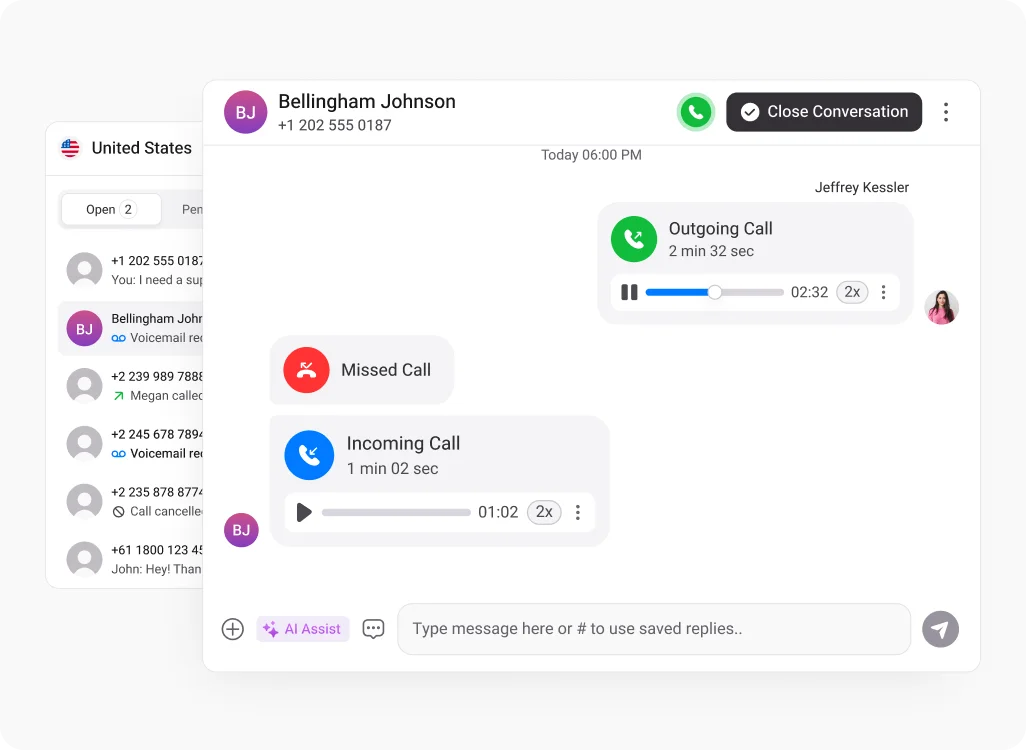
Benefits of call recording solutions
Voice recording systems are more than a requirement for business, whether it’s a contact center, sales, or customer support department. Different features focused on business benefit are available within
the KrispCall call recording software.
AI transcriptions
KrispCall’s AI-powered call transcription accurately transcribes call recordings whenever you need. Quickly search through conversations to find key points, action items, or customer needs without replaying the entire call.
CRM integration
Streamline workflows by linking KrispCall directly with tools like Salesforce, HubSpot, Zoho, and other Helpdesk systems. All recorded calls can automatically sync with customer records, giving your team a complete view of interactions and follow-ups that save time.
Listen, coach, and improve.
Supervisors and sales managers can spot trends, identify issues, and guide their business teams more effectively. Provide real-time feedback to agents, boost performance, and make sure every customer interaction delivers results.
Access anywhere, anytime
Listen to calls on multiple devices like mobile, laptop, PC, or tablet. Download them for offline review, play at faster speeds, or share with teammates. Every cloud call recording is secure, organized, and ready when you need it.
Strong privacy and security
KrispCall supports compliant call recording with consent notifications, secure storage, which helps businesses meet call recording laws across regions. We give you control over who can access recordings and safeguard confidential data during calls.
How to record calls in KrispCall?
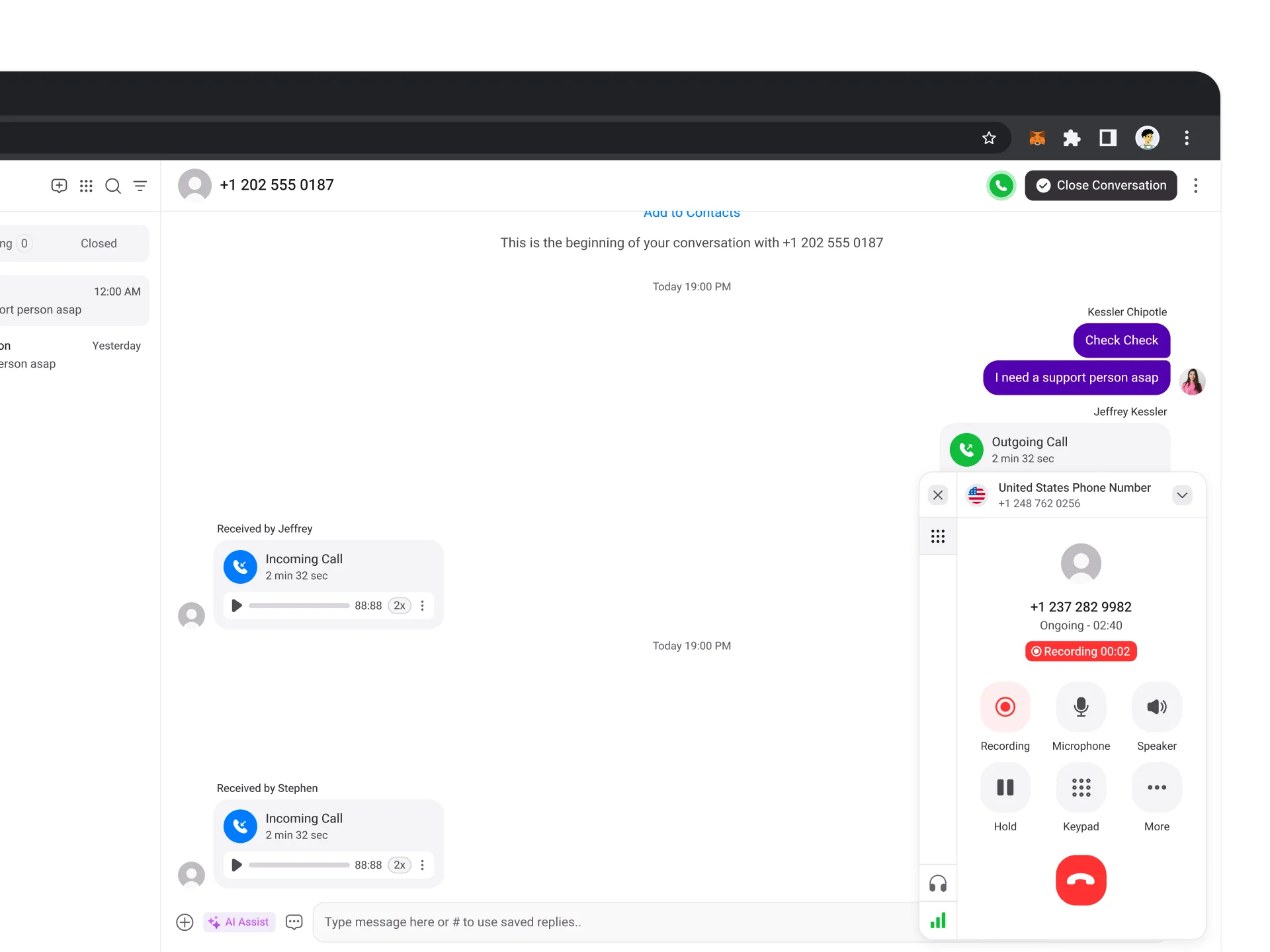
 Start a call and click the
Record
button.
Start a call and click the
Record
button.
 Pause or stop anytime by clicking the same button.
 Recordings are stored securely and accessible to your team.
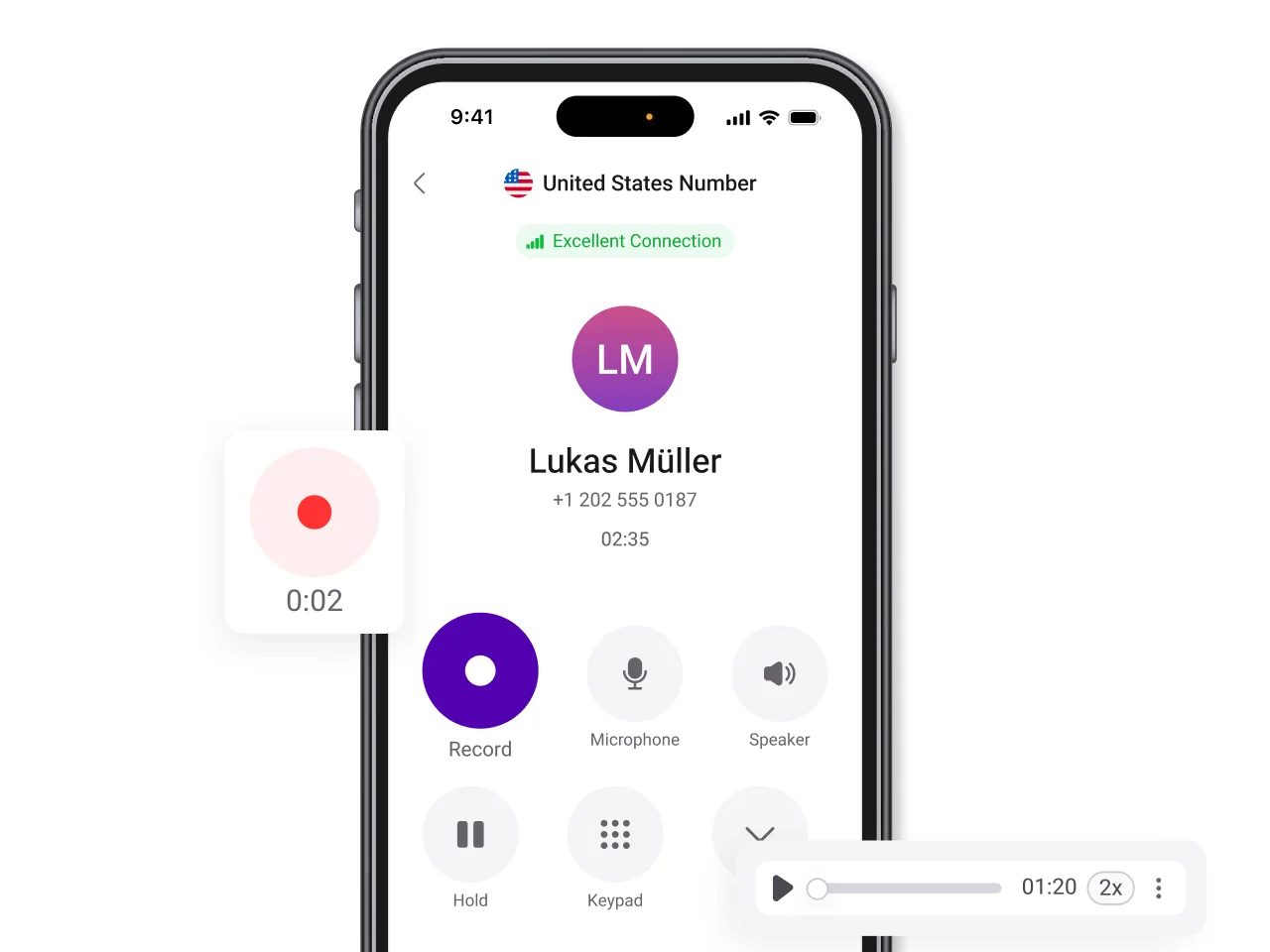 Answer or make a call in the KrispCall app.
Tap record to capture the conversation.
Play, download, or pin recordings directly from the conversation thread.
Answer or make a call in the KrispCall app.
Tap record to capture the conversation.
Play, download, or pin recordings directly from the conversation thread.
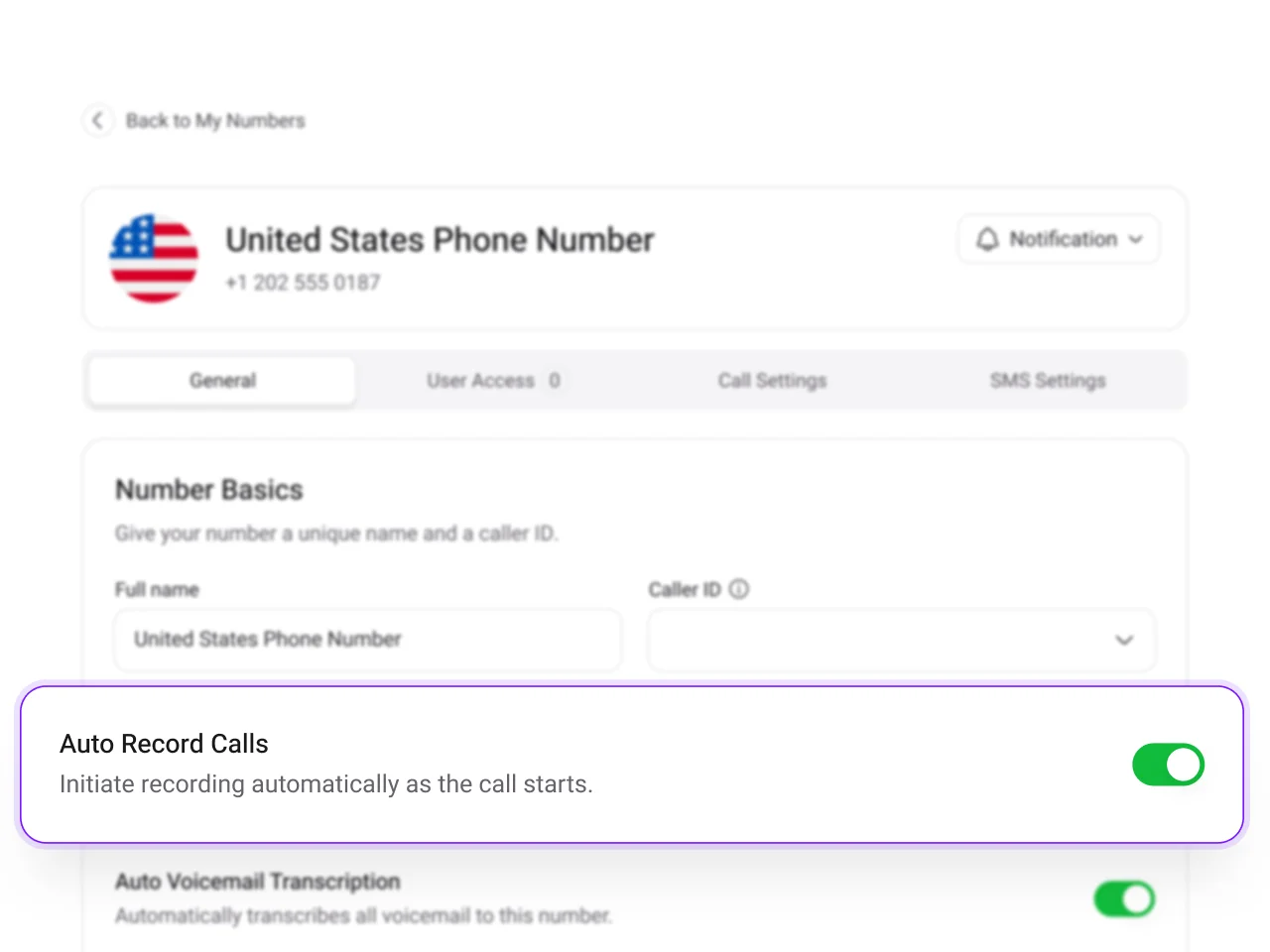 Enable auto-record calls for a specific number in your dashboard.
All incoming and outgoing calls for that number are recorded automatically.
Enable auto-record calls for a specific number in your dashboard.
All incoming and outgoing calls for that number are recorded automatically.
Call recording compliance & legal responsibilities
Call recording requirements differ by country and region, so it’s important to handle recordings responsibly. Calls may require one-party or two-party consent, meaning either participant must be informed before recording.
KrispCall helps businesses stay compliant by supporting disclosure requirements with the secure management of call recordings. It works well for customer support, sales, and contact centers, so different industries like finance, education, and legal can confidently record calls while maintaining trust.
Supercharge Your Sales Efforts with Our Call Recording Software Today!
Ready to transform your sales process and achieve unparalleled success.
Frequently Asked Questions
Didn’t find the Answer you were looking for? Visit our Help Center or Contact Support
Call recording is a common feature on business phone systems that lets you record phone calls with customers or prospects. An important factor to keep in mind is that there are rules & regulations associated with call recording about consents. These rules vary by state and country.
Yes, call recording is legal when done responsibly and in compliance with local laws. Always notify call participants before recording to ensure lawful and ethical use.
Yes, you can record your calls on your phone using the KrispCall app. While dialing a number, you just have to click the record button that’s available in your dialer. Learn the steps to record calls on the web, phone, both automatically and on demand.
MP3 files don’t take up much space. The size of the MP3 file solely depends on the length of the call.
Recorded calls are saved in call logs until the user removes them. You can download the audio files and share them until the call recording log is deleted.
No, if you’re using the KrispCall standard plan as your call recording software. You can record whenever you want to by clicking the record button during the call.
