NiCE CXone is a cloud contact center as a service (CCaaS) platform known for its enterprise-grade scalability and analytics. However, a platform built for massive global enterprises often introduces friction for other business models.
Many organizations seek NiCE CXone alternatives because they are overwhelmed by steep learning curves, complex implementation timelines, and a high and layered pricing that makes budgeting unpredictable.
For mid-sized teams or smaller operations, paying a premium for a feature set they simply don’t use, while missing out on the agility they actually need, is a common breaking point.
This guide compares the top NiCE CXone alternatives based on the factors that matter most when choosing a contact center platform: ease of setup, pricing transparency, AI and automation, call center features, CRM integrations, global calling support, and omnichannel capabilities, ultimately determining the best-fit business size for each provider.
The best NiCE CXone alternatives at a glance
If you want the shortlist before reading full comparisons, here it is:
- KrispCall: Best for fast-growing SMBs that need affordable, easy-to-deploy, omnichannel calling without enterprise contracts.
- Nextiva: Best for small to mid-market businesses wanting unified communications and contact center features on one platform.
- Five9: Best for medium- to large enterprises seeking strong AI automation and native, high-volume outbound dialers.
- Genesys Cloud CX: Best for large, complex enterprises seeking advanced omnichannel routing and deep data customization.
- Talkdesk: Best for industries requiring strict security compliance mixed with customizable, AI-driven workflows.
- Dialpad: Best for teams that want built-in, real-time AI coaching and automated post-call summaries.
- RingCentral: Best for businesses that want an all-in-one unified communications and contact center bundle.
- 8×8: Best for global teams that need strong international calling alongside a unified cloud communications platform.
- CloudTalk: Best for data-driven outbound sales and support teams looking for strong call analytics and AI automation.
- Aircall: Best for customer support teams looking for fast setup and deep native CRM data syncing.
- JustCall: Best for agile sales and support operations that want integrated text messaging automation alongside outbound calling.
What is NiCE CXone?
NiCE CXone, now branded NiCE CXone Mpower, is a contact center as a service (CCaaS) platform. Instead of installing hardware or managing servers, businesses run their entire contact center in the cloud on a subscription basis.
The platform is built around automatic call distribution (ACD) and IVR for routing calls and guiding self-service, plus omnichannel routing that extends that same logic to chat, email, SMS, and social messaging. It also includes workforce engagement management for scheduling and performance tracking, knowledge management for quick agent responses, and digital self-service tools such as chatbots.
On top of this, CXone Mpower runs interaction analytics and AI models that flag customer sentiment, guide agents in real time, and help supervisors coach more efficiently.
NiCE CXone Mpower holds a strong reputation on Capterra, with users praising its reliability, call quality, AI models, and responsive support. The main criticisms are the cost for smaller teams and the learning curve during setup. (4.2/5 Review)
Why look for a NiCE CXone alternative?
NiCE CXone is a strong platform, but it’s not the right fit for every team. Here’s why so many businesses start comparing alternatives.
1. NiCE CXone can be too complex for smaller teams
CXone is built for enterprise-scale operations, and that flexibility comes at a cost. Configuring call flows, routing rules, and integrations often requires dedicated IT support or a trained administrator. For SMBs without an internal tech team, what should be a simple setup can turn into weeks of configuration and troubleshooting.
2. Pricing may not be ideal for every budget
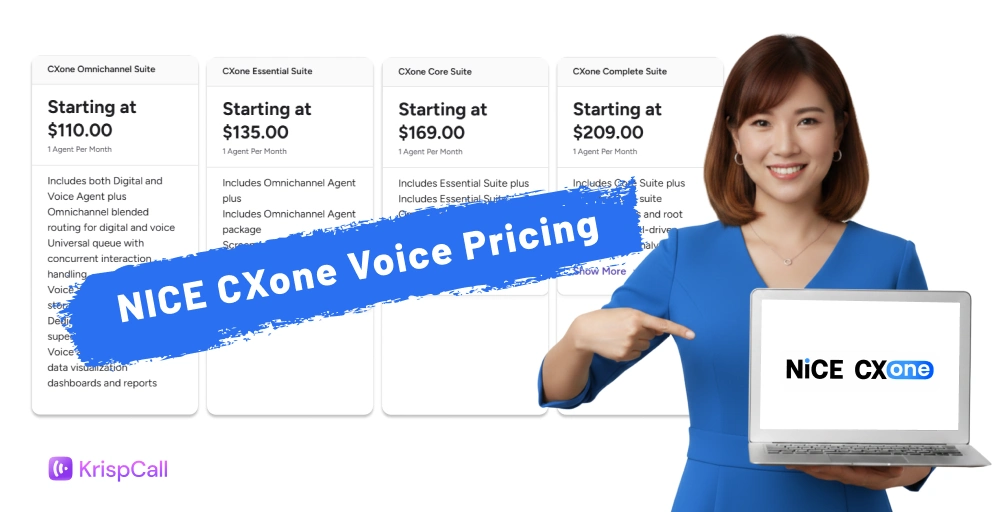
CXone’s core packages range from $110 to $249 per agent per month, and many features, such as an employee knowledge portal, AI agents for proactive engagement, prebuilt CRM integrations, and UCaaS (NiCE 1CX), are sold as add-ons rather than included. For growing businesses, these layered costs can make budgeting unpredictable.
3. Some teams need simpler cloud telephony
Not every business is running a massive, multi-tiered support operation that requires advanced workforce scheduling. Many teams just want:
- Essential calling & numbers: Domestic and global virtual business phone numbers.
- Smart routing & management: Smooth Interactive Voice Response (IVR), automated call routing, and a shared team inbox.
- Outbound productivity: Power dialers to accelerate sales outreach.
- Core contextual tools: Secure call recording, automated SMS text messaging, and actionable call analytics.
4. AI and automation needs are changing
Teams today are evaluating platforms on more specific AI criteria: real-time agent assist during live calls, automated call summaries, conversation intelligence, automated QA, coaching insights, and workflow automation. Rather than treating AI as one generic feature, teams want to know exactly which of these capabilities come standard and which cost extra.
5. Teams want better integrations and faster time to value
Modern operations depend heavily on deep synchronization between their communication stack and their core business tools. Businesses are moving toward alternatives that feature instant, native, out-of-the-box integrations with CRMs, helpdesks, and collaboration tools like:
- CRMs & Sales Tools: Salesforce, HubSpot, Pipedrive, Zoho
- Helpdesks: Zendesk
- Collaboration: Slack, Microsoft Teams
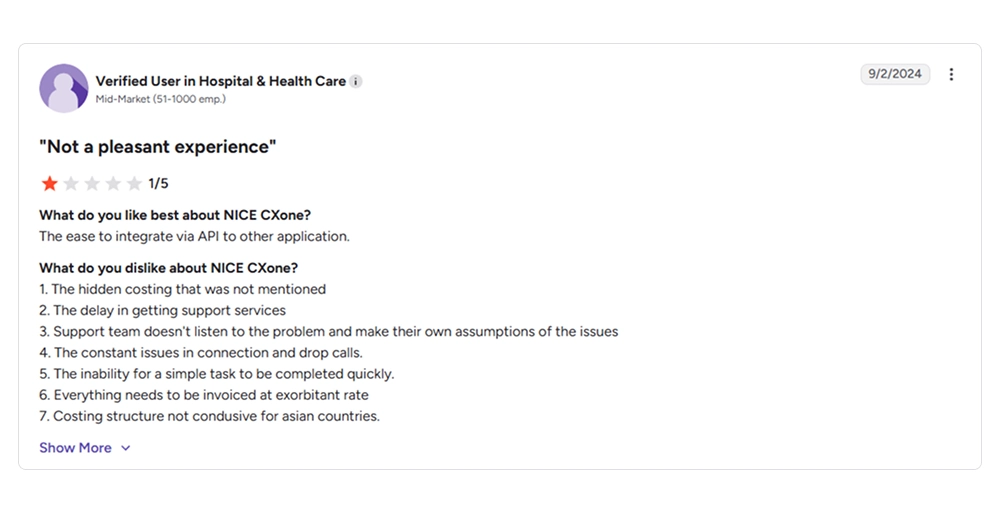
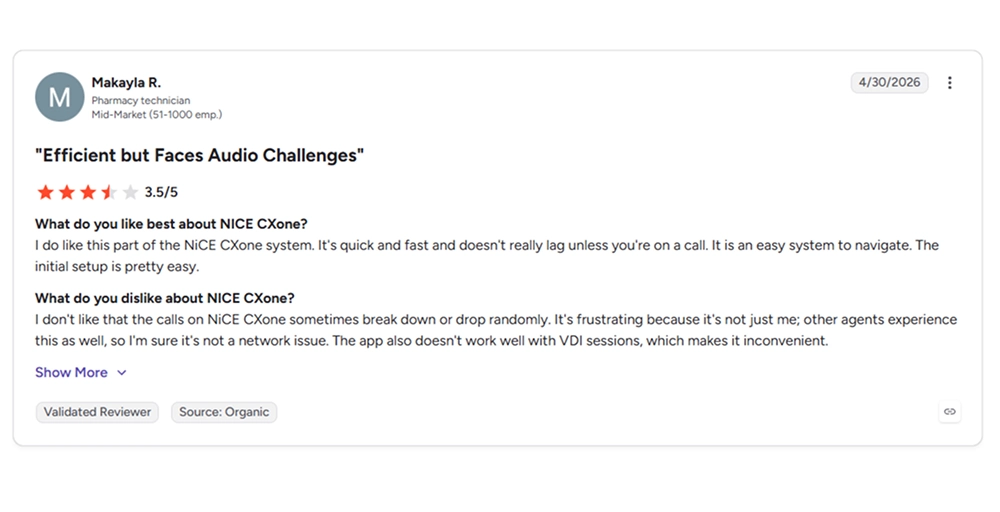
What users say about NiCE CXone
G2 Reviews: 4.3/5⭐
How we evaluated the best NiCE CXone alternatives
To find the top alternatives to NiCE CXone, we evaluated the leading cloud contact center and business phone solutions against a strict set of criteria designed to mirror real-world operational challenges.
Our assessment focused heavily on how each platform reduces the friction points commonly associated with enterprise systems. We analyzed:
- Ease of setup: How quickly a team can get agents live, and whether it requires IT support or a professional services team
- Pricing transparency: Whether plans list clear per-user costs, or require a custom quote with hidden add-on fees
- AI and automation: Real-time agent assist, call summaries, conversation intelligence, and automated QA
- Call center features: Core functionality like ACD, IVR, call recording, and routing
- CRM integrations: Native connections with tools like Salesforce, HubSpot, Zoho, and Pipedrive
- Global calling support: Availability of international numbers and calling rates for distributed teams
- Omnichannel capabilities: Whether voice, chat, email, or SMS runs from one unified inbox
We built this comparison using vendor documentation, pricing pages, and verified user reviews from sources like G2 and Capterra, cross-checking claims against multiple sources before including them. Our full process is outlined in our content update methodology.
Why trust our reviews
Our reviews are built on research, not guesswork. We don’t accept payment to rank a product higher, and we don’t inflate scores to favor any single vendor, including KrispCall.
Every comparison uses the same evaluation criteria, so you’re seeing an apples-to-apples view of each platform’s strengths and limitations. We update our guides regularly as pricing, features, and product names change. You can read more about our standards in our content integrity statement and our software review methodology.
11 best NiCE CXone alternatives in 2026
To help you quickly compare the market’s leading options, the table below highlights how each software stacks up across core capabilities, costs, and real user ratings.
| Provider | Pricing | Key features | Integrations | Best for | G2 Rating as of July 2026 |
| KrispCall | $12/user/month | Unified Callbox, Global virtual numbers, Power dialer | HubSpot, Salesforce, Pipedrive, Zapier | Fast-growing small businesses wanting global virtual numbers | 4.5/5⭐ |
| Nextiva | $15/user/month | Unified communications, Unlimited business text messaging, AI-powered call routing | Salesforce, HubSpot, Zendesk, Microsoft Teams | Small to mid-market teams needing internal collaboration and customer calls | 4.5/5⭐ |
| Five9 | $119/month/seat | Predictive dialing system, AI-driven analytics, ACD solution | Salesforce, Zendesk, Oracle, ServiceNow | Enterprise operations running high-volume outbound campaigns | 4.1/5⭐ |
| Genesys Cloud CX | $75/user/month | Experience orchestration, Multi-level IVR, Advanced omnichannel routing | Salesforce, Microsoft Dynamics, Zendesk, SAP | Large enterprises with complex, multi-channel operations | 4.4/5⭐ |
| Talkdesk | $85/user/month | Talkdesk Copilot, Talkdesk Studio IVR, Talkdesk QM assist | Slack, Zendesk, Salesforce, Zoho | Regulated industries needing strict security and AI automation | 4.4/5⭐ |
| Dialpad | $15/user/month | Real-time AI transcription, Live sentiment tracking, Automated post-call summaries | Salesforce, HubSpot, Zendesk, Google Workspace | Companies prioritizing real-time conversational AI | 4.4/5⭐ |
| RingCentral | $20/user/month | Unified video/audio, Multi-level auto attendant, AI-powered conversational intelligence | Salesforce, Microsoft Teams, HubSpot, Zendesk | Businesses wanting a combined UCaaS and contact center bundle | 4.1/5⭐ |
| 8×8 | Custom quote | Voicemail with transcription, omnichannel routing, UC call recording | Microsoft Teams, Salesforce, SugarCRM, Freshdesk | Global teams that need strong international calling coverage | 4.1/5⭐ |
| CloudTalk | $25/user/month | Power & smart dialers, Custom call flow designer, Click-to-call | Pipedrive, HubSpot, Salesforce, Intercom | Outbound sales and high-volume lead generation teams | 4.4/5⭐ |
| Aircall | $30/license | Click-to-dial, Shared call inbox, Live call monitoring | HubSpot, Zendesk, Intercom, Shopify, Salesforce | Agile customer support teams looking for fast CRM sync | 4.4/5 ⭐ |
| JustCall | $29/user/month | Sales dialer, SMS automation, AI conversation intelligence | HubSpot, Pipedrive, Salesforce, Slack | Small to mid-sized teams combining voice with SMS marketing automation | 4.3/5⭐ |
1. KrispCall
Best for: SMBs and growing teams that want affordable, easy-to-deploy omnichannel calling without enterprise contracts.
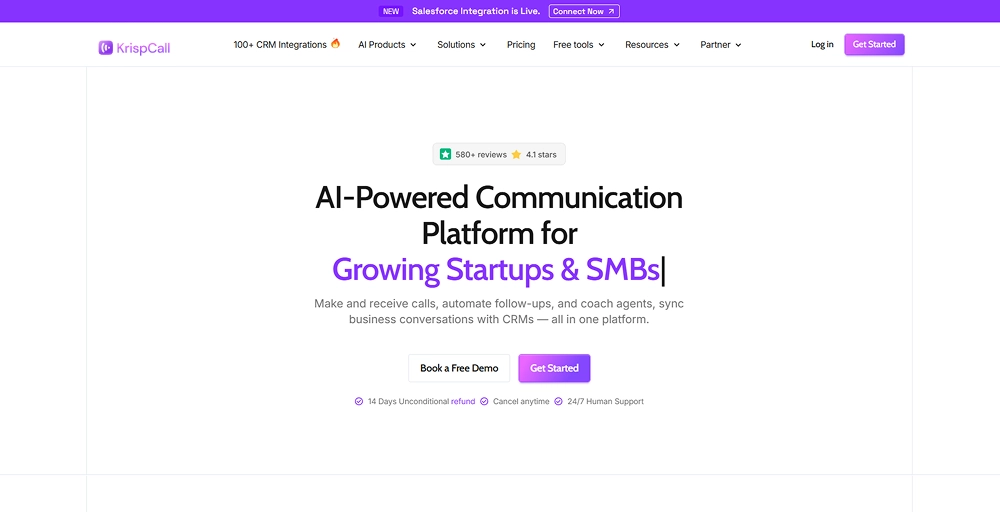
KrispCall is an AI-powered phone system and contact center platform. While NiCE CXone is engineered for large enterprise operations with dedicated IT infrastructure, KrispCall focuses on delivering essential cloud telephony and text messaging features through an intuitive dashboard. It strips away the complicated implementation phases, providing a simple solution that lets agile teams manage their entire global outreach from a centralized workspace.
Why choose KrispCall over NiCE CXone?
If you don’t run a massive, multi-tiered contact center with hundreds of agents, forcing your team into NiCE CXone can stall your productivity. KrispCall offers a simpler path forward for smaller, fast-paced operations:
- Faster setup: KrispCall can be live in minutes through its web app
- Transparent pricing: Plans start at $12 per user per month with clear tiers
- Right-sized features: Offers call routing, IVR, recording, and a power dialer, covering what most small and mid-sized teams actually use
- Built-in AI tools: AI Copilot handles call transcription, call summaries, and AI-assisted replies as part of the core offering
| Feature | KrispCall | NiCE CXone |
| Best for | SMBs, remote startups, and agile sales/support teams | Global enterprises and massive contact centers |
| Setup | Self-service onboarding; fully operational in minutes | Long implementation times; requires technical deployment |
| Virtual numbers | Accessible numbers in 100+ countries | Global availability, but typically enterprise-scoped |
| CRM integrations | 100+ integrations including Salesforce, HubSpot, Zoho, Pipedrive | Native integrations, often enterprise-tier only |
| AI tools | AI Copilot: transcription, summaries, AI reply, AI coaching | Advanced enterprise-level AI models (NiCE Mpower) |
| Ideal buyer | Small and mid-sized businesses, startups, call centers | Large enterprises with complex, high-volume operations |
KrispCall pricing
KrispCall keeps pricing simple with three tiers built around team size and call center needs.
- Essential: $12/user/month (billed annually), for small businesses, startups, and freelancers
- Standard: $32/user/month (billed annually), for small to mid-size businesses and call centers
- Enterprise: Custom pricing for teams with more advanced or specific requirements
KrispCall’s standout features
- AI Copilot: Transcribes calls, generates call summaries, and suggests AI-assisted replies
- Power Dialer: Automatically dials through contact lists and filters out unanswered or busy calls
- Unified Callbox: Brings calls, SMS, and voicemail into one shared dashboard
- Multi-level IVR: Routes callers through custom menus to the right agent or department automatically
KrispCall pros
- One free local/mobile number from the UK, USA, or Canada upon signup
- Shared phone numbers allow multiple agents to handle a single line collectively
- Highly affordable international calling rates and low per-virtual-number cost
- Exceptionally clean user interface that requires virtually zero agent training
KrispCall cons
- No desktop app yet (web, browser extension, and mobile only)
- No video conferencing (focus highly on voice calls)
- No free trial, just free demo
- Some users report call drops or audio disruptions during peak business hours
What users say about KrispCall
G2 Rating: 4.5/5⭐
Having the ability to get virtual numbers from multiple countries is super helpful for global communication. The call quality is clear, and the app runs smoothly on both desktop and mobile, which makes it really convenient.
The unified platform that Krispcall provides makes managing calls and messages from different global numbers in one place easy. The quality of the calls is always great, while shared numbers and call analytics have increased team collaboration and efficiency.
I love support responses on everything, I got a WhatsApp message immediately after I submitted a question. Everything after that went smoothly as everything is very easy to set up and use well. Now I am using their number for everything.
2. Nextiva
Best for: Businesses that want unified communications and contact center capabilities bundled into one platform.
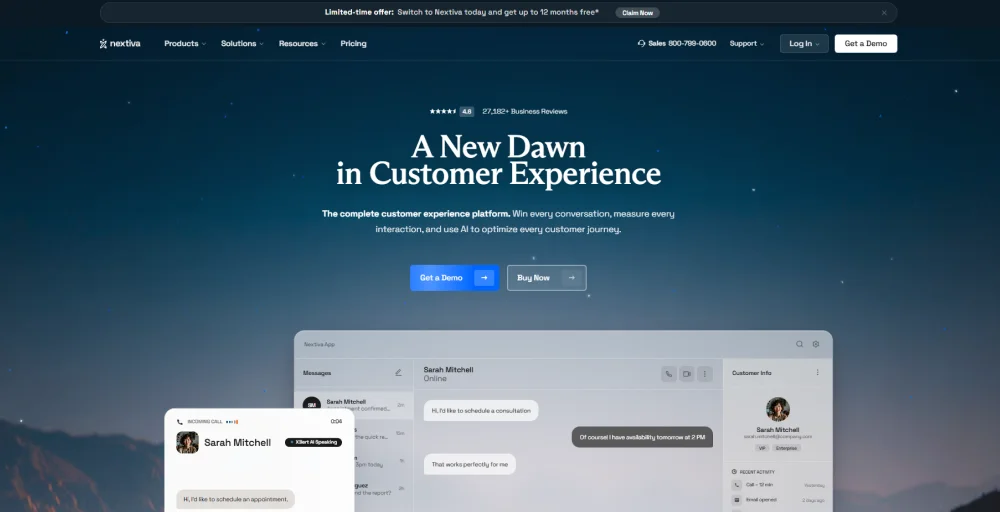
Nextiva is a highly reliable alternative to NiCE CXone for organizations that find enterprise CCaaS architectures too siloed and complex. Nextiva combines essential business phone services, HD video conferencing, team chat, and customer engagement tools into a single application. It eliminates the need to jump between separate apps for internal team messaging and external customer service, offering an integrated approach with exceptional uptime.
Nextiva pricing
Nextiva structures its core communication solutions across three distinct pricing tiers:
- Core: $15/user/month, unified voice, video, SMS, and call routing
- Engage: $25/user/month, adds inbound call center, live chat, and advanced reporting
- Scale: $75/user/month, full customer experience platform with AI transcription and journey orchestration
Nextiva’s standout features
- NextivaONE app: Turns any device into a virtual office for calls, texts, and video from anywhere
- Conversational AI IVR: Lets callers describe why they’re calling in natural language instead of navigating a menu
- Unlimited calling and texting: Covers the US and Canada without per-minute charges
- Call analytics: Gives businesses historical data to track performance and spot trends
Nextiva pros
- Industry-leading network reliability with a proven track record of 99.999% uptime
- Combines internal office communications (UCaaS) and contact center features (CCaaS) into one platform
- 14-day free trial for some NextivaONE packages
- Hands-on setup assistance for all tier users
Nextiva cons
- CRM integrations like Salesforce and HubSpot are add-ons, not included by default
- Pricing scales steeply if you prefer month-to-month billing over an annual commitment
- Some features may involve extra setup, licensing, or usage fees
- Text message limitation is quite low in the entry-level tier
3. Five9
Best for: Mid-market to large enterprise operations executing high-volume outbound sales prospecting or campaigns.
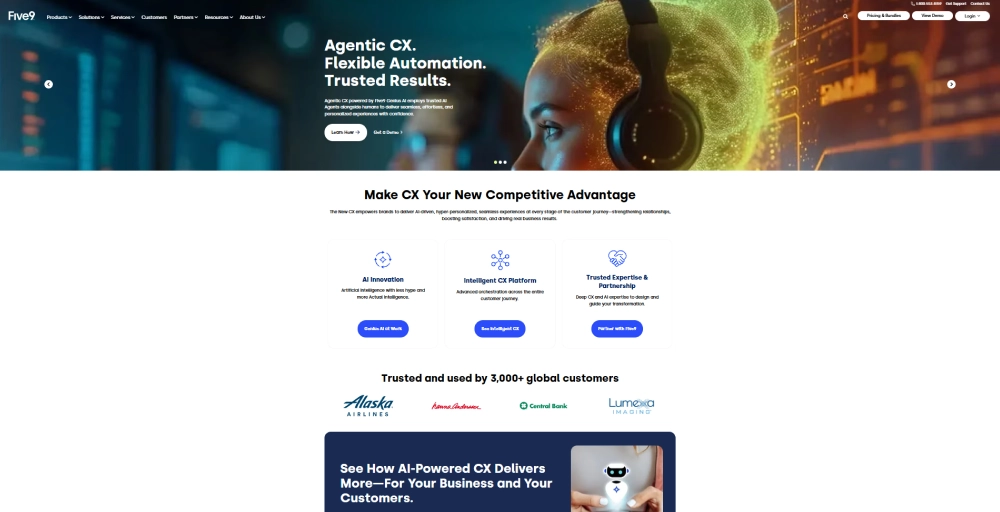
Five9 is a cloud contact center platform built around outbound sales and blended inbound/outbound operations. While NiCE CXone relies heavily on complex data orchestration frameworks, Five9 stands out for its highly specialized outbound dialing capabilities and its “Genius AI” automation suite.
Five9 pricing
Five9 sells its plans as bundles rather than simple per-user tiers, with a minimum of 50 seats required.
- Digital: $119/month/seat, digital channels only (chat, email, SMS, social)
- Core: $159/month/seat, all channels with essential AI features
- Plus: Custom quote, all channels with advanced AI
- Pro: Custom quote, all channels with AI essentials and workforce engagement management
- Enterprise: Custom quote, all channels with advanced AI and full workforce engagement management
Five9’s standout features
- Predictive Dialer: Automatically dials through contact lists and connects agents only to live answers
- AI Agent Assist: Gives agents real-time transcription and call summarization
- Agent Call Scripting: Interactive, web-based scripts that guide agents through customer interaction.
- Workforce Engagement Management (WEM): Covers quality management, workforce management, and performance analytics in one suite
Five9 pros
- Best-in-class dialer built specifically for outbound and sales-heavy teams
- Strong library of native CRM and UC integrations
- Built-in “Do Not Call” (DNC) list checking and PCI-compliant payment masking
- Excellent platform stability backed by a 99.999% uptime guarantee
Five9 cons
- Requires a minimum of 50 seats, ruling it out for very small teams
- Most tiers beyond Digital and Core require a custom quote, so pricing isn’t fully transparent
- Initial setup and configuration typically need dedicated admin or professional services support
- It is highly overwhelming for new users who have no technical expertise
4. Genesys Cloud CX
Best for: Large enterprises requiring deep data customization, AI-driven journey orchestration, and multi-channel routing.
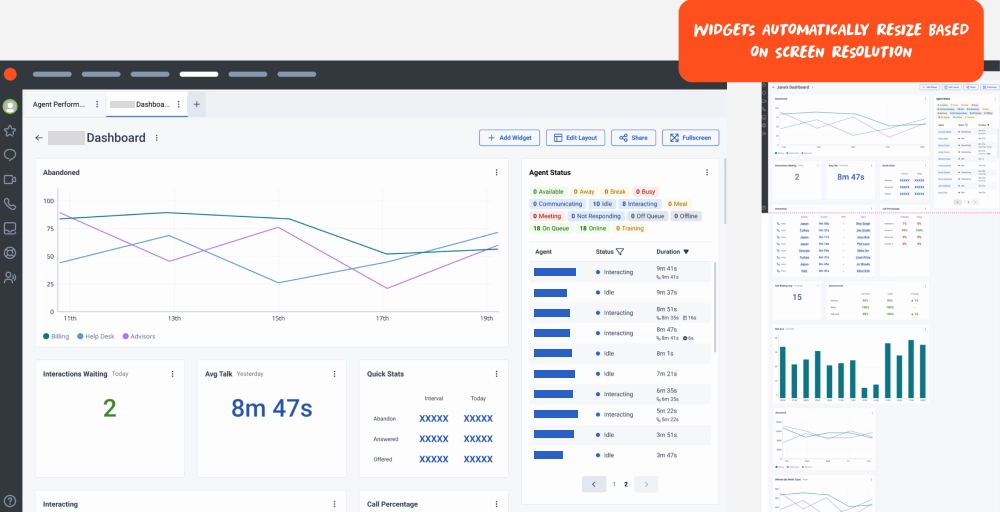
Genesys Cloud CX is an enterprise-grade contact center platform built around AI-powered experience orchestration. It’s designed to handle high-volume, multi-channel operations across large organizations, combining voice, digital channels, workforce engagement, and predictive routing into one system. It’s a strong NiCE CXone alternative for enterprises that need that same level of depth and customization, often at a lower starting price point.
Genesys Cloud CX pricing
Genesys plans are priced in four tiers, each unlocking more capability, plus optional add-ons.
- Genesys Cloud CX 1: $75/user/month, voice, call routing, speech-enabled IVR, and basic analytics
- Genesys Cloud CX 2: $115/user/month, adds digital channels and omnichannel routing
- Genesys Cloud CX 3: $155/user/month, adds full workforce engagement management and knowledge tools
- Genesys Cloud CX 4: $240/user/month, adds Agent Copilot, journey management, and bundled AI tokens
Genesys Cloud CX’s standout features
- Predictive Routing: Uses AI to match customers with the agent most likely to resolve their issue
- Agent Copilot: Gives agents real-time guidance and suggested responses during live interactions
- Conversational Intelligence: Analyzes conversations using speech and text analytics for sentiment, topics, and compliance risks
- Workforce Engagement Management: Combines forecasting, scheduling, and coaching in one workflow
Genesys Cloud CX pros
- Deeply customizable open API ecosystem and an expansive developer marketplace (AppFoundry)
- Strong analytics and journey management for complex customer paths
- Large integration marketplace for CRM and business tools
- Scales cleanly from voice-only setups to full omnichannel operations
Genesys Cloud CX cons
- Entry-tier plans exclude digital channels and workforce management, both sold as add-ons
- AI features all require tokens, adding cost unpredictability
- Setup and configuration typically need dedicated technical resources
- Extremely high total cost of ownership (TCO) that scales sharply as you climb tiers or add AI experience tokens.
5. Talkdesk
Best for: Mid-market to enterprise teams that want AI-powered automation combined with strict global compliance standards.
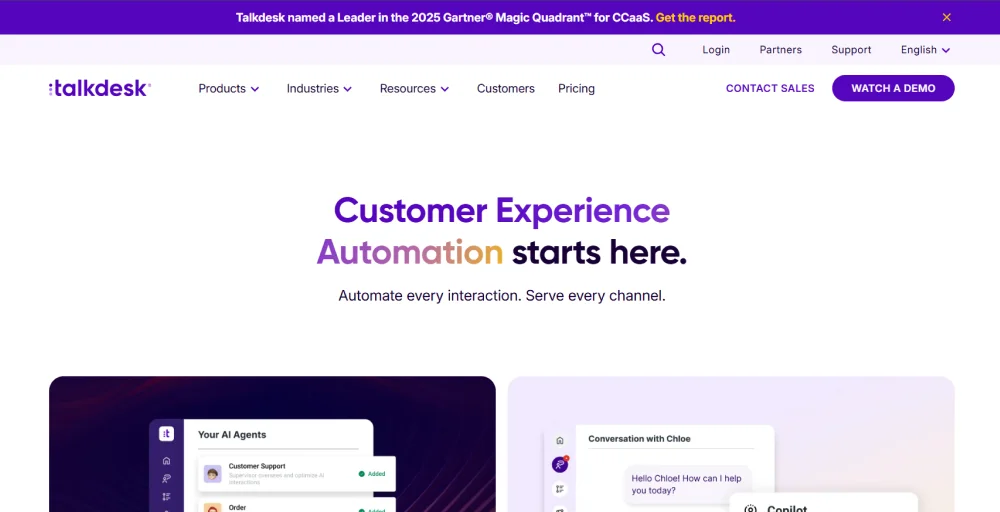
Talkdesk is a cloud contact center platform built around Customer Experience Automation (CXA). It uses AI agents to handle and support customer interactions across voice and digital channels and relies on low-code/no-code administrative modules. It allows highly regulated organizations to build out complex, automated routing paths and deploy specialized virtual agents without sacrificing enterprise-grade security.
Talkdesk pricing
Talkdesk pricing is split by channel type and feature depth, with a separate small business option.
- Digital Essentials: $85/user/month, email, chat, SMS, and social messaging with routing and dashboards
- Voice Essentials: $105/user/month, voice engagement, speech recognition, and voicemail transcription
- Elite: $165/user/month, adds workforce management, screen recording, and performance management
- Industry Experience Clouds: $225/user/month, Elite features plus industry-specific tools for sectors like healthcare and financial services
Talkdesk’s standout features
- Talkdesk Copilot: Gives agents real-time guidance and next-best-action suggestions during live conversations
- Talkdesk Autopilot: An AI virtual assistant that can independently resolve issues and trigger workflows
- Talkdesk Navigator: Uses natural conversation to route customers to the right outcome, automated or human
- Talkdesk Identity: Uses voice biometrics to verify callers in real time and reduce fraud
Talkdesk pros
- Features over 30 global security certifications and attestations
- Natively built strong AI automation tools
- Offers a genuine entry point for smaller businesses with Talkdesk Express
- Flexible channel-based pricing lets teams pay only for voice or digital as needed
Talkdesk cons
- High base starting cost ($85/month) makes it poorly suited for simple business phone requirements or small startups
- Voice and digital channels are priced separately, which can add up for omnichannel teams
- Full omnichannel and workforce management require the Elite tier or above
- Advanced AI tools like Autopilot and Navigator carry additional costs beyond base pricing
6. Dialpad
Best for: Businesses that want built-in, real-time AI coaching, automated post-call work, and instant transcription analytics.
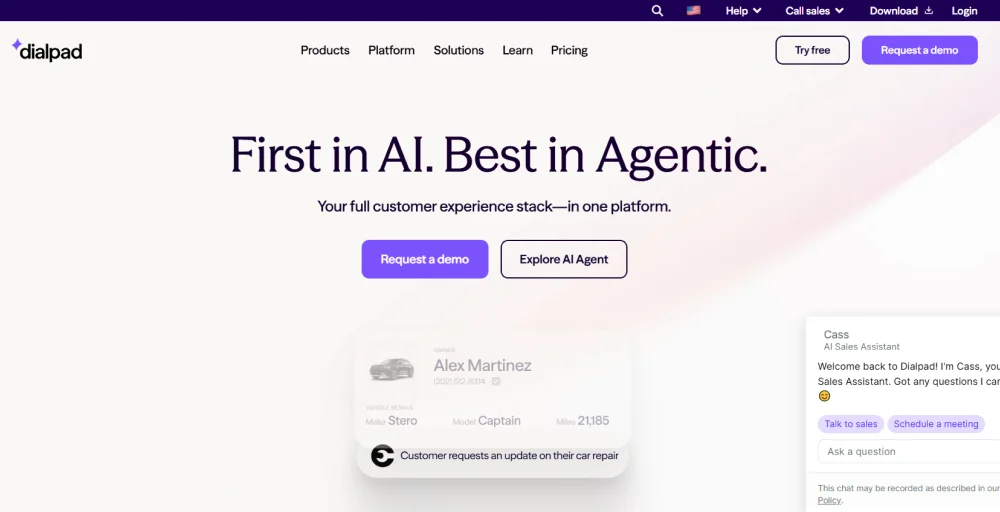
Dialpad is an AI-powered communications platform split across four products: Connect for business phone service, Support for contact centers, Sell for outbound sales, and AI Agents for fully automated interactions. It’s a strong NiCE CXone alternative for teams that want strong AI features like real-time transcription and coaching, though it’s worth knowing that the $15 entry price covers only the phone system, not the entire contact center.
Dialpad pricing
Dialpad prices each product separately rather than as one bundled contact center suite.
Dialpad Connect (business phone):
- Standard: $15/user/month, calling and messaging for individuals and very small teams
- Pro: $25/user/month, adds CRM integrations and multi-office support
- Enterprise: Custom quote, requires a 100-user minimum
Dialpad Support (contact center):
- Essentials: $80/user/month, inbound call management, and AI transcription
- Advanced: $115/user/month, adds AI coaching and deeper analytics
- Premium: $150/user/month, adds AI scorecards and CSAT scoring
Dialpad’s standout features
- AI Live Coach Cards: Give agents real-time cues and guidance while they’re still on the call
- AI Recaps: Automatically summarizes calls and meetings so agents skip manual notes
- Conversation Intelligence: Tracks keywords and trends across calls to surface coaching opportunities
- AI Scorecards: Automatically score calls against custom criteria to standardize quality checks
Dialpad pros
- Offers a 14-day trial to experience Dialpad for free
- Proprietary DialpadGPT framework delivers rapid, native conversational AI results
- Core AI features like transcription and summaries come standard, even at lower tiers
- Exceptionally modern and clean user interface
Dialpad cons
- Internet fax is only available as an add-on
- CRM integrations and hold queues are locked behind higher Connect tiers
- Contact center functionality (Support) is a separate product starting at $80/user/month, not included in the $15 entry price
- Users report struggling with long waiting lines and unhelpful AI bots
7. RingCentral
Best for: Multi-site organizations and global operations that require a highly stable, carrier-grade cloud phone network.
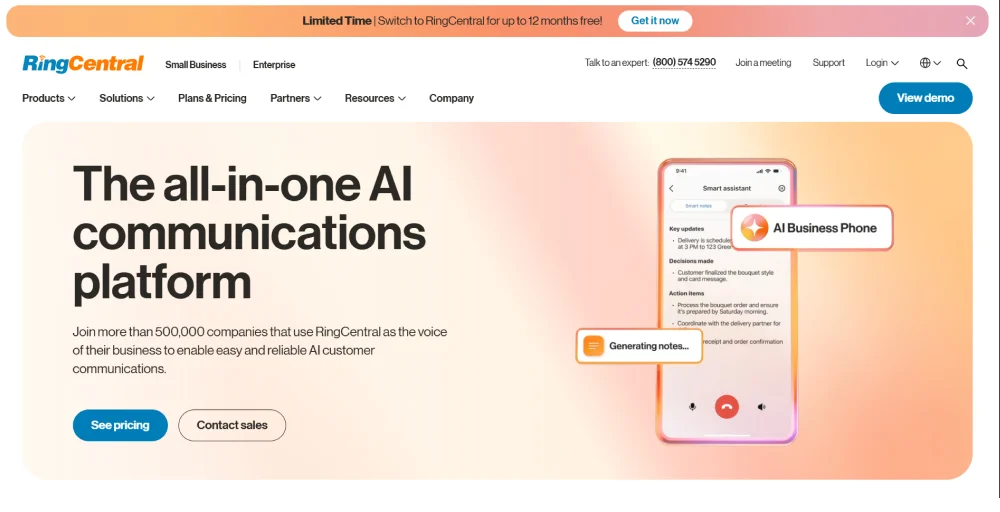
RingCentral is an agentic voice AI platform that stands as an exceptionally reliable alternative to NiCE CXone. RingCentral specializes in unifying enterprise telephony (UCaaS) and customer engagement (CCaaS) into a single, comprehensive ecosystem. It is an ideal swap for companies that find NiCE’s infrastructure overly rigid and want a highly scalable phone network.
RingCentral pricing
RingCentral pricing and plans include:
- Core: $20/user/month, unlimited US/Canada calling, auto-attendant, video meetings
- Advanced: $25/user/month, adds automatic call recording, call monitoring, and CRM integrations
- Ultra: $35/user/month, adds unlimited storage and 10,000 toll-free minutes
RingCentral’s standout features
- RingSense AI: Delivers real-time transcription, call summaries, and conversation intelligence for sales coaching
- Heads-Up Display (HUD): Monitor the live presence status of up to 100 extensions simultaneously
- Background Noise Reduction: Automatically remove unwanted background noise from your video meetings or business calls
- Unified Inbox: A single, central app interface for business SMS/MMS, internet faxes, team collaboration chat threads, and visual voicemails.
RingCentral pros
- Industry-defining network redundancy with a guaranteed 99.999% uptime SLA
- Massive pre-built integration ecosystem containing over 500 out-of-the-box application connectors
- Combines phone call, video meeting, and contact center capabilities under one platform
- Works smoothly across mobile apps, desktop clients, and standard physical desk phones.
RingCentral cons
- Entry-level Core plan caps SMS at just 25 messages per user per month
- CRM integrations require upgrading to Advanced or higher
- AI Receptionist and Conversation Intelligence are paid add-ons, not included by default
- The software interface can feel slightly bloated and text-heavy due to the immense number of built-in features
8. 8×8
Best for: Global teams that need strong international calling alongside contact center tools.
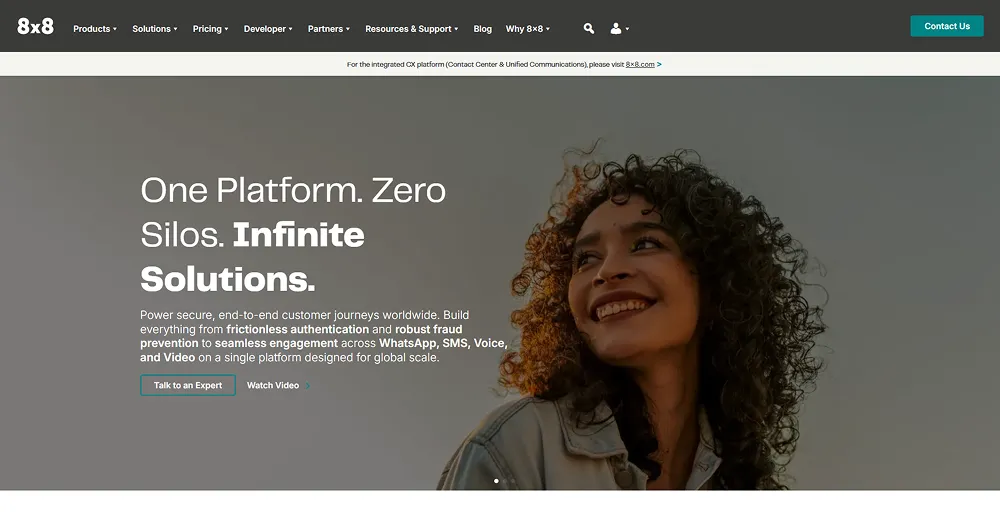
8×8 is a major enterprise cloud communications competitor that tackles the high cost of international long-distance fees. While NiCE CXone bills international telephony through complex per-minute usage structures, 8×8 is known for its unlimited global calling for UC phones. It effectively bridges business VoIP (UCaaS) and full contact center operations (CCaaS) onto a single global network.
8×8 pricing
8×8 pricing is not publicly available, and it doesn’t use fixed per-user pricing. Instead, businesses mix and match products, Unified Communications, Contact Center, CX Beyond the Contact Center, and Communications APIs, and request a custom quote based on the combination and user count they need.
8×8’s standout features
- Unlimited Global Calling: Free calling to up to 48 countries, eliminating variable international calling fees
- Intelligent Auto-Attendant: A scalable visual routing menu that automatically routes callers to distinct localized destinations
- Intelligent Customer Assistant (ICA) Voice: Helps businesses create an engaging and simple customer self-service experience
- Team Leader Workspace: Gives agents a unified interface and supervisors real-time visibility into queues and user management
8×8 pros
- Meets strict regulatory compliance such as HIPAA, FISMA, and PCI DSS
- Combines UCaaS and CCaaS under a single administrative billing contract
- Seamlessly integrates with major CRMs and productivity suites
- Strong global calling infrastructure for international teams
8×8 cons
- Quote-only pricing model makes it difficult to compare baseline costs transparently
- Feature availability varies significantly depending on which products are bundled
- Setup and configuration can require more hands-on onboarding than lighter competitors
- Many users report customer support being slow or unhelpful
9. CloudTalk
Best for: Sales and support teams that need global numbers, deep CRM integrations, and advanced call center features.
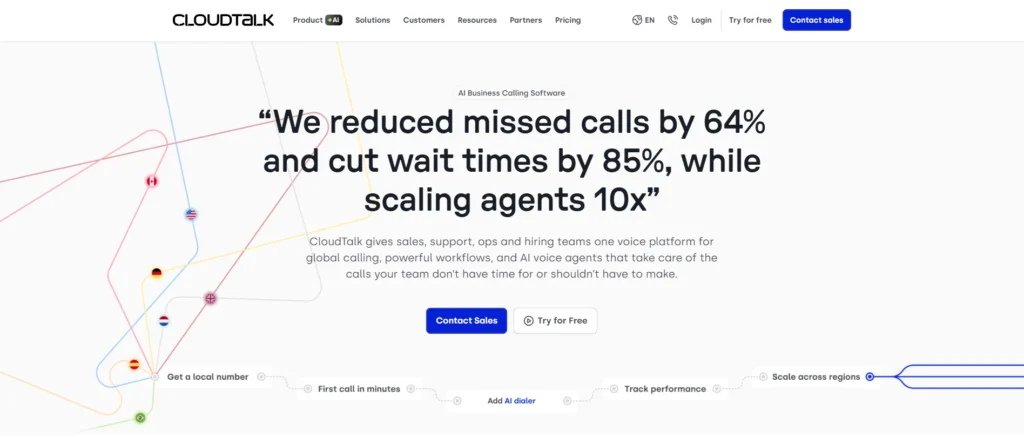
CloudTalk is a cloud-based business phone system built for sales and support teams that need reliable calling, smart routing, and global number coverage. It’s an outbound-focused CCaaS alternative for smaller teams that want core call center functionality, like a visual call flow builder, power dialer, and real-time analytics, without the enterprise price tag or complexity.
CloudTalk pricing
CloudTalk pricing and plans include three tiers, plus optional add-ons for power dialing and AI:
- Starter: $25/user/month, adds ring groups, call queues, and full basic call handling
- Essential: $29/user/month, adds advanced outreach tools and standard CRM integrations
- Expert: $49/user/month (minimum 3 users), adds Salesforce ecosystem integration, unlimited recording retention, and real-time analytics
CloudTalk’s standout features
- Call Flow Designer: A drag-and-drop builder for creating custom IVRs, queues, and routing rules without coding
- Power and Parallel Dialer: Automatically dials through contact lists, with parallel dialing able to ring up to 10 numbers at once
- Call Monitoring: Lets supervisors listen, whisper, or barge into live calls for coaching
- 3 Way Calling: Allows an agent to add another participant to an active customer call.
CloudTalk pros
- Strong global number coverage across 160+ countries
- Unlimited calling across the US and Canada
- Visual call flow builder makes routing setup simple for non-technical teams
- Simple, easy-to-navigate, and user-friendly interface
CloudTalk cons
- Power dialer, parallel dialer, and AI conversation intelligence are all paid add-ons
- Salesforce ecosystem integration is locked behind the top-tier Expert plan
- Expert plan requires a minimum of 3 users
- Advanced routing features like skill-based and condition-based routing require higher tiers
10. Aircall
Best for: Agile customer support and sales teams seeking a zero-friction setup and deep data synchronization with their existing CRMs.
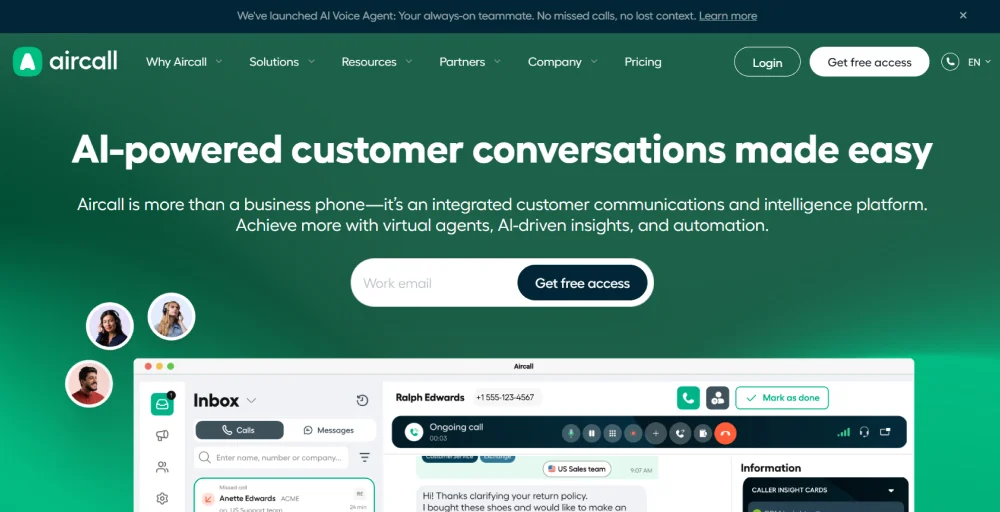
Aircall is a cloud phone system built for sales and support teams that rely heavily on CRM-connected calling. It’s a strong NiCE CXone alternative for smaller teams that want fast setup, a clean interface, and deep integrations with tools like Salesforce and HubSpot, though it’s worth knowing many productivity features and AI tools sit behind add-ons or the Professional tier.
Aircall pricing
Aircall pricing is based on a per-license rather than a per-user basis, with a minimum license requirement for every plan.
- Essentials: $30/license/month (billed annually), includes IVR, call recording, 100+ integrations, and unlimited inbound calls
- Professional: $50/license/month (billed annually), adds Salesforce CTI integration, Power Dialer, smart routing, and all AI Assist features
- Custom: Quote-based, minimum 25 licenses, adds custom onboarding, SLA, and single sign-on
Aircall’s standout features
- Power Dialer: Automatically dials through call lists and logs outcomes, available from the Professional plan
- AI & Transcription: Generates call summaries, sentiment analysis, and key topic detection during and after calls
- Salesforce CTI Integration: Brings call controls and caller context directly into the Salesforce interface
- Live Call Monitoring: Lets supervisors listen in, whisper, or barge into live calls for real-time coaching
Aircall pros
- Fast setup with an intuitive, easy-to-navigate user interface
- Deep native integrations with major CRM and helpdesk platforms
- Highly flexible, allowing administrators to add or drop numbers and lines with a single click
- Strong security controls, including SOC 2 Type II compliance.
- Generally praised for its straightforward setup and CRM-connected workflow.
Aircall cons
- Per-license pricing with a 3-license minimum rules out solo users and very small teams
- Power Dialer, Salesforce integration, and smart routing are locked behind the Professional plan
- AI Assist Pro and Analytics+ are separate paid add-ons on top of base pricing
- Only one phone number is included per plan, with extra numbers billed separately
11. JustCall
Best for: Small to mid-sized sales and revenue teams looking for tools to handle outbound voice dialing with high-volume, automated SMS/MMS follow-up campaigns.
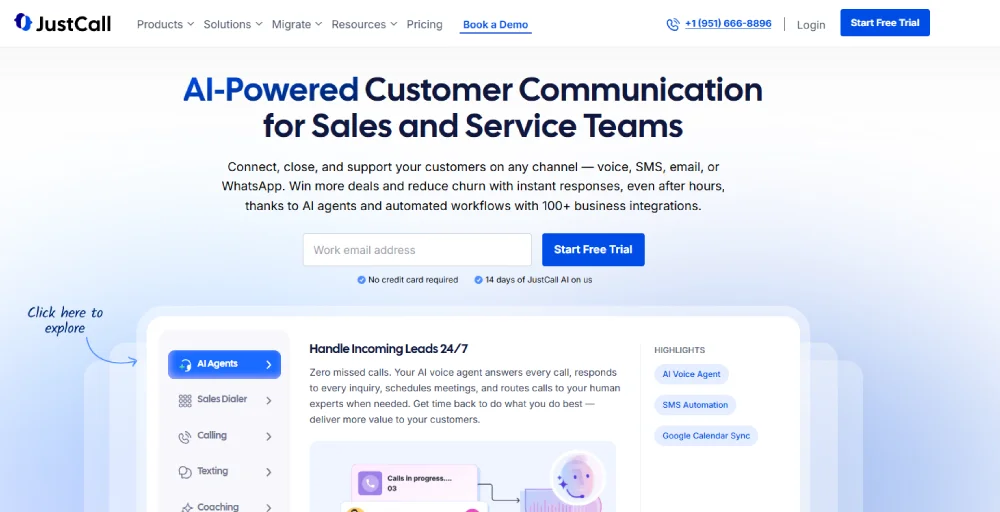
JustCall is a business phone system built for sales and support teams, combining calling, SMS, and workflow automation with AI coaching tools. It’s a strong NiCE CXone alternative for outbound sales operations that need a power dialer, CRM sync, and call scoring, bridging the gap between clean cloud telephony and automated text messaging marketing.
JustCall pricing
JustCall prices per user, billed annually, with a minimum of 2 users on most plans.
- Team: $29/user/month, core calling, SMS, IVR, and 100+ integrations
- Pro: $49/user/month, adds Power Dialer, Salesforce CTI integration, and advanced analytics
- Pro Plus: $89/user/month, adds real-time agent assist, AI call scoring, and sentiment analysis
- Business: Custom pricing, minimum 10 users, adds SSO, enterprise compliance, and dedicated support
JustCall’s standout features
- Sales Dialer: Includes auto, power, and predictive dialing modes to speed up outbound calling
- AI Call Scoring: Automatically scores calls against custom criteria to standardize quality checks
- AI Agent Assist: Gives agents live prompts and objection-handling suggestions during calls
- SMS Copilot: Uses AI to check tone and suggest rephrasing before texts are sent
JustCall pros
- 14-day free trial makes it easy to test before committing
- Unlimited inbound and outbound minutes even in the base tier
- Deep native integrations with major CRM and sales engagement tools
- Strong dialer options built specifically for the outbound sales team
JustCall cons
- Entry-tier Team plan lacks Power Dialer, Salesforce integration, and AI coaching tools
- Minimum of 2 users required on most plans
- Advanced AI features like real-time agent assist require the Pro Plus tier
- Transcription and SMS segment limits vary by plan and region, adding complexity to budgeting
Which NiCE CXone alternative is best for you?
Choosing the right NiCE CXone alternative depends on your business size, budget, and which features you actually need day-to-day. To find your best match, identify which scenario fits your situation:
- If your team is small or mid-sized and wants affordable, easy-to-deploy calling without enterprise contracts, choose KrispCall. It covers core contact center essentials, IVR, call recording, power dialing, and AI-driven call summaries, starting at $12 per user per month with no dedicated IT team required.
- If you want phone, video, and contact center bundled under one provider, choose Nextiva. It consolidates unified communications and customer experience tools into a single platform, so you’re not juggling separate vendors for calling and support.
- If your priority is high-volume outbound sales, choose Five9. Its predictive dialer and AI agent assist are purpose-built for teams that live and die by call volume and conversion rates.
- If you’re a large enterprise managing complex, multi-channel customer journeys, choose Genesys Cloud CX. Its predictive routing and journey orchestration are designed for scale, not simplicity.
- If you operate in a highly regulated sector like healthcare or finance, opt for Talkdesk. Pre-built industry workspace clouds ensure compliance (such as HIPAA and PCI-DSS) while using low-code tools to easily build complex IVR flows.
- If real-time AI coaching during live calls matters most, choose Dialpad. Its AI Live Coach and transcription tools are built into the platform rather than sold as premium add-ons.
- If you want one bundle covering phone, video, and a contact center layer, choose RingCentral. RingEX and RingCX together cover most communication needs without requiring a vendor switch.
- If your team is distributed across multiple countries and needs strong global calling coverage, choose 8×8. Its infrastructure is built specifically for international reach.
- If you’re a small sales or support team that needs global numbers without a high price tag, choose CloudTalk. Its visual call flow builder and 160+ country coverage make it accessible without heavy setup.
- If fast setup and deep CRM integrations matter most, choose Aircall. Its Salesforce and HubSpot integrations are built for teams that live inside their CRM all day.
- If you’re running an outbound sales operation that depends on CRM sync and call scoring, choose JustCall. Its dialer and AI coaching tools are tailored specifically for sales teams ramping new reps.
Migration checklist: How to move away from NiCE CXone
Switching contact center platforms feels quite risky, mainly because most guides skip the actual how-to. Here’s a practical checklist for moving off NiCE CXone without losing data, disrupting agents, or dropping calls during the transition.
Phase 1: Assessment & Data Preservation
Before flipping any switches, you must document your existing ecosystem and back up your historical data.
- Audit current infrastructure: Document all active NiCE CXone users, phone numbers, active call queues, IVR branches, and automated workflows.
- Export critical records: Export required records before ending your contract, as access and retention periods may change after termination.
- Inventory your integrations: Map out every third-party tool currently connected to NiCE CXone, including your CRM, helpdesk software, and internal messaging apps.
Phase 2: System Mapping & Feature Prioritization
Ensure your new platform meets your operational requirements without duplicating features you don’t use.
- Define project requirements: Categorize capabilities into must-have features (e.g., specific CRM integrations, supervisor barging) versus “NiCE-to-have” features (e.g., advanced AI sentiment mapping) to select the right alternative.
- Replicate routing blueprints: Translate your current conversational routing logic, skills-based routing rules, and multi-level IVR structures to fit the architecture of your new platform.
Phase 3: Configuration & Integration Buildout
Set up your new workspace in a sandbox or staging environment before moving live traffic.
- Rebuild call architectures: Reconstruct your IVR menus, phone trees, call queues, and voicemail routing flows inside the new software dashboard.
- Authorize data loops: Connect your CRM and helpdesk platforms to the new vendor to ensure contact records appear correctly during incoming interactions.
Phase 4: Phased Rollout & Testing
Minimize operational risk by testing your configurations with a segment of your workforce first.
- Select a pilot team: Launch the new software with a small, isolated team or department to identify real-world system issues before a company-wide deployment.
- Run end-to-end testing: Verify that call quality remains crisp, SMS messages send successfully, routing paths point to the right agents, and analytics dashboards report accurate metrics.
- Onboard your staff: Run dedicated training sessions for agents and supervisors to familiarize them with the new user interface, reducing handling friction on launch day.
Phase 5: Post-Launch Optimization
Finalize the transition safely and monitor your team’s initial performance.
- Port numbers carefully: Coordinate with your new provider to port your business phone numbers over in structured batches, keeping temporary forwarding lines active to prevent missed customer calls.
- Track post-migration KPIs: Monitor your contact center metrics immediately after the cutover to identify routing bottlenecks. Pay specific attention to:
- First Response Time (FRT)
- Average Handle Time (AHT)
- First Call Resolution (FCR)
- Missed call rates
- Customer Satisfaction (CSAT) scores
- Total call volumes
Common mistakes to avoid when choosing a NiCE CXone alternative
To protect your team from buyer’s remorse, avoid these common pitfalls when shopping for an alternative platform:
- Choosing based only on feature count: More features don’t automatically mean a better fit. A platform with 50 features you’ll never use isn’t more valuable than one with 15 features your team actually needs every day. Match the tool to your workflow, not a spec sheet.
- Ignoring implementation time: Some platforms can be live in minutes; others need weeks of configuration and professional services support. If your team needs to be operational quickly, factor setup time into the decision as heavily as pricing or features.
- Not checking CRM integration depth: Having a “Salesforce integration” listed on a pricing page doesn’t tell you much. Some integrations sync basic contact data, others log calls, trigger workflows, and surface caller history automatically. Check what the integration actually does before assuming it covers your use case.
- Forgetting number porting requirements: Porting existing business numbers can take anywhere from a few days to several weeks, depending on the provider and country. Businesses that don’t plan for this timeline risk service gaps or running two systems in parallel longer than expected.
- Underestimating AI add-on costs: AI features like call summaries, agent assist, and coaching are often sold separately from the base subscription. What looks like an affordable per-user price can double once these add-ons are factored in, so check what’s included versus what’s billed extra.
- Choosing enterprise software for a simple calling need: If your team just needs reliable calling, routing, and CRM sync, an enterprise contact center suite built for complex, multi-channel operations adds cost and complexity without adding value. Match the platform’s scale to your actual operation, not the other way around.
- Not testing call quality before migrating: Call quality varies by provider, region, and network setup. Run a trial or pilot period with real calls before fully committing, since call drops or audio lag are much harder to fix after agents and customers are already relying on the new system.
- Ignoring supervisor reporting needs: Agent-facing features get most of the attention, but supervisors need visibility too: live call monitoring, queue wallboards, and performance reporting. A platform that’s great for agents but weak on supervisor tools creates blind spots in quality and coaching.
Is KrispCall the best alternative to NiCE CXone for your business?
If you’re reading this, chances are NiCE CXone’s pricing quote came in higher than expected, or the setup process looked like it needed a dedicated admin you don’t have. That’s the exact gap KrispCall is built to fill.
For most small and mid-sized businesses, KrispCall is the strongest alternative. NiCE CXone is built for large, complex enterprise operations, and that’s precisely where its cost and setup requirements no longer make sense for smaller teams. KrispCall delivers the core contact center functionality most businesses actually use, without the enterprise price tag or IT overhead.
On pricing alone, the difference is significant. KrispCall starts at $12 per user per month with clear, published tiers, while NiCE CXone’s packages range from $110 to $249 per agent per month, with many features sold as separate add-ons.
Feature-for-feature, KrispCall covers what growing businesses need most: multi-level IVR, call recording, a power dialer, and a unified callbox that brings calls, SMS, and voicemail into one view. AI Copilot handles call transcription, summaries, and coaching as part of the core platform, not a premium upsell.
Ready to see KrispCall in action?
Request a personalized demo, and let us show you how KrispCall handles your calls, routing, and CRM workflows without the NiCE CXone price tag or setup time.