CloudTalk has established itself as a capable cloud phone system, but evolving business needs often require exploring alternatives that better align with specific requirements.
Whether you’re encountering feature limitations on entry-level plans, facing unpredictable international calling costs, or experiencing support accessibility challenges, understanding the competitive landscape helps you make informed decisions about your business communication infrastructure.
In this guide, you’ll find detailed breakdowns of 10 CloudTalk competitors to help you quickly identify which platforms deserve your attention. By the end, you’ll have clear insights into which alternative delivers the best value for your specific communication needs, budget constraints, and growth objectives.
✨ Key Takeaways
- CloudTalk pricing starts at $19 per user/month, but total costs rise quickly with add-ons, international calling fees, and required higher tiers.
- CloudTalk focuses mainly on voice calling, lacking unified communications features like video conferencing and team collaboration tools.
- Users report limited service availability and inconsistent call quality, making alternatives like KrispCall, Dialpad, and Nextiva better value for businesses needing reliable, full-featured solutions.
The best CloudTalk alternatives
The best CloudTalk competitors are:
- KrispCall for affordable global communication
- Dialpad for AI-powered real-time insights
- Nextiva for all-in-one unified communications
- Aircall for seamless CRM integrations
- Talkdesk for enterprise-grade AI automation
- RingCentral for comprehensive UCaaS platform
- JustCall for sales-focused outbound calling
- Five9 for high call-volume contact centers
- Genesys Cloud CX for complete omnichannel orchestration
- Vonage for flexible and customizable solutions
Why consider CloudTalk alternatives?
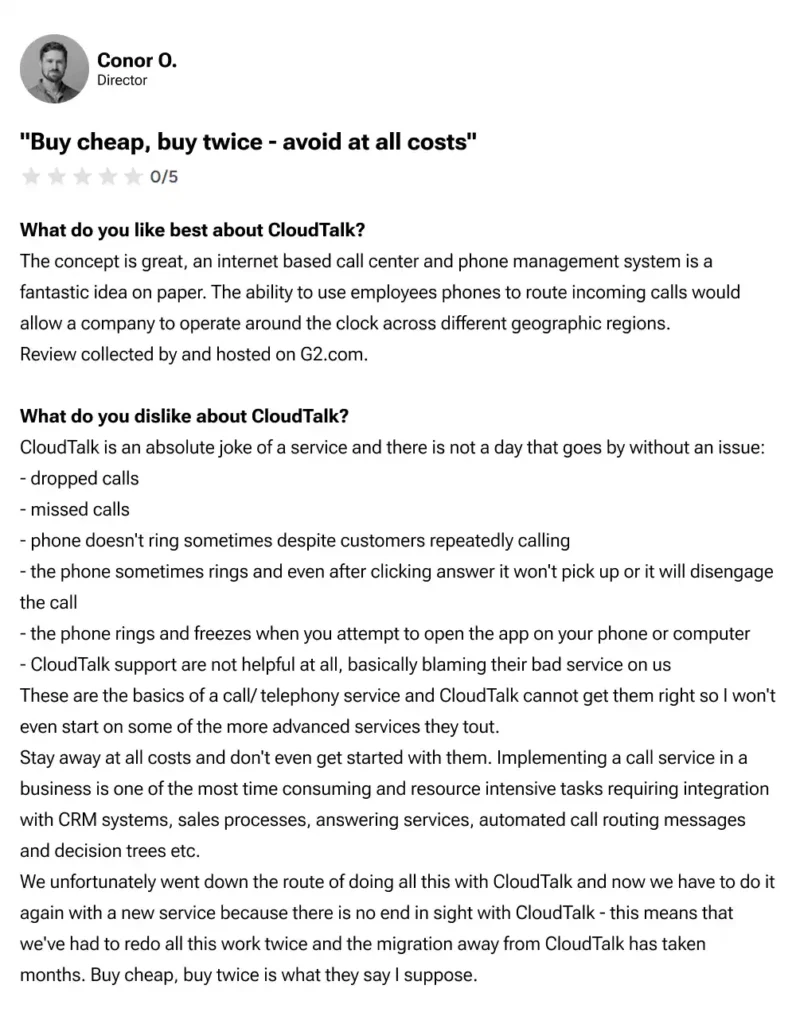
CloudTalk delivers an excellent cloud calling solution for small to medium-sized businesses. Still, through our analysis of G2 reviews, we’ve identified several compelling reasons businesses actively seek alternatives.
- Limited advanced features on lower tiers: Essential capabilities such as advanced IVR (Interactive Voice Response), call recording, and detailed analytics require upgrading to more expensive plans.
- Absence of unified communications: CloudTalk focuses primarily on voice calling with no integrated video conferencing or internal team collaboration tools.
- Call quality inconsistencies: Multiple users have reported unreliable call connectivity, failed connections, audio lag during conversations, and dropped calls during peak usage or when internet connectivity is weak.
- Delayed response time: We’ve noticed consistent feedback from users experiencing slow email response times and difficulties when attempting to modify subscriptions or reach support teams. Some businesses report waiting days for resolution on time-sensitive matters.
- Restricted support access: CloudTalk provides email and chat support across all plans, but phone support and dedicated account management are reserved exclusively for premium tiers. This limitation can frustrate businesses that need immediate assistance during critical issues.
How did we select the top CloudTalk alternatives?
After spending weeks testing each platform hands-on, analyzing verified user reviews, and comparing the features of the CloudTalk replacement solutions side-by-side, we’ve finally found the 10 best CloudTalk alternatives that genuinely meet the diverse business needs.
We focused on the following factors when making this CloudTalk competitors list:
- Pricing transparency: We prioritized platforms with clear, upfront pricing structures that businesses can understand without scheduling a sales call.
- Core features set: We assessed the depth of each platform’s calling features, from basic functionalities to advanced capabilities.
- Integration ecosystem: We tested how seamlessly each platform connects with popular CRM systems (Salesforce, HubSpot, Zoho, Pipedrive), helpdesk software, and productivity tools.
- User interface & ease of use: We assessed each platform’s interface, setup complexity, and suitability for non-technical users to manage the system independently without constant IT support.
- Call quality and reliability: We evaluated call clarity, connection stability, and audio quality, and each provider’s infrastructure reliability, uptime guarantees, and redundancy.
- Customer support quality: We evaluated support accessibility across different pricing tiers, response times, and available support channels.
- Scalability and flexibility: We assessed how easily each platform accommodates business growth, from adding new users to activating advanced features.
Following our software review methodology, maintained through our content update methodology and guided by our content integrity statement, we focused on the above factors when making this CloudTalk competitors list.
Top 10 CloudTalk alternatives and competitors
We’ve analyzed various CloudTalk like services across multiple dimensions, including pricing and accessibility, target-audience suitability, distinctive features, and verified user satisfaction ratings from trusted review platforms.
Here is our comprehensive comparison of the 10 best CloudTalk alternatives currently dominating the market.
| Provider | Starting price | Best for | What it stands out for | TrustPilot/G2 Review |
| KrispCall | $12/user/month | Small businesses, startups, and budget-conscious teams | Affordable pricing with global numbers in 100+ countries, unified callbox, power dialer, and seamless CRM integrations | 4.4/5 |
| Dialpad | $15/user/month | Teams wanting AI-powered voice intelligence and real-time insights | Built-in AI features including real-time transcription, call summaries, sentiment analysis, and voice coaching | 4.4/5 |
| Nextiva | $15/user/month | Growing businesses that need unified communication | All-in-one UCaaS platform with 99.999% uptime and omnichannel capabilities | 4.5/5 |
| Aircall | $30/license | Sales and support teams that work primarily within CRM systems | 100+ native CRM integrations and simple, fast deployment | 4.4/5 |
| Talkdesk | $85/user/month | Mid-market to enterprise businesses requiring AI-driven automation | Industry-specific solutions, generative AI, and workflow automation | 4.4/5 |
| RingCentral | $20/user/month | Enterprises needing comprehensive UCaaS with extensive integrations | 500+ pre-built integrations and unified communications platform | 4/5 |
| JustCall | $29/user/month | Sales teams and growing businesses focused on outbound calling | Sales dialer modes, AI coaching, and SMS campaigns | 4.3/5 |
| Five9 | $119/month/seat | Enterprise contact centers with high-volume operations | Advanced AI features, predictive dialer, and workforce management | 4.1/5 |
| Genesys Cloud CX | $75/user/month | Enterprise contact centers requiring comprehensive omnichannel orchestration | AI-powered experience orchestration, advanced workforce management, and industry-leading scalability | 4.4/5 |
| Vonage | $13.99/line/month | Small to mid-sized businesses seeking flexible and customizable solutions | Flexible pricing, API capabilities, and extensive customization options | 4.3/5 |
This comprehensive comparison table provides an at-a-glance overview of how each CloudTalk alternative stacks up in terms of affordability, target-market fit, unique selling propositions, and customer satisfaction metrics. Use this table as your initial filtering mechanism before diving into the detailed analysis of each platform that follows in the subsequent sections.
Now, let’s explore the top 10 alternatives to CloudTalk that position themselves as virtual business phone systems and reliable business communication platforms.
1. KrispCall – Best affordable CloudTalk alternative for global communication
KrispCall is a budget-friendly cloud phone system offering features exceptionally well-suited for businesses needing an international presence without premium pricing. With virtual phone numbers of 100+ countries, KrispCall provides one of the most geographically diverse coverage options we’ve evaluated.
What makes KrispCall the best alternative to CloudTalk?
KrispCall’s most compelling advantage lies in its transparent pricing structure paired with broad feature access. At just $12 per user per month, it undercuts CloudTalk significantly while offering essential calling capabilities without forcing users to upgrade to premium tiers.
Beyond affordability, KrispCall delivers superior global coverage at competitive rates, making international expansion more accessible than CloudTalk’s offering. Advanced features like power dialer, call monitoring, and multi-level IVR become available at the $32 Standard plan, which CloudTalk reserves for more expensive tiers.
During our CRM integration testing with HubSpot, Salesforce, Zoho, and Pipedrive, we experienced seamless synchronization and reliable screen-pop functionality that consistently outperformed CloudTalk’s implementation.
KrispCall pricing
KrispCall structures its pricing across three distinct tiers designed to accommodate businesses at different growth stages. Each plan includes one free local or mobile number from the UK, or one local number from either the USA or Canada.
| Plan | Annual price (per user/month) | Key feature set |
| Essential | $12 | Up to 5 users, Virtual numbers from 100+ countries, Browser extension |
| Standard | $32 | Unlimited users, Call monitoring, Unlimited call recording storage |
| Enterprise | Custom | Dedicated account manager, Developer support, Custom SLA |
KrispCall’s standout features
- Unified callbox: Consolidate all telephony interactions (calls, SMS, MMS, voicemails) into a single interface and spend less time searching for conversation history or switching between different tabs.
- Power dialer: Automate outbound calling sequences to improve agent productivity. Get connect-rate tracking and campaign analytics to optimize outreach strategies.
- AI-powered features: With AI Copilot, automate call summaries, generate transcripts, and suggest quick replies to customer service teams.
- Real-time call monitoring and coaching: Oversight tools like live call monitoring, whisper, and barge mode are invaluable for training new team members and ensuring service quality, especially in customer-facing roles.
- Advanced call management: Guide VoIP callers to the appropriate department or agent with multi-level IVR menus, and ring calls simultaneously to ensure they are answered quickly.
KrispCall pros
- Offers the most affordable entry point without sacrificing essential call center features.
- The same business number can be shared among teams with ease.
- Native connections with major CRMs like HubSpot, Salesforce, Zoho, Pipedrive, etc.
- Virtual International phone numbers are available in 100+ countries with a simple activation process.
- Minimal learning curve with exceptional customer support.
KrispCall cons
- The 5-user limit on the entry-level plan is not sufficient for growing teams or startups.
- No video conferencing functionality.
- No desktop app is available.
What users say about KrispCall
I love support responses on everything. I got a WhatsApp message immediately after I submitted a question. Everything after that went smoothly, as everything is very easy to set up and use well. Now I am using their number for everything.
—Taha Ryuko S. Founder & amp; CEO, Small business (G2 review)
What type of business is it best for?
KrispCall is ideal for small businesses, startups, mid-sized, or growing organizations that need affordable global VoIP solutions.
2. Dialpad-Best AI-powered CloudTalk alternatives for real-time intelligence
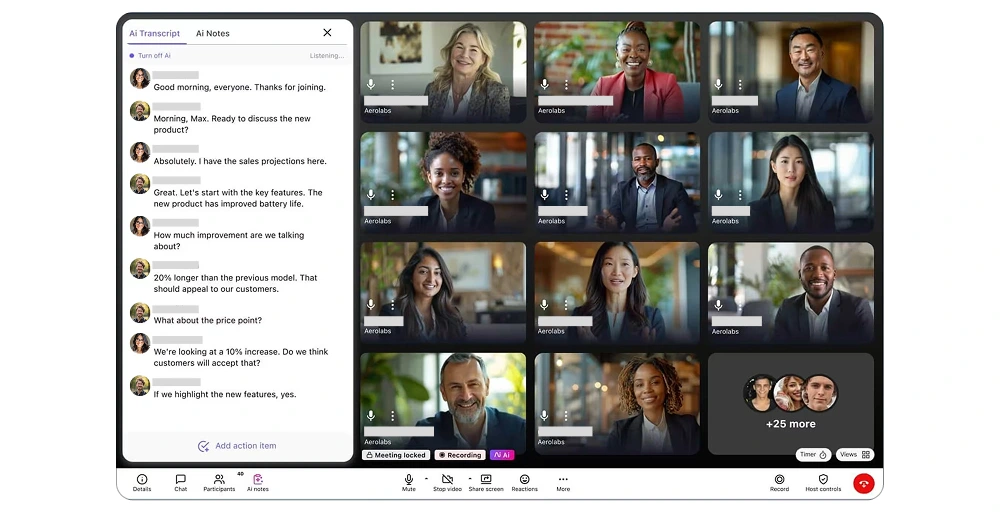
Dialpad distinguishes itself through its AI-first approach to business communication. Throughout our evaluation, the platform’s proprietary DialpadGPT technology consistently impresses us with its real-time transcription accuracy and intelligent conversation analysis.
Dialpad’s standout features
- DialpadGPT: Get Instant, remarkably accurate transcription of live conversations, even with multiple speakers and background noise.
- AI CSAT: Automatically generate Customer Satisfaction scores (CSAT) by analyzing sentiment signals across voice and text channels without requiring post-call surveys.
- AI live coach cards: Automatically trigger real-time coaching cards with specific keywords or scenarios and get contextual guidance instantly.
- Voicemail drop: Deploy pre-recorded messages instantly when calls reach voicemail, accelerating high-volume outreach campaigns.
Dialpad pricing
Dialpad structures its Connect business communications plans across three tiers, with annual billing providing significant discounts compared to month-to-month options.
| Plan | Annual price (per user/month) | Key feature set |
| Standard | $15 | 1 local business number per user, Ring groups (3 max), Real-time AI transcription, and Call summaries |
| Pro | $25 | Custom call routing and IVR, Ring groups (25 max), Auto-replies |
| Enterprise | Custom pricing | Unlimited ring groups, Dedicated account managers, and Custom integrations |
Dialpad pros
- 14-day risk-free trial to evaluate the platform before financial commitment.
- Automatic post-call summaries reduce the administrative burden on agents.
- Voice, video, messaging, and team collaboration coexist seamlessly.
- Industry-leading AI features with an intuitive interface.
Dialpad cons
- Limited customization for AI responses.
- Occasional transcription errors with background noise.
- User minimum (3) on the Pro plan forces solo professionals to purchase additional unused licenses.
- Advertised base pricing can quickly be exceeded with add-on costs or hidden prices.
What type of business is it best for?
Dialpad is ideal for businesses that prioritize AI-driven insights and real-time conversation intelligence.
3. Nextiva-Best all-in-one unified communications CloudTalk alternative
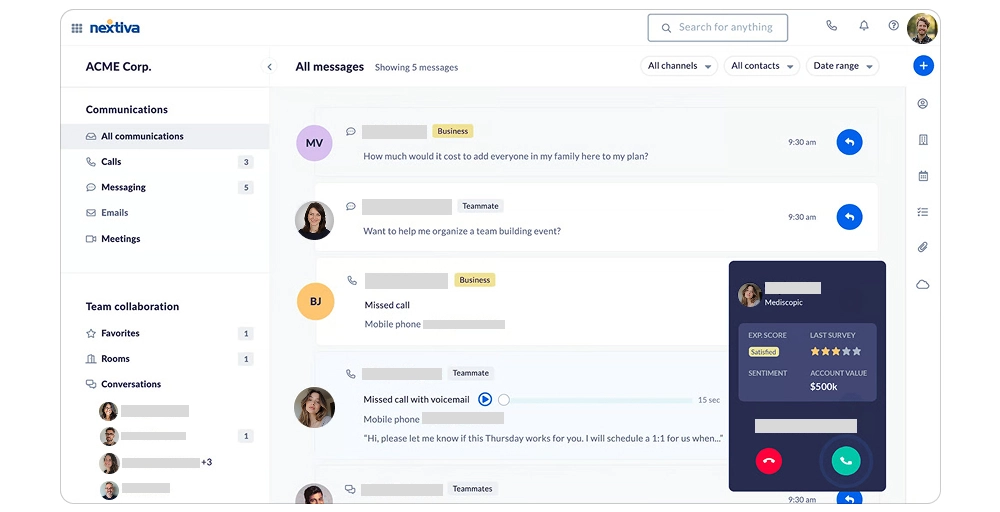
Nextiva delivers a comprehensive unified communications platform combining voice, video, messaging, and customer experience tools in a single solution. During our evaluation, the platform’s 99.999% uptime commitment and award-winning customer support stood out as defining characteristics.
Nextiva’s standout features
- 99.999% guaranteed uptime: Nextiva’s infrastructure delivers exceptional reliability and ensures business continuity even during regional network failures.
- Omnichannel customer experience platform: Nextiva integrates voice calls, live chat, SMS, email, social media messaging, and online review management within one unified platform.
- Advanced IVR with visual call routing builder: Create complex call flows with ease using an intuitive drag-and-drop builder and reduce repetitive tasks.
- Comprehensive analytics and real-time dashboards: Access customizable dashboards displaying all the necessary analytics required to improve your customer service strategies.
Nextiva pricing
| Plan | Annual price (per user/month) | Key feature set |
| Core | $15 | Inbound & outbound voice, Business SMS, Video meetings |
| Engage | $25 | Toll-free number & minutes, Advanced reporting, Web chat: live & bot |
| Power Suite CX | $75 | Voice & web chat, blended incoming and outgoing calls, AI transcription & summarization |
Nextiva pros
- 24/7 phone support with consistently fast response time.
- Include full-featured video meetings in all plans.
- User-friendly mobile and desktop apps.
- No minimum user requirements.
Nextiva cons
- Steeper learning curve due to the platform’s extensive capabilities.
- Enterprise features are locked in the highest tier.
- Monthly SMS limitations are quite low.
- Unlimited calling is restricted to the US and Canada.
What type of business is it best for?
Nexitiva is best for growing companies focused on customer experience (CX) and reliable, all-in-one unified communication.
4. Aircall-Best CRM-integrated CloudTalk alternative for the sales team
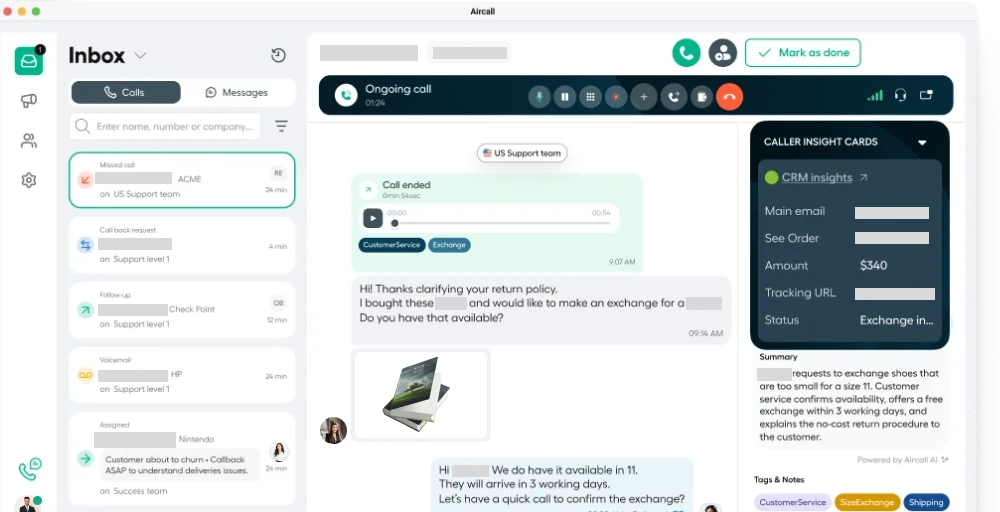
Aircall specializes in cloud calling for sales and support teams operating primarily within CRM systems. Throughout our testing, the platform’s 100+ native integrations and rapid deployment stood out; we had the system fully operational in under 30 minutes.
Aircall’s standout features
- Click-to-dial from within CRM: With calling functionality directly inside CRM interfaces, eliminate constant application switching.
- 100+ native CRM integrations: Get a complete CRM profile for every customer in an instant, so agents get immediate context before answering.
- Call tagging: Create custom tags to categorize calls by outcome, topic, customer segment, or any relevant criteria.
- Queue callback technology: Retain position in the queue without remaining on the line and receive calls when agents become available.
Aircall pricing
Aircall structures pricing on a per-license model, meaning you pay for phone lines regardless of how many team members use them.
| Plan | Annual price (per user/month) | Key feature set |
| Essentials | $10 | Unlimited inbound calls, Softphone for desktop, Android, iOS, 3 teams max |
| Professional | $50 | Voicemail drop, Unlimited teams, Messaging API |
| Custom | Quote-based | 25-license minimum, Enterprise security (SSO, SAML), Dedicated account manager |
Aircall pros
- 99.95% uptime guarantee ensures business-critical conversations remain uninterrupted.
- Modern, clean design that requires minimal training.
- 24/7 customer support on all plans.
- Fast deployment without IT expertise or infrastructure investment.
Aircall cons
- 3-license minimum requirement forces solo entrepreneurs and two-person teams to purchase unnecessary licenses.
- Only one phone number is included per plan, regardless of team size.
- Customer support is limited to business hours on lower tiers despite its 24/7 availability claim.
- AI features require expensive add-ons.
What type of business is it best for?
Aircall excels for sales and support teams conducting high-volume outbound calls, requiring rapid deployment and call center features without enterprise complexity.
5. Talkdesk-Best enterprise AI-powered CloudTalk alternative for large contact centers
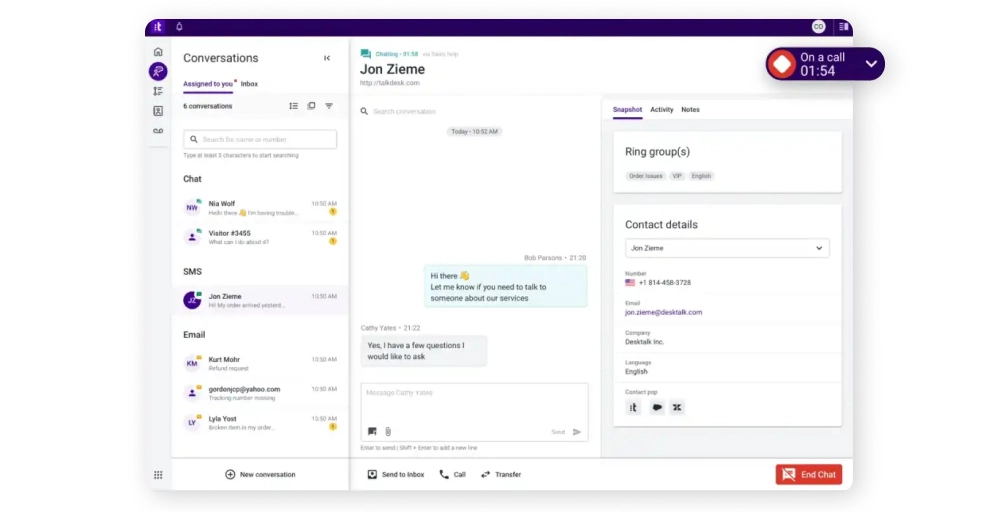
Talkdesk positions itself squarely in the enterprise contact center market with AI-driven automation and industry-specific solutions. Throughout our evaluation, the platform’s generative AI capabilities and vertical-focused Experience Clouds distinguished it from general-purpose alternatives.
Talkdesk’s standout features
- Talkdesk autopilot virtual agents: Handle routine customer inquiries autonomously without human intervention, while maintaining context for seamless handoffs to live agents.
- Omnichannel routing and queuing: Intelligent routing considers agents’ skills, workload, customer priority, and channel preferences when distributing interactions to resolve customers’ specific issue types efficiently.
- Talkdesk studio: Create complex IVR systems, chatbot conversations, and omnichannel routing logic without coding expertise using the visual workflow designer.
- Workforce engagement management: Advanced scheduling, forecasting, and performance management tools help optimize contact center operations.
Talkdesk pricing
Talkdesk pricing is organized into tiered plans with separate telecom charges, usage fees, and add-on costs, creating complex total cost calculations.
| Plan | Annual price (per user/month) | Key feature set |
| Digital essentials | $85 | Digital channels only (email, chat, SMS, social media), API access, Real-time dashboards (live) |
| Voice essentials | $105 | Voice calling with blended inbound/outbound, Intelligent routing, Studio automation |
| Elite | $165 | Everything in Voice Essentials, plus custom reporting, Performance management, and Screen recording |
| Industry Experience Clouds | $225 | Elite features plus industry-specific integrations, workflows, and compliance tools for different industries |
Talkdesk pros
- Reliable call quality with good scalability for growing teams.
- Advanced analytics and real-time reporting capabilities.
- Strong omnichannel support (voice, chat, email, SMS).
- Cloud-based and easy to deploy, with minimal infrastructure requirements.
Talkdesk cons
- Pricing can be higher than some competitors’.
- Limited customization for complex enterprise workflows.
- Reporting can be overwhelming for non-technical users.
- Occasional latency or call drops are reported in some regions.
What type of business is it best for?
Talkdesk is best for mid-to-large businesses that need an enterprise contact center solution with strong omnichannel support, easy CRM integrations, and advanced analytics, while prioritizing fast deployment, scalability, and a modern agent experience.
6. RingCentral-Best comprehensive UCaaS alternative for enterprise integration
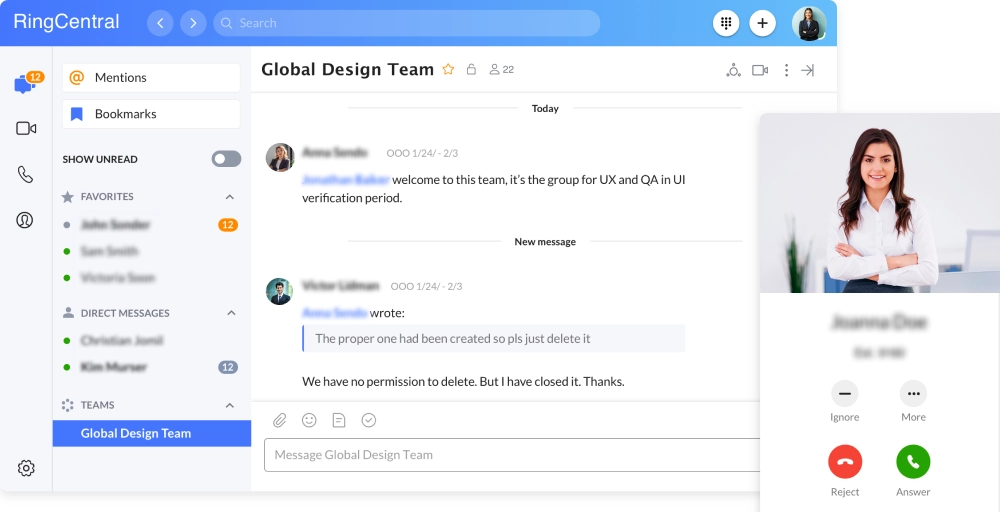
RingCentral delivers a unified communications platform that consolidates voice, video, messaging, and collaboration tools within the RingEX ecosystem. During our evaluation, the platform’s 500+ pre-built integrations and enterprise-grade infrastructure stood out as the primary differentiator.
RingCentral’s standout features
- Multi-device synchronization: Desktop, web browser, iOS, and Android applications maintain complete feature parity and real-time synchronization.
- RingCentral analytics: Analyze call patterns, peak hours, and geographic distribution to make informed staffing decisions.
- Advanced call management: Handle complex call distribution requirements with multi-level IVR systems, skill-based routing, call queuing, and sophisticated forwarding rules.
- Integrated video conferencing: Schedule video meetings, place phone calls, send messages, all within the same interface, eliminating the tool fatigue.
RingCentral pricing
RingCentral uses both annual and monthly billing, but monthly billing costs approximately 33% more than yearly billing.
| Plan | Annual price (per user/month) | Key feature set |
| Core | $20 | Unlimited calling (US/Canada), 25 SMS per user monthly, 100 pooled toll-free minutes |
| Advanced | $25 | Everything in Core plus 100 SMS messages per user monthly, 1000 pooled toll-free minutes, Core reporting, and insights |
| Ultra | $35 | Everything in Advanced plus 200 SMS messages per user monthly, 10,000 pooled toll-free minutes, unlimited storage for files/messages/recordings. |
RingCentral pros
- High reliability, strong uptime, and excellent call quality.
- Supports remote and hybrid work via full desktop/mobile apps.
- Scalable cloud architecture suitable for growing teams.
- Extensive integrations with CRM and business tools.
RingCentral cons
- Higher cost compared to other VoIP alternatives
- Some key features are only available on higher-tier plans.
- SMS limits and texting setup issues for some users.
- Set up and admin complexity for advanced configurations.
What type of business is it best for?
RingCentral is best for businesses of all sizes that need a complete cloud-based communication suite with voice, video, team messaging, and strong integration capabilities, and can handle a high volume of call center campaigns.
7. JustCall-Sales optimized CloudTalk alternative with AI coaching
JustCall specializes in cloud communications for sales teams and outbound calling operations. Throughout our testing, the platform’s sales dialer and AI coaching features demonstrate a clear focus on revenue-generating activities, though its usage limits and add-on costs complicate budget planning.
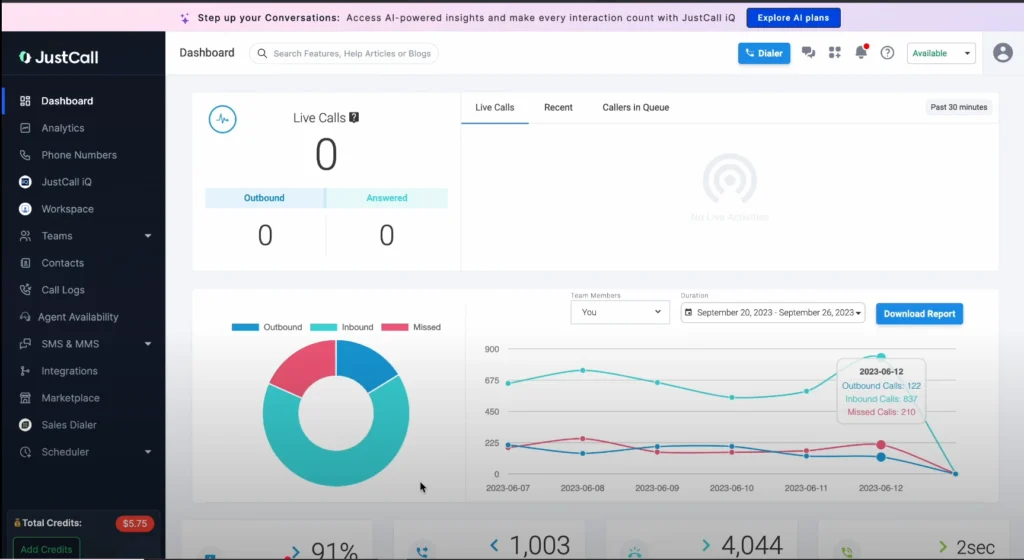
JustCall’s standout features
- Multiple sales dialer mode: Optimize different sales scenarios with four distinct dialing modes, like power, preview, predictive, and auto dialer.
- AI-powered sales coaching: Analyze conversations in real-time with JustCall’s AI and provide immediate feedback on talk-to-listen ratios, filler word usage, and question effectiveness.
- Voicemail drop and pre-recorded message: Record multiple voicemail variations for different campaign types and prospect segments, and deploy them instantly when calls reach voicemail.
- CRM integration with activity auto-logging: Synchronize your call data bidirectionally with native integrations with Salesforce, HubSpot, Pipedrive, Zoho, and 80+ platforms.
JustCall pricing
JustCall structures pricing across three suite categories and one custom pricing plan.
| Plan | Annual price (per user/month) | Key feature set |
| Team | $29 | 500 SMS segments/license, 500 free WhatsApp conversations, 4 user groups |
| Pro | $49 | 1000 SMS segments/license, 1000 free WhatsApp conversations, up to 3,600 API requests/hour |
| Pro Plus | $89 | Unlimited call transcription, Custom AI scorecard, Advanced analytics & reporting |
| Business | Custom or Quote-based | Up to 5,400 requests/hour, 24×7 chat & email support, Single sign-on (SSO) |
JustCall pros
- Automation features like SMS workflows and advanced dialers boost sales efficiency.
- Supports multi-channel communication (voice, SMS/MMS, WhatsApp).
- Offers global, local, and toll-free numbers in 70+ countries.
- Easy and quick to set up with a user-friendly interface.
JustCall cons
- Call quality and reliability can vary, with occasional drops or audio issues.
- Pricing is relatively high compared to other alternatives.
- Some advanced features are only available on higher-tier plans.
- Mixed user reviews on the stability of mobile apps and UI.
What type of business is it best for?
JustCall is best for support and sales teams at small to medium-sized businesses that need an easy-to-use cloud phone system with CRM integrations, multi-channel messaging, and automation tools.
8. Five9-Enterprise contact center CloudTalk alternative for high-volume operations
Five9 delivers enterprise-grade contact center infrastructure purpose-built for organizations managing thousands of daily interactions. Throughout our evaluation, the platform’s predictive dialer technology and workforce optimization tools demonstrated a clear enterprise focus rather than small business accessibility.
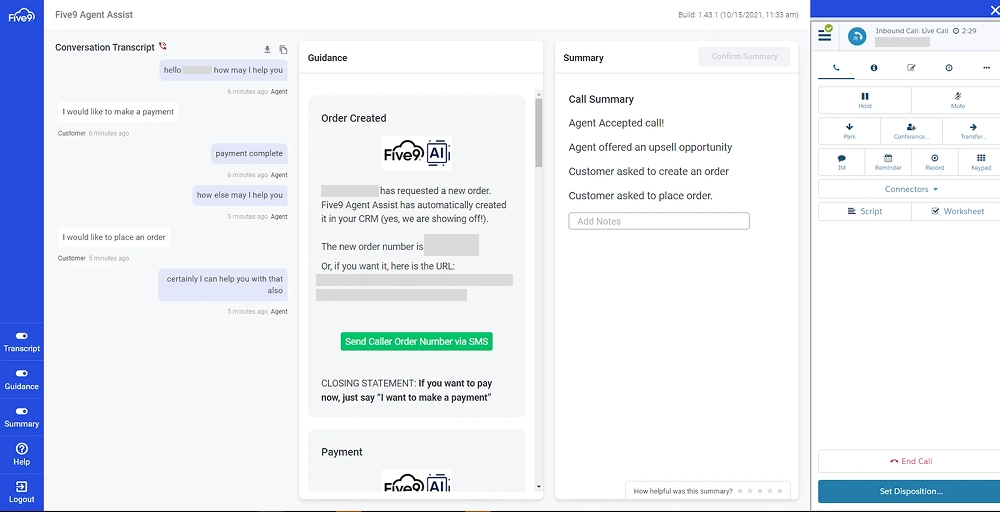
Five9’s standout features
- Performance management and gamification: Create campaigns where agents earn points for goal achievement, which can be exchanged for various prizes, motivating agents through friendly competitive elements.
- Industry-specific compliance: Five9 maintains HIPAA, PCI DSS Level 1, SOC Type II, ISO 27001, GDPR, FINRA, and FISMA certifications addressing regulated industry requirements.
- Predictive dialer: Analyze agent availability, average call duration, answer rates, and abandonment thresholds in real-time with Five9’s predictive dialer algorithm to adjust your outbound calling velocity.
- Omnichannel routing across voice: Distribute voice calls, emails, chats, SMS, and social media messages based on agent skills, channel preferences, customer priority, and real-time workload.
Five9 pricing
Five9 requires a minimum of 50 seats to achieve the pricing below.
| Plan | Annual price (per user/month) | Key feature set |
| Digital | $119 | Digital channels only (chat, email, SMS/MMS, social messaging), Blended inbound/outbound digital, Geo-redundancy, |
| Core | $159 | All channels with AI essentials, CRM, or UC adapters, 24/7 customer support |
| Plus | Quote-based | All channels with advanced AI, Full platform workflow automation, Dialer |
| Pro | Quote-based | All channels with AI essentials and WEM |
| Enterprise | Quote-based | All channels with advanced AI and WEM |
Five9 pros
- AI and automation tools help agents with real-time guidance and routine tasks.
- Scalable and reliable for mid-market and enterprise deployments.
- Omnichannel support (voice, chat, email, SMS/social) in one platform.
- Responsive and excellent customer support.
Five9 cons
- Interface and admin tools can feel complex or outdated.
- The initial setup and learning curve can be steep.
- It can be expensive for smaller businesses or teams without complex needs.
- The quality of the calls and softphone stability vary by setup or network.
What type of business is it best for?
Five9 is best for mid-to-large contact centers and outbound-heavy sales/service teams that need a scalable cloud platform with advanced dialing, AI assistance, and deep CRM integrations.
9. Genesys Cloud CX-Enterprise experience orchestration CloudTalk alternative
Genesys Cloud CX delivers AI-powered experience orchestration for enterprise contact centers managing complex customer journeys across multiple touchpoints. Its predictive engagement capabilities and industry-leading workforce management tools distinguished it from basic communication platforms.
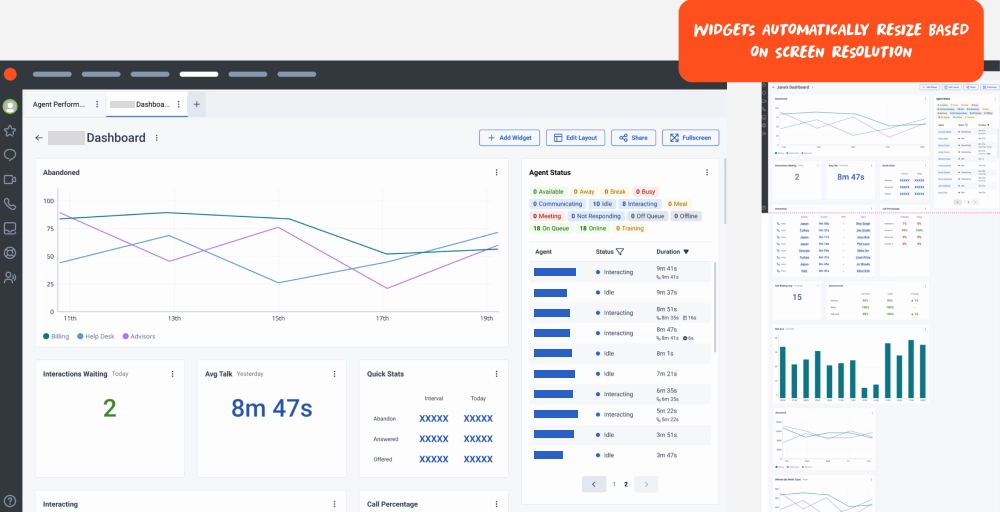
Genesys Cloud CX’s standout features
- Genesys agent copilot: Provide contextual guidance to your agents, and suggest best-fit actions to enhance customer interactions with real-time AI assistance.
- AI experience orchestration platform: Genesys excels in traditional contact center solutions by orchestrating complete customer journeys across all touchpoints.
- Social listening: Monitor social media channels and identify customer mentions, brand references, and sentiment patterns in public conversations.
- Predictive engagement: Easily predicts when intervention would prove valuable and automatically triggers appropriate engagements, rather than waiting for the customer to initiate contact.
Genesys Cloud CX pricing
Genesys structures pricing across named-user and concurrent-user models. The pricing below applies to named licenses.
| Plan | Annual price (per user/month) | Key feature set |
| Cloud CX 1 | $75 | Voice channel only, intelligent routing, Speech-enabled IVR, Text-to-speech (TTS) integration |
| Cloud CX 2 | $115 | Everything in CX 1 plus all digital channels, Third-party messaging tokens, Agentless API |
| Cloud CX 3 | $155 | Everything in CX 2 plus comprehensive Workforce Engagement Management, Performance Management with gamification |
| Cloud CX 4 | $240 | Everything in CX 3 plus Journey Management, advanced virtual agents, and Social Listening |
Genesys Cloud CX pros
- Frequent updates and innovation with new features and AI tools.
- Workforce and employee support tools help with scheduling and agent management.
- Powerful integration and API support with CRM and business systems.
- Omnichannel customer service across voice, chat, email, social, SMS, and more.
Genesys Cloud CX cons
- Premium pricing and total cost can be high for small organizations.
- Reporting and analytics tools can be complex and hard to customize.
- Some UI and management portals feel confusing for new users.
- Steep learning curve and complex setup for advanced workflows.
What type of business is it Best for?
Genesys Cloud CX is best for medium to large contact centers and enterprise CX teams that need a scalable, omnichannel cloud platform with deep routing, automation, AI tools, and integration capabilities.
10. Vonage-Flexible and customizable CloudTalk alternative for SMBs
Vonage delivers cloud-based unified communications with an emphasis on customization, flexibility, and API-driven extensibility. Throughout our evaluation, the platform’s à la carte add-on structure and developer-focused APIs distinguished it from bundled alternatives.
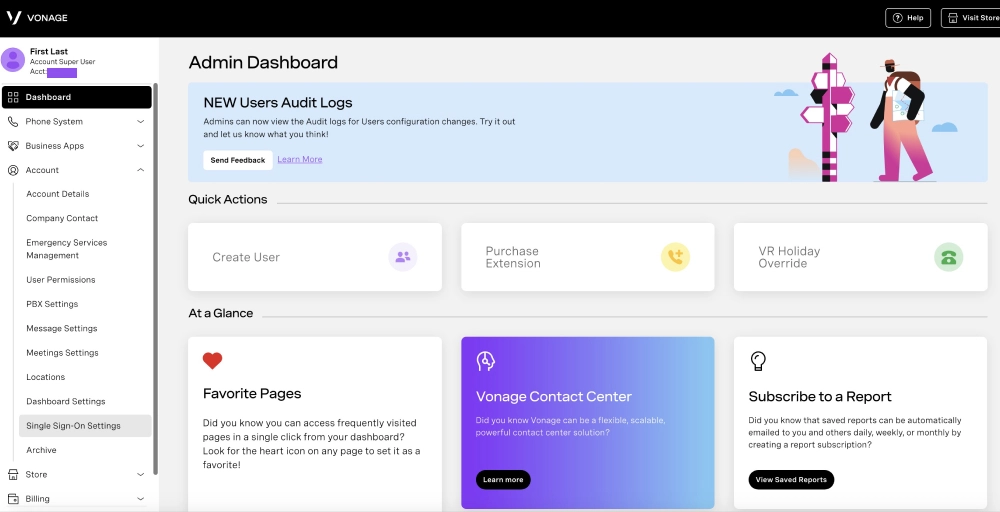
Vonage’s standout features
- Extensive API library for custom development: Build custom communication solutions with voice, SMS, and video API that integrate directly with existing business systems.
- Orange Glove setup: Configure CRM integrations, establish call flows, train team members, and optimize system settings for specific business requirements.
- 99.999% uptime guarantee: Backed by redundant data centers and automatic failover systems, Vonage delivers zero unplanned outages.
- Flexible extension management tools: Get either unlimited extensions (pay per seat) or pay-as-you-go metered extensions, and not overpay for unused capacity.
Vonage pricing
Vonage offers a three-tiered pricing plan where monthly billing increases cost approximately 40%.
| Plan | Annual price (per user/month) | Key feature set |
| Mobile | $13.99 | Mobile and desktop softphone apps only, unlimited calling (US/Canada), Unlimited SMS/MMS |
| Premium | $20.99% | Everything in Mobile plus IP desk phone support (hardware sold separately), Unlimited video meetings (up to 200 participants), Single Sign-On |
| Advanced | $27.99 | Everything in Premium plus on-demand call recording (unlimited storage), visual voicemail transcription, and Orange Glove Setup implementation support |
Vonage pros
- International calling is available with global coverage options.
- Flexible cloud communications with voice, SMS, and video in one platform.
- Strong integrations with CRMs like Salesforce, Microsoft, and HubSpot.
- Good mobile and desktop app support for remote work.
Vonage cons
- Some important features require add-ons or higher tiers.
- The quality of phone calls may vary depending on the internet/network conditions.
- Customer support experiences are mixed in user reviews.
- SMS/MMS capabilities and limits can be inconsistent by region
What type of business is it best for?
Vonage is best for businesses that want a flexible cloud telephony platform with strong CRM integrations, mobile support, and unified voice/SMS/video tools for sales and support teams.
Which CloudTalk alternative is best for you?
Selecting the right cloud phone system depends on your specific business requirements, team size, budget constraints, and communication priorities. Based on our comprehensive testing and evaluation, we’ve matched each platform to the scenarios where it delivers maximum value.
| Business size and budget | Best choice | Runner-up |
| Startups and small businesses | KrispCallMost affordable entry point at $12/user/monthGlobal number availability in 100+ countries | Vonage$13.99 base pricing for mobile-first teamsFlexible pay-as-you-go extension options |
| Growing businesses | Nextiva contact centerScales smoothly as team expandsReliable 99.999% uptime guarantee | Dialpad14-day free trial for risk-free evaluationAI features included at competitive pricing |
| Mid-market companies | RingCentralEnterprise-grade reliability proven at scaleStrong Microsoft Teams integration | AircallRapid 30-minute deploymentSpecialized for sales and support operations |
| Enterprise organizations | Genesys Cloud CXAI-powered experience orchestrationJourney management across all touchpoints | Five 9Purpose-built for high-volume contact centersPredictive dialer with proven ROI |
Why choose KrispCall over CloudTalk?
After extensive testing, we found KrispCall delivers superior value through transparent pricing, broader global coverage, and more accessible advanced features.
The $12-per-user monthly entry point includes essential features like call recording and analytics that CloudTalk gates behind its premium tiers. For businesses expanding internationally, KrispCall’s coverage spans across 100+ countries at a very competitive rate.
While CloudTalk serves as a solid call center software, KrispCall is an all-in-one voice communication channel that eliminates the limited support access and feature restrictions that frequently frustrate CloudTalk users, especially growing businesses needing a flexible VoIP solution with enterprise capabilities without enterprise budgets.
| Feature | KrispCall | CloudTalk |
| Pricing | $12/user/month | $19/user/month |
| Call recording | Included (Standard plan) | Included with charges for usage |
| Power dialer | Included in the Standard plan ($32/month) | Included in Expert plan ($49/month) |
| Video conferencing | Not available | Not available |
| SMS Capabilities | Included with 10DLC registration required | Included |
| Integrations | 100+ CRMs and other tools | 95+ CRMs and other tools |
| Live monitoring | Included in all plans | Included in Expert plan only |
| API and Webhook access | Available | Available |
| Click to call button | Available | Available |
| IVR (phone trees) | Multi-level IVR | Multi-level IVR |
| International calling | Per-minute charges apply | Per-minute charges apply |
| Call forwarding | Available | Available |
If you’re looking for a smarter, more affordable cloud telephony platform that doesn’t compromise on core features, KrispCall stands out as the better choice.
Here’s why:
- KrispCall starts around $12/user/month (billed annually), so you keep costs down as you scale.
- Manage calls, SMS, voicemails, and recordings from one workspace, helping teams stay organized and responsive without jumping between apps.
- Unlimited call recording, global numbers, power dialers, multi-level IVR, and unified call control come without forcing you into expensive plans.
- Virtual numbers in 100+ countries, helping teams build trust with international customers.
- Strong ease-of-use with a user-friendly interface and 24/7 customer support.
- Flexible integrations with popular CRMs (HubSpot, Pipedrive, Zoho, etc.) to keep workflows flowing and bring calling straight into the tools your teams already use.
Ready to upgrade your calling experience?
Choose KrispCall if you want:
- Lower cost + powerful features
- Unified communications in one dashboard
- Flexible global reach & rich integrations
- Fast setup and strong support
Book your KrispCall demo now and join thousands of businesses who switched from CloudTalk and never looked back.