We reviewed the top 3CX alternatives for 2026, comparing ease of setup, security architecture, pricing transparency, integration depth, and real-world fit for small and growing businesses. This guide helps you cut through the noise and find the right platform based on how your team actually communicates.
✨ Here’s a quick overview of every alternative covered:
- 01. KrispCall: best for small businesses wanting enterprise-grade features without infrastructure complexity, starting at $12/user/month.
- 02. Quo (formerly OpenPhone): best for small teams that want a clean, app-first phone system built around shared communication.
- 03. Voiso: best for contact centers and high-volume sales teams needing AI-powered dialing and real-time analytics.
- 04. 8×8: best for mid-to-large businesses needing a fully unified communications suite across voice, video, and chat.
- 05. Talkdesk: best for enterprises running structured, high-volume customer support operations with AI automation.
- 06. Yeastar: best for businesses that want a flexible on-premise, cloud, or hybrid PBX deployment under one platform.
- 07. Nextiva: best for growing businesses wanting VoIP combined with built-in customer journey and CRM-like tools.
- 08. Dialpad: best for teams that want AI natively built into their phone system from day one.
- 09. Cisco Webex Calling: best for enterprises already embedded in the Cisco or Microsoft ecosystem.
- 10. Aircall: best for sales and support teams that live inside their CRM and need deep native integrations.
3CX built its reputation as a flexible PBX platform, and for a long time, that reputation held up. By 2026, the conversation looks different. After the 2023 supply chain security incidents and the polarizing V20 update that changed admin workflows, many teams started re-evaluating their setup.
At the same time, the VoIP market matured quickly. Cloud-first platforms now cover the feature set that once kept teams tied to 3CX, without adding infrastructure burden back on your team.
This guide covers the top 10 3CX alternatives on the market right now, what each one does best, who it’s built for, and exactly how it compares to 3CX where it matters most.
Why do small businesses look for a 3CX alternative?
3CX has built a solid reputation as an open-source PBX platform, but as businesses grow and communication needs get more complex, cracks start to show.
User feedback on platforms like G2 and Reddit consistently points to a handful of recurring frustrations, from setup headaches to feature gaps that only surface once you’re already deep into deployment. If any of these sound familiar, it might be time to explore what else is out there.
Setup and maintenance burden
3CX is largely self-managed, which sounds great on paper until your IT team is spending hours troubleshooting SIP trunks, managing updates, or configuring SBCs. For small businesses without dedicated telecom staff, this overhead quickly becomes unsustainable.
Limited integrations
Modern business communication doesn’t live in a silo. Teams rely on CRMs, helpdesk software, and collaboration tools to stay aligned. While 3CX does offer some integrations, users frequently flag that the ecosystem feels narrow compared to cloud-native alternatives.
Complicated pricing
3CX moved to a user-based licensing model in recent years, and while entry-level tiers are affordable, costs can climb quickly as you add users, simultaneous calls, or advanced features. Several reviews note that what appears to be a budget-friendly solution at the start becomes harder to predict as the team scales.
Security concerns
After a high-profile supply chain attack in March 2023 compromised 3CX’s desktop app, many businesses began quietly reconsidering their setup. In 2026, that hesitation hasn’t faded. Managing your own SBC, maintaining farewell rules, and starting from scratch with patches places the security burden entirely on your team, and for most small businesses, that’s a liability they’d rather not carry.
How did we rank these alternatives to 3CX?
Finding a genuine 3CX alternative takes more than skimming a few product pages. To find the best alternatives to 3CX, we dug into real user reviews on G2, Capterra, and Reddit, tested interfaces, and evaluated each platform against the exact pain points that drive businesses away from 3CX.
Our process follows a transparent software review methodology and content integrity statement to ensure every recommendation is unbiased and accurate. Information in this guide is maintained according to our content update methodology to keep it current as the market evolves
Here’s what guided our ranking:
Ease of setup
Platforms that require dedicated IT resources or heavy configuration to get started were penalized. We prioritized solutions that small teams can easily deploy and manage.
Security architecture and reliability
Given the concerns around 3CX’s incident history, we paid close attention to how each provider handles security at the infrastructure level.
Integration depth
We looked at how well each platform integrates with CRM’s, helpdesks, and productivity tools, without requiring custom development or third-party middleware.
Feature-to-price ratio
Raw VoIP features matter, but so does what you actually get for your money. We weighed each platform’s core communication capabilities.
The top 10 alternatives to 3CX, ranked for small businesses
With the above criteria in mind, we narrowed down the top 10 alternatives to 3CX software:
| Provider | Starting price | Best for | What it stands out for | G2 Review |
| KrispCall | $12/user/month | Small businesses and startups that want an affordable all-in-one VoIP solution | Unified callbox, international number coverage across 100+ countries, and a clean, modern interface | 4.5/5 |
| Quo (formerly OpenPhone) | $15/user/month | Small teams needing a simple, app-first business phone system | Shared phone numbers, team inbox collaboration, and seamless contact management | 4.7/5 |
| Voiso | $24/user/month | Contact centers and sales teams that need advanced dialing capabilities | AI-powered dialers, real-time analytics, and strong omnichannel support | 4.8/5 |
| 8×8 | Custom quote | Mid-to-large businesses needing a unified communications suite | Integrated voice, video, chat, and contact center under one platform | 4.1/5 |
| Talkdesk | $85/user/month | Enterprises running high-volume customer support operations | AI-driven automation, workforce management, and deep CRM integrations | 4.4/5 |
| Yeastar | Custom quote | Businesses wanting an on-premise or cloud PBX with flexible deployment | Versatile deployment options, strong SIP trunk support, and a feature-rich PBX engine | 4.8/5 |
| Nextiva | $15/user/month | Growing businesses that want VoIP plus built-in CRM features | Business communication suite with built-in customer journey tools and solid reliability | 4.5/5 |
| Dialpad | $15/user/month | Teams that want AI natively baked into their phone system | Real-time AI transcription, call summaries, and voice intelligence across all plans | 4.4/5 |
| Cisco Webex Calling | $15.30/user/mo | Enterprises already embedded in the Cisco or Microsoft ecosystem | Enterprise-grade security, deep hardware compatibility, and global PSTN coverage | 4.2/5 |
| Aircall | $30/license | Sales and support teams that live inside their CRM | 100+ native integrations, power dialer, and call coaching tools built for revenue teams | 4.4/5 |
1. KrispCall – Best 3CX alternatives for small businesses wanting enterprise features without the complexity
KrispCall is a cloud-based business phone system built for teams that want a capable, modern VoIP solution without the infrastructure headaches that come with platforms like 3CX. Unlike 3CX, it positions itself as an accessible yet feature-rich alternative for startups, SMBs, and remote-first teams.
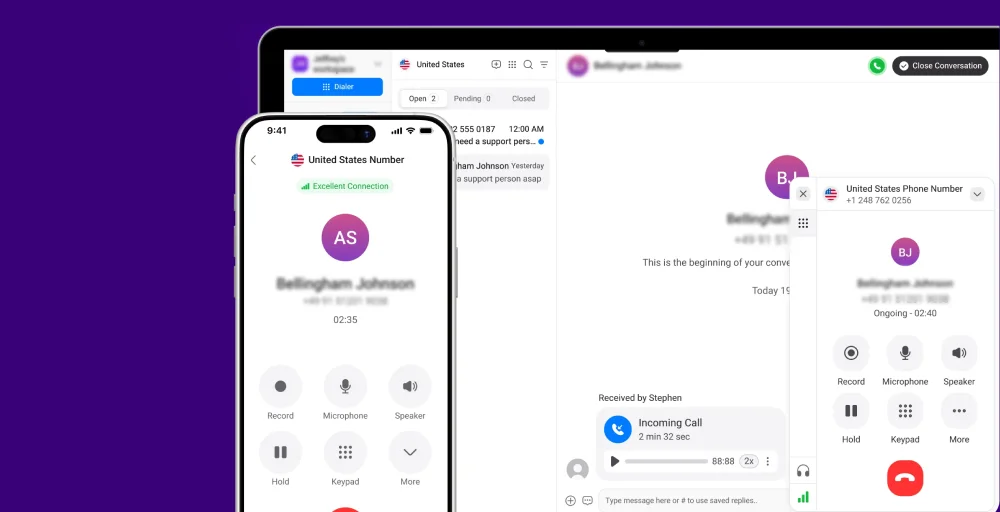
At its low entry price point, it packages capabilities that typically sit behind other vendors’ expensive enterprise tiers, along with an interface that doesn’t require a manual to navigate.
What makes KrispCall the best alternative to 3CX?
Where 3CX demands ongoing technical management, from SBC configuration and firewall rules to manual updates, KrispCall handles all of that at the provider level. There’s no server to maintain, no SIP trunk to troubleshoot from scratch, and no risk of a misconfigured port exposing your phone system to outside threats. For lean teams without dedicated IT support, this shift alone justifies the switch.
Beyond the infrastructure relief, KrispCall brings a unified communication layer that 3CX users often have to bolt on separately. Call forwarding, multiple phone numbers, phone tree (IVR), SMS, voicemail, and contact management are all in one workspace.
KrispCall pricing
KrispCall keeps its pricing simple with predictable tiered plans. Here’s the annual plans breakdown:
| Plan | Annual price (per user/month) | Key feature set |
| Essential | $12 | Unified callbox, Call filters, CRM integrations |
| Standard | $32 | Call recording, Unlimited call recording storage, Power dialer |
| Enterprise | Custom | API & webhook access, developer support, Dedicated account manager |
KrispCall’s standout features
- Global calling: Get virtual phone numbers from 100+ countries, letting teams make and receive international calls with local IDs at competitive rates.
- Live call monitoring: Managers can listen in on active calls in real time, making it a practical tool for training new agents or maintaining quality standards on a support floor.
- Bulk SMS: Broadcast SMS campaigns to large contact lists directly from the platform, perfect for marketing blasts or internal updates.
- Auto-reply for missed call: To ensure no leads go cold, KrispCall offers instant messaging that can automatically send a text message to the caller the moment your team misses their call.
- Call routing: Direct any incoming calls based on time of day, agent availability, department, or caller input.
KrispCall pros
- Excellent 24/7 human support that bypasses the need for 3CX partner resellers.
- Affordable entry price at $12/user/month with an extensive feature set.
- 100+ integrations with popular CRMs and helpdesk tools like HubSpot and Pipedrive.
- Unified interface for managing calls, sms, and voicemails in a single window.
KrispCall cons
- Lacks a desktop app.
- A separate tool is needed for video meeting features.
- Call quality on international routes can occasionally vary depending on the destination country.
What users say about KrispCall
First, the support is very helpful and easy to contact compared to other service. OTP is working as I expected and really fast, faster than my normal phone service here in the Philippines. So far, I’m happy.—Glenda D. Small-business owner, G2 review
2. Quo (Formerly OpenPhone)-Best 3CX alternative for modern startups and agile teams
Quo, formerly known as OpenPhone, is a business phone system designed with simplicity and team collaboration at its core. Built primarily for small businesses and early-stage teams, it strips away the complexity of traditional PBX systems and replaces it with a lightweight, app-driven experience that works across desktop and mobile without any hardware or technical setup.
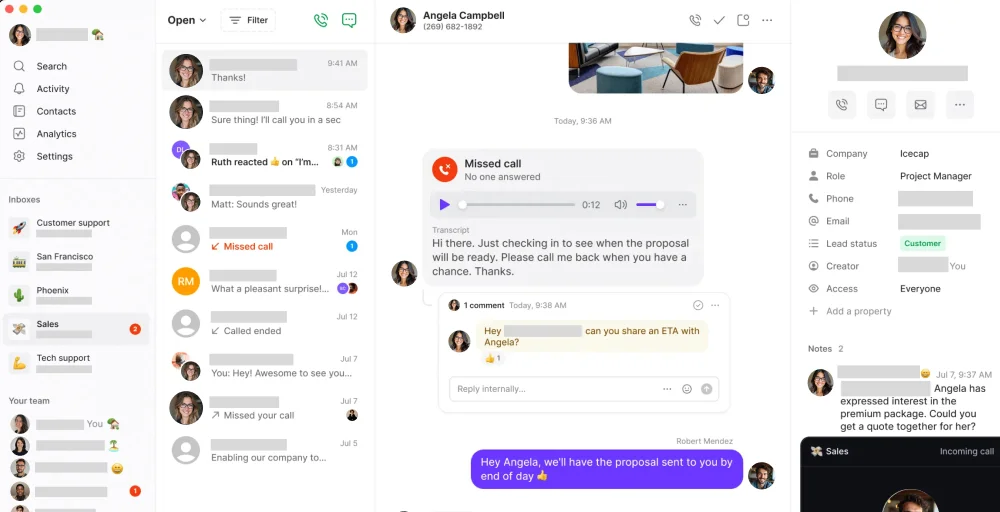
What sets Quo apart among 3CX competitors is its strong emphasis on shared communication. For small teams where everyone needs visibility into customer interactions, that collaborative layer is genuinely useful and feels less like managing a phone system and more like managing customer conversations.
Quo’s standout features
- Auto attendant: Easily set up a professional call flow, such as Press 1 for Sales, Press 2 for support, that routes incoming calls to the right team members instantly.
- Business SMS & MMS: Send and receive text messages and multimedia files directly from your business number, with every conversation visible to the whole team.
- Voicemail to text: Automatically transcribes incoming voicemails and delivers them as readable text to your inbox, so your team can scan and respond quickly.
- Salesforce call tracking: Every call, text, and voicemail is automatically logged to the correct contact record in Salesforce, eliminating manual data entry and keeping your pipeline activity accurate.
Quo pricing
Here’s how Quo’s annual pricing structure looks:
| Plan | Annual plan (per user/month) | Key Feature |
| Starter | $15 | Unlimited calling(US & Canada), Number porting, Sona AI |
| Business | $23 | AI contact suggestions, Automatic call recording, 1 phone number per user |
| Scale | $35 | AI call tags, Dedicated onboarding support, Inbound phone support |
Quo pros
- Intuitive mobile and desktop UI.
- Native integrations with Zapier and Slack to automate your workflow.
- Built-in Lightweight CRM features like contact notes and conversation history.
- Daily, weekly, and monthly analytics.
Quo cons
- Lacks the deep hard-phone compatibility that 3CX power users might miss.
- No self-hosted option for businesses that require total data residency control.
- International calling rates can be higher than competitors’.
- Customer support teams are hard to reach.
3. Voiso-Best 3CX alternative for contact centers and high-volume sales teams
Voiso is a cloud-based contact center platform designed for phone-based teams. Unlike general-purpose VoIP solutions, Voiso is engineered around outbound sales and inbound support workflows, as well as multiple communication channels that go well beyond what 3CX was ever designed to handle.
For businesses that have outgrown 3CX’s call management capabilities or find themselves stitching together third-party tools to fill the gaps, Voiso brings everything into one purpose-built environment. It’s particularly well-suited for teams running high call volumes where efficiency, automation, and live performance data aren’t optional extras.
Voiso’s standout feature
- AI predictive dialer: Maximize agent productivity by using AI to pace outbound calls based on live agent availability and historical answer rates.
- Flow builder: Use a no-code, drag-and-drop interface to design and deploy complex call routing and IVR menus that guide customers to the right department.
- API access: Connect your phone system to proprietary software and third-party tools via flexible webhooks for deep data synchronization.
- Hold music: Keep callers engaged during wait times with customizable, high-quality audio streams that reflect your brand’s personality and professionalism.
Voiso pricing
Voiso uses a per-concurrent-user model and offers flexible pricing based on team size and feature depth.
| Plan | Annual plan (per user/month) | Key Feature |
| Core | $24 | Voiso softphone, Voicemail to email, Queuing |
| Pro | $52 | Answering machine detection (AMD), Local caller IDs (CIDs), Message routing |
| Custom | Contact sales | Compliance alignment, Personalized onboarding & training, Advanced security configurations |
Voiso pros
- No hardware or SBC management required, unlike legacy 3CX setups.
- Omnichannel support covers voice, SMS, and chat within a single unified workspace.
- High G2 rating reflecting consistently strong user satisfaction across contact center use cases.
- Highly scalable with rapid deployment.
Voiso cons
- A moderate learning curve in setting up the account.
- Limited out-of-the-box integrations with major CRMs and business tools.
- The interface is geared toward power users and may overwhelm small, simple teams.
- Limited built-in video conferencing tools.
4. 8×8-Best 3CX alternative for unified communications and contact center capabilities
8×8 is a veteran in the unified communications space, offering an all-in-one platform that brings together voice, video, chat, and contact center capabilities under a single roof. It’s built for organizations that have moved past the startup phase and need a UCaaS suite that can support multiple departments, locations, and use cases simultaneously.
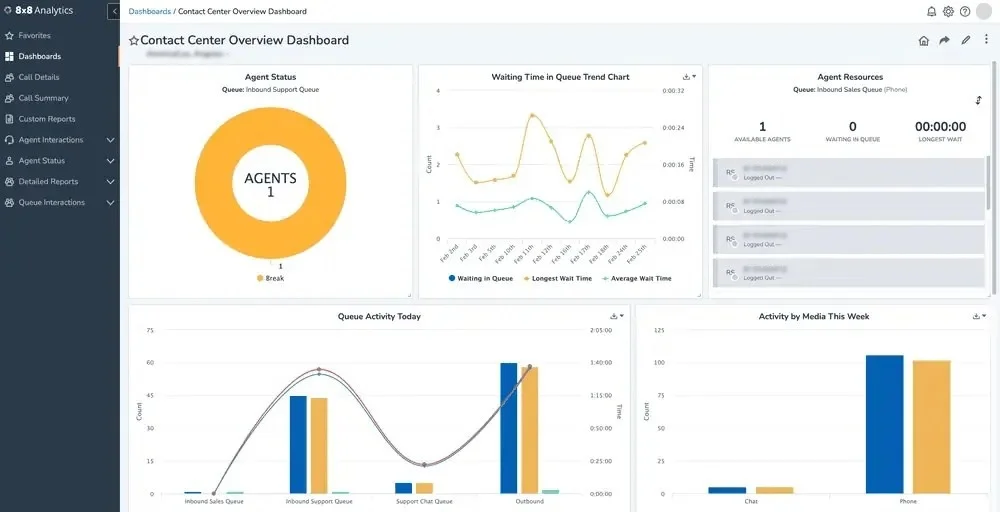
Where 3CX asks you to manage much of the underlying infrastructure yourself, 8×8 is fully cloud-managed, meaning uptime, security, and system updates are handled entirely by the provider. The tradeoff is that 8×8 leans toward the enterprise end of the market, and its pricing reflects that positioning.
8×8’s standout feature
- Advanced queue management: Optimize how your team handles high call volumes with intelligent distribution rules that reduce wait times and improve the VoIP caller experience.
- System analytics: Access deep-dive reports on everything from call quality metrics to agent productivity, giving you the data needed to make informed staffing decisions.
- AI-enabled self-service: Deploy “Intelligent Customer Assistants” that use conversational AI to resolve routine queries via voice or chat without ever involving a human agent.
- Video conferencing: Host professional, high-definition meetings with built-in features like social media streaming and real-time transcription.
8×8 pricing
8×8 doesn’t publicly list its pricing, so you’ll need to go through their sales team for a custom quote. Based on our evaluation, the final cost depends on your team size, the feature tier you need, and whether contact center functionality is included.
Sure, it’s not the most convenient approach for businesses that want to quickly compare options, but it’s fairly standard for a platform at this level of the market. If you’re seriously considering 8×8, we recommend entering the conversation with a clear understanding of your user count and must-have features, as this will significantly speed up the quoting process.
8×8 pros
- Industry-leading 99.999% uptime SLA and fully managed cloud infrastructure.
- Enterprise-grade security and compliance (HIPAA, FISMA, GDPR) across all tiers.
- High-capacity video meetings.
- Advanced AI tools for automated call summaries and sentiment analysis.
8×8 cons
- Custom pricing across all plans makes it difficult to budget without going through a full-scale conversation.
- Platform depth can feel overwhelming for smaller teams that only need basic VoIP functionality.
- Some users report occasional sync lag between the desktop and mobile applications.
- Features access is heavily tiered, meaning several advanced capabilities require jumping to significantly higher plans.
5. Talkdesk-Best 3CX alternative for high-end customer experience (CX) and enterprise AI
Talkdesk is an enterprise-grade cloud contact center platform built for organizations where customer support is a core business function. With a heavy emphasis on AI automation, workforce management, and deep CRM connectivity, it’s designed for teams handling serious call volumes that need every efficiency gain they can get.
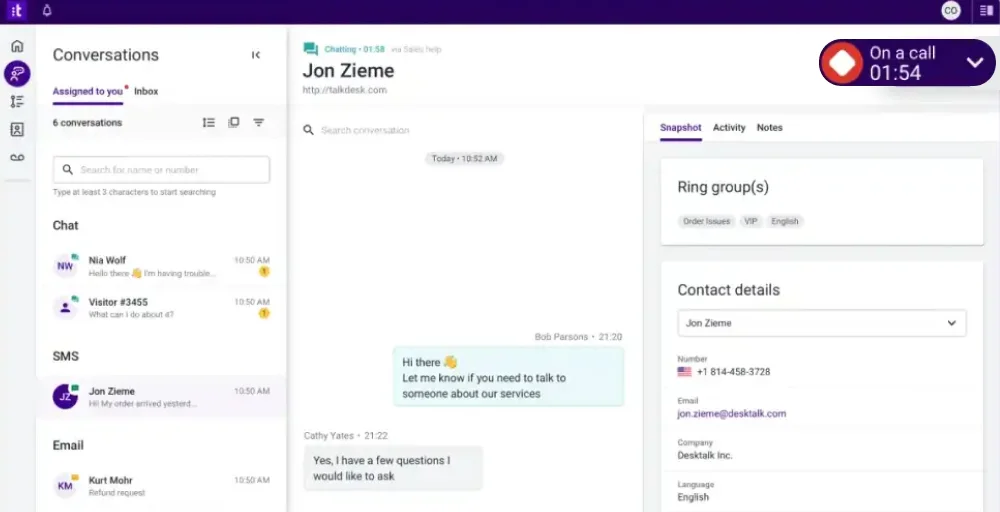
As a 3CX alternative, Talkdesk sits at the premium end of the spectrum. It’s not trying to compete on price but on capability. For businesses that have scaled beyond basic VoIP needs and run structured contact center operations, Talkdesk offers a level of operational control that 3CX’s architecture simply wasn’t designed to deliver.
Talkdesk’s standout feature
- AI-powered automation: Handle routine interactions autonomously so your team can focus on resolving issues rather than navigating them.
- Talkdesk CX sensors: Automatically alert supervisors the moment a customer’s sentiment turns negative or an agent remains silent for too long during a high-priority call.
- Talkdesk Copilot: Empower your agents with a real-time AI assistant that transcribes live calls, suggests the “next best action,” and automatically pulls up relevant knowledge base articles.
- Omnichannel engagement: Give your team full customer context, regardless of which channel the conversation started.
Talkdesk pricing
Talkdesk CX cloud pricing is structured in three core bundles, along with an industry-specific plan.
| Plan | Annual plan (per user/month) | Key Feature |
| Digital essentials | $85 | Digital engagement (Email, Chat, SMS, Social Messaging), Real-time dashboards (Live), API access |
| Voice essentials | $105 | Voice engagement, Voicemail transcription, Speech recognition |
| Elite | $165 | Screen recording, Performance management, Automated notifications |
| Industry Experience Clouds | $225 | Industry-specific packages for healthcare, financial services, and retail |
Talkdesk pros
- Excellent AppConnect marketplace with 1-click access to 100+ third-party tools.
- Strong uptime SLA and enterprise-grade security.
- Native omnichannel capabilities that keep the customer context across every channel.
- Deep native integrations with Salesforce, Zendesk, and more.
Talkdesk cons
- A significantly higher price point that may be out of reach for basic small businesses.
- Advanced AI features and workforce management tools are locked behind the higher-tier.
- Occasional reports of sluggish customer support response times.
- The per-user model can become very expensive for teams with large seasonal fluctuations.
6. Yeastar-Best 3CX hybrid alternative for hardware and cloud flexibility
Yeastar is a unified communications platform that occupies an interesting space in the alternatives to 3CX conversation, as it appeals to the same audience in many ways. IT administrators and telecom-minded buyers who appreciated 3CX’s PBX depth will find Yeastar immediately familiar, but with a cleaner management experience and more flexible deployment options.
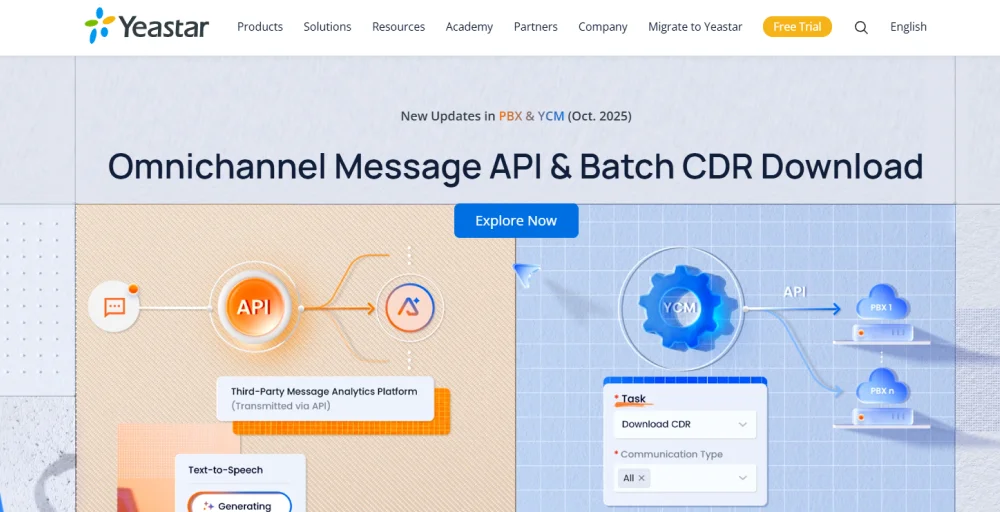
What makes Yeastar worth serious consideration is its P-Series PBX System, which supports cloud, on-premises, and hybrid deployments on a single unified platform. For businesses that aren’t ready to fully move to the cloud but want more reliability and security than a self-managed 3CX setup, Yeastar offers a structured approach without forcing a complete architectural overhaul.
Yeastar’s standout feature
- Flexible deployment options: Whether you want a fully hosted cloud PBX, an on-premise appliance, or a hybrid combination of both, Yeastar supports all three under the same platform.
- Linkus UC Clients: A unified app for mobile and desktop that offers call flip (switching calls between devices) and native macOS support that 3CX power users have long requested.
- Built-in operator panel: Yeastar includes a visual operator panel that gives receptionists and call handlers a real-time overview of extension statuses, active phone calls, and queue activity.
- 3CX migration tool: To make the switch easier, Yeastar includes a built-in tool that imports 3CX backup files and automatically restores your extensions and call routing rules.
Yeastar pricing
Like 8×8, Yeastar doesn’t list a one-size-fits-all price on its website. From our evaluation, pricing is influenced by deployment type, number of users, and the add-on modules you require.
What we can say is that Yeastar’s model tends to be competitive for businesses that want PBX-grade capabilities without paying enterprise UCaaS premiums, particularly for on-premise deployments where licensing is often a one-time or annual cost. If you’re evaluating Yeastar seriously, providing a clear deployment preference and user count will help speed up the quoting process.
Yeastar pros
- Built-in remote access service that eliminates the need for complex port forwarding or VPNs.
- Native omnichannel integration for WhatsApp and SMS managed directly in the Linkus app.
- Comprehensive 24/7 technical support.
- Strong SIP trunk compatibility.
Yeastar cons
- Pricing opacity makes it harder to self-qualify or budget without engaging the sales team.
- Reporting tools, while functional, are less granular than high-end CCaaS options.
- A moderate learning curve in setting up the account if you are moving from a 100% cloud-native app.
- Requires manual configuration for certain niche third-party FXS gateways.
7. Nextiva-Best 3CX alternative for growing businesses that want VoIP plus built-in CRM features
Nextiva is a cloud communications platform that has steadily evolved from a simple business phone system into a full customer experience suite. It combines VoIP calling, video conferencing, team messaging, and built-in CRM-like functionality into one platform, making it a strong contender for businesses that want to consolidate their communication and customer management tools without managing multiple subscriptions.
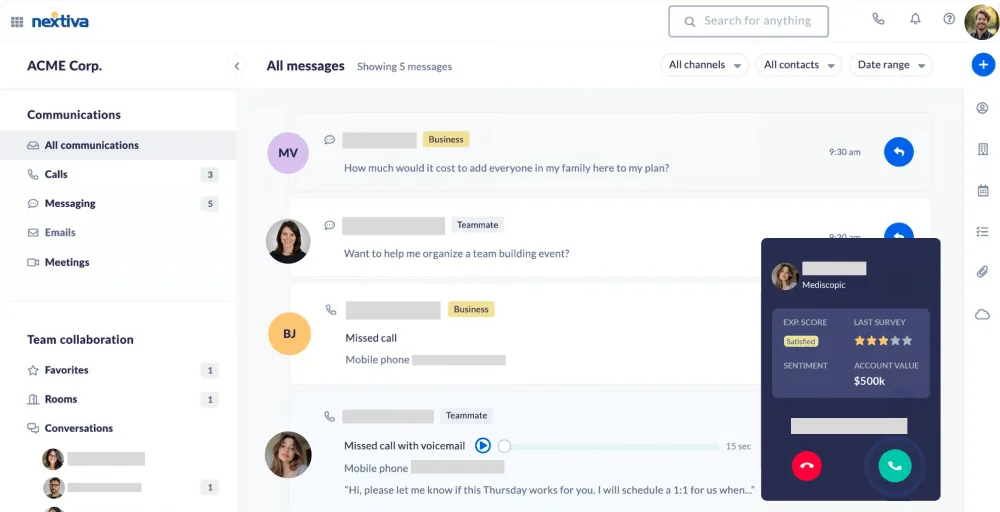
As a 3CX alternative, Nextiva’s appeal is clear. It removes every infrastructure concern that makes 3CX difficult to sustain over the long term. What you get instead is a fully managed cloud environment with enterprise-grade reliability and a feature set that scales alongside your business.
Nextiva’s standout feature
- XBert AI Receptionist: Nextiva’s AI assistant handles hundreds of simultaneous inquiries, qualifies leads, and books appointments on your calendar without a human ever picking up the phone.
- NextivaONE unified inbox: Consolidate all your customer interactions from calls, SMS, and team chats into a single, searchable timeline.
- Call flow builder: Design and modify call routing logic visually, without writing a single line of code.
- Nextiva AI: Get real-time transcription, call summaries, sentiment analysis, and automated follow-up suggestions.
Nextiva pricing
Nextiva offers three pricing plans and scales with your feature needs.
| Plan | Annual plan (per user/month) | Key Feature |
| Core | $15 | Video meetings, 3 accounts for social and review management, 2 dashboards |
| Engage | $25 | Upto 2000 toll-free minutes, Customer to team SMS messaging, 30 accounts for social and review management |
| Power Suite CX | $75 | Usage-based AI transcription & summarization, Blended inbound/outbound calling, Process automation |
Nextiva pros
- Superior video conferencing quality with screen sharing and file collaboration included.
- Strong uptime reliability with a well-documented SLA.
- Built-in HIPAA and PCI compliance features make it ideal for regulated industries.
- Native, deep-level integrations with major CRMs like Salesforce, HubSpot, and Zoho.
Nextiva cons
- A moderate learning curve in setting up the account before the full CX suite is optimized.
- Some advanced AI features (such as the XBert AI Receptionist) require an additional monthly add-on fee.
- Occasional delays in customer support response times, particularly on lower-tier plans.
- International calling outside the US and Canada is billed at additional per-minute rates.
8. Dialpad-Best 3CX alternative for AI-driven insights and automation
Dialpad is a cloud communications platform built around AI. From the moment a call connects, Dialpad’s AI engine is working in the background, transcribing conversations in real time, flagging action items, summarizing calls, and surfacing coaching moments for managers. It’s not AI as a marketing checkbox, but it’s woven into the core of how the platform actually functions day to day.
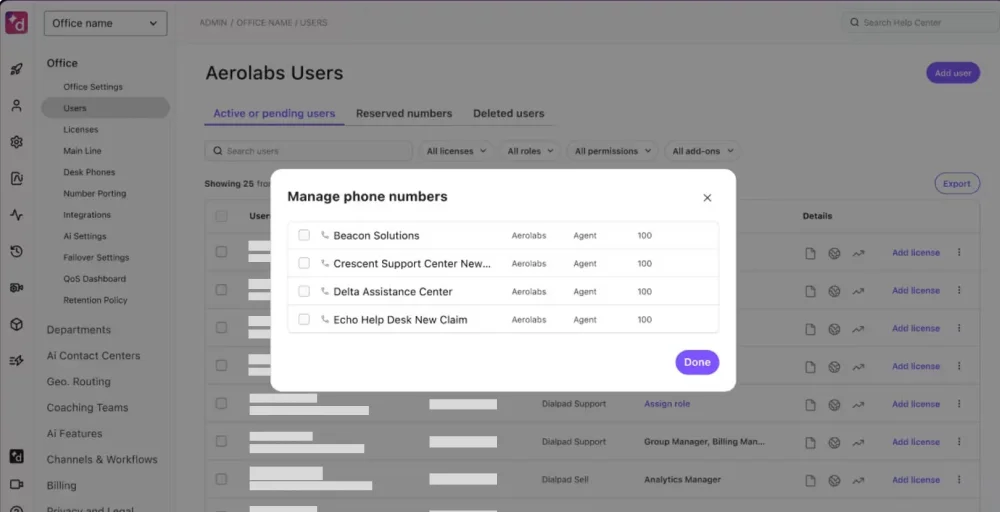
For businesses exploring 3CX alternatives, Dialpad eliminates every infrastructure management concern associated with 3CX’s architecture and adds conversational intelligence to everyday calls. If your team makes a lot of calls and wants to get smarter about how those conversations go, Dialpad is worth serious attention.
Dialpad’s standout feature
- Real-time AI transcription: Automatically transcribe live calls and store them as a searchable text under the correct contacts.
- AI CSAT: Use native AI to automatically calculate a customer satisfaction score for 100% of your calls by analyzing sentiment and tone, removing the need for post-call surveys.
- AI Recap: Receive a concise, automated summary of every call, delivered straight to your inbox the moment you hang up.
- Voice intelligence coaching: Monitors calls in real time and surfaces live coaching cards to agents based on what’s being said with Dialpad’s Vi (Voice Intelligence).
Dialpad pricing
Dialpad Connect offers a simple, transparent pricing model with a core AI engine even in the entry-level tier.
| Plan | Annual plan (per user/month) | Key Feature |
| Standard | $15 | Custom call routing, Call recording, Message data export |
| Pro | $25 | Hold queues, Salesforce integration, 24/7 customer support |
| Enterprise | Custom pricing | SSO (Okta, Azure & OneLogin), 100-seat maximums, Unlimited departments or ring groups |
Dialpad pros
- Instant deployment with zero hardware required.
- Intuitive and user-friendly mobile and desktop interface.
- Built-in video meetings remove the need for a separate conferencing tool subscription.
- Automatic call tagging and keyword tracking for effortless sales training.
Dialpad cons
- A moderate learning curve in setting up the account before the AI dictionary is fully optimized.
- High bandwidth requirements due to continuous real-time AI data streaming.
- Limited advanced call center features.
- Support for legacy desk phones is significantly more limited than 3CX or Yeastar.
9. Cisco Webex Calling-Best 3CX alternative for enterprise-grade security and hybrid flexibility
Cisco Webex Calling is an enterprise-grade cloud calling solution backed by one of the most recognized names in business networking and communications. It’s part of the broader Webex suite, which covers calling, meetings, messaging, and contact center, giving large organizations a way to consolidate their entire communication infrastructure.
As a 3CX alternative, Webex Calling appeals most strongly to organizations that already run Cisco hardware, operate in regulated industries, or have enterprise IT teams with strict security and compliance requirements. But for smaller teams or businesses without existing Cisco touchpoints, it may feel like more platform than they actually need.
Cisco Webex Calling’s standout feature
- Global PSTN coverage: Cisco’s cloud-connected PSTN covers a wide range of countries, enabling multinational organizations to standardize on a single calling platform across regions.
- Webex Go: Use your corporate business number directly from your mobile phone’s native dialer, making professional calls without opening a separate app.
- Translator agent: Break down language barriers during live calls with real-time AI translation.
Cisco Webex Calling pricing
Webex Calling offers flexible subscription pricing to match varying business needs and scales.
| Plan | Annual plan (per user/month) | Key Feature |
| Webex Call | $15.30 | AI meeting summary, Breakout rooms, Interactive whiteboarding |
| Webex Suite | $22.50 | 200 meeting capacity, Post-meeting transcript (English only), Encrypted cloud recordings |
| Webex Enterprise | Custom Quote | Voicemail-to-email, Webex Go, Call recording |
Cisco Webex Calling pros
- Enterprise-grade security architecture and global compliance certifications.
- Superior audio quality with advanced background noise removal technology.
- Seamless transition for teams already using Cisco UCM or on-premises infrastructure.
- An advanced AI Assistant that provides call summaries and real-time action items.
Cisco Webex Calling cons
- Platform depth and interface complexity can feel excessive for small businesses with straightforward calling needs.
- Less competitive on AI-native features compared to newer cloud-first platforms like Dialpad or Nextiva.
- Advanced reporting for high-volume contact centers often requires a separate license.
- Onboarding and configuration for large deployments typically require professional services or a certified partner.
10. Aircall-Best 3CX alternative for CRM-heavy sales and support teams
Aircall is a cloud-based phone system built specifically with sales and customer support teams in mind. It goes deep into the integrations, workflow automations, and call coaching tools that revenue-focused teams actually need day to day. The result is a platform that feels purpose-built rather than generic, and that shows in how naturally it fits into CRM-heavy workflows.
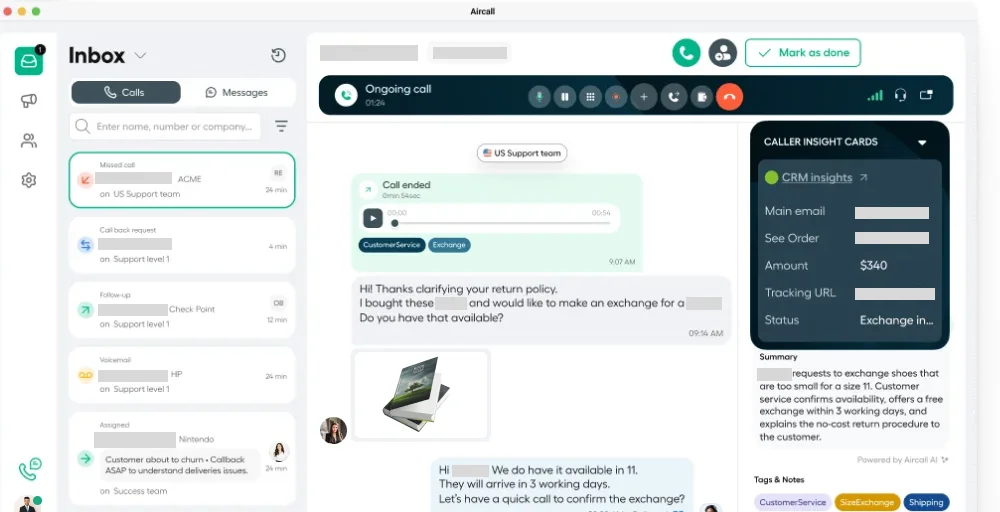
As a 3CX alternative, Aircall makes its strongest case for businesses where the phone system and the CRM need to work as one. Where 3CX treats integrations as a configuration exercise, Aircall treats them as a core product feature.
Aircall’s standout feature
- Power dialer: Streamline your outbound outreach by creating automated call queues that dial through your CRM lead list.
- Insight cards: When a call comes in, agents see a pop-up with the caller’s full CRM history, including open deals and past tickets, providing instant context.
- Live call monitoring and whisper: Listen in on live calls and use the whisper feature to coach agents in real time without the customer hearing.
- Call tagging and disposition: Tag calls and add disposition notes immediately after each conversation ends to keep CRM records clean and searchable.
Aircall pricing
Aircall provides tiered telephony subscription pricing designed to fit different business sizes and calling needs.
| Plan | Annual plan (per license) | Key feature |
| Essential | $30 | Call recording, Unlimited outbound calls (US & Canada), IVR |
| Professional | $50 | Unlimited number of teams, AI assist features, Mandatory call tagging |
| Custom | Contact the sales team | Custom onboarding, Single sign-on, Access to API developer support |
Aircall pros
- Extremely user-friendly and intuitive interface.
- Unlimited inbound and internal calls are included in the base pricing.
- Advanced real-time analytics for both individual agents and entire call queues.
- Users consistently praise its integration reliability and ease of use.
Aircall cons
- The minimum three-user requirement makes it impractical for solo operators or very small teams.
- Power dialer and call monitoring are locked behind the higher-tier plans.
- No built-in video conferencing, which means a separate tool is still needed for face-to-face communication.
- Mobile app performance can occasionally lag compared to the desktop version.
Which 3CX alternative is best for you?
Choosing the right 3CX alternative depends on whether you are looking to escape the technical burden of managing a PBX or simply need more advanced AI and global reach.
Here is a simple way to narrow it down:
| Your priority | Best fit | Reason |
| Lower entry-level pricing | KrispCall, Quo, Nextiva, Dialpad | Competitive entry-level pricing without compromising on core calling and messaging features |
| Enterprise scalability | 8×8, Cisco Webex Calling, Talkdesk | Proven infrastructure built to support large, distributed teams across multiple regions |
| AI and automation | Dialpad, Nextiva, Talkdesk | Native AI transcription, call summaries, sentiment analysis, and workflow automation are baked into the core platform |
| International operations | KrispCall, 8×8, Cisco Webex Calling | Broad global number coverage and international PSTN reach without needing multiple regional providers |
| Contact center focus | Voiso, Talkdesk, Aircall | Purpose-built tools for high-volume inbound and outbound operations, including dialers, queue management, and workforce tools |
| Developer customization | Voiso, Dialpad, Aircall | Strong API access for building custom integrations and automating workflows across your existing tech stack |
Why choose KrispCall over 3CX?
If you’ve made it this far, you already know the frustrations that come with 3CX: the infrastructure overhead, the security concerns, the integrations that require more effort than they should.
KrispCall is built for exactly the kind of business that’s tired of managing a phone system and just wants it to work, and it handles all of those burdens at the provider level. Beyond the infrastructure relief, KrispCall delivers an exceptional feature set starting at just $12/user/month.
KrispCall vs. 3CX: How they stack up
| Feature | KrispCall | 3CX |
| Deployment | Fully cloud-based | Self-hosted/hybrid |
| Security management | Handled end-to-end by the provider | Managed by your team |
| SBC configuration required | No | Yes |
| Setup complexity | Low; up and running in hours | High; requires technical expertise |
| International number coverage | 100+ countries | Depends on the SIP trunk provider |
| Live call monitoring | Included from the Standard plan | Available but requires configuration |
| Auto reply for missed calls | Built-in | Limited native support |
| AI features | Growing natively | Minimal |
| Supply chain security incident | None | Confirmed 2023 incident |
Ready to make the switch? Book a free demo now, see why KrispCall is the smarter alternative to 3CX.