Customer service operations are rapidly changing. Today, businesses must be flexible, efficient, and readily available whenever customers require assistance. That’s where Contact Center as a Service (CCaaS) comes in.
Instead of relying on outdated phone systems, CCaaS enables support teams to manage calls, chats, and messages online from anywhere. It’s easy to set up, saves money, and helps your team stay connected no matter where they work.
In this blog, you’ll learn what CCaaS is, how it works, why it’s useful, and how it improves customer service.
✨ Key Takeaways
- CCaaS is a flexible, cloud-based platform that helps businesses manage all customer interactions in one place.
- Contact center as a service brings together smart tools like call routing, IVR, and multi-channel support to streamline customer service.
- With CCaaS, businesses can lower costs, improve agent productivity, and deliver a smoother customer experience.
What is a contact center as a service (CCaaS)?
Contact Center as a Service (CCaaS) is a cloud-based customer service solution that enables businesses to manage customer interaction across various communication channels such as voice calls, chats, emails, video conferencing, and social media from a single platform.

With CCaaS, companies can provide exceptional customer service without the need for traditional call center infrastructure.
The system is highly scalable, making it ideal for customer inquiries, support tickets, order processing, and other service-related tasks.
A cloud-based contact center like CCaaS supports both inbound and outbound communications, helping businesses improve responsiveness, reduce operational costs, and enable remote work capabilities for contact center agents.
Key features of CCaaS solutions
To fully understand the CCaaS meaning, it’s important to understand the key features that work together to create a smooth and efficient customer service experience.
1. Automatic Call Distribution (ACD)
Automatic Call Distribution is a telephony feature that automatically routes incoming calls to the right agent or department based on predefined rules like caller input, agent availability, or customer history.
Modern ACD systems also support skills-based routing, ensuring that calls are directed to agents with the right expertise, language proficiency, or training.
It improves first-call resolution and customer satisfaction by making support more accurate and efficient.
2. Interactive Voice Response (IVR)
Interactive Voice Response allows callers to interact with a menu using voice commands or keypad inputs.
It guides customers to the appropriate department or service option without needing to speak to a live agent immediately.
IVR systems help reduce agent workload by handling simple tasks like balance inquiries, order status updates, or appointment bookings. It also works around the clock and provides support even after business hours.
3. Dialers (predictive, power, preview)
Dialers are automated systems that make outbound calls by reducing manual effort. There are three main types of dialers: predictive, power, and preview.
A predictive dialer calls several numbers simultaneously and connects agents only when someone answers.
A power dialer calls one number at a time for each agent, which is useful for steady-paced calling.
Similarly, a preview dialer shows the customer’s information to agents before the call starts. It gives the agent time to prepare and personalize the conversation, which can improve the customer’s experience and boost success rates.
4. Multi-channel support (SMS, email, chat, social media)
Multi-channel support allows agents to handle customer messages across platforms like SMS, email, live chat, and social media from one dashboard.
All conversations from different channels appear in one place, so agents can respond quickly and keep up with the context.
Multi-channel support also prevents customers from repeating themselves when switching channels. It ensures a truly connected omnichannel experience.
5. Analytics and reporting tools
Analytics tools track key metrics like call volume, average handle time, agent performance, and customer satisfaction score.
Managers can leverage valuable contact center analytics to find patterns in customer behavior, identify areas for improvement, and make better decisions about staffing and training.
6. Integration with CRMs and other business applications
CCaaS platforms can integrate with customer relationship management like Salesforce or HubSpot, so agents can view customer details during a live call. It helps agents understand the customer’s history and respond more effectively.
Integrations also make it easier to update records, create tickets, or manage internal communication without switching between applications. Everything is smoothly synchronized, which saves time and improves workflow.
Benefits of Contact Center as a Service
CCaaS keeps things running smoothly, cuts unnecessary costs, and helps both your team and customers have a better experience.
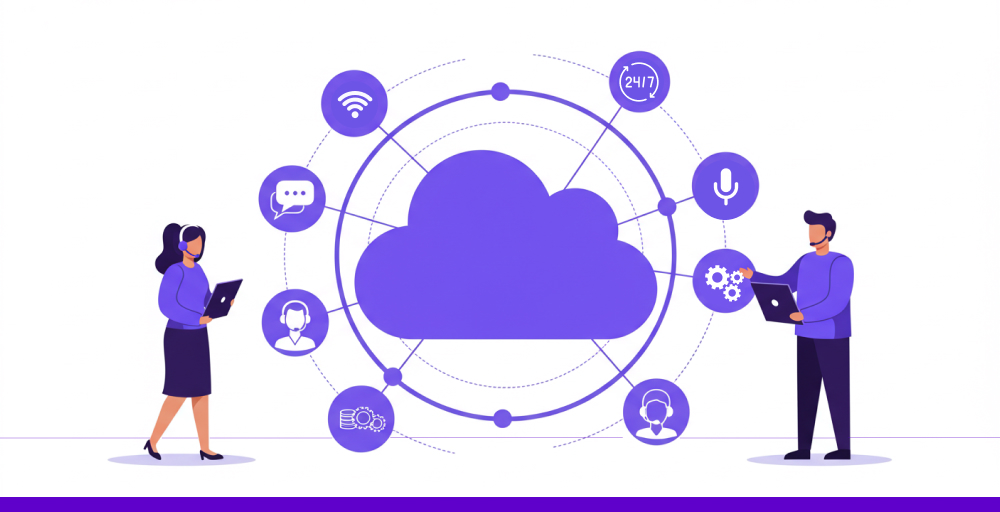
Here are the major benefits of Contact Center as a service:
1. Scalability and flexibility
With Call Center as a Service (CCaaS), you can scale your customer service team up or down with cost efficiency without waiting on hardware or long-term contracts.
If your business sees a spike in customer calls during the holidays, you can quickly add agents from anywhere with just a few clicks, with no need for extra office space or phone lines.
Additionally, it gives your team the freedom to work from different locations without losing coordination. Whether your agents are at home, in another city, or across the globe, they can log into the same system and handle calls as if they were sitting next to each other.
2. Cost-effectiveness
With CCaaS, you only pay for what you use. There’s no need to buy expensive phone systems or maintain a private branch exchange (PBX).
Instead of investing thousands upfront, you pay a monthly fee based on the number of agents or minutes used. If your call volume drops, your costs drop too.
You also achieve cost savings on maintenance and IT staff. System updates, bug fixes, VoIP quality tests, and server issues are handled by the provider, so you won’t face surprise repair bills or unexpected downtime.
3. Enhanced customer experience
CCaaS platforms let you deliver exceptional service by routing calls to the right agent without making customers repeat themselves. If someone calls about a technical issue, they’re sent straight to a tech specialist, not a general line.
Agents can access and view all customer journeys, including past orders, previous chats, and open support tickets, to improve customer retention. That means they can provide personalized customer service, which enhances customer engagement.
Faster routing and improved agent performance can significantly improve your service level call center metrics by reducing wait times and ensuring customers reach the right agent faster.
4. Boosted employee efficiency
CCaaS enhances agent productivity by automating repetitive tasks and providing real-time support tools.
For example, when a call comes in, the system can pull up the customer’s details automatically, so the agent doesn’t waste time searching through records. Some solutions even offer real-time suggestions or automated prompts based on the conversation.
CCaaS also simplifies the training and onboarding process. New agents can remotely shadow live calls, follow guided scripts, and receive instant feedback through the platform.
5. Rapid deployment
The CCaaS system can be deployed in days. There’s no need to install physical phone lines or on-site hardware. Once your account is activated, your team can handle calls from anywhere using just a laptop and a headset.
Even complex setups with multiple departments and call flows can be configured quickly using drag-and-drop tools.
Whether you’re launching a new support line or expanding into a new region, CCaaS enables you to get up and running quickly without relying on IT contractors or hardware deliveries.
6. Business continuity
If your office loses power or internet, CCaaS keeps your support lines running. Since everything is hosted in the cloud, agents can log in from home or another location and pick up where they left off. Customers still get answers, and your service doesn’t go dark.
CCaaS providers also back up data automatically and run on multiple servers in different regions. That means if one server goes down, another takes over instantly, similar to how businesses using VPS hosting maintain uptime by isolating their environment from other users on shared infrastructure. Your team keeps working without delays, and your customers never notice a problem.


How does CCaaS transform customer experience?
CCaaS brings all your customer contacts into a single platform and helps agents respond quickly with the right information.
It makes your support faster, more personal, and a lot less frustrating for everyone, which is a key component for delivering unified communications.
1. Shorter wait times and faster resolution
CCaaS routes incoming calls or messages to the most qualified, available agent. Instead of waiting in long queues or being bounced between departments, customers get connected to someone who can help without delay.
Additionally, features like call-back options, intelligent queuing, and AI chatbots for basic questions reduce pressure on support teams. As a result, customers spend less time waiting and get their issues resolved more quickly.
2. Better first-contact resolution (FCR) rates
With CCaaS, agents get instant access to detailed customer profiles, past interactions, and internal knowledge bases. It helps them to answer questions and solve problems in the first interaction without needing to transfer or follow up later.
Intelligent routing also plays a key role by connecting customers to agents with the right skills and expertise. When customers speak with someone who truly understands their needs, satisfaction and loyalty naturally improve.
3. Ability to gather customer data for ongoing service improvement
Every interaction, whether it’s a call, chat, or email, handled through CCaaS with data encryption provides valuable insights into customer expectations and needs.
The platform automatically captures key metrics like response times, resolution rates, and satisfaction scores across all support channels.
Contact center managers can analyze this data to find patterns, spot weak points, and adjust training or processes. Over time, these continuous improvements help your team deliver more responsive, effective, and customer-focused support.
4. Helps new agents get up to speed faster
CCaaS platforms come with built-in guides, templates, and access to past conversations for customer-facing teams.
New team members can follow these tools to handle issues with more confidence from the initial days. They don’t have to search through different systems or ask for help constantly.
CCaaS shortens training time and ensures customers still get quality support, even from less experienced agents.
5. Works smoothly even when teams are remote
With CCaaS running entirely in the cloud, agents can connect and assist customers from anywhere with just a device and internet access.
No bulky hardware or complex setup is needed so your team can get started quickly and stay productive no matter where they are.
How to choose the right contact center as a service provider?
Choosing the right contact center technology helps your team provide great customer support, no matter how people reach out, by phone, email, or chat.
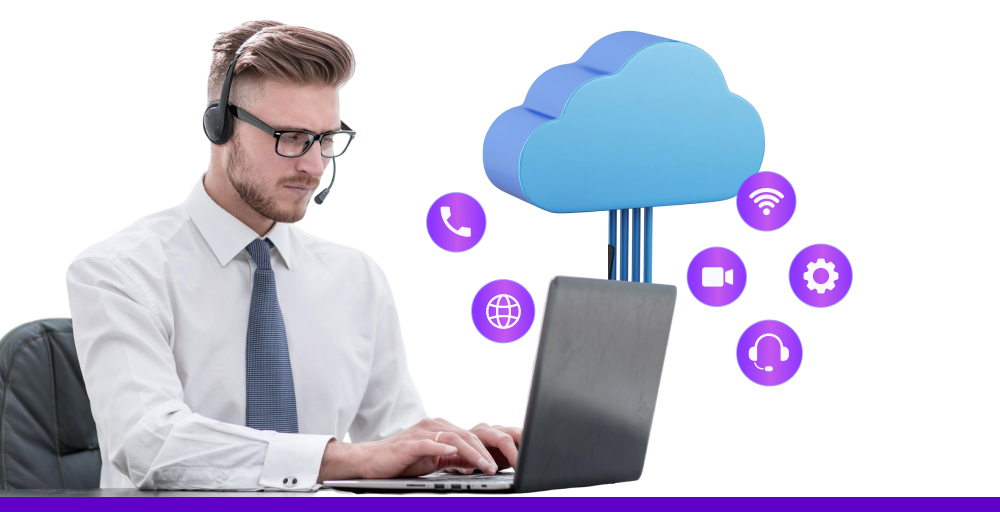
Here are some simple but important questions to ask before you decide:
- What are your main goals? Know what you want to achieve with the new platform. Look for features that help you reach those goals without extra work.
- Is it easy to add new users? As your team grows, it should be simple to add more users. Make sure the system is flexible and not too technical to use.
- Does it work with your other tools? Check if it integrates with your CRM, helpdesk, or other tools you already use. It saves time and avoids switching between platforms.
- What kind of support is offered? Find out whether the provider offers help during and after setup. Some providers may charge extra for support, so check out any hidden fees.
- Are there any training materials? Your team should be able to learn the system quickly. Ask if they provide training videos, guides, or one-on-one help.
- Does it meet your industry rules? Businesses must follow the rules like HIPAA or PCI for data security. Make sure the provider is certified to handle your type of work safely.
- Is customer data safe and private? Check how they protect customer data. A reliable provider uses strong security tools and follows data privacy laws.
- How much will it really cost? Don’t just look at the monthly price. There may be hidden charges such as setup fees, extra tools, and long-term costs. Therefore, check for any hidden charges.
- Will it work with your current setup? It should easily integrate with your existing systems. Avoid solutions that require a complete tech upgrade.
- What kind of reports does it offer? Make sure it provides clear and actionable reports so you can view how your team is doing and where you can improve.
Why choose KrispCall’s contact center as a service (CCaaS) for your Business?
Traditional contact center operations often struggle with slow, clunky systems that frustrate both agents and customers. Long wait times, repetitive questions, and disconnected communication channels make delivering quality service difficult.
KrispCall’s CCaaS offers a modern, unified solution with a single, easy-to-use platform to maximize contact center efficiency. Agents can manage calls, chats, emails, and social media messages from a single dashboard, eliminating the need to switch between apps.
With powerful features like call recording, CRM integrations, and real-time analytics, KrispCall helps boost productivity and streamline customer interactions. Setup is fast and hassle-free, enabling your team to start working from anywhere using just a web browser and a headset.