Building an effective call center means focusing on features that truly support both your agents and customers.
Choosing the right call center software with a top line of capabilities involves understanding how various call center system features integrate to streamline communication and grow with your business.
With so many solutions on the market, identifying what will best enhance your team’s productivity and customer satisfaction is key.
So, let’s explore some of the best call center software features that you need to consider while selecting a call center platform for your business.
✨ Key Takeaways
- Advanced call routing and AI-powered tools enhance agent efficiency and customer satisfaction.
- Omnichannel support enables seamless communication across phone calls, chat, email, and messaging apps.
- Real-time analytics and customizable dashboards provide actionable insights to optimize call center performance.
What is call center software?
Call center software is a specialized digital platform designed to help call center platforms manage customer service teams and streamline phone-based interactions. It enables agents to efficiently handle incoming and outgoing calls, record conversations, route calls to the right customer service reps, and store important customer information, all from a centralized call centre system.
Even though call center operations are mostly about phone calls, their phone systems have smart tools. These tools use Artificial Intelligence (AI) and Natural Language Processing (NLP) to understand how a customer feels during a call (like if they’re happy or frustrated).
Top features to look for in call center software
The right call center features list helps your team provide faster, more personalized service. Whether you’re scaling a support team, optimizing outbound campaigns, or automating repetitive tasks, these tools directly impact agent productivity, customer satisfaction, and overall operational efficiency.
Below are the call center phone systems’ features that truly matter for performance, scalability, and satisfaction.
1. Automatic Call Distribution (ACD)
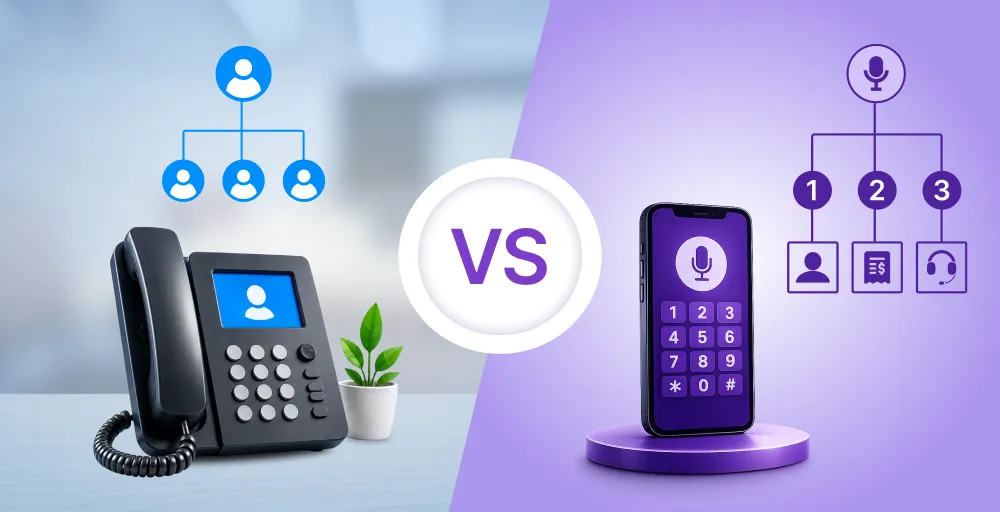
Automatic Call Distribution (ACD) is a core feature in any call center systems. It intelligently routes incoming calls to the most appropriate call center agent or department based on predefined criteria such as IVR selections, caller ID, business hours, and level of customer status.
With ACD, customers do not have to dial different numbers or repeat their issues many times. The system quickly connects them to the right person, improving response times and for higher customer satisfaction scores.
ACD systems can be simple or complex, from basic rule-based routing to advanced setups using voice recognition and real-time agent availability. Regardless of how advanced they are, all call centers gain from efficient call distribution, reducing wait times and increasing the chances of resolving issues on the first call.
2. Interactive Voice Response (IVR)
Interactive Voice Response (IVR) is a phone system that lets callers use voice commands or their keypad to get information. Callers can respond to prompts or choose menu options to find answers without needing to talk to a person right away.

Smart IVR systems make common tasks like checking your balance, making payments, tracking orders, or asking for a return call much easier. This lets customer service representatives help with more complicated issues.
Whether it’s a simple menu or a more advanced voice system, these automated systems are the first point of contact for your call center solutions. You’ve likely heard an example like, “Press 1 for billing, press 2 for technical support.” What’s happening in the background is that the system smartly sends calls to the right place based on what you choose, company rules, or even the time of day.
3. Computer Telephony Integration (CTI)
Computer Telephony Integration (CTI) connects your phone system and computer programs. This turns your regular computer into a powerful tool for talking to people.

With CTI, agents can manage phone calls directly from their desktops, accessing caller details, initiating outbound calls, screen pop, transferring calls, call forwarding, and logging interactions all without ever picking up a physical handset.
This integration makes workflows easier by showing caller information from your CRM or database right when the phone rings. Agents can greet customers by name, view their history instantly, and respond more quickly.
Modern CTI (Computer Telephony Integration) solutions require minimal equipment, typically just a computer and a headset. This makes them perfect for remote or hybrid teams. CTI brings call controls and customer information into one easy-to-use screen, helping teams work faster and more efficiently.
4. Omnichannel support
Customers want smooth communication across all channels, phone, email, chat, and more. Omnichannel support makes this possible. As POTS (Plain Old Telephone Service) is replaced by cloud-based VoIP solutions, modern call center software solutions have become a single platform where all customer conversations come together.
With contact center software phone systems, omnichannel support enables agents to engage with customers not only via voice calls. Additionally, this can be achieved through live chat, email, video conferencing, SMS, messaging apps like WhatsApp and Facebook Messenger, and even AI-powered chatbots.
Connecting your call center system to your CRM (Customer Relationship Management) software allows you to keep all customer conversations in one place. This complete view helps human agents provide faster and more personalized support. It also removes barriers between different communication channels.
5. Call recording
Call recordings are essential for the quality management process for any high-performing call center and training across all call center capabilities. By automatically recording audio from customer interactions, your team can listen to, analyze, and learn from each call.

This feature is key for checking service quality, following rules, and training staff. Managers can listen to actual talks to find areas for improvement, teach their team better, and make sure good customer service is always provided.
Newer call center solutions store recorded conversations safely online. This makes it simple to save and find calls without slowing down local computers. Plus, with better ways to label and search, finding specific calls is quicker and easier.
6. Call monitoring, whisper, and barging
Tools that support calls in real-time, such as monitoring, whisper coaching, and call barging, help improve agent performance and provide modern customer service. These features allow managers to assist the right agents at the right time without interrupting conversations with customers.

With call monitoring, supervisors can silently listen to live calls, gaining insights into how agents handle inquiries and identifying areas for improvement. Call whisper coaching takes it a step further, allowing supervisors to provide instant, private feedback directly to the agent while remaining invisible to the customer.
However, for important or difficult calls, call barging lets managers join in and take over if needed. This helps solve problems quickly and keeps customers happy.
7. Skill-based routing
Not all customer inquiries are created equal, and neither are your agents. Skill-based routing ensures every call is matched with the most qualified call center agent, based on expertise, experience, and availability.
Instead of routing calls randomly or on a first-available basis, skill-based call distribution evaluates the nature of the customer’s request, such as through IVR selections, call queue, caller history, or topic tags, and then directs it to an agent with the relevant skills to handle it efficiently.
Agents can be assigned to multiple skill groups or queues, each aligned with their unique competencies (e.g., technical support, billing, multilingual service). This intelligent routing minimizes transfers, reduces resolution time, and significantly boosts customer satisfaction.
8. CRM integration
By connecting your call center applications with your Customer Relationship Management (CRM) system, your agents gain instant access to sensitive customer data, including past interactions, preferences, and purchase history. This connectivity enables highly tailored service and improves overall response efficiency.
Many teams enhance native CRM integrations with custom telecom software development to automate data synchronization, ensure consistent data governance, and adapt call workflows to meet the specific needs of their industry.
9. Real-time & historical analytics
Call center analytics provide live insights and track past performance to help managers monitor and improve operations. With flexible KPIs and ready-made reporting tools, it’s easy to create, schedule, and share reports that keep teams informed and on track.
Live analytics and historical data help you monitor what’s happening on the floor in the moment, so you can adjust staffing, resolve issues, and optimize responsiveness instantly. Common real-time customer service metrics include:
- Agent status tracking (availability, on-call, idle, etc.)
- Number of callers waiting in the queue
- Ongoing active calls across the team
- Answered vs. missed call ratio by hour or day
- Live average call duration and time to answer
Long-term analytics offer valuable insights into trends and performance benchmarks. These metrics help teams identify opportunities for process improvements and customer satisfaction. Popular historical call center metrics include:
- Average Handle Time (AHT)
- First-Call Resolution (FCR)
- Customer Satisfaction Score (CSAT)
- Call Abandonment Rate
- Cost Per Call (CPC)
- Comprehensive call logs
- Net Promoter Score (NPS)
10. AI-powered agent assist
The AI-powered agent assists tools, like intelligent virtual assistants (IVAs), which can handle routine tasks easily. This frees them up to focus on what’s really important: giving great, personal service to customers.
AI tools help to respond to common customer inquiries such as:
- “What time does the closest store close?”
- “When will my order be delivered?”
- “Do I have any updates on my support ticket?”
By handling these routine questions, AI frees up agents to concentrate on more complex or emotionally sensitive issues. When AI faces a query it can’t resolve, it smartly routes the conversation to a live agent, ensuring a seamless handoff and continuous service.
11. Predictive/Power dialer
Call centers that focus on outbound sales or outreach can boost efficiency and agent productivity with automated dialing tools like Predictive Dialers and Power Dialers. Both tools speed up the calling process, but each is suited to different sales strategies and call volumes.

Predictive dialers use smart algorithms to dial multiple numbers simultaneously and connect calls only when a live person answers. The system continuously monitors agent availability and outbound call outcomes, adjusting the dialing rate to ensure agents are always engaged but never overwhelmed.
This tool is ideal for large-scale outreach, including:
- Sales and lead generation teams
- Debt collection agencies
- Political campaigns or surveys
- Customer satisfaction follow-ups
Power dialers place calls one at a time in a controlled sequence, automatically dialing the next number as soon as the previous call ends. Unlike predictive dialers, power dialers are better suited for environments where a more personalized, less rushed approach is required.
Best for:
- B2B sales or account management
- Complex customer interactions
- Smaller teams with high-value contacts
12. Voicemail with transcription
Voicemail with transcription creates an automatic transcript of voicemail messages, allowing agents to save time by reading them instead of listening to them. Voicemail transcripts can be sent to email as audio and text files via voicemail-to-email.

Voicemail transcription benefits include:
- Increased productivity
- Better callback prioritization
- Allows agents to fully prepare for the callback and understand the issue at hand
13. Post-call surveys
What’s better than guessing whether a customer had a great experience? Getting real-time feedback. With customer experience software, you can design and automatically send post-call surveys to measure agent effectiveness and overall satisfaction.
This feedback becomes a valuable asset in an inbound call center strategy for improving training programs and refining performance strategies. Ask questions like:
- How would you rate your recent call from 1 to 10?
- How satisfied are you with the resolution you received?
- Did our agent successfully address your issue?
14. Workforce management (WFM)
Good “Workforce management (WFM)” is crucial for a smooth-running call center software solution. It makes sure the right number of people are working at the correct times. This avoids having too many staff and helps prevent them from getting tired during busy periods.

WFM software uses past data, current information, and predictions to accurately estimate call volume. This helps you adjust staff levels based on customer needs without guessing. Whether you have a remote team or a cloud contact center software, smart scheduling tools let you maintain the right coverage with less manual work.
Say goodbye to spreadsheet overload. With modern WFM tools, shift planning, break management, and time-off requests are fully automated and centralized, streamlining operations while enhancing transparency and flexibility for your agents.
15. Speech & sentiment analytics
Speech analytics is a growing call center feature that helps monitor customer conversations. It listens for keywords, tone, and emotions, like frustration or satisfaction. If a caller uses strong language or there are long silences, the system can flag the call and alert a manager, helping improve service and support.
When calls are flagged, you can identify areas for improvement or training needs. For example, agents may skip important components of your script, such as informing customers that their calls are being recorded. Let technology find the problems so you can focus on solving them.
Sentiment analysis done in real time monitors for voice tone, pace, and specified keywords to accurately gauge a customer’s emotional state during a live call.
If the system spots rising dissatisfaction or frustration, it can tell supervisors when to step in via call whispering features. Call centers can intervene before conversations go off track, making outcomes better and boosting customer retention rates.
16. Call queuing & virtual callback
Call queuing intelligently routes incoming calls to the right queue based on IVR responses, the number dialed, and current agent availability. Managers can customize the caller experience with branded hold music or messages, estimated wait times, and the option to request an automated callback.
The virtual callback feature allows customers to choose a convenient time to be contacted, rather than waiting on hold. Once scheduled, the system assigns the callback to the next available agent at the requested time.
17. Cloud-based access
Cloud-based access enables agents and supervisors to connect to the call center platform. Some of the best cloud contact center solutions hosting providers support secure remote access and scalability, which are vital for remote or hybrid teams.
Using cloud-based communication (UCaaS) helps businesses easily adjust their operations across different locations and teams. It also lowers call center software costs for equipment and maintenance. Because it’s in the cloud, your service stays up and running even during unexpected problems.
18. Security & compliance tools
Protect customer data using VoIP technology, secure remote access, and built-in compliance features within your contact center phone systems. Handling sensitive customer information demands stringent security measures, making privacy and compliance essential features of any call center platform.
- Regulatory compliance: Ensure your platform adheres to critical standards like HIPAA, CCPA, PCI DSS, and others relevant to your industry, particularly if you handle healthcare data, payment details, or operate in regulated regions.
- End-to-end encryption: Safeguards customer call data by encrypting information both during transmission and while stored.
- Role-Based Access Control (RBAC): Limits system and data access according to user roles, ensuring only authorized personnel can reach sensitive information.
- Multi-Factor Authentication (MFA): Enhances login security for agents by requiring additional verification beyond passwords.
- Audit trails: Maintains comprehensive records of user activities to monitor access, modifications, and detect any suspicious behavior.
- Regular security audits: Performs ongoing assessments and penetration testing to uncover and address potential vulnerabilities proactively.
19. Customizable dashboards
Customizable dashboards allow call center managers to set up their view of important numbers and performance information to match what they need. By picking which key measures and reports to show, teams can watch live and past information that matters to their aims.

These adaptable screens make better decisions possible by giving quick access to vital information. They help supervisors keep an eye on how productive staff are, how many calls come in, how happy customers are, and more, all from one central place.
20. Third-party integrations & API access
While your call center software is the heart of customer service, it’s important to connect it with other tools. Integrations with systems like CRMs, knowledge bases, email, and ticketing platforms help agents work faster, stay organized, and deliver a smoother customer experience.
By utilizing open APIs and customizable workflows, you can effortlessly link these business applications with your call center software. This reduces the need for constant switching between apps and boosts functionality through plugins and extensions.
HubSpot is a prime example of such integration. Linking your phone system or outbound contact center to HubSpot reveals features such as call logging, screen pop alerts, click-to-call functionality, task management, and a built-in dialer.
These integrations work together to create a more efficient and productive environment for your customer service representatives, allowing them to concentrate on providing exceptional support without relying on various tools.
How to select the right call center features for your business?
Choosing the right top call center software features helps you align customer service with your business goals. By picking tools that fit your industry, team size, customer needs, and growth plans, you can improve call center management, boost customer satisfaction, increase quality assurance efficiency, and keep costs under control.
To make the right decision, consider these key questions:
- What industry do you operate in? Each industry has unique call center needs and compliance requirements.
- How many calls does your center handle daily? Higher volumes typically need robust call routing and workforce optimization tools.
- What are your primary business objectives? Are you aiming to boost customer satisfaction, drive sales, reduce costs, or a combination of these?
- What budget have you allocated? Pricing may vary based on the features your business needs and the size of your user base.
- What are your customers’ preferred ways to communicate? Do they want self-service options or support across multiple channels?
Common business scenarios to consider:
- Small call centers: Begin with essential features such as basic IVR, call routing, and CRM integration. As your business grows, incorporate skills-based routing, call recording, SMS, and detailed reporting.
- Large call centers: Opt for a full-featured contact center solution with multi-site routing, enterprise app integrations, API workflows, and customizable interfaces to support complex operations and maintain consistent brand experiences.
Conclusion: Get all the essential call center features you need with KrispCall
Basic functions such as ACD and AI integrations are standard across most call center software. What sets leading contact center software providers apart is how quickly and effortlessly you can unlock real value from their platforms.
By seamlessly combining unified communications, CRM, and contact center software capabilities into one integrated solution, everything works together smoothly and efficiently.
KrispCall delivers a comprehensive, easy-to-use cloud-based solution packed with must-have call center features, including VoIP phone systems, softphones, and auto attendants. Designed for scalability, it grows with your business while maintaining compliance and security.
Ready to experience the difference?
Explore KrispCall today or start your free demo and see how it can elevate your customer service.