Talkdesk is a top cloud contact center platform, offering plans tailored for small teams, growing businesses, and large enterprises. Understanding its pricing is crucial for businesses to balance cost, features, and scalability.
This guide provides a clear breakdown of each plan, explains how add-ons affect pricing, and highlights which options work best for different team sizes and industries.
In this blog, we also explore Talkdesk’s pricing plans, key features, pros and cons, and comparison with KrispCall.
✨ Key Takeaways
- Talkdesk offers four tiered plans: Digital Essential ($85 per user/month), Voice Essential ($105 per user/month), Elite ($165 per user/month), and Industry Experience Clouds ($25 per user/month).
- Talkdesk offers a robust platform with comprehensive features and reliable performance, and scalability.
- Some drawbacks of Talkdesk include its high cost, occasional bugs, and inconsistent performance.
Talkdesk plans and pricing: An overview
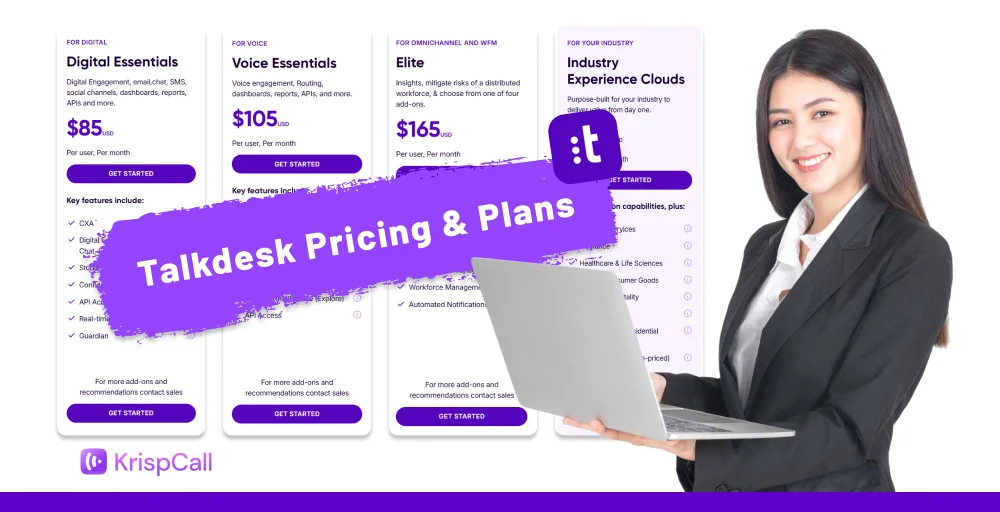
Talkdes offers mainly four pricing plans to meet different business needs and scales. In the table below, we have shown the Talkdesk plans and pricing, along with the features you get in each tier.
| Feature | Digital Essentials | Voice Essentials | Elite | Industry Experience Clouds |
| Starting price (per user) | $85 | $105 | $165 | $225 |
| Digital engagement | Yes | No | Yes | Yes |
| API Access | Yes | Yes | Yes | Yes |
| Real-time dashboard(live) | Yes | Yes | Yes | yes |
| Business intelligence | Yes | Yes | Yes | Yes |
| Conversations mobile app | Yes | Yes | Yes | Yes |
| Voice engagement | No | Yes | Yes | Yes |
| Screen recording | No | No | Yes | Yes |
| Automated notifications | No | No | Yes | Yes |
| Quality management | Yes | Yes | Yes | Yes |
| Industry workplace | No | No | No | Yes |
| Industry AI agent | No | No | No | Yes |
The Digital Essentials Plan
Talkdesk Digital Essentials costs $85 USD per user per month and is designed for mid-sized to large support teams handling high volumes of digital support. This plan focuses on digital-first engagement, making it perfect for teams that rely on email, live chat, SMS, and social messaging.
Features includes
- CXA
- Digital engagement (email, chat, SMS, social messaging)
- Studio & routing
- Real-time dashboard
- API access
- Connections
However, it lacks advanced features such as voice engagement, screen recording, and automated notifications. It is suitable for companies that operate digital-only or chat-heavy support models that don’t need deep voice or workforce management capabilities.
Voice Essentials
Talkdesk Voice Essentials plan costs $105 per user per month. It is designed for teams that rely heavily on voice interactions and need more than basic calling tools.
Features includes
- CXA
- Voice engagement
- Speech recognition
- Business intelligence
- API access
- Voicemail transcription
With this plan, businesses gain access to advanced voice capabilities, such as speech recognition and voicemail transcription, making conversations easier to manage and analyze.
The Elite Plan
Talkdesk Elite costs start at $165 USD per user per month, offering a premium feature set and scalability. This plan is built for large organizations that need a fully advanced, enterprise-level contact center solution.
Features includes
- Custom reporting with Live and Explore
- Screen recording
- Performance management
- Workforce management
- Automated notifications
This plan includes everything from lower Talkdesk tiers, plus powerful tools such as workforce management, performance management, screen recording, and advanced quality assurance.
Industry Experience Clouds
Talkdesk’s Industry Experience Clouds are designed for businesses that need specialized tools in their sector. The pricing costs $225 per user per month and provides advanced capabilities and industry-specific workflows that streamline operations.
Target industries
- Financial services
- Insurance
- Healthcare & life sciences
- Retail & consumer goods
- Travel & hospitality
- Utilities
With these industry-specific clouds, businesses gain access to tailored analytics, pre-built integrations, and workflow automation that reduce manual work and enhance customer satisfaction.
Other Talkdesk options and add-ons
You can enhance Talkdesk with a variety of add-ons, integrations, and services to meet specific business needs. These options help streamline workflows, improve customer experience, and scale operations efficiently.
Here are the further add-on plans:
Add-ons
Add-ons allow businesses to expand the functionality of their Talkdesk plans to meet specific needs.
- Talkdesk phone: This ensures calls look local, increases the chance they’ll be answered, and makes your outreach feel more personal. Say goodbye to missed calls and hello to better engagement.
- Talkdesk studio text-to-speech: Transform your text into natural, human-like speech to greet and guide your customers through a fully automated voice system. Make every interaction friendly, professional, and easy to follow, keeping your customers engaged from start to finish.
- Proactive outbound engagement: Talkdesk Dialer lets you power dial, preview calls, and even send SMS messages directly to your contacts or leads. Streamline your outreach, save your agents’ time, and connect with more customers effortlessly.
- Workforce management: Helps with agent scheduling, call forecasting, and monitoring performance to keep everyone connected and productive on the go.
- Talkdesk Autopilot: An AI-powered virtual agent that takes care of routine customer questions, letting your human agents focus on more complex issues. This ensures faster support, reduces wait times, and keeps your customers satisfied while your team stays productive.
Service
Talkdesk offers services to provide additional support and customization for enterprises.
- Premium care: Dedicated support with 24/7 response times and priority issue resolution for mission-critical operations.
- US only care: Ensure your business meets strict data and security regulations by working with expert technical support engineers based in the United States. They help you stay compliant while keeping your operations secure and reliable.
- Custom hosting: Enterprise-grade hosting options for businesses that require specific security, compliance, or infrastructure setups.
Integration
Talkdesk connects with other tools and workflows to streamline communication and automate tasks.
- Talkdesk for Salesforce: Syncs customer data and call activity with Salesforce CRM for seamless interaction tracking. Keep a complete view of every customer, improve performance with unified reporting, and manage everything easily with a click.
- Talkdesk BYOC: Allows businesses to continue using their existing telephony provider while leveraging Talkdesk’s platform.
- Talkdesk Microsoft Teams connector: Integrates Talkdesk with Microsoft Teams, enabling call management and collaboration directly within Teams. Make and receive calls, access customer information, and communicate with your team for a smoother, more connected workflow.
- Talkdesk ServiceNow connector: Connects Talkdesk with ServiceNow to streamline ticket management, support workflows, and enable automation. Keep the support team efficient and customers happy, reducing manual tasks and improving response time.
Talkdesk’s plan & pricing compared to competitors
Talkdesk and KrispCall are popular VoIP platforms, but they differ in price, reach, and features. Many small and mid-sized businesses prefer KrispCall as a cost-effective, scalable option with strong international coverage compared to Talkdesk.
In this section, we will compare the plan and pricing between Talkdesk and KrispCall.
G2 review: “KrispCall has been a game-changer for our communication workflow. The dashboard is super intuitive, making it easy to manage multiple numbers, track calls, and collaborate with the team. The call quality is consistently clear, and I love that everything, from call logs to voicemail, is neatly organized in one place.”
— Srushtidhar L. AI Voice Agent & amp; AI Automation Strategist, Small-Business (50 or fewer employees)
Essential plan
Talkdesk’s Digital Essentials plan costs $85 per user per month and includes CXA, digital engagement, Studio & routing, integrations, and API access, making it suitable for complex customer operations.
In contrast, KrispCall’s Essential plan starts at $15 per user per month and offers basic calling and SMS, ideal for small businesses, startups, and freelancers seeking an affordable solution.
Standard plan
Talkdesk’s Voice Essentials plan costs $105 per user per month and includes speech recognition, voicemail transcription, Studio & routing, and business intelligence, making it ideal for teams that need advanced voice capabilities.
In comparison, KrispCall’s Standard plan starts at $40 per user per month and offers call management, IVR, and team collaboration features, making it a cost-effective choice for mid-sized businesses and call centers.
Enterprise plan
Talkdesk’s Elite plan costs $165 per user per month and includes advanced tools like custom live reports, performance management, screen recording, workforce management, and automated notifications, making it well-suited for large and complex contact centers
In comparison, KrispCall’s Enterprise plan offers custom pricing and flexible features tailored to the unique needs of larger teams and organizations.
Core features you’ll get with every plan
Talkdesk powers your businesses with omnichannel support, AI-powered tools, studio &workflow, real-time dashboard & reporting, CRM & business integrations, call recording & monitoring.
KrispCall keeps it simple and effective with unified callbox, VoIP calling, call recording, SMS & messaging support, IVR & call routing, and real-time analytics.
Best features of Talkdesk and KrispCall
Talkdesk is a powerful cloud contact center that excels in delivering a comprehensive, enterprise-grade contact center experience, combining advanced AI. Similarly, KrispCall is a cloud-based VoIP and unified contact center solution designed to be cost-effective, easy to use, and ideal for small to mid-sized enterprises.
The best features of Talkdesk and KrispCal are explained below:
Talkdesk
- Omnichannel support: Talkdesk brings all customer interactions, such as voice, chat, SMS, and social, into one platform. This makes it easy to provide consistent support across multiple channels.
- AI-powered tools: Include intelligent routing of inquiries to the right agents, agent assist, and self-service automation. This reduces handling times and also focuses on more complex issues.
- Advanced analytics & reporting: Real-time dashboard and detailed insights for performance tracking and decisions. Helping managers make informed decisions and continuously improve contact center operations.
- Workforce management: Workforce management tools for forecasting, scheduling, and managing agent workload. Ensure your team is always prepared to meet customer needs, reducing stress and avoiding overstaffing or coverage gaps.
- CRM & business integrations: Seamless integrations with Salesforce, Zendesk, Microsoft Dynamics, and others. Agents can access customer information directly within Talkdesk, streamlining processes and reducing the need to switch between multiple systems.
KrispCall
- Global VoIP numbers: KrispCall offers virtual phone numbers from 100+ countries, enabling businesses to establish a local presence anywhere in the world. With high-quality internet calls, your teams can connect with customers effectively.
- Unified Callbox: A central hub for the team, bringing together calls, voicemails, and messages in one workspace. This ensures agents can manage conversations efficiently, track customer interactions, and collaborate with team members without juggling multiple platforms.
- Custom IVR & call routing: IVR and call routing allow businesses to create automated menus and intelligently direct customers to the right agent. This reduces wait times, enhances the customer experience, and ensures that inquiries are handled by the most qualified team member.
- CRM integrations: Connect with tools like HubSpot, Salesforce, and many other popular platforms. This enables automatic logging of calls, messages, and customer interactions, giving your team a complete view of every customer.
- Live call monitoring and coaching: Supervisors can listen and coach agents in real time. This helps improve agent performance, ensures consistent service quality, and allows for immediate feedback, creating a more effective and supportive contact center environment.
KrispCall vs. Talkdesk: Direct comparison
Here, we have compared KrispCall and Talkdesk, focusing on pricing, target audiences, and features.
| Category | KrispCall | Talkdesk |
| Pricing (per user/month) | The Essential plan costs $15 /month, Standard costs $40 /month, and Enterprise is Custom pricing (large teams) | Digital Essentials costs $85 /mo, Voice Essentials starts $115 /month, Elite costs $145 /mo, and Industry Experience Clouds costs $225 /mo |
| Target Audience | Small to mid-sized teams, startups | Mid-sized to large enterprises |
| Lowest Cost Option | Very affordable for basic telephony | Higher price even at the entry tier |
| Global Phone Numbers | Included / easy to add | Available (via add-ons or telecom) |
| Omnichannel Support | Basic voice/SMS/CRM integration | Advanced omni-channel support (voice, digital, AI) |
| Advanced AI / Analytics | It has limited advanced AI | It focuses on strong enterprise AI, deep analytics |
| Integrations | 100+ with CRM / productivity tools | Extensive integrations, including deep CX systems |
| Ease of Setup | Simple, quick setup reported by users | More complex, it can take effort to configure |
| Best For | Cost-conscious teams needing telephony + CRM | Full contact center automation and enterprise workflows |
Related 👉: KrispCall Vs Talkdesk: Which is the Best Virtual Phone System?
Should you still use Talkdesk?
Yes, definitely, if you are looking for a full-featured, enterprise-grade contact center with strong AI, omnichannel support, and deep analytics. It integrates smoothly with big systems like Salesforce or Zendesk, helping centralize data and workflows.
However, Talkdesk may not be suitable for small teams with limited budgets or those that just need basic features like calling or routing, as it is more expensive than competitors.


Pros and cons of Talkdesk pricing plans
Let’s talk about the pros and cons of Talkdesk below:
| Pros | Cons |
| It offers a comprehensive feature set and omnichannel support (Voice, chat, SMS, email, AI automation, and advanced analytics). | It can be expensive, especially with advanced add-ons. |
| It is reliable performance & scalability; cloud infrastructure grows with business needs. | Feature depth can overwhelm small teams. |
| An intuitive, user-friendly interface that shortens training time. | Connecting certain third-party apps may require extra effort. |
| Works with Salesforce, Zendesk, Microsoft Dynamics, etc. | Occasional bugs or inconsistent performance. |
| It has advanced analytics & reporting, including real-time dashboards and insights. | Specific workflows or reporting may require support intervention. |
| It supports and relatively fast setup. | Cloud performance suffers in slow/unreliable connections. |
Final Verdict: KrispCall edges out on price!
KrispCall is an excellent choice for business phone systems for small to mid-sized teams, with plans starting at $15 per user per month and a Standard plan at $40 per user per month. It provides essential contact center features like a Unified Callbox, IVR, SMS, and call recording, making it easy for teams to get started without paying for unnecessary extras.
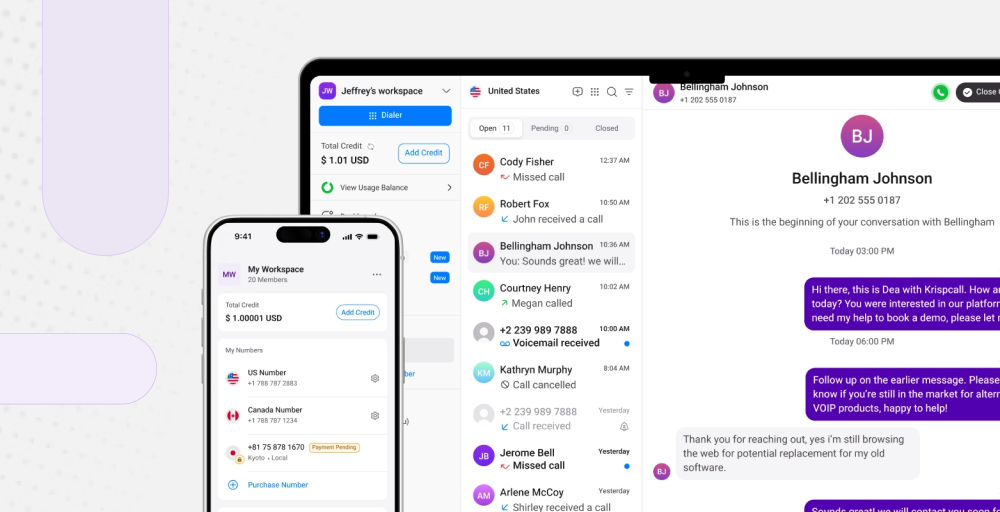
In contrast, Talkdesk starts at $85 per user per month and is designed for large enterprises. Its focus is on advanced analytics, AI-driven automation, workforce management, and industry-specific workflows. While these features are powerful, they come with a higher cost and a steeper learning curve, which may be challenging for smaller teams.
Overall, KrispCall is a cost-effective choice for businesses that want an easy-to-use, feature-rich contact center solution. Talkdesk is better for large companies that need advanced automation and custom features, but it’s not the best fit for most small to mid-sized teams.