Still paying enterprise-level prices for a phone system your team barely uses? In 2026, small businesses are switching to cloud-based VoIP phone systems to cut communication costs by up to 50% without sacrificing reliability, flexibility, or essential features.
A modern small-business phone system does more than just make calls. It supports hybrid teams, scales with growth, and centralizes voice, messaging, and workflows into one platform.
But not all providers deliver what they promise.
To help you choose confidently, we tested leading platforms hands-on and compared them across real-world use cases. Below is a transparent, unbiased comparison of the best small business phone systems in 2026.
✨ Key Takeaways
- KrispCall, Nextiva, RingCentral, Zoom Phone, Dialpad, and Unitel Voice are some standouts for small business VoIP.
- Hardware requirements, transparent pricing, feature set, and responsive support are a few things you should look into when choosing your business phone system.
- Most VoIP systems include features such as unlimited calling, IVR, call recording, call transcription, and monitoring in their pricing plans.
What is a small business phone system?
A small business phone system is a professional communication hub, typically cloud-based and using VoIP, that offers more than just calls, providing features like IVR, call routing, voicemail, SMS/MMS texting, and even video conferencing through apps or desk phones.
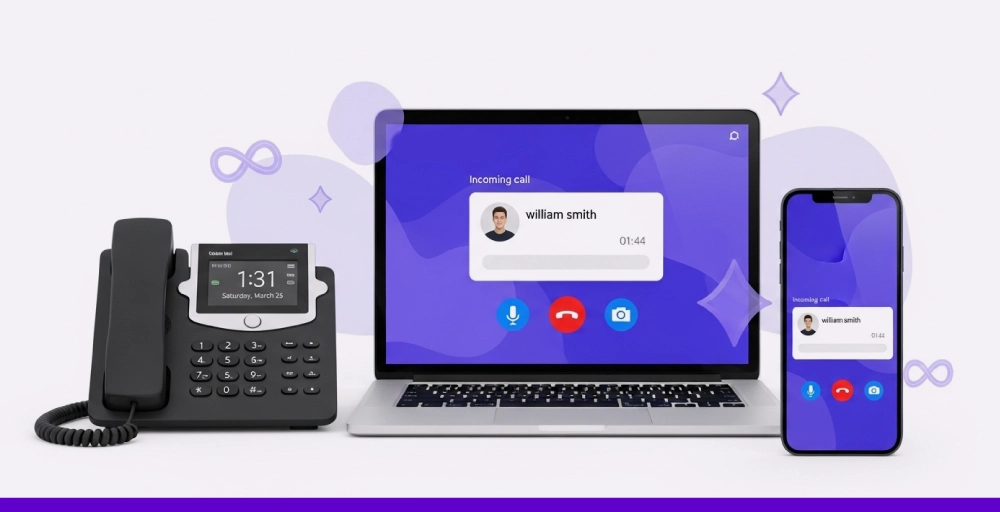
It enables flexibility and cost savings over traditional landlines, which growing companies look for. And most of all, these systems unify various business communication methods into a single platform, supporting remote work and scalable growth without expensive hardware.
14 Best small business phone system providers of 2026 (Overview + Ranking)
- KrispCall – Best for value and business telephony
- TeleCMI – Best for AI-powered calling
- Nextiva – Best for multi-channel customer service
- Zoom Phone – Best for video and team collaboration
- RingCentral – Best for features and scalability
- Ooma Office – Best for quick and affordable setups
- Vonage – Best for customization and APIs
- 8×8 – Best for global communication
- Grasshopper – Best or basic business calling and texting
- Dialpad – Best for AI and agentic
- Unitel Voice – Best for North American small businesses
- GoTo Connect – Best for international calling and remote teams.
- Sobot – Best for customer experience
- Squaretalk – Best for sales automation
What to look for in a small business phone system?
Surely, not all phone services are the same! Some offer features that will never be touched, and some don’t even carry the basics.
Here are the 5 important things (ignore the marketing fluff and focus on these) that we prioritized when choosing the top small businesse phone solutions.
1. It should give you hardware freedom and work with what you have!
Remember that the real best business phones are not complicated to install and are completely BYOD-friendly (IP phones), require only a high-speed internet connection, work on desktops, and offer softphone apps that feel like an extension of your desk phone.
2. It should have transparent pricing that doesn’t explode!
Pricing traps are the silent killers; they start at “$10/month” then go up to $50 after adding texting. The winners here in this list lay it all out: Flat fees or per-user pricing, crystal clear pricing, no long-term contract, and scaling that rewards growth.
3. It should offer ‘all must-have features’ + more!
We have gone through every possible cloud based phone system pros and cons. That’s why the phone system that we tested has non-negotiable features like call forwarding, voicemail options, business messaging, IVR, and auto-attendants. But they also need to have a few more options like call transcription, monitoring call histories, number sharing, and AI summaries that turn good into gold without bloat.
4. It should provide scalability without renegotiation!
Your team might be you today, 20 tomorrow (growth sneaks up), the system should flex like rubber bands and let you scale it as per your needs. With it, adding users or virtual phone numbers should be easy; you should be able to do everything via a dashboard, no “upgrade call” nonsense.
5. It should provide support that answers ASAP!
You might not have an IT department right now, which means support is your IT. 24/7 with great response keeps you running, not waiting. The same logic applies to your underlying infrastructure, a reliable VoIP server ensures your calls stay connected even when things get busy. And when lines go dead mid-client call, “email us” won’t cut it; you need chat/phone answers in minutes, and from expert humans who get SMB pains.
14 Best Small Business Phone Systems
| Provider | Starting Price | Standout Features | Best For |
| KrispCall | $15 per user/month | Unified callbox, number sharing, global calling | Best for value and business telephony |
| TeleCMI | $14.99 user/month | 200+ calling features, global coverage and advanced analytics | AI-powered calling |
| Nextiva | $36 per user/month | CRM tools, call analytics, and team collaboration | Multi-channel customer service |
| Zoom Phone | $10 per user/month (Metered Plan) | Zoom integration, video-first VoIP, cloud PBX | Video and team collaboration |
| RingCentral | $30 per user/month | All-in-one communication (voice, video, chat), app integrations | Features and scalability |
| Ooma Office | $19.95 per user/month | Plug-and-play setup, mobile app, virtual receptionist | Quick and affordable setups |
| Vonage | Contact sales | Unlimited calling/texting, API access, flexible VoIP features | Customization and APIs |
| 8×8 | Contact sales | Global coverage, HD voice/video, advanced analytics | Global communication |
| Grasshopper | Contact sales | Virtual phone numbers, voicemail transcription, simple interface | Basic business calling and texting |
| Dialpad | $15 per user/month | AI transcriptions, voice intelligence, Google Workspace integration | AI and agentic |
| Unitel Voice | $9.99/month | Auto-attendant, toll-free & vanity numbers, call routing, live human support | North American small businesses |
| GoTo Connect | Contact sales | International numbers, team messaging, cloud PBX | International calling and remote teams |
| Sobat | 7-day free trial | Team messaging, integrated workspace, basic calling | Customer experience |
| Squaretalk | $25 user/month | Auto dialer, ACD, IVR | Sales automation |
1. KrispCall: Best for value and business telephony
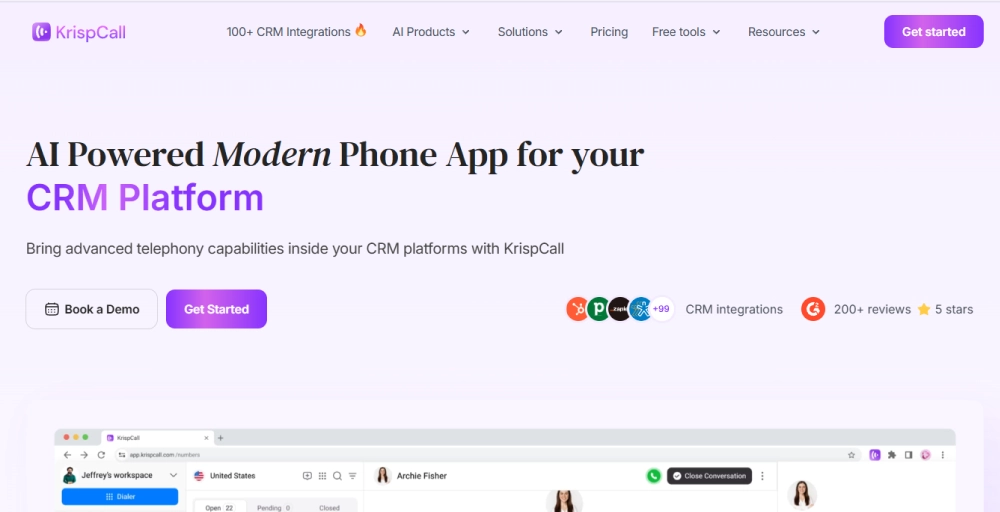
KrispCall is a cloud-based agentic telephony and call‑center solution that is perfect for small to medium businesses and remote teams. You can easily set it up and start using your phone system from your computer via web or mobile apps.
And when you are done with that, you can get virtual local/toll‑free numbers (from 100+ countries), share them with your team, make & receive calls & SMS, and manage voicemails all from the Unified Callbox, use its AI copilot or coaching, integrate with CRMs and sales tools, and manage interactions.
The best thing? Its pricing is straightforward, and its dedicated support is always there to help you. And like most providers on this list, KrispCall can also be used on IP phones.
What We Like
- Offers virtual numbers (local/toll‑free/mobile) from 100+ countries, and one free business phone number from UK/US/Canada upon sign-up.
- Requires no heavy on‑premise setup, and with its shared phone number feature team can prevent missed inquiries
- Offers integrations with 100+ CRM & business tools (e.g., Zapier, HubSpot, Salesforce) that help unify telephony and workflows.
What Could Be Better
- Calls and SMS are charged per minute/per message beyond the subscription; this could add up depending on call/text volume.
- For international numbers (outside included countries), there are regulatory/verification (KYC) requirements.
- Compared to more mature platforms, it lacks advanced features (analytics and video conferencing) if the business scales significantly.
How much does KrispCall cost
KrispCall provides three simple pricing tiers:
- Essential at $12 per user per month (annually) or $15 (monthly), which is perfect for small businesses, startups, and freelancers,
- Standard at $32 (annually) or $40 (monthly), which is suitable for mid-size businesses & call center,
- Enterprise with custom pricing for large teams.
2. TeleCMI: Best for AI-powered calling
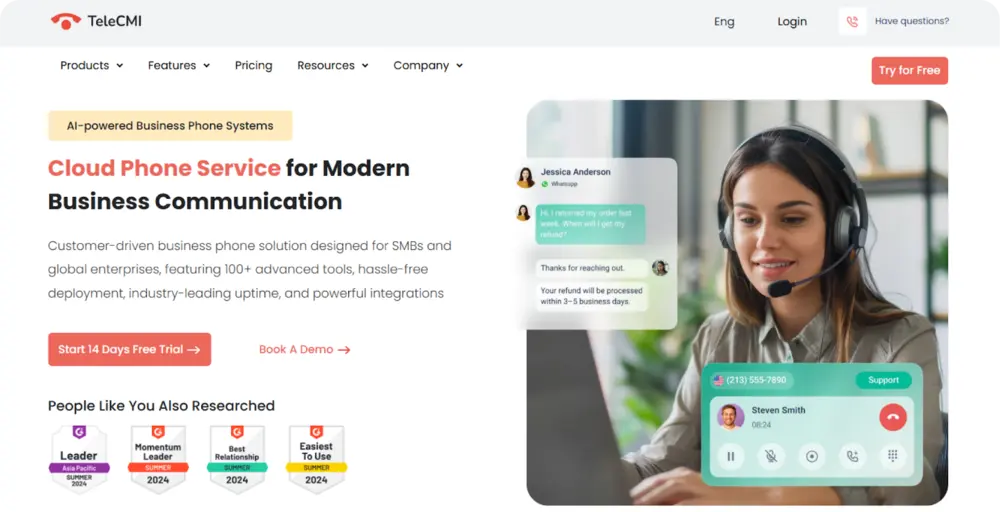
TeleCMI is a hosted business phone system and contact center platform that also positions itself for SMBs, startups, and mid-sized businesses.
It sits somewhere between a basic VoIP phone system and a middleweight contact center solution, with a strong emphasis on call management, monitoring, and agent productivity.
When using it, we found that TeleCMI feels functional rather than polished. It’s not trying to be an all-in-one UCaaS giant; instead, it focuses on providing decent voice workflows, AI, and automation.
What We Like
- Simplifies managing customer interactions efficiently across teams and channels with over 200+ calling techniques.
- Helps track every customer interaction, giving teams actionable data to improve responses immediately.
- Offers more than 170+ CRM integrations and APIs that simplify business operations.
What Could be Better
- Only mentions accurate pricing offerings for a select few of its plans
- Many of the essential VoIP features are only available in the higher tiers
- The mobile experience is functional, though it does not yet reach the standards of best-in-class quality.
How much does TeleCMI cost
As for the Business Phone solution, TeleCMI offers subscription-based pricing plans, including
- Premium: $14.99/user/month,
- Enterprise: $24.99/user/month,
- Custom plan at annual billing, alongside a free trial.
For its Cloud PBX and Contact Center solutions, you need to contact them directly to get a quote.
3. Nextiva: Best for multi-channel customer service
If your business wants an integrated solution with decent setup and management, but simpler than an enterprise-grade PBX, Nextiva can be a pragmatic choice.
Nextiva is a cloud VoIP provider that combines business phone, team chat, VoIP calling, video meetings, and contact management.
It’s useful when your business isn’t just making phone calls, but also tracking interactions, customer history, and follow‑ups, and is all about building customer experiences.

What we like
- It’s well well-rounded unified communications solution that has VoIP calling, business SMS, VoIP faxing, video conferencing, and team messaging.
- Also has advanced options like call analytics, caller ID, voicemail transcription, and other call‑center readiness needs.
- It’s easy to set up with desktop/mobile apps and extension management that can be configured relatively quickly.
What Could Be Better
- Dashboard overload confuses newbies during initial routing setup, and it’s a hurdle for non-tech users.
- For businesses needing highly advanced options like more integrations, Nextiva has limitations.
- It’s just not suitable for businesses that want an international presence (only offers US/Canada numbers for international calls)
How much does Nextiva cost
Nextiva provides tiered pricing plans tailored for small businesses and enterprises.
Small business plans include
- Core at $23/user/month ($15 annually), Engage at $50/month ($25 annually),
- Power Suite at $75/month.
Enterprise plans start at
- Essential ($75/agent/month),
- Professional and Premium options requires a custom quote.
Hardware and devices
Nextiva offers a wide range of desk phones, including Yealink T series, Poly Edge and CCX series, Poly VVX models, and Cisco IP phones.
Their own Nextiva-branded phones include the X-815 ($130, 4 lines, Wi-Fi, color display), X-835 ($120, 12 lines, programmable keys), and X-885 ($190, 12 lines, extra keys).
4. Zoom Phone: Best for video and team collaboration
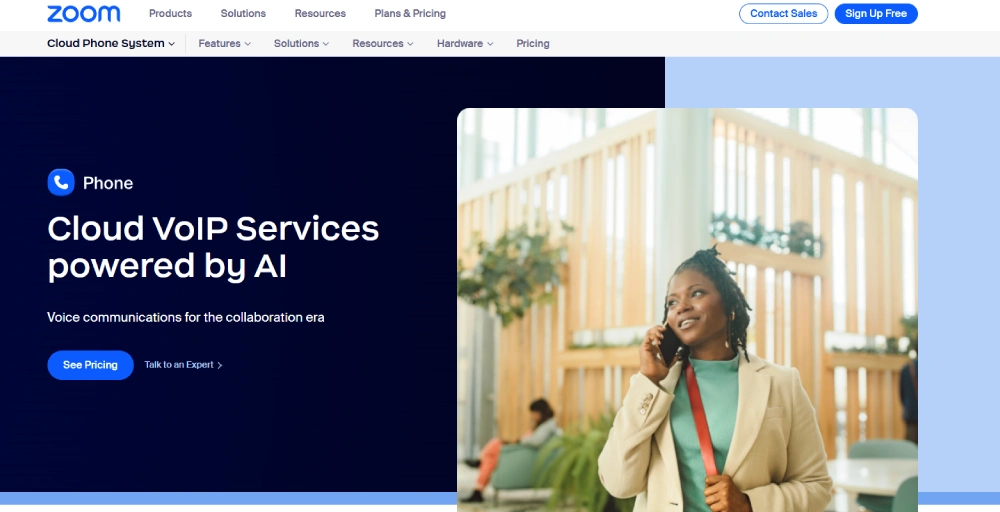
Zoom Phone extends Zoom’s video‑conferencing and collaboration platform into a cloud‑based phone system. It adds VoIP phone, team chat, and other collaboration features to the interface your team already knows.
We found it fastest to deploy for remote-first companies that jump from voice to video multiple times a day. It offers extremely low entry pricing, making it ideal for small/remote-first teams whose core workflow is video collaboration.
What We Like
- Its seamless integration with Zoom Meetings makes it easy to shift between voice call and video meetings.
- Features like HD voice quality, user‑friendly interface, and ease of setup make it suitable for small teams.
- Its softphone, mobile, and desktop app support make it great for remote workers or mobile-first teams.
What Could Be Better
- Compared to other dedicated VoIP/UCaaS providers, Zoom Phone only offers fewer advanced call‑center or PBX features (e.g., fewer routing/analytics options).
- For businesses needing heavy call management, CRM integration, or analytics, Zoom Phone is less robust.
- No flexibility and extra features (if needed), everyone using it gets the same suite of features.
How much does Zoom Phone cost
Zoom Phone provides a primary plan that varies with metered options and the domestic calling area. It also offers bundles such as Pro Plus and Business Plan that combine Phone with Workplace features for about $18.33 and $22.49 per user per month annually, respectively.
Hardware and devices
Zoom offers a Hardware as a Service program for its Workplace and Phone users, enabling them to rent desk phones at affordable monthly rates with little to no upfront expense.
Available models include Poly VVX, AudioCodes, and the premium Poly CCX series.
5. RingCentral: Best for features and scalability
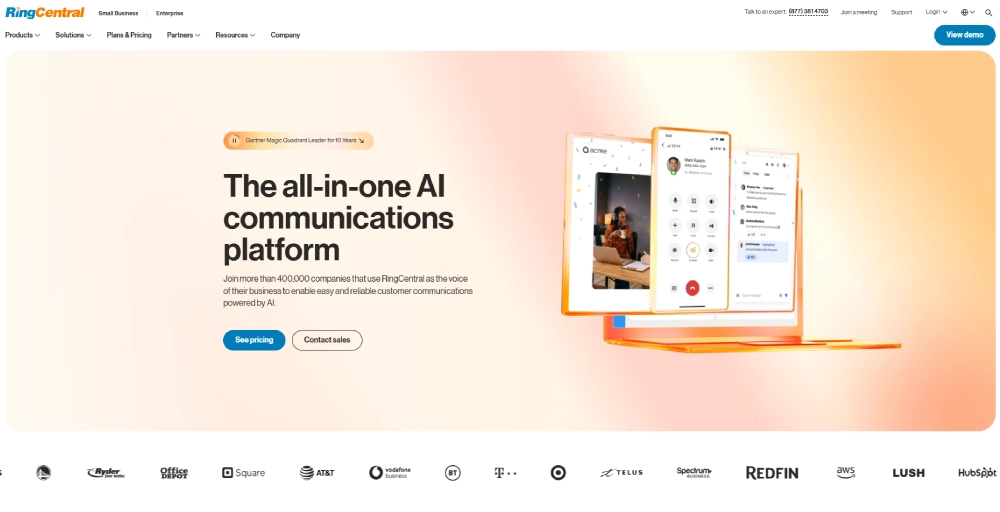
RingCentral is one of the most well-known business phone service providers. It delivers a true all-in-one UCaaS platform (phone, video conferencing, team messaging, SMS, and integrations).
In real-world use with hybrid agencies and tech startups, it eliminates app-switching fatigue and keeps remote employees in sync.
Its app and team collaboration features are rock-solid, and the single-pane experience saves noticeable time day to day. Best when your business is growing quickly or needs everything under one roof.
What We Like
- Offers a full-featured call center PBX solution that has auto-attendant, multiple extensions, call routing, voicemail, call logs, etc.
- Its Unified communication platform includes business SMS/MMS, team messaging, HD video conferencing, screen sharing, and file sharing.
- You can use it across devices (desktop, mobile), multiple extensions, shared lines; useful if the team works remotely or in a hybrid environment.
What Could Be Better
- It doesn’t have the best customer service, which is not a good sign for very small teams or sole proprietors.
- International calling outside included zones incurs extra fees; RingCentral is not the best for free global calls in all cases.
- Advanced plans (with full features) tend to be more expensive compared to simpler VoIP services.
How much does RingCentral cost
RingCentral pricing and plans are divided into three tiers, offering options for businesses of all sizes.
- Core at $20 per user per month (annual) or $30 (monthly),
- Advanced at $25 (annual) or $35 (monthly),
- Ultra at $35 (annual) or $45 (monthly), along with a custom Customer Engagement Bundle for advanced needs.
Hardware and devices
RingCentral offers a range of hardware and devices, including desk phones, cordless headsets, and conference room equipment.
6. Ooma Office: Best for quick and affordable setups
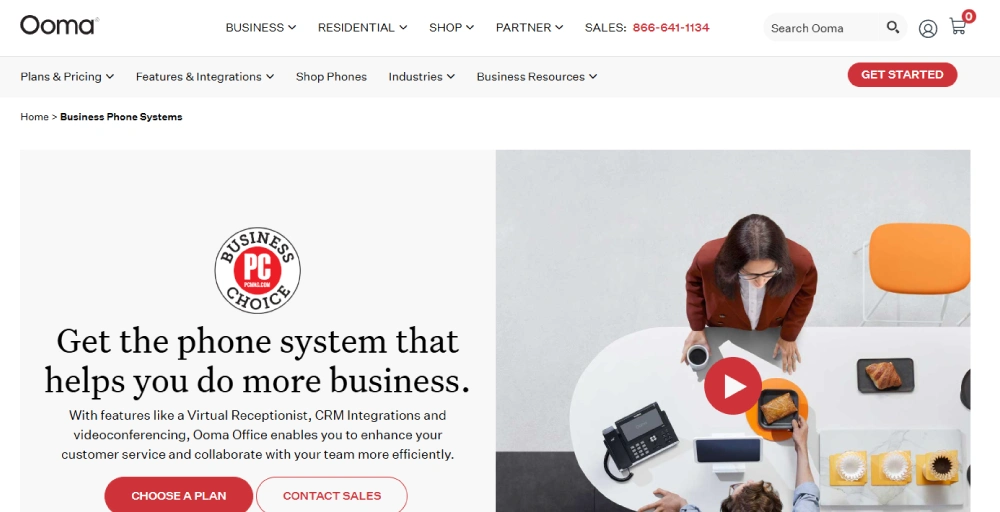
Ooma Office is a cloud‑based VoIP phone system aimed at small businesses that want affordable, simple, and reliable telephony.
Its core functionalities include business number, call forwarding, voicemail, meetings, desk phones, unlimited domestic calling in the US/Canada, and a solid mobile app.
It remains one of the fastest and most affordable options for small businesses to get a professional entry‑point VoIP phone system with minimal fuss and heavy infrastructure requirements.
What We Like
- Includes all basic and essential features: call forwarding, virtual receptionist, voicemail, local and toll-free numbers.
- It’s easy to set up and manage, which is suitable for small enterprises without a dedicated IT staff.
- It surely is budget-friendly, and its no-contract plans are a no-brainer.
What Could Be Better
- Less feature-rich compared to full UCaaS platforms (limited collaboration tools and video conferencing).
- Does not scale well for larger teams or complex workflows requiring advanced call center features, integrations, or global coverage.
- Limited SMS monthly allocations and additional rates
How much does Ooma cost
Ooma provides three main pricing tiers as Business Phone Plans billed monthly per user:
- Essentials at $19.95,
- Pro at $24.95, and
- Pro Plus at $29.95,
with no annual discounts explicitly listed and no contracts required.
Hardware and devices
Ooma offers its own lineup of IP phones and support options. Notable models include the Ooma 2603 and 2613, as well as the high-end Yealink CP925 for conference use.
7. Vonage
Vonage works well if your small business already wants to build custom workflows, la carte features, custom integrations with CRM or other tools, or scale communication more flexibly with programmable APIs.
At its core, Vonage, like most providers on this list, is also a cloud communications provider offering VoIP, unified communications, contact‑center functionalities, and global voice/SMS.
It’s less about one‑click simplicity and more about giving you options to shape the system as you grow.
What We Like
- Texting and calling are like unlimited bundles and flow endlessly without overage surprises
- Strong customization and API capabilities, which are useful for businesses wanting to build custom workflows or integrate with CRM/contact‑center infrastructure.
- Flexibility to support diverse business needs, from simple calling to complex communication systems, depending on the plan.
What Could Be Better
- Lower-tier plans lack some advanced features; need to upgrade for full UCaaS / contact-center capability.
- Some advanced features are only available on premium plans, and basic plans are limited compared to what small teams need.
- The cost for full-featured plans is higher compared to other VoIP providers.
How much does Vonage cost
Vonage provides three primary pricing tiers in its VBC bundle: Mobile, Premium, and Advanced, with costs varying by user count and billing cycle (monthly or annual).
For 1-4 users,
- Mobile starts at $19.99 monthly or $13.99 annually per user,
- Premium at $29.99 monthly or $20.99 annually,
- Advanced at $39.99 monthly or $27.99 annually; rates drop further for more users.
Hardware and devices
Vonage Business offers a variety of desk phone options, such as the Yealink SIP T48U and T57W, Polycom VVX 250, and the advanced Poly CCX 600.
Learn about the difference between UCaaS and CcaaS
8. 8×8: Best for global communication
8×8 is positioned to support businesses that expect to operate across geographies, manage many users, or require robust call‑center features.
It offers more than basic calling: it is a cloud-based communications and contact‑center provider, offering VoIP, video conferencing, high-volume messaging, advanced queue management, global calling/reach, WEM, and communication APIs.
This means, if your business is “global-ready,” then 8×8 should be your pick – we know that because we’ve used it.
What We Like
- Its unified communications solution is packed with features like VoIP calling, video conferencing, team messaging, global reach, and more.
- Also offers all contact-center features like omnichannel routing, call queues, IVR, analytics, and reporting.
- It lets teams share information and work together from anywhere. Staying connected to everyone who is in different locations.
What Could Be Better
- Its plans and pricing are opaque and somewhat more costly for small businesses or startups, according to third-party analyses.
- For non‑technical small businesses, the flexibility and customization might come with complexity and require more setup or technical know-how.
- It has international calling limitations, and for very simple use cases (more unique features).
How much does 8×8 cost
8×8 provides custom pricing plans without public fixed rates, typically structured around unified communications, communication APIs, and advanced contact center options. If you want a tailored quote, you must contact their sales team.
Hardware and devices
8×8 offers a range of VoIP desk phones with the flexibility to either buy or rent.
Available options include the Poly Edge E400, Yealink SIP T46U, and Polycom VVX 350, each offering features like multi-line support and color displays.
For larger orders, 8×8 provided a deal that included free Poly Edge E220 phones with the purchase of 35 VoIP lines.
9. Grasshopper: Best for basic business calling and texting
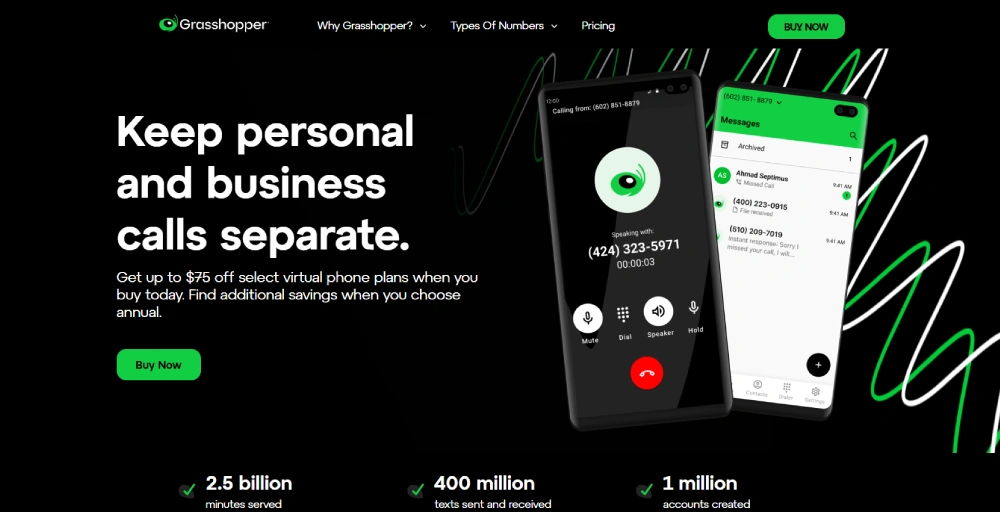
Grasshopper is the lightest-weight option in this list. It’s a minimal‑hassle, reliable VoIP service for solopreneurs, freelancers, or very small teams that just happen to have what they want.
Setting it up is as easy as it gets; there’s no learning curve, no complex dashboard, and once you are done with that, start using it and look professional without managing a full virtual phone system.
What We Like
- Its trial is risk-free and includes all features from day one, easing the “try before buy” for cautious solos.
- Provides local, toll-free, or vanity business phone numbers, giving a professional appearance without needing physical phones.
- Offers all the basic functionalities: call forwarding, voicemail, custom greetings/auto-attendant, call transfer/forwarding, and extensions.
What Could Be Better
- Lacks advanced call center features, no advanced analytics, no IVR/complex routing, no built-in video conferencing or team messaging.
- Not suitable for growing small businesses requiring scalability, extensive call management, or multi‑channel communications.
- For international calling or global business needs, features and coverage are limited compared to other providers.
How much does Grasshopper cost
Grasshopper offers three main pricing tiers.
- True Solo starts around $14 (billed annually) or $18 month-to-month for 1 user, 1 number, and 1 extension,
- Solo Plus is about $25 (annual) or $32 monthly,
- Small Business, at $55 (annual) or $70 monthly.
It also offers a 7-day free trial.
10. Dialpad: Best for AI and agentic
Dialpad is a cloud-native UCaaS and customer experience platform that emphasizes modern, AI-driven features that are actually great.
It has everything: voice, video, incoming call blocking, IVR, and other future‑oriented, flexible communications toolsets.
But as of now, it’s particularly relevant for tech‑savvy teams, sales or support operations, remote/hybrid teams, and businesses that want a modern comms stack.

What We Like
- Offers loads of AI-enabled features like real-time call transcription, post‑call summaries, sentiment analysis, and AI assistance.
- Its softphones (desktop and mobile) are great and sleek—easy to learn and use immediately, and good for remote or distributed teams.
- Combines customer service, outbound sales, business communication, and agentic into one.
What Could Be Better
- Advanced features (AI, analytics, unified communications) come at a higher cost, potentially less cost‑efficient for very small teams with basic needs.
- For businesses that don’t need AI or advanced analytics, Dialpad is surely an “overkill.”
- Its entry-level plan only supports a few integrations. If you want more, make sure to opt for the Pro plan.
How much does Dialpad cost
Dialpad offers three main pricing plans:
- Standard at $15 per user per month (billed annually) or $27 (monthly),
- Pro at $25 (annually) or $35 (monthly),
- Enterprise with custom pricing available upon request.
It also has a 14-day free trial available without commitment.
Hardware and devices
Dialpad offers a limited selection of VoIP desk phones, specifically from Polycom and Yealink.
Available models include the Polycom VVX 350 (6 lines), Yealink SIP T33G (4 lines), and the more advanced Yealink SIP T54W (16 lines with built-in Bluetooth).
Related 👉: What is SIP Protocol & How Does It Work?
11. Unitel Voice: Best for North American small businesses
Unitel Voice is a VoIP phone system built for small businesses in the United States and Canada that need a straightforward way to handle business calls without complex setup or enterprise pricing. Instead of positioning itself as an all-in-one communications platform, it focuses on core phone functionality that small teams actually use.
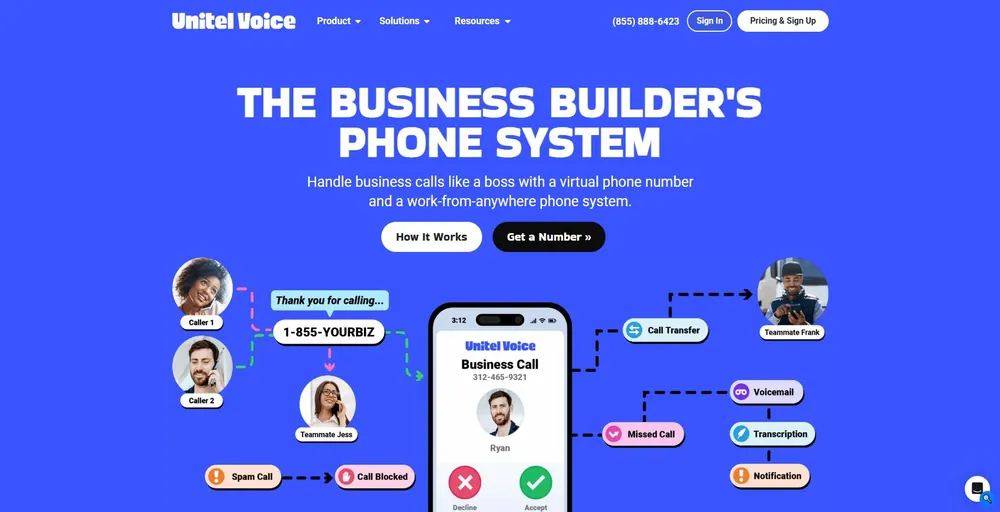
Businesses can choose local numbers, toll-free numbers, or vanity numbers, and existing phone numbers can be ported into the system with no downtime. Because Unitel Voice is fully cloud-based, there’s no PBX hardware to install or maintain. Calls can be managed through desktop and mobile apps, with optional desk phone support for teams that prefer physical devices.
The platform is especially well-suited for startups, local businesses, and service-based teams that want reliable calling, simple administration, and predictable pricing without the overhead of larger UCaaS platforms.
What We Like
- Practical business calling features such as auto-attendant, department extensions, business voicemail, call recording, and on-hold music.
- Built-in tools like conference calling, team messaging, and presence indicators to help small teams coordinate availability.
- Live one-on-one support via phone or chat with U.S.-based support teams, which is valuable for businesses without in-house IT resources.
What Could Be Better
- Does not offer a full unified communications suite with advanced video, AI features, or workflow automation.
- Phone numbers are limited to the United States and Canada, making it less suitable for businesses with international operations.
- Lacks third-party integrations with CRM or help desk platforms.
How much does Unitel Voice cost
Unitel Voice offers four pricing plans based on team size and feature requirements, all billed monthly:
- Start-Up: $9.99/month, includes 1 phone number, 500 monthly minutes, and up to 3 users
- Unlimited: $24.99/month, includes 1 phone number, unlimited minutes, and unlimited users
- Office: $29.99/month, includes unlimited minutes, 3 users, desktop softphone access, desk phone support, team messaging, and presence indicators (additional users are $9.99/user/month)
- Office Max: $69.99/month, includes all Office features plus up to 10 users (additional users are $9.99/user/month)
This pricing model makes Unitel Voice a strong fit for small North American businesses that want simple, dependable business calling without long contracts or enterprise-level costs.
12. GoTo Connect: Best for international calling and remote teams
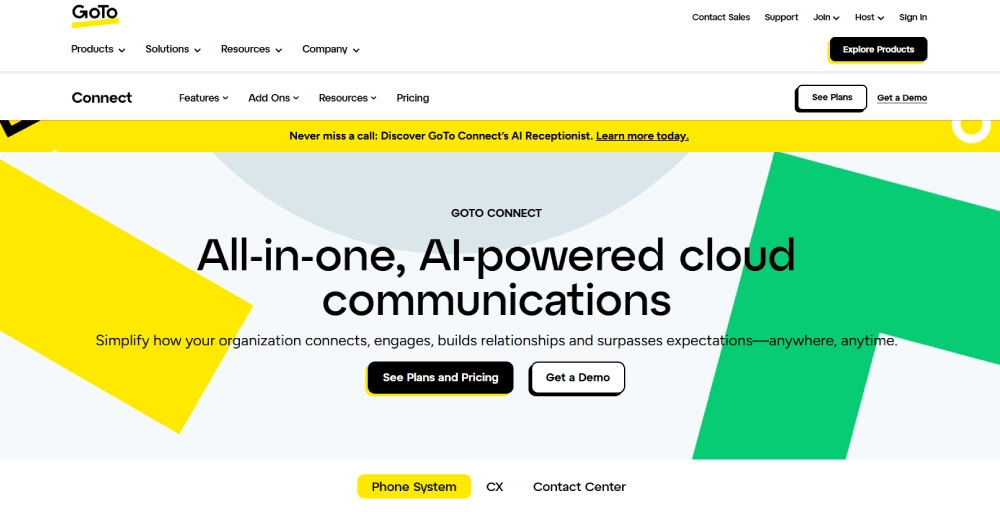
GoTo Connect is a UCaaS/cloud phone system offering VoIP, video conferencing, call routing, voicemail, and collaboration tools. It hits the sweet spot for small businesses that want one clean dashboard instead of juggling multiple tools.
Call quality is consistent, and the routing saves time. Its business phone, chat, AI optimization, and video features, along with quick toll-free number setup, make it an easy recommendation.
The best thing about it is that it phone system plan includes free call to 50 countries and customizable dial plans.
What We Like
- Intuitive and customizable admin/dashboard interface for managing users, IVR, call flows, and routing.
- Some plans bundle unlimited VoIP calling to over 50 countries and collaboration features.
- It is good for businesses that want multisite management.
What Could Be Better
- Its pricing is not transparent; you have to contact them to get a quote.
- As with many solutions, some advanced features are only available in higher-tier plans.
- Add-ons or upgrades (for advanced features) increase cost, potentially reducing the “simplicity + affordability” benefit.
How much does GoTo Connect cost?
GoTo Connect pricing information varies by plan and is often provided via sales quotes rather than published online, with options commonly including a baseline Phone System tier, a Connect CX tier, and a Contact Center option.
Hardware and devices
GoTo Connect offers a range of IP phone systems, featuring popular models such as the Cisco 8861, Polycom VVX 601, and Yealink T57W.
13. Sobot: Best for customer experience
Sobot is an omnichannel AI contact center platform with VoIP/voice support, primarily known for its AI agent, chatbot, and voice AI tools included in its customer experience solution.
Using this is simple and convenient; we were able to manage everything (calls, chats, and tickets) all from one screen, no need to switch between apps.
The best thing about it is that it offers a flexible and customizable solution with key features, making it suited for small to mid-sized businesses needing integrated support channels.

What We Like
- It’s great if you already want a solution to unify channels and automate routine queries (faster resolution).
- Offers intelligent IVR, unified workspace, and real-time monitoring and analysis, making your voice customer service efficient and trustworthy.
- Supports easy integration with other systems, call tracking, and bulk outbound task support.
What Could Be Better
- Its pricing is customized for each business and its needs, making the purchasing process more complicated.
- Does not provide services exclusively to some businesses in industries with high risks.
- Overkill for basic phone-only needs and a steeper learning curve for administrators.
How much does Sobot cost
No concrete public pricing details are available on Sobot’s official website. However, it promotes a free trial and Demo that directs users to contact sales for custom quotes. For accurate info, you’ll have to contact them directly to get a quote.
14. Squaretalk: Best for sales automation
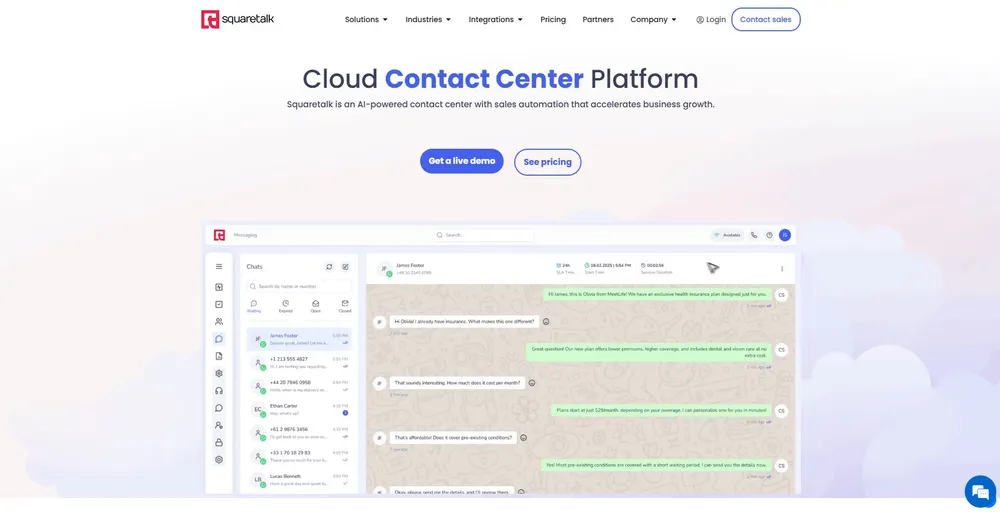
Squaretalk is a cloud contact center platform built primarily for sales, contact centers, and performance-driven outbound teams.
Unlike SMB phone systems that try to do everything, Squaretalk is unapologetically focused on call efficiency, WhatsApp messaging, and performance optimization.
In practice, with it, you can work from a unified dashboard – call management, access logs, notes/transcripts, and analytics easily. To be fair, it’s closer to a sales enablement telephony platform than a traditional business phone system.
What We Like.
- Human-like automated calls that qualify/revive leads, schedule appointments, handle inbound speed-to-lead, and provide 24/7 multilingual service.
- Offers auto-transcription (100+ languages), call/message summaries, and sentiment analysis to improve QA and coaching.
- Its AI features save a lot of time, making it excellent for boosting answer rates and sales efficiency.
What Could Be Better
- It’s more oriented toward contact centers than simple office phones that most SMBs want.
- WhatsApp messaging is available only on the higher plan and is included from the Connect tier, not the Core tier.
- It’s overkill for small teams or inbound-only businesses, and there is a learning curve for its AI tools.
How much does Squaretalk cost
Squaretalk provides tiered pricing plans, including Core starting at $15 per user per month, Connect at $25 per user per month on an annual contract, and a higher-tier plan called Scale with custom scaling for advanced features. It also lists specific pricing tiers for Predictive Dialer, AI Voice Agents, and other add-ons that often require a demo request for exact quotes.
Make the right call: Choose a phone system that fits your small business
With so many options out there, picking the right VoIP isn’t one-size-fits-all: it’s about matching your team’s true needs. And almost every reputable cloud provider now delivers great uptime, mobile apps that actually work, and pricing around $15/user.
After testing these platforms, we realized that the perfect phone system isn’t the one with the most features or the flashiest AI. It’s the one that disappears.
When choosing a phone system, run free trials or demos as questions and make sure that the system quietly makes all of what you need just work, without you ever thinking about the phone again in the future, is your winner. Choose once. Choose well!
As a closing note, we highly recommend KrispCall as it is a trusted VoIP provider for small enterprises like yours. It has all you want now and would need in the future!