Switching phone providers shouldn’t mean losing the number everyone knows you by. Whether you’re moving your mobile, landline, or VoIP number, number portability makes it possible to keep it, no matter who your new carrier is.
Porting your number is a smart move when you’re changing carriers or upgrading to a new VoIP solution. It saves you from missed calls, customer confusion, and the hassle of updating everyone about a new number.
In this guide, you’ll learn exactly how the number porting process works and what you need to do to make the switch smooth, simple, and stress-free.
✨ Key Takeaways
- Phone number porting is the process of transferring your existing phone number from one service provider (mobile, landline, or VoIP) to another, so you can keep the same number even when switching carriers.
- To port a number, you must verify it’s eligible, obtain required account info (like the account number, billing info, port-out PIN or authorization documents), and supply that to the new provider.
- The porting process typically takes 1–2 weeks, but times may vary depending on the providers involved and whether you’re porting multiple or special numbers.
What is phone number porting?
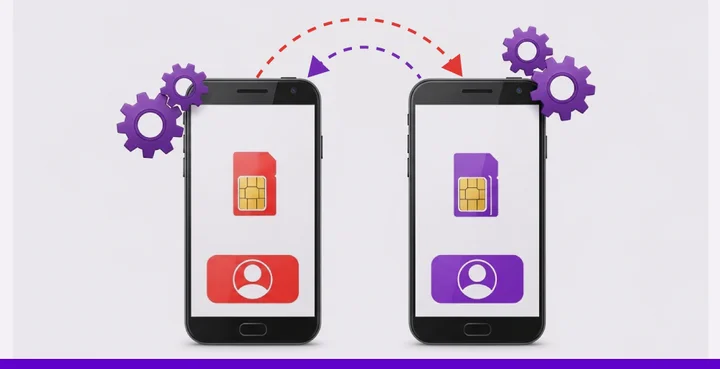
Number porting is the process of transferring your phone number from your existing provider to a new telephone carrier or VoIP service provider. In this process, you can keep your number safe while seamlessly switching service providers without worrying about data loss.
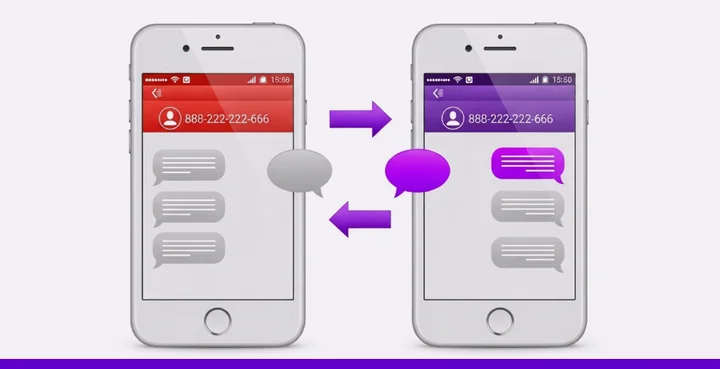
Phone number porting is typically a safe and convenient option that allows you to transfer your number to a trusted provider and enjoy advanced features that initially attracted you. You can port any type of number, including your mobile, landline, VoIP, or toll-free numbers.
Porting your number does not have to be a burden. Many people think it is a long and hectic process, but it is basically a smooth transition of your phone number from your old provider to a new one.
Benefits of porting your phone number
Porting benefits to both the businesses and the customers. Let us discuss some of them in detail to find out how they make business and individual telephony easier:
For Individuals
1. No need to update everyone: When you keep your number, you don’t have to send out texts or emails telling your contacts you’ve changed it. Everything remains the same except for your phone number provider.
2. Keep your personal identity: Your phone number is tied to your digital life, including banking apps and social accounts. Porting helps you avoid the mess of re-verifying everything from scratch.
3. Smooth transition: Moving to a new provider can feel like a hassle. But number porting keeps your number consistent to make the switch feel effortless and less overwhelming.
4. Access to better features: Porting lets you upgrade to a provider that offers better call quality, customer service, or pricing without sacrificing your current number.
5. Save money in the long run: You no longer need to stick with an expensive or outdated plan just because of your number. Port phone number and enjoy better value without compromise.
For businesses
1. Zero disruption to operations: Your phone number may be listed on your website, business cards, ads, and client contact information. Porting makes sure your communication remains consistent during the switch.
2. Cut down on marketing expenses: Changing your number means updating your online listings, signage, and marketing materials. Porting avoids those extra costs and keeps your campaigns running smoothly.
3. Better customer experience: When your customers can reach you the same way as before, there’s no learning curve or frustration. It builds trust and demonstrates that you care about providing consistent service.
4. Grow beyond borders: Consider switching to a provider that offers broader regional or international support. Porting helps you expand while still keeping the number your customers know.
5. Get access to new tools and technology: Porting your number gives you access to advanced systems such as cloud telephony, call analytics, and CRM integrations without compromising the trust and reputation built into your current number.
How to port your number?
Porting your phone number means moving it from one service provider to another while keeping the same number. Here’s a step-by-step guide on how to port your number:
1. Check if your current number can be ported
First of all, check whether your number is eligible for porting or not. For that, you can use the Number Porting Eligibility Checker tool.
If your number is eligible, enter your valid email address and submit your request. Our porting team will contact you as soon as possible.
2. Notify your current service provider
To successfully port your number from a previous provider to the new one, you need the following details from your current service provider.
- Port-out PIN
- Account number
- Billing address(must match your previous provider)
- Account status (make sure the account is active)
- Recent billing statement (required for verification)
- Letter of Authorization (LOA) / Country-Specific Documentation(s)
| 🔴Note: Do not close your account (or cancel your old plan) with your previous provider until your number has been successfully ported. |
3. Share the details with your new provider
Once you’ve decided to switch, your new provider will need some basic information to move your number over smoothly. This is a standard process to confirm ownership and prevent unauthorized transfers.
Here’s what you should prepare:
- A copy of your most recent phone bill or invoice
- Your current account number
- A transfer or port-out PIN (usually required for U.S.-based numbers). If you’re unsure whether you have one, check with your current provider.
- A signed Letter of Authorization (This document gives your new provider permission to handle the transfer on your behalf.)
Additionally, you also need to provide clear details about:
- How many numbers do you want to move?
- Type of number (mobile, landline, VoIP).
- If the number is local (U.S./Canada) or toll-free (like 1-800).
- Name of your current provider.
- Whether the number is registered under your personal name or a business name.
4. Submit the porting request
Finally, you need to submit your porting request
- Please email your porting request with all the necessary details.
- Make sure all information is accurate.
The process typically takes 1-2 weeks, depending on your previous provider’s response time.
5. Confirm & cancel your old service
The porting process can be time-consuming as it requires negotiation between two providers until they agree on all the terms and conditions. It also depends on your previous carrier’s response time and the type of number you want to port.
Once your number is approved, you will be notified via email about the porting date. Finally, the New provider account will start showing your phone number. However, the number will be operational only after the porting day passes.
Thus, remove the request and cancel your old service only after the porting date has passed.
How to port your phone number to KrispCall?
Porting is not an instantaneous process, but with the right strategy and a trusted provider by your side, it can feel like an easy task. KrispCall has been a successful provider of telephony solutions, including phone number porting.
KrispCall is an AI-powered cloud telephony solution that provides modern solutions to meet the emerging needs of businesses and customers. Its outstanding features, such as global calling, call routing, unified call box, call forwarding, call barging, number porting, and more, make it stand out from the crowd in the competitive marketplace.
At KrispCall, we handle the process for you behind the scenes, so all you need to do is follow a few simple steps for the phone number porting, and we will take care of the rest.
- Check the number portability
- Sign up and submit your porting request with all necessary details to porting@krispcall.com with the subject “Number Port Request.”
- KrispCall validates your request and documents & contacts your current carrier to confirm ownership and initiates the porting request.
- KrispCall will handle the rest and notify you once the porting is completed.
If you face any issues while porting your number to KrispCall, reach out to our support team.
Email: porting@krispcall.com | support@krispcall.com