For effective customer satisfaction, businesses should have a well-defined strategy to ensure that every call is answered and customers feel heard. That’s where PBX comes in.
PBX (Private Branch Exchange) handles incoming and outgoing calls effectively while connecting to the right agents and departments. This not only streamlines operations but also enhances productivity and overall customer experience.
In this blog, we will explore the meaning of a call center PBX and its features, benefits, and best tips to choose the right PBX for your business growth.
✨ Key Takeaways
- A call center PBX is a telephone system that manages incoming and outgoing calls within a call center.
- PBX offers advanced features such as call routing, call queuing, CRM integration, and call recording.
- When choosing a PBX, it’s important to consider factors like team size, budget estimations, and available integration tools.
What is a call center PBX?
A call center PBX (Private Branch Exchange) is a private telephone network that manages inbound and outbound calls. It acts as a central hub, managing call routing, distribution, and other call management tasks to improve communication efficiency.

Most PBX systems are now cloud-based and managed by service providers, providing scalability, flexibility, and cost-efficiency. It offers advanced call management features such as call forwarding, routing, Direct Inward Dialing, and call transfer.
How does a call center PBX system work in a call center?
A call center PBX system works by skill-based routing, queuing, agent management, and IVR integration. It works as a traffic controller, handling multiple phone calls at once.
Here’s the detailed breakdown of how it works:
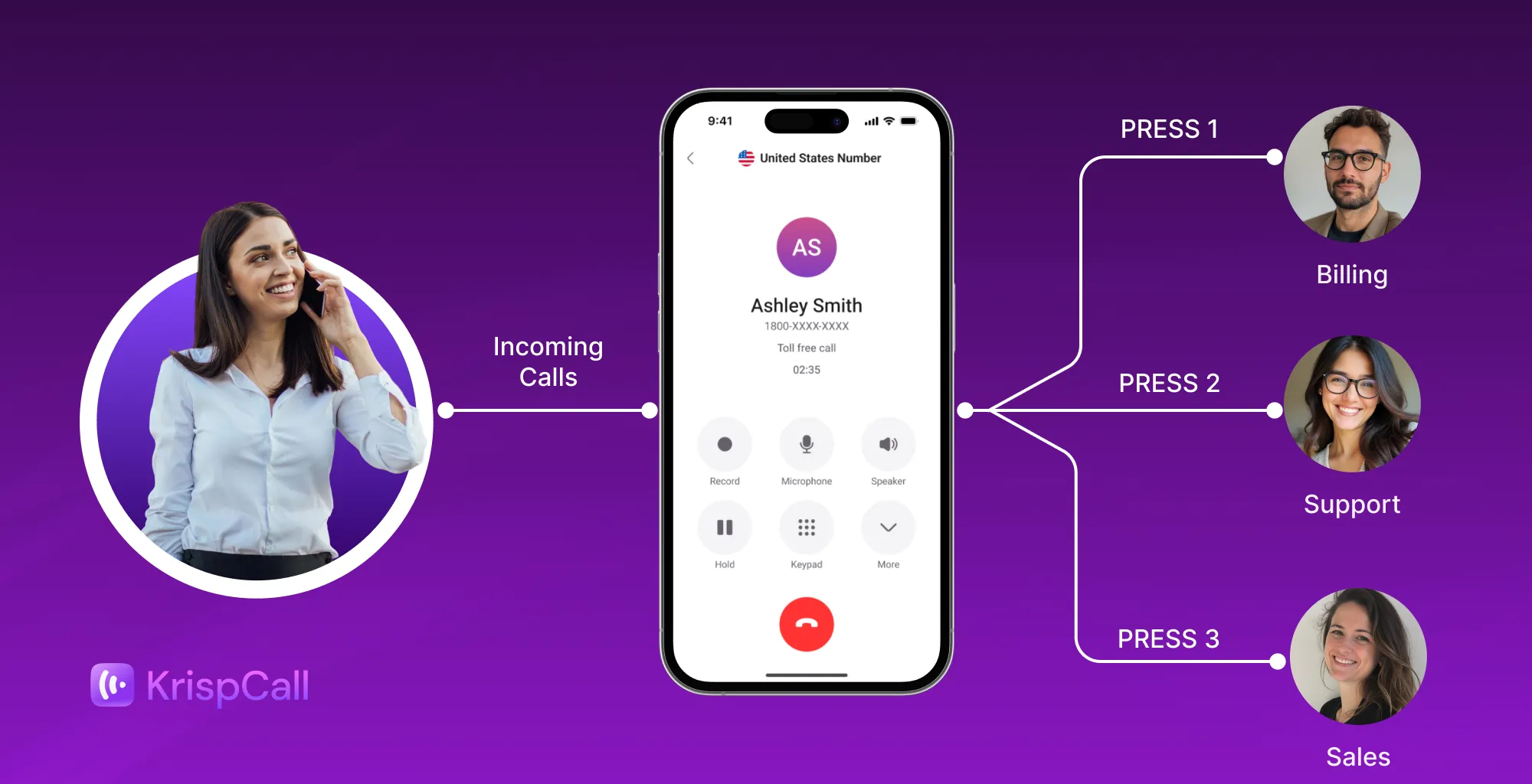
1. Receiving calls from customers: Customer dials the call center’s number. Instead of ringing the agents’ phones, it goes directly to the PBX system at first.
2. Greeting and IVR menu: Customers are greeted via an IVR menu with scripted instructions, such as “Press 1 for Sales” or “Press 2 for Support.”
3. Call routing: The PBX directs callers to the most suitable agents based on skills, availability, or priority.
4. Call queue: Customer calls are kept in the queue if agents are not available. Until then, callers hear hold music or an announcement.
5. Connecting to the agent: PBX connects incoming calls to agents when agents are free. If PBX is integrated with CRM, it shows customers’ profiles before joining calls.
PBX systems also manage outbound campaigns. Agents or automated dialers can make calls directly from the system. Outbound features include: predictive, progressive, or preview dialing, scheduled calls, and Customer Relationship Management (CRM) integration.
Types of PBX systems for call centers
Here are the types of PBX systems for call centers to meet specific business needs and operational requirements.
1. Traditional PBX
Traditional PBX, also known as analog PBX, is a phone system commonly used by many businesses to manage their internal and external communications. It relies on on-site hardware, such as switches and servers, and physical phone lines to handle both inbound and outbound calls.
As a traditional PBX system operates independently of the internet, it is considered reliable and secure, often serving as a dependable communication solution.
But the system requires regular maintenance to ensure all hardware components function correctly.
2. IP PBX
An IP PBX is an advanced phone system that utilizes Voice over Internet Protocol (VoIP) to manage and route calls. Still, all the equipment is typically located on-site within the organization’s premises. This modern communication solution serves as an alternative to conventional PBX systems.
This PBX system provides remote accessibility and scalability to accommodate growing business needs. Unlike traditional PBX, IP PBX reduces costs as it leverages the internet to manage calls.
3. Hosted PBX
Hosted PBX is a telephone system managed by a service provider. Instead of hosting the equipment on your premises, the provider maintains all necessary hardware in their secure data center. This setup requires a reliable internet connection to access and manage the system remotely.
By outsourcing these responsibilities, businesses can significantly reduce upfront capital expenditures as there’s no need to purchase and maintain expensive hardware. Additionally, it reduces the burden on your internal IT staff, freeing them to focus on other priorities.
4. Cloud PBX
A cloud PBX (Private Branch Exchange) is a modern, internet-based phone system that operates entirely over the web. This technology allows businesses to manage their telecommunications conveniently from any location with internet access.
Its flexibility makes it particularly suitable for remote teams and multi-location call centers, ensuring seamless communication across different sites.
Additionally, cloud PBX systems are recognized for their cost-effectiveness, scalable features, and ease of use.
Related 👉 Inbound Call Center: What Is It & How Does It Work?
Top key PBX features that power call centers
The top key features of the PBX system are essential for improving call center efficiency and streamlining daily operations.

1. Call routing
Call routing transfers the incoming calls to the most appropriate agent or department, ensuring customers’ inquiries are addressed efficiently and promptly. This feature helps to enhance customers’ experience by reducing the waiting times and delivering information instantly.
2. IVR (Interactive Voice Response)
IVR is an automated phone system that interacts with callers through voice prompts and keypad input. It provides options for callers to route incoming calls, such as “Press 1 for support,” or “Press 2 for sales.” Based on the caller’s input, IVR routes the calls to the right agent or department.
3. Call queuing
During periods of high call volume, call queuing features create a virtual line of calls and route them to available call center agents. Instead of disconnecting calls or getting a signal busy, it holds calls and connects the customer with an agent. This feature ensures that every call from customers is answered.
4. Call recording
Call recording captures and stores conversations between callers and agents. Managers or supervisors can review these recording calls to identify areas where agents can improve and offer targeted training to call center staff.
5. Reporting and analytics
PBX reporting and analytics enable the center to track actual performance by gathering and organizing data. Managers can identify trends, oversee agent performance, and make decisions based on data.
6. Voicemail to email
Voicemail to email is a PBX feature that automatically sends voicemail messages to the email inbox. This allows agents to listen to voice messages at any time and from anywhere, especially when responding to important calls.
7. CRM integration
CRM interaction connects the PBX phone system with the customer database. When a customer makes a phone call, the PBX automatically pulls the caller’s profile, such as past interactions and purchase history, resulting in faster resolution.
Benefits of using PBX in a call center
Using a PBX system in a call center helps manage calls more efficiently, enhances customer interaction, reduces costs, and makes it easier to scale as the business grows.
- Cost efficiency: PBX lowers costs by eliminating multiple phone lines and merging calls both internally and externally through a single system.
- Enhance communication: PBX routes calls to the right agent, cutting down unnecessary transfers and wait times. This ensures customers get the answer promptly and correctly without frustration.
- Advanced features: PBX offers advanced call management features such as automatic call distribution, call routing, recording, forwarding, and transferring calls. It helps to manage high call volumes and improve customer satisfaction.
- Remote work: With cloud and IP PBX, agents can work from anywhere with the help of an internet connection. This helps to create flexibility, ensuring uninterrupted service.
- Agent productivity: By automatically routing and integrating with CRM tools, PBX enables agents to concentrate more on resolving customer issues efficiently.
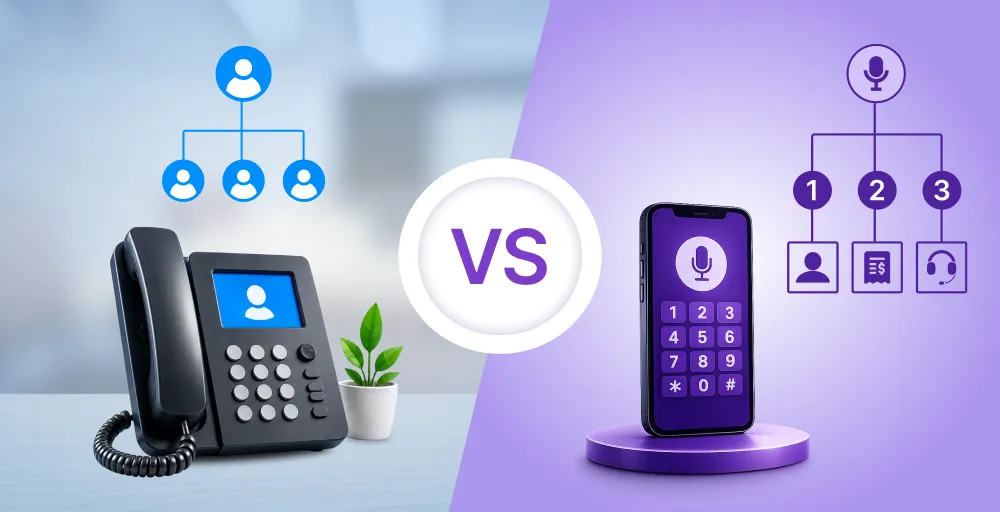
Call center PBX vs traditional PBX: What’s the difference?
Both call center PBX and traditional PBX handle calls, but they vary in setup, scalability, features, and maintenance.
Here is the comparison table between call center PBX and traditional PBX:
How to choose the right PBX system for your call center
While choosing the correct PBX system for your call center, it is essential to consider the following factors, such as the size of the team, budget, and feature requirements.
1. Size of your team
The first step to choosing the right PBX system is to determine the size of your team to manage the calls smoothly and effectively. The number of agents, phone lines, and extensions depends on the size of the team. If you are running a small business with a maximum of 10 agents, it is better to choose a basic hosted PBX.
For a medium to large team, you might need an advanced PBX solution to support multiple extensions and advanced routing.
2. Budget
While selecting the PBX, decide what type of PBX you want, like hosted, IP, or cloud PBX. Usually, small businesses get benefits from hosted PBX as it requires less upfront investment and maintenance, reducing the billing cost.
If you want to invest a significant amount in a long-term infrastructure, consider an on-premises PBX. While it offers more control, it comes with higher setup, repair, and maintenance costs.
3. Integration needs
A PBX system that integrates with your CRM, helpdesk software, business applications, and other tools can significantly improve call management and overall efficiency. Integration allows agents to access customer data, interaction history, and support tickets in real time, reducing call handling time and enhancing customer experience.
4. Call volume
When choosing a PBX, make sure you know how many calls you get each day. If your call volume is low, a simple PBX works well. But if you receive a high volume of calls at once, you’ll need a system that can handle multiple calls without dropping any.
Choose a PBX that can grow with your call volume. It should be flexible so you don’t need to worry when your business expands.
5. Remote work support
Choose a PBX that supports remote work, enabling agents to work from anywhere. Cloud PBX lets agents take calls from anywhere with an internet connection, connecting the team. If your PBX does not support remote work, there is a high chance of losing productivity and having communication issues. So, pick a system that works well for remote teams.
Common challenges with call center PBX systems
However, some drawbacks could negatively impact your call center systems. The common challenges are described below:
1. Setup complexity
Some PBX (Private Branch Exchange) systems can be quite complex to install and set up. It requires specialized hardware components, various wires, and complex configuration procedures to ensure proper operations.
This process typically demands a certain level of technical expertise with telecommunication systems. Small businesses or nonprofit organizations, which may lack dedicated IT staff, might find the installation and setup of such systems particularly challenging.
2. Maintenance costs
In the long run, on-premises PBX systems can be costly due to maintenance, software updates, hardware repairs, and ongoing security checks. It can cost significant time, effort, and financial resources for the organization.
However, a hosted PBX can significantly reduce costs.
Service providers manage and perform all maintenance remotely, eliminating the need for on-site hardware interventions.
3. Downtime risks
The overall system may face downtime when hardware components like the power supply, server, or other critical parts within an on-premises PBX experience failure.
Disruption in the phone system can interrupt customer service, cause delays, and increase customer frustration. Such outages can substantially reduce overall productivity for the business because communication with clients and internal teams is hampered.
Additionally, if these technical issues are not diagnosed and resolved promptly, they can result in financial losses, including potential revenue decline.
4. Scalability issues with on-prem PBX
Investing in an on-premise PBX system can cost you a considerable amount when scaling your business operations.
Companies are required to purchase hardware components, which not only incur upfront expenses but also involve time-consuming setup and configuration processes.
These procedures can take several days, potentially delaying operational efficiency and increasing overall costs. Moreover, maintaining and upgrading on-site hardware can add to the ongoing expenses and logistical challenges.
The bottom line
Call center PBX is a great investment for businesses as it brings numerous benefits, such as reducing costs and improving operational efficiency. It manages multiple phone calls, ensuring calls reach the right person for fast customer resolution.
PBX comes in different types, such as traditional PBX, hosted, IP, and cloud PBX. So, when choosing a PBX, make sure to do proper research and select one that suits your business.