Missed calls cost small businesses more than a bad review will, averaging $126,000 in lost revenue per year. So, every unanswered ring is a customer who hangs up and tires a customer instead.
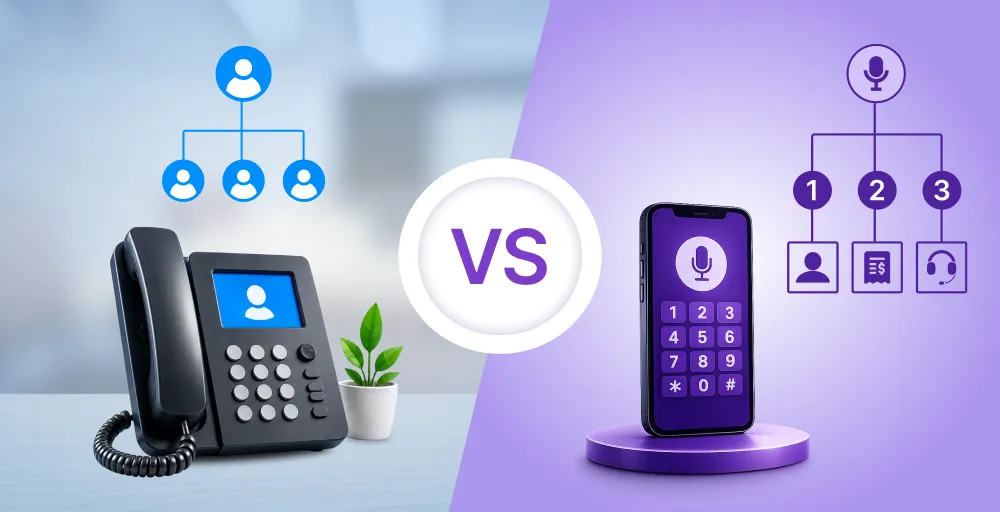
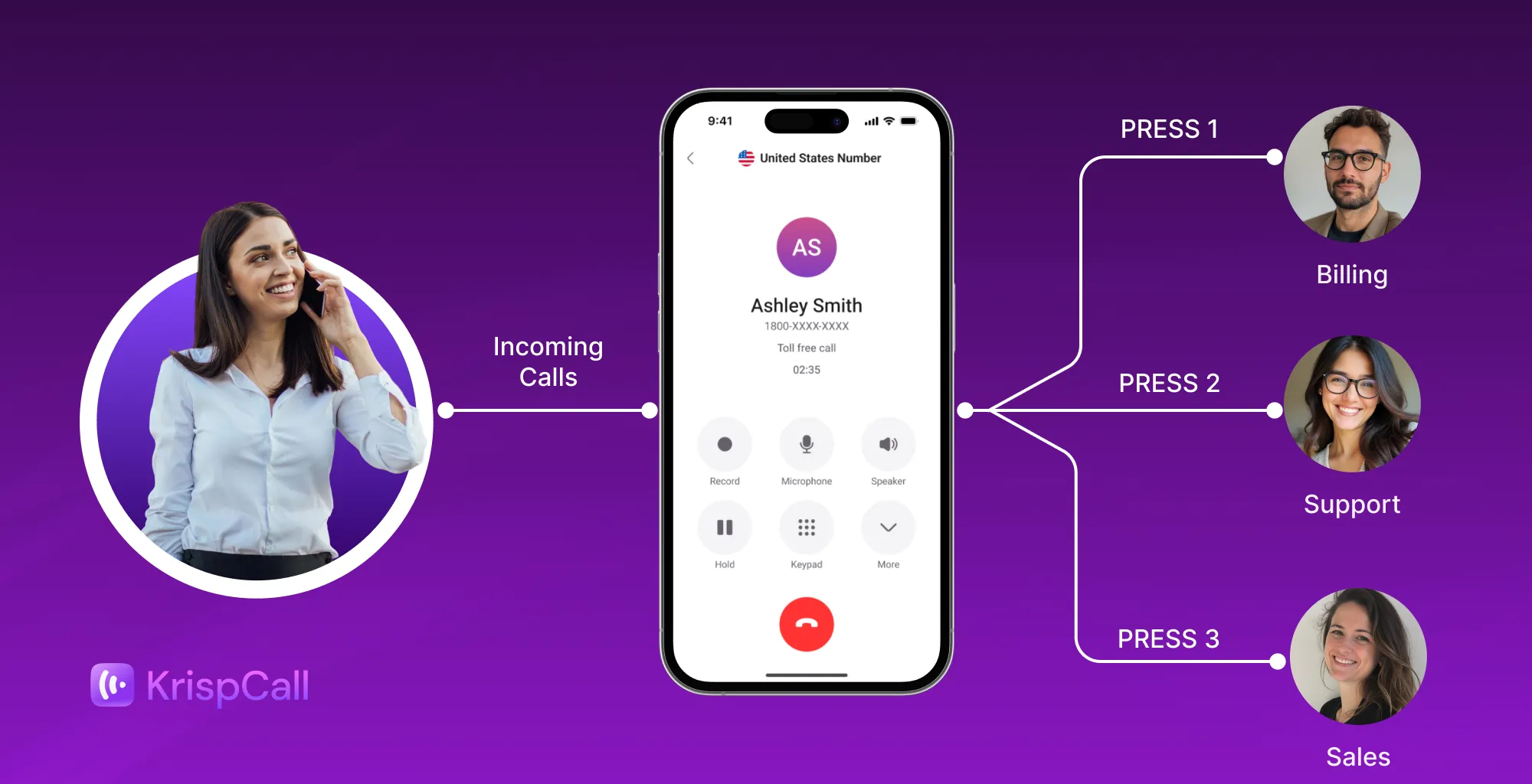
A good auto attendant fixes that by greeting callers instantly and routing them to the right person, without the overhead of a full front desk.
TL;DR
- 10 best auto attendant phone systems for small business in 2026:
- RingCentral: Best for complex, multi-level call routing across teams and locations
- Nextiva: Best for reliability and uptime-critical businesses like healthcare and legal
- KrispCall: Best for affordable multi-level IVR on budget, with no feature gating on the entry plan
- 8×8: Best for global businesses needing international auto attendant coverage
- GoTo Connect: Best for customizable call routing and remote teams
- Ooma: Best for plug-and-play setup with minimal IT involvement
- Vonage: Best for businesses needing extensive integrations and APIs
- Grasshopper: Best for solopreneurs and small teams
- Dialpad: Best for built-in AI voice intelligence and real-time call transcription
- Aircall: Best for CRM-heavy sales and support teams needing deep integrations
How we selected the best auto attendant phone systems for 2026
To identify the best auto attendant phone systems, we evaluated each provider based on the features and capabilities that matter most to small businesses.
Here’s what we weighted for each:
- Routing depth: single-level vs. multi-level menus, ring groups, and skills-based routing
- Setup time: how fast a non-technical admin can build a working call flow
- Pricing transparency: whether an auto attendant is included at the entry tier or locked behind an upgrade
- CRM integration: whether the auto attendant can pass caller context into your existing tools
- Real user feedback: verified reviews on G2 and Capterra
Why trust our software reviews?
Our software reviews follow a structured editorial and evaluation process designed to provide accurate, unbiased, and up-to-date information. Every recommendation is based on independent research, feature comparisons, verified customer feedback, and practical business use cases, not paid placements or sponsorships.
To learn more about how we research, evaluate, and maintain our reviews, visit our Content Update Methodology, Content Integrity Statement, and Software Review Methodology.
At-a-glance comparison: Top auto attendant phone systems for 2026
Before diving into the detailed reviews, here’s a quick comparison of the leading auto attendant phone systems, based on their ideal use cases, starting prices, multi-level IVR support, and G2 ratings.
| Provider | Best for | Starting price | Multi-level IVR | G2 rating |
| RingCentral | Enterprise-grade communication | $20/user/month | Yes | 4.1 / 5 |
| Nextiva | Customer experience and unified communications | $15/user/month | Yes | 4.5 / 5 |
| KrispCall | Startups and growing small businesses | $12/user/month | Yes | 4.5 / 5 |
| 8×8 | Global businesses | Custom quote | Yes | 4.1 / 5 |
| GoTo Connect | Visual call flow design | Custom pricing | Yes | 4.5 / 5 |
| Ooma | Budget-conscious small business | $19.95/month per user | Limted | 4.5 / 5 |
| Vonage | API integrations and customization | $13.99/month/line | Yes | 4.3 / 5 |
| Grasshopper | Solopreneurs and freelancers | $14/month | No; single level only | 3.9 / 5 |
| Dialpad | AI-powered business communications | $15/user/month | Yes | 4.4 / 5 |
| Aircall | CRM-heavy sales/support teams | $30/license | Yes | 4.4 / 5 |
1. RingCentral
Best for businesses that need granular, multi-level call routing without hiring extra front-desk staff.
RingCentral delivers enterprise-grade telephony with a multi-level Auto Attendant capable of handling complex, schedule-aware routing structures. Designed for hybrid and multi-location businesses, it dynamically directs high call volumes to specific departments, ring groups, or extensions while minimizing call abandonment rates.
Administrators manage custom greetings, business-hour rules, and IVR workflows through a centralized cloud console. Integrated AI capabilities auto-transcribe voicemails and analyze incoming call trends, giving scaling teams complete operational control without requiring dedicated IT infrastructure.
Pros
- Create IVR prompts either by recording live, using the text-to-speech option, or uploading recordings in MP3 or WAV formats.
- Unlimited domestic calling in the USA and Canada.
- Offers 99.999% platform reliability.
- Video meetings for up to 200 participants bundled into every plan.
- 500+ pre-built integrations plus open APIs to build custom workflows.
Cons
- The Core plan is quite restrictive for text-heavy teams, with just 25 messages per user/month.
- The free trial is limited to a maximum of 5 users and 2 desktop phones.
- The total number of IVR menus (including submenus) cannot exceed 250.
Features in RingCentral entry-level tier
- Mobile & desktop apps
- On-demand call recording
- Visual voicemail / voicemail-to-email
- 100 minutes of free incoming calls on your toll-free number
- AI transcription & captions
Pricing
Save up to 33% on RingCentral’s pricing and plans by paying annually.
- Core costs $20/user/month
- Advanced costs $25/user/month
- Ultra costs $35/user/month
- And custom pricing for Customer Engagement Bundle
User review
G2 Rating: 4.1 / 5
Users appreciate RingCentral’s organized conversation interface, which makes it easy to follow customer interactions and even view messages as they’re being typed. Some reviewers mention that the hotkey and canned response search could be easier to navigate, making it harder to quickly find saved replies during conversations.
2. Nextiva
Best for businesses that need enterprise-grade reliability and multi-channel communication in one platform, especially healthcare, legal, and other uptime-critical industries.
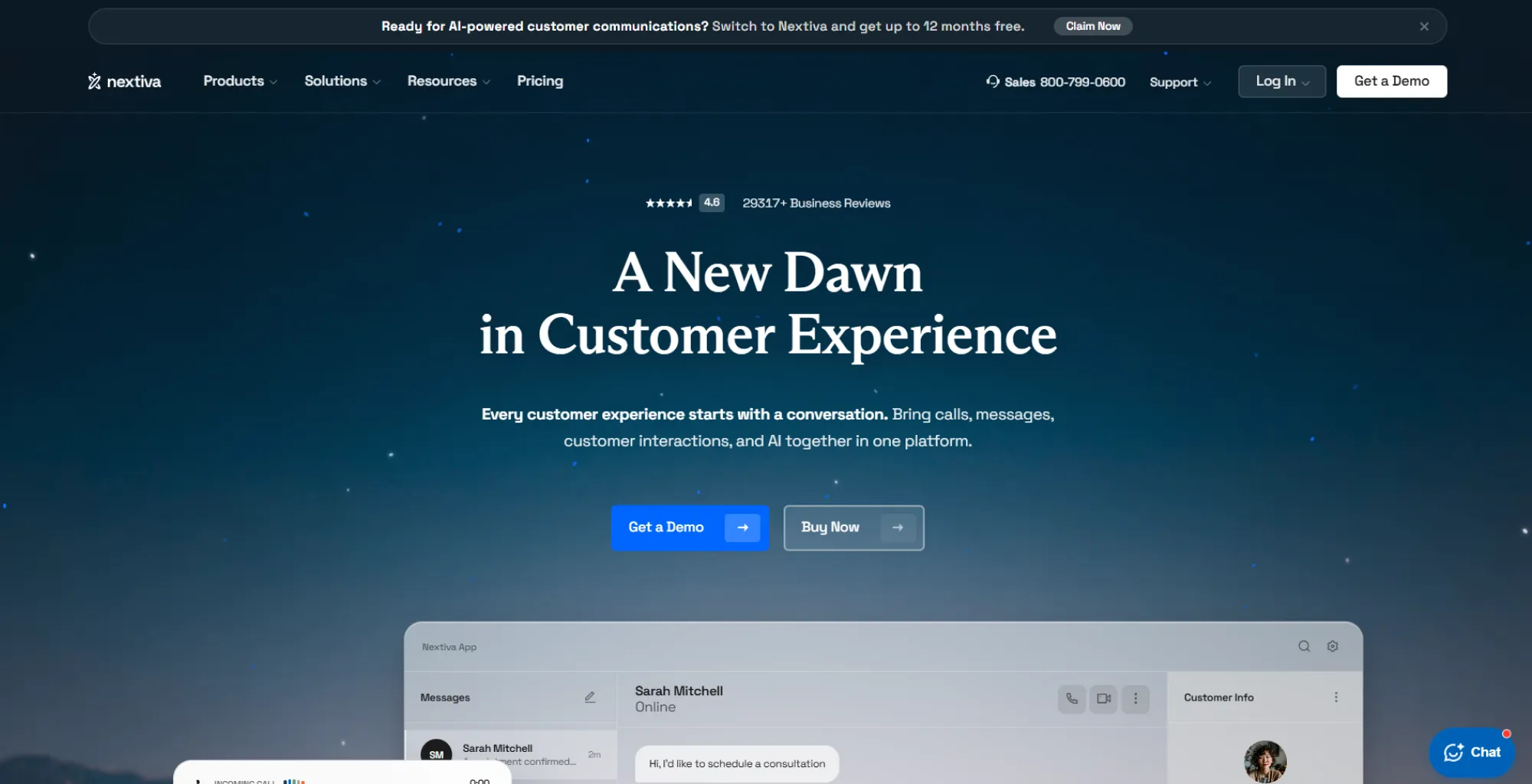
Nextiva is renowned for its reliability and top-tier customer support, making it a go-to choice for non-technical small business owners. Its virtual receptionist software lets you quickly set up customized menu trees, route calls based on local business hours, and handle high call volumes smoothly without dropping connections.
Beyond voice routing, Nextiva unifies phone calls, team messaging, and customer interactions into a single interface. Its auto attendant seamlessly hands off callers to live agents or ring groups, ensuring every prospect hits the right desk on the first try.
Pros
- Custom greetings with day/night and holiday-specific routing.
- 24/7 support via phone, email, or chat included on every plan.
- Easy-to-use desktop and mobile applications.
- Reliable VoIP calling and scalability.
- Unlimited voice conversations within the USA or Canada.
Cons
- CRM integrations (Salesforce, HubSpot) are paid add-ons, not built into the base plan.
- SMS capped at 100 messages/user/month on its entry-level plan.
- Advanced features like call recording, call performance insights, or intelligent call routing require higher-tier plans.
Features in the Nextiva entry-level tier
- Built-in contact management
- Single sign-on & Active Directory sync
- ISO 27001 and SOC 2 certified security
- Video calls & screen sharing
- Team chat/messaging
Pricing
Annual billing saves businesses up to 50% on Nextiva pricing and plans.
- Core starts at $15/user/month
- Engage starts at $25/user/month
- Scale starts at $75/user/month
User review
G2 Rating: 4.5 / 5
Users praise Nextiva for its reliable service, user-friendly interface, and responsive customer support throughout onboarding and daily use. Many also appreciate its ability to scale across multiple business locations. Some reviewers mention that setting up advanced features and integrating third-party hardware can involve a learning curve.
3. KrispCall
Best for startups and growing small businesses that want full multi-level IVR without paying enterprise pricing.
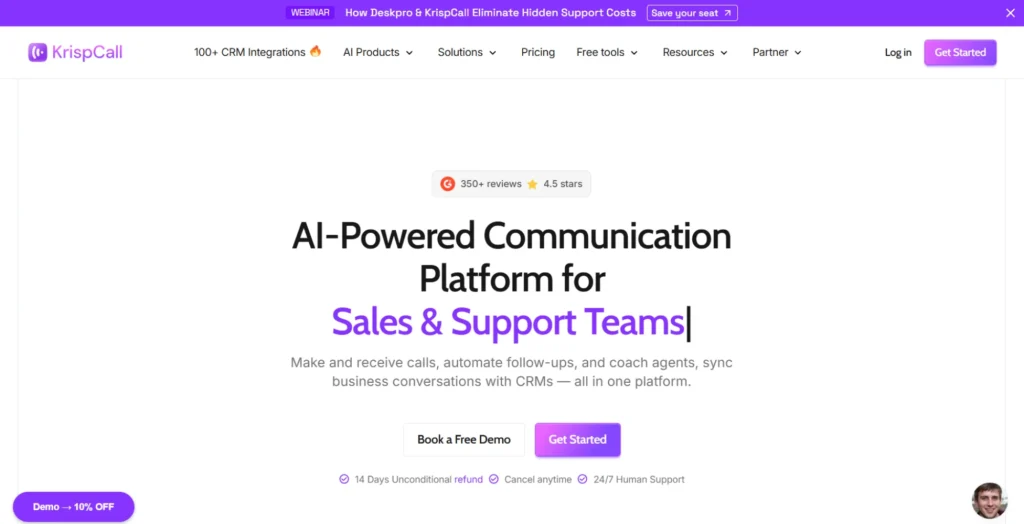
KrispCall is a fast-growing, budget-friendly cloud phone system tailored for startups and remote-first SMBs. Its Smart IVR (Interactive Voice Response) auto attendant allows businesses to design customized greetings, multi-level menus, and automated department extensions in just a few clicks.
What sets KrispCall apart is its unified callbox, combining calls, SMS, and voicemails across 100+ countries into one shared team view. Coupled with built-in CRM integrations and AI features, it gives small teams a global, professional presence at a fraction of standard enterprise costs.
Pros
- 100+ CRM integrations available even on lower tiers, including HubSpot, Pipedrive, and Zoho.
- One free local/mobile number from the UK, or one local number from either the USA or Canada, is available for every user upon signup.
- Supports virtual phone numbers in 100+ countries.
- Works seamlessly across web and mobile without feature gaps between platforms.
- 24/7 customer support right from onboarding to any troubleshooting available in all tier plans.
Cons
- Essential plans cap at 5 users.
- No video conferencing tool is available.
- Desktop app is not available.
Features in KrispCall entry-level tier
- Custom caller ID (Number Masking)
- Call listening/whispering/barging
- SMS/MMS
- DND for Caller & Phone number
- Private chat with members
Pricing
Choose the best KrispCall pricing plan and save up to 20% annually.
- Essential plan starts at $12/user/month
- Standard plan starts at $32/user/month
- Enterprise plan offers custom pricing to accommodate businesses with varying needs.
User review
G2 Rating: 4.5 / 5
Users appreciate KrispCall for its IVR builder, which makes it easy to create multi-level call menus even without prior experience. Many also highlight the Unified Callbox for helping teams stay aligned on customer conversations, while call recordings are praised for their clear audio quality and fast playback.
4. 8×8
Best for global businesses that need auto attendant paired with unmetered international calling.
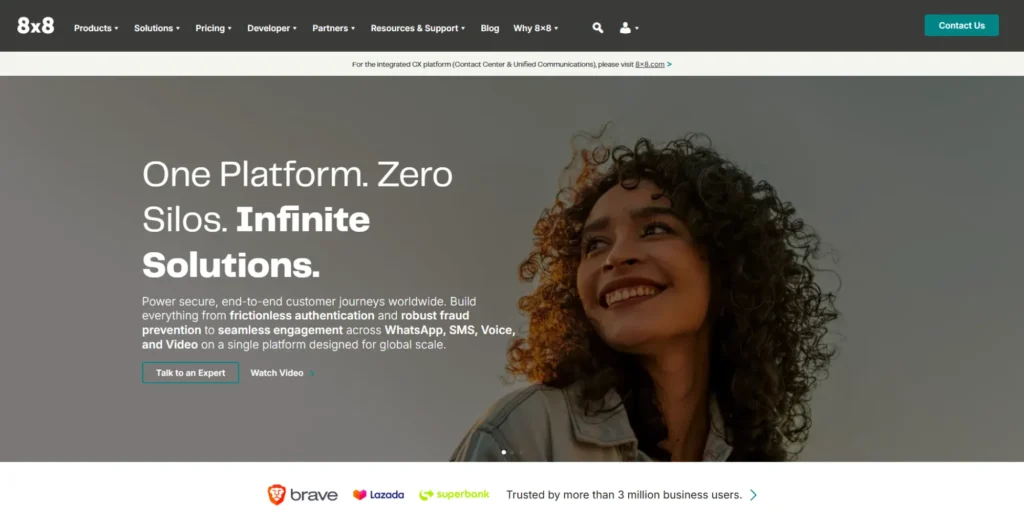
8×8 is the premier choice for small-to-medium businesses that operate globally or plan to scale internationally. Its auto attendant handles multilingual phone trees with ease, allowing callers to navigate menus in their preferred language while routing calls across international regions seamlessly.
In addition to intelligent routing, 8×8 packs strict security compliance (such as HIPAA and PCI-DSS) and unlimited calling plans for dozens of countries. It turns a standard automated receptionist into a secure, global gateway for your business.
Pros
- Unmetered international calling bundled in 14 countries on X2 and up to 48 countries on higher tiers.
- Strong reporting and call analytics.
- Built-in team messaging and video meetings.
- Highly customizable communication APIs.
- Reliable uptime for business communications.
Cons
- No published self-serve pricing. Every quote requires a sales call.
- Initial setup can be complex for new users.
- Some users report irregularity in response times when trying to resolve technical issues.
Features in the 8×8 entry-level tier
- Omnichannel routing
- Agent & Supervisor workspace
- Analytics for contact center
- High-volume messaging
- Secure payment processing
Pricing
8×8’s pricing is fully quote-based, meaning it doesn’t publish per-user rates publicly. You’ll need to contact sales for a custom quote.
User review
G2 Rating: 4.1 / 5
Users appreciate 8×8’s reporting capabilities, allowing them to view call data, build reports, and track trends from a single dashboard without downloading files. They also value having chat, SMS, and calling in one application. Some reviewers would like more flexible reporting that combines multiple data categories into a single report instead of requiring separate reports for comparison.
5. GoTo Connect
Best for businesses that want unlimited auto attendants and a visual, drag-and-drop way to build call flows.
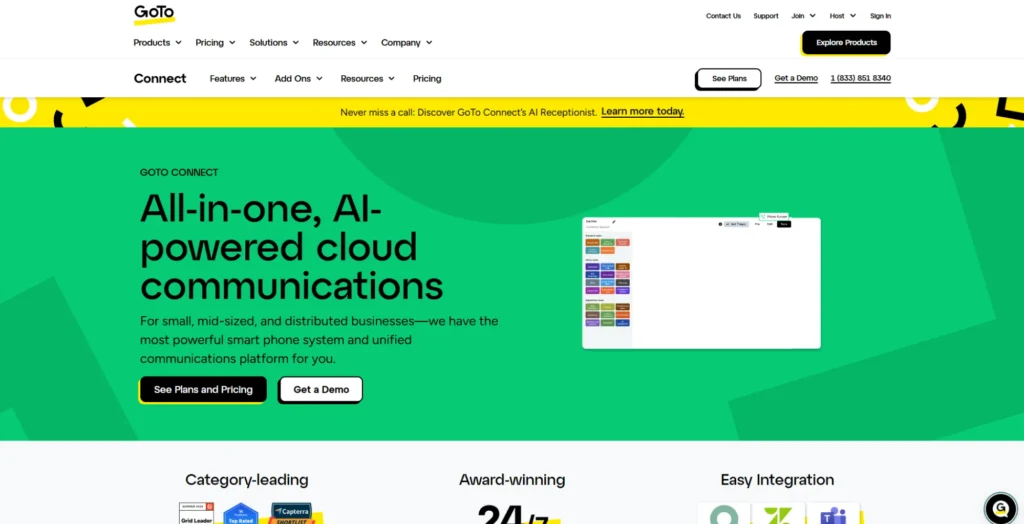
GoTo Connect features a visual dial plan editor that simplifies complex call flow design. Rather than configuring nested drop-down menus, administrators visually map auto attendants, schedules, and ring groups on a flowchart-style interface.
This architecture gives managers real-time authority over holiday routing, after-hours messaging, and spillover call handling without vendor assistance, ensuring continuous operational coverage and zero routing bottlenecks.
Pros
- Unlimited auto attendants and call queues, even on the entry plan.
- Free calling to 50+ countries included on every tier.
- Video meetings for up to 250 participants bundled in from the start.
- 24/7 support backed by a 99.999% reliability commitment.
- Easy to deploy across desktop and mobile devices
Cons
- No published self-service pricing at all.
- AI Receptionist (true call automation) is a paid add-on on the base Phone System and CX plans, only bundled in CX Complete.
- AI call summaries and transcripts are not included by default and are only available as paid add-ons.
Features in GoTo Connect entry-level tier
- End-to-end video encryption
- Facebook & Instagram messenger channel
- Call routing optimizer & analytics
- Multi-site admin & management
- AI text-to-speech sound clips
Pricing
To fully understand GoTo Connect’s pricing and plans, you’ll need to contact their sales representatives.
User review
G2 Rating: 4.5 / 5
Users appreciate GoTo Connect for bringing business calling, messaging, and video meetings together in one easy-to-use platform. Many also highlight its intuitive interface, strong security, cross-device accessibility, and simple integrations, making it easier to manage both internal collaboration and customer conversations from a single application.
6. Ooma
Best for micro-businesses, retail storefronts, and small offices seeking an affordable, plug-and-play phone system that requires zero technical setup.
Ooma Office is designed specifically for micro-businesses and brick-and-mortar storefronts looking for a simple, plug-and-play solution. Its Virtual Receptionist offers clean, easy-to-configure phone menus with dial-by-name directories, automated business hours announcements, and basic transfer options.
Because Ooma requires practically zero learning curve, small offices can transition off traditional landlines and be fully operational within 15 minutes. It delivers essential professionalism without forcing you to pay for unused enterprise features.
Pros
- No contract on any plan, meaning pay month-to-month with no per-line minimum.
- Unlimited business calling in the US, Canada, Mexico, and Puerto Rico.
- One free toll-free number with 500 minutes of inbound calls per month included in every plan.
- 24/7 live customer support on every tier, including the Essentials.
- Free number porting, including toll-free numbers.
Cons
- Desktop app for Windows, Mac, and Google Chrome is available without the actual calling feature.
- CRM integrations (Salesforce, Dynamics) are locked to Pro Plus and the top tier.
- Virtual receptionist with unique greetings, menus, and actions is only available from the Pro Plus tier.
Features in the Ooma entry-level tier
- Virtual receptionist (single-level auto attendant)
- Voicemail-to-email audio files
- Extension dialing & monitoring
- Conference calling for up to 10 participants
- IP phone paging
Pricing
Ooma pricing and plans offer you four subscription plans to choose from:
- Essentials plan that starts at $19.95/user/month
- Pro plan that starts at $24.95/user/month
- Pro Plus plan that starts at $29.95/user/month
- Enterprise plan with customized pricing
User review
G2 Rating: 4.5 / 5
Users appreciate Ooma for its simple setup, dependable call quality, and affordable pricing for small businesses. Many also highlight the virtual receptionist and mobile app for making it easier to manage business calls from anywhere. Some reviewers note that advanced integrations and reporting capabilities are more limited than those offered by enterprise-focused business phone systems.
7. Vonage
Best for SMBs and tech-savvy teams that need a flexible, highly customizable communication system.
Vonage combines adaptable virtual receptionist features with an API-first framework. Its out-of-the-box auto attendant handles time-based greetings, dynamic call queues, and simultaneous mobile forwarding.
For businesses requiring complex workflows, Vonage allows deep customization through its developer APIs. This enables organizations to connect call routing logic directly to custom databases, custom CRMs, or external business tools.
Pros
- More than 40 configurable features, manageable at the individual user or line level.
- Extensive integrations with CRM and business applications.
- Easy call routing between multiple devices without dropping connections.
- Built-in spam defense, anti-fraud, and robocall blocking features tailored to different user types.
- Extensible developer-friendly APIs for custom call handling rules.
Cons
- Call recording is an add-on or higher-tier only, not included at entry or mid-tier.
- SMS functionality can be inconsistent at times.
- Technical support is a recurring complaint in user reviews.
Features in Vonage entry-level tier
- VBC mobile and desktop
- Unlimited domestic calling
- Team messaging & Video meetings
- Phone number porting
- Voicemail
Pricing
Save up to 30% with annual billing on Vonage plans.
- Mobile plan costs $13.99/month/line
- Premium plan costs $20.99/month/line
- Advanced plan costs $27.99/month/line
User review
G2 Rating: 4.3 / 5
Users appreciate Vonage for its straightforward setup, reliable customer support, intuitive interface, and clear voice quality. Many also value its CRM and ATS integrations, team reporting features, and flexible number management. Some reviewers mention occasional dropped calls and intermittent issues with business text messaging.
8. Grasshopper
Best for solopreneurs, freelancers, and small business owners who want to run a dedicated business line directly from their personal smartphones.
Grasshopper is built specifically for solopreneurs, freelancers, and small side-hustles that want a dedicated business line on their existing mobile devices. Its virtual attendant greets callers with custom main menus, forwards calls to personal cell numbers, and manages extensions without requiring extra hardware.
While it lacks complex call center analytics, Grasshopper excels in straightforward simplicity. It provides instantaneous setup, toll-free or local vanity numbers, and automated text-back for missed calls, keeping your personal number private while projecting a professional image.
Pros
- Unlimited users on flat-rate plans (Solo Plus and above).
- 7-day free trial available for every plan without any credit card info requirement.
- Quick and simple setup with an intuitive admin dashboard.
- Professionally recorded greetings available via a one-time $75 Voice Studio add-on.
- Works seamlessly on mobile and desktop apps.
Cons
- No built-in video meetings or team collaboration tools.
- Limited CRM integrations.
- True Solo (entry tier) is capped at one user and one extension.
Features in the Grasshopper entry-level tier
- One business phone number (local or toll-free)
- Unlimited domestic (US/Canada) calling
- Voicemail transcription
- Number porting
- Business texting
Pricing
Grasshopper pricing is flat-rate and saves you up to 20% on annual billing.
- True Solo plan starts at $14/month
- Solo Plus plan starts at $25/month
- Small Business plan starts at $55/month
User review
G2 Rating: 3.9 / 5
Users appreciate Grasshopper for its straightforward setup, easy phone number porting, and user-friendly dashboard. Many also value features like individual extension, separate voicemail boxes, and voicemail-to-email, which help small teams manage calls more efficiently. Some users mention slight confusion regarding the different access levels during the initial setup, but overall find the platform easy to use afterward.
9. Dialpad
Best for tech-forward sales, support, and remote teams that want AI built directly into their daily phone operations.
Dialpad is the benchmark choice for teams that want AI deeply integrated into their phone system. Its AI-native auto attendant uses conversational speech-to-text, allowing callers to navigate menus using natural voice commands rather than just pressing numbers on a keypad.
Once the call is routed, Dialpad’s built-in AI generates real-time call transcriptions, sentiment tracking, and instant post-call summaries. It is ideal for tech-forward sales and support teams seeking actionable caller data.
Pros
- 14-day free trial available before committing.
- Multi-level auto attendant included on every tier, including entry-level Standard.
- Real-time AI call transcription and automated call summaries on every plan.
- Combines business phone, SMS, team messaging, and video meetings into a single, clean interface.
- Local number support in more than 70 countries.
Cons
- CRM integrations (Salesforce, HubSpot, Zoho) require stepping up to Pro or Enterprise.
- Users report inconsistent call quality, especially switching between Wi-Fi and mobile data.
- SMS overage charges and administrative fees can push the real cost above the advertised rate.
Features in Dialpad entry-level tier
- Multi-level auto attendant & Visual voicemail
- Automatic spam call detection
- Google Workspace integration
- Real-time analytics & reporting
- Three-way calling
Pricing
Dialpad pricing and plans offer three tier plans:
- Standard starts at $15/user/month
- Pro starts at $25/user/month
- Enterprise is available at custom pricing
User review
G2 Rating: 4.4 / 5
Users value Dialpad for its AI-powered call transcriptions and automatic AI recaps, which make it easier to review conversations and track action items. Many also appreciate its unified experience across voice, video, and messaging. Some reviewers report occasional call quality issues, including dropped or choppy calls, and note that key features such as CRM integrations and premium support are reserved for higher-tier plans.
10. Aircall
Best for high-growth sales and customer support teams that rely heavily on CRM platforms like HubSpot, Salesforce, or Zendesk.
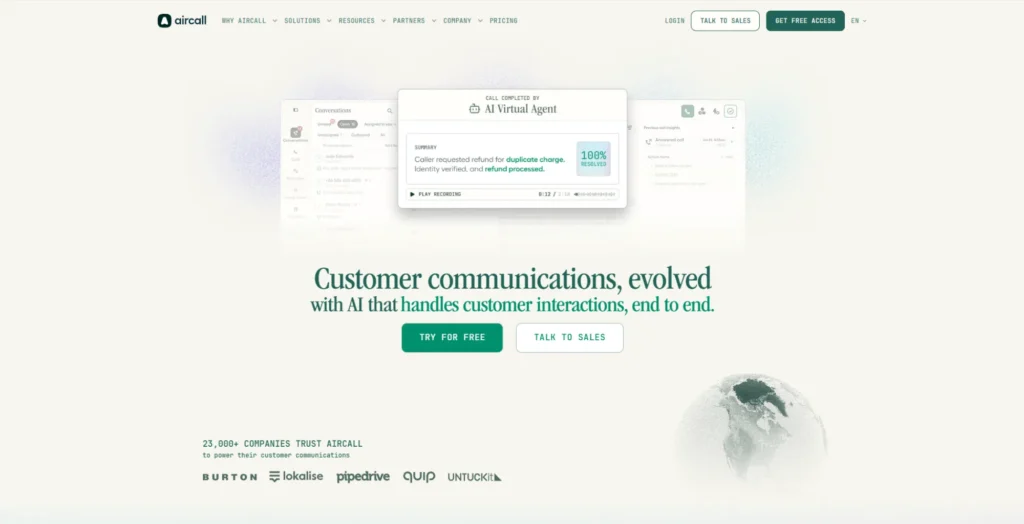
Aircall focuses on deep integration with customer relationship management platforms like HubSpot, Salesforce, and Shopify. Its smart IVR routes callers directly based on existing contact data, surfacing customer context on live agents’ screens before the call is answered.
Configured in minutes through an intuitive web interface, Aircall eliminates manual call distribution friction for sales and support teams, optimizing first-contact resolution and agent workflow speed.
Pros
- 50 AI Voice Agent minutes included per account per month.
- 1 local or toll-free number included in all plans.
- Unlimited inbound & internal calls.
- Easy-to-use interface with a modern design.
- Built-in AI features and voicemail transcription.
Cons
- Strict 3-license minimum on every plan, not suitable for a 2-person team.
- Quite a high starting price compared to most competitors.
- Power Dialer and Salesforce integration require jumping to Professional ($50/license/month).
Features in the Aircall entry-level tier
- 100+ business tool apps and integrations
- Flexible call distribution rules
- Softphone for desktop, Android, iOS
- Computer Telephony Integration (CTI)
- Unlimited outbound calls within the US and Canada
Pricing
Aircall pricing and plans save you about 25% on annual billing.
- Essential plans start at $30/license
- Professional plans start at $50/license
- Custom plan with customized pricing
User review
G2 Rating: 4.4 / 5
Users appreciate Aircall for its intuitive interface, support for multiple business numbers and IVR setups, and modern user experience. Many also praise its voicemail transcription, AI capabilities, and responsive customer support. Some reviewers would appreciate deeper customization options for certain third-party integrations, though they generally find the existing integrations reliable and easy to use.
How to select the best auto attendant phone system for your business
Selecting the right auto attendant phone system is a long-term investment. To ensure you choose the best system for your business, consider these factors beforehand:
1. Map your call flow requirements
Determine if your business only needs a simple main menu (e.g., “Press 1 for Sales”) or complex, multi-level routing trees with multi-location transfers and submenus.
2. Evaluate time-based & schedule routing
Look for platforms that offer flexible scheduling controls so you can set custom greetings and unique routing paths for business hours, after-hours, holidays, and emergency closures.
3. Prioritize seamless business integrations
Choose a platform that connects natively with your existing software stack (such as CRMs, helpdesks, and shared team tools like CloudTalk offers with tools like HubSpot, Salesforce, and Zendesk) to display caller context instantly and automate data logging.
4. Ensure mobile & remote accessibility
Select a provider with reliable desktop and mobile apps (iOS/Android) so your distributed or hybrid team can manage call queues, extensions, and voicemails from anywhere.
5. Assess system usability & configuration
Opt for systems with intuitive, visual drag-and-drop IVR builders that allow non-technical managers to update menus, audio greetings, and call logic without relying on IT support.
6. Check advanced features & AI capabilities
Consider extra capabilities that add immediate value, such as automatic call distribution (ACD), automated missed call text-backs, voicemail-to-email transcription, or conversational AI voice routing.
7. Review Pricing models & transparency
Analyze total cost of ownership carefully. Distinguish between flat-rate per-seat plans, user minimums, and potential hidden surcharges for extra virtual numbers or toll-free usage.
Why do businesses need an auto attendant phone system?
Missed calls are an inconvenience that will directly hit your business revenue. An auto attendant closes that gap and offers the following key benefits:
- Projects a professional brand image: Gives small businesses and startups an enterprise-grade front desk presence with polished, custom audio greetings and structured extension directories.
- Eliminates missed calls and long holds: Directs incoming traffic immediately to the correct department, ring group, or employee without placing callers on indefinite hold.
- Reduces operational and overhead costs: Automates initial caller intake and basic inquiries, eliminating the need to hire a full-time dedicated receptionist.
- Provides 24/7 coverage and after-hours handling: Calls get answered and routed even outside business hours, on weekends, and during holidays, instead of ringing out.
- Streamlines call routing efficiency: Uses self-service menu options (IVR) so callers reach the right contact faster, reducing manual transfer errors and call abandonment rates.
- Handles high call volumes smoothly: Manages multiple incoming calls simultaneously during peak hours without callers receiving a busy signal.
- Delivers instant answers to common FAQs: Answers routine customer questions automatically, such as business hours, location directions, or payment links, without agent intervention.
How to set up an auto attendant phone system
Most modern cloud phone systems let you set up an auto attendant in just a few steps. While the exact process varies by provider, the overall workflow is similar: map your menu, record a greeting, assign routing rules, and test before going live.
Here’s what that looks like in practice, using KrispCall’s setup as the walkthrough:
Step 1: Create and log in to your KrispCall account.
Step 2: Navigate to Settings from your dashboard.
Step 3: Under the Workspace section, click My Numbers.
Step 4: Select Call Menu (IVR) under Incoming Call Strategy.
Step 5: Choose a Greeting Message by selecting either Text-to-Speech or Custom Recording.
Step 6: Click Add to create IVR menu options and configure how callers are routed.
Step 7: Review your settings and click Save Changes to activate your auto attendant.
Conclusion: Picking the best auto attendant for your business
Choosing the best auto attendant phone system ultimately comes down to aligning platform capabilities with your specific team size, call volume, and daily operational needs.
If your priority is lightweight simplicity, a service like Grasshopper or Ooma delivers straightforward call routing without complex configuration. For growing enterprises that require multi-level menus, advanced analytics, and global reach, solutions like RingCentral, 8×8, or Nextiva provide high-uptime infrastructure that scales seamlessly. Meanwhile, teams looking to leverage automation can turn to Dialpad for conversational AI, Aircall for deep CRM workflows, or KrispCall for an intuitive, budget-friendly setup.
By assessing your daily call flows, required software integrations, and growth trajectory, you can select an auto attendant that not only projects a professional image from the very first ring but also optimizes your team’s efficiency for years to come.