GoTo Connect has been a familiar name in the unified communications space, offering businesses a combination of VoIP calling, video conferencing, and team messaging.
However, as we’ve evaluated the platform alongside dozens of competitors in 2026, a clear pattern emerges from user feedback: businesses are increasingly frustrated by hidden pricing, limited integration options, restricted features in lower-tier plans that force premature upgrades.
These pain points are driving organizations to explore alternatives that better align with modern business communication needs.
So, we’ve spent weeks testing the leading business phone systems hands-on, analyzing thousands of verified user reviews from G2 and Trustpilot, comparing pricing structures and hidden fees, and evaluating customer support responsiveness to provide the top 10 GoTo alternatives lists that will help you find the perfect business phone system to transform how your team communicates in 2026.
✨ Key Takeaways
- GoTo Connect delivers a unified communications experience by combining voice calling, video conferencing, and team messaging into a single platform.
- GoTo Connect offers a thin integration ecosystem compared to modern competitors, creating workflow friction for teams using popular CRM systems like HubSpot, Salesforce, or Pipedrive.
- We tested 10 GoTo Connect alternatives (KrispCall, Quo, Nextiva, RingCentral, Aircall, Ooma, Vonage, Zoom Phone, Dialpad, Ringover) that address its weaknesses while offering unique strengths for different business requirements.
The best GoTo Connect alternatives
1. KrispCall: Best for businesses needing affordable VoIP solutions with global number coverage
2. Quo: Best for advanced call analytics and performance tracking
3. Nextiva: Best for built-in CRM and unified communications
4. RingCentral: Best for global enterprise scalability
5. Aircall: Best for seamless sales tool integrations
6. Ooma: Best for basic, reliable VoIP on a budget
7. Vonage: Best for customization and API-driven workflows
8. Zoom Phone: Best for integrated video and phone communication
9. Dialpad: Best for real-time AI transcription and coaching
10. Ringover: Best for multi-channel customer conversations
Why businesses look for a GoTo Connect alternative?
When browsing through user reviews on G2 and Trustpilot, a pattern emerges: while GoTo Connect covers the fundamentals of cloud calling and video conferencing, several recurring pain points push businesses to explore alternatives.
Users frequently mention pricing concerns, integration gaps, and feature limitations that become dealbreakers as teams scale.
Lack of transparent pricing
Unlike most modern VoIP providers, GoTo Connect doesn’t publish its pricing on the website. Potential customers must schedule sales calls and request custom quotes, which significantly slows the evaluation process.
Outdated UI and mobile experience
The GoTo Connect interface feels dated compared to newer cloud phone systems. The mobile app, in particular, receives criticism for being less intuitive.
As one G2 reviewer notes,” I find the mobile app for GoTo Connect to be quite problematic. It takes 4-5 clicks to search contacts, which is excessively time-consuming and cumbersome.”
Limited third-party integrations
GoTo Connect’s integration ecosystem is notably thinner than competitors’. While it does offer connections to popular tools like Salesforce and Microsoft Teams, the overall app marketplace falls short.
Basic reporting and analytics
The reporting capabilities in GoTo Connect’s base plans are elementary at best. Users consistently mention that the analytics dashboard lacks depth and real-time insights needed for data-driven decision-making.
One G2 review states, “The analytics and reporting are not as good as they were expected to be compared to other providers.”
Restricted features in entry-level plans
GoTo Connect follows a tiered pricing model that locks essential features behind premium plans. The basic Phone System plan lacks critical functionality that many competitors include as standard. Features like WhatsApp channel, intelligent call routing, agent dashboard, and Monitor and coach agents require upgrading to higher-priced tiers or the Connect CX plan.
How did we select the top GoTo Connect alternatives?
We didn’t just compile a random list of VoIP providers. We spent weeks testing and evaluating dozens of business phone systems to identify the most viable GoTo Connect alternatives that address the common pain points users experience with GoTo Connect.
Pricing transparency and value
We prioritized platforms with clear, publicly available pricing structures. We also evaluated the overall value proposition, including which features are included at each price point and whether companies get more functionality per dollar spent compared to GoTo Connect.
Feature set and functionality
We examined the core features each platform offers in its base and mid-tier plans, including call management, team messaging, call recording, analytics, and mobile capabilities. We looked for solutions that go beyond basic calling to deliver comprehensive unified communications.
Integration ecosystem
Given GoTo Connect’s limited integration capabilities, we prioritized alternatives with extensive third-party app marketplaces. We tested how seamlessly each platform integrates with popular CRM systems, helpdesk solutions, and productivity tools.
User review and ratings
We analyzed thousands of verified user reviews on G2, Trustpilot, Capterra, and similar platforms to understand real-world experiences. We looked for consistent patterns in feedback, like what users praise, what frustrates them, and how responsive vendors are to feature requests and bug fixes.
Ease of use and user experience
We evaluated each platform’s interface design, onboarding process, and learning curve. We also tested mobile apps on both iOS and Android to ensure remote teams can work effectively from any device.
Customer support quality
We tested each vendor’s support channels, including live chat, phone support, email, and knowledge bases. Response times, support availability (24/7 vs. business hours), and the quality of technical assistance were all factored in.
Our comparisons are built on hands-on research, guided by our software review methodology, maintained through our content update methodology, and governed by our content integrity statement.
Best Alternatives to GoTo Connect in 2026
After testing the leading business phone systems in 2026, we’ve compiled this comprehensive comparison of the top 10 GoTo Connect alternatives to help you find the perfect solution for your team.
| Provider | Starting price | Best for | What it stands out for | TrustPilot/G2 Review |
| KrispCall | $12/user/month | Remote teams, startups, and large enterprises | AI-powered cloud telephony solution with affordable pricing, global virtual numbers, and unified callbox | 4.4/5 |
| Quo | $15/user/month | Mid-sized businesses (SMBs) | Unified communications with advanced analytics | 4.7/5 |
| Nextiva | $15/user/month | Growing businesses | All-in-one communication suite with CRM integration | 4.5/5 |
| RingCentral | $20/user/month | Large enterprises | Comprehensive UCaaS platform with global coverage | 4/5 |
| Aircall | $30/license | Sales and support teams | Sales-focused features with extensive integrations | 4.4/5 |
| Ooma | $19.95/user/month | Small businesses | Reliable VoIP with virtual receptionist | 4.6/5 |
| Vonage | $13.99/line/month | Budget-conscious teams | Cost-effective unified communications | 4.3/5 |
| Zoom Phone | $8/user/month | Video-first organizations | Seamless integrations with Zoom Meetings | 4.6/5 |
| Dialpad | $15/user/month | AI-driven businesses | Real-time AI transcription and coaching | 4.4/5 |
| Ringover | $24/user/month | Growing businesses | Multi-channel communication hub | 4.6/5 |
1. KrispCall – Best for enterprise-grade features at an affordable price
KrispCall is a cloud telephony system that offers professional VoIP communication capabilities without enterprise-level costs. What sets it apart from GoTo Connect is its combination of AI-powered noise cancellation technology, extensive CRM integrations, and transparent pricing that starts at just $12 per user/month.
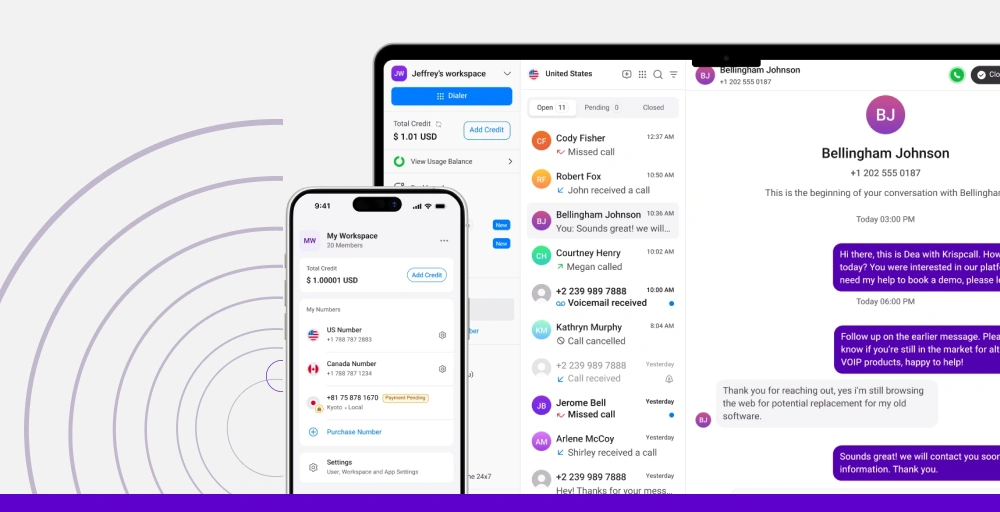
KrispCall excels at delivering clear call even in noisy environments, making it ideal for distributed teams working from home offices, co-working spaces, or anywhere with background distractions.
It offers virtual phone numbers in 100+ countries, advanced call management features, and seamless integrations with tools like Salesforce, HubSpot, Pipedrive, and Zendesk.
What makes KrispCall the best alternative to GoTo Connect?
KrispCall addresses the primary pain points users experience with GoTo Connect while offering superior value. First, the pricing transparency is refreshing; you know exactly what you’ll pay from day one, with no hidden costs or forced sales calls.
At $12/user/month for the Essential plan, it’s roughly 55% more affordable than GoTo Connect’s typical pricing while including features that GoTo locks behind premium tiers.
Integration capabilities are another major advantage. You get native integrations with 100+ business tools, including automatic call logging, click-to-dial functionality, and two-way contact syncing. KrispCall is often praised for how easy it is to connect its existing tech stack without middleware or complex setup.
KrispCall pricing
KrispCall offers a three-tiered pricing structure and makes budgeting simple and predictable.
| Plan | Annual price (per user/month) | Key feature set |
| Essential | $12 | Unified callbox, SMS/MMS, DND for phone number |
| Standard | $32 | Advanced call analytics, CRM integrations (Salesforce, HubSpot, Pipedrive), and a power dialer |
| Enterprise | Custom | Dedicated account manager, custom integrations, API access, unlimited users, |
KrispCall’s standout features
- Global virtual phone numbers: Access local, toll-free, and mobile numbers in over 100 countries, allowing you to establish a local presence anywhere in the world.
- Click-to-dial functionality: The browser extension lets you make and receive calls directly from your browser without switching applications.
- Multi-level IVR and call routing: Create sophisticated phone menus with unlimited levels and custom routing rules based on time, caller location, agent availability, or caller input.
- Extensive CRM integrations: Native integrations with Salesforce, HubSpot, Pipedrive, and other platforms enable automatic call logging, screen pops with customer data, and one-click dialing from contact records.
- Advanced call analytics and reporting: Get detailed insights into call volume, duration, missed calls, agent performance, and customer interactions through intuitive dashboards to track KPIs.
KrispCall Pros
- Extremely affordable pricing with transparent plans starting at $12/user/month.
- Intuitive interface with minimal learning curve and quick setup.
- Responsive 24/7 customer support via chat, email, and phone.
- No per-recording charges or storage limits.
KrispCall Cons
- The desktop app is not available.
- The enterprise plan requires contacting sales for custom pricing.
What users say about KrispCall
“I had an issue with my KrispCall account recently, and I’m really impressed with how quickly their support team handled it. The team was professional, responsive, and kept me updated throughout the process.
They resolved my problem in a timely manner, and I truly appreciate their effort and dedication to helping customers. It’s great to see a company that values customer satisfaction and stands behind its service.” —-Aqeel Ahmad, Trustpilot review
Best for
KrispCall is ideal for remote and distributed teams, startups, and small to mid-sized businesses that refuse to compromise on call quality, global coverage, and need professional communication features without premium pricing.
2. Quo (Formerly OpenPhone) – Best for SMBs for business calls and shared messaging
Starting at $15 per user/month, Quo distinguishes itself from GoTo Connect with its sophisticated analytics dashboard, real-time performance metrics, and AI-powered call intelligence that helps managers make informed decisions quickly.
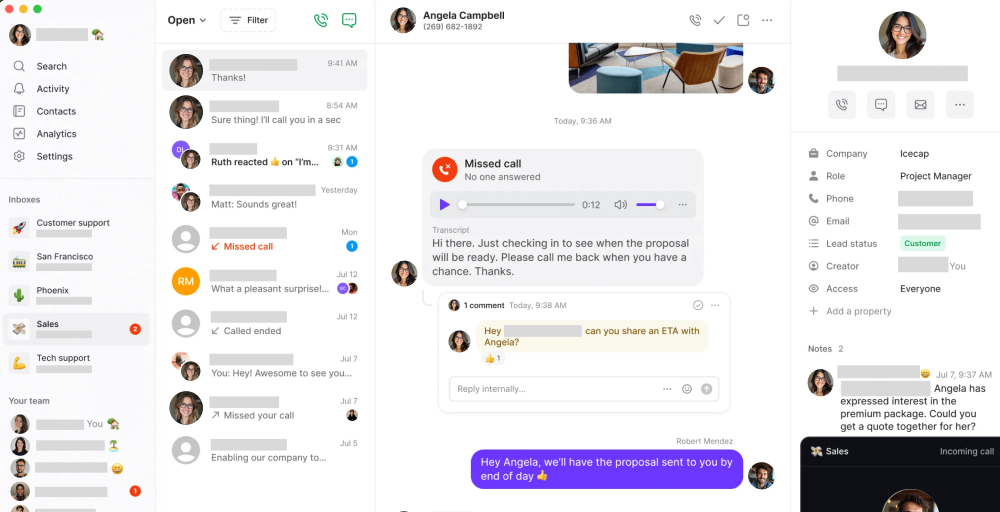
During our testing, we found that Quo’s reporting capabilities far exceed GoTo Connect’s in comparable price tiers. You get comprehensive call center features, advanced routing options, and detailed performance tracking that transforms raw call data into actionable business intelligence.
Quo’s standout features
- AI-powered call sentiment analysis: Quo uses natural language processing to analyze call sentiment to identify customer frustration, satisfaction, or confusion, and flags these moments for review.
- Sona AI agent: Answers calls automatically, handles routine inquiries, takes messages, and books appointments around the clock with Sona, a 24/7 AI receptionist.
- AI call summaries and transcripts: Automatically transcribe and summarize every phone call using AI and identify key discussion points, action items, and important details, then present them in digestible summaries.
- Shared phone numbers: Share a single phone number with multiple team members, with all calls, texts, and voicemails visible to everyone on the number.
Quo pricing
Quo offers transparent, competitive pricing with a 7-day free trial:
| Plan | Annual price (per user/per month) | Key feature |
| Starter | $15 | Unlimited calling (US/Canada), Sona AI, and manual call recording |
| Professional | $23 | Email & live chat support, AI call summaries & transcripts, Automatic call recording |
| Enterprise | $35 | Inbound phone support, priority support, and AI call tags |
Quo pros
- Highly customizable call flows and automation.
- Easily summarize calls and get helpful reply suggestions with AI tools.
- Modern interface and easy to scale.
- Real-time monitoring dashboard with live agent performance visibility
Quo cons
- Advanced AI features require a Professional plan or higher.
- The integration library is smaller than established players like KrispCall.
- Video conferencing features are basic compared to dedicated solutions.
- Calls often get flagged as “spam risk.”
Best for
Quo is best for mid-sized to large businesses that need sophisticated analytics and performance management tools along with AI insights and customizable reports.
3. Nextiva – Best for unified communications and customer experience
Nextiva is a comprehensive, unified customer experience management platform that differentiates itself from GoTo Connect with its built-in CRM capabilities, extensive social media management tools, and exceptional customer support, which consistently earns top ratings from users.
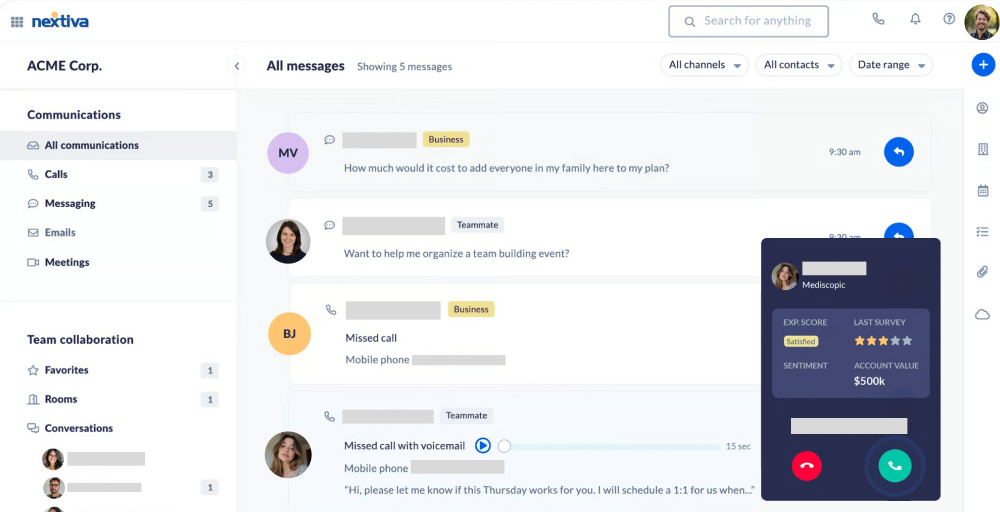
During our evaluation, we found that Nextiva excels at providing an all-in-one communication suite that eliminates the need for multiple vendors and allows its users to manage customer interactions across every channel from a single unified inbox.
Nextiva’s standout features
- Advanced social media management: All plans include social media management for up to 3 accounts (more on higher tiers), with tools for social listening, post scheduling, automated responses, and review management.
- AI voicemail transcription: Automatically transcribe voicemail and get it directly in your inbox or as an SMS.
- Built-in Customer Experience Management (CXM): Track complete customer interaction history to provide personalized service regardless of which channels customers use.
- Review management & online reputation tools: Monitor and respond to online reviews from Google, Yelp, Facebook, and other platforms directly within Nextiva.
Nextiva pricing
Nextiva offers transparent pricing with three main tiers for small to mid-sized businesses:
| Plan | Annual price (per user/month) | Key feature |
| Core | $15 | 100 monthly SMS per user, social media (3 accounts), team chat |
| Engage | $25 | Website chatbots, 500 SMS per user/month, Social media (30 accounts) |
| Power Suite CX | $75 | AI call transcription & summarization, ACD callback, contact management |
Nextiva pros
- Omnichannel customer service with phone, chat, and email available 24/7.
- No time limits on video conferencing and screen sharing.
- Easy management of social media and review sites.
- Unlimited calling within Canada and the U.S.
Nextiva cons
- Advanced AI features require expensive higher-tier plans.
- Steep learning curve for advanced contact center features.
- Some integrations may incur additional setup and implementation fees.
- Monthly SMS limitations are quite low.
Best for
Nextiva is best for growing companies needing a comprehensive CXM with built-in CRM and centralized communication channels.
4. RingCentral – Best for scalable unified communications with rich integrations
RingCentral is a comprehensive unified communications as a service (UCaaS) platform that combines VoIP calling, video conferencing, team messaging, and contact center solutions under the RingEX brand.
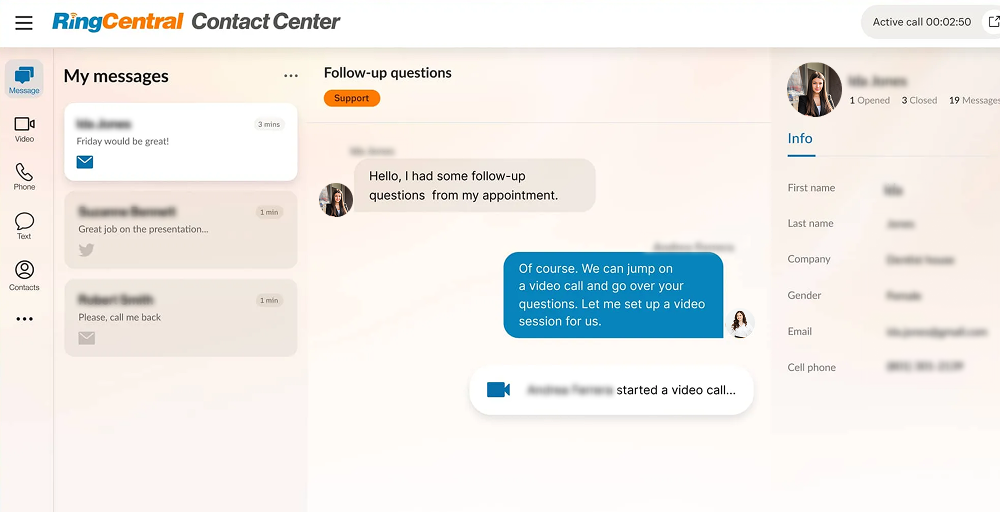
During our evaluation, RingCentral stood out from GoTo Connect with its extensive integration ecosystem, global coverage with local numbers in 100+ countries, and enterprise-grade reliability with a 99.999% uptime SLA.
RingCentral’s standout features
- Massive integration ecosystem: Integrate with 500+ major business platforms, including Salesforce, Microsoft Teams, HubSpot, Slack, Google Workspace, and hundreds more.
- Enterprise-grade reliability: RingCentral delivers 99.999% uptime SLA backed by redundant data centers and automatic failover.
- Call analytics & reporting tool: RingCentral offers historical call data and analytics dashboards, giving businesses insights into call volume, talk time, and performance.
- AI-powered communication tools: Get AI features like automatic transcription and call summaries across all plans, with more advanced AI capabilities available through add-ons.
RingCentral pricing
RingCentral’s pricing structure includes three main RingEX plans with annual and monthly options:
| Plan | Annual price (per user per month) | Key feature |
| Core | $20 | AI virtual assistant, 100 toll-free minutes, video conferencing (100 participants) |
| Advanced | $25 | 1,000 toll-free minutes, AI writer, Core reporting, and insights |
| Ultra | $35 | 10,000 toll-free minutes, video conferencing (200 participants), All personal AI assistant features |
RingCentral pros
- 14-day free trial to test the call center solution before committing.
- Global coverage with local phone numbers available in 100+ countries.
- Multi-level auto-attendant.
- Simple, intuitive user interface.
RingCentral cons
- Strict SMS limitations with overage charges.
- Complex pricing structure with hidden costs and unexpected fees reported by users.
- Longer implementation time compared to simpler platforms.
- Many advanced features require expensive add-ons or premium tiers.
Best for
RingCentral is best for established enterprises and multi-location organizations requiring global scalability, extensive integrations, and high reliability.
5. Aircall – Best for SMBs, sales, and support teams with deep CRM integration
Aircall, a cloud-based call center platform, positions itself as a premium solution that bridges the gap between basic VoIP systems and full-scale contact center platforms with features like power dialer, call queuing, and real-time monitoring.
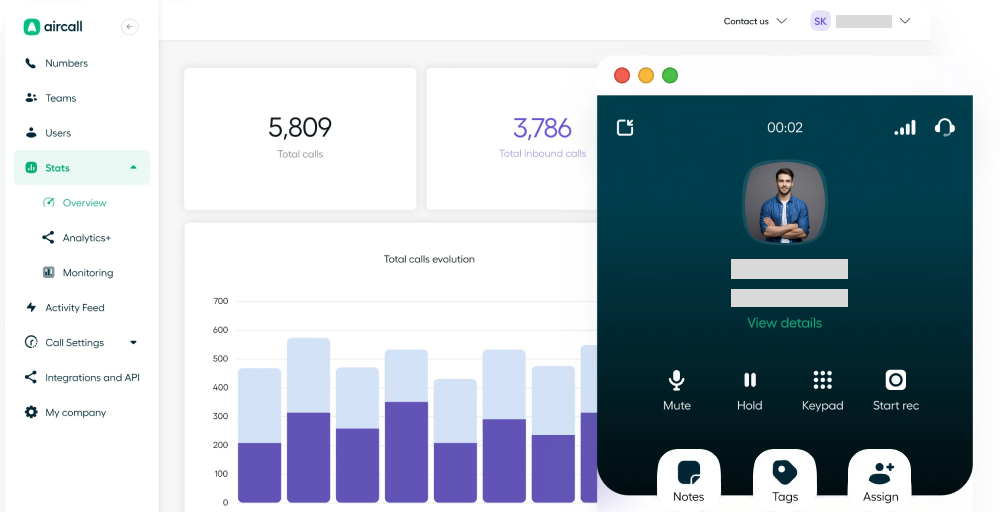
During our evaluation, we found that Aircall excels at providing one-click integrations with over 100+ business applications, including HubSpot, Salesforce, Zendesk, and Pipedrive. Also, its Smartflow IVR editor and intuitive call routing make it easy to set up complex phone systems without technical expertise.
Aircall’s standout features
- Power dialer: Efficiently work through call lists by automatically dialling the next number as soon as the previous call ends.
- Call monitoring and coaching: Monitor live calls in real-time and whisper coaching tips to agents without the customer hearing, or barge into calls when intervention is needed.
- Real-time analytics dashboard: Track call metrics through customizable dashboards and export reports for identifying trends to improve coaching or overall operations.
- Shared team inbox: All team members who share a number can see the complete interaction history in a single unified inbox.
Aircall pricing
Aircall uses a per-license pricing model with minimum user requirements:
| Plan | Annual price(per license/month) | Key feature |
| Essentials | $30 (min. 3 licenses) | Unlimited inbound calls, call recording (1 year retention), basic integrations |
| Professional | $50 (min.3 licenses) | Salesforce integration, messaging API, advanced analytics (6 months of data) |
| Custom | Quote-based (min. 25 licenses) | Unlimited analytics, API developer support, Premium Onboarding (Hands-on setup) |
Aircall pros
- Reliable call quality and uptime for business-critical communications.
- 24/7 support available on all plans ensures help when needed.
- Easy-to-use interface and quick setup process.
- Seamless integration with 100+ CRM and business tools.
Aircall cons
- Strict minimum user requirements (3 licenses minimum) reduce flexibility for small teams.
- Advanced features like AI call summaries require expensive add-ons.
- Expensive pricing that increases significantly as teams scale.
- Call quality issues, including dropped calls, lag, and connectivity problems during peak periods.
Best for
Aircall is best for remote/hybrid sales and support teams in growing businesses (SMBs/SMEs) that need an easy-to-use, cloud-based phone system integrated with their existing CRM.
6. Ooma – Best for budget-friendly business phone service
Ooma Office is a budget-friendly cloud-based VoIP phone system designed specifically for small businesses or startups looking to replace traditional landlines without breaking the bank.
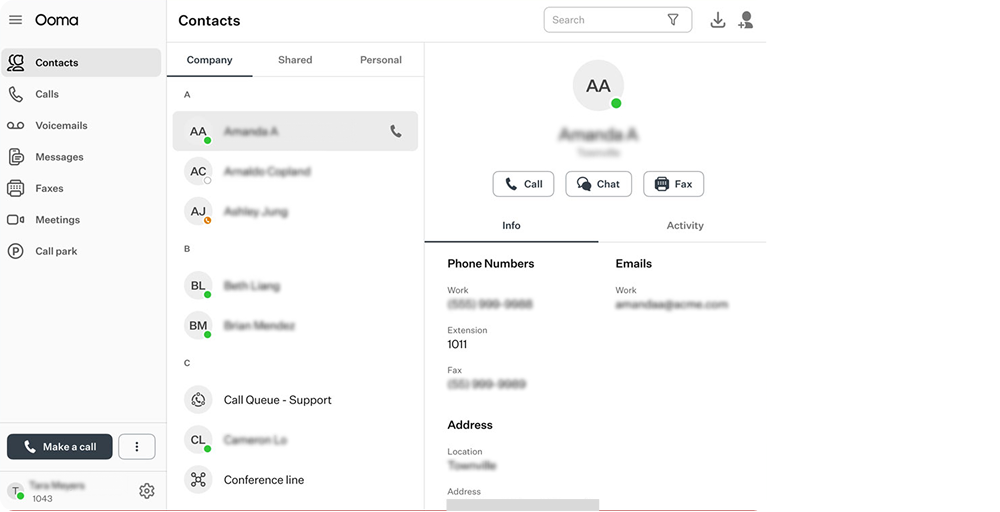
During our evaluation, we found that Ooma excels at providing a straightforward, do-it-yourself setup that most small businesses can complete in 15-20 minutes without IT assistance. The platform works with conventional analog phones, IP phones, or purely virtual service through mobile and desktop apps, giving businesses flexibility in how they deploy phone service.
Ooma’s standout features
- Virtual receptionist: It is included on all plans and provides professional automated call handling with custom greetings and multi-level menus.
- Unlimited North America calling: Freely call the United States, Canada, Mexico, and Puerto Rico, with no per-minute charges or hidden fees.
- No long-term contracts: Unlike many competitors, Ooma operates on month-to-month billing with no contracts or early termination fees.
- Easy setup: Easily set up your Ooma business phone system with the Express Setup Assistant.
Ooma pricing
Ooma offers three main business plans with month-to-month flexibility and no contracts:
| Plan | Monthly price (per user/month | Key feature |
| Essentials | $19.95 | Unlimited calling (US/Canada/Mexico), one local or toll-free number per user, virtual receptionist (auto attendant) |
| Pro | $24.95 | Desktop app, SMS/text messaging, video conferencing (up to 25 participants) |
| Pro Plus | $29.95 | Video conferencing (up to 100 participants), Text messaging(up to 1000/month), CRM integrations (Salesforce) |
Ooma pros
- Works with existing analog phones, new IP phones, and mobile/desktop apps.
- No long-term contracts with easy cancellation.
- No extra cost to send or receive faxes.
- Routes calls directly to emergency services with your registered address with the e911 service.
Ooma cons
- Call quality issues reported, including dropped calls, echoing, and lag, especially on WiFi connections.
- Mobile app experiences connectivity problems, bugs, and missing features compared to the desktop.
- Limited third-party integrations with CRMs and business tools.
- Customer support is difficult to reach with slow response times and inconsistent assistance.
Best for
Ooma is best for small businesses and startups that need an affordable, straightforward replacement for traditional landlines to VoIP.
7. Vonage – Best for businesses seeking highly customizable VoIP with strong API support
Vonage Business Communications is a cloud-based unified communications platform that offers an affordable option for small to mid-sized businesses looking to move from traditional phone systems to VoIP without significant upfront investment in equipment.
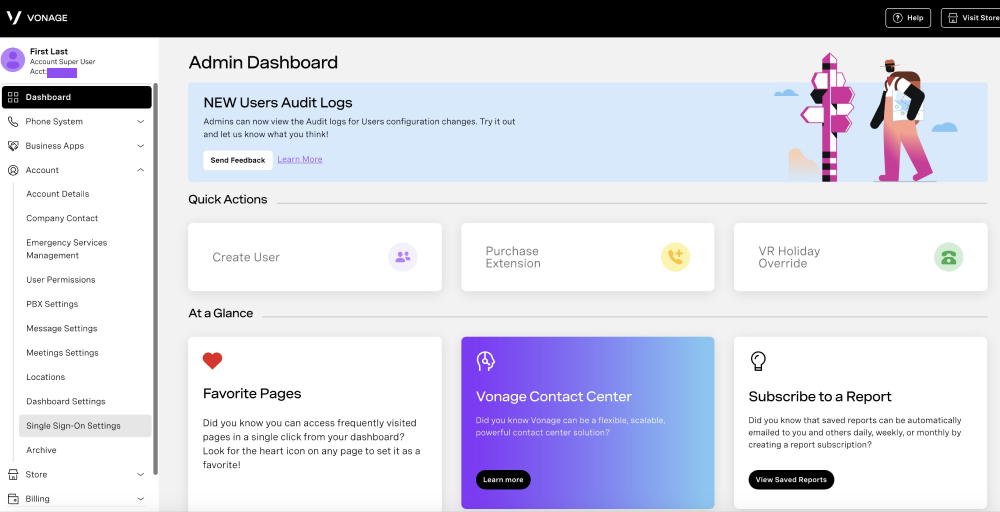
During our evaluation, we found that Vonage has been a pioneer in VoIP services since 2001 and provides 99.999% uptime reliability for voice services. However, user reviews consistently mention call quality issues tied to internet instability, frequent SMS service disruptions, and problems with customer support accessibility
Vonage’s standout features
- VBC App Center: VBC App Center provides access to valuable third-party integrations and add-ons to extend functionality beyond core communication features.
- 99.999% uptime reliability: The cloud infrastructure includes redundancy and disaster recovery capabilities to ensure business continuity during hardware or network issues.
- Unlimited domestic calling: All Vonage plans include unlimited calling to the United States and Canada with no per-minute charges or hidden limits (subject to fair use policy).
- API-first architecture: Extensive APIs and webhooks enable custom integrations and automated workflows for businesses.
Vonage pricing
Vonage offers three main pricing tiers with significant savings for annual commitments:
| Plan | Annual price (per line/month) | Key feature |
| Mobile | $13.99 | Virtual receptionist, mobile & desktop apps, voicemail, phone number porting |
| Premium | $20.99 | Video conferencing (up to 200 participants), desk phone support, basic CRM integrations (limited) |
| Advanced | $27.99 | On-demand call recording, visual voicemail with transcription, and call groups |
Vonage pros
- Clean, intuitive interface for end users with simple navigation.
- Consistent and high VoIP call quality during international calls.
- Fast and easy setup process.
- Compliant with e911 and 10DLC registration.
Vonage cons
- Hidden fees and add-on costs significantly inflate monthly bills.
- Essential features like auto call recording, AI tools, and advanced analytics are locked behind expensive add-ons.
- No refunds for annual plans if cancelled early.
- SMS service experiences regular outages and failures.
Best for
Vonage is best for businesses that need affordable VoIP phone systems and customizable VoIP solutions.
8. Zoom Phone – Best for teams that already use Zoom for meetings
Zoom Phone, a cloud-based VoIP phone system, extends Zoom’s video conferencing platform into business telephony, offering seamless integration between calls, video meetings, and team messaging.
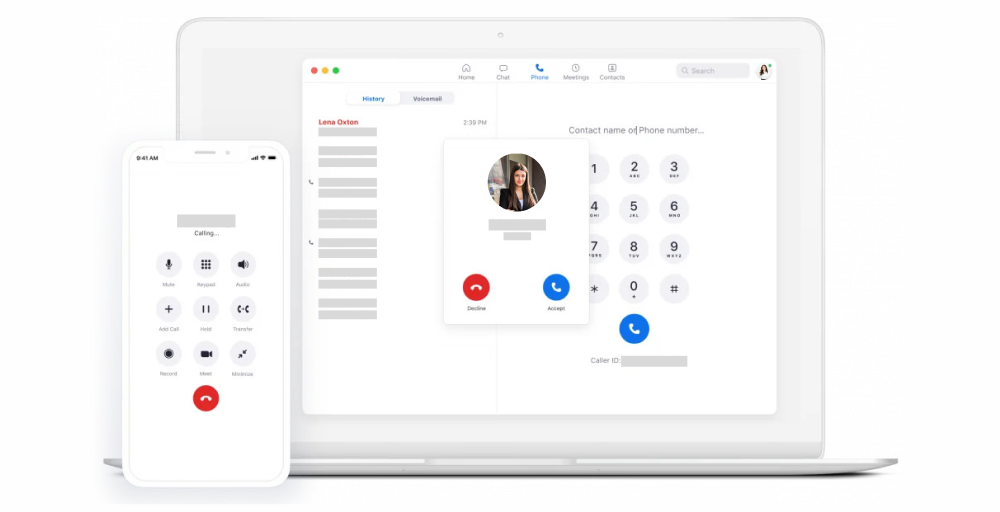
During our evaluation, we found that Zoom Phone’s greatest strength is its seamless integration with Zoom’s core video platform, which allows users to instantly escalate phone calls to video meetings, share the same contact list across calls and meetings, and manage everything from one familiar interface.
Zoom Phone’s standout features
- Seamless Zoom Meetings integrations: Easily escalate from phone calls to video meetings with one click, and maintain a consistent experience.
- Call recording: Record calls manually or automatically with recordings stored in the cloud for easy access and sharing.
- Call routing tools: Built-in IVR menus, ring groups, and call queues help manage inbound calls efficiently.
- AI companion features: Higher-tier bundles include AI Companion, which provides meeting summaries, voicemail prioritization, message drafting assistance, and task extraction from conversations.
Zoom Phone pricing
Zoom Phone offers three standalone plans plus bundled options with Zoom Workplace:
| Plan | Annual price (per user/month) | Key feature |
| US & CA Unlimited | $15 | Domestic online fax (50 pages per month), Domestic calling (unlimited or metered), Call recording |
| Pro Plus | $18.33 | Domestic calling (unlimited), 30 hours per meeting, 3 editable whiteboards |
| Business Plus | $22.49 | Domestic online fax (unlimited), 300 participants per meeting, unlimited whiteboards |
Zoom Phone pros
- Familiar interface requires no training for existing Zoom users.
- Works across all devices (desktop, mobile, web) with a consistent experience.
- Affordable entry point for basic phone service.
- Voicemail transcription is included on all plans, even the cheapest tier.
Zoom Phone cons
- Metered plan charges per minute ($0.03+), making it expensive for high call volumes.
- Limited SMS on basic plan (only 20 messages/month), insufficient for most businesses.
- No free trial available to test the service before committing to a paid plan.
- Essential features like call queues and advanced analytics require expensive add-ons
Best for
Zoom Phone is best for organizations already heavily invested in Zoom Meetings that want to consolidate vendors and simplify their tech stack for remote and hybrid work.
9. Dialpad – Best for AI-powered call insights and analytics
Dialpad is an AI-powered cloud communications platform that combines VoIP, video conferencing, and team messaging with advanced voice intelligence. Its proprietary DialpadGPT AI distinguishes itself from GoTo Connect, providing real-time call transcription, sentiment analysis, and automated call summaries.
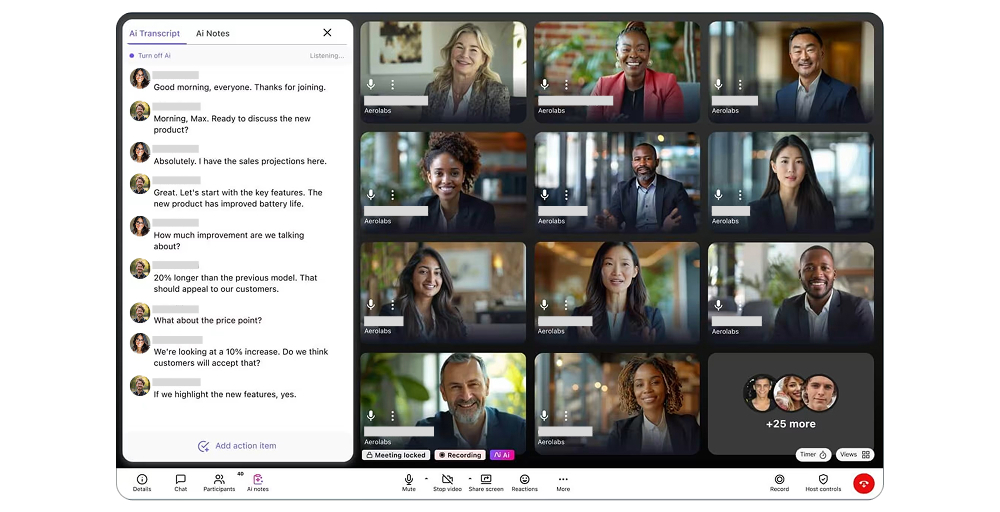
During our evaluation, we found that Dialpad’s AI capabilities are genuinely impressive for teams prioritizing conversation intelligence and coaching. The platform automatically transcribes every call with remarkable accuracy and identifies key moments like competitor mentions or pricing discussions.
Dialpad’s standout features
- Custom moments & keyword tracking: Define custom keywords or phrases you want to track across all conversations.
- AI sentiment analysis: Dialpad analyzes conversation tone and sentiment in real-time, flagging moments when customers express frustration, satisfaction, or confusion.
- Real-time AI transcription: Every call is automatically transcribed in real-time with Dialpad’s proprietary AI, including even on the $15 Standard plan.
- Seamless CRM and business tool integrations: Dialpad integrates natively with Salesforce, HubSpot, Google Workspace, Microsoft 365, Zendesk, Slack, and dozens of other platforms.
Dialpad pricing
Dialpad offers three main pricing tiers
| Plan (Connect) | Annual price (per user/month) | Key feature set |
| Standard | $15 | One local number per user, AI transcription & summaries, voicemail transcription |
| Pro | $25 | Advanced CRM integrations (Salesforce, HubSpot, Zendesk), multi-level auto attendant |
| Enterprse | Custom | Unlimited offices, unlimited ring groups, 99.99% uptime SLA, dedicated account manager |
Dialpad pros
- All plans offer AI features.
- Voice, video, and text messaging all come under one solution.
- Multi-device support across desktop, mobile, and web.
- 14-day free trial for Dialpad Connect.
Dialpad cons
- Hidden fees, including administrative cost recovery charges, porting fees, and toll-free minute costs.
- Desktop app stability issues with freezing, crashes, and bugs requiring frequent restarts.
- Minimum seat requirements (3 for Pro, 100 for Enterprise) reduce flexibility for small teams.
- Many essential features are locked behind expensive tiers.
Best for
Dialpad is best for businesses that need a unified cloud-based platform along with AI-powered contact center features.
10. Ringover – Best for SMBs needing multi-channel customer conversations
Ringover is a cloud-based omnichannel communication platform that starts at $24 per user/month (annual billing). Ringover distinguishes itself from GoTo Connect with its comprehensive multi-channel contact center capabilities, all managed from one unified workspace designed specifically for customer-facing teams.
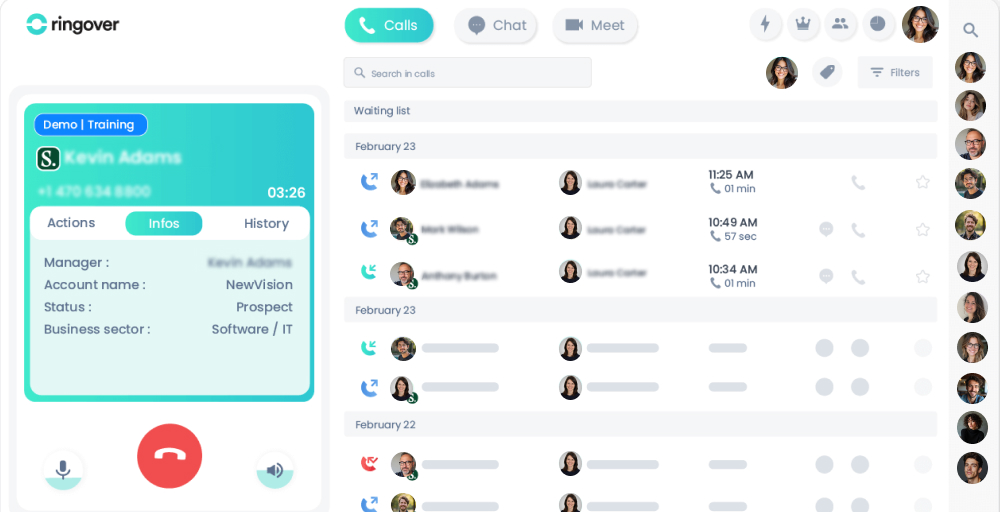
During our evaluation, we found that Ringover excels at consolidating communication channels that modern customers use to reach businesses. Along with that, you get strong CRM integration, real-time analytics with customizable dashboards, and advanced call center features like power dialer and call campaigns.
Ringover’s standout features
- Power dialer: Automate outbound calling and improve your call center campaign strategies with the power dialer.
- Multi-channel social media integration: Monitor brand mentions, manage online reputation, and engage customers where they prefer to communicate.
- Voicemail drop: Leave pre-recorded professional voicemail messages with one click when prospects don’t answer.
- Real-time analytics: Access comprehensive dashboards showing call volume, duration, wait times, agent availability, and performance metrics in real-time.
Ringover pricing
| Plan | Annual price (per user/month) | Key feature |
| Smart | $21 | Unlimited calls to 90 destinations, AI call & voicemail transcription, IVR, and call forwarding |
| Business | $44 | European mobile numbers, priority call queues, and after-call work |
| Advanced | Custom (quote-based) | SSO (Azure, SAML), Call scripts, Call campaigns |
Ringover pros
- Intuitive interface praised for ease of use and quick learning curve.
- Highly scalable and supports BYOD (Bring Your Own Device) policy.
- Built-in video meetings eliminate the need for separate tools.
- Reliable call quality and responsive customer support.
Ringover cons
- Mobile app suffers from lag, bugs, and connectivity issues
- Limited CRM integrations per tier.
- Account setup and verification can take exceptionally long.
- Need to purchase higher tiers to use advanced features.
Best for
Ringover is best for customer-facing organizations managing conversations across multiple channels.
Which GoTo Connect alternative is best for you?
After evaluating these 10 alternatives, we’ve found that each platform excels in specific areas. Here’s how to match your business needs with the right solution.
- If you prioritize excellent call quality with a selection of global virtual numbers at an affordable price, KrispCall delivers professional communication with transparent pricing and seamless CRM integrations.
- If you need advanced call analytics and real-time performance insights, Quo provides sophisticated reporting dashboards and comprehensive metrics that transform communication data into actionable insights.
- If you want an all-in-one platform that eliminates multiple vendors, Nextiva offers comprehensive customer experience tools across all channels with exceptional 24/7 customer support.
- If you’re an enterprise organization requiring global scalability, RingCentral delivers carrier-grade reliability with a 99.999% uptime SLA and enterprise-grade infrastructure.
- If you run a dedicated sales or support team that lives in a CRM, Aircall is built for you, with deep integrations, power dialing, and call center analytics that seamlessly optimize sales and support workflows.
- If you’re a small business or startup making your first transition from landlines to VoIP, Ooma delivers reliable, essential phone service at budget-friendly prices with a virtual receptionist, no contracts, and a simple DIY setup.
- If you want reliable, high-quality business communications, Vonage offers one of the most affordable solutions with unified communications and support for hybrid or remote teams.
- If you’re already standardized on Zoom for video meetings, Zoom Phone is the logical choice, with seamless integration between calls to video and a unified interface your team already knows.
- If you want advanced AI features for real-time coaching and conversation intelligence, Dialpad offers automatic call transcription, sentiment analysis, and AI-driven insights, even on the basic plan, to improve team productivity and customer satisfaction.
- If you need omnichannel capabilities, Ringover consolidates customer conversations across channels into a single inbox and provides advanced contact center features for modern customer service.
Why choose KrispCall over GoTo Connect?
After testing all of these 10 GoTo alternatives, KrispCall emerges as the superior choice.
While GoTo Connect serves as a traditional unified communications platform, it falls short in several areas that modern businesses prioritize. The lack of public pricing forces you through unnecessary sales calls, basic reporting leaves managers without actionable insights, and limited integrations create workflow friction for teams using popular CRM and helpdesk platforms.
KrispCall solves these pain points with upfront pricing starting at just $12/user/month, which is roughly 55% less than GoTo Connect’s typical costs. The AI-powered noise cancellation ensures clear calls even in chaotic remote work environments, a feature GoTo Connect simply doesn’t offer.
With 100+ native integrations to Salesforce, HubSpot, Pipedrive, Zoho, and other tools, your team gets automatic call logging and click-to-dial functionality that GoTo Connect’s limited ecosystem can’t match.
KrispCall vs GoTo Connect: Feature comparison
| Feature | KrispCall | GoTo Connect |
| Pricing | $12/user/month-Annually $15/user/month–Monthly | Hidden pricing requires a sales contact |
| CRM integrations | 100+ native integrations | Limited integration ecosystem |
| Global phone numbers | 100+ countries | Limited coverage (50+) |
| Click To Call Button/Widget | Available | Available |
| Call forwarding | Available | Available |
| Live monitoring | Included in all plans | Included in expensive tiers |
| Call recording | Included | Included |
| Noise cancellation | Included in all plans | Not available |
| New lead alerts | Built-in functionality | Not a built-in functionality |
Ready to upgrade your calling experience?
Choose KrispCall if you need:
- Lower cost + powerful features
- Easy porting of your existing numbers
- Flexible global reach & rich integrations
- Fast setup and strong support
Book your KrispCall demo now and join thousands of businesses who switched from GoTo Connect and never looked back.