If you’re using Ooma or considering it, you may already be feeling some limitations. Perhaps international calling feels restrictive, advanced features come with extra costs, integrations don’t go deep enough, or the system doesn’t scale smoothly as your team grows.
Businesses expect more from their phone systems: global reach, smarter features, seamless integrations, and pricing that makes sense as teams evolve.
That’s where modern Ooma alternatives step in, offering flexibility and innovation that better align with today’s communication needs.
This article explores 10 Ooma alternatives to help you find a business phone system that truly fits your goals.
✨Best Ooma alternatives
- KrispCall: Best for global remote teams
- Vonage: Best for customizable API workflows
- Cloudtalk: Best for Advanced automations
- Nextiva: Best for customer engagement
- RingCentral: Best for large enterprise scale
- Quo (OpenPhone): Best for startups and solopreneurs
- Aircall: Best for sales and support teams
- GoToConnect: Best for multisite & industry-specific AI
- Zoom Phone: Best for existing Zoom users
- 8×8: Best for international calling
Why look for an Ooma alternative?
Ooma is considered one of the best virtual phone systems for small businesses. However, it offers straightforward VoIP service at competitive prices. But as your business evolves, you might encounter limitations on the Ooma office:
1. Pricing limitations
Ooma’s pricing structure includes regulatory fees and taxes that aren’t always clear and upfront. While the base subscription appears affordable, these additional charges, often $10-$15 per user monthly, can significantly impact your budget. Premium features such as advanced analytics, CRM integrations, or additional call recording storage typically require costly add-ons.
2. Integration gaps
Ooma’s native integrations are primarily limited to basic options such as Google Workspace and Microsoft 365. If your team relies on Salesforce, HubSpot, Zendesk, or industry-specific software, you’ll likely need third-party workarounds.
3. Call quality inconsistencies
Call quality depends heavily on your internet connection, and some users report that the mobile app is less reliable than competitors’. This support is available, but response times can stretch during business-critical moments.
4. Limited scalability
As teams expand beyond 20-30 users, Ooma’s platform can feel restrictive. Adding international numbers, managing multiple office locations, or implementing advanced call routing becomes cumbersome. The admin dashboard lacks the granular controls larger teams need for department-specific settings or complex organizational structures.
How to choose the best Ooma alternative in 2026
Switching your business phone system affects your entire team’s productivity and customer experience, so choosing the right Ooma office alternative requires careful evaluation of what matters most to your specific situation.
Ooma is considered one of the best virtual phone systems for small businesses. However, as your business evolves, you might encounter certain limitations. We’ve thoroughly tested and researched each alternative listed here; our software review methodology, content update methodology, and content integrity statement outline exactly how we evaluate these platforms.
10 Best Ooma alternatives in 2026
Numerous Ooma alternatives are found in the market. Among them, we have selected some of the top ones based on their essential features, pricing, and suitability.
Let’s look out for them:
| Provider | Key Features | Pricing (per user/month) | Best For |
| KrispCall | Unified callbox, live call monitoring, call transfer, call analytics | Essential: $12, Standard: $32, Custom: Contact Sales | International businesses, startups, and remote or hybrid teams |
| Vonage | Voice, video, SMS, team messaging, call park, conference bridge, IP paging | Mobile: $13.99, Premium: $20.99, Advanced: $27.99 | Large enterprises, international businesses need UCaaS |
| CloudTalk | IVR, skill-based routing, call recording, call monitoring, smart & power dialer, analytics, CRM integrations, omnichannel support | Lite: $19, Essential: $29, Expert: $49 | Sales teams, customer support teams, and businesses needing a scalable cloud call center |
| Nextiva | Unified-CXM platform, VoIP, video conferencing, auto-attendant, call analytics | Core: $15, Engage: $25, Power Suite CX: $75 | Customer support teams, businesses prioritizing CX |
| RingCentral | Voice, SMS, video, chat, 300+ integrations, AI-powered analytics, shared lines | Core: $20, Advanced: $25, Ultra: $35, Customer Engagement Bundle: Contact Sales | Integration-heavy workflows, large teams, global businesses |
| Quo (OpenPhone) | Shared phone numbers, AI call tags, call flow builder, auto-attendant, Sona AI assistant | Starter: $15, Business: $23, Scale: $35 | Budget-conscious startups, small teams, and collaborative teams |
| AirCall | Virtual call center, warm transfer, real-time call modifications, contact sync | Essential: $30, Professional: $50, Custom: Contact Sales | Sales and support teams, call-heavy operations |
| GoTo Connect | Phone, video, messaging, call filtering, virtual fax, and admin dashboard | Phone System: Contact Sales, CX: Contact Sales, Contact Center: Contact Sales | Businesses wanting bundled phone + video, SMBs |
| Zoom Phone | Integrated with Zoom, post-call summaries, task extraction, unlimited domestic calling, and SSO | US & CA Unlimited: $15, Pro Plus: $18.33, Business Plus: $22.49 | Teams already using Zoom, remote work, and SMBs |
| 8×8 | Unified communications + CX, omnichannel routing, AI analytics, global numbers | Contact Center: Contact Sales, CX Beyond Contact Center: Contact Sales, Integrations: Contact Sales, Unified Communications: Contact Sales | Global businesses, customer support-heavy teams, medium-large enterprises |
1. KrispCall
KrispCall is an AI-powered, cloud-based business phone system designed for businesses. It provides virtual numbers in over 100 countries and unifies calling, SMS, and CRM workflows for sales and support teams.
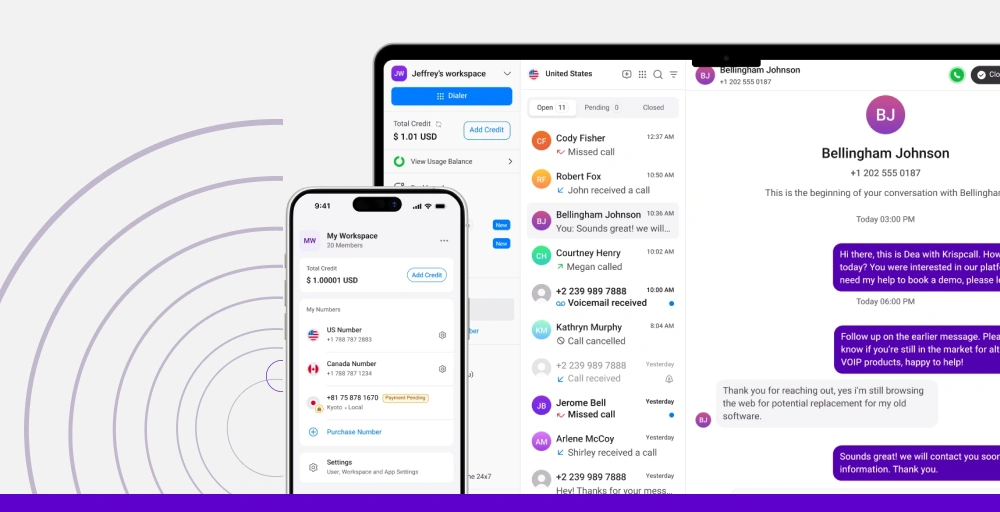
It simplifies communication by centralizing interactions, offering advanced VoIP features without hardware, and supporting remote teams.
What makes KrispCall a good alternative to Ooma
KrispCall stands out as an affordable, feature-rich option designed specifically for businesses operating across borders. Unlike Ooma’s primarily US-focused approach, KrispCall offers virtual phone numbers in over 100 countries without the hefty international calling fees. The platform combines simplicity with powerful features, making it accessible for small teams while offering the scalability larger organizations need.
KrispCall’s standout features
- Unified callbox: Combines all business communication, phone calls, SMS, voicemails, and notes in one feed, eliminating app-switching and providing a single source of truth for customer interactions.
- Live call monitoring: Let’s supervisors listen in, whisper private guidance, or barge into live calls for real-time intervention, ensuring quality and training.
- Phone tree (IVR): Create sophisticated call flows that direct customers to the right team member based on time of day, caller location, or custom rules.
- Computer telephony integration (CTI): Native connections with HubSpot, Salesforce, Zoho, Pipedrive, and other popular platforms automatically log calls and sync contact information.
- Call analytics and reporting: Track metrics like call duration, missed calls, peak calling times, and individual agent performance with easy-to-read dashboards.
KrispCall Pros
- It offers transparent pricing with no hidden regulatory fees.
- With this, you get responsive customer support via chat, email, and phone.
- This provides generous international calling inclusions even on basic plans.
KrispCall Cons
- Some of its advanced enterprise features are still in development.
- The video conferencing capabilities are not as robust as dedicated platforms.
- User experience delays in number verification.
KrispCall Pricing
KrispCall offers three pricing plans, and they are:
| Plan | Annual price (per user/month) | Key feature set |
| Essential | $12 | Voicemail, Call analytics, Number sharing, |
| Standard | $32 | Call recording, Bulk SMS, and Advance reporting |
| Custom | Custom | Power dialer, Multi-level IVR, Call queue |
What users say about KrispCall?
The support before and the live support has been brilliant! The ease of using an Australian number to call Australian businesses in a game-changer for me i live in Spain…OZ Folks don’t pick up European numbers often. Thanks for this amazing set up. My pick up call rates have jumped from 3.45% to 35% on cold outreach alone.
Craig M. Co Founder (Small-Business, 50 or fewer emp) via G2
2. Vonage
Vonage Business is a Unified Communications as a Service (UCaaS) that provides a comprehensive suite of communication tools, including voice, video, text messaging, and team collaboration features.
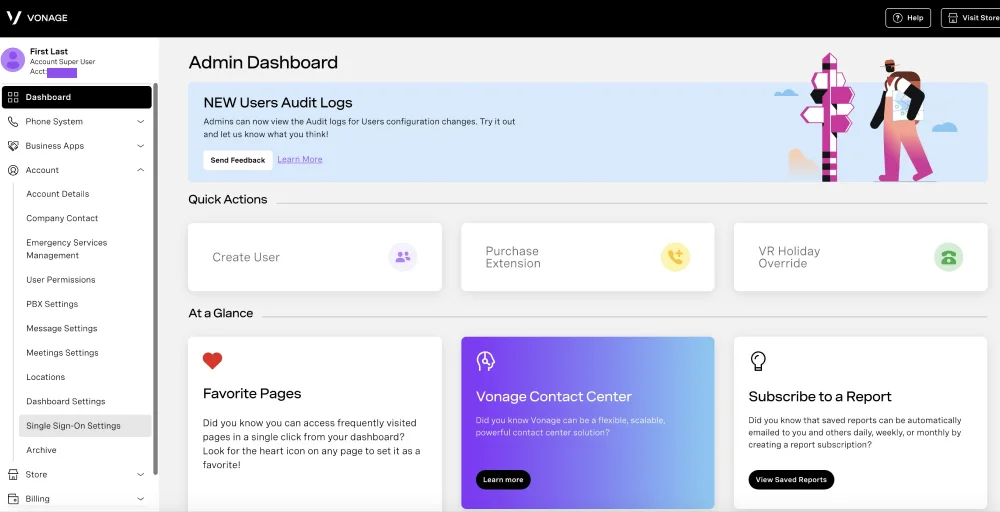
You can manage calls, texts, and voicemails on the go, with options for advanced add-ons to further customize your experience.
What makes Vonage a good alternative to Ooma
Vonage brings enterprise-grade reliability and features to businesses of all sizes. With decades in the telecommunications industry, they offer the stability and proven track record that conservative businesses appreciate. Their unified communications platform combines voice, video, messaging, and contact center capabilities into one comprehensive solution.
Vonage’s standout features
- Call park: Help team members in designated groups easily retrieve calls using call parking.
- Block Caller ID: Use caller ID blocking to prevent outbound calls from displaying your business’s number, allowing you to bypass individuals who screen calls.
- Never miss a call: This feature includes call forwarding, simultaneous ring, follow-me, voicemail, and DND, allowing users to choose how to route calls when away from the office.
- Conference bridge: Host virtual conferences effortlessly with Vonage’s conference bridge capabilities, creating a secure digital environment for all attendees.
- IP phone paging system: Broadcast announcements or messages to up to 500 recipients, so they hear them on their phones.
Vonage Pros
- This provides strong customer support with dedicated account teams for larger clients.
- The exceptional reliability and call quality.
- It has decent call quality for internal and SMB use cases.
Vonage Cons
- Call reliability is not enterprise-grade, with occasional dropped calls and disruptions.
- Hidden surcharges, add-on fees, and early termination complaints.
- It has limited analytics and dashboards.
Vonage Pricing
| Plan | Annual price (per month/line) | Key feature set |
| Mobile | $13.99 | VBC mobile app, SMS and MMS, Virtual receptionist, Ring groups |
| Premium | $20.99 | Team messaging, Single Sign-On, Desk Phone support |
| Advanced | $27.99 | Call groups, Visual voicemail, On demand call recording |
3. CloudTalk
CloudTalk is a cloud-based VoIP phone system designed specifically for sales and customer service teams that need to manage high call volumes without increasing overhead.
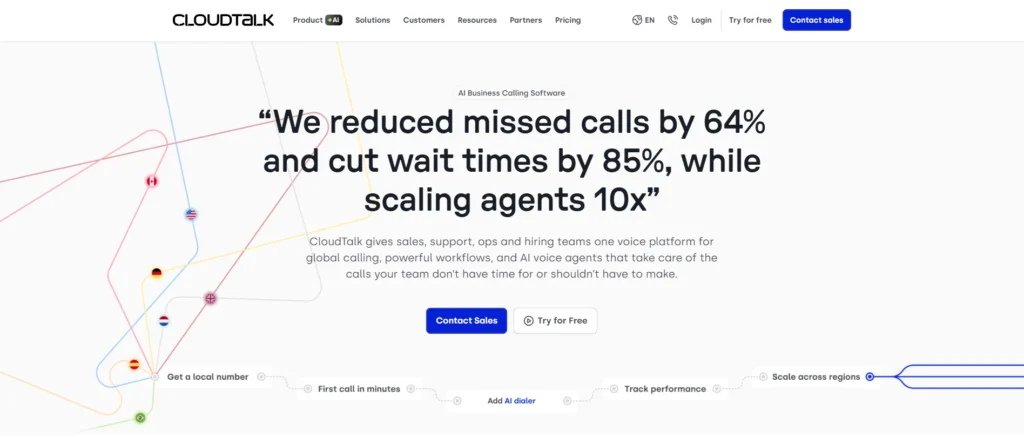
With 80+ advanced tools and 160+ international phone numbers, it allows teams to “go global” while maintaining a local presence.
What makes CloudTalk a good alternative to Ooma
While Ooma is a fine starting point for basic phone calls, it lacks the advanced automation and insights growing revenue teams need to scale. CloudTalk eliminates manual busywork by logging every interaction directly into your existing CRM automatically. Your sales reps can drastically increase their live connection rates using our suite of advanced dialers instead of dialing by hand.
CloudTalk’s standout features
- AI-Powered Conversation Intelligence: Transcription, summary, and sentiment analysis for smarter, data-driven conversations.
- Advanced Dialers: Power, preview, and parallel dialing modes to maximize agent efficiency and outreach.
- Smart Call Routing & IVR: Skill-based and preferred-agent routing with a visual designer for seamless call flow management.
- Global Voice Coverage: Local, mobile, and toll-free numbers available in 160+ countries to support worldwide operations.
- Live Call Monitoring & Coaching: Listen-in, whisper, and barge capabilities for real-time agent support and quality assurance.
CloudTalk Pros
- Easy to use and intuitive interface
- Reliable call quality and performance
- Robust calling features and advanced dialers
- Seamless CRM and helpdesk integrations
- Comprehensive analytics and real-time monitoring
CloudTalk Cons
- Advanced AI features require higher-tier plans
- Full setup and routing design may take initial planning time
CloudTalk Pricing
| Plan | Annual price (per user/month) | Key feature set |
| Lite | $19.00 | Basic VoIP calling, essential call handling features |
| Essential | $29.00 | Analytics, IVR, CRM integrations |
| Expert | $49.00 | Power dialers, live monitoring, wallboards |
4. Nextiva
Nextiva offers a unified customer experience management (CXM) platform that consolidates all customer interactions into a single, AI-powered system.
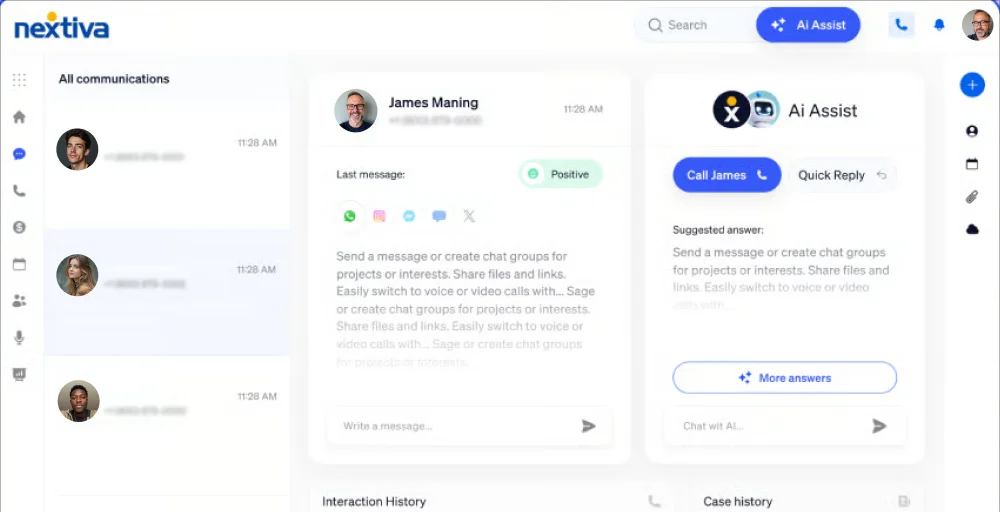
It combines VoIP phone systems, team messaging, video-conferencing, and contact center features into a single, integrated platform, reducing the need for multiple software subscriptions.
What makes Nextiva a good alternative to Ooma
Nextiva positions itself as a complete customer experience platform, going beyond basic calling features and phone service to encompass surveys, customer journey analytics, and relationship management tools. It’s designed for businesses that view every customer interaction as an opportunity to strengthen relationships and gather insights.
Nextiva’s standout features
- Push to talk: Instantly connect with team members with a single button press, ensuring quick, efficient conversations.
- Unlimited online faxing: Send and receive faxes online without any limits, simplifying document management.
- VoIP switchboard: Manage phone calls seamlessly with an intuitive switchboard that streamlines communication.
- Auto-attendant and call queuing: Effortlessly direct incoming calls with an automated system that enhances the customer service team and reduces wait times.
- HD VoIP phone service: Experience crystal-clear voice quality for more pleasant, effective conversations.
Nextiva Pros
- You get excellent customer support with US-based teams available 24/7.
- There is a comprehensive feature set covering the entire customer experience.
- It is a reliable platform with a 99.999% uptime guarantee.
Nextiva Cons
- This requires annual contracts for the best pricing.
- Its setup and onboarding can be time-intensive.
- The Nextiva mobile app occasionally lags behind desktop features.
Nextiva Pricing
| Plan | Annual price (per user/month) | Key feature set |
| Core | $15 | Inbound calling, ACD call back, Process automation |
| Engage | $25 | Inbound and outbound voice, Toll-free number, Intelligent call routing (simple IVR) |
| Power Suite CX | $75 | Live Chat, Voice call recording, Chatbot, Voice analytics |
5. RingCentral
RingCentral is a leading provider of cloud phone systems and contact center solutions that unify voice, video, and messaging into a single, intuitive interface. It uses AI to simplify communication with internal teams and external clients.
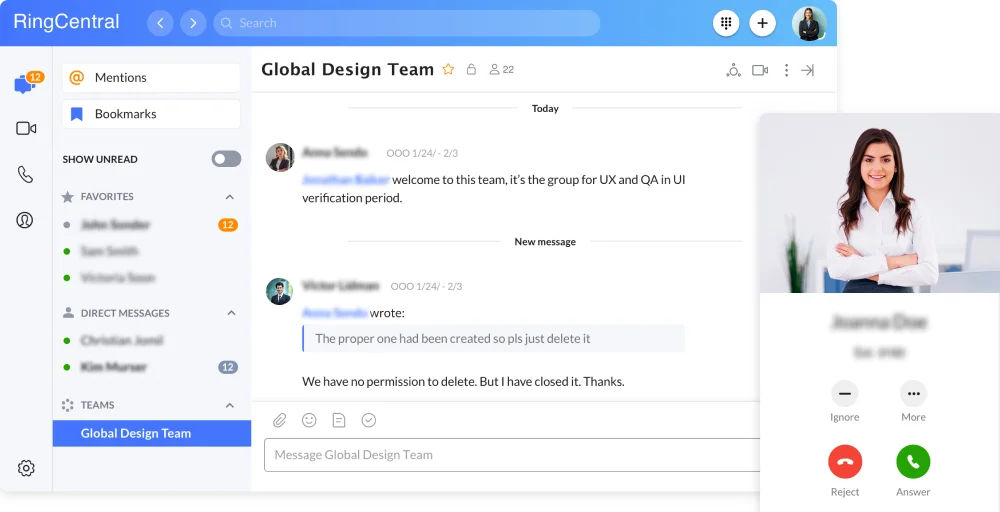
RingCentral also offers open APIs, enabling integration and innovation across various portfolios for a more connected communication ecosystem. It is recognized for its AI-powered capabilities and aims to simplify communication between employees and customers.
What makes RingCentral a good alternative to Ooma
RingCentral is a cloud communications VoIP provider that offers arguably the most comprehensive integration ecosystem in the industry. With over 300 pre-built integrations and an open API, it connects seamlessly with virtually any business software your team uses.
RingCentral’s standout features
- Call flip: This feature lets users seamlessly switch an ongoing call between devices.
- IVR editor: A tool for creating and customizing interactive voice response systems to enhance user experience.
- RingOut: A feature that enables users to make calls from their mobile or desktop using their RingCentral number.
- Shared lines: This allows multiple users to share a single line, enabling collaborative communication.
- Heads-up display: A visual interface that provides essential call information and notifications in real-time.
RingCentral Pros
- It has enterprise-grade reliability and security features.
- You can also access it across multiple devices with good quality.
- It combines voice, SMS, chat, email, and social media into a single interface.
RingCentral Cons
- As advanced features are available in higher tiers, it may be expensive.
- You need add-ons, or the app can be clunky.
- It has limitations on toll-free minutes and lacks 24/7 video calling support.
RingCentral Pricing
| Plan | Annual price (per user/month) | Key feature set |
| Core | $20 | Shared lines, Incoming caller ID, |
| Advanced | $25 | Helps write, draft, and edit the Cost center management, Adoption analytics |
| Ultra | $35 | Call log reports, Single sign-on, Transcribes calls |
| Customer Engagement Bundle | Contact sales | Call back from queue, Shared SMS inbox, |
6. Quo
Quo, formerly known as OpenPhone, is an AI-powered business communication platform that consolidates calls, texts, and contacts into a shared, app-based interface. The system allows several team members to communicate via calls or messages using common phone numbers and shared inboxes.
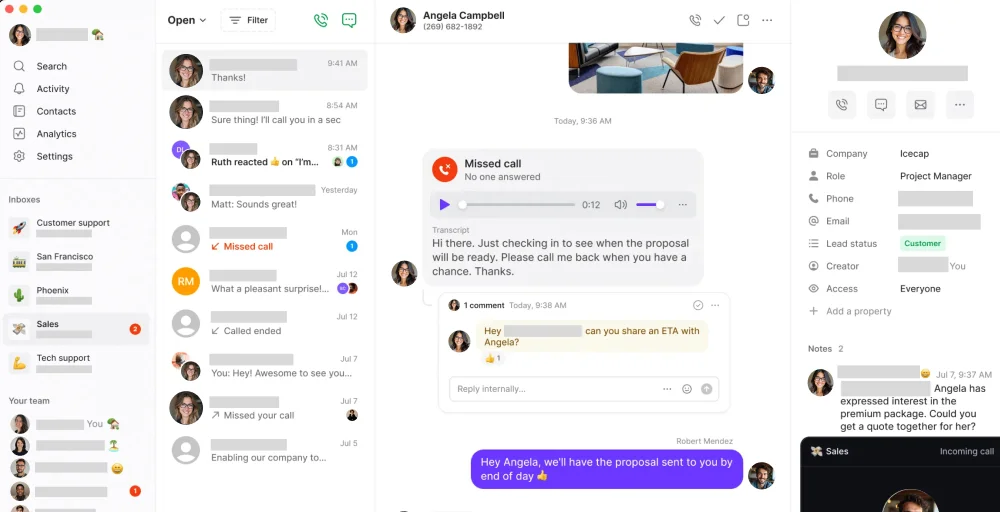
The system automates manual tasks, such as transcriptions and call summaries, with a built-in AI agent named Sona. Its primary goal is to enhance team alignment and improve response times, ultimately ensuring customers feel well-attended to.
What makes Quo a good alternative to Ooma
Quo, formerly OpenPhone, brings a fresh, modern approach to business communications designed specifically for startups and small teams. It emphasizes collaboration, making it easy for multiple team members to manage shared phone numbers and work together on customer conversations. The interface feels more like Slack than a traditional phone system.
Quo’s standout features
- AI call tags: This innovative feature automatically labels and categorizes calls, making it easier for users to manage and prioritize their conversations.
- Call flow builder: With this, users can effortlessly design customized call paths, ensuring every call is routed to the appropriate destination based on specific criteria.
- Answering service: Quo’s answering service provides reliable support, ensuring no call goes unanswered and enhancing customer satisfaction and engagement.
- Sona AI agent: This intelligent virtual assistant handles inquires and tasks seamlessly, providing quick responses and support to users, making communication more efficient.
- Auto-attendant: Greets callers and guides them through menu options, enabling streamlined navigation without a human operator.
Quo Pros
- Offers flexible month-to-month pricing.
- With the help of AI agents like Sona, you get call summaries and automated responses.
- Your team can share a number with full conversation history and context.
Quo Cons
- It lacks advanced UCaaS and video conferencing features.
- You get a limited number of integrations.
- Also, the international number is in short available.
Quo Pricing
| Plan | Annual price (per user/month) | Key feature set |
| Starter | $15 | Shared phone number, Call views, Auto-replies, unlimited users |
| Business | $23 | Ring order, Phone menus, Group calling |
| Scale | $35 | AI call tags, Inbound phone support, Internal threads |
7. Aircall
Aircall is a leading cloud-based business phone system and call center software explicitly designed for modern sales and support teams. It runs entirely on VoIP technology, meaning you can make and receive calls from your computer or smartphone.
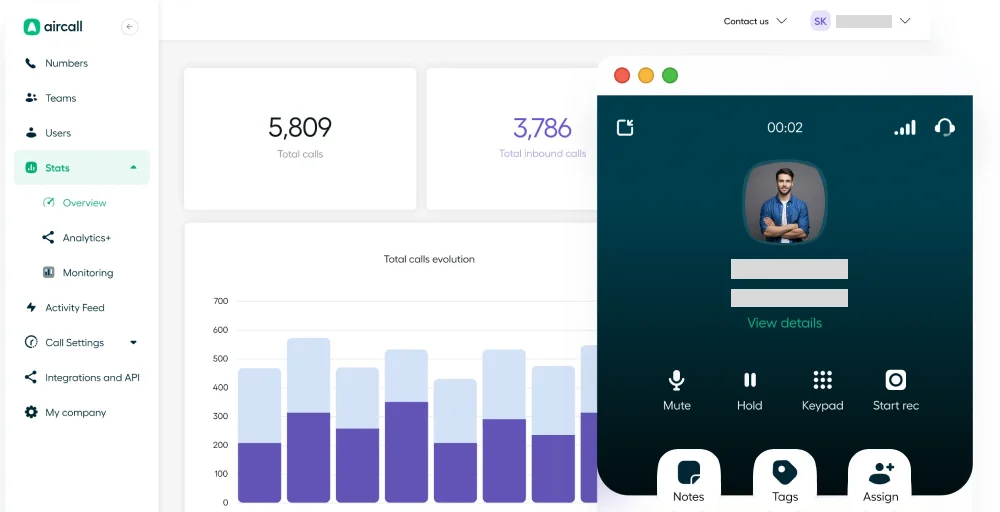
The platform offers powerful features such as AI-generated call summaries, power dialers, and real-time coaching to improve team productivity. While it is highly user-friendly and quick to set up, it requires at least 3 users and a stable internet connection to function effectively.
What makes Aircall a good alternative to Ooma
Aircall laser-focuses on sales and support teams, offering features specifically designed for high-volume calling environments. It’s built for teams that live on the phone with customers, providing the power and performance needed for professional call centers without enterprise-level complexity.
Aircall’s standout features
- Virtual call center: Effortlessly manages calls from anywhere, empowering your team to operate efficiently and effectively, no matter where they are located.
- Warm transfer: Ensure a flawless customer experience by transferring calls to colleagues, with a brief introduction, so every client feels valued and understood.
- Real-time modifications: Instantly adapt call settings or information during a conversation, allowing your team to respond to customer needs with agility and precision.
- After-call work: Equip your team with powerful tools to efficiency complete post-call tasks, ensuring no detail is overlooked and enhancing productivity.
- Contact synchronization: Achieve seamless integration of contracts across platforms, ensuring your team always has the most up-to-date and relevant information at their fingertips.
Aircall Pros
- It integrates with more than 250 tools, including Salesforce and HubSpot.
- You get clear call quality.
- Fast response during the onboarding process.
Aircall Cons
- It can be expensive, especially with per-minute outbound charges.
- MMS or call tracking types of features are not present.
- This provides limited control for complex workflows.
Aircall Pricing
| Plan | Annual price (per user/month) | Key feature set |
| Essential | $30 | Custom music and messages, Instant numbers, Email reporting |
| Professional | $50 | Smart call routing, queue callback, Time and date-based routing |
| Custom | Call for details | Role-based permissions, Messaging API, Conversation center |
8. GoTo Connect
GoTo Connect is a UCaaS and CCaaS VoIP phone system. It combines business phone, video conferencing tools, and team messaging into a single, seamless application available on desktop, web, and mobile devices.
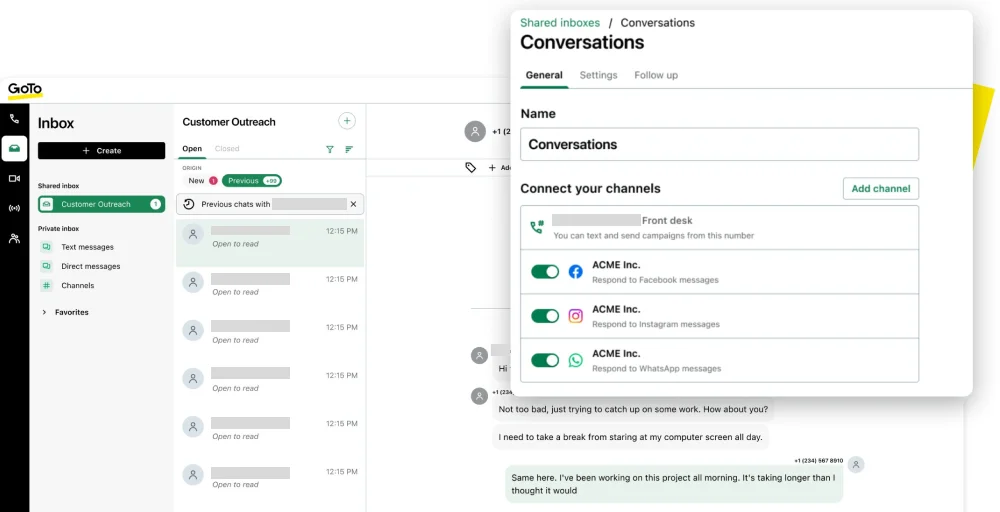
GoTo Connect provides a reliable and unified communication experience for teams of all sizes. It ensures smooth collaboration whether employees are in the office or working remotely.
What makes GoTo Connect a good alternative to Ooma
GoTo Connect bundles phone service with a video conferencing platform in one unified platform from the company behind GoToMeeting. It’s designed for businesses wanting a comprehensive communications solution without juggling multiple vendors or subscriptions. The tight integration between phone and video creates seamless meeting experiences.
GoTo Connect’s standout features
- Call filtering: Advanced call management features that allow users to create customized screening criteria for inbound calls.
- Custom messages & greetings: Options for personalized greetings and voicemail messages to enhance user experience and professionalism.
- Virtual fax: A seamless digital faxing solution that eliminates the need for traditional fax machines, allowing for secure document transmission.
- Screen sharing: High-quality capabilities enable real-time collaboration and support during calls or meetings.
- Admin GoPilot: An intuitive administrative dashboard designed for efficient management of user settings, analytics, and overall service optimization.
GoTo Connect Pros
- Phone and video in one package eliminates the need for multiple tools.
- Reliable platform from an established communications provider.
- Good balance of features and usability.
GoTo Connect Cons
- Interface feels dated compared to newer competitors.
- Fewer third-party integrations than specialized platforms.
- Mobile app functionality sometimes lags the desktop experience.
GoTo Connect Pricing
| Plan | Annual price (per user/month) | Key feature set |
| Phone system | Contact sales | Mobile and desktop applications, Attendant Console, Free calls to 50 countries, |
| Customer experience (CX) | Contact sales | WhatsApp, social, SMS campaigns, web chat, and surveys, AI receptionist |
| Contact center | Contact sales | Attendant Console, AI Quality Management, Skills assignment, tagging, and priority routing, |
9. Zoom Phone
Zoom Phone is a cloud-based VoIP system integrated into the Zoom platform, letting users make calls, send messages, and join meetings all from one app. It is suitable for businesses of any size, offering a flexible, cost-effective alternative to traditional phone systems.
Zoom Phone simplifies communication by keeping calls, messages, and meetings in a single, familiar interface. It also supports remote and hybrid teams, making it easy to stay connected from anywhere.
What makes Zoom Phone a good alternative to Ooma
If your team already relies on Zoom for video meetings, Zoom Phone provides seamless integration at an attractive price. It’s offered as an add-on to existing Zoom accounts or as a standalone service, leveraging Zoom’s massive global infrastructure for reliable call quality worldwide.
Zoom Phone’s standout features
- Post-call summaries: Enjoy detailed recaps that capture the essence of your conversations, ensuring no essential points are overlooked and helping your team stay aligned.
- Task extraction: Automatically identify and extract key action items from your calls, empowering your team to track responsibilities and boost overall productivity.
- Domestic calling (unlimited): Engage in uninterrupted conversation without worrying about call limits, allowing you to strengthen connections with clients, colleagues, and conduct visual collaboration.
- Unlimited Whiteboards: Unleash creativity and enhance teamwork with limitless digital whiteboards, ideal for brainstorming, strategy planning, and visual collaboration.
- Single Sign-On (SSO) & Managed Domains: Experience streamlined access with robust security protocols, simplifying user management and safeguarding sensitive information while enhancing user convenience.
Zoom Phone Pros
- It’s very affordable for people who already use Zoom.
- You get excellent call quality since it uses Zoom’s technology.
- If your team is familiar with Zoom, the interface will be easy to use.
Zoom Phone Cons
- The value of Zoom as a standalone product is limited without its full ecosystem.
- It has fewer integrations than specialized phone systems.
- To access certain calling features, you may need to upgrade your entire Zoom license.
Zoom Phone Pricing
| Plan | Annual price (per user/month) | Key feature set |
| US & CA Unlimited | $15 | Domestic SMS & MMS, One management portal, Voicemail task extraction |
| Pro Plus | $18.33 | Instant messaging, Unlimited Docs, 3 editable whiteboards |
| Business Plus | $22.49 | Domestic online fax (unlimited), Call park, Voicemail with transcription |
10. 8×8
8×8 is a cloud-based platform for unified communications and customer experience (CX), integrating voice, video, chat, contact center, and APIs to help businesses connect teams and customers. It also offers AI-driven analytics, omnichannel routing, and secure collaboration tools to improve productivity and customer loyalty.
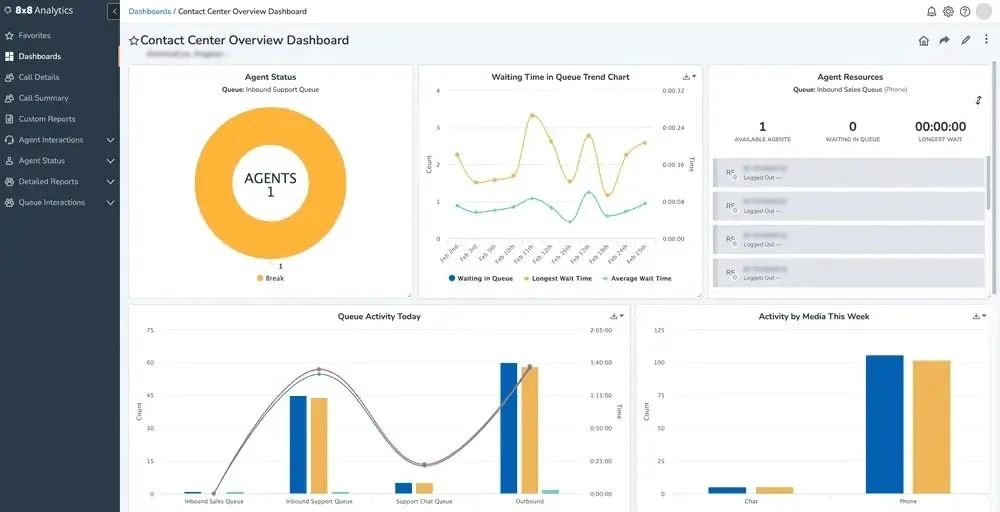
It provides solutions for sales, support, and IT, serving businesses of all sizes across various industries worldwide.
What makes 8×8 a good alternative to Ooma
8×8 offers a comprehensive platform combining business phone, video meetings, contact center, and team chat, all with strong international capabilities. It’s particularly well-suited for businesses with global operations or those needing sophisticated contact center features without the complexity of enterprise-only solutions.
8×8’s standout features
- Global unified communications: Single platform supporting voice, video, chat, and contact center across 50+ countries.
- Analytics and AI: Speech analytics, quality management, and AI-powered insights for contact center operations.
- Omnichannel routing: Route voice, email, chat, SMS, and social media interactions to appropriate agents based on skills and availability.
- International reach: Local numbers in 50+ countries with unlimited calling to 48 countries included.
- Contact center capabilities: Skills-based routing, IVR, recording, quality monitoring, and workforce management.
8×8 Pros
- This platform meets a wide range of communication needs.
- It offers strong international calling features and includes advanced contact center tools at competitive prices.
- You can count on high reliability with a 99.999% uptime guarantee.
8×8 Cons
- The pricing is complicated with many extra fees and levels.
- The interface is not as easy to use as some newer competitors.
- Customer support varies in quality by region.
8×8 Pricing
| Plan | Annual price (per user/month) | Key feature set |
| Contact center | Chat with sales | Omnichannel Routing, Agent Workspace™, AI-Enabled Self-Service, Workforce Engagement Management |
| CX Beyond the Contact Center | Chat with sales | Management, Conversational Intelligence, Team Lead Analytics, Global CoverageIntegrations |
| Communications APIs | Chat with sales | High-Volume SMS, Messaging, Voice, VideoAuthentication and Fraud |
| Unified Communications | Chat with sales | Call, Meet, Receptionist Console, System Analytics |


Which Ooma alternative is best for you?
Choosing the right Ooma alternative depends largely on how your business operates, who your customers are, and which features matter most to your business.
The table below connects common business needs with the most suitable Ooma competitors and explains why each option stands out.
| Use Case / Priority | Best Ooma alternatives | Why it’s the best fit |
| International Businesses | KrispCall, Vonage | KrispCall offers global coverage and simple pricing for small to mid-sized teams, while Vonage is better suited for larger enterprises that require robust UCaaS and scalable international calling. |
| Sales Teams | CloudTalk, Aircall | CloudTalk Provides skill-based routing, call recording, and analytics. Aircall focuses on sales productivity with CRM integrations and call management tools designed to boost conversions. |
| Customer Support Teams | Nextiva, 8×8 | Nextiva excels in customer experience management with omnichannel support. 8×8 offers strong contact center features, including advanced routing and analytics for support-heavy environments. |
| Integration-Heavy Workflows | RingCentral | With 300+ integrations (CRM, helpdesk, productivity tools), RingCentral fits seamlessly into complex, tool-heavy business ecosystems. |
| Budget-Conscious Startups | Quo, KrispCall | Both offer modern VoIP features, transparent pricing, and no long-term contracts, perfect for startups that need flexibility without sacrificing functionality. |
| Existing Zoom Users | Zoom Phone | Deep native integration with Zoom Meetings and competitive pricing make it the most cost-effective choice for teams already using Zoom. |
| Ease of Use / Simplicity | Quo, GoTo Connect | Quo is highly intuitive with minimal setup. GoTo Connect offers a simple, bundled solution combining phone and video conferencing tools. |
Why choose KrispCall over Ooma?
KrispCall is often chosen over Ooma because it is better suited for modern, growing, and globally distributed businesses. It offers broader international number coverage, simpler and more transparent pricing, and an easy-to-use interface that requires minimal setup or IT support.
KrispCall is designed for remote and hybrid teams, offering flexible softphone access, CRM integrations, and scalable features at a cost that works well for startups and small teams. While Ooma is reliable for basic, U.S.-focused calling needs, KrispCall delivers greater flexibility, global reach, and long-term value for businesses planning to scale.