Businesses searching for Vonage alternatives are usually facing the same challenges: rising costs from add-ons, inconsistent call quality, limited features in base plans, or a platform that no longer fits how modern teams work.
While Vonage remains a recognizable cloud communications provider, it isn’t always the best option for startups, SMBs, sales teams, or globally distributed businesses. Many organizations now prioritize transparent pricing, reliable VoIP performance, CRM integrations, and simpler user experiences, areas where competitors often perform better.
This guide compares the best Vonage competitors based on real-world testing, pricing clarity, core features, reliability, and ideal use cases. Whether you’re a small team scaling fast or an enterprise needing advanced capabilities, this comparison is designed to help you identify the right Vonage replacement for your needs.
✨ TL;DR
- We selected the top Vonage alternatives based on real-world usability, advanced features in base plans, ease of use, call quality, transparent pricing, and seamless integrations.
- The top Vonage alternatives highlighted include KrispCall, RingCentral, Dialpad, Nextiva, Ooma, Ringover, Aircall, 8×8, GoTo Connect, and Zoom Phone.
- KrispCall is one of the best alternatives due to its affordable pricing, broad range of VoIP features, CRM integration, global numbers, and an intuitive interface.
The best alternatives to Vonage
- KrispCall: Best for overall use (startups, SMBs, global businesses)
- RingCentral: Best for enterprise reliability
- Dialpad: Best for AI-powered voice intelligence
- Nextiva: Best customer experience & analytics
- Ooma: Best for desk phone-centric teams
- Ringover: Best for international operations
- Aircall: Best for CRM-centric workflows
- GoTo Connect: SMBs transitioning from legacy PBX
- 8×8: Best for enterprise omnichannel
- Zoom Phone: Best for Zoom-centric teams
What is Vonage, and what are its drawbacks?
Vonage is a cloud communications provider offering voice, messaging, video, and data services, mainly targeting Unified Communications, Contact Centers, and Communications APIs. It’s a VoIP phone system that allows calls over the internet as a cost-effective alternative to traditional phone services.
Despite its familiarity, Vonage presents several challenges:
- Pricing and hidden costs: Vonage’s initial plans are often limited; CRM integrations, call recording, and advanced features require costly add-ons.
- Call quality and reliability: Call quality is inconsistent. Many users report dropped calls, service interruptions, and performance inconsistencies.
- Missing features for modern teams: Vonage like services often include MMS and team messaging by default, while Vonage requires paid upgrades.
- Usability and user experience: Vonage’s interface feels outdated and clunky, often requiring technical support for setup and management.
Note: After using Vonage and testing several competitors, we’ve noticed a trend: Many businesses are switching due to hidden fees, cumbersome workflows, and missing modern features, highlighting the demand for transparent, intuitive, and productive communication solutions.
How did we select the top Vonage alternatives?
When selecting Vonage alternatives, relying solely on marketing materials isn’t ideal. So, we’ve tested each platform’s call quality and performance metrics, compared the features side-by-side, and paid close attention to what actually matters for businesses.
Here’s what guided our picks:
Features that actually matter
Beyond basic call forwarding and voicemail, we looked for platforms that offer advanced features such as AI-powered transcription, call analytics, CRM integrations, and flexible call routing, all included in the base plan or available at a reasonable add-on cost. The best alternatives to Vonage business include these features in base plans.
Ease of use
A great VoIP phone system should be intuitive from day one. So, look for platforms that have a simple setup, a user-friendly dashboard, and mobile apps that make it easy for any team member to get started without IT assistance.
Call-quality
Test the call quality of the provider under various network conditions, pay attention to latency, jitter, and dropped calls. The top alternatives use robust infrastructures with multiple points of presence to ensure crisp, reliable calls, even during peak hours.
Transparent pricing
We prioritized providers with straightforward pricing and no surprise fees. The goal was to find solutions where you pay for what you need, not for hidden add-ons or forced upgrades. Annual discounts and volume-based savings were also a plus, but only if the feature set justified the cost.
Seamless Integrations
We have checked for deep integrations with popular business tools like Salesforce, HubSpot, and Zendesk. The best alternatives also offer open APIs, so you can customize workflows and build your own integrations if needed.
Why trust our product reviews?
Every platform on this list was evaluated the same way: by looking past the marketing and testing what actually matters: call quality, feature access at each pricing tier, integration reliability, ease of setup, and support responsiveness.
Our findings are backed by verified user reviews from G2, Capterra, and TrustRadius, as well as candid community feedback from Reddit and Quora.
No sponsored placements, no vendor influence: just an honest assessment of how each tool performs for real business teams.
Learn more about our content update process, content integrity standards, and software review methodology.
Top Vonage for business alternatives: At a glance
These companies like Vonage, focus on providing robust communication platforms, VoIP, and texting features to replace or enhance Vonage’s offerings.
Here are comprehensive guides providing the top competitors of Vonage based on features, pricing, pros, and cons:
| Provider | Starting price | Best for | What it stands out for | G2 Ratings |
| KrispCall | $12 | Startups, SMBs, global teams | Unified Callbox, global numbers, direct CRM integration | 4.5/5⭐ |
| RingCentral | $20 | Mid-large enterprises | MVP (Message, Video Phone), 300+ integrations, enterprise reliability | 4/5⭐ |
| Dialpad | $15 | AI-driven sales & support teams | DialpadGPT AI, real-time transcription, sentiment analysis | 4.4/5⭐ |
| Nextiva | $15 | CX-focused SMBs | Advanced analytics, AI transcription, Omnichannel support | 4.5/5⭐ |
| Ooma | $19.95 | Small offices & retail | Desk phone support, simple and reliable VoIP | 4.6/5⭐ |
| Ringover | $21 | International teams, SMBs | AI voice agent, smart dialing, virtual international numbers | 4.6/5⭐ |
| Aircall | $30 | CRM-heavy call centers | Native CRM integration, power dialer, AI conversation intelligence | 4.4/5⭐ |
| 8×8 | Contact Sales | Enterprises | UCaaS +CCaaS, Omnichannel routing, Global coverage | 4.5/5⭐ |
| GoTo Connect | Contact Sales | SMBs | Unified UCaaS, GoTo ecosystem integration | 4.4/5⭐ |
| Zoom Phone | $8 | Zoom-first teams | Seamless Zoom integration, video escalation | 4.6/5⭐ |
1. KrispCall
Best for: Startups, SMBs, sales/support teams, and businesses with international calling needs.
KrispCall is a cloud telephony solution designed to simplify business communications for growing teams. Compared to Vonage, it places greater emphasis on including essential features in base plans and keeping pricing predictable, rather than relying on multiple paid add-ons.
It is particularly suited for teams that need international phone numbers, centralized call handling, and direct CRM integrations without enterprise-level complexity.
How KrispCall compares to Vonage
- Pricing structure: Core features such as call recording, analytics, and shared inbox are included in lower-tier plans, whereas Vonage often requires paid upgrades.
- Global coverage: KrispCall offers local, mobile, and toll-free numbers in 100+ countries, exceeding Vonage’s international number availability.
- Ease of use: The platform prioritizes a simplified admin experience, while Vonage’s setup and management often require additional technical involvement.
KrispCall pricing
KrispCall is a cloud-based VoIP phone service with competitive pricing for virtual business phone and call center solutions.
| Plan | Annual price (per user/month) | Key feature set |
| Essential | $12 | Unified Callbox, Number Porting, Global Phone Numbers |
| Standard | $32 | Bulk SMS, Call History, Pause/Resume Call Recording, Power Dialler |
| Enterprise | Custom | Advanced Reporting, Developer, Support, Multi-level IVR, Call queuing |
KrispCall’s standout features
- Unified Callbox: A single, centralized interface that combines calls, SMS/MMS, and voicemails. This allows teams to manage all interactions without switching between applications.
- CRM integrations: Native connections with tools like HubSpot, Salesforce, and Pipedrive.
- International calling: Global numbers and routing designed for cross-border teams.
User experience
KrispCall offers a highly accessible platform with a user-friendly “Unified Callbox” for centralized communication, making it easy for small to medium-sized businesses to onboard. In contrast, Vonage’s VBC admin portal can be challenging to navigate without developer help.
Overall, the interface is modern and straightforward, and the emphasis on a single-view dashboard means that setup is quick and day-to-day management requires no learning curve.
KrispCall pros
- The very easy setup and intuitive user interface make onboarding quick and hassle-free.
- Predictable, transparent pricing starting at $15 per user per month, with no hidden charges.
- Unlimited calling to 100+ countries on the Essential plan, making it ideal for global teams.
KrispCall cons
- Some advanced features, such as call center dashboards, call queuing, and API access, are only available on higher-tier plans.
- Limited automation and dialer capabilities compared to competitors, which may be a drawback for larger call centers.
- Customer support and admin UX may not be as robust for enterprise-level needs.
What users say about KrispCall
The support before and the live support has been brilliant! The ease of using an Australian nymber to call Australian businesses is a game-changer for me as i live in Spain…OZ Folks don’t pick up European numbers often. Thanks for this amazing set up. My pick up call rates have jumped from 3.45% to 35% on cold outreach alone.
- Craig M. Co Founder, Small-Business (50 or fewer employees) [G2]
2. RingCentral
Best for: Mid-size to large enterprises.
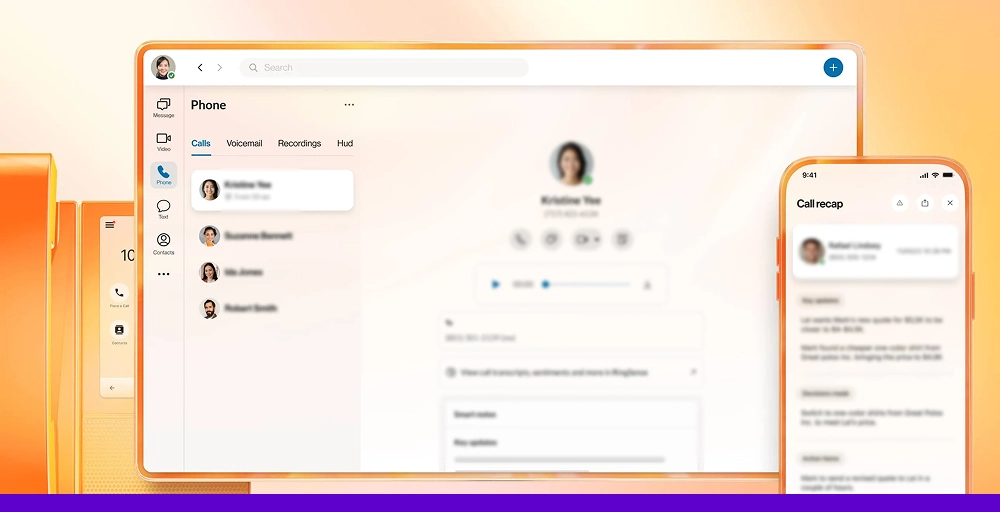
RingCentral is a leading Vonage competitor, an AI-driven communication platform that offers a “Message Video Phone” (MVP) approach.
We found it to be an all-in-one solution that integrates telephony, video conferencing, and team messaging, making it an ideal choice for organizations wanting to consolidate their tech stack with a single vendor.
With a massive ecosystem of over 300 integrations and a heavy focus on AI-driven insights, RingCentral is designed for businesses that prioritize deep functionality and world-class reliability over simple setup.
RingCentral is a good alternative to Vonage if you need
- A truly all-in-one platform: Unlike Vonage, which often separates its business communication and contact center products, RingCentral offers a more cohesive experience where team messaging, video, and phone exist natively in one application.
- Deep app ecosystem: RingCentral boasts one of the largest integration marketplaces in the industry. While Vonage has solid CRM links, RingCentral integrates with hundreds of niche tools, productivity apps, and specialized software, reducing the need for custom development.
- Enterprise reliability: RingCentral provides an indutry-leading 99.999% uptime SLA. This guaranteed reliability often surpasses Vonage’s standard offerings, making it the ideal choice for companies that cannot afford any downtime.
RingCentral pricing
RingCentral provides tiered subscription models for various needs, starting at a higher price than basic VoIP providers.
| Plan | Annual price (per user/month) | Key feature set |
| Core | $20 | Unlimited domestic calling, Notes & summaries, HD meetings |
| Advanced | $25 | Connect multiple sites, 1000 toll-free minutes, Core reporting, and insights |
| Ultra | $35 | RingCentral Webinar, Unlimited storage, 10,000 toll-free minutes |
| Customer Engagement Bundle | Contact sales | Business SMS Booster, Shared SMS inbox, Company reply templates, Call back from queue |
RingCentral’s standout features
- RingOut: You can make voice calls from any app by highlighting a number and clicking RingOut to dial, saving you time throughout the day.
- Answering rules: Route calls to your local numbers globally with flexible answering rules. Set up complex routing based on time of day, caller ID, and agent availability.
- Native Dialer (AT&T): Native dialing and voicemail mean no extra software to disrupt everyday workflows. Everything runs smoothly within the existing RingCentral ecosystem.
User experience
RingCentral provides a sophisticated, feature-rich interface that is highly powerful. While Vonage’s portal is often criticized for being dated, RingCentral’s desktop and mobile apps are modern and polished.
However, the sheer volume of settings and configuration options means that initial setup, especially for large teams, usually requires a dedicated IT administrator.
RingCentral pros
- Comprehensive 99.999% uptime guarantee ensures maximum reliability for critical operations.
- Massive library of 300+ third-party integrations, allowing it to fit into almost any existing digital workflow.
- Superior AI capabilities that provide actionable data from every phone call and meeting.
RingCentral cons
- Pricing can be significantly higher than budget-friendly alternatives, especially once you add international calling or high-tier features.
- The platform can feel “bloated” or overly complex for tiny businesses that only need a simple phone line.
- The implementation process is more intensive and may take longer to roll out across a large organization.
What users say about RingCentral
The thing about RingCentral Contact Center is its omnichannel communication; agents can seamlessly handle customer interactions across, voice, email, chat, SMS, and social media in one unified platform. This makes customer service faster, more consistent, and highly adaptable.
- Shivam S. Information Technology Operator, Marketing and Advertising, Mid-Market (51-1000 emp.) [G2]
3. Dialpad
Best for: SMBs prioritizing AI, sales, and support teams.

Dialpad is a cloud-based business phone system that caught our attention primarily because of its advanced AI capabilities.
It stands out for its proprietary DialpadGPT AO, which is trained on over 6 billion minutes of business conversations and delivers real-time transcription, sentiment analysis, and coaching on all plans, not just premium tiers.
If you are a business that wants to leverage communication data for sales optimization or customer service improvement, Dialpad offers impressive AI features at an accessible price point.
Dialpad is a good alternative to Vonage if you need
- Built-in AI on every plan: Unlike Vonage, which often lacks advanced features behind higher tiers, Dialpad includes AI-powered transcription, call summaries, and speech coaching on all plans, even the $15/month standard plan.
- Affordable entry point with room to grow: Dialpad provides excellent value with unlimited calling, visual voicemail, and custom call routing. While Vonage’s base plans often feel limited, Dialpad gives you solid functionality from day one.
- Modern, intuitive interface: After struggling with Vonage’s dead portal, Dialpad’s sleek, mobile-first interface felt like a breath of fresh air. The setup was straightforward, and we can make calls within minutes of downloading the app.
Dialpad pricing
Dialpad offers a flexible, AI-powered cloud communications platform with transparent, per-user pricing that scales with your business needs.
| Plan | Annual price (per user/month) | Key feature set |
| Standard | $15 | Unlimited calling, 1 local number, visual voicemail, Custom call routing |
| Pro | $25 | Hold queues, 25 max ring groups, Google Workspace, Quality-of-service reports |
| Enterprise | Talk to sales | Extensions, SSO (Okta, Azure & OneLogin), Service Level Agreement (SLA) |
Dialpad’s standout features
- Voice call summaries: Transcribe calls in real time, share key moments, and tag their purpose. The customizable call history center helps filter calls by purpose or other essential business terms.
- AI live coach: Assist support agents and sales representatives by providing instant, context-aware information during live interactions.
- DialpadGPT: Specialized large language model (LLM) that speaks the language of your business.
User experience
Dialpad offers quote-based professional implementation services and a self-start deployment guide that walks users through testing network speeds and choosing hardware.
We used our personal phones and downloaded Dialpad’s app, turning our devices into VoIP softphones. A single user can be up and running within minutes, a stark contrast to Vonage’s more complex setup process.
Dialpad pros
- Built-in AI and analytics on all plans, features that many rivals lock behind higher tiers or offer only as paid add-ons.
- Lower entry price point means businesses can realize significant savings.
- A custom-trained AI model provides uniquely accurate voice intelligence tailored to your specific industry or business needs.
Dialpad cons
- Some users report audio quality fluctuations, headset compatibility issues, and occasional connection problems.
- Internal collaboration tools are less extensive.
- Hidden fees can add up, including extra costs for features like conference room lines and additional phone numbers.
What users say about Dialpad
The best thing about Diaplad Connect is the seamless integration of its built-in AI. Features like real-time call transcription and AI Recaps are invaluable. They allow me to stay fully focused on the conversation without having to make manual notes, saving a significant amount of time after every call and ensuring no important details are missed.
- Andrea V. Account Support, Logistics and Supply Chain, Mid-Market (51-1000 emp.) [G2]
4. Nextiva
Best for: Growing SMBs, businesses prioritizing customer experience.
Nextiva delivers exceptional unified customer experience management (UCXM) features, analytics, and AI tools, standing out among competitors to Vonage for SMBs.
After trying Nextiva, we found it delivers a comprehensive business communications solution that includes voice, video, and team messaging, along with customer experience enhancement tools that help businesses deliver exceptional service.
Nextiva is known for its high-quality customer support, reliability with 99.999% uptime, and a feature-rich platform that exceeds what most basic VoIP providers offer.
Nextiva is a good alternative to Vonage if you need
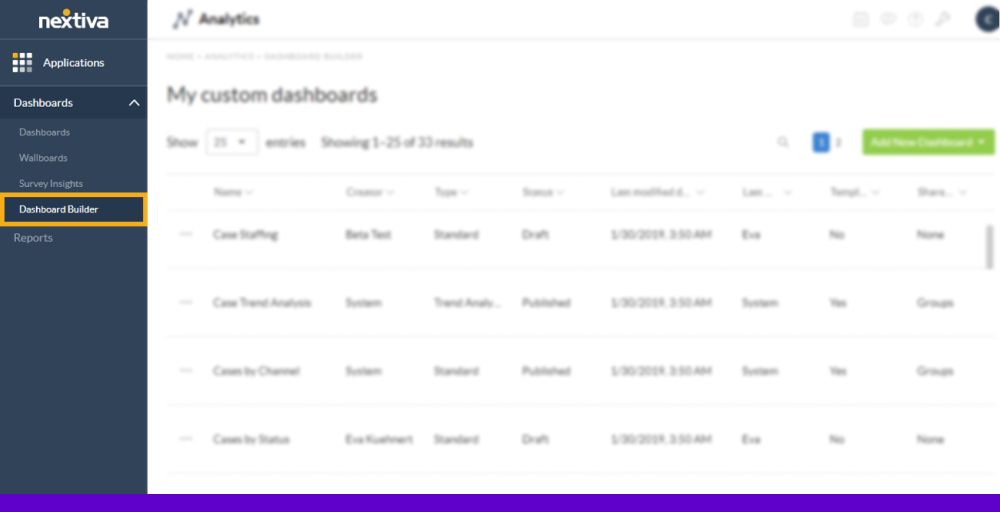
- Advanced analytics and business intelligence: Nextiva features a built-in business intelligence tool that helps you make smarter business decisions, uncover hidden insights, and boost staff performance.
- Scalability: Nextiva offers a clear upgrade path from basic phone service to full omnichannel contact center capabilities. Unlike Vonage, which often requires you to piece together different products, Nextiva provides a cohesive ecosystem that grows with your business.
- Superior customer support: Nextiva’s higher-end Enterprise VoIP plans cost a bit more than Vonage’s, but the extra investment delivers better customer support ratings and 24/7 availability.
Nextiva pricing
Nextiva pricing plans are designed to scale with your business needs, offering a range of options.
| Plan | Annual price (per user/month) | Key feature set |
| Core | $15 | Inbound/Outbound Voice, Messaging applications, Smart call routing |
| Engage | $25 | Live Chat, Digital fax, Chatbot, Voice meeting recording, Voice analytics |
| Power Suite CX | $75 | Omnichannel engagement, Blended inbound/outbound calling, Workflow Builder |
Nextiva’s standout features
- Voice analytics: Nextiva’s tool provides a real-time overview of all actions in your contact center.
- Unified customer profiles: The NextivaONE app, available on desktop, browser, and mobile, unites an agent’s tools and channels into one dashboard.
- AI-powered features: Voicemail with AI transcription, call summaries, and customer sentiment analysis are included even on the base plan, which is impressive compared to Vonage’s limited AI offers.
User experience
Nextiva’s platform is feature-rich but remarkably intuitive. The setup process is straightforward, and unlimited video conferencing, team messaging, and call recording come with higher-cost plans. During testing, we appreciated the clean interface and the ability to customize dashboards to show the call center metrics that matter most to the team.
Nextiva pros
- Exceptional customer support with 24/7 availability and quick response times.
- Clear upgrade path from basic phone service to full contact center solution.
- Comprehensive analytics and robust call management tools provide actionable insights.
Nextiva cons
- A feature-rich interface may have a learning curve for very small teams.
- Some advanced features require the highest-tier plan.
- No free trial available, though there is a 30-day money-back guarantee.
What users say about Nextiva
Nextiva offers an incredibly user-friendly platform that makes business communication smooth and reliable. I especially like how everything from phone setup to call routing and analytics is centralized and easy to manage. The interface is clean, and the customer support team is always responsive and professional. It’s a great all in one solution for small and mid-sized businesses that want a dependable VoIP and unified communication system.
- Peggy F. External Affairs, Spokesperson, Speakers Bureau Manager, Utilities Enterprises (> 1000 emp.) [G2]
5. Ooma
Best for: Small businesses, brick-and-mortar retail.
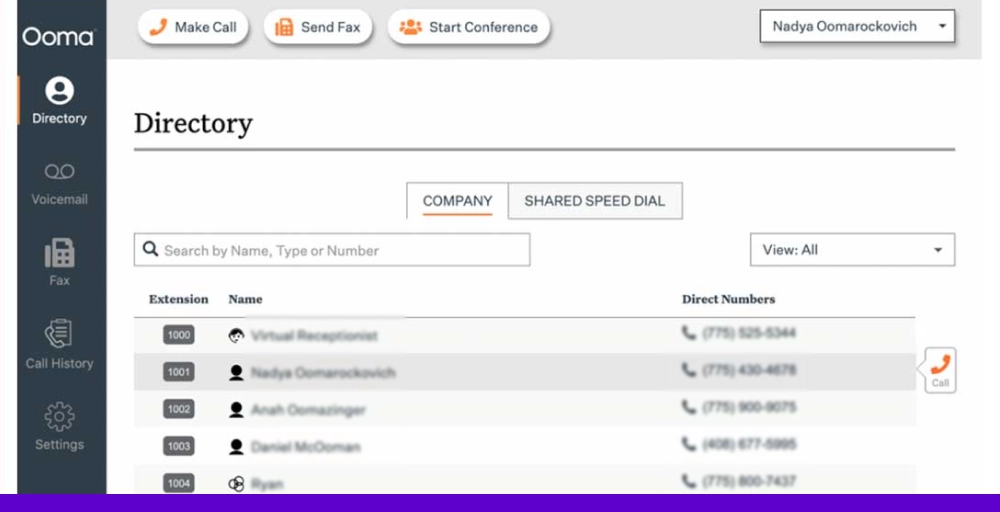
Ooma offers a Voice over Internet Protocol (VoIP) service that provides free nationwide calling, advanced features, and hardware suitable for homes and small businesses.
It delivers essential VoIP features at a low price, making it attractive for small businesses and startups that need reliable voice communication without bells and whistles.
Ooma provides reliable office phone systems for small business, a simpler alternative to Vonage. It is built to work with desk phones.
Ooma is a good alternative to Vonage if you need
- Hardware-friendly solution: Ooma is great for businesses that want physical phones, with plug-and-play hardware that’s easy to set up. If your team prefers traditional desk phones over softphones, Ooma excels in this area.
- Simple, reliable calling: It delivers high-quality, reliable calling without advanced features. While Vonage tries to be everything to everyone, Ooma focuses on doing the basics exceptionally well.
- No annual commitment: Unlike many VoIP providers that push annual contracts, Ooma offers month-to-month pricing starting at $19.95. The flexibility is valuable for small businesses that aren’t ready to commit long-term.
Ooma pricing
Ooma offers versatile, budget-friendly communication solutions that scale with your needs.
| Plan | Annual price (per user/month) | Key feature set |
| Essentials | $19.95 | Free number transfer, Virtual Receptionist, Paging Groups, Call Blocking |
| Pro | $24.95 | Enhanced Call Blocking, Voicemail Transcription, Call Recording, Dynamic Caller ID |
| Pro Plus | $29.95 | Hot Desking, Find Me, Follow Me, Shared Voicemail Boxes |
| Enterprise | Custom Pricing | Videoconferencing Recording, Auto-Dialer, Advanced Analytics |
Ooma’s standout features
- Virtual receptionist: A simple, easy-to-set-up auto-attendant is included even on the base plan. It is straightforward to create professional greetings and call routing rules.
- Overhead paging integration: A specific feature for physical offices, warehouses, or retail stores, Vonage and Ooma both handle this natively if you need to make announcements over a PA system.
- Mobile and desktop apps: While Ooma shines with desk phones, it also offers mobile and desktop apps for flexibility. However, the desktop app on the Essentials plan does not support calling (management only), which is a significant limitation.
User experience
Ooma is refreshingly simple to use. The setup process is straightforward, and all Ooma business plans offer unlimited calling in the United States, Mexico, Canada, and Puerto Rico, mobile app access, and a virtual receptionist.
However, the mobile app only runs on cellular data (no wifi calling), which can be problematic in areas with weak cell signal.
Ooma pros
- Very affordable pricing with no annual commitment required.
- Excellent desk phone compatibility with plug-and-play hardware.
- Perfect for brick-and-mortar small businesses that want a physical phone on the desk.
Ooma cons
- Lack of scalability makes it risky for mission-critical operations or growing teams.
- No CRM integration on the basic plan, call recording requires a premium subscription.
- Only 10 participants are allowed per conference call, with no video conferencing capabilities.
What users say about Ooma
It was affordable for a tax-exempt non-profit. Our bill for 2 phones was about $60/month.
Service options included in the monthly price were a fax line, a 1-800 number, a 3rd line, and an automated receptionist.
Customer service was responsive.
We could take our phones from the office to work from home as needed.
- Michael H. Program Manager, Small-Business (50 or fewer emp.) [G2]
6. Ringover
Best for: European businesses, SMBs with international operations.
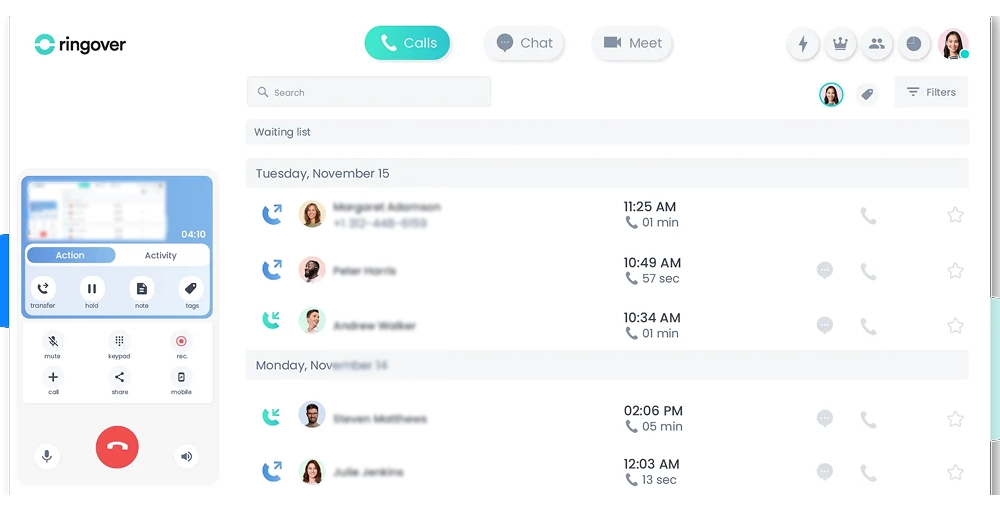
Ringover is a cloud-based communication platform built to make voice and messaging easier for sales and support teams.
Ringover offers global coverage and an AI Voice Agent, making it an excellent Vonage replacement for multi-country operations.
It offers options for call routing, queuing, and transfers that can adapt to different team setups, with global reach made simple through virtual phone numbers from over 60 countries.
Ringover is a good alternative to Vonage if you need
- International coverage: You can set up phone support from over 60 countries with Ringover’s virtual international numbers. Acquiring international numbers is easier than with Vonage, which has limited coverage and a more complex setup.
- Flexible call management: Ringover offers options for call routing, queuing, and transfers that can adapt to different team setups. We have tested it across various routing scenarios and found the system to be responsive and easy to configure.
- AI-powered features: Ringover includes its AI Voice Agent (AIRO) on the base Smart plan at $21/month, providing call transcription and smart dialing capabilities that Vonage charges significantly more for.
Related 👉: 10 Best Ringover Alternatives for Businesses in 2026
Ringover pricing
Ringover offers three primary pricing plans:
| Plan | Annual price (per user/month) | Key feature set |
| Smart | $21 | AI Voice Agent (AIRO), Call transcription, Number porting |
| Business | $44 | Smart routing, Call queues, General blocklist, After-call work |
| Advanced | Customize your solution | Customer code entry option in IVR, Power Dialer, and Call scripts |
Ringover’s standout features
- AI Voice Agent (AIRO): Included on all plans, this AI-powered assistant can handle basic customer inquiries, transcribe calls in real time, and provide conversation summaries.
- Smart dialer: Automates outbound calling workflows, which is particularly useful for sales teams. The dialer intelligently manages call queues and can skip busy signals or voicemails.
- Multi-channel communication: Beyond voice, Ringover supports SMS, video, and chat within a single interface, creating a unified communication hub.
User experience
The interface is straightforward to use, and the setup across multiple devices is straightforward. Call quality stays clear, and the system remains stable even during busy periods.
However, the mobile app sometimes lags when loading call logs or messages, and a few advanced options feel less flexible than expected.
Ringover pros
- AI features are included on all plans, not locked behind premium tiers.
- 7-day free trial available on the Smart plan.
- Strong international presence with numbers in 60+ countries.
Ringover cons
- Limited customization for greetings or call flows.
- Reporting is functional but less detailed than alternative services for call trends or agent performance.
- Support is only available Monday to Friday during business hours; it is closed on public holidays.
What users say about Ringover
The practical nature of the mobile app and the desktop software. Value for money, impeccable. Top quality application.
- Joseph Wu N. Responsable SAV, Small-Business (50 or fewer emp.) [G2]
7. Aircall
Best for: Sales and support teams, CRM-heavy workflows.
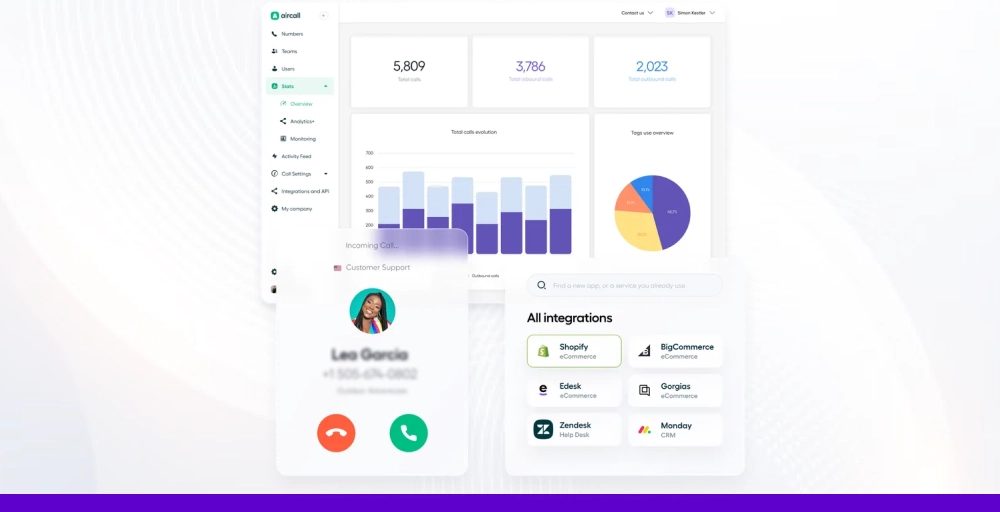
Aircall is a cloud-based call center software designed specifically for small and medium-sized businesses that live inside their CRM. It excels at delivering powerful analytics and deep CRM integrations, particularly with platforms such as HubSpot and Salesforce. If your team’s workflow revolves around CRM data, Aircall is purpose-built for you.
Aircall is built for sales and support teams, with deep integrations with platforms like Salesforce and HubSpot, combined with call center analytics that optimize sales and support workflows.
Aircall is a good alternative to Vonage if you need
- Native CRM integration: Aircall provides a power dialer directly inside the Salesforce dashboard, perfect for high-velocity sales teams. You can instantly dial any phone number, and call details are automatically logged, which is a seamless customer experience that Vonage lacks.
- Advanced call center features: Aircall offers a power dialer and voicemail drop to automate dialing and instantly send pre-recorded voicemails, plus advanced analytics and call monitoring with in-depth call metrics and live tracking to enhance performance.
- AI-powered conversation intelligence: Aircall AI analyzes call transcripts, generates summaries, and identifies customer sentiment. This level of intelligence helps managers coach their teams effectively based on actual conversation data rather than gut feelings.
Aircall pricing
Aircall offers flexible, tiered plans designed for modern sales and support teams.
| Plan | Annual price (per license) | Key feature set |
| Essential | $30 | Custom music and messages, Call queuing, IVR |
| Professional | $50 | Queue callback, Call coaching, Mandatory Tagging |
| Custom | Call for details | SAML Single Sign-on, Access to API developer support, Analytics+ add-on |
Note: All Aircall plans require a minimum of 3 licenses.
Aircall’s standout features
- Power dialer with voicemail drop: Automatically dial through contact lists and drop pre-recorded voicemails when you reach voicemail. This feature saved hours of manual dialing time for sales workflows.
- Click-to-dial inside CRM: Make calls directly from Salesforce, HubSpot, and other supported CRMs. All call data syncs automatically, creating a complete customer interaction history without manual data entry.
- Advanced call center analytics: Real-time dashboards track key metrics like call volume, wait times, answer rates, and agent performance. The insights are actionable and help optimize team performance effectively.
User experience
Aircall is surprisingly easy to set up and use for the power it offers. The web-based interface is clean and intuitive, with a minimal learning curve for agents. Here, new team members were making calls within minutes of signing up.
Aircall pros
- Deep CRM integrations that feel native and seamless.
- Excellent call analytics and reporting provide actionable insights.
- Strong API for custom integrations and workflows.
Aircall cons
- Requires a minimum of 3 licenses, making it expensive for tiny teams.
- Some users report occasional call quality issues.
- International calling can get expensive on lower-tier plans.
What users say about Aircall
Impeccable quality, I highlight how easy call management has become, and the integration and implementation with our CRM, RELIABILITY AND PERFECT FUNCTIONING, I use it daily, so it is an essential tool in my work. Whenever we have had a problem, the support has been quick and effective.
- Loreana A., back office specialist Small-Business (50 or fewer emp.) [G2]
8. 8×8
Best for: Enterprises, global companies, omnichannel contact center capabilities.
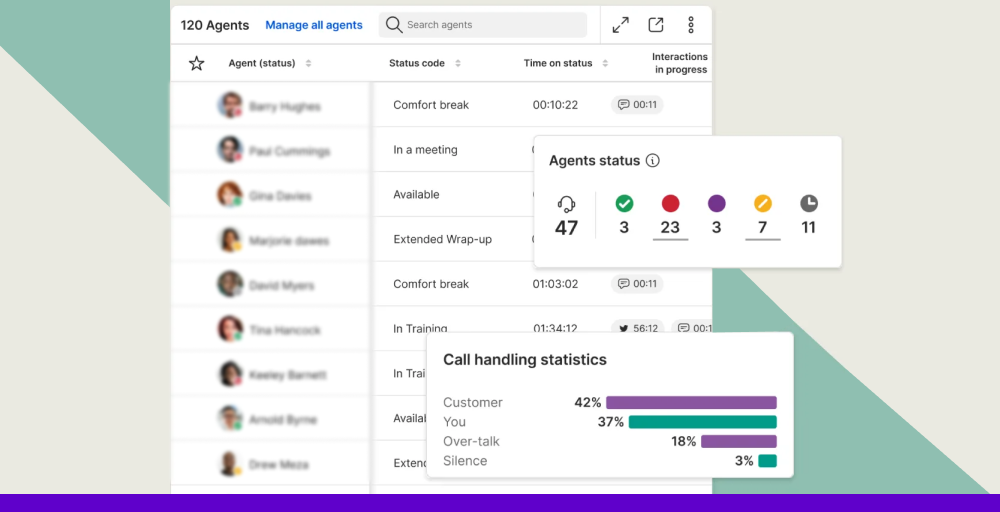
8×8 is a comprehensive unified communications and contact center platform that targets mid-market to enterprise-level businesses.
This delivers a truly global solution with voice, video, chat, and contact center capabilities all integrated into one platform. If you’re a growing company with international operations, 8×8 deserves serious consideration.
8×8 combines UCaaS and CCaaS into a single solution, making it a strong choice among Vonage business competitors.
8×8 is a good alternative to Vonage if you need
- Global communications infrastructure: 8×8 offers robust international calling with competitive rates and local numbers from over 50 countries. Call quality remained consistently high, even on international calls, unlike Vonage, which struggles with them.
- Integrated contact center and UC: Unlike Vonage, which separates business communications from its multi-channel contact center solutions, 8×8 integrates everything into a single platform.
- Advanced analytics and workforce management: 8×8 provides enterprise-grade analytics, quality management, and workforce optimization tools that go far beyond what Vonage offers at comparable price points.
8×8 pricing
8×8 often requires custom quotes for specialized features, and prices may vary based on company size and volume.
| Plan | Annual price (per user/month) | Key feature set |
| Contact Center | Chat with Sales | Omnichannel Routing, Agent Workspace, High-Volume Messaging |
| CX Beyond the Contact Center | Chat with Sales | Advanced Queue Management, Conversational Intelligence, |
| Communications APIs | Chat with Sales | Messaging, Voice, Video, Authentication, and Fraud |
| Unified Communications | Chat with Sales | Receptionist Console, System Analytics, Integrations |
8×8’s standout features
- Omnichannel routing: Intelligently distribute customer interactions across voice, email, chat, SMS, and social media channels. The routing logic is sophisticated, and the ability to prioritize based on customer value is impressive.
- AI-powered virtual assistant: The AI assistant can handle common customer inquiries, qualify leads, and route complex issues to appropriate agents. This reduces agent workload and improves response times.
- Quality management suite: Record, evaluate, and score agent interactions across all channels. Managers can create custom scorecards and provide targeted coaching based on actual performance data.
User experience
8×8’s interface is comprehensive but can feel complex initially. However, once configured, the platform provides a powerful unified experience.
We appreciated the depth of customization available, though achieving optimal configuration often required working with 8×8’s professional services team. For larger enterprises with dedicated IT resources, this isn’t a problem, but for smaller businesses, it might be overwhelming.
8×8 Pros
- True unified platform combining UC and contact center capabilities.
- Advanced analytics and workforce management tools.
- Scalable from small teams to thousands of agents.
8×8 Cons
- No transparent pricing; must contact sales for quotes.
- Complex setup and configuration require technical expertise.
- Higher price point than basic VoIP solutions.
What users say about 8×8
I appreciate that it provides a solid and essential API, which is exactly what I need to transfer data to our data warehouse control. The process of extracting data is straightforward, and I really like that.
- Gina H. Data Analytics Manager, Small-Business (50 or fewer emp.) [G2]
9. GoTo Connect
Best for: SMBs seeking an all-in-one UCaaS solution.
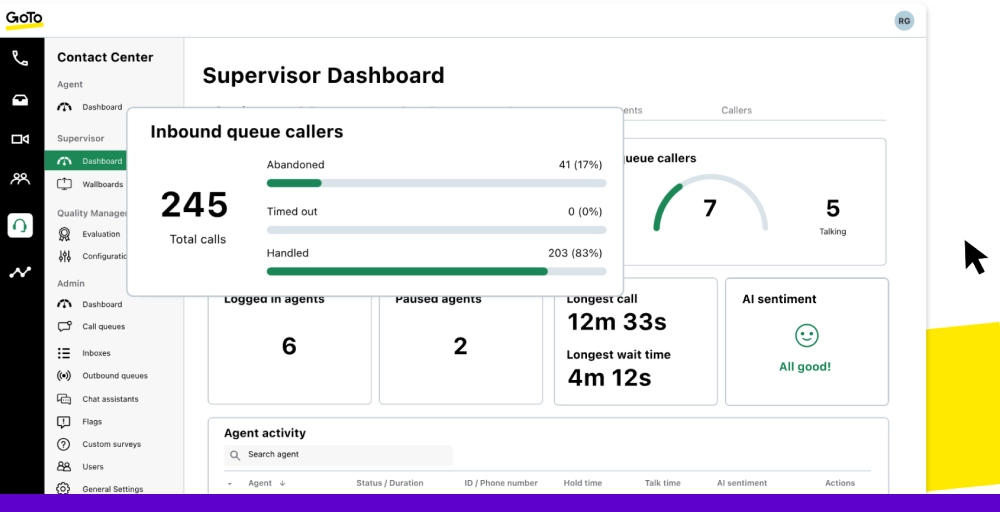
GoTo Connect is a unified communications as a service (UCaaS) platform that combines business phone, video conferencing, and messaging into one solution. GoTo Connect offers a solid middle-ground option—more feature-rich than basic VoIP solutions.
GoTo Connect is part of the GoTo product family, which includes GoTo Meeting and GoTo Webinar, providing seamless integration across the ecosystem.
GoTo Connect is a good alternative to Vonage if you need
- Simplified unified communications: GoTo Connect delivers phone, video, and messaging in one intuitive package. Unlike Vonage, where features feel disjointed, GoTo Connect provides a cohesive experience that’s easier to manage.
- Flexible meeting capabilities: As part of the GoTo family, Connect integrates seamlessly with GoTo Meeting, providing robust video conferencing that exceeds Vonage’s basic video offerings.
- Better value for growing teams: GoTo Connect’s pricing is competitive, and the platform includes features that Vonage often charges extra for, such as unlimited video meetings, desktop and mobile apps, and basic analytics.
GoTo Connect pricing
GoTo Connect offers three pricing plans designed for various team sizes and feature needs.
| Plan | Annual price (per user/month) | Key feature set |
| Phone System | Contact Sales | Existing Number Porting, Ring Groups, Virtual Fax Manager, Intercom |
| Customer Experience (CX) | Contact Sales | Attendant Console, Shared Inbox, Single Sign-On |
| Contact Center | Contact Sales | Intelligent Call Routing, Custom Ringback Music, Call Dispositions |
GoTo Connect’s standout features
- Unified admin portal: Manage users, devices, settings, and analytics from one centralized dashboard. Its admin interface is more intuitive than Vonage’s complex portal.
- Virtual fax manager: Send and receive faxes through the cloud without physical fax machines. This legacy feature is helpful for industries like healthcare and legal that still rely on fax communications.
- Intercom feature: Enables instant communication between team members, similar to a walkie-talkie. This is particularly useful for retail or warehouse environments.
User experience
GoTo Connect offers a straightforward setup process, along with comprehensive documentation and onboarding resources. The interface is clean and modern, though not quite as polished as RingCentral or Dialpad.
However, the lack of transparent pricing was frustrating, requiring a sales call to get accurate cost estimates, which slowed down the evaluation process.
GoTo Connect pros
- Excellent integration with GoTo Meeting and other GoTo products.
- Intuitive admin portal for easy management.
- Good mobile and desktop apps for flexibility.
GoTo Connect cons
- The feature set is comprehensive but not best-in-class for any single category.
- Some advanced features require higher-tier plans.
- Customer support quality varies based on plan level.
What users say about GoTo Connect
I live that I can download an app to my phone to use the phone system. This allows me to keep my personal cell phone number from showing when I make a call or send a message to someone for work. I also like that we can route phone calls to different numbers.
- Karen B. Operations Manager, Small-Business (50 or fewer emp.) [G2]
10. Zoom Phone
Best for: Businesses using Zoom, remote/hybrid teams.
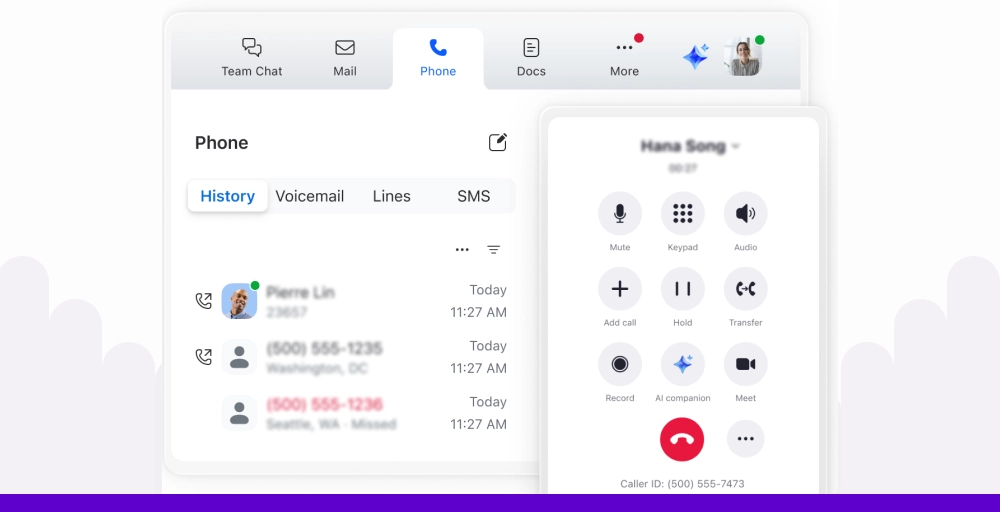
Zoom Phone is Zoom’s cloud phone system, the company that became synonymous with video conferencing. After testing Zoom Phone, we found it’s an excellent choice for businesses already invested in the Zoom ecosystem, offering seamless integration between phone calls and video meetings.
If your team relies heavily on Zoom for meetings, Zoom Phone integrates seamlessly with Zoom Meetings, a compelling Vonage replacement for video-first organizations.
Zoom Phone is a good alternative to Vonage if you need
- Seamless integration with Zoom Meetings: Escalate from a phone call to a video meeting with one click. This integration worked flawlessly and created a more fluid communication experience than juggling separate platforms like Vonage and another video solution.
- Familiar, intuitive interface: If your team already knows Zoom, they’ll adapt to Zoom Phone instantly. The interface uses the same design language and navigation patterns, eliminating the learning curve.
- Competitive pricing with clear plans: Unlike Vonage’s confusing add-ons, Zoom Phone offers straightforward pricing starting at just $8/user/month when bundled with Zoom Meetings. This transparency makes budgeting and planning easier.
Zoom Phone pricing
Zoom Phone offers flexible options based on your calling needs.
| Plan | Annual price (per user/month) | Key feature set |
| Pro | $8 | International calling, Voicemail task extraction, Emergency Calling |
| Pro Plus | $18.33 | Multi-share, Polling, Team Chat, 3 Whiteboards |
| Business Plus | $22.49 | Admin Portal, Custom Mail Domain, LTI Integrations, Managed Domains |
Zoom Phone’s standout features
- One-click meeting escalation: Transform any phone call into a video meeting instantly. During testing, this feature proved invaluable when visual communication became necessary mid-conversation.
- Voicemail transcription with task extraction: Voicemail messages are automatically transcribed, and AI extracts actionable tasks from the content. This feature helped me stay on top of follow-ups without having to listen to every voicemail.
- Hot desking: Allows employees to sign in to any desk phone with their credentials, making it ideal for hybrid workplaces with shared office spaces. This flexibility addresses modern work arrangements better than Vonage’s more traditional approach.
User experience
Zoom Phone is straightforward to set up if you’re already using Zoom. The interface is familiar, clean, and intuitive. Adding phone service to an existing Zoom account took less than 15 minutes.
Call quality is excellent, leveraging Zoom’s robust infrastructure. However, Zoom Phone feels most valuable when used as part of the complete Zoom ecosystem. If you don’t use Zoom Meetings, some of the integration benefits are lost.
Zoom Phone pros
- Seamless integration with Zoom Meetings creates a unified customer experience.
- Excellent call quality leveraging Zoom’s proven infrastructure.
- Competitive pricing, especially when bundled with Zoom Meetings.
Zoom Phone cons
- Less feature-rich than dedicated VoIP platforms for advanced call center needs.
- International calling coverage is decent but not as extensive as that of global-focused providers.
- SMS/MMS capabilities are limited compared to unified communications platforms.
What users say about Zoom Phone
What I appreciate most about Zoom Phone is how seamlessly it integrates with the rest of the Zoom ecosystem. It’s incredibly convenient to switch between calls, meetings, and messaging, all in one platform. The interface is clean and intuitive, which makes it easy to use even for those who aren’t tech-savvy.
- Kari C. Logistics Specialist Mid-Market (51-1000 emp.) [G2]
Which Vonage alternative is best for you?
In the market, there are numerous services like Vonage, but the best choice may still depend on your business needs.
- If you are a startup or plan to grow your business, KrispCall offers the best balance of affordability, features, and scalability. Starting at just $12/user/month, you get unified communications, global phone numbers in 100+ countries, and direct CRM integrations, all without hidden fees.
- If large enterprises require reliability and advanced capabilities, RingCentral offers a 99.999% uptime SLA, 300+ integrations, and a comprehensive unified communications platform.
- If leveraging communication data for sales optimization is your priority, Dialpad’s DialpadGPT AI is exceptional. With real-time transcription, sentiment analysis, teams can enhance performance and deliver immediate value to sales and support teams.
- If your business lives inside Salesforce, HubSpot, or another CRM, Aircall’s native integrations create seamless workflows. The ability to dial directly from your CRM and have all call data sync automatically eliminates manual work and ensures a complete customer interaction history.
- If your team already relies on Zoom for video meetings, adding Zoom Phone creates a unified experience that requires zero additional training. The seamless integration and competitive bundled pricing make it a natural choice for Zoom-centric organizations.
Is KrispCall the best alternative to Vonage?
If you are planning to switch from Vonage and are looking for its alternatives. Then, KrispCall represents the best overall value for most businesses evaluating UCaaS vs CCaaS solutions, especially those with growth plans. Here’s why:
- Transparent, affordable pricing: KrispCall starts at $12/user/month with no hidden fees or forced upgrades. You know exactly what you’re paying from day one, a refreshing change from Vonage’s confusing tier structure and surprise add-on costs.
- Features that should be standard: Call recording, call analytics, unified callbox, and CRM integrations come included in base plans. Vonage charges extra for these essential features or restricts them to expensive tiers.
- True global reach: With phone numbers in 100+ countries, compared to Vonage’s 80, KrispCall offers businesses better options for establishing a local presence in emerging markets.
- Modern, intuitive interface: The Unified Callbox consolidates calls, SMS, and voicemails into a single, clean interface. After struggling with Vonage’s dated portal, KrispCall felt like taking a step into the modern era of business interactions.
- Direct CRM integration: No need for middleware like Zapier, KrispCall connects directly to HubSpot, Salesforce, and Pipedrive. Call logs and contact data sync automatically, saving time and preventing data loss.
- Right-sized for growth: KrispCall scales from small teams to larger organizations without requiring you to piece together multiple products. The clear upgrade path from Essential to Standard to Enterprise means you can grow without switching providers.
While enterprise giants like RingCentral offer more features and AI specialists like Dialpad provide deeper intelligence, KrispCall hits the sweet spot for businesses that need professional communications without enterprise complexity or costs.
Ready to make the switch?
Start with KrispCall Today and experience transparent pricing, modern features, and support that actually helps. No credit card required.