Running a small business means every missed call is a missed opportunity. A cloud phone system for small business gives your team a professional business number, call management, and collaboration tools, without the hardware, contracts, or IT headaches of a traditional setup.
We tested and compared the top options so you can find the right cloud-based phone system for your business.
TL;DR
Here are the 10 best cloud phone systems for small businesses in 2026:
- KrispCall: Best overall cloud business phone system for small businesses
- Google Voice: Best for teams already using Google Workspace
- Nextiva: Best for customer service teams needing built-in CRM tools
- Grasshopper: Best for solopreneurs and very small teams
- Dialpad: Best for AI-powered calling on a budget
- Ooma: Best for simple, low-cost cloud VoIP with no contracts
- GoTo Connect: Best for businesses needing video + voice in one platform
- Zoom Phone: Best for teams already on Zoom meetings
- Quo: Best shared business phone inbox for startups and small teams
- Vonage: Best for SMBs wanting flexibility and API customization
Why can you trust our reviews?
Here, at KrispCall, we take our reviews very seriously. We don’t just pull specs from product pages. Every cloud phone system on this list was evaluated through hands-on testing, real pricing research, and direct comparison across features that actually matter to small businesses: call quality, ease of setup, integrations, and value for money.
Our picks are not influenced by partnerships or promotional deals. We chose these ten cloud phone service systems on merit: what each platform does well, where it falls short, and which types of businesses it genuinely fits.
To give you the most accurate picture of today’s cloud based voip market, we also factored in user feedback from review platforms and tested free trials where available.
Learn more about our content update process, content integrity standards, and software review methodology.
10 best cloud phone system for small business
To make choosing your cloud phone system provider as seamless as possible, we have compiled a direct, scannable comparison matrix.
The table below breaks down how each top-rated business cloud phone system compares across core metrics, target business types, base monthly costs, and specialized features.
| Provider | Best For | Starting Price | Standout Features | Rating |
| KrispCall | Growing SMBs, startups, and remote teams | $12/user/month | Unified Callbox, 100+ CRM interactions, Virtual numbers in 100+ countries | 4.5 / 5⭐ |
| Google Voice | Solopreneurs & Google Workspace users | $10/user/month | Google Workspace integration, Voicemail transcription, Minimalist UI | 4.1 / 5⭐ |
| Nextiva | SMBs and service-oriented businesses | $15/user/month | AI-powered call management, Voice analytics, Omnichannel communication | 4.5 / 5⭐ |
| Grasshopper | Solopreneurs and small businesses | $14/month | Auto-attendant, Flat-rate pricing, Simple setup | 3.9 / 5⭐ |
| Dialpad | AI-driven business communication | $15/user/month | Real-time call transcription, AI summaries, analytics | 4.4 / 5⭐ |
| Ooma | SMBs, small businesses, and remote teams | $19.95/month/user | Virtual receptionist, Spam blocking, Easy to deploy | 4.5 / 5⭐ |
| GoTo Connect | Businesses needing an all-in-one phone system | Custom pricing | Omnichannel inbox, Flexible device support, HD video meeting | 4.5 / 5⭐ |
| Zoom Phone | Video-first workforces & hybrid teams | $10.50/user/month | Zoom ecosystem integration, Metered/unlimited tiers, Seamless click-to-video | 4.6 / 5⭐ |
| Quo | Startups and small teams needing a shared inbox | $15/user/month | Shared business number, Sona AI agent, In-app team collaboration | 4.7 / 5⭐ |
| Vonage | Flexible and growing businesses | $13.99/month/line | API integrations, customizable plans, AI voice agent | 4.3 / 5⭐ |
1. KrispCall
Best for: KrispCall is best for growing SMBs, startups, and distributed remote teams that require affordable, instant access to international virtual phone numbers.
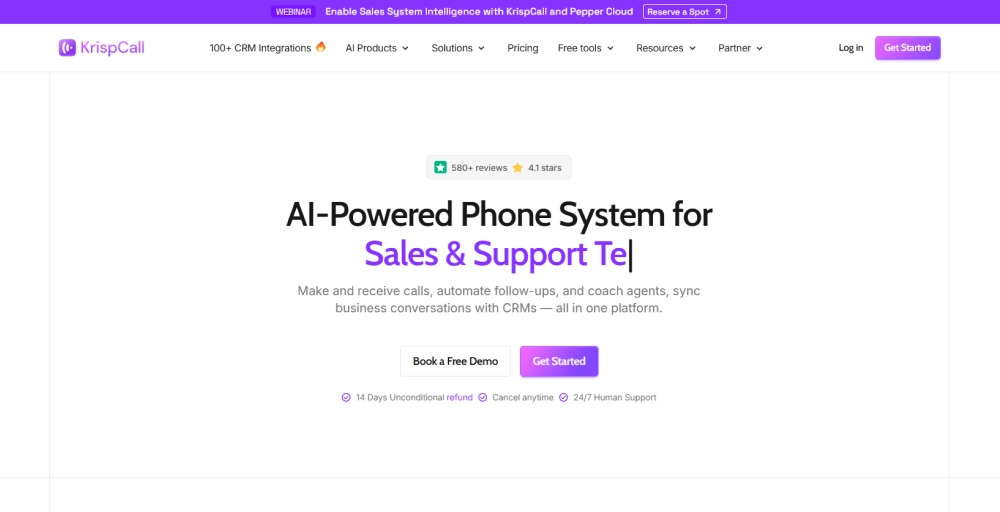
KrispCall is a cloud-based phone system built for small businesses that need more than just a basic calling app. It combines voice, SMS, and WhatsApp into a single Unified Callbox, so your team stops juggling tabs and starts handling every conversation from one place.
Setup is straightforward. You get a virtual number in minutes across 100+ countries, plus integrations with over 100 CRMs and business tools. KrispCall scales well whether you’re a two-person startup or a growing team spread across time zones.
KrispCall stands out for the depth of its calling features at an affordable price point. Power Dialer, call monitoring, IVR, and call analytics are all available without needing to jump to enterprise tiers.
Standout features
- Unified Callbox: All inbound/outbound calls, business SMS/MMS, and voicemails land in one shared inbox.
- Power Dialer: Automatically dials your contact list one by one, reducing idle time between calls.
- Voicemail & Voicemail Transcription: Missed calls drop into voicemail with automatic transcriptions delivered to your inbox.
- IVR (Interactive Voice Response): Automatically route inbound callers to the right department or agent with a customizable multi-level IVR menu.
Pros and Cons
| Pros | Cons |
| For each user, one local/mobile service from the UK or one local number from the USA or Canada is available for free. | It lacks a native desktop app. |
| A minimalist layout requires no technical or IT expertise to deploy. | Focuses purely on voice, SMS, and data workflows; lacks built-in video conferencing. |
| Connects seamlessly with 100+ popular CRM platforms and hub tools. | International texting and certain usage rates scale on a per-minute/per-SMS basis. |
Pricing
KrispCall keeps its pricing highly transparent, allowing small businesses to scale their seats smoothly as their workforce expands.
- Essential Plan ($12/user/month, billed annually): Perfect for small teams and solopreneurs
- Standard Plan ($32/user/month, billed annually): Designed for fast-growing businesses & call centers
- Enterprise Plan (Custom Pricing): Custom solution for teams with varying needs
Review
Krispcall made things simple for us. Calls go to the right person automatically and we don’t have to keep passing phones around. The analytics show us how our team is doing and we use that info to improve. Scheduling follow-ups is easy too and handling customer calls has become less stressful.
We were wasting our lot of time messaging customers for sending updates and appointments reminders one by one, but now it has been really easy and convenient after started using Bulk sms feature inside the Krispcall. The setup is simple and easy to manage, and message delivery has been reliable so far.
Overall experience is outstanding. The team was a big help during the transition to this new system & plays a crucial role in the successful expansion of our business.
2. Google Voice
Best for: Google Voice is best for solopreneurs, freelancers, and small teams already anchored in Google Workspace who want a simple, budget-friendly way to add a professional business line.

Google Voice is a cloud phone service built directly into the Google ecosystem. If your business already runs on Gmail, Google Calendar, and Meet, then Google Voice slots in without friction.
It’s one of the most affordable cloud-based VoIP options available, with plans starting at $10/user/month. But that low price comes with tradeoffs. You get calling, SMS, voicemail transcription, and basic call routing, and not much else. There’s no Power Dialer, no advanced IVR, no CRM integrations outside of Google’s own tools.
Standout features
- Spam Call Filtering: Google’s spam detection automatically flags and filters suspected robocalls and spam, reducing unwanted interruptions.
- Voicemail Transcription: Voicemails are automatically transcribed and delivered to your inbox so you can read messages without listening to recordings.
- Google Workspace Integration: Works natively with Gmail, Google Calendar, and Google Meet.
- Call Forwarding: Forward calls to any device or number, keeping your personal and business lines separate without carrying two phones.
Pros and Cons
| Pros | Cons |
| Clean, simple interface with minimal learning curve. | Does not offer native out-of-the-box integrations with CRMs such as Salesforce or HubSpot. |
| Reliable call quality backed by Google’s infrastructure | You must pay for an active Google Workspace account to access the business tiers. |
| Launches instantly alongside your everyday Gmail and calendar tabs. | The highly affordable entry tier strictly limits your team size to a maximum of 10 users. |
Pricing
Google Voice keeps its business plans simple, though remember that each license operates as an add-on layer to your existing monthly Google Workspace subscription.
- Starter Plan ($10/user/month): Tailored for micro-businesses.
- Standard Plan ($20/user/month): Built for growing small businesses.
- Premier Plan ($30/user/month): Designed for businesses with data or international compliance needs.
3. Nextiva
Best for: Nextiva is best for service-oriented small businesses and growing teams that want to centralize their phone calls, SMS, social media, and customer reviews into one single dashboard.
Nextiva is a cloud business phone system that has evolved into a full customer communication platform. It combines voice, video, SMS, and live chat with built-in CRM-like features and AI-powered call management.
For small businesses that handle a high volume of inbound customer calls, Nextiva offers omnichannel communication, voice analytics, and automation tools. The interface is polished, onboarding is well-supported, and call quality is consistently high.
The tradeoff is price. Nextiva isn’t the cheapest option on this list, and some of its most useful features, like advanced analytics and AI tools, are locked behind higher tiers.
Standout features
- NextivaONE App: Turns any mobile device or computer into a full business phone that combines calls, texts, team chat, and video meetings all in one app.
- Call Queuing: Places inbound callers in a queue when agents are busy, reducing missed calls during peak hours.
- Team Chat & Video Conferencing: Built-in messaging and unlimited web conferencing reduce the need for separate collaboration tools.
- Conversational AI (IVR): Let callers describe why they’re calling in natural language rather than navigating a menu.
Pros and Cons
| Pros | Cons |
| 24/7 phone, chat, and email support included, even on the entry-level plan. | Advanced tools like CRM integration, AI transcription, and toll-free lines require plan upgrades or extra monthly fees. |
| True 99.999% carrier-grade operational architecture guarantees near-zero dropped connections. | Can feel like overkill for businesses with simple calling needs. |
| Centralized Compliance that meets strict PCI and HIPAA data security guidelines. | Users often report the NextivaONE app being clunky or less polished than the desktop interface. |
Pricing
Nextiva’s pricing structure allows teams to pay per user, with substantial volume discounts unlocking if you pay annually or commit to multi-year packages.
- Core Plan ($15/user/month, billed annually): Small businesses needing voice + digital.
- Engage Plan ($25/user/month, billed annually): Customer service teams needing omnichannel tools.
- Scale($75/user/month, billed annually): Advanced teams needing AI and full analytics.
4. Grasshopper
Best for: Grasshopper is best for solopreneurs, freelancers, and micro-teams who want to add a professional business number without buying new hardware or paying per-user fees.
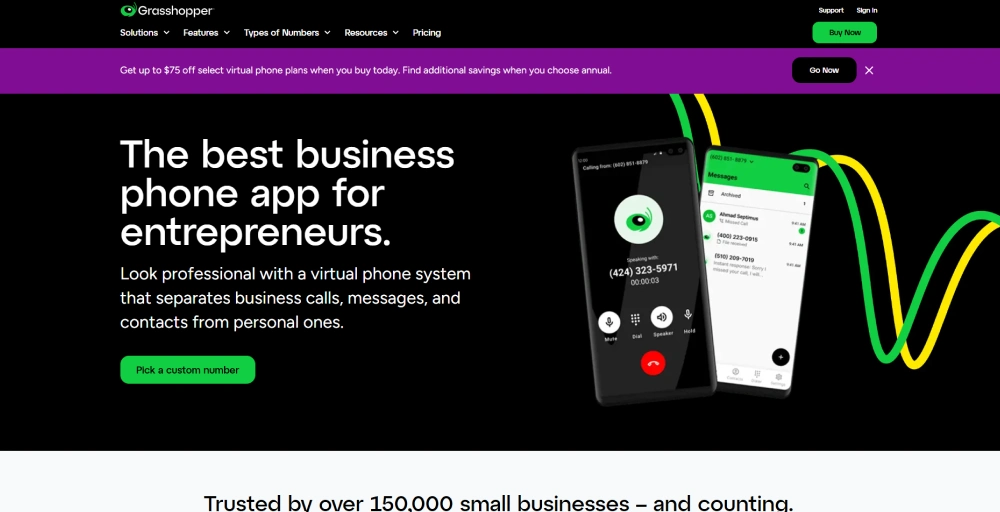
Grasshopper is a virtual phone system built to give small businesses a professional presence without the cost or complexity of a traditional phone setup. You get a dedicated business number that works on your existing device.
It’s deliberately simple. Grasshopper doesn’t try to compete with full-featured cloud business VoIP platforms like KrispCall or Nextiva. There’s no Power Dialer, no CRM integrations, no advanced analytics.
The flat-rate pricing model is a genuine advantage for small teams. Unlimited users are included across Solo Plus and Small Business plans, so your monthly bill stays predictable even as your headcount grows.
Standout features
- Call Blasting: Rings multiple team members simultaneously so the first available person picks up.
- Virtual Receptionist: A live answering service that handles calls like an in-house receptionist (available as an add-on).
- Phone Extensions: Assign phone extensions to team members or departments so callers can reach the right person directly.
- Instant Response: Automatically sends a text reply to missed calls, letting callers know you’ll get back to them.
Pros and Cons
| Pros | Cons |
| Pay a single flat monthly fee with unlimited user additions on top tiers. | Zero native integrations with external CRMs like Salesforce or HubSpot. |
| 7-day free trial, no credit card required. | It completely lacks internal video conferencing. |
| Super-fast onboarding with zero technical setup. | No Power Dialer or advanced outbound calling tools. |
Pricing
Grasshopper breaks away from per-user billing models, offering flat-rate tiers billed either monthly or annually.
- True Solo ($14 / month, billed annually): Perfect for side-hustles and single operators.
- Solo Plus ($25 / month, billed annually): Tailored for small partner teams.
- Small Business Plan ($55 / month, billed annually): Built for established small teams requiring maximum flexibility.
5. Dialpad
Best for: Dialpad is best for businesses needing an AI-driven, all-in-one unified communications platform.
Dialpad is a cloud-based VoIP platform where every call comes with real-time transcription, automatic summaries, sentiment analysis, and live coaching prompts. The platform covers voice, video, messaging, and contact center features under one roof, with a clean interface that works across desktop, mobile, and browser.
Where Dialpad earns its spot is in how much AI it packs into the base plan. Real-time transcription, AI recaps, and call summaries are available without requiring a jump to enterprise pricing.
The tradeoff is that some deeper contact center features like AI Playbooks, Scorecards, and Workforce Management are gated behind higher tiers or the contact center product specifically.
Standout features
- AI Transcription: Every call is automatically transcribed in real time, capturing context clues and flagging action items.
- Contact Center Integrations: Connect with Salesforce, HubSpot, Zendesk, and other major tools, so call data flows into your existing stack automatically.
- Post-Call Automation for Contact Center: Automatically handles follow-up tasks after a call ends, logging to CRM, sending summaries, or triggering next steps.
- Sentiment Analysis: Tracks caller sentiment during and after calls, flagging interactions that need follow-up or review
Pros and Cons
| Pros | Cons |
| Effortlessly switch a live call from your desktop app to your mobile phone with one tap. | Connecting to tools like Salesforce or HubSpot requires upgrading to the mid-tier Pro package. |
| Patented dual-cloud architecture keeps enterprise connections live without dropping calls. | Upgrading to the Pro tier requires at least 3 user licenses. |
| 14-day free trial available. | The base Standard tier does not support additional numbers. |
Pricing
Dialpad structures its pricing via its “Dialpad Connect” suite, allowing teams to balance affordability with specialized integration access.
- Standard Plan ($15/user/month, billed annually): Unlimited calling within the US and Canada, SMS/MMS channels
- Pro Plan ($25/ user/month, billed annually): Ideal for growing sales operations.
- Enterprise Plan (Custom Pricing): Designed for full-scale deployments.
6. Ooma
Best for: Ooma Office is best for cost-conscious home users and micro-teams who want a reliable plug-and-play VoIP system.
Ooma Office is a hosted VoIP provider built specifically for small businesses that want a reliable cloud phone system without the enterprise price tag or setup complexity. It’s been recognized as a top VoIP provider and has built a strong reputation among SMBs for ease of deployment, solid call quality, and transparent pricing.
You can set up the whole system in minutes, port your existing number, and be taking calls the same day. Ooma has also been building out its AI suite, adding AI transcriptions and an AI answering service to its lineup.
That said, CRM integrations are more limited than those of competitors like KrispCall or Dialpad, and per-user pricing increases if your team grows quickly.
Standout features
- Virtual Receptionist: Greets inbound callers and automatically routes them to the correct extension, department, or voicemail.
- AI Answering Service: An AI-powered receptionist that handles calls when your team is unavailable.
- Shift-to-Text: Let inbound callers switch from a phone call to a text conversation mid-interaction.
- Ring Groups: Assign multiple team members to a shared group so inbound calls ring all of them at once or in sequence.
Pros and Cons
| Pros | Cons |
| You get unlimited calling in the US, Canada, Mexico, and Puerto Rico. | Limited connectivity with CRMs or other third-party software. |
| Virtual receptionist available on all plans. | Per-user pricing gets expensive for larger teams. |
| No long-term contracts required | Business SMS texting allowances are quite low per plan. |
Pricing
Ooma’s pricing is transparent and month-to-month, but there are no annual discounts.
- Essentials Plan ($19.95/user/month): Includes over 100 standard communication features.
- Pro Plan ($24.95/user/month): Unlocks access to the Ooma desktop app.
- Pro Plus Plan ($29.95/ user/month): Designed for businesses that need deep digital workflows.
7. GoTo Connect
Best for: GoTo Connect is best for growing multi-site businesses and hybrid teams that need an all-in-one, cloud-based communication platform.

GoTo Connect is a cloud-based PBX phone system that brings voice calls, video meetings, business messaging, and customer engagement tools under one roof. The platform is particularly strong on flexibility.
GoTo Connect (formerly known in the VoIP space as Jive) has also been building out its AI layer, adding interaction summaries, sentiment detection, and topic flagging to its feature set. But pricing uses a custom quote model for most plans, which can make comparison shopping harder.
GoTo Connect is backed by a strong server infrastructure. It provides small businesses with enterprise-grade stability and advanced communication routing without requiring an in-house IT department.
Standout features
- Conference Call Bridging: Multiple participants can join a call from different locations without needing a separate conferencing service.
- Virtual Voicemail: Voicemails are accessible from any device and can be transcribed and forwarded to email.
- Sentiment & Topic Detection: Tracks caller sentiment and flags key topics throughout conversations.
- Custom Auto-Attendant: Greets inbound callers and routes them to the right team, department, or voicemail based on their input or the time of day.
Pros and Cons
| Pros | Cons |
| Strong and flexible Microsoft Teams integration. | Custom pricing makes upfront cost comparison harder. |
| Easily deploy, configure, and update physical IP desk phones remotely from one portal. | The desktop dashboard can occasionally experience slow loading times when handling high-volume text streams. |
| Full support for large-scale video meetings with up to 250 participants. | Advanced AI and analytics features require higher tiers or add-ons. |
Pricing
GoTo Connect structures its rates based on functional tiers, offering volume discounts for larger teams or annual commitments.
- Phone System (Custom pricing): Built for simple business operations.
- Customer Experience(CX) (Custom Pricing): Introduce advanced performance analytics, built-in webinar capabilities, and a 24/7 AI receptionist.
- CX Complete(Custom pricing): Engineered for consumer-facing teams.
- Contact Center (Custom pricing): A comprehensive tier designed for dedicated support desks.
8. Zoom Phone
Best for: Zoom Phone is best for hybrid teams and businesses already reliant on the Zoom ecosystem that want to effortlessly merge their video meetings, team chat, and corporate phone lines into a single, unified software window.
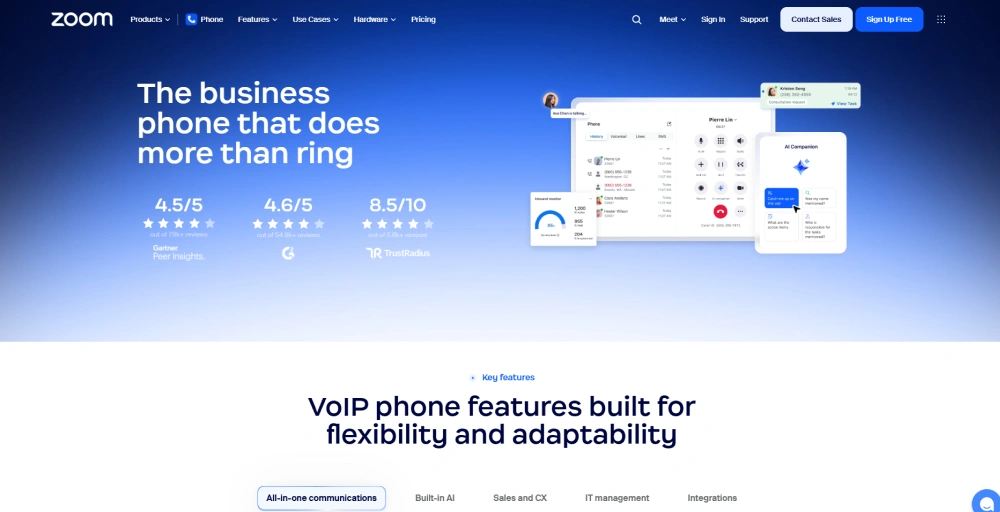
Zoom Phone is the cloud VoIP layer built directly into the Zoom ecosystem. If your team already runs on Zoom Meetings and Team Chat, adding Phone means your calls, video, and messaging all live in one familiar app.
The platform covers the full range of core calling features: auto-attendants, IVR, call queues, voicemail transcription, call recording, and call monitoring. It also includes AI Companion capabilities without needing a separate AI tool.
The tradeoff is that Zoom Phone works best as part of the broader Zoom stack. On its own, it offers fewer advantages and limited CRM integrations than dedicated VoIP providers.
Standout features
- Queue Callback: Let callers opt out of holding and request a callback when it’s their turn.
- Voicemail Task Extraction: AI reads voicemails and automatically extracts action items.
- AI Call Summaries: After every call, Zoom’s AI Companion automatically generates a summary with key points and next steps.
- Auto-Attendant & Multi-Level IVR: Customizable call routing menus that direct inbound callers to the right team or department without manual intervention.
Pros and Cons
| Pros | Cons |
| Eliminates onboarding friction because most employees already understand the layout. | The highly affordable entry tier charges a pay-as-you-go rate for every outbound local call. |
| Seamlessly switch a voice line to an HD video call or text chat with a single click. | Call recording storage defaults to minimal limits unless you bundle into higher Workplace plans. |
| Available in 40+ countries with BYOC support. | While base plans are affordable, the total cost still rises quickly once add-ons are factored in. |
Pricing
Zoom Phone can be purchased either as a standalone virtual telephone service or as part of comprehensive Zoom Workplace productivity bundles.
- US & Canada Metered Plan ($10.50/user/month, billed annually): A highly accessible entry point for startups with low outbound call volumes.
- US & Canada Unlimited Plan ($16/user/month, billed annually): It unlocks completely unlimited domestic calling across the US and Canada.
- Pro Plus ($20.50/user/month, billed annually): Bundles the Unlimited phone plan with Zoom Workplace Pro.
- Business Plus ($24.50/user/month, billed annually): Bundles the Unlimited phone plan with Zoom Business.
9. Quo
Best for: Quo is best for startups, fast-growing, and collaborative small businesses that want a highly visual, app-like communication platform with a shared email inbox.
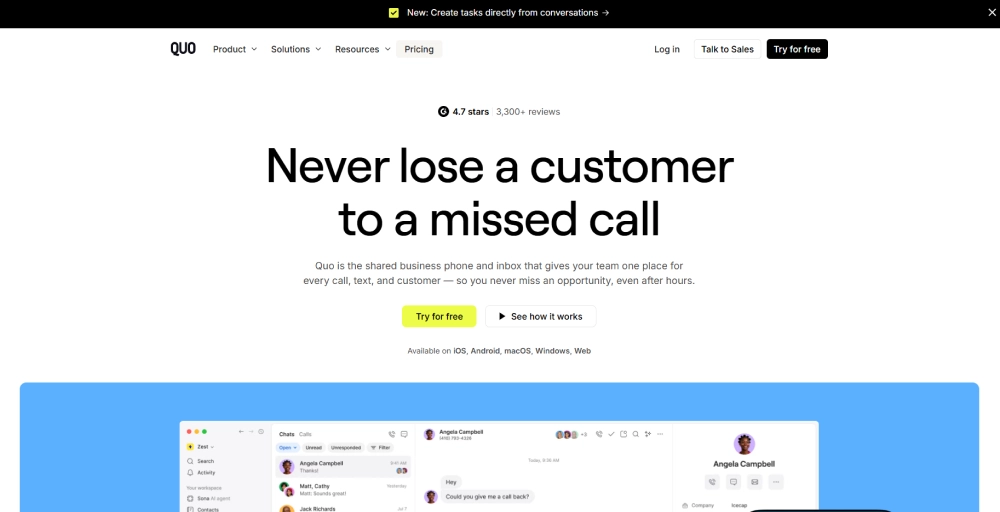
Quo is a cloud-based VoIP platform that gives small teams one shared business number they can all work from. If your team finds traditional enterprise-hosted VoIP providers to be clunky, rigid, and outdated, Quo is exactly what you are looking for.
Setup takes a minute, number porting is free, and the shared inbox model works well for teams of two to ten people rotating inbound calls. Sona, its AI receptionist, answers calls 24/7, handles common questions, and captures leads.
Where it falls short is in depth. The Starter plan is quite bare, with no IVR, no call transfers, no analytics, and no CRM integrations. Those only arrive on the Business plan at $23/user/month.
Standout features
- Shared Phone Numbers: Multiple team members share a single business number with a unified inbox, full conversation history, and internal threads.
- Sona AI Agent: Quo’s AI receptionist answers inbound calls 24/7, handles routine questions, captures caller details, and routes or schedules callbacks.
- Auto-Attendant & Phone Menus: Set up call routing menus that direct inbound callers to the right team member or department.
- Quo API: Let developers build custom workflows and integrations on top of the platform for businesses with specific automation needs.
Pros and Cons
| Pros | Cons |
| The shared inbox model works well for small rotating teams. | Lacks built-in video conferencing rooms. |
| 7-day free trial with full feature access | Base plans limit the number of AI automation credits before requiring a top-up. |
| Sona AI receptionist included on all plans | No built-in Power Dialer or advanced outbound sales tools. |
Pricing
Quo scales cleanly based on feature access and administrative needs, offering highly competitive annual discounts.
- Starter Plan ($15/user/month, billed annually): Includes 1 local or toll-free number per user.
- Business Plan ($23/user/month, billed annually): Unlocks deep collaborative power.
- Scale Plan ($35/user/month): Designed for Larger teams needing advanced AI, priority support, and custom workflows.
10. Vonage
Best for: Vonage is best for growing small-to-midsize businesses that need a customizable cloud business VoIP service with API access.

Vonage Business Communications (VBC) is one of the most established names in cloud-based telephone systems. It offers 40+ built-in features covering voice, video, messaging, and team collaboration, plus a wide marketplace of add-ons and a powerful communications API layer.
The Vonage API platform lets developers integrate programmable voice, SMS, and video directly into their own apps and workflows.
The platform serves as an incredibly stable, flexible communication framework that seamlessly scales alongside expanding teams. The tradeoff is that Vonage’s depth can become complexity.
Standout features
- Never Miss a Call: A suite of mobility features, including Call Forwarding, Simultaneous Ring, Follow Me, and Do Not Disturb (DND), that let users control exactly how calls are routed.
- Vonage Meetings: Built-in video conferencing with dial-in numbers, screen sharing, whiteboarding, and collaboration tools.
- Call Queue: Holds inbound callers in a queue when agents are busy, with customizable hold music and overflow rules to manage high-volume periods.
- Business SMS: Send and receive texts from your Vonage business number via desktop or mobile app.
Pros and Cons
| Pros | Cons |
| Build your platform à la carte by adding or dropping specialized features as needed. | Can feel complex to configure for teams without technical resources. |
| Includes high-capacity video rooms accommodating up to 200 participants. | Many users cite unexpected charges that inflate the overall monthly bill. |
| Strong Microsoft Teams and Salesforce integrations. | Users report that the Vonage mobile app can be unreliable for receiving incoming calls, and messaging. |
Pricing
Vonage tiers its base packages by functional requirements, with per-line pricing scaling down as you add more user seats to the account.
- Mobile Plan ($13.99 / line/month, billed annually): Tailored for entirely mobile workforces.
- Premium Plan ($20.99 / line/month, billed annually): Designed for standard small office environments.
- Advanced Plan ($27.99 / line/month, billed annually): Built for operations requiring deeper management controls.
Which cloud phone system is right for your small business?
There is no single or universal “best cloud phone system.” Choosing the right platform is less about finding the option with the most features and more about matching the software to your specific operational blueprint.
The ideal system for your business ultimately depends on four critical pillars: your team size, your geographic footprint, how heavily your workflows rely on SMS, and how deeply you need your call logs to integrate with your current CRM.
To help you narrow down your choices, use this quick triage summary:
- Budget-first with basic needs: Look toward Ooma or Grasshopper for affordable, straightforward setups.
- AI-first sales or support teams: Choose Dialpad to leverage instant live transcriptions and automated summaries out of the box.
- Full UCaaS consolidation: Opt for Nextiva if you need a heavy, enterprise-grade blend of messaging, video, and deep telephony.
- International teams or virtual number coverage: Select KrispCall to secure an expansive global reach.
- IT-managed setups: Lean on GoTo Connect for visual, drag-and-drop control over complex, multi-site routing architectures.
For small businesses that need to stay reachable across borders without paying enterprise rates to do it, KrispCall covers the most ground. Virtual numbers in 100+ countries, 100+ CRM integrations, and a Unified Callbox that keeps every channel in one place, starting at $12/user/month.