If one seeks a communication solution that requires minimal ongoing maintenance, the ideal choice involves a dependable dial tone rather than a complex manual. Google Voice is a simple choice, but it may fall short for advanced needs like call transfers or desktop messaging.
While Google Voice works well for freelancers, businesses often face limitations with call recording, advanced call routing, and CRM integration. If the tool adds more manual tasks than it eliminates, it may be time to consider upgrading to a more robust professional VoIP service.
In this guide, we’ll help you find the right solution, whether you’re looking for a free Google Voice alternative, a free service for side projects, or a full-featured business communication system with advanced call management features.
The best Google Voice alternatives
- KrispCall: Best for SMBs, startups, and remote teams needing global reach.
- RingCentral: Best for enterprise teams and businesses requiring unified communications.
- Grasshopper: Best for solopreneurs, freelancers, and micro-businesses.
- Talkdesk: Best for enterprise-level AI-powered contact centers.
- Nextiva: Best for mid-size businesses seeking unified communications with strong support.
- WhatsApp for Business: Best for businesses with a global mobile-first customer base.
- Five9: Best for large-scale inbound and outbound contact center operations.
- Facebook Messenger: Best for businesses with an active Facebook community.
- Zoom Phone: Best for remote and hybrid teams already using Zoom.
- TextNow: Best for budget-conscious individuals and very small teams.
Why do you need to switch from Google Voice?
Google Voice earns its place as a decent starter tool, free for personal users and affordable for very small teams inside the Google workplace. But businesses that move beyond the basic quickly run into limitations.
Here’s why thousands of companies are looking everywhere:
1. No CRM or third-party integrations
Google Voice app does not natively integrate with any CRM platforms such as Salesforce, HubSpot, or Zoho. If your sales or support teams rely on a CRM to log calls and track customer interactions, you will need to do this manually, which is a significant drain on productivity.
2. Limited international calling
Google Voice is primarily a US-focused product. International calling is available only in select countries, and outbound calls abroad can incur high per-minute rates. Businesses with global clients or remote international teams will find these restrictions prohibitive.
3. No advanced call center features
Features such as automatic call distribution (ACD), call queuing, predictive dialing, real-time supervisor dashboards, and call barge/monitoring are absent from Google Voice. Businesses running any kind of contact center business operations need a dedicated platform.
4. Weak analytics and reporting
Google Voice offers only basic call history logs. There are no built-in reports for call volume trends, agent performance, average handle time, or customer satisfaction, data that modern businesses depend on for decision-making.
5. No SMS for business at scale
While Google Voice supports basic texting, it lacks bulk SMS, MMS, automated SMS workflows, and shared team inboxes. For businesses using text messaging as a meaningful customer channel, these limitations are dealbreakers.
6. Limited team collaboration tools
There’s no shared inbox, no call notes, and no easy way to hand off calls between team members. Growing teams need communication tools that support collaboration across teams, not just individual lines of work.
How we choose the best Google Voice alternatives?
To find the best Google Voice alternatives, we analyzed market data and reviewed numerous reviews on Reddit, Quora, and G2. We specifically searched for platforms that address the lack of CRM integrations, weak analytics, and limited team collaboration tools reported by Google Voice users.
Our research focused on six areas essential for busy growing teams:
- CRM Integration: Our focus was on two-way workflows that log calls and trigger automated actions directly into platforms like Salesforce and HubSpot, eliminating the manual entry that Google Voice forces on teams.
- Global calling: We favored providers offering reliable UCaaS and virtual numbers across 100+ countries, bypassing Google Voice’s US-focused restrictions.
- Business text messages: We looked for platforms with native bulk SMS, automated text messaging, and shared phone numbers, features that offer reliable UCaaS and virtual numbers, which are essentially absent from Google Voice.
- Call Center Features: We looked for built-in contact center solutions with ACD, call queuing, predictive dialing, and real-time supervisor dashboards that Google Voice simply doesn’t offer.
- Pricing Transparency: We calculated the true cost by identifying platforms that bundle advanced features into base plans rather than locking them behind expensive upgrades.
Why trust our reviews: Learn how we keep our content integrity, our software review methodology, and our content update methodology.
10 Google Voice alternatives & competitors in 2026
We evaluated Google Voice competitors based on pricing transparency, advanced VoIP features, scalability (including support for unlimited users), voicemail transcription, virtual receptionist tools, call monitoring, ring groups, mobile phone accessibility, and compatibility with other business tools.
We prioritized platforms that offer more advanced features than Google Voice while maintaining reliability and affordability.
| Provider | Starting price (billed annually) | Best for | What it stands out for | Reviews |
| KrispCall | $12/user/month | SMBs & Remote Teams | 100+ country numbers + CRM integrations | 4.5/5 (G2) |
| RingCentral | $20/user/month | Enterprises | Unified communications platform | 4/5 (G2) |
| Grasshopper | $14/user/month | Solopreneurs | Simple virtual phone system | 3.9/5 (G2) |
| Talkdesk | $85/user/month | Enterprise contact centers | AI-powered CX automation | 4.4/5 (G2) |
| Nextiva | $15/user/month | Mid-sized businesses | Strong support + UCaaS | 4.5/5 (G2) |
| WhatsApp for Business | Free | Mobile-first businesses | Global messaging reach | 4.6/5 (G2) |
| Five9 | $119/user/month | Large contact centers | Predictive dialing + AI | 4.1/5 (G2) |
| Facebook Mesenger | Free | Social-first brands | Massive built-in audience | 4.4/5 (Play Store) |
| Zoom Phone | $15/user/month | Zoom users | Seamless video-to-call escalation | 4.6/5 (G2) |
| TextNow | Free | Individuals & micro teams | Free US/Canada number | 4.1/5 (Trustpilot) |
1. KrispCall: Best for SMBs, startups, and remote teams needing global reach.
KrispCall is an AI-powered cloud telephony solution that modernizes business communication with virtual phone numbers in over 100 countries. It targets small to medium-sized businesses (SMBs), startups, and remote teams by offering enterprise-grade features on an accessible, scalable platform.
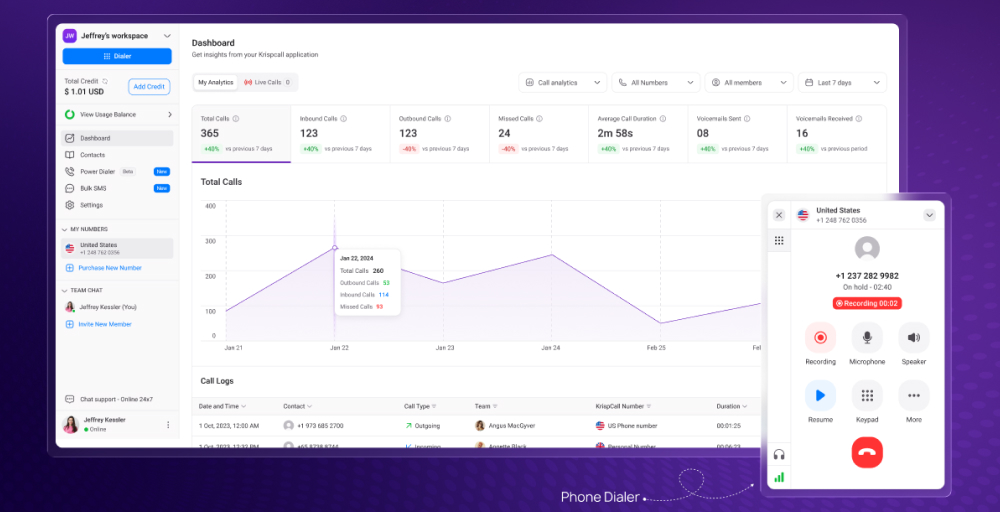
KrispCall is a top alternative to Google Voice for businesses that need better call management, global communication, and CRM integrations, which Google Voice does not provide. Google Voice works well for solo entrepreneurs who want a simple and low-cost option within the Google ecosystem. In contrast, KrispCall provides a more scalable and feature-rich platform.
KrispCall’s standout features
- Shared Phone Number: Enhance customer engagement by sharing your contact number with team members, reducing missed VoIP calls.
- Call Notes: Foster collaboration, minimize misunderstandings, exchange insights, and enhance client interactions through shared call notes.
- Do Not Disturb Mode: Activate Do Not Disturb to stay focused without interruptions by temporarily muting multiple calls and notifications.
- Voicemail Greeting: Create personalized, professional voicemail greetings to welcome callers with automated messages.
- Integrations: Connect your cloud phone with widely used CRMs and business applications to enhance functionality and increase efficiency.
What makes KrispCall the best alternative to Google Voice?
KrispCall is one of the best alternatives to Google Voice, offering phone numbers in 100+ countries, while Google Voice focuses only on the US. It has shared team inboxes for collaborative call handling, 24/7 customer support, versus Google Voice’s help self-service.
KrispCall pricing
KrispCall offers transparent pricing, tailored to help businesses of all sizes seamlessly connect with global customers.
| Plan | Annual price (per user/month) | Key feature set |
| Essential | $12 | Unified Callbox, Global Phone Numbers, Call Filters |
| Standard | $32 | Bulk SMS, Advance ReportsUnlimited Call Recordings |
| Enterprise | Custom | Call Transfer, Dedicated Account Manager |
KrispCall pros
- It has an affordable price at $12 /user/month.
- Virtual number in 100+ countries.
- Shared phone numbers for team collaboration.
KrispCall cons
- Advanced features are locked to higher tiers.
- Limited native video conferencing.
- Enterprise pricing is not publicly listed.
What users say about KrispCall
KrispCall has been a game-changer for our communication workflow. The dashboard is super intuitive, making it easy to manage multiple numbers, track calls, and collaborate with the team. The call quality is consistently clear, and I love that everything, from call logs to voicemail, is neatly organized in one place.
–G2 Review
Related article 👉 : KrispCall Vs Google Voice: Which Is Best Cloud Telephony System?
2. RingCentral: Best for enterprise teams and businesses requiring unified communications
RingCentral is one of the most established names in cloud communications, offering a comprehensive Unified Communications as a Service (UCaaS) platform that bundles calling, messaging, video, and contact center tools under one roof.
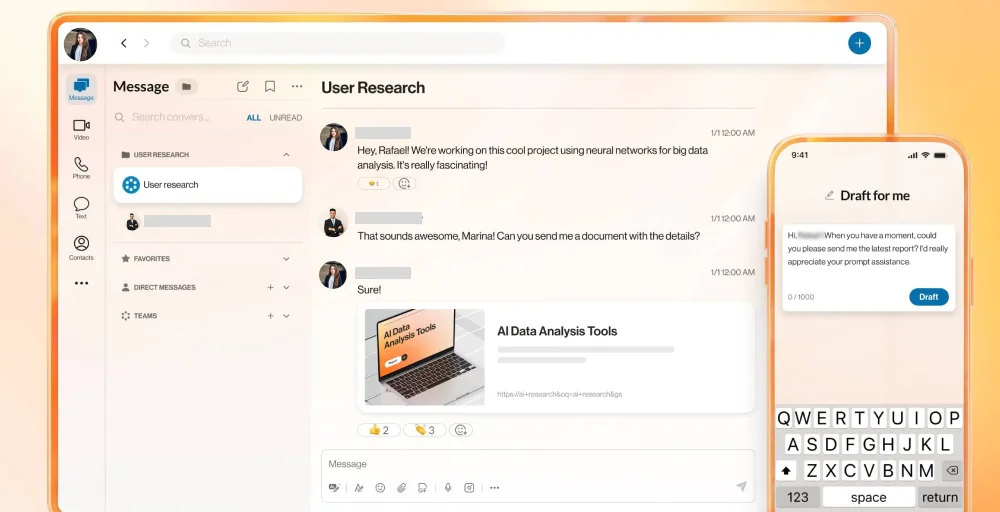
It’s a particularly strong choice for larger organizations that need deep integrations, robust analytics, and a proven enterprise-grade infrastructure.
RingCentral’s standout features
- Automatic Call Recording: Easily create a call menu that directs callers automatically to the right service or department.
- Hot Desking: Allows employees to access their own extensions, profiles, voicemail, and other cloud-based phone system features while working remotely or while sitting at desks in different offices.
- Call Delegation: Forward calls to any extension, phone number, group, or department, simultaneously or sequentially.
- Shared Lines: Share calls and lines between the traditional phone system and your mobile app, and pick up an incoming call on any phone.
- RingOut: Make voice calls directly from any app by highlighting a number on your computer and clicking RingOut to dial it.
RingCentral pricing
RingCentral offers four pricing tiers, typically ranging from $20 to a custom model, depending on the tier and payment schedule.
| Plan | Annual price (per user/month) | Key feature set |
| Core | $20 | Unlimited domestic calling, 100 toll-free minutes, 25 SMS users/month |
| Advanced | $25 | CRM integrations, Connect multiple lines, Core reporting, and insights |
| Ultra | $35 | 10,000 toll-free minutes, RingCentral Webinar, Device analytics & alerts |
| Customer Engagement Bundle | Contact us for pricing | Shared SMS inbox, Call back from queue, Live Reports |
RingCentral Pros
- With this, you get an industry-leading app marketplace with 300+ integrations.
- It has robust call analytics and real-time reporting dashboards.
- This offers unified messaging, video, and voice on a single platform.
RingCentral Cons
- It has a complex setup and onboarding curve.
- Some advanced features require higher-tier plans.
- The quality of customer support has varied by account size.
3. Grasshopper: Best for solopreneurs, freelancers, and micro-businesses
Grasshopper is a virtual phone system designed for entrepreneurs and very small businesses who want a professional business phone presence without the complexity and high cost.

Unlike other platforms, Grasshopper uses your existing cell phone instead of requiring a separate VoIP device or an internet connection for business calls.
Grasshopper’s standout features
- Business Texting: Communicate with your customers seamlessly and professionally with our intuitive texting solution.
- Voicemail Greeting: Make a lasting impression with personalized voicemail greetings that reflect your brand’s voice.
- Call Tracking & Analytics: Gain valuable insights into your call performance with comprehensive tracking and analytics to optimize your communication strategy.
- Voice Studio: Craft high-quality audio messages that captivate and engage your audience, enhancing your brand’s presence.
- Call Blasting: Eliminate customer wait times by ringing multiple phones simultaneously, ensuring your team is always ready to respond promptly and efficiently.
Grasshopper pricing
Grasshopper’s flat-rate pricing model makes it easy to budget, with extensions and numbers bundled by tier rather than charged per user.
| Plan | Annual price (per user/month) | Key feature set |
| True Solo | $14 | 1 Extensions, Call Forwarding, Instant Response |
| Solo Plus | $25 | 3 Extensions, Call Recording, Virtual fax |
| Small Business | $55 | Unlimited Extensions, Interactive Voice Response (IVR), Conversation Filters |
Grasshopper Pros
- It has a very simple setup, no technical expertise required
- Here, you work with your existing smartphone, no new hardware needed.
- You get professional features at a low entry cost.
Grasshopper Cons
- Not suitable for teams beyond about 10 people.
- Call quality is dependent on the mobile carrier signal.
- Limited analytics compared to enterprise platforms.
4. Talkdesk: Best for enterprise-level AI-powered contact center
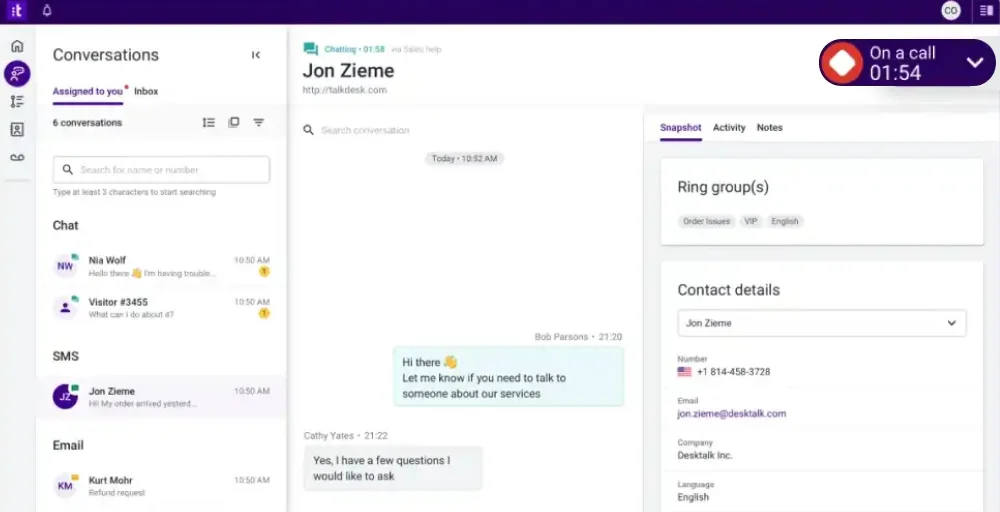
Talkdesk is a cloud contact center solution built for enterprises that need sophisticated call routing, AI-driven automation, and deep workforce management capabilities. It offers features that extend beyond simple telephony to full customer experience (CX) orchestration.
Talkdesk’s standout features
- Automatic Call Distributor (ACD): Direct inbound calls based on caller information, IVR choices, business hours, and agent capabilities.
- No-answer call forwarding: Redirect calls to an alternative number when all agents are occupied to address customer requirements.
- Automated workflows: Create straightforward workflows to streamline tasks. Upon call completion, update your CRM with the recording and relevant data.
- Local caller ID: Talkdesk chooses the most appropriate phone number and area code to show on your outgoing caller ID.
- Real-time Dashboards: Get a snapshot of your contact center’s current activities anytime to improve KPIs.
Talkdesk pricing
Talkdesk is positioned as a premium enterprise solution, with pricing reflecting its advanced capabilities and AI feature set.
| Plan | Annual price (per user/month) | Key feature set |
| Digital Essentials | $85 | API Access, Guardian, Studio& Routing |
| Voice Essentials | $105 | Voice Engagement, Business Intelligence, Studio & Routing |
| Elite | $165 | Screen Recording, Workforce Management, Automated Notifications |
| Industry Experience Clouds | $225 | Utilities, Financial Services, Industry AI Agents |
Talkdesk Pros
- This is an industry-leading set of AI features for contact center automation.
- You get strong compliance and security for regulated industries.
- It has highly customizable routing and IVR flows.
Talkdesk Cons
- It is expensive starts at $85/user/month, making it inaccessible for SMBs.
- Integration setup can require technical resources.
- Overkill for businesses without a dedicated contact center.
5. Nextiva: Best for mid-sized businesses wanting unified communication with strong support.
Nextiva is a business communications platform that combines VoIP calling, team messaging, video conferencing, and customer experience tools into a single unified platform.
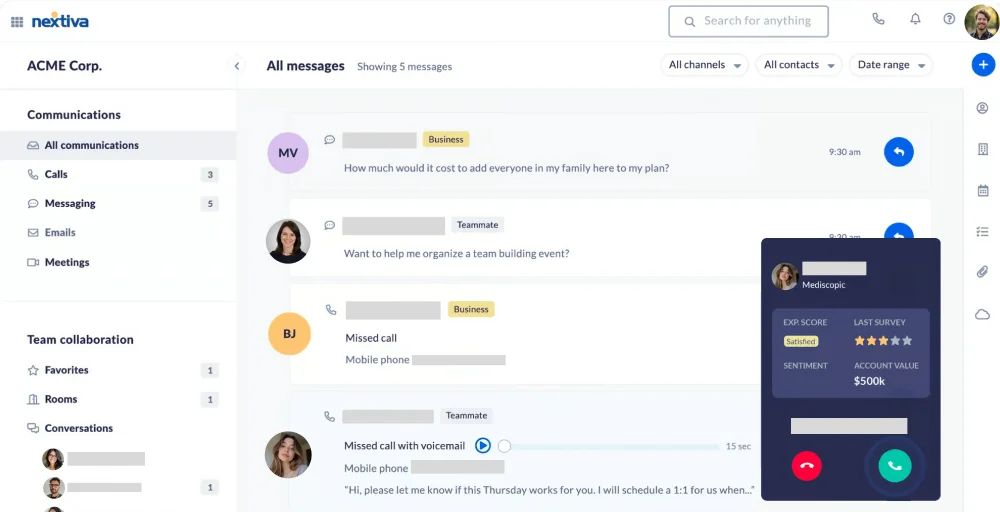
It’s particularly well-regarded for its customer support quality and its recent push into AI-powered CX capabilities, making it a compelling choice for growing mid-market businesses.
Nextiva’s standout features
- Unlimited Online Faxing: You can send faxes via the vFAX Portal, an email address of your choosing, or even a traditional fax machine.
- Call Park: Place the call on hold or “Park it” to continue the conversation with the customer from another telephone set.
- SIP Trunking: SIP allows your business to establish, modify, and terminate multimedia sessions.
- Anonymous Call Rejection: Prevents callers from reaching you when their caller ID is blocked or appears as a private number.
- Priority Alerts: Each Priority Alert entry can include up to 12 business phone numbers, a specified time schedule, and a holiday schedule.
Nextiva pricing
Nextiva’s three-tier structure covers everything from basic VoIP to full AI-powered customer experience management.
| Plan | Annual price (per user/month) | Key feature set |
| Core | $15 | Business SMS, Call routing, and video meetings |
| Engage | $25 | Toll-free numbers & minutes, Web chat: Live & bot, Advanced reporting |
| Power Suite CX | $75 | Voice & web chat, AI transcription & summarization, Blended inbound & outbound calling |
Related Article 👉: Nextiva Pricing 2026: Plans, Fees & Real Monthly Costs
Nextiva Pros
- Competitive base price at $15/user/month.
- AI transcription and summarization are included in the top tier.
- Strong uptime and call quality reliability.
Nextiva Cons
- AI features require the more expensive Power Suite CX plan.
- Video conferencing is less feature-rich than Zoom.
- The mobile app has received mixed reviews for stability.
6. WhatsApp for Business: Best for businesses with a global mobile-first customer base
WhatsApp for Business gives companies access to a messaging platform used by over 2 billion people worldwide.
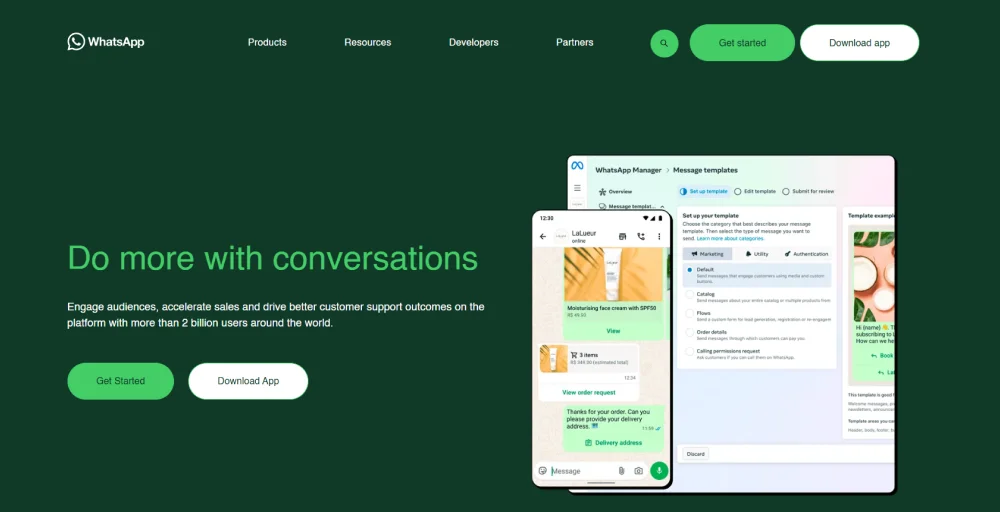
The free Business app is ideal for small businesses managing customer conversations directly, while the WhatsApp Business API (available through Meta-approved partners) enables large-scale automated text messaging, chatbots, and CRM integrations for enterprises.
WhatsApp for Business’s standout features
- Respond to customer-initiated messages: Respond assertively and promptly to customer inquiries as they come in, reinforcing your commitment to exceptional service and solidifying customer loyalty.
- Send files: Images, locations, and other media with media messages.
- Understand message engagement: Utilize Read Receipts to understand engagement at the individual contact level.
- Enable simpler, faster responses: Facilitate faster, simpler interactions with interactive messaging options such as List Messages or Reply Buttons.
- Use native entry points: Incorporate native entry points, such as a custom button on your website or a QR code on product packaging, to make it easier for customers to start a conversation with you.
WhatsApp for Business pricing
The WhatsApp Business App is free for small businesses. The WhatsApp Business API, which enables automation and high-volume messaging, is priced per conversation through Meta-approved Business Solution Providers and varies by country and conversation type.
WhatsApp for Business Pros
- It is free to use for small businesses.
- You get End-to-end encryption for secure messaging.
- Supports rich media (images, documents, voice notes).
WhatsApp for Business Cons
- The Business API requires a third-party provider and incurs additional costs.
- It is limited to customer-initiated conversations within 24 hours.
- There are no built-in CRM or analytics without third-party tools.
7. Five9: Best for large-scale inbound and outbound contact center operations
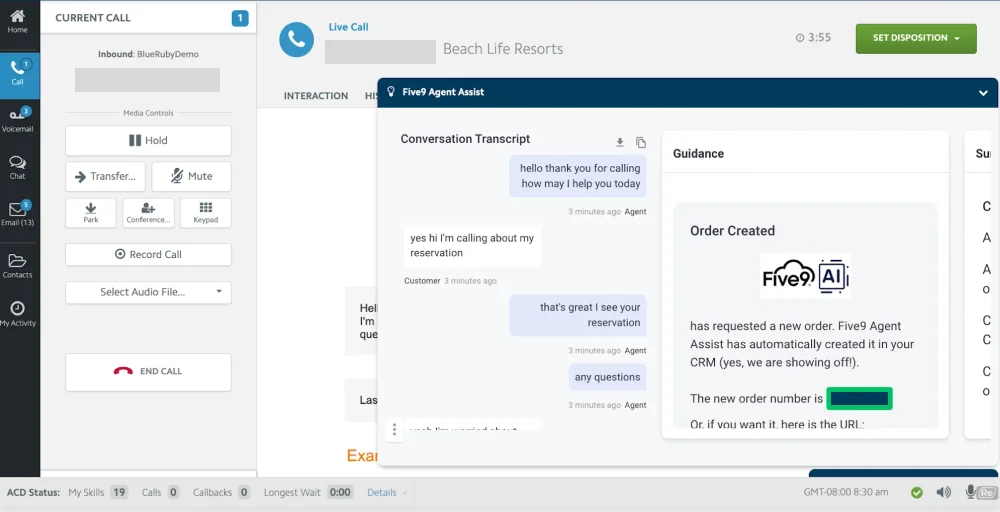
Five9 is a cloud-based contact center platform purpose-built for high-volume call operations. It combines sophisticated dialing technology, compliance management, omnichannel engagement, and AI-powered agent assist into a platform trusted by large enterprises in financial services, healthcare, retail, and technology.
Five9’s standout features
- Call Center Data Reporting: Easily upload outbound calling lists and contacts using a user-friendly wizard or automatically through FTP.
- PBX: Integrate Five9 cloud contact center software with your current PBX system for enhanced CTI, IVR, ACD, Predictive Dialing, and additional features.
- Do Not Call Compliance: Adhere to relevant calling regulations by effectively managing do-not-call (DNC) requests in both your inbound and outbound calls.
- Text-to-Speech Software: Deliver dynamic information to your contacts by automatically converting written text into audible speech.
- Online Contact Database Software: Keep contact details and interaction history accessible for IVR applications and available to agents during customer engagements.
Five9 pricing
Five9 is priced at the premium end, reflecting its depth of enterprise features and support.
| Plan | Annual price (per user/month) | Key feature set |
| Digital | $119 | Chat, Email, Agent Desktop, Dialer |
| Core | $159 | SMS/MMS, Dialer, Workflow Automation, |
| Plus | Contact Sales | Social Messaging, Live Transcription, Recording, |
| Pro | Contact Sales | AI Insights, Geo Redundancy, Unified Community |
| Enterprise | Contact Sales | Analytics, AI Agent Assist, 24/7 World-Class Support |
Five9 Pros
- It is best-in-class predictive and power dialing.
- This omnichannel support is available across voice, digital, and social channels.
- It has excellent AI-powered agent assist and coaching.
Five9 Cons
- This is not suitable for small teams or non-contact-center use cases.
- Its implementation can be complex and lengthy.
- Some pricing tiers require contacting sales for quotes.
8. Facebook Messenger: Best for businesses with an active Facebook or Instagram community.
Facebook Messenger can serve as a basic alternative to Google Voice for individuals and small teams, offering free messaging, voice calls, and video chats across devices. Its integration with Facebook’s ecosystem allows easy communication with contacts already on the platform.
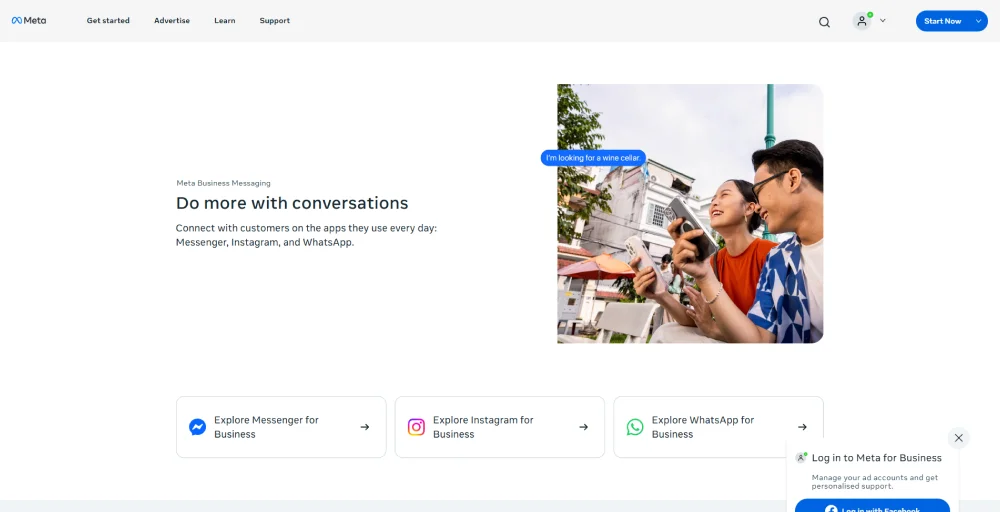
Messenger excels in messaging, group chats, and multimedia sharing. By leveraging tools like Google Cloud’s speech-to-text API, voice messages in Messenger can be automatically transcribed, bridging the gap in functionality.
Facebook Messenger’s standout features
- Share a note: Keep in touch with your friends by sending quick updates that vanish after 24 hours.
- Get insider access: Stay up to date with creators by following their channels for genuine, informal content.
- Share photos in high-def: Send and receive clearer, sharper images of your favorite moments using Messenger.
- Ctrl-Z in your chats: You can modify a message within 15 minutes of sending it, or retract it at any time.
- Share large files: Whether it’s a Word, PDF, or Excel document, you can transmit files up to 100MB through Messenger.
Facebook Messenger pricing
Facebook Messenger is free for businesses and consumers. Advanced messaging automation and the Messenger API are available through Meta Business Suite and select third-party platforms, some of which may charge for additional features.
Facebook Messenger Pros
- It is Free to use with a Facebook Business Page.
- Massive installed user base, no new app download required.
- This integrates with Meta advertising for click-to-message campaigns.
Facebook Messenger Cons
- Not a phone system, no voice calling infrastructure.
- This requires customers to have a Facebook account.
- It has limited analytics and reporting without third-party tools.
9. Zoom Phone: Best for remote and hybrid teams already using Zoom
Zoom Phone extends the familiar Zoom platform with enterprise-grade VoIP calling, making it a natural choice for organizations that have standardized on Zoom for video meetings.
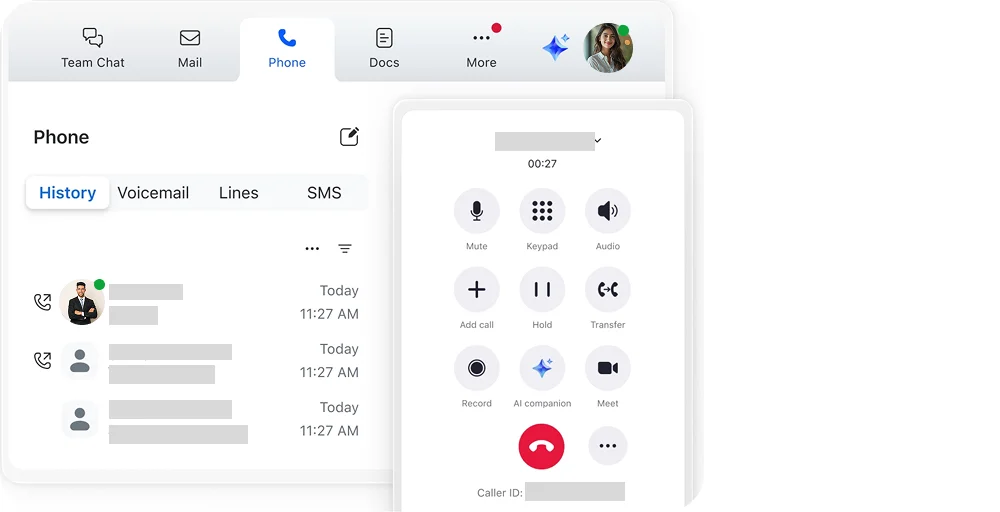
Its deepest value proposition is seamless integration: calls can be elevated to full Zoom Meetings with a single click, and the admin experience is unified across calling, messaging, and video.
Zoom Phone’s standout features
- Call Delegation: Grant administrative assistants the ability to make and receive calls on behalf of executives.
- Quality Dashboards: Track, troubleshoot, and diagnose issues with Zoom Phone call quality and network performance.
- Elevate to Meeting: Effortlessly upgrade a phone call to a fully functional Zoom Meeting without needing participants to join manually.
- Device Management: Assign, configure, and oversee standard desk phones in the Zoom Admin portal.
- Takeover: A monitoring supervisor can join the call and take over the conversation.
Zoom Phone pricing
Zoom Phone’s plans are structured to complement existing Zoom subscriptions, with cloud calling included at an affordable per-seat price.
| Plan | Annual price (per user/month) | Key feature set |
| US & CA Unlimited | $15 | Domestic SMS & MMS, Call recording, and one management portal |
| Pro Plus | $18.33 | Instant messaging, Unlimited docs, 30 hours per meeting |
| Business Plus | $22.49 | Unlimited Domestic Online Fax, Unlimited whiteboards, Device management |
Zoom Phone Pros
- It integrates seamlessly if your team already uses Zoom.
- This is a one-click escalation from a phone call to a Zoom Meeting.
- Unified admin portal for phone, video, and messaging.
Zoom Phone Cons
- This is less compelling if your organization doesn’t use Zoom.
- Contact center features require additional add-ons.
- It has limited SMS marketing and bulk messaging capability.
10. TextNow: Best for budget-conscious individuals and very small teams
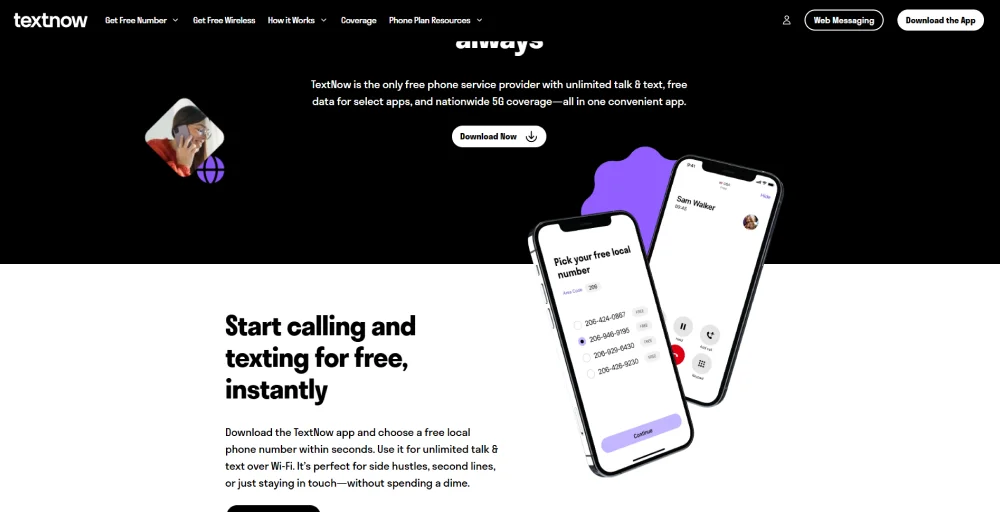
TextNow is a free, ad-supported calling and texting service that provides users with a US or Canadian business phone number. Its enterprise platforms, its core appeal is zero cost, making it a viable option for freelancers, side hustles, or businesses in their earliest stages that need a separate business number without any upfront investment.
TextNow’s standout features
- Scheduled Send: Power users celebrate, as you can now set texts to be sent at a later time. Ideal for reminders, birthday/custom greetings, or planning your day ahead.
- Rich URL Preview: Share a link and watch it stand out. Enhanced URL previews allow you to see exactly what you’re clicking on.
- Expanded Reactions: Discover even more ways to show how you feel. Access the complete emoji library and express yourself beyond the basics.
- Dark Mode: Enjoy a smoother, more comfortable texting experience at night or in low light.
- Conversation Search: Easily find important moments without having to scroll endlessly. It’s fast, convenient, and quite satisfying.
TextNow pricing
TextNow’s core service is free and ad-supported. A premium plan removes ads and unlocks additional features; pricing varies and should be verified on TextNow’s official website.
TextNow Pros
- This is a completely free entry-level tier (ad-supported).
- Provides a real US/Canada phone number at no cost.
- Works over Wi-Fi, no cell carrier plan required.
TextNow Cons
- Ads interrupt the experience on the free plan.
- The number may be reclaimed if inactive for extended periods.
- It is limited to the US and Canada.
Which Google Voice alternative is suitable for you?
The right platform depends entirely on your team size, use case, and budget. Here’s a quick guide to help you match:
- If you run a one-person business and need a separate professional number, Grasshopper or TextNow are good options. Grasshopper provides a professional virtual phone system, while TextNow gives you a free number right away.
- KrispCall is ideal for teams, offering global phone numbers, CRM integration, shared inboxes, and advanced call management at $12 per user per month. Nextiva is another solid option at $15 per user per month, particularly for US calls and strong support.
- If you already use Zoom for meetings, adding Zoom Phone can simplify your communication in one app and under one billing account.
- For larger companies, RingCentral is best for unified communications. Talkdesk excels at AI-powered customer service, while Five9 is ideal for high-volume outbound calls and strict compliance requirements.
- Remember, WhatsApp for Business and Facebook Messenger are not phone systems. They are messaging tools that work well with a primary VoIP solution, providing another way for customers to connect.
Google Voice alternatives: Why KrispCall is the best?
While every platform on this list has its strengths, KrispCall consistently emerges as the most well-rounded Google Voice alternative for businesses that are serious about growth. KrispCall provides virtual phone numbers in 100+ countries, not just the US. Whether your team is distributed or your customers are international, you can operate without borders from day one.
Unlike Google Voice, KrispCall’s Shared Phone Numbers, call notes, and team inboxes help the whole team stay aligned on customer communication, reducing missed calls by over 30% for many users. KrispCall syncs natively with HubSpot, Salesforce, Pipedrive, and other major platforms. Calls are logged automatically, follow-up tasks are triggered, and your sales and support teams spend less time on data entry.


KrispCall costs less than most of its enterprise-tier competitors while delivering features that would otherwise require add-ons or premium upgrades. KrispCall is built with AI-enhanced call management, voicemail, automated transcriptions, and analytics, the features that modern businesses need to compete.
Ready to leave Google Voice behind? Start using KrispCall today and see how much more your business communication can do.