Your business phone system shouldn’t be the reason you lose customers. Yet if you’re reading this, there’s a good chance that Quo (formerly OpenPhone) has let you down one too many times.
Here’s the good news: the VoIP market is competitive, and there are better Quo alternatives for every business size, budget, and use case. In this comprehensive comparison, we break down the top 10 Quo alternatives with honest assessments of pricing, reliability, support quality, and the features that matter most when scaling your business.
Let’s find the alternative to OpenPhone that your business deserves, or that actually supports your growth instead of holding it back.
✨ Key Takeaways
- Quo (OpenPhone) affordability and intuitive interface fall flat in the face of its frequent dropped calls, email-only support, and missing advanced features.
- We tested 10 Quo alternatives (KrispCall, RingCentral, Dialpad, Nextiva, Ooma, Ringover, Vonage, GoTo Connect, Google Voice, and Zoom Voice) to find which platforms actually deliver reliable call quality, 24/7 support, and enterprise features without enterprise pricing.
- KrispCall leads at $12/user/month with unlimited recording, extensive CRM integrations, VoIP features, and virtual numbers from 100+ countries.
The best alternatives to Quo (formerly OpenPhone)
- KrispCall: Best for growing businesses needing global reach and advanced calling features.
- RingCentral: Best for enterprises seeking an all-in-one unified communications solution.
- Dialpad: Best for AI-powered call intelligence and real-time transcription.
- Nextiva: Best for businesses prioritizing reliability and exceptional customer support.
- Ooma: Best for small businesses wanting plug-and-play simplicity.
- Ringover: Best for sales teams focused on conversion optimization.
- Vonage: Best for budget-conscious businesses that need a la carte plans.
- GoTo Connect: Best for mid-sized companies needing customized communication solutions.
- Google Voice: Best for Google Workspace users seeking seamless integration.
- Zoom Phone: Best for organizations already using Zoom Meetings.
What is Quo, and why are businesses looking for its alternative?
Quo, formerly known as OpenPhone, has long been a popular business phone system for startups.
But what happens when your business starts to grow?
To help you make an informed decision, we’ve tested and compared the top alternatives to OpenPhone against its current offerings. Here’s what we found.
What makes Quo appealing
- Affordable pricing: Starting at $15/user/month, it’s one of the most budget-friendly business phone systems available.
- Quick setup process: Businesses can get a professional phone number and start making calls within minutes.
- Intuitive interface: The mobile and desktop apps feature a clean design that requires minimal training.
- Shared numbers: Teams can collaborate on the same phone line with internal notes and message threading.
What drives towards OpenPhone competitors
- HIPAA compliance restrictions: SMS/MMS messaging, AI features (without extra patient consent), and third-party integrations aren’t covered.
- Email-only support: There’s no phone support, even when your business phone system is down.
- Call quality and reliability issues: Dropped calls, audio quality issues, connectivity problems, and features like do not disturb not working are common user complaints.
- Limited integrations: While Quo connects to popular tools like Salesforce and HunSpot, the integrations are surface-level.
- Missing advanced features: Quo lacks power dialer, live call monitoring, whisper coaching, physical VoIP desk phones, advanced call routing (IVR), and real-time analytics.
What users say about Quo
Honestly, it’s way too expensive, and the fact that every new user is another new price is ridiculous. Approval and verification took forever. – Addison H. Owner, G2 review
Not a very good platform for a larger office like ours. I would beware customer service hours are sparse and hard to reach someone. The trial period limits your opportunity to evaluate the platform and service sadly, Quo fails small businesses. – A Mac, Trustpilot review
My overall experience with OpenPhone wasn’t the greatest. Their customer service was always there to help, but there just wasn’t a lot they could do. – Thomas F, System engineer, Capterra review.
How did we select the top Quo alternatives?
We didn’t just compile a random list of VoIP providers based on popularity or marketing claims and call it a day. We evaluated the following factors for months when selecting the best alternative to OpenPhone:
- Customer support: What are their support hours, channels, and response times? Can you reach live support by phone 24/7, or are you limited to email tickets?
- Pricing and scalability: How’s Quo’s pricing compared to alternatives? Does it scale affordably as the team grows, or are there hidden fees?
- Advanced features: What calling features does Quo offer beyond basic voice?
- Integrations: Does the solution integrate deeply with major CRMs like Salesforce, HubSpot, and Pipedrive?
- International capabilities: What is the coverage of virtual numbers across different countries? Are international calling rates competitive?
- User experience: Are the mobile and desktop apps intuitive and easy to navigate? How well do they perform on cellular networks?
- Setup and onboarding: How long does it take from signup to making your first business call? Does the provider offer number porting assistance and efficient team onboarding?
Learn more about our content update process, content integrity standards, and software review methodology.
Comparison of the 10 best Quo (formerly OpenPhone) alternatives
After testing these platforms, we’ve compiled this comparison to help you find the right OpenPhone alternative for your business needs. Each provider brings something unique to the table, and the “best” choice really depends on your specific requirements, team size, and budget.
| Provider | Starting price | Best for | What stands out | G2 review |
| KrispCall | $12/user/month | Growing teams needing global reach | Power dialer, Click-to-call, virtual numbers in 100+ countries make it incredibly versatile. | 4.4/5 |
| RingCentral | $20/user/month | Enterprise teams seeking all-in-one UCaaS | The comprehensive ecosystem of video, messaging, and phone in one platform is hard to beat. | 4/5 |
| Dialpad | $15/user/month | AI-powered call intelligence | Real-time transcription and AI-driven insights during calls genuinely changed how teams handle customer conversations. | 4.4/5 |
| Nextiva | $15/user/month | Businesses prioritizing reliability and support | Rock-solid uptime and exceptional customer service. | 4.5/5 |
| Ooma | $19.95/user/month | Small businesses that want simplicity | Setup took under 10 minutes. No bloated features, just clean, simple calling. | 4.6/5 |
| Ringover | $24/user/month | Sales teams focused on conversions | Built-in sales tools like local presence and call center analytics helped our sales team close more deals. | 4.6/5 |
| Vonage | $13.99/line/month | Budget-conscious teams | One of the most affordable open phone alternatives without sacrificing core features. | 4.3/5 |
| GoTo Connect | Custom quote | Mid-market companies that need flexibility | Customizable packages mean you only pay for what you use. | 4.4/5 |
| Google Voice | 10/user/month | Google Workspace users | If you’re already in the Google ecosystem, the integration is seamless. However, features are limited compared to dedicated VoIP platforms. | 4.1/5 |
| Zoom Phone | $8/user/month | Teams already using Zoom Meetings | The lowest entry price we found, and if you’re using Zoom for video, adding phone service is a no-brainer. | 4.6/5 |
1. KrispCall
Best for: Growing businesses and startups seeking a clean UI, global reach, quick setup, and advanced calling features at an affordable price.
When we set out to identify the most versatile and cost-effective alternatives, KrispCall consistently delivered the best combination of enterprise-grade features, reliability, and value. As a modern cloud telephony, KrispCall addresses a major limitation that drives teams to search for apps like Openphone.
What sets KrispCall apart is the platform’s power dialer, unlimited call recording, multi-level IVR, and bulk SMS, without the enterprise price tag or complexity. With Unified Callbox, virtual numbers from 100+ countries, and competitive international calling rates, KrispCall makes it simple for businesses with global operations or distributed teams to maintain professional communication across borders.
How it solves Quo’s (OpenPhone) limitations
KrispCall directly addresses the specific pain points that frustrate Quo users:
- Solves the support problem: Unlike Quo’s email-only support, KrispCall offers live chat support. During urgent issues, you can get help immediately through multiple channels, rather than just submitting a ticket and waiting.
- Solves the reliability problem: Built on enterprise-grade infrastructure with 99.9% uptime, KrispCall eliminates the dropped calls and connectivity issues that plague Quo users.
- Solves the feature gap: KrispCall includes the advanced features growing businesses need, like power dialer, unlimited call recordings, multi-level IVR, shared inbox functionality, simultaneous ringing, and live call monitoring.
- Solves the integration problem: KrispCall offers deep, native integrations with major CRMs like HubSpot, Salesforce, Zoho, Pipedrive, and Freshsales.
- Solves the international problem: With virtual numbers in 100+ countries and competitive calling rates, KrispCall makes global communication affordable and reliable.
KrispCall pricing
KrispCall delivers exceptional value with transparent, scalable pricing designed for growing businesses.
| Plan | Annual price (per user/month) | Key feature set |
| Essential | $12 | Global phone numbers, Unified Callbox, Number porting |
| Standard | $32 | Bulk SMS, Advanced reports, call transfer |
| Enterprise | Custom | Power dialer, API, and Webhook access, Developer support |
KrispCall’s standout features
- Unified cloud telephony: Combines voice calls, SMS, voicemail, and messaging into a single dashboard.
- Flexible call handling: Include call forwarding, IVR/phone trees, call transfer, and shared numbers to efficiently route traffic.
- CRM integrations & API: Integrates with tools like HubSpot, Salesforce, and Zoho, and offers APIs and webhooks for custom workflows.
- Live call monitoring, whisper & barge: Supervise and assist agents in real time.
- Scalable plans: Tiered pricing. Start with Essentials and easily upgrade to Standard or Enterprise as your needs grow.
- Auto reply for missed calls: Offers engagement even when the agents are unavailable.
KrispCall pros
- No per-recording charges or storage limits.
- User-friendly interface and 100+ virtual numbers.
- 24/7 responsive customer support.
- Exceptional value for money with competitive features from the lower tier.
KrispCall cons
- Focuses exclusively on voice and SMS.
- The desktop app is not available.
What users say about KrispCall
I love how easy it is to handle calls and keep everything in one place. The integration with HubSpot makes my workflow much smoother.
— Seth Lorimer, Trustpilot review
2. RingCentral
Best for: Enterprise organizations and large teams needing a UCaaS platform with extensive integrations
RingCentral stands as one of the most established openphone competitors in the market, offering a feature-rich unified communications platform that combines voice, video, messaging, and contact center capabilities.
For businesses that have significantly outgrown Quo’s limitations and need a multi-channel contact center solution, RingCentral delivers the depth and breadth of features that large organizations require. What distinguishes RingCentral among Quo alternatives is its true unified communications approach.
How it solves Quo’s (OpenPhone) limitations
- 24/7 live support: Unlike Quo’s email-only support, RingCentral offers phone, chat, and email support around the clock on higher-tier plans.
- Comprehensive unified platform: RingCentral includes what Quo lacks, from HD video conferencing, team messaging, file sharing, to integrated contact center capabilities.
- Extensive integration ecosystem: With 300+ pre-built integrations, including deep connections to Microsoft 365, Google Workspace, Salesforce, and Zendesk, RingCentral eliminates the integration limitations that hold Quo users back.
RingCentral pricing
RingCentral offers tiered pricing designed to scale with your organization’s needs:
| Plan | Annual price (per user/month) | Key feature set |
| Core | $20 | HD meetings (100 participants), Unlimited domestic calling, 100 toll-free minutes |
| Advanced | $25 | CRM integration, 1,000 toll-free minutes, 100 SMS users/month |
| Ultra | $35 | 10,000 toll-free minutes, 200 SMS users/month, Device analytics & alerts |
| Customer engagement bundle | Custom | All personal AI assistant features, Shared SMS inbox, Call back from queue |
RingCentral’s standout features
- Video conferencing: Host HD video meetings with a digital whiteboard, remote desktop control, live transcription, and breakout rooms.
- Hot desking and call flip: Seamlessly transfer active calls between devices mid-conversation, and log into any office desk phone with your credentials for flexible hybrid work.
- Advanced analytics and reporting: Real-time dashboards with customizable reports, quality monitoring, and historical data analysis.
- White-glove enterprise onboarding: Dedicated implementation specialist guides large deployment with customized training and ongoing support for small businesses.
RingCentral pros
- Combines phone, video, and messaging in one application, eliminating the need for multiple business communication tools.
- An extensive integration library of major business platforms like Salesforce, Microsoft 365, and Zendesk is available.
- 14-day free trial available on up to 2 devices.
- Fully supports desk phones and conference room equipment for traditional office setups.
RingCentral cons
- Requires more extensive training and longer onboarding time due to feature overload.
- Advanced features often require higher tiers or add-ons.
- The mobile app can be sluggish, with frequent updates and features that don’t work smoothly as on desktop.
- Monthly SMS limits are restrictive.
3. Dialpad
Best for: Businesses wanting AI-powered call intelligence and real-time transcription.
Dialpad distinguishes itself among OpenPhone alternatives as an AI-first communication platform that transforms every conversation into actionable insights. Unlike Quo’s basic calling features, Dialpad leverages its custom-trained DialpadGPT AI to provide real-time transcription, sentiment analysis, and coaching recommendations during live calls.
What makes Dialpad compelling for businesses is its unified approach to communication, combined with advanced AI features built into every plan. For teams that value data-driven decision-making and want their phone system to actively improve performance, Dialpad delivers functionality that Quo simply can’t match.
How it solves Quo’s (OpenPhone) limitations
- AI-powered intelligence on every call: Dialpads’ real-time call transcription, automated post-call summaries, sentiment analysis, and AI coaching cards help agents answer tough questions, features that are completely absent from Quo.
- Unified communications platform: Unlike Quo’s phone-and-text-only approach, Dialpad offers HD video conferencing, team messaging, and collaboration tools in a single app.
- Better support accessibility: Dialpad offers 24/7 support on Pro and Enterprise plans (and 24/7 live support on Standard), a significant upgrade from Quo’s email-only support model.
Dialpad pricing
Dialpad offers three tiers with AI features included across all plans:
| Plan (Connect) | Annual price (per user/month) | Key feature set |
| Standard | $15 | Chat support, Visual voicemail, custom call routing |
| Pro | $25 | Hold queues, QoS report, Phone support |
| Enterprse | Custom | Unlimited office locations, User access control, SLA |
Dialpad’s standout features
- Seamless device switching: Transfer an active call from their desktop app to a mobile phone (or vice-versa) without interrupting the conversation.
- Sentiment analysis: Dialpad’s AI analyzes tone and language patterns to detect customer sentiment, flag at-risk accounts, and identify successful interaction patterns for training purposes.
- AI-powered post-call automation: Automatically generates call summaries, extracts action items, updates CRM records, and creates follow-up task lists without manual note-taking or data entry.
- Real-time AI assistance: Dialpad AI provides instant call transcriptions, live sentiment analysis, and Real-Time Assist (RTA) cards that pop up with suggestions or during a conversation.
Dialpad pros
- AI features are included on all plans.
- Clean design that requires minimal training.
- iOS and Android apps deliver full features parity with the desktop.
- Quick deployment with self-service.
Dialpad cons
- The Standard plan caps video at 10 participants, and even the Pro plan maxes out at 150.
- Customization options are quite limited.
- Each plan has a minimum set of user requirements.
- Need to pay extra for porting multiple numbers.
4. Nextiva
Best for: Businesses prioritizing reliability, uptime, and exceptional customer support with room to scale.
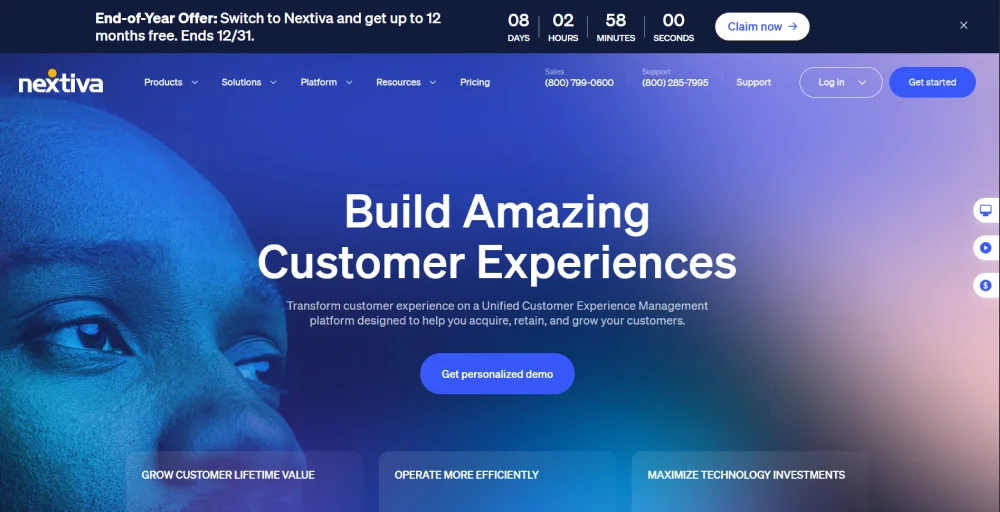
As a unified communications platform that combines voice, video, SMS, and team collaboration, Nextiva delivers the enterprise-grade stability and 24/7 human support that businesses desperately need as they outgrow Quo’s limitations.
What sets Nextiva apart in the crowded field of alternatives is its unwavering focus on uptime and support quality. With an industry-leading 99.999% uptime guarantee and consistently top-rated customer service, Nextiva eliminates the reliability concerns and support frustrations that plague Quo users.
How it solves Quo’s (OpenPhone) limitations
- Hardware support: Unlike Quo’s software-only approach, Nextiva fully supports VoIP desk phones and traditional office hardware for businesses with physical office needs.
- 24/7 customer support: Nextiva provides round-the-clock assistance by phone, chat, and email on every plan.
- Industry-leading reliability: Nextiva’s 99.999% uptime SLA backed by carrier-grade redundant infrastructure eliminates dropped calls or platform instability that Quo lacks.
Nextiva pricing
Nextiva offers three powerful tiers designed to scale with your business needs:
| Plan | Annual price (per user/month) | Key feature set |
| Core | $15 | Video meetings, Inbound & outbound voice, call routing |
| Engage | $25 | Advanced reporting, Toll-free number & minutes, Customer-to-team SMS messaging |
| Power Suite CX | $75 | Voice & web chat, blended inbound & outbound calling, AI transcription & summarization |
Nextiva’s standout features
- NextivaONE unified app: Turn your mobile or desktop into a full business phone system and keep your employees connected on the go.
- Call analytics & reporting tool: Nextiva offers historical call data and analytics dashboards, giving businesses insights into call volume, talk time, and performance.
- Flexible phone number options & porting: Businesses can keep existing numbers, obtain free local numbers, or get a toll-free number, all with built-in porting support.
- Unlimited calling, texting & faxing: Nextiva includes unlimited voice calls across the U.S. and Canada, unlimited business SMS, and cloud faxing, all built into the VoIP service.
Nextiva pros
- High-definition call quality ensures clearer conversations.
- Built-in tools and integrations help the team track customer interactions without separate systems.
- Clean and intuitive UI for web, desktop, and mobile.
- 24/7 responsive support with proper onboarding resources.
Nextiva cons
- Feature complexity can create a learning curve for some users.
- Higher starting price than competitors.
- Free trials vary by product.
- Advanced features are often available as expensive add-ons or in higher-tier plans.
5. Ooma
Best for: Small businesses wanting plug-and-play simplicity with physical desk phone support.

Ooma focuses on simplicity and ease of use rather than overwhelming feature sets, delivering professional cloud communication capabilities for small businesses that need a reliable phone system without complexity.
What distinguishes Ooma is its commitment to simplicity and traditional business phone functionality. Unlike platforms overloaded with advanced features, Ooma strips away complexity while maintaining professional essentials like a virtual receptionist, call routing, and voicemail transcription.
How it solves Quo’s (OpenPhone) limitations
- Physical desk phone support: Unlike Quo’s software-only approach, Ooma fully supports traditional desk phones with the Ooma Office Base Station.
- Reliable operation: Ooma’s straightforward design eliminates the bugs and glitches that plague Quo users.
- Integrated faxing: Digital fax capability included on all plans eliminates the need for separate fax solutions that many small businesses still require.
Ooma pricing
| Plan | Annual price (per user/month) | Key feature set |
| Essential | $19.95 | Virtual receptionist, Digital fax, Mobile app |
| Pro | $24.95 | Desktop app, Video conferencing(up to 25 participants), Text Messaging(up to 250/month) |
| Pro Plus | $29.95 | Text Messaging(up to 1000/month), Video conferencing(up to 100 participants), CRM integration |
| Enterprise | Custom | SIP trunking, Advanced CX features, Custom implementation |
Ooma’s standout features
- Multi-site support: Keep every employee connected across multiple locations.
- Extension monitoring: Monitors each other’s extensions and performs three-way phone calls or incoming call intervention.
- Ooma Office mobile app: Take business calls on your personal smartphone without revealing your personal number.
- Built-in call blocking: Eliminate robocalls and spam with Ooms’s integrated blocking technology.
Ooma pros
- Get operational in under 15 minutes with minimal configuration.
- Optimal Ooma-compatible IP phones provide a traditional handset experience.
- Intuitive interface offering an accessible end-user experience.
- An e911 service that routes calls to emergency services with your registered address.
Ooma cons
- Lacks advanced features like power dialer, advanced analytics, and extensive CRM integrations that a growing team needs.
- Basic integration ecosystem with no native Salesforce or deep HubSpot integration.
- Lack numbers like vanity or international.
- May not meet the needs of growing businesses or high-volume operations.
6. Ringover
Best for: Sales-driven teams focused on conversion optimization and outbound calling efficiency.
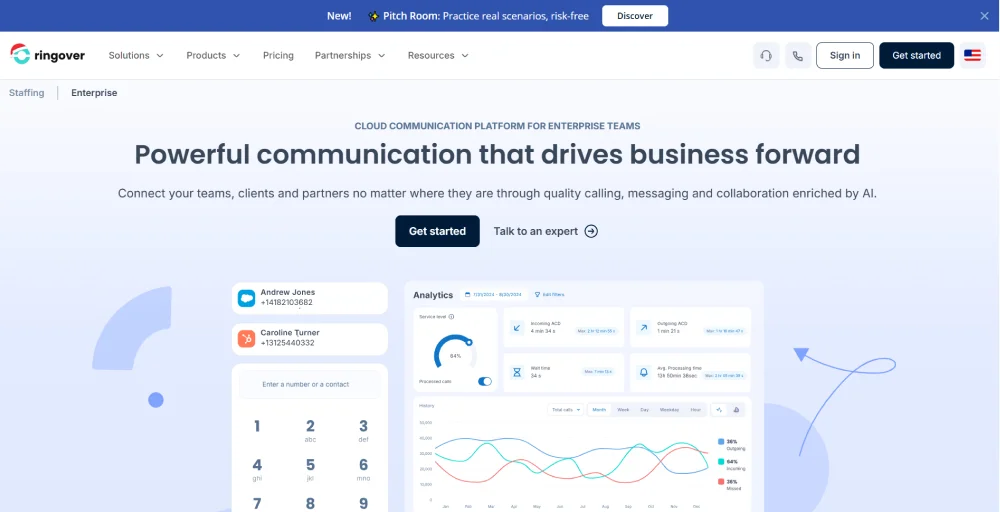
Ringover positions itself among openphone alternatives as a sales-centric communication platform with sales tools like power dialers, local presence calling, and conversation analytics that help sales and support teams connect with more prospects and close more deals.
What makes Ringover compelling for businesses is its laser focus on sales productivity and conversion optimization. For teams where phone conversations drive business results, Ringover transforms your phone system from a basic cloud communication tool into a revenue-generating asset that Quo’s limited feature set simply cannot deliver.
How it solves Quo’s (OpenPhone) limitations
- Multi-channel communication hub: Unlike Quo’s phone-and-SMS-only approach, Ringover adds video conferencing, email integration, and WhatsApp business messaging in one platform.
- CRM synchronization: Deep integrations with Salesforce, HubSpot, Zoho, etc, that provide context in any conversations that Quo’s shallow integrations lack.
- Broader international reach: Virtual numbers available in 65+ countries (compared to Quo’s limited coverage) and unlimited calls to 90+ destinations included in base pricing.
Ringover pricing
Ringover offers tiered pricing designed to scale with sales team sophistication:
| Plan | Annual price (per user/month) | Key feature set |
| Smart | $24 | Local numbers from 45 countries, Call summary, and Click-to-call |
| Business | $44 | Local number from 65 countries, 2 integrations, Advanced IVR |
| Advanced | Custom | Call campaigns, Power dialer, 3 integrations |
Ringover’s standout features
- Power dialer: Automated dialing eliminates manual labor to identify efficiency improvement and automate calling strategies.
- Voicemail drop: Pre-record professional voicemail messages and leave them instantly with one click when prospects don’t answer.
- Call campaigns: Organize prospects into targeted calling campaigns, track progress, schedule follow-ups automatically, and measure campaign effectiveness.
- Conversation analysis: Ringover AI evaluates call tone, language patterns, and customer reactions to flag at-risk deals and identify successful approaches.
Ringover pros
- Built-in video meetings eliminate the need for separate tools.
- Users consistently praise audio clarity and connection stability.
- Offers advanced features for enhancing sales productivity.
- Setting up is easy with a fast learning curve and an intuitive interface.
Ringover cons
- Some users feel it’s hard to switch away from the service.
- Integration limits feel restrictive, with the Business plan capped at 2 CRM integrations and the Advanced plan at 3.
- Sales focus may be excessive for teams not running high-volume outbound operations.
- Advanced features are locked to higher tiers.
Related 👉: 10 Best Ringover Alternatives for Businesses in 2026
7. Vonage
Best for: Budget-conscious businesses not wanting to compromise on core VoIP features.
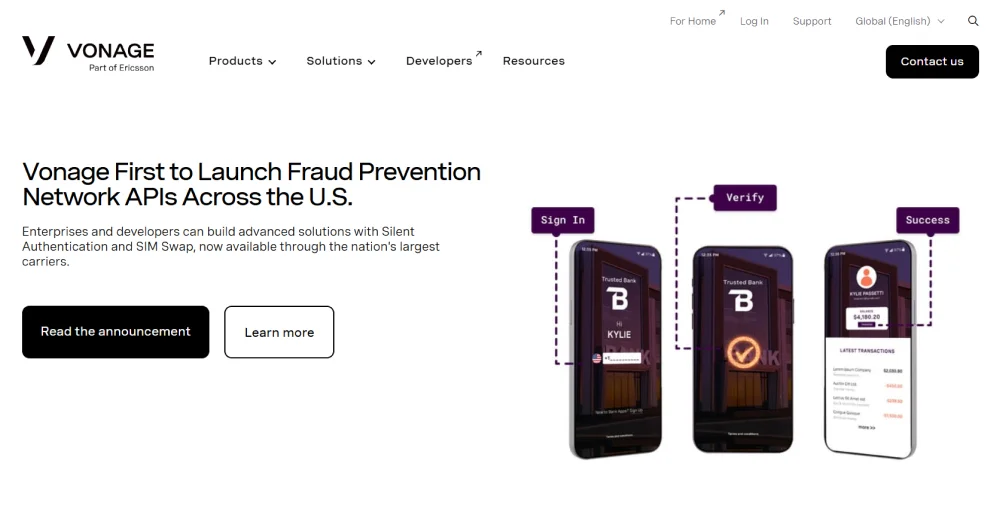
Vonage proves that affordable doesn’t mean sacrificing quality. As one of the longest-established VoIP providers, Vonage delivers reliable business phone service with essential features at price points that make sense for cost-conscious teams.
What distinguishes Vonage in the crowded field of alternatives is its combination of competitive pricing, proven reliability, and flexibility. Vonage operates on a carrier-grade network that’s served millions of business users for over two decades. The platform offers true flexibility without the compromises that typically come with low-cost providers.
How it solves Quo’s (OpenPhone) limitations
- Customization through APIs: Build custom workflows, integrations, and automated processes with Vonage that Quo’s closed platform cannot offer.
- Multiple support channels: 24/7 assistance via phone, email, and chat, available through your preferred method, eliminating Quo’s email-only support bottleneck.
- Hardware variety: Unlike Quo’s software-only limitation, Vonage supports dozens of desk phone models from multiple manufacturers.
Vonage pricing
Vonage offers three tiers with competitive pricing:
| Plan | Annual price (per user/month) | Key feature set |
| Mobile | $13.99 | Supports desktop and mobile apps, Unlimited domestic calling, voicemail |
| Premium | $20.99 | Supports VoIP desk phones, Unlimited video meetings (up to 200 participants), Team messaging |
| Advanced | $27.99 | On-demand call recording (15 hours per month), call groups, and visual voicemail (with transcription) |
Vonage’s standout features
- Flexible user management: Easily add or remove lines, change plans mid-cycle, and adjust features per user without complex account restructuring.
- Carrier-grade network reliability: Delivers 99.999% uptime with geographic redundancy and automatic failover.
- Cross-platform consistency: Identical features and interface across desktop (Windows/Mac), mobile (iOS/Android), and web ensure a seamless experience.
- API-first architecture: Extensive APIs and webhooks enable custom integrations, automated workflows, and bespoke solutions for businesses.
Vonage pros
- Comprehensive APIs and documentation to build custom solutions or deep integrations.
- 99.999% guaranteed uptime.
- Excellent VoIP call quality even when dialing internationally.
- Easy onboarding with guided setup.
Vonage cons
- While domestic calling is unlimited, per-minute international rates are significantly higher.
- Mobile plan lacks video, call recording, team messaging, and advanced routing.
- The admin portal and dashboards feel dated, with cluttered layouts.
- Add-ons are on the expensive side.
8. GoTo Connect
Best for: Mid-sized companies needing customized communication solutions and flexibility.
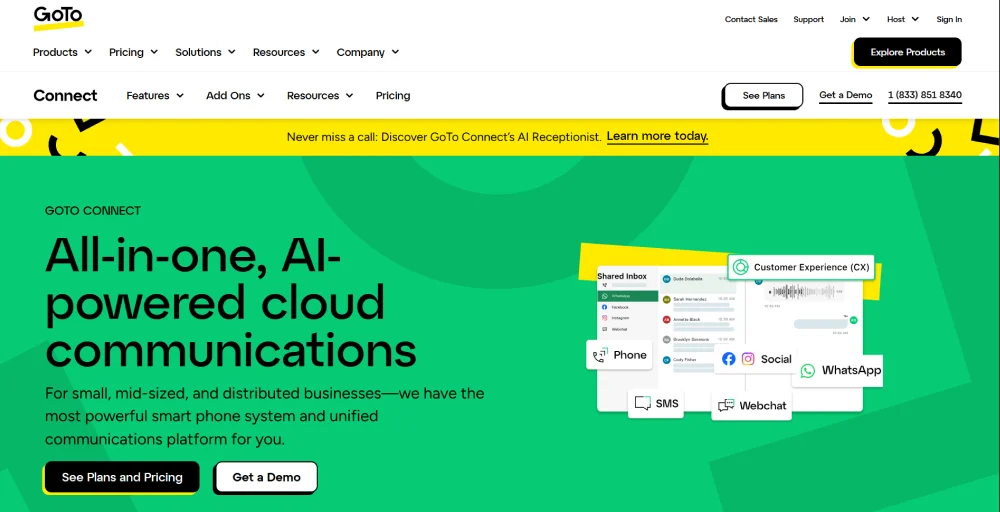
GoTo Connect takes a different approach among openphone alternatives by rejecting one-size-fits-all plans in favor of customizable packages tailored to each business’s specific needs. For companies tired of paying for unused features or frustrated by missing capabilities, GoTo Connect’s consultative approach builds exactly the solution you need.
What makes GoTo Connect unique is its emphasis on customization and flexibility. Rather than forcing businesses into rigid tier structures, GoTo Connect works with you to configure call flows, select specific features, and design routing rules that match your actual operations.
How it solves Quo’s (OpenPhone) limitations
- Unified communications platform: Integrated voice, video, team messaging, and SMS in one application eliminates the multiple tools Quo requires for complete communication coverage.
- Dedicated implementation support: GoTo Connect assigns technical specialists to configure complex deployments, migrate data, and train teams, which is unavailable with Quo.
- Tailored feature sets: Custom package building ensures you only pay for capabilities you’ll actually use.
GoTo Connect pricing
GoTo Connect offers plans tailored to your specific feature requirements and user count. Based on our research and experience, pricing is typically shared through custom sales quotes, with options usually split across a baseline Phone System tier, a more advanced Connect CX plan, and a full Contact Center solution designed for higher call volumes and support teams. Contact their sales team for accurate pricing tailored to your needs.
GoTo Connect’s standout features
- Drag-and-drop call flow editor: Design complex routing scenarios, IVR menus, and call treatments without technical expertise or scripting knowledge.
- Premium video conferencing: Built-in GoToMeeting technology supports up to 250 participants with features that match standalone video platforms.
- Flexible dial plan configuration: Customize exactly how inbound calls route based on any time, day, caller ID, queue status, agent availability, or custom business rules.
- Unified communications & omnichannel inbox: GoTo Connect brings voice calls, video meetings, team chat, SMS, WhatsApp, social media (Facebook, Instagram), and web chat into a single, shared inbox.
GoTo Connect pros
- Works well for small businesses up to larger, multisite operations.
- Easy to use and set up.
- 24/7 customer with 99.999% reliability.
- 1,000 free minutes shared across the account.
GoTo Connect cons
- Pricing requires sales calls and quotes.
- Steeper learning curve with extensive customization options and advanced features.
- The mobile app can feel limited or outdated compared with desktop functionality.
- Some users describe dropped calls, call quality concerns, and occasional glitches.
9. Google Voice
Best for: Google Workspace teams seeking seamless ecosystem integration.
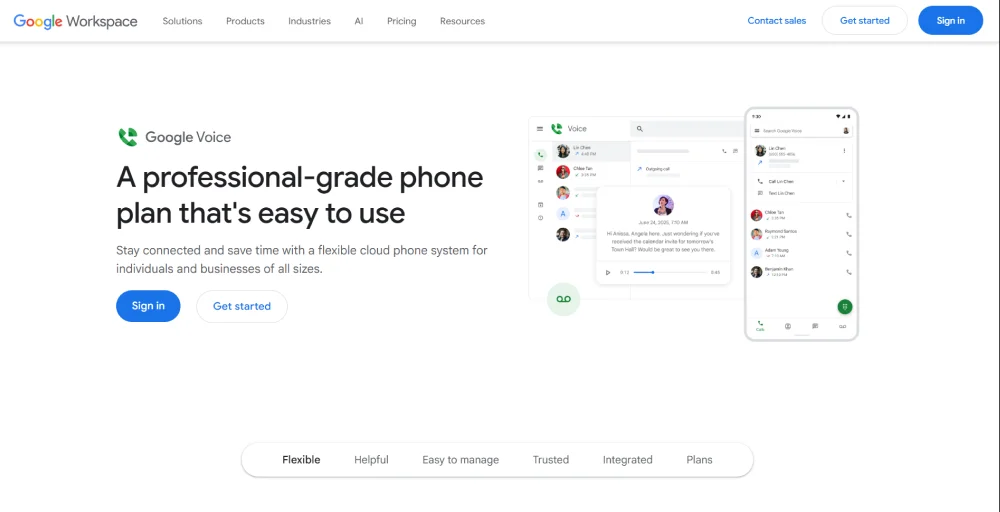
Google Voice stands out among OpenPhone competitors by deeply integrating with the Google Workspace ecosystem. For teams living in Gmail, Calendar, Drive, and Meet, Google Voice provides business phone capabilities that feel native to their existing workflow rather than requiring adoption of yet another platform.
What sets Google Voice apart from other alternatives to OpenPhone is its effortless integration and familiar user experience. Voicemails appear in Gmail, calls sync with Google Calendar, contacts integrate automatically from Google Contacts, and the interface follows Google’s design language that teams already know.
How it solves Quo’s (OpenPhone) limitations
- Familiar interface: Google’s consistent design language means teams navigate Voice intuitively without training.
- Powerful spam filtering: Google’s AI-powered spam detection automatically blocks robocalls and spam before they ring, protecting teams from interruptions that frustrate Quo users.
- Simple pricing transparency: Clear per-user costs with features clearly defined across three tiers.
Google Voice pricing
Google Voice offers three pricing tiers integrated with Google Workspace:
| Plan | Annual price (per user/month) | Key feature set |
| Starter | $10 | Three-way calling, Voicemail transcription, 10 numbers per user |
| Standard | $20 | On-demand call recording, Auto-attendant, Ring groups |
| Premier | $30 | Multi-level auto-attendant, Advanced reporting, Automatic call recording |
👉: Learn more about Google Voice pricing.
Google Voice’s standout features
- Gmail voicemail integration: Voicemails appear directly in the Gmail inbox with AI transcription, searchable by content, and manageable.
- Google Calendar call sync: Scheduled calls automatically add to Calendar with dial-in details.
- Call Recording: Record important conversations with a single click.
- Google Meet integration: Seamlessly escalate voice calls to video meetings with one click, sharing Meet links, and transitioning conversations.
Google Voice pros
- Familiar interface requires zero training for Google Workspace users.
- Clear three-tier structure with no hidden fees or complex add-ons.
- Reliable infrastructure backed by Google’s global network.
- Excellent spam call filtering powered by Google’s AI.
Google Voice cons
- No native CRM integrations beyond the Google ecosystem.
- Not available as a standalone product (requires Google Workspace subscription).
- Support is primarily self-service through help documentation.
- Limited features compared to dedicated VoIP platforms.
10. Zoom Phone
Best for: Organizations already using Zoom Meetings who want unified video and voice communications.
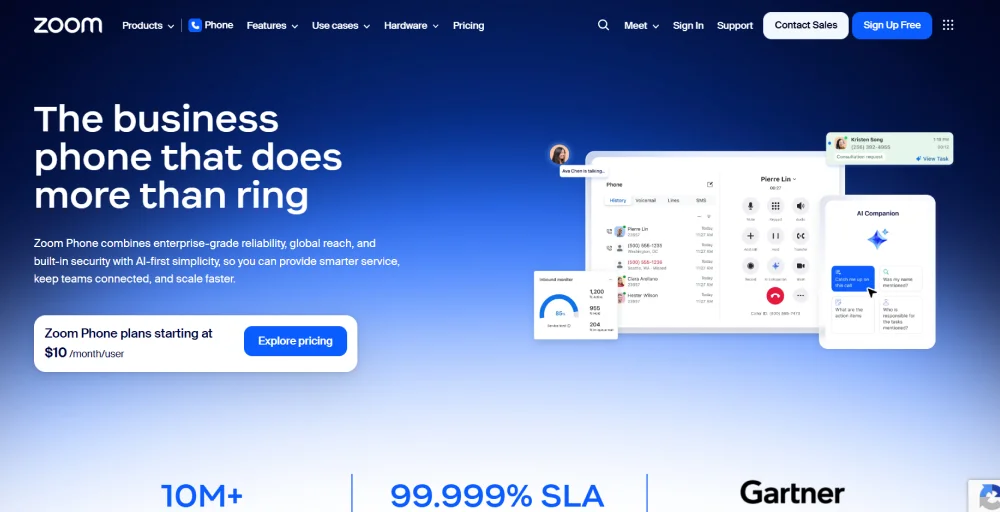
Zoom Phone completes the communication stack for businesses already committed to Zoom for video conferencing. It is the most affordable openphone alternative on our list, and if you’re already paying for Zoom Meetings, adding phone service creates a unified communication experience at an unbeatable value.
What makes Zoom Phone compelling among alternatives is the seamless integration with Zoom’s video platform. Phone calls appear in the same interface as video meetings, and users can instantly escalate voice conversations to video with one click.
How it solves Quo’s (OpenPhone) limitations
- Unmatched affordability: Starting at $15/user/month (equal to Quo’s base price), Zoom Phone provides essential business calling at the lowest entry point.
- Zoom-quality audio technology: HD voice quality matches Zoom’s audio reputation, delivering clearer conversations than Quo’s frequently reported audio problems.
- Proven remote-work reliability: Zoom Phone is the best phone system for remote teams and hybrid work, surpassing platforms like Quo.
Zoom Phone pricing
Zoom Phone offers the most affordable entry point among enterprise-grade alternatives:
| Plan | Annual price (per user/month) | Key feature set |
| US & CA Unlimited | $15 | Metered international calling, SMS/MMS, 24/7 live chat & phone support |
| Pro Plus | $18.33 | 50-page domestic online fax, 100 meeting participants, 3 whiteboards |
| Business Plus | $22.49 | Unlimited domestic online fax, 300 meeting participants, unlimited whiteboard |
Zoom Phone’s standout features
- Native Zoom Meetings integration: Schedule meetings with dial-in numbers automatically included and seamlessly switch between communication modes.
- Unified app across devices: Make/receive calls, send SMS, and manage communications from desktop, mobile, and web apps.
- Call routing tools: Built-in IVR menus, ring groups, and call queues help manage inbound calls efficiently.
- Integrations: Works with CRM and business tools like Salesforce, Slack, and Microsoft platforms (though not as many as some competitors).
Zoom Phone pros
- Most affordable entry point for business phone systems.
- Exceptional call quality matches Zoom’s video reputation.
- Seamless escalation from phone calls to video meetings.
- Familiar interface for teams already using Zoom.
Zoom Phone cons
- Customer support can be slow for phone-specific issues.
- International number availability is limited compared to global providers.
- Metered international calling that quickly adds up for high-volume calling teams.
- Basic feature set compared to dedicated phone system providers.
Which Quo (OpenPhone) alternative is best for you?
Choosing the right Quo (OpenPhone) alternative depends on your specific business needs, budget constraints, and communication priorities. To find your perfect match, identify which scenario best describes your situation:
- If your team is expanding globally, opt for KrispCall. Virtual numbers in over 100 countries with competitive international rates enable you to establish a local presence anywhere without the premium costs typically associated with global expansion.
- If you’re tired of dropped calls and unreliable service, go with Nextiva. That 99.999% uptime guarantee ensures your phones actually work when customers call, unlike the connectivity issues plaguing Quo users.
- If your sales team makes 50+ calls daily, go with Ringover. Power dialer, local presence, and call campaigns help your reps connect with more prospects in less time.
- If you want your phone system to coach your team, go with Dialpad. AI analyzes every conversation, suggests responses in real-time, and identifies coaching opportunities automatically.
- If you’re running a large organization with complex needs, go with RingCentral. When you need to integrate with dozens of business tools, support multiple offices, and scale to hundreds of users, RingCentral’s enterprise infrastructure handles complexity with ease.
- If you want simplicity and traditional desk phone support, go with Ooma. Plug it, configure basic settings, and start taking calls with full support for physical office hardware.
- If you’re budget-conscious but won’t accept poor quality, go with Vonage. Carrier-grade reliability and 24/7 support, starting at $13.99/line, prove you don’t need to choose between affordability and dependability.
- If you need highly customized communication solutions, go with GoTo Connect. Custom packages mean you’re not paying for features you’ll never use or missing capabilities you desperately need.
- If your team is deeply invested in Google Workspace, go with Google Voice. Seamless integration with Gmail, Calendar, and Contacts eliminates learning curves and creates a unified experience for Google-centric teams.
- If you’re already paying for Zoom Meetings, go with Zoom Phone. Why manage two vendors when you can unify voice and video for $8/month? Escalate calls to video meetings with one click in the interface your team already knows.
Note: We recommend taking advantage of free trials or demos to test your top 2-3 candidates with actual team members before making your final decision.
Is KrispCall the best alternative to Quo for your business?
If you’ve read this far, you’ve seen how each Quo (OpenPhone) alternative tackles different business needs. But here’s the reality: most businesses leaving Quo need three things that aren’t negotiable: reliable call quality, advanced features, and pricing that won’t shock your CFO when you scale past 20 users.
That’s exactly where KrispCall delivers.
At $12/user/month, you get AI coaching, a power dialer that triples your team’s productivity, and virtual numbers from 100+ countries, without the premium international rates other providers charge. KrispCall is built for businesses outgrowing basic tools but not ready for enterprise complexity or enterprise bills.
Think about what’s frustrating you about Quo right now. Dropped calls during important customer conversations? Submitting support tickets and waiting for days for responses? Missing features like call monitoring that your sales manager keeps requesting? KrispCall solves all of these without requiring you to become a VoIP expert to manage complexity.
Ready to see the difference? Book a free demo and experience what a business phone system should actually do.