Every second a call goes unanswered or lands with the wrong person, your business loses something, a customer’s trust, a sale, or an employee’s time.
The numbers back this up. 83% of customers expect to resolve their issue by speaking to just one person. Yet most businesses still route calls through a receptionist, a confusing IVR menu, or worse, a long hold queue that ends in frustration.
The fix isn’t a bigger team or more phone lines. It’s smarter call routing, and that starts with understanding phone extensions.
A phone extension is a short internal number that connects callers directly to the right person or department, no transfers, no menus, no wasted time.
In this guide, you’ll learn exactly what phone extensions are, how they work, how to dial them, and how to set them up, so every call reaches the right person, every time.
✨ Key Takeaways
- A Phone extension works by adding a short internal number to the main line that directs calls to specific employees or departments.
- To dial an extension number, call the main business number followed by the extension externally, or simply dial the extension internally.
- Your calls are routed to an extension as the phone system uses preset rules to automatically connect the call to the correct person or team.
What is a phone extension?
A phone extension is a short internal number, typically 3 to 5 digits, assigned to a specific employee, team, or department within a business phone system. Instead of every person needing a separate phone line, extensions allow multiple people to share one main business number while still being individually reachable.
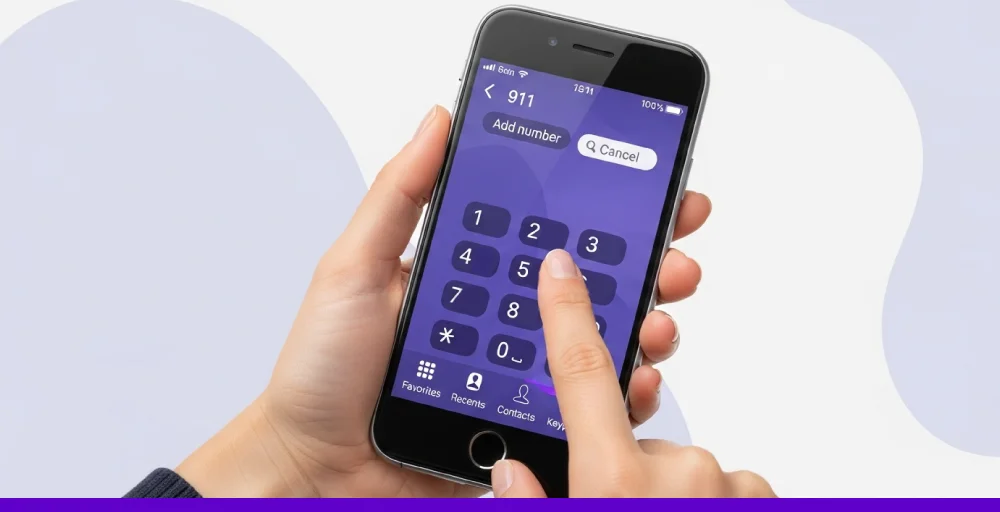
Think of it like an apartment building. The building has one street address, but each unit has its own number. The main business number is the street address – the extension is the unit number that gets you to exactly the right door.
For Internal Callers
When calling within your organization, you simply dial the extension directly, no area code, no full number required.
For example, if your colleague Sarah in accounting has extension 204, you pick up your desk phone or softphone and dial 204. That’s it. No navigating a menu, no going through a receptionist.
For External Callers
When calling from outside the organization, as a customer, vendor, or partner, you combine the main business number with the extension.
For example
| Scenario | What to Dial |
| Reach the main line | 555-867-5309 |
| Reach billing (ext. 204) | 555-867-5309 + 204 |
| Reach tech support (ext. 301) | 555-867-5309 + 301 |
How does a phone extension work?
A phone extension is a short set of digits, usually four, added to the main business phone number to direct calls internally.
Let’s say you want to reach the Human Resources Department at a company’s head office. You’d dial the main line first, for example, 212-555, and then enter the specific extension to reach the right person or team.
For instance, you might dial:
- Recruiting: +1 212-555-1201
- Payroll: +1 212-555-1205
In this case, 1201 or 1205 are the phone extensions. They remove the need for separate phone lines and make it possible to use features like business call forwarding and IVR. This way, calls can reach the right person even if they’re away from their desk or working remotely.
Difference between home and business phone extension
Phone extensions are essential in telecommunications, providing convenience for both homes and businesses. The two systems differ in purpose, one for office use and the other for residential settings, yet both enhance communication with more features and options on their phone systems.
Home phone extension
The home telephone extensions enable multiple rooms to receive calls on a single landline, allowing you to answer from any location. However, only one call can occur at a time, meaning if someone is already on a call, the line will be busy for everyone else.
Business phone extension
While business phone extensions offer advanced functionality for office environments, they are typically used in multi-line systems that are distributed across departments or individuals.
Technologies like PBX or VoIP phone systems enable multiple internal extensions to function with fewer external lines. This setup enhances communication with features like direct dial numbers, call transfers, auto attendant, internal calling, and directory services.
What are the challenges that phone extensions solve in business?
Phone extensions directly address five of the most common business communication problems:
1. Misdirected calls: Without extensions, calls land at a central point and require manual routing. Extensions eliminate this by letting callers connect directly to the right person or department from the start.
2. Long hold times: Extensions combined with IVR menus reduce hold times significantly. Callers who know their extension skip the queue entirely, those who don’t are guided to the right place automatically.
3. High telecom costs: A business with 50 employees doesn’t need 50 phone lines. Extensions allow dozens of employees to share a smaller pool of external lines – dramatically reducing monthly telecom costs.
4. Remote work communication gaps: Traditional phone systems tied employees to a desk. VoIP extensions route calls to any device, mobile, laptop, or desk phone – keeping remote and hybrid workers fully reachable.
5. Lack of professionalism for small businesses: A small business with one or two employees can still present a professional, organized image by setting up a multi-extension system with department routing — even if one person handles all the calls.
Difference between phone extension and virtual number
Phone extensions and virtual phone numbers both serve to route incoming calls efficiently, but they operate in fundamentally different ways.
Phone extension
A phone extension is a short internal number associated with a primary business phone system, typically used to connect callers to specific departments or employees. Traditionally linked to desk phones, extensions are now often free and can also route calls to mobile devices or remote users through cloud-based systems.
Virtual number
A virtual number is a phone number that uses the internet and is linked to an IP address instead of a physical phone line. When someone calls, the call goes to your computer, mobile phone, or any device connected to that IP address. This lets employees make and receive calls from anywhere, using VoIP phones, desktops, or mobile devices.
What Makes a Phone Extension Different from a Regular Phone Number?
| Feature | Phone Number | Phone Extension |
| Length | 10 digits (full) | 3-5 digits (short) |
| Tied to a physical line? | Yes (traditional) / No (VoIP) | No – tied to the system, not hardware |
| Visible to outside callers? | Yes | No – internal only |
| Requires separate billing? | Usually yes | Usually free within your plan |
| Can route to mobile/laptop? | With VoIP, yes | Yes – via VoIP or cloud PBX |
| Used for external calls? | Yes | No – receiving only |
How to dial an extension number?
When you’re trying to reach a colleague or department by business phone number, the dialing process for an extension number will vary depending on whether the call is internal (within your organization) or external (from outside your company’s phone system).
Here are the steps to dial a phone extension number, either by internal or external way, for a call:
I. Internal calls
Making calls internally is typically very straightforward. You only need to dial the person’s assigned extension number. That means no area codes, no prefixes, and no full phone numbers required.
For example, if your teammate Jason in the tech support team has the extension 1189, you simply dial 1189 on your desk phone or softphone to reach him directly.
If your company’s phone system segments extensions by department, you may also need to include a department-specific code when making a call. Let’s say the support department uses the code 45, and Jason’s individual extension is 1189. You would dial 45-1189 to connect with him.
45 (support department) + 1189 (Jason’s individual extension)
II. External calls
When calling from outside your organization, such as a client trying to reach someone directly, you’ll need to include more digits. Typically, this means combining the main business phone number with the department and the person’s extension to form a full reachable number.
For instance, if your company’s main number is 555-8490, and you want to direct clients to Jason, you’d append the department and extension codes. Jason’s full direct dial would be 555-8490-45-1189.
This format ensures that the outbound call routes through the main line, reaches the correct department, and finally lands with the intended recipient.
555-8490 (main line) + 45 (department code) + 1189 (extension)
Also, for new clients wanting to reach the customer support department, it would then be:
555-8490 (main line) + 45 (department code)
How are calls routed to an extension?
Once a phone number extension is dialed, your phone system automatically determines where to send the call based on routing rules. These rules help ensure each call reaches the right person or department efficiently and without confusion.

1. Configure dialing rules for outgoing calls
Individuals can create personalized dialing rules to make sure they’re always reachable. For example, a remote sales lead might want calls routed to ring their desk phone first, then their mobile, and finally their laptop app. This type of sequential routing ensures no inbound call gets missed during their busy day.
Alternatively, users can activate simultaneous ringing across all their devices. This is especially helpful for hybrid workers who frequently move between locations and need to stay responsive regardless of their location.
2. Routing for departments
Different departments may need unique handling rules. If a department like HR typically deals with sensitive issues, calls can be set to route first to the department head. If they’re unavailable, the call then passes to a secondary contact. This approach maintains privacy and control over internal inquiries.
3. Setting up dialing policies for teams
High-traffic departments, such as support or sales, require more advanced call handling. You can set up direct inward dialing rules to route incoming calls to all team members simultaneously, or use round-robin and shift-based routing to distribute calls evenly among team members.
In round-robin routing, each team member takes turns answering incoming calls. This prevents one person from becoming overloaded. You can also route calls based on availability, skill set, or time zone, especially helpful if your team is spread across multiple regions.
Use cases of using a phone extension
If you’re looking to enhance communication and efficiency, consider these innovative ways to implement phone number extensions in your phone system.
I. Route after-hours calls to the right contact
If your team isn’t available outside regular hours, extensions can reroute calls to mobile phones or outsourced support, ensuring customers still get the help they need after hours.
II. Provide self-service call routing
Extensions let customers skip talking to a receptionist by choosing a department or service directly. This speeds up the process and reduces the workload on your front desk team.
III. Help callers reach the right department quickly
Instead of going through multiple transfers, callers can select the appropriate extension from a simple phone menu. Frequent callers may even remember the right number, saving even more time.
IV. Boost your brand’s professional image
Offering an organized extension dialing directory gives your business a more credible and professional brand image, even if departments are small or handled by a single person.
Wrapping Up
Phone extensions, although brief, significantly enhance business communication. By simplifying call routing, enhancing professionalism, and boosting efficiency, they help ensure that both your team and your customers connect quickly and easily.
Whether you’re managing a small office or a large enterprise, implementing phone extensions is a smart step toward more organized, seamless communication. With the right system and setup, extensions can become a cornerstone of your business’s success.