Customer expectations are higher than ever. People want fast, helpful support on their terms, be it via phone, email, or chat. For businesses, delivering that kind of service is no longer optional. It’s essential.
A contact center platform makes them possible. It brings all customer queries into one place and connects them with the right teams using tools like automation and AI.
In this blog, we’ll explore what a contact center is, its key features, and how it helps deliver responsive and high-quality service to meet customers’ demands.
✨ Key Takeaways
- Modern contact centers integrate multiple interaction channels, including phone, email, live chat, SMS, and social media platforms.
- Essential features like automated call distribution, interactive voice response, and CRM integrations enhance customer experience significantly.
- Businesses can choose from six distinct contact center types, including inbound, outbound, blended, cloud-based, omnichannel, and on-premise, each of which serves different business needs.
- Contact centers deliver a measurable business impact through improved customer service, enhanced operational efficiency, actionable data insights, and cost savings.
What is a contact center?
A contact center is a centralized department where businesses manage all customer communications across various contact channels, including phone, email, live chat, SMS, and social media. It connects customers to support teams who can answer customer inquiries, solve problems, and provide fast and reliable technical support.

Whether you’re calling to change a flight, emailing about a late delivery, chatting online to reset your password, or messaging a brand on social media about a product issue, you’re connecting with a contact center.
The term “contact center” can have several meanings depending on the context, making it easy to get confused. Here’s a quick breakdown to help clarify:
- Contact center software is a software used by call center agents to manage customer interactions and analyze customer data.
- Contact Center as a Service(CCaaS) is a cloud-based contact center solution. It’s a hosted contact center that operates online and requires no hardware installation.
- The contact center team or department is the people who use the software every day to handle customers’ calls, emails, and chats.
Related 👉: Contact Center Architecture: Behind the Scenes of Cloud Centers
Key features of contact centers
A contact center is all about improving customer experience, customer satisfaction, and optimizing agent performance. All of these are enabled by the key features mentioned below:
1. Automated call distribution (ACD)
The ACD systems automatically route incoming calls to a suitable call center agent or department within an organization or contact center. The result is shorter wait times and customers who reach the right agent on the first try.
2. Interactive voice response (IVR)
IVR allows callers to interact with an automated menu system using a keypad or voice inputs. It guides them using pre-recorded messages and menu options towards the right agent or department.
3. Call recording and quality control
Customer interactions are recorded for training, compliance, and performance review. Managers or team leads monitor interactions through these recordings to ensure agents are delivering consistent, high-quality service.
4. CRM integrations
Integrating the contact center with a Customer Relationship Management (CRM) system provides agents with instant access to customer information. Agents can then offer personalized and proactive customer service.
5. Reporting and analytics
Reporting and call center analytics turn raw call data into actionable insights. Contact center Managers can use clear dashboards to track key metrics and performance indicators, spotting contact center trends and identifying operational bottlenecks.
6. Workforce management
A workforce management system helps managers to forecast call volume, schedule staff, and track agent productivity.
Effective WFM prevents overstaffing and understaffing, ensuring the correct number of agents is available at the right times across multiple channels.
What more do you need in a contact center?👉: Contact Center Requirements: Must-have Hardware and Softwares.
Types of contact centers
There are different types of businesses, each with its own needs. At first, find out if you’re really looking for call center or contact center. If contact center is the answer, here are 6 different types of contact centers to accommodate businesses with various needs:

1. Inbound contact centers
An inbound contact center handles customer-initiated communications. Customers reach out first for support or help, and agents respond through multiple communication channels like email, phone, live chat, and social media.
With an inbound call center, you get all routing, interactive voice response (IVR), and call queuing that help direct customers to the right agent quickly.
At the same time, managers use reporting and analytical tools to track performance across every supported channel.
2. Outbound contact centers
Outbound contact centers are built for businesses that initiate contact with customers. Contact center agents use contact lists and dialing software to make calls for sales, surveys, lead generation, appointment setting, and more.
Outbound call centers are often used by businesses looking to grow revenue or gather feedback. Calls are typically automated using dialers, which save time and boost productivity.
3. Blended contact centers
Blended or hybrid contact centers handle both outbound and inbound communications. Agents can switch between answering support calls and making outbound sales calls as needed.
A dual setup can maximize agent efficiency and ensure better coverage during peak hours. It’s ideal for businesses that need to stay responsive while also reaching out proactively.
4. Cloud-based contact centers
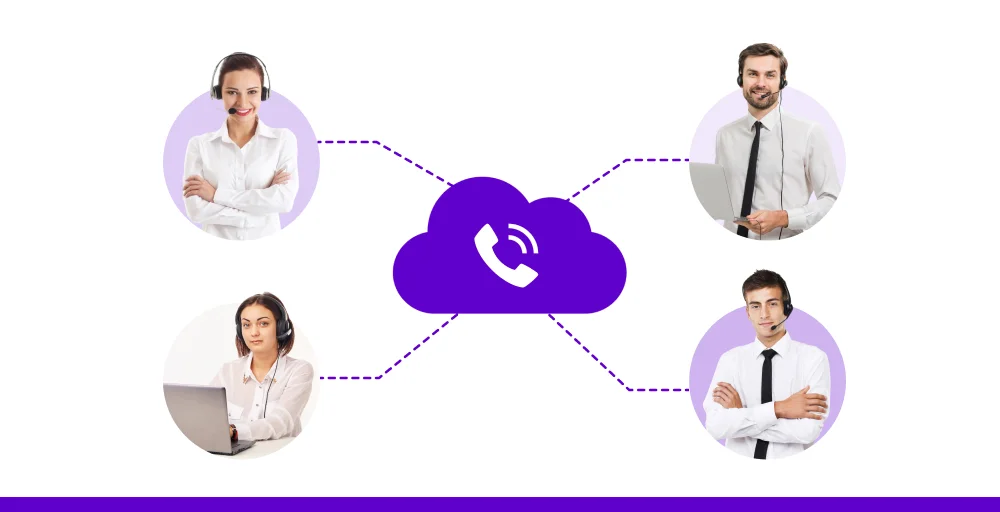
Cloud-based contact centers run entirely over the internet, powered by a reliable VoIP phone system. There’s no need for on-site servers or complex hardware. Agents can log in from anywhere with a secure connection, making remote work easy.
Cloud contact centers are scalable, cost-effective, and quick to set up. They also support advanced contact center features like real-time analytics, CRM integrations, and omnichannel support, which are all managed from a single interface.
5. Omnichannel contact centers
Omnichannel contact centers unify all communication channels like phone, email, chat, SMS, and social media into a single platform.
Agents can view the full history of a customer’s journey, regardless of the number of times or methods they’ve contacted your business.
Multichannel contact centers eliminate repeat explanations and improve first-contact resolution (FCR). Customers get a consistent, personalized experience, while agents save time and stay informed.
6. On-premises contact centers
Traditional on-premise contact centers are largely being replaced by cloud-based solutions. With cloud advancements, most features once limited to physical setups are now not only replicated but enhanced in virtual environments.
That said, some industries, such as finance or sectors dealing with highly sensitive data, still rely on on-site systems.
Strict regulations requiring customer data to remain within specific physical boundaries often make transitioning to the cloud a challenge.


How contact centers benefit businesses?
Contact centers play a vital role in enhancing customer experience and streamlining communication.
Here are the key ways they benefit businesses:
1. Improved customer service
Contact centers enable personalized service, quicker replies, faster issue handling, proactive engagement, and support across multiple channels. Focusing on customer experience helps boost customer loyalty, build trust, and generate more referrals.
2. Operational efficiency
Features like call routing, automated responses, and workforce management tools reduce bottlenecks and boost team productivity. Teams and departments can handle more requests in less time, with fewer errors.
3. Valuable data and insights
By deeply integrating CRM systems and other data tools, businesses get a full view of customer behavior, habits, and preferences. Insights from analytics and real-time feedback help guide smarter, more strategic decisions.
4. Enhanced sales and revenue
Contact centers aren’t just for customer support, as they also drive growth. Sales teams use them to follow up on leads, upsell existing customers, and close deals faster. With real-time customer data on hand, agents can personalize conversations and boost conversion rates.
5. Cost savings
Modern contact centers reduce overhead by automating routine tasks and optimizing staff schedules.
Cloud-based platforms also eliminate the need for expensive on-site hardware. So, businesses can scale support as they grow, without adding major costs.
Check Out 👉: A Contact Center Solution for Educational Institutions
Use cases for contact center solutions
Here are key use cases for contact center solutions, highlighting how businesses across industries utilize them to drive performance, efficiency, and customer satisfaction:
1. Customer support
Contact centers help customers reach the right agent fast, without waiting or bouncing around. With IVR and self-service options, callers can pick options like “press 1 for support” and get routed instantly.
Sometimes, automated messages share quick information, such as hours or contact center FAQs, so customers don’t have to wait.
Agents get full customer history from CRM integrations. That helps them solve problems faster and avoid repeated calls.
2. Outbound sales and lead generation
Manually dialing each lead wastes time and often results in wrong numbers or missed calls. An outbound dialer solves this by automatically pulling contacts from your list and placing calls whenever agents become available.
If a call isn’t answered, the system puts the contact back into the queue for a later attempt. Agents can also mark numbers as “Do Not Call” if prospects ask not to be contacted again.
Also, the performance is tracked using built-in sales analytics, giving teams clear insight into call outcomes and helping improve results.
3. Industry-specific functions
From patient communication in healthcare to fraud detection in finance, contact centers offer custom workflows for specific industries. They serve as the central communication hub for specialized operations, often with strict compliance requirements.
- Healthcare: Hospitals and clinics use contact centers for appointment scheduling, patient reminders, and post-discharge follow-ups.
- Finance: Banks rely on them for fraud detection alerts, account support, and loan application processing to get quick loans, all while adhering to security standards.
- Government: Public agencies set up hotlines for citizen services, emergency dispatch, and public information campaigns.
4. IT helpdesk
Helpdesks often rely on specialized support center licenses to manage technical requests, whether from staff or outside customers. IT leaders can track and resolve issues efficiently while staying ahead of potential problems reported by employees.
Using tools similar to those in customer service centers, IT departments deliver a seamless support process. It’s simple: if you take care of your customers well, your employees deserve the same level of attention.
How KrispCall transforms your contact center operations?
Recognized by G2 as the fastest-growing software of 2026, KrispCall can be your go-to option if your contact center needs to deliver exceptional customer experiences and boost productivity.
Whether you’re in healthcare, financial services, insurance, or even customer-driven sectors like hospitality, real estate, law firms, restaurants, small businesses, or ecommerce, KrispCall offers tailored contact center solutions that fit your industry needs.
With global virtual numbers from over 100 countries, AI features, and smart routing, your contact center performance improves while providing your agents with the tools to enhance their skills.
Combined with the best VoIP and call management features, every interaction stays clear, efficient, and organized. KrispCall brings your contact center strategy to life by offering the flexibility and power of a modern, scalable, integrated contact center.
Improve your customer experience with KrispCall contact center software.
Make support quick and easy. Help your team fix issues fast and keep customers satisfied.
Frequently Asked Questions
What are the differences between a contact center vs. call center?
The main difference between a call center and a contact center lies in their approach to customer communication. A call center focuses on a single channel: voice calls. At the same time, a contact center is an omnichannel evolution that integrates various communication channels, including email, phone, chat, social media, and more, all on one platform.