Businesses outgrow phone systems when call quality drops, integrations fail, or support slows down. Many companies that use Unitel Voice struggle with limited automation, outdated interfaces, expensive scaling, and a lack of AI features.
Modern VoIP providers offer smarter call routing, CRM integrations, AI-powered analytics, and lower operating costs. Choosing the right Unitel Voice alternative improves customer communication, remote collaboration, and sales performance.
This article covers the 10 best Unitel Voice alternatives and competitors in 2026. It compares pricing, features, scalability, AI tools, integrations, and customer support.
The list includes top providers for startups, small businesses, enterprises, and customer support teams.
✨Quick Glance:
- KrispCall: Best for affordable, globally distributed remote teams needing international numbers.
- Nextiva: Best overall for reliable unified messaging and built-in AI call transcripts.
- RingCentral: Best enterprise-grade security and advanced CRM integrations.
- Vonage: Best customizable system via APIs and versatile tool setups.
- Google Voice: Best simple, low-cost virtual line for micro-businesses using Google Workspace.
- Zoom Phone: Best for seamless scaling into video-heavy conference ecosystems.
- MightyCall: Best call center tools for small businesses requiring multi-level auto-attendants.
- Aircall: Best high-performance cloud phone designed directly for sales and support pipelines.
- GoTo Connect: Best bundled IT network dashboard with built-in VoIP calling.
- Dialpad: Best for true real-time conversational AI coaching and instant post-call logs.
Why do you need a Unitel Voice alternative?
While Unitel Voice maintains a high superficial rating on platform aggregates, a deeper look reveals it is a basic tool that users quickly outgrow. It functions well for elementary voicemail-and-forwarding tasks, but falls short for scaling businesses. The primary reasons users seek alternatives are an outdated, clunky user experience and a lack of advanced, modern features necessary for a growing operation.
Key downsides and cons of Unitel Voice
- Outdated user interface: The interface lacks a modern design, making it difficult and frustrating for users to navigate.
- Lack of advanced features: The platform quickly reaches its limits. It does not offer key tools modern businesses need, such as advanced call routing, detailed analytics, and robust software integrations.
- Weak analytics and reporting: Unitel Voice offers minimal visibility into call handling performance, agent productivity, or customer interactions, a dealbreaker for sales and support teams.
- Limited CRM integrations: There’s no native sync with HubSpot, Salesforce, or Zoho, creating data silos and forcing reps to manually log call activity.
What users say about Unitel Voice:
The interface seems a bit outdated compared to the several options in the market, and i do believe thats is an area they can capitalize on. There is not much to be able to explore on it nor the advanced features it is just a basic voip. –Stephanie a. Contact Center Team Lead, Small-Business (50 or fewer emp.) (G2)
How do we evaluate Unitel Voice alternatives?
Our recommendations are based on a structured, independent review process. We apply a consistent software review methodology to assess each platform across key criteria, including call quality, pricing transparency, AI capabilities, CRM integrations, and global coverage, all governed by our content integrity statement to ensure objectivity, and refreshed regularly through our content update methodology to keep pricing and features accurate as the VoIP landscape evolves.
10 Unitel Voice alternatives & competitors: At a glance
Unitel Voice is popular for its budget-friendly, minimalist model that routes professional calls straight to personal mobile phones; it lacks desktop apps, internal team collaboration spaces, and post-call automation.
Here are the alternatives & competitors of Unitel Voice:
| Provider | Starting price | Best for | What it stands out for | G2 Review |
| KrispCall | $12/user/month | SMBs & call centers | Unified Callbox, 100+ countries virtual phone number | 4.5/5 (354) |
| Nextiva | $15/user/month | All-in-one UCaaS | Voice+SMS+video+chat | 4.5/5 (3551) |
| RingCentral | $20/user/month | Enterprises | Integrations | 4.1/5 (198) |
| Vonage | $13.99/user/month | API-driven teams | Programmable APIs + app center | 4.3/5 (500) |
| Google Voice | $10/user/month | Google Workspace plans | Deep Google ecosystem tie-in | 4.1/5 (166) |
| Zoom phone | $16/user/month | Remote/hybrid teams | Zoom meetings integration | 4.6/5 (2665) |
| MightyCall | $20/user/month | Call center ops | Dialer + supervisor tools | 4.4/5 (329) |
| Aircall | $30/user/month | Sales & support | CRM-native workflows | 4.4/5 (1582) |
| GoTo Connect | Contact sales | Multi-location | International calling | 4.4/5 (1414) |
| Dialpad | $15/user/month | AI-powered teams | Real-time AI transcription | 4.4/5 (4161) |
1. KrispCall
KrispCall is a cloud-based business phone system built for teams that want global reach without the enterprise price tag.

It offers virtual phone numbers in 100+ countries, a Unified Callbox that consolidates calls and SMS into a single interface, and a set of call center features, all on a plan.
Why KrispCall stands out as the best alternative to Unitel Voice?
What makes KrispCall particularly interesting as a Unitel Voice alternative is that it addresses nearly every gap in Unitel’s feature set. It includes SMS, CRM integrations, and AI-powered call coaching, advanced analytics, and it scales from small teams to enterprise contact centers.
What we like about KrispCall
- Unified Callbox merges calls, messages, and voicemails into one interface, eliminating the need for multiple tools for business communication.
- AI call coaching is included in the Standard plan, enabling sales managers to monitor call quality and provide real-time feedback on customer conversations.
- It also offers Bulk SMS for large-scale outreach campaigns and appointment reminders.
- Virtual phone numbers in 100+ countries make it easy to establish a local business presence globally, ideal for remote teams and international growth.
What we dislike about KrispCall
- No free trial, KrispCall offers a 14-day refund window instead of a true trial, which means you need to commit before you can fully evaluate the platform
- Pricing confusion, different sources quote the Essential plan at $12 and $15/user/month (annually), which signals some inconsistency in how the pricing is presented to different segments
- Add-on costs for extra phone numbers and international minutes.
KrispCall’s standout features
- Unified Callbox (all calls + SMS in one view)
- Virtual numbers in 100+ countries
- AI-powered call coaching and transcription
- Bulk SMS for outreach campaigns
- Auto attendant and call routing
- Call recording and voicemail management
- CRM integrations (HubSpot, Salesforce, Zoho, and more)
KrispCall pricing
KrispCall keeps its structure lean with three pricing tiers, making it the right plan to pick for your team size and workflow.
| Plan | Annual price (per user/month) | Key feature set |
| Essential | $12 | Unlimited calling, free phone number, basic CRM sync, call recording |
| Standard | $32 | Bulk SMS, AI call coaching, Unified Callbox, Advanced telephony |
| Enterprise | Custom | Dedicated support, SLA, Advanced compliance |
What users say about KrispCall
Users generally praise KrispCall for its user-friendly interface, seamless CRM integrations, and responsive 24/7 customer support. Users appreciate having all their numbers, SMS, voicemails, and call logs housed in a single, organized dashboard.
G2 review
Toll-free and local numbers can be obtained immediately, call blocking is very effective at blocking spam calls, ring groups distribute calls evenly across the team. – Christian M. Shift Manager Mid-Market (51-1000 emp) (G2)
2. Nextiva
Nextiva is one of the most well-rounded unified communications platforms on the market, combining voice, video conferencing, SMS, team chat, and social media management in a single interface.
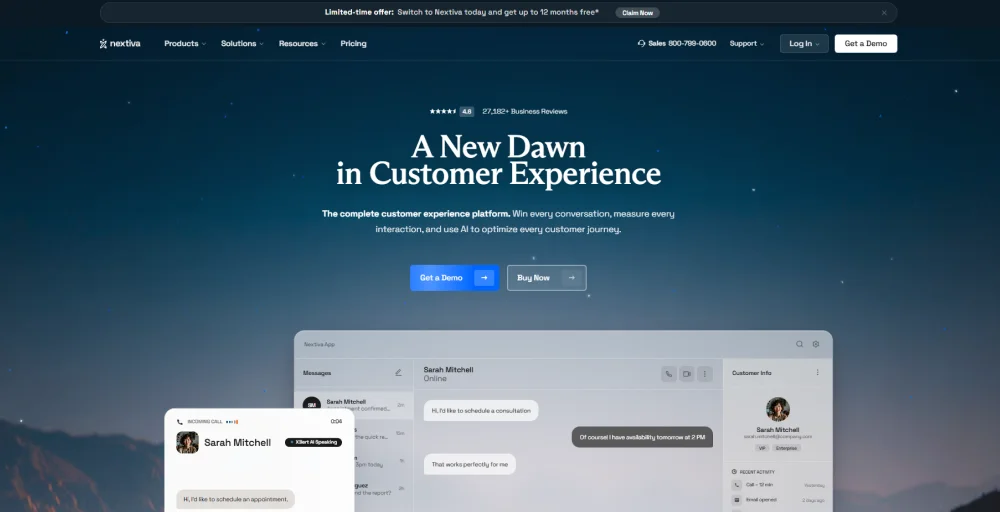
For businesses moving away from Unitel Voice, Nextiva eliminates the need to stitch together separate tools for calling, messaging, and video. Everything lives on one platform, which dramatically reduces data silos and friction from switching between apps.
What we like about Nextiva
- True all-in-one platform covering voice, video meetings, team chat, SMS, and even social media management, one platform for all business communication.
- Excellent customer support: reviewers consistently rate Nextiva’s support team higher than competitors’, praising response times and knowledgeability.
- 99.999% uptime claim backed by eight redundant data centers, which matters for businesses that can’t afford dropped calls or service interruptions.
- Auto attendant and advanced call routing are available even on the Core plan.
What we dislike about Nextiva
- Limited features on the Core plan, multi-level IVR, and call recording are locked behind higher-priced plans.
- Annual contract required for the advertised pricing; month-to-month billing adds a 35% premium.
- Early termination fees apply if you exit before the contract ends.
Nextiva’s standout features
- Unified voice, video, SMS, and team chat
- Auto attendant and call routing
- Voicemail-to-email
- Contact center tools on higher tiers
- 99.999% uptime SLA
- Call recording (Pro and Enterprise plans
Nextiva pricing
Nextiva’s pricing is tiered to serve teams at different stages of growth.
| Plan | Annual price (per user/month) | Key feature set |
| Core | $15 | Voicemail transcription, Team messaging, Call routing |
| Engage | $25 | Advanced Reporting, Online fax, auto-attendants |
| Scale | $75 | Supervisor monitoring, IVR, Record video meetings |
3. RingCentral
RingCentral is one of the most established names in cloud-based business communication, offering a comprehensive unified communications suite. That includes calls, video conferencing, team messaging, SMS, and fax.

Its biggest differentiator is its app ecosystem: 300+ integrations cover virtually every CRM, helpdesk, and productivity tool your team uses, making it a strong choice for enterprises with complex software stacks.
What we like about RingCentral
- Multi-level IVR with automatic call distribution is included on the entry-level RingEX Core plan.
- AI-powered video conferencing is included across plans, making it a one-stop shop for both external calls and internal team meetings.
- Global phone numbers and international calling across dozens of countries, suitable for businesses operating across multiple regions.
- On-demand call recording is available on the Core plan.
What we dislike about RingCentral
- Customer support reputation has declined multiple review sources flagging long response times, offshore support queues, and unresolved tickets
- Contract auto-renewals have caught users off-guard, with some reporting unexpected charges after renewal dates
- With so many advanced features packed into the platform, smaller teams often pay for capabilities they’ll never use.
RingCentral’s standout features
- 300+ app integrations
- Multi-level IVR and automatic call distribution
- HD video conferencing with AI features
- Call recording and advanced analytics
- SMS, MMS, and team messaging
- Desk phone and softphone support
RingCentral pricing
RingCentral offers three standard RingEX tiers.
| Plan | Annual price (per user/month) | Key feature set |
| Core | $20 | Shared lines, Breakout rooms, HD voice |
| Advanced | $25 | Hot desking, unlimited internet fax, Transcribe calls |
| Ultra | $35 | Adoption analytics, Translates SMS texts, call log reports |
4. Vonage
Vonage Business Communications (VB) is a cloud-based phone system known for its programmable API infrastructure, large app marketplace, and flexible pricing tiers.
It’s particularly well-suited for businesses that want to customize their communication workflows or embed calling and SMS directly into custom apps using developer-friendly APIs.

What we like about Vonage
- Vonage App Center offers a wide range of business application integrations, from CRM tools to helpdesk platforms.
- Its programmable communication APIs allow businesses to easily embed voice calling or SMS into custom apps.
- Video conferencing for up to 200 participants is available on the Premium plan and above, covering both internal and external meeting needs.
- All plans include unlimited domestic calling, supported by mobile and desktop apps for call handling from anywhere.
What we dislike about Vonage
- Call recording is available only on the Advanced plan at $39.99/user/month, whereas many competitors offer it at lower prices.
- The entry Mobile plan lacks team messaging; you must upgrade to Premium ($29.99) to enable internal chat, which complicates communication for small teams.
- Hidden costs from add-ons, such as AI assistants, toll-free numbers, and compliance tools, can increase the actual monthly cost by 50–100% over the advertised base price.
Vonage’s standout features
- Vonage App Center integrations
- Programmable communication APIs
- Unlimited domestic calling on all plans
- Video conferencing on Premium and above (up to 200 participants)
- Call recording on the Advanced plan
- Multi-level auto attendant on Premium and above
Vonage pricing
Vonage uses per-line pricing models.
| Plan | Annual price (per line/month) | Key feature set |
| Mobile | $13.99 | Unlimited calling, mobile + desktop apps |
| Premium | $20.99 | Video conferencing, team messaging, CRM integrations |
| Advanced | $27.99 | Call recording, on-demand call queue, visual voicemail |
5. Google Voice
Google Voice for business is a virtual phone solution built into the Google Workspace ecosystem.

If your team already lives in Gmail, Google Calendar, Google Meet, and Google Drive, Voice adds business calling without requiring your team to learn a new platform or change existing habits.
What we like about Google Voice
- Native Google Workspace integration calls, voicemails, and missed call notifications flow directly into Gmail.
- Google Calendar events sync automatically with Google Meet for seamless scheduling.
- If you’re already in Google Workspace, adding Voice is as easy as enabling a new service, with no new hardware or software to install.
- Free personal tier available for solo users who need a second phone number, with a clear upgrade path to the business version as the team grows.
What we dislike about Google Voice
- The Starter plan is limited to 10 users and lacks international support, restricting growth.
- No native CRM integrations with platforms like Salesforce or HubSpot; third-party middleware is required to connect Google Voice to most sales and support tools.
- Call recording is only available on the Premier plan ($30/user/month), which can be a drawback for sales or compliance teams.
Google Voice’s standout features
- Native integration with Gmail, Google Calendar, and Google Meet
- Real-time voicemail transcription
- SMS and MMS on all plans
- Ring groups on Standard and Premier
- Call recording on the Premier plan
- Real-time transcription for voicemails
Google Voice pricing
Google Voice for Business is priced as an add-on to Google Workspace.
| Plan | Annual price (per user/month) | Key feature set |
| Starter | $10 | Up to 10 users, voicemail transcription, domestic calling |
| Standard | $20 | Unlimited users, ring groups, auto attendant |
| Premier | $30 | International locations, call recording, advanced reporting |
6. Zoom Phone
Zoom Phone extends the Zoom platform, the video conferencing tool familiar to most remote and hybrid teams, into a full cloud-based business phone system.

Its seamless integration with Zoom Meetings makes it a natural choice for organizations already using Zoom for internal communication. It also helps businesses consolidate their phone and video tools onto a single platform.
What we like about Zoom Phone
- Best price for a domestic unlimited plan, the US & Canada Unlimited tier at $16/user/month.
- Seamless Zoom ecosystem calls, meetings, and messages are all handled from the same app, with one-click escalation from a phone call to a video meeting.
- 100+ CRM integrations, including Salesforce, HubSpot, Pipedrive, and Zoho, with automation support via Zapier and Make.
- Call monitoring, whisper, and barge-in features are built into the platform for team training, quality assurance, and real-time support coaching.
What we dislike about Zoom Phone
- Zoom Phone does not offer a trial period before purchase.
- Contact center features require expensive add-ons, and advanced call center capabilities aren’t built in.
- Additional phone numbers cost $5/month each; for multi-department businesses that need several business lines, per-line costs add up quickly.
Zoom Phone’s standout features
- Seamless escalation from phone call to Zoom Meeting
- Unlimited domestic calling (US & Canada Unlimited plan)
- Call monitoring, whisper, and barge features
- 100+ CRM and business app integrations
- SMS and MMS
- Voicemail transcription and post-call summaries
Zoom Phone pricing
Zoom Phone offers standalone plans and bundled Workspace plans that add video and AI tools.
| Plan | Annual price (per user/month) | Key feature set |
| US & CA Unlimited | $16 | Post-call summaries, one management portal, Task extraction |
| Pro Plus | $20.50 | Instant messaging, Live Chat Support, Unlimited clips |
| Business Plus | $24.50 | Domestic online fax, Unlimited whiteboards, Device management |
7. MightyCall
MightyCall is a cloud-based business phone system designed specifically for small and mid-sized businesses that manage high call volumes.

It focuses on call center operations and offers features such as multi-level IVR, supervisor dashboards, agent performance tools, and outbound campaign scheduling, all available without an enterprise contract.
What we like about MightyCall
- Call center tools at SMB prices, preview and progressive dialers, live call monitoring, and agent management are included without enterprise-level pricing.
- Unlimited calling and texting to US and Canadian numbers on all plans, with a Fair Use policy governing heavy usage.
- Multi-level IVR for routing callers by language, location, or department, a feature typically reserved for more expensive platforms.
- SIP trunking support on the Enterprise plan for teams wanting to connect existing office phone hardware.
What we dislike about MightyCall
- Three-user minimum on every plan, if you’re a solo operator or a two-person team, the minimum effective cost is $60/month, even if you only need one user
- Limited SMS features, no auto-replies, no scheduled messages, no text templates, which hampers teams relying on SMS for customer interactions
- One-year maximum storage for call recordings; long-term archiving will require exporting and storing recordings externally.
MightyCall’s standout features
- Multi-level IVR and automatic call distribution
- Preview and progressive dialers
- Live call monitoring and supervisor analytics
- HIPAA compliance available
- SIP trunking support (Enterprise)
- Real-time analytics dashboard
MightyCall pricing
MightyCall’s pricing includes a per-seat plan with a mandatory minimum of 3 users.
| Plan | Annual price (per user/month) | Key feature set |
| Core | $20 | Call queues, DND mode, Live support |
| Pro | $38 | Conference calls, Voicemail drop, Call intercept |
| Power | $54 | Local presence, Call whisper, Ring groups |
| Enterprise | $65 | VIP & block list, Call listening, Real-time analytics |
8. Aircall
Aircall is a cloud-based phone system designed specifically for sales and customer support teams that work within CRMs such as HubSpot and Salesforce.
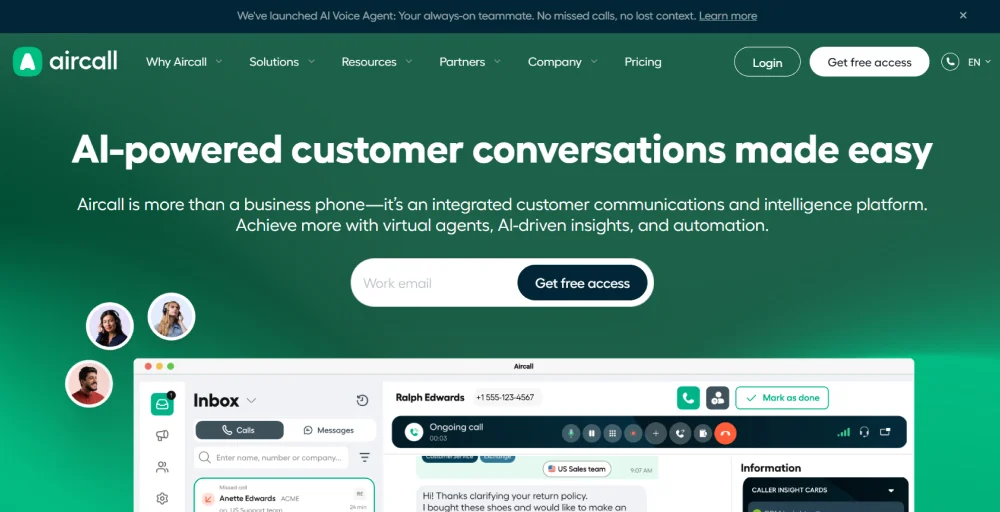
Where most phone systems bolt on CRM connectivity as an afterthought, Aircall was built from the ground up with CRM workflows at its core.
What we like about Aircall
- Deep CRM integrations with HubSpot, Salesforce, Intercom, Slack, and Zendesk, calls, notes, and dispositions sync automatically with no manual data entry
- Shared inbox and internal call commenting let teams collaborate on customer conversations in ways most phone systems don’t support natively
- Click-to-call and Power Dialer automate outbound call lists and reduce the manual overhead of high-volume outbound sales campaigns.
- Visual IVR builder with error detection flags issues in your call routing menu design before you go live.
What we dislike about Aircall
- Three-user minimum with a $30/user/month starting price means the minimum entry cost is $90/month.
- No video conferencing, Aircall is voice-only; teams that need video will need a separate tool like Zoom or Google Meet.
- Unlimited international calling requires the Custom plan with a 25-user minimum; most teams won’t have access to it without a significant upgrade.
Aircall’s standout features
- Native CRM integrations (HubSpot, Salesforce, Intercom, Zendesk)
- Shared inbox and internal call commenting
- Click-to-call and Power Dialer
- Visual IVR builder with error detection
- Call recording and real-time notifications
- Local numbers in 70+ countries
Aircall pricing
Aircall pricing reflects its positioning as a premium solution for CRM-native sales and support teams.
| Plan | Annual price (per user/month) | Key feature set |
| Essentials | $30 | Shared contacts, Smart routing, Instant numbers |
| Professional | $50 | Live monitoring, Call coaching, Email reporting |
| Custom | Call for details | Voicemail Drop, Call whispering, Queue callback |
9. GoTo Connect
GoTo Connect is a unified communications platform from GoTo that bundles cloud phone, video meetings, and team messaging into a single service.

Its headline feature, free unlimited calling to 50+ countries on the base plan, makes it an outlier in a category where international calling is typically metered or reserved for premium tiers, making it especially appealing for businesses with distributed remote teams or frequent international client calls.
What we like about GoTo Connect
- Free international calling to 50+ countries is included on all plans, a major cost advantage for businesses with global customers or remote teams.
- Dedicated onboarding support is assigned to every account, regardless of plan tier, which speeds up deployment and reduces the learning curve for small business owners.
- No setup fees, and both monthly and annual contracts are available. GoTo gives you flexibility in billing options.
- Advanced call routing, including unlimited auto attendants, dial plans, and call queues on the base tier.
What we dislike about GoTo Connect
- No public pricing, GoTo Connect requires a sales quote, which is a red flag for any SMB trying to budget without a sales conversation
- CRM integrations are limited on the base plan, deeper connections to platforms like Salesforce require upgrading to higher-priced plans.
- No free trial, you cannot test the platform before committing, an unusual omission for a product targeting SMBs and small business owners.
GoTo Connect’s standout features
- Free unlimited calls to 50+ countries
- Unlimited auto attendants and call queues
- Shared inbox for WhatsApp, SMS, Facebook, and Instagram
- AI chat analysis and supervisor analytics
- Video meetings and team messaging
- Dedicated onboarding support on all plans
GoTo Connect pricing
GoTo Connect doesn’t publish full pricing publicly.
| Plan | Annual price (per user/month) | Key feature set |
| Phone System | Contact sales | Smart call routing, Closed captioning, Interaction details |
| Customer Experience (CX) | Contact sales | Paging, Chat assistant, Call reports, Video meetings, |
| CX Complete | Contact sales | Ring groups, Shared inbox, Call campaign |
| Contact Center | Contact sales | Hot desking, Custom surveys, Auto-dialer |
10. Dialpad
Dialpad is a modern cloud communication platform that helps businesses manage calls, video meetings, and team messaging in a single system. Dialpad uses a proprietary Dialpad AI engine to automate note-taking, call transcription, and post-call workflows.

These features help sales and support teams improve communication and reduce response times. Dialpad also supports integrations with Salesforce, HubSpot, Google Workspace, Microsoft Teams, and Slack.
What we like about Dialpad
- Real-time call summaries and action items are generated automatically after each call, reducing post-call admin work for sales reps and support agents.
- Google Workspace and Microsoft Teams integrations on the entry plan, making it a natural fit for businesses in either ecosystem.
- Native HD video meetings are included in the app; there is no need for a separate video tool.
- Single-user minimum, Dialpad imposes no minimum seat count, making it genuinely viable for solo operators and very small teams.
What we dislike about Dialpad
- Salesforce integration requires the Pro plan ($25/user/month), teams relying on Salesforce for CRM workflows can’t access this on the base plan
- 24/7 phone support requires the Pro plan; Standard users get web and chat support only, which may be inadequate for businesses with time-sensitive issues
- Sentiment analysis is locked to higher-priced plans; one of Dialpad’s most compelling advanced features isn’t available at the entry level, where most small teams start.
Dialpad’s standout features
- AI-powered real-time call transcription (included in Standard)
- Automated post-call summaries and action items
- Sentiment analysis (Pro and above)
- Native video meetings
- Google Workspace and Microsoft Teams integrations
- Unlimited calling with SMS and MMS
Dialpad pricing
Dialpad’s plans are transparent and genuinely well-structured.
| Plan | Annual price (per user/month) | Key feature set |
| Standard | $15 | Three-way calling, Number forwarding, File sharing |
| Pro | $25 | Unlimited meetings, Virtual backgrounds, Hold queues |
| Enterprise | Talk to sales | Unlimited audio recordings, Contact syncing |
Which Unitel Voice alternative is right for your business?
The right choice depends on what’s driving you away from Unitel Voice in the first place:
- Nextiva: If you need an all-in-one platform for voice, video, SMS, and team chat without juggling multiple subscriptions, Nextiva at $15/user/month is the most straightforward upgrade.
- Google Voice: If your team already uses Google Workspace, Google Voice offers seamless integration with Gmail and Calendar, reducing adoption friction.
- Zoom Phone: If you already rely on Zoom Meetings, Zoom Phone is a natural extension, with the $15/month Unlimited plan offering strong value for US and Canada teams.
- Dialpad: If AI-powered features and real-time call intelligence are important for your sales or support workflows, Dialpad delivers advanced AI capabilities at an affordable entry price.
- MightyCall: For high-volume inbound teams with supervisors, agents, and call queues, MightyCall provides strong call center capabilities, though it requires a minimum of three users.
- Aircall: If deep CRM integration with platforms like HubSpot or Salesforce is essential, Aircall is built specifically for sales-focused workflows.
- GoTo Connect: If your business frequently handles international calls, GoTo Connect’s free calling to 50+ countries can significantly reduce communication costs.
Why Unitel Voice users switch to KrispCall?
Unitel Voice users often switch to KrispCall because it provides a more feature-rich, scalable, and globally capable cloud phone system. It directly solves the limitations that drive Unitel Voice users to look for alternatives:
- No SMS in Unitel. KrispCall includes bulk SMS and two-way messaging on the Standard plan.
- Outdated interface. KrispCall’s Unified Callbox is modern, mobile-first, and consolidates your entire communications workflow in one place.
- No CRM integrations. KrispCall connects natively with HubSpot, Salesforce, Zoho, Pipedrive, and more.
- No analytics. KrispCall provides real-time call monitoring, agent performance data, and AI-powered call coaching.
- International growth. KrispCall offers virtual numbers in 100+ countries, far broader than Unitel’s domestic focus.
The Essential plan at $15/user/month gives you everything Unitel Voice should have included from the start. The Standard plan at $40 takes you into contact center territory with bulk SMS, AI coaching, and advanced automation.
KrispCall gives your team everything Unitel Voice is missing. Try KrispCall today.