The best magicJack alternatives for business in 2026 are KrispCall, RingCentral, Nextiva, Vonage, Zoom Phone, Google Voice, Voiso, 8×8, Grasshopper, and Dialpad — each built for call volumes and team features that consumer-grade VOIP can’t support.
magicJack works as a low-cost dial tone for a single-line home office. But as client lists and call volume grow, its limits show up fast: dropped calls, rigid hardware, and no path to team collaboration tools or CRM integration.
Communication infrastructure directly affects customer satisfaction and brand reputation. Upgrading to a cloud-based business phone system isn’t just about call clarity — it’s about integrating with the tools your team already uses and making sure leads never slip through.
Below are the 10 best business phone alternatives to magicJack in 2026, broken down by use case so you can match one to your team’s workflow.
TL;DR
- KrispCall: Cloud-based with deep CRM integrations and global numbers; best for sales/support teams needing customer-data sync.
- RingCentral: Full unified communications platform with broad integrations and top-tier uptime; best for growing businesses needing an all-in-one system.
- Nextiva: Multi-location routing and unified voice/video/SMS; best for expanding businesses needing solid infrastructure.
- Vonage: Strong APIs, CRM integrations, and customization; best for businesses wanting tailored communication workflows.
- Zoom Phone: Affordable with real call management features; best for budget-conscious teams already using Zoom.
- Google Voice: Simple, lightweight, integrates with Gmail/Calendar; best for solo users or very small teams.
- Voiso: AI-predictive dialer, speech analytics, omnichannel; best for high-volume sales/support call centers.
- 8×8: Unlimited international calling plus contact-center tools; best for businesses with global customers or teams.
- Grasshopper: Simple virtual number with call forwarding and texting, no hardware; best for solopreneurs and small teams.
- Dialpad: AI-driven transcription, sentiment analysis, and coaching; best for teams wanting AI-powered call intelligence.
Why businesses are moving away from magicJack
While magicJack is highly cost-effective for basic calling features, modern businesses are leaving it behind to avoid dropped calls, limited advanced features, and nonexistent priority support. Upgrading to a professional, scalable VoIP service is critical to preventing lost revenue, ensuring clear customer interactions, and building essential brand trust through robust communication solutions.
Here are a few reasons why businesses are moving away from magicJack:
- Frequent call drops: magicJack often experiences occasional call quality issues, service outages and connection instability, resulting in dropped calls that disrupt critical client relationships.
- Lack of scalability: Consumer-grade magicJack systems do not scale well as your team grows. Features like auto-attendants, call queuing, and CRM integrations are often missing.
- Unprofessional image: Personal device features (such as on-screen advertisements on desktop apps) can severely hurt your company’s professional reputation.
- Hidden costs & support: According to user feedback, resolving billing errors or technical issues can be challenging because the standard magicJack lacks dedicated, readily accessible phone support for business calls.
How we evaluated magicJack alternatives?
We evaluated these providers based on core business requirements: uptime reliability, ease of setup, system scalability, advanced call routing capabilities, automated call distribution, and integration with standard productivity and business tools. Each selected solution offers standalone features that surpass those of basic home phone adapters.
Our research follows a structured software review methodology that combines hands-on testing, verified user feedback, and publicly available pricing data, and is kept current through our content update process. For full transparency on how we maintain accuracy and avoid bias in our recommendations, see our content integrity statement.
Quick comparison of 10 best magicJack alternatives
| Provider | Starting Price | Best For | Standout Feature | G2 Ratings |
| KrispCall | $15/user/mo | Remote & Global Teams | Shared Phone Box | 4.5 / 5 |
| RingCentral | $30/user/mo | Enterprise Scale | 99.999% Uptime SLA | 4.1 / 5 |
| Nextiva | $23/user/mo | Customer Support | Built-in Customer CRM | 4.5 / 5 |
| Vonage | $19.99/extension/mo | Deep Integrations | Vonage App Center | 4.3 / 5 |
| Zoom Phone | $10.50/user/mo | Video-First Teams | Single-tap Video Elevation | 4.6 / 5 |
| Google Voice | $10/user/mo | Workspace Users | AI Voicemail Transcription | 4.1 / 5 |
| Voiso | $21/user/mo | High-Volume Centers | AI Predictive Dialer | 4.8 / 5 |
| 8×8 | Contact sales | International Reach | Unlimited Global Calling | 4.1 / 5 |
| Grasshopper | $18/user/mo | Solopreneurs | Professional Voice Studio | 3.9 / 5 |
| Dialpad | $27/user/mo | AI-Driven Insights | Real-time Transcriptions | 4.4 / 5 |
10 best magicJack alternatives in 2026
Switching away from a consumer-grade system like magicJack allows your business to unlock enterprise-grade call routing, AI features, and seamless platform integrations.
1. KrispCall
KrispCall is a fully cloud-based business phone system built for sales and support teams that need customer data synced directly into their calls. Teams aren’t tied to a single device — calls work from any computer, mobile app, or browser with an internet connection.
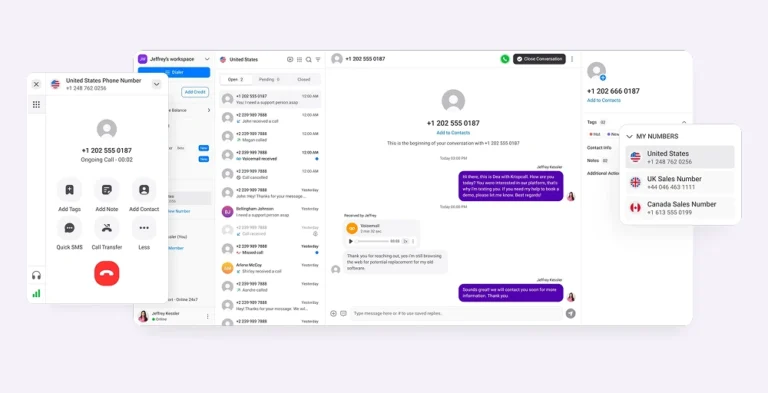
KrispCall integrates with 100+ tools, including HubSpot, Salesforce, and Zoho, syncing call data automatically so reps never lose context on a lead. It also provides local, mobile, and toll-free numbers in 100+ countries, letting growing teams build an international presence without setting up local offices.
Best for: Sales and support teams that need CRM-synced calling and a global number footprint.
Standout features:
- Global calling: Allows businesses to make and receive calls in over 100 countries using a virtual phone number without requiring local hardware or entities.
- Text message (SMS): Enables direct two-way SMS and bulk business texting campaigns from your device with multimedia support and automated templates.
- Do Not Disturb Mode: Temporarily silences all incoming calls and vibration alerts on your virtual number to help you focus, while keeping your caller experience seamless.
- Simultaneous ringing: Rings multiple designated devices or agents at the same time to ensure simultaneous call handling for high-priority inbound calls, with workload is distributed evenly.
- Live call monitoring: Gives supervisors real-time access to ongoing calls, allowing them to listen in, whisper-coach agents privately, or barge into the call if necessary.
Pricing:
KrispCall offers three main pricing plans tailored to businesses of different sizes: Essential, Standard, and Enterprise (Custom).
| Plans | Monthly Price (per user per month) |
| Essential | $15 |
| Standard | $40 |
| Enterprise | Custom |
Why you should choose KrispCall?
We recommend KrispCall if your company operates internationally or manages workflows via a shared queue. The Shared Phone Box ensures that team members maintain full context for every conversation, which helps reduce response times and eliminate missed messages.
Limitations of KrispCall
- No dedicated native desktop app (browser-based application interface only).
- Advanced analytics features require higher-tier plans.
2. RingCentral
RingCentral is an enterprise-grade virtual phone system that offers a fully unified communications platform ideal for growing businesses that require advanced routing, AI-powered meetings, team messaging, and CRM integrations.
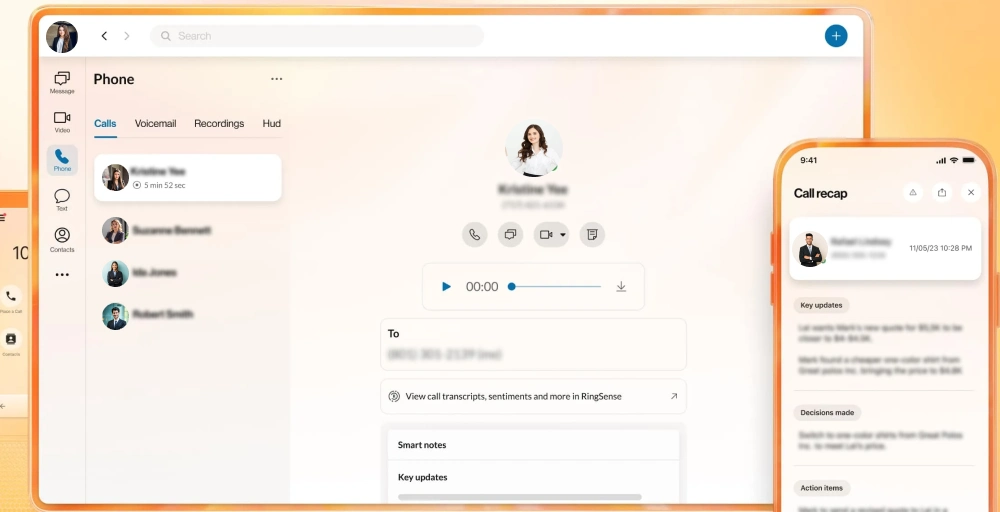
RingCentral combines voice, video conferencing, team chat, SMS, and internet faxing into one powerhouse app. It boasts a 99.999% uptime SLA and integrates seamlessly with tools such as Microsoft Teams, Salesforce, and Google Workspace.
Standout features:
- Interactive virtual response (IVR): Routes callers based on their responses, direct extensions, or dial-by-name directories, without requiring manual transfers.
- RingOut: The click-to-call feature lets you make outbound calls from a landline or mobile device while hiding your personal number and displaying your business caller ID.
- Local numbers: Give your business a physical presence in multiple regions and allow customers to reach you without incurring long-distance charges.
- Extensions: Simplifies internal transfers and makes it easy for callers to reach the exact person or department they need directly.
- Answering rules: You can set up conditions based on specific dates, times, or caller ID numbers to dictate whether calls should ring your devices, go to voicemail, or be forwarded to another number.
Pricing:
RingCentral structures its core Unified Communications platform (RingEX) into three primary tiers: Core, Advanced, and Ultra.
| Plans | Monthly Price (per user per month) |
| Core | $30 |
| Advanced | $35 |
| Ultra | $45 |
Why you should choose RingCentral?
Choose RingCentral when you require absolute reliability and an all-in-one suite for unified communications solutions. The platform scales effortlessly from small offices to thousands of users, backed by industry-standard uptime guarantees and robust security compliance.
Limitations of RingCentral
- The sheer number of features creates a steeper learning curve for non-technical teams.
- Higher base entry price than entry-level virtual providers.
3. Nextiva
Nextiva goes beyond standard home phone service by linking your calling with a built-in customer relationship management (CRM) tool. It tracks every interaction a customer has with your business phone system.
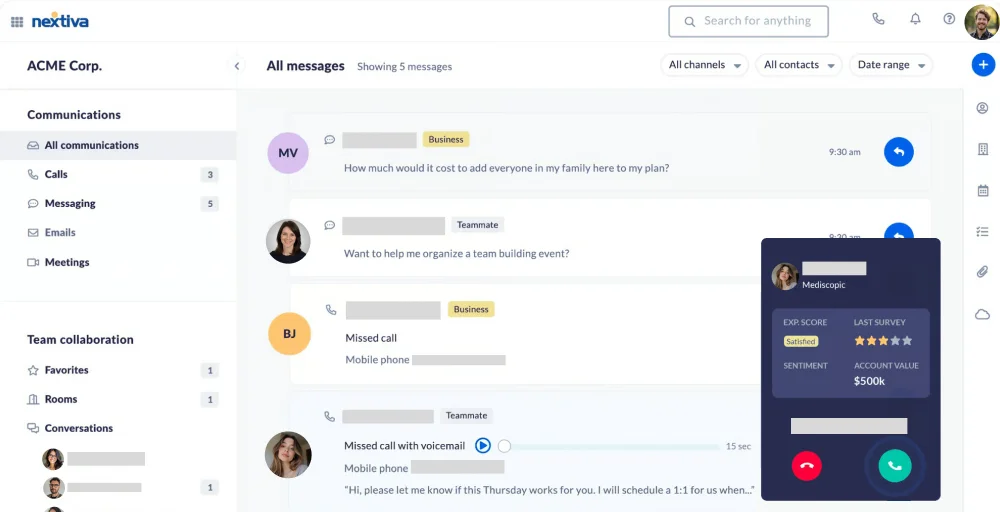
Furthermore, while magicJack is notoriously difficult to get customer support, Nextiva is highly praised for its “Amazing Service” 24/7 live human technical support.
Standout features:
- Auto attendant: Allows businesses to automate answering and routing. Callers hear a custom greeting and are automatically directed to the correct department, extension, or voicemail.
- SIP trunking: Allows companies to route business calls over the internet, lowering infrastructure costs while maintaining existing telephone hardware and scaling channels as needed.
- Call analytics: Managers can monitor metrics such as talk times, answered vs. missed calls, call queues, call transfer, and agent performance.
- VoIP caller ID: Customizes outgoing caller ID so your business name and number appear on the recipient’s screen, ensuring a professional look.
- Unlimited online faxing: Allows users to send and receive electronic faxes (virtual FAX) directly from the Nextiva portal or their email inbox, without a physical fax machine.
Pricing:
Nextiva’s pricing consists of three core subscription tiers.
| Plans | Monthly Price (per user per month) |
| Core | $23 |
| Engage | $50 |
| Scale | $75 |
Why you should choose Nextiva?
Nextiva is the perfect choice for companies that prioritize customer relationship management and high-touch support. The unified client dashboard ensures your sales and support teams always have interaction history right in front of them during a live call.
Limitations of Nextiva
- Mobile app interface occasionally shows syncing delays.
- The essential plan limits access to some popular third-party integrations.
4. Vonage
Vonage offers a highly customizable business cloud phone system with over 50 features. It supports inbound calls, video conferencing capabilities, CRM integrations, international phone numbers, and APIs, making it a strong fit for larger teams and businesses that want to build custom communication workflows rather than rely on basic calling alone.
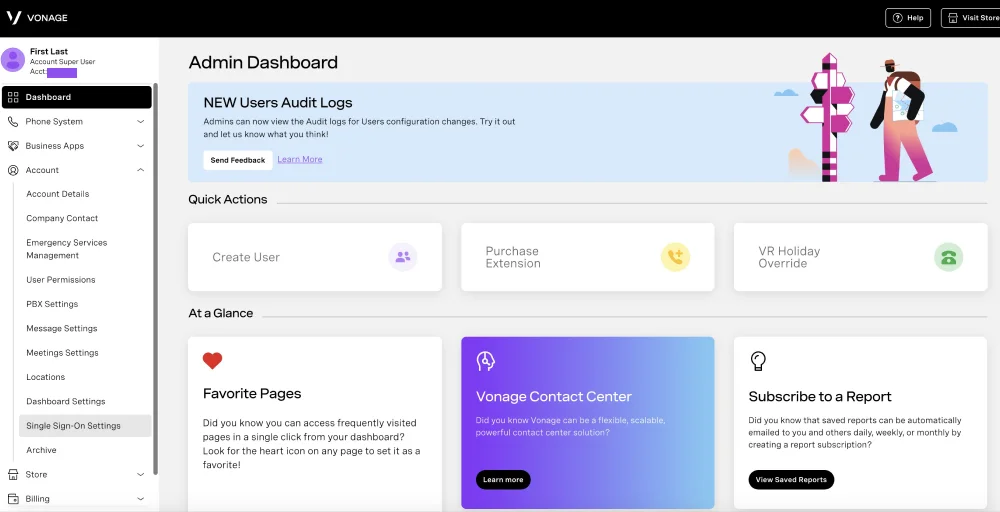
Standout features:
- Business inbox: Enables your primary business phone numbers to send and receive text messages.
- Call park: Allows a user to place an active call “on hold” in a virtual location and retrieve it from any other office phone or device.
- IP phone paging system: This tool allows you to broadcast one-way or two-way announcements directly through the speakerphones.
- Receptionist console: Available on the VBC Desktop App, designed for front-desk employees who handle large call volumes.
- Virtual receptionist: An automated answering service that replaces live agents for initial call routing.
Pricing:
Vonage Business Communications (VBC) plans start at $19.99 per user per month for the base tier on standard month-to-month pricing.
| Plans | Monthly Price (per month per extension) |
| Mobile | $19.99 |
| Premium | $29.99 |
| Advanced | $39.99 |
Why you should choose Vonage?
Vonage is the best fit if you want to customize your stack over time. Its modular system means you only buy the add-ons and app connections you need, keeping your configuration clean as your workflows grow.
Limitations of Vonage
- Many basic features require separate monthly add-on fees.
- Desktop system performance demands substantial local system memory.
5. Zoom Phone
Zoom Phone appeals to budget-conscious teams that still want real call management. It lets you elevate a standard voice call into a full-blown video call with a single tap. magicJack has no video capability, whereas Zoom Phone connects your entire office desk phones, mobile phone, and meeting rooms into a unified ecosystem.
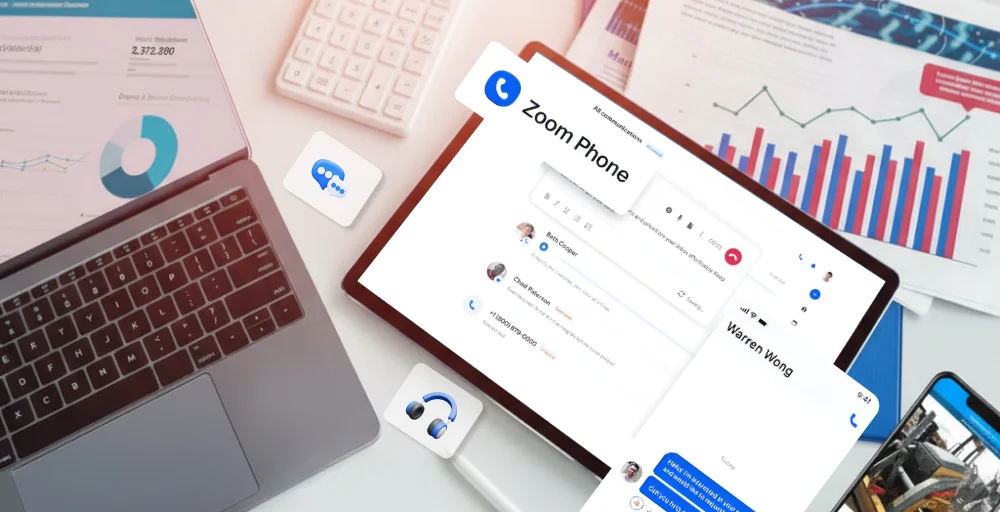
Standout features:
- Call forwarding: You can forward calls to internal extensions, external phone numbers, or directly to voicemail.
- Whisper: Allows supervisors or trainers to speak directly to a Zoom Phone user on an active call without the other party hearing.
- Shared line: It allows multiple users to make, receive, or monitor calls on behalf of a main extension, with a privacy mode that locks calls when necessary.
- Music on Hold: Customize the audio experience for callers patiently waiting in a queue or placed on a traditional hold.
- Call blocking: Allow users to bar incoming calls from specific telephone numbers, unknown callers, or identified spammers.
Pricing:
Zoom Phone pricing features two standalone options alongside two integrated bundles tied to the Zoom Workplace platform.
| Plans | Monthly Price (per user per month) |
| US & CA Metered | $10.50 |
| US & CA | $16 |
| Pro Plus | $20.50 |
| Business Plus | $24.50 |
Why you should choose Zoom Phone?
If your operational workflow revolves around the Zoom ecosystem, adding Zoom Phone unifies your hardware, chats, and outreach to external clients within a familiar app interface.
Limitations of Zoom Phone
- The administrative back-end menu can feel overly intricate for small operations.
- Metered plans can generate unexpected costs if call volume spikes.
6. Google Voice
Google Voice is one of the simplest options for solo users or very small teams who want a cloud number with light business features (auto-attendants, ring groups, spam blocking) without committing to a more complex system.
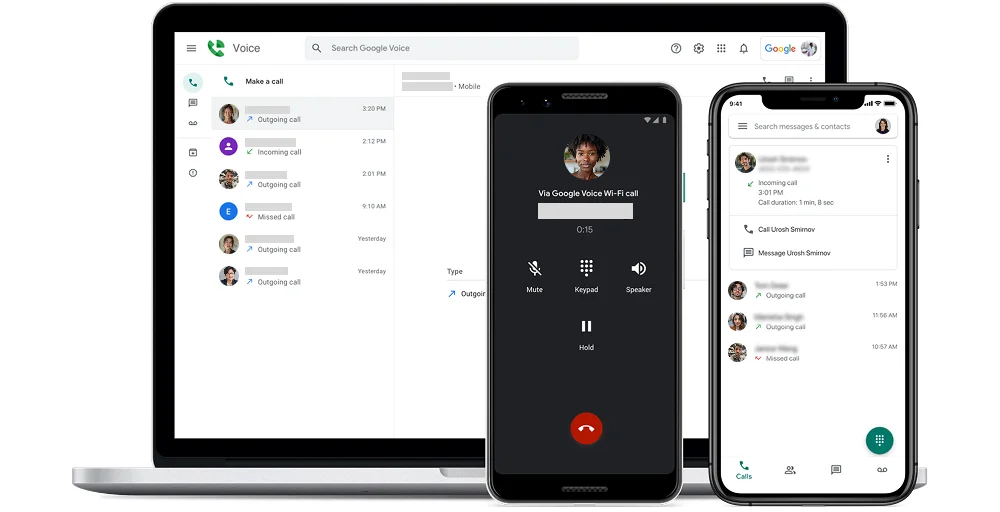
It integrates directly with Gmail, Calendar, and Meet. It features industry-best automated voicemail transcription (powered by Google AI) and lets you seamlessly read texts and answer calls directly from your open Gmail browser tab, no extra hardware needed.
Standout features:
- Voicemail transcription: Google’s speech-to-text AI to automatically transcribe incoming voicemails.
- Automatic call recording: Captures calls for compliance or training.
- Three-way calling: Users can merge two separate calls together directly from their desktop or mobile app.
- Advanced endpoint management: Fully integrated with the Google Admin Console, administrators can enforce passcodes, remotely wipe organized data, and securely control devices.
- Call queuing for ring groups: Allow businesses to distribute incoming calls to multiple team members simultaneously or sequentially.
Pricing:
Google Voice pricing depends on whether you need a personal line or a business system. For business, the pricing is billed as:
| Plans | Monthly Price (per user per month) |
| Starter | $10 |
| Standard | $20 |
| Premier | $30 |
Why you should choose Google Voice?
Google Voice is ideal for lean small businesses running on Google Workspace. It requires no infrastructure training, deploys instantly from your central admin panel, and works cleanly right from your existing browser tabs.
Limitations of Google Voice
- Lacks advanced call center features like custom analytical wallboards or whispering.
- Requires an active, paid Google Workspace subscription to access business tiers.
7. Voiso
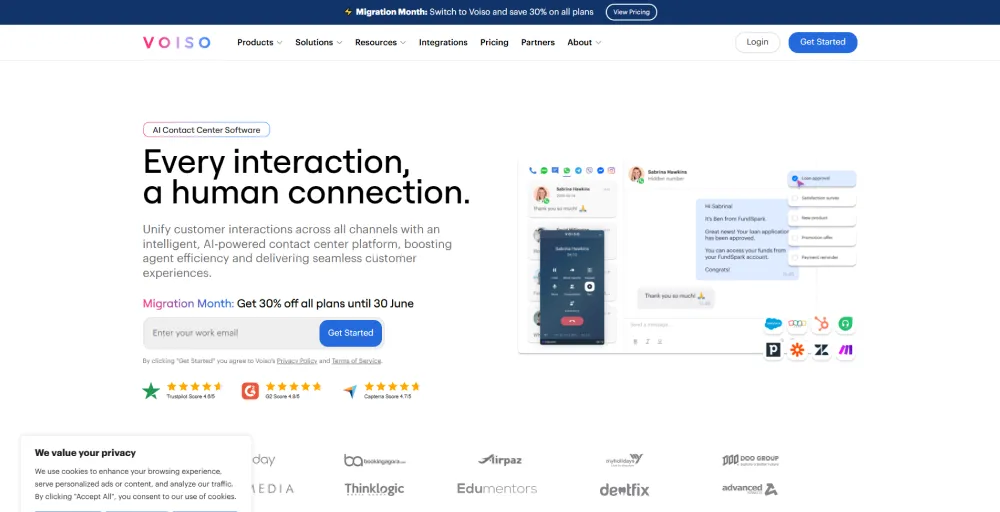
Voiso is built for sales and support teams managing high call volumes. It features an AI-powered dialer that calls numbers in bulk and filters out answering machines, so your sales agents only speak to live humans. It also includes real-time analytics dashboards and speech recognition to analyze client mood.
Standout features:
- Number validator: Prepare calling lists by verifying phone number syntax, line activity, and mobile network availability.
- Post call rating: Allow callers to rate their service using a simple survey (e.g. dialing a number from 1 to 5) at the end of an interaction.
- Agent reporting: Voiso offers historical and real-time dashboard reports that track agent metrics, such as average call duration, after-call work time, and total calls made.
- Wrap-up codes: Custom predefined labels that agents select during after-call work (ACW) to classify call outcomes.
- Call detail records (CDRs): Comprehensive, encrypted activity logs that document every interaction. Voiso’s CDRs store routing metadata, speech analytics, wrap-up codes, and recordings in a single source of truth
Pricing:
Voiso subscription pricing plans offer two business plans.
| Plans | Monthly Price (per user per month) |
| Core | $21 |
| Pro | $45 |
Why you should choose Voiso?
We highly recommend Voiso if your team handles high-volume outbound lead generation or structured customer campaigns. Its automation features keep your agents focused entirely on active conversations rather than dial tones.
Limitations of Voiso
- Overkill for businesses that need a standard inbound business line.
- Complex setup parameters require technical oversight to optimize correctly.
8. 8×8
8×8 is highly secure (HIPAA- and PCI-compliant) and offers unlimited calling to up to 48 countries on its base plans, addressing a major share of the VoIP telephony market that needs international calling.
If you have teams in Europe, Asia, and North America, 8×8 seamlessly brings them together. magicJack charges heavy international long-distance rates the moment you dial outside the US and Canada.
Standout features:
- UC call recording: Record incoming and outgoing calls, Playback, download, or delete recordings.
- Call waiting: Receive, hold, or easily switch between concurrent incoming calls.
- Phone paging: Broadcast one-way voice messages to connected desk phones or overhead paging systems.
- Multi-party calls: Add multiple lines to an active conversation seamlessly.
- Audio sharing: During meetings and calls, 8×8 enables high-quality audio and screen sharing from desktop or mobile apps.
Pricing:
8×8 relies primarily on custom, quote-based pricing for larger teams.
| Plans | Monthly Price (per user per month) |
| Contact Center | Contact sales |
| CX Beyond the Contact Center | Contact sales |
| Communications APIs | Contact sales |
| Unified Communications | Contact sales |
Why you should choose 8×8?
Choose 8×8 if your organization handles sensitive customer data subject to strict compliance rules, or if your team handles a high volume of international calls across multiple continents.
Limitations of 8×8
- Quote-based pricing can make budget forecasting difficult for small startups.
- Customer support responses can be slow for clients on lower tiers.
9. Grasshopper
Grasshopper is designed specifically for small businesses that want to look bigger. It acts as an advanced virtual receptionist on top of your existing personal cell phone.
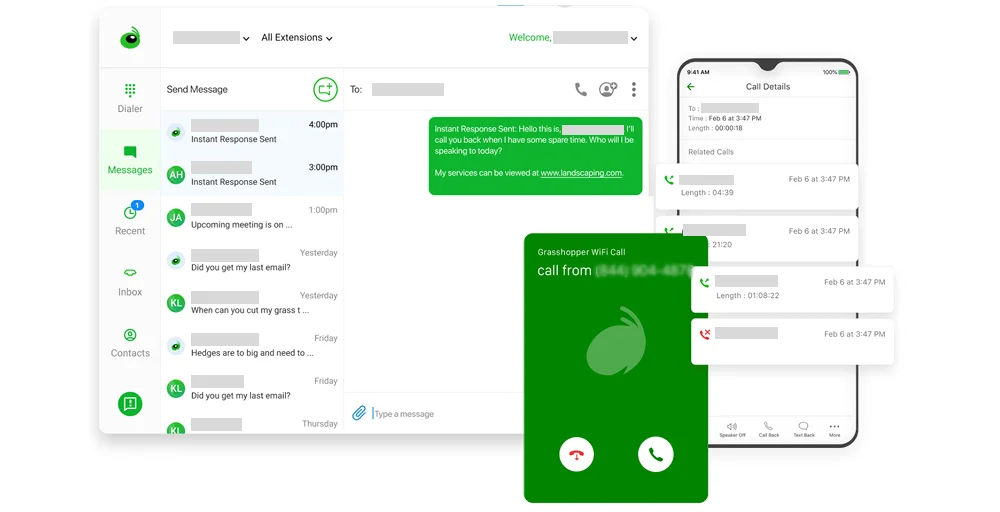
Unlike magicJack’s basic “ring-and-answer” setup, Grasshopper gives you professional main greetings (“Press 1 for Sales, 2 for Support”) and routes those calls smoothly to your cell phone.
Standout features:
- Voice studio: Provide professionally recorded greetings or menu prompts.
- Phone menu: Acts as a virtual receptionist to greet callers and present a menu.
- Voice-to-text: Automatically converts left voicemails into readable text and sends them directly to your email, like voicemail to email delivery on other platforms.
- Custom greeting: You can record your own greeting, upload a file, or create separate greetings for business hours vs. after-hours/holiday hours.
- Multi-user call routing: Automatically direct incoming calls to specific extensions, team members, or departments, letting you ring multiple mobile devices to home offices.
Pricing:
Grasshopper plans offer 3 paid pricing plans.
| Plans | Monthly Price (per user per month) |
| True Solo | $18 |
| Solo Plus | $32 |
| Small Business | $70 |
Why you should choose Grasshopper?
Grasshopper is best for local service businesses, freelancers, and small teams who want to project an established brand image without managing desk hardware or changing phones.
Limitations of Grasshopper
- Calls route through cellular networks rather than VoIP data, so call quality depends on cell signal.
- Lacks complex call center logic, call recording, and software integrations.
10. Dialpad
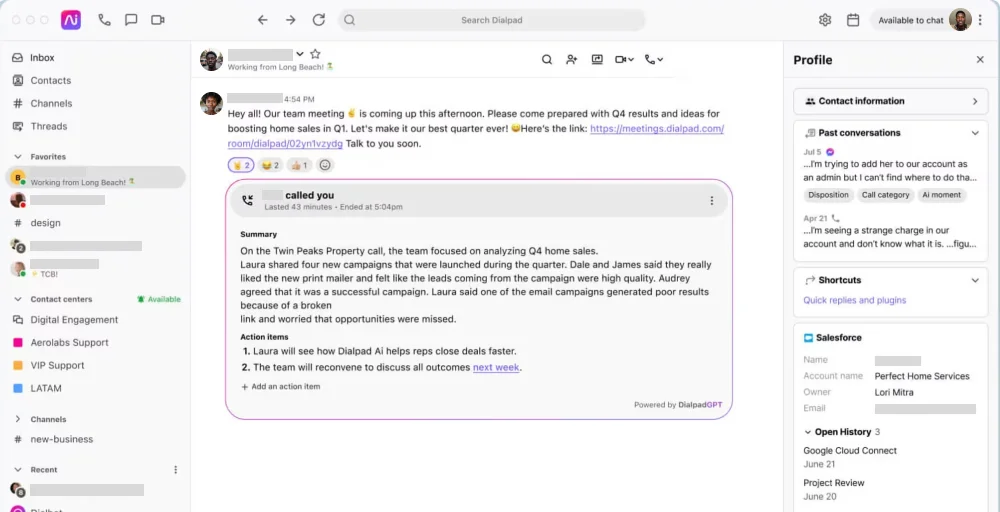
Dialpad‘s native AI is revolutionary compared to magicJack. During a phone call, Dialpad’s AI transcribes the entire conversation in real-time, tags action items, tracks customer sentiment (positive/negative), and emails you a summary immediately after you hang up so you don’t have to take notes manually.
Standout features:
- Screen capture: Managers and supervisors can natively record an agent’s entire computer screen during calls right from the dashboard.
- Call flip: This allows users to effortlessly transfer a live call between devices, such as moving from the desktop application to their iOS or Android mobile device.
- Power dialer: Available on Pro plans and higher, this outbound tool automatically cycles through contact lists.
- HD conference calls: Dialpad transforms standard voice or video calls into high-definition conferences where participants can share screens, chat, and access live AI-generated transcriptions.
- AI scorecards: This is the part of Dialpad’s Quality Assurance and Coaching Hub. AI Scorecards automatically grade and evaluate agent calls.
Pricing:
Dialpad offers three primary business communication pricing plans.
| Plans | Monthly Price (per user per month) |
| Standard | $27 |
| Pro | $35 |
| Enterprise | Contact sales |
Why you should choose Dialpad?
Choose Dialpad if you want to leverage automation to maximize team productivity. The built-in transcription engine eliminates the need for manual note-taking, allowing your team to focus entirely on customer interactions.
Limitations of Dialpad
- Full AI capabilities require stable, high-bandwidth web connections.
- Certain CRM integrations require upgrading to the mid-tier Pro subscriptions.
Which magicJack alternative should you choose?
The right choice comes down to team size, budget, and the extent to which your communication needs have grown beyond basic calling.
If you’re a solopreneur or very small team wanting the simplest possible upgrade, Grasshopper or Google Voice make the most sense. Grasshopper gives you a professional virtual number with call forwarding, business texting, and an auto-attendant, all without any hardware to manage. Google Voice is the lighter-touch option if you’re already living in Gmail and Google Calendar and just need basic business features layered on top.
If cost is still the top priority but you need real call management, Zoom Phone’s Metered plan is the closest match, starting around $10/user/month while adding IVR, call routing, and voicemail transcription. It’s also the natural pick if your team already uses Zoom for video meetings.
If you’re a sales or support team that lives on the phone, KrispCall, Voiso, or Dialpad are built for that workflow. KrispCall and Voiso both offer deep CRM integrations and global numbers, with Voiso leaning more toward high-volume contact centers with predictive dialing and speech analytics. Dialpad stands out if AI features matter most to you, with real-time transcription, sentiment analysis, and coaching on every call.
If you’re a growing business that needs a complete communications platform, RingCentral and Nextiva are the strongest all-around picks. RingCentral offers the broadest integration ecosystem and an industry-leading uptime guarantee, while Nextiva is well-suited to multi-location businesses that need unified voice, video, and SMS in a single system.
If your team needs flexibility or international reach, Vonage and 8×8 are worth a closer look. Vonage’s APIs and customization options suit businesses that want to build custom communication workflows, while 8×8’s unlimited international calling tiers make it the better fit for companies with customers or offices spread across multiple countries.
Final thoughts
magicJack still has a place for individuals and very small home offices that just need a working dial tone at the lowest possible price. But the moment a business depends on its phone line for client trust, team coordination, or growth, the gaps become costly: no CRM sync, no call routing logic, no real support line to call when something breaks.
The good news is that upgrading doesn’t have to mean overpaying. As the comparison table above shows, several of these alternatives, Google Voice, Zoom Phone, and KrispCall among them, start in the same general price range as magicJack’s add-ons, while delivering features like auto-attendants, call analytics, and CRM integrations that magicJack doesn’t offer at any price.
Choosing the right option depends on your team’s needs. A solo consultant and a larger support team require different features. Use the comparison table to shortlist a few alternatives, then take advantage of free trials to evaluate call quality and admin setup before making a final decision and porting your number.