You’re deep in a client conversation when another call comes in. Without call waiting, the second caller hears a busy tone or, depending on the carrier system, a normal dial tone, and may hang up for good. And the consequences are more costly than most businesses realize – roughly 34% of customers who experience delayed responses hang up and never call back.
That’s more than a third of your inbound calls potentially lost to upselling opportunities, product upgrades, or customer education. For businesses, that’s not just an interruption. It’s a missed opportunity that compounds directly into churn.
What Does Call Waiting Mean?
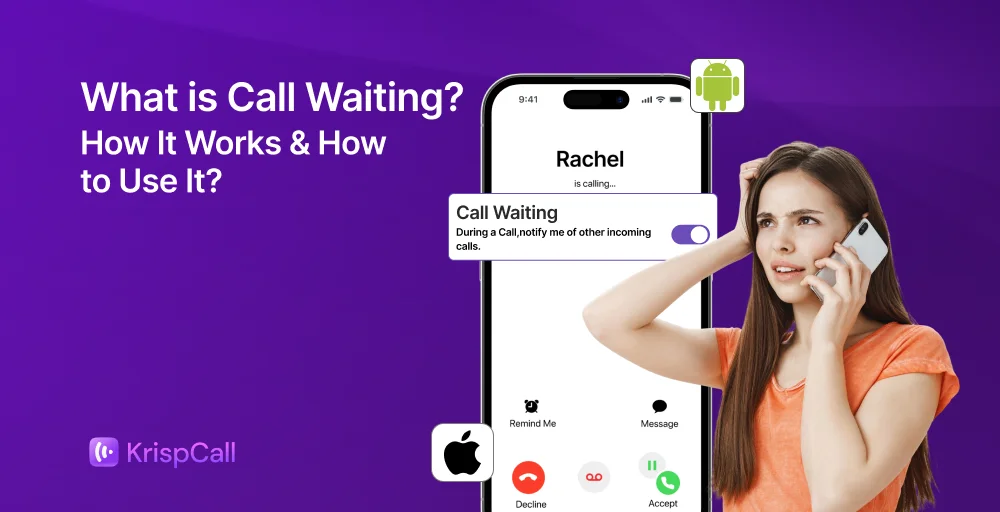
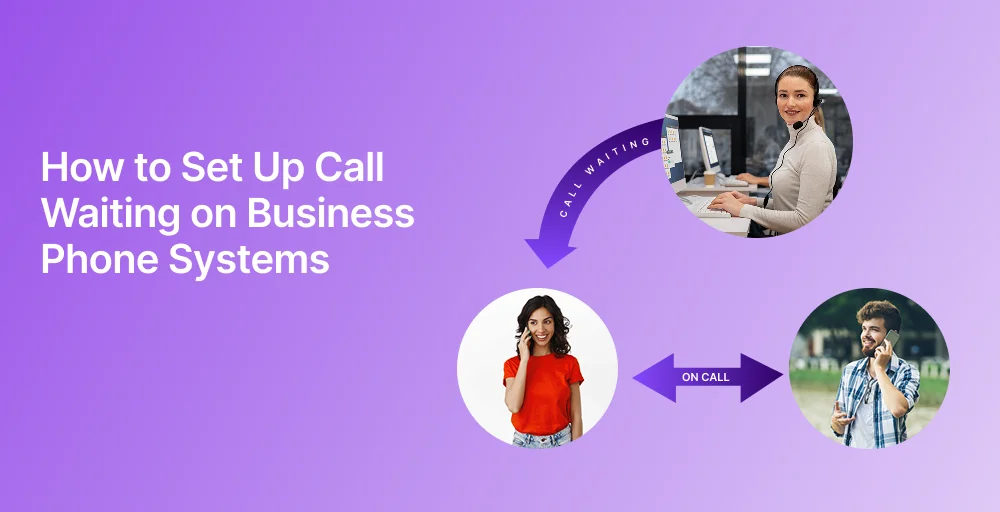
Call waiting is a telephone feature that alerts you to an incoming call while you are already on an existing call, allowing you to hold, answer, or switch between calls. Instead of the second caller hearing a busy signal, the system uses an electronic signaling system to generate a call waiting tone or waiting tone, notifying you that another person is trying to reach you.
At that point, you can choose to answer, speak, or manage priorities based on urgency, ignore it, send it to voicemail, or transfer it to a colleague. The two conversations remain completely separate; the caller on hold cannot hear what you’re saying on the other line.
The History of Call Waiting
Call waiting has been a staple of telephone communication for over five decades. The feature was first introduced in North America in the early 1970s, alongside the deployment of the first generation of electronic switching systems (ESS) by Western Electric. These digital exchanges replaced older mechanical switchboards and made it technically possible to detect and signal a second incoming call without dropping the first.
In the early days, access was limited. Only customers served by specific ESS-enabled exchanges could use the feature. Availability was tied directly to local infrastructure, meaning call waiting was a perk of geography as much as anything else.
As telephone networks modernized through the late 1970s and 1980s, call waiting became more widely available. In Europe, the feature rolled out alongside the first digital switching systems, including Ericsson AX, Alcatel E10, and Siemens EWSD, gradually extending access to millions of subscribers across the continent.
By the 1990s, call waiting had become a standard offering from most residential and business telephone carriers. And with the rise of VoIP and cloud phone systems in the 2000s, it evolved from a simple beep-based alert into a feature-rich tool, complete with caller ID display, hold music, call transfer, and intelligent routing. What started as a basic network signal is now a core component of modern business communication infrastructure.
How Does Call Waiting Work?
Call waiting functions through your telephone provider’s network, and modern digital systems, which evolved from earlier first digital switching systems and ESS switches. When a second call comes in, it is not blocked or sent directly to voicemail; instead, it is held briefly while your device alerts you.
Step1. Incoming Call Detection: If you are already on a first call and another person tries to reach you, the system detects the new call and places it in a waiting state within other digital systems, rather than playing a busy tone.
Step 2. Notification Alert: Your phone then notifies you with a short beep, tone, or visual alert. This happens without interrupting your current conversation, so your ongoing call continues smoothly.
Step 3. Available Actions: After being notified, you can choose how to respond based on your device and service features. You may:
- Place the current call on hold and answer the new one
- Decline the incoming call, which may go to voicemail
- Switch between both active calls using your call controls
Step 4. Call Capacity: Call waiting typically supports managing two calls at once, but advanced digital systems in modern contact centers may allow unlimited calls through queuing and routing within a management system.
Call Waiting Benefits for Businesses
Call waiting is more than just a helpful feature; it gives customer-focused businesses an edge. Here’s why it matters:
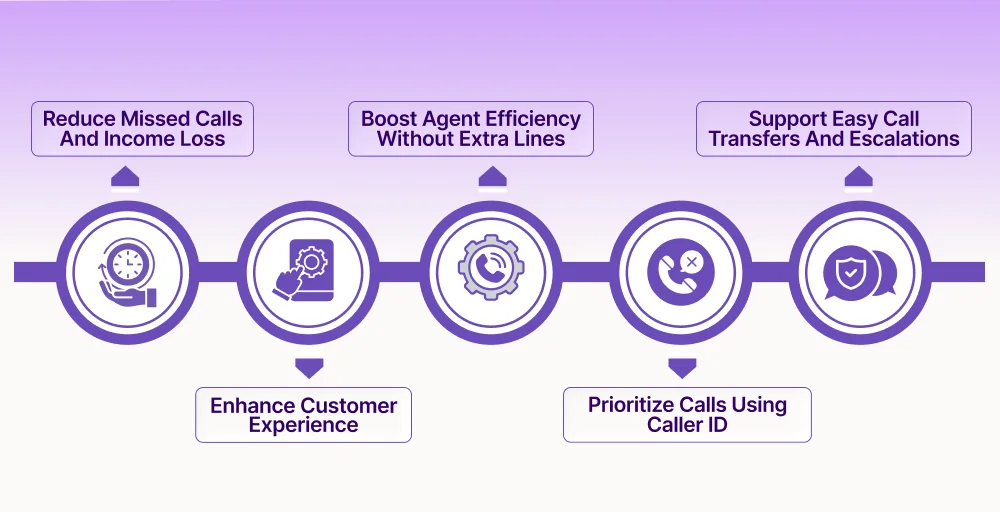
1. Reduce missed calls and income loss
Every call you miss can mean losing a customer. Call waiting makes sure that when someone calls, they don’t just hear a busy signal or go to voicemail. For sales and service teams, being ready to answer a potential customer can make a big difference in closing a deal and improving customer satisfaction.
2. Enhance customer experience
Customers want quick responses. Hearing a busy signal feels outdated and frustrating. With call waiting, callers know their call is important and not ignored. Using professional hold music or messages turns waiting into a branded experience instead of silence.
3. Boost agent efficiency without extra lines
Handling more calls means more phone lines or more staff. Call waiting lets one agent manage two calls at once, effectively doubling their availability during busy times. It’s a cost- effective way to handle call spikes without expanding your team.
4. Prioritize calls using caller ID
Modern call waiting on VoIP systems shows the name and number of the incoming caller. This helps your team decide quickly who to prioritize, whether it’s a critical call from a VoIP client or a simple inquiry that can go to voicemail, without interrupting the current conversation.
5. Support easy call transfers and escalations
Business call waiting works well with call transfer and forwarding features. If an agent is on a call and another urgent call comes in, they can quickly transfer it to another team member. This keeps your business responsive without dropping any calls.
Key Call Waiting Features in VoIP & Cloud Phone Systems
Not all call waiting implementations are created equal. Here are the core features to look for, particularly if you’re evaluating VoIP or cloud phone systems for your business:
Caller ID Integration
When a second call arrives, you should see who’s calling, not just hear a beep. Caller ID with call waiting lets your team instantly identify whether the incoming call is a VIP client, an internal team member, or an unknown number.
On advanced platforms, you may also see caller history and interaction context, helping agents personalize responses from the first second.
Call Hold with Custom Hold Music
When you switch to a second caller, the first caller is placed on hold. Business systems allow you to customize what callers hear, including professional hold music, branded messages, promotional announcements, and estimated wait times. This transforms a passive pause into an active brand experience.
Call Transfer
The ability to transfer a waiting or active call to another agent or department is essential for teams. Warm transfers (where you briefly introduce the caller before handing them off) and cold transfers (direct routing) both help ensure the caller reaches the right person without having to repeat themselves.
Call Merging / Three-Way Calling
Some situations require bringing both callers together. Call merging converts your two-line setup into a conference call, which is useful when a manager needs to join a client discussion mid-call.
Voicemail Fallback
If you choose not to answer a waiting call or miss the alert, the call should automatically route to your voicemail. Importantly, the caller won’t know they’ve been redirected; they will simply hear a brief ring before reaching voicemail.
💡 Quick Activation Tip
On most traditional landlines and some mobile carriers, you can activate call waiting instantly without logging into any dashboard:
- Dial *43 to enable call waiting
- Dial *70 to disable call waiting temporarily for a single call
For VoIP and cloud phone systems, activation is done through your admin dashboard.
How to Set Up Call Waiting on VoIP & Business Phone Systems?
To set up call waiting on business phone systems usually involves activating the feature through a VoIP provider’s web portal or by entering star codes (e.g., *43# or *70) on the handset to receive a beep when on another call.
Modern VoIP systems (KrispCall, RingCentral, Ringover, Nextiva) allow for easy configuration via dashboard settings, while traditional landlines often use phone-specific codes.
Hare’s step-by-step setup for VoIP or cloud phones:
Step 1. Log in to your admin dashboard:
Access your VoIP provider’s web portal or admin panel.
Step 2. Navigate to Call Settings:
Look for a section labeled “Call Handling,” “Phone Features,” or “Inbound Settings.”
Step 3. Enable Call Waiting:
Toggle the call waiting option on. In most cloud systems, this can be set at the account level (all users) or per individual agent.
Step 4. Configure caller ID display:
Ensure caller ID is enabled alongside call waiting, so agents see incoming caller information.
Step 5. Set your hold experience:
Upload hold music, record a hold message, or set a wait time announcement so callers have a good experience while waiting.
Step 6. Test the setup:
Have a colleague call your line while you’re on an active call to verify that the alert, caller ID display, and hold behavior all work correctly.
Step 7. Train your team:
Ensure all agents know how to switch between calls, transfer callers, and use the voicemail fallback, especially in your specific VoIP interface.
Pro tip: On most VoIP platforms, call waiting settings can also be configured per user, allowing individual team members to manage their own preferences based on their role.
Activate Call Waiting on Android
These steps may vary slightly depending on the device brand (like Samsung, Xiaomi, or OnePlus), the functionality remains largely the same.
- Open the Phone app
- Tap the three-dot menu (usually in the top-right corner)
- Select Settings
- Tap Calls or Calling Accounts
- Go to Additional Settings
- Tap Call Waiting
- Toggle it ON or OFF as needed
Activate Call Waiting on iPhone
To enable the call waiting feature on an iPhone, here are the detailed steps:
- Open the Settings app
- Scroll down and tap Phone
- Tap Call Waiting
- Toggle the switch ON (green) to enable or OFF (gray) to disable
Activate Call Waiting on Traditional Landlines
For landline users, call waiting activation depends on your carrier. Most providers support the following universal star codes:
- Dial *43 to enable call waiting
- Dial *70 to temporarily disable call waiting for a single call
If these codes don’t work, contact your telephone service provider directly to confirm whether call waiting is available on your line and how to activate it.
What are the Best Practices for Using Call Waiting Effectively?
To effectively manage multiple calls, the first step is to ensure that call waiting is properly set up on your phone. Once this feature is activated, the real benefit comes from learning to use it efficiently.
Call waiting is only as effective as the habits built around it. These best practices help your team get the most out of the feature without creating confusion or caller frustration.
- Train employees on call switching and hold functions: Don’t assume agents know how to navigate two simultaneous calls. Walk them through the specific steps in your phone system and run practice scenarios.
- Always use professional on-hold greetings: Silence on hold is uncomfortable. A warm, professional message or curated hold music reinforces your brand and reduces hang-ups.
- Prioritize urgent calls using caller ID information: When a second call arrives, agents should assess the caller’s identity before deciding how to respond. A high-value client deserves a different response than an unknown number.
- Merge calls only when necessary: Three-way calls can be useful, but they can also create confusion if not managed carefully. Reserve call merging for situations where it genuinely adds value.
- Regularly review call logs to optimize routing rules: Call logs reveal patterns, peak call times, frequently missed calls, and common transfer paths. Use this data to fine-tune your routing strategy over time.
What are the Common Issues and How to Solve Them?
Common call waiting issues usually stem from deactivated settings, carrier limitations, or signal issues. The feature is designed to alert you to a second incoming call while you’re on another call, allowing you to switch, reject, or put callers on hold.
Here are the most common call waiting problems and their solutions:
Missed Call Alerts
Agents don’t notice the incoming call beep during busy conversations. Use VoIP systems that display a visual pop-up notification alongside the audio alert. Some platforms also support missed call notifications via SMS or email.
Confused Call Routing
The second caller ends up transferred to the wrong person or department. Set up clear call routing rules in your VoIP platform. Label extensions clearly, and ensure agents know which queues to transfer to for different call types.
Overloaded Employees
Agents are consistently managing two calls at once, leading to burnout and errors. If two-call management is the norm rather than the exception, it may be time to introduce call queuing, additional agents, or an IVR (interactive voice response) system to distribute load.
Voicemail Overuse
Callers are frequently sent to voicemail, creating a backlog and delayed responses. Audit your call handling rules. If calls are defaulting to voicemail too often, review your agent availability settings, add more coverage during peak hours, or implement a callback option.
What are the Call Waiting Use Cases by Business Type?
Call waiting helps users manage multiple incoming calls efficiently without missing important communication.
- Customer Support Teams: A support agent helping a customer with a technical issue receives a second call from someone with an urgent billing issue. With call waiting, the agent sees the caller ID, briefly puts the first caller on hold, quickly addresses the billing issue, and then returns to the original conversation, ensuring both customers feel attended to.
- Sales Representatives: A salesperson is closing a deal when a potential lead calls in. Instead of letting the lead go to voicemail and losing momentum, the salesperson places the prospect on hold, acknowledges the lead, and sets up a follow-up, all in the same call.
- Healthcare and Appointment-Based Businesses: A receptionist at a dental office who manages appointment bookings receives a second call from a patient with an urgent issue. By checking the caller ID, they can handle it quickly, avoiding losing both callers to a busy signal.
- Solopreneurs and Freelancers: For individual professionals, call waiting allows them to handle multiple calls without needing several lines. A freelance consultant can manage client calls, supplier inquiries, and partnership calls all from a single business number.
- Remote and Distributed Teams: In remote work settings, VoIP call waiting helps team members stay responsive across time zones and devices, whether they are using a laptop, a mobile app, or a desk phone.
Call Waiting vs. Voicemail: When to Use Which
Call waiting and voicemail are both important call management tools, but they serve different purposes. Call waiting is designed for real-time communication, allowing you to handle multiple live calls without missing urgent conversations. Voicemail, on the other hand, is used when you are unavailable or choose not to answer, allowing callers to leave a message for later response.
Use call waiting when you want to stay responsive and handle calls immediately, especially in busy business environments where quick decisions are important. Use voicemail when you are occupied, out of reach, need uninterrupted time, or prefer to respond later at your convenience.
Together, call waiting and voicemail create a balanced communication system that ensures no important call is completely lost.
What are the Differences Between Call Waiting and Call Forwarding?
Call waiting and call forwarding are both inbound call management features, but they serve fundamentally different purposes and activate under different conditions.
Call waiting keeps you in control in real time. When you are already on an active call and a second call comes in, call waiting alerts you immediately, giving you the choice to answer, hold, transfer, or send to voicemail , all without ending your current conversation. The caller reaches you directly, and you decide how to handle it on the spot.
Call forwarding, on the other hand, is a proactive routing tool. It redirects incoming calls to a different number or device before they ever reach you, whether that’s a colleague, a mobile number, another department, or an external line. Call forwarding is typically set up in advance and activates automatically based on conditions you define, such as when you are unavailable, busy, or outside working hours.
The simplest way to think about it: call waiting handles the unexpected second call in the moment, while call forwarding handles where calls should go before they arrive.
For businesses, the two features work best in combination. Use call waiting to stay responsive during active conversations, and use call forwarding to ensure no call goes unanswered when your team is unavailable, at capacity, or out of office. Together, they create a complete inbound call management system that keeps customers connected at every stage.