Ever feel tied to your desk because of your business line, even though you always carry a mobile phone? This can be frustrating, as no one wants to miss an important call when they’re busy or away from their desk.
One way to solve this is by redirecting incoming calls from your landline to your mobile phone. This ensures you can respond to calls on time, no matter where you are.
In this guide, we’ll show you how to forward calls from a landline to a cell phone, explain the benefits of call redirection, and share an even more efficient way to manage your calls.
✨ Key Takeaways
- Call forwarding redirects incoming calls from one device to another for better accessibility, reachability, customer experience, and operational efficiency.
- You can forward calls from a landline to a cell phone via call forwarding service codes, through the landline provider, or by using a virtual phone service.
- A much better and hassle-free way to forward calls and get advanced features beyond basic call redirection is by implementing a VoIP call forwarding service.
What is call forwarding?
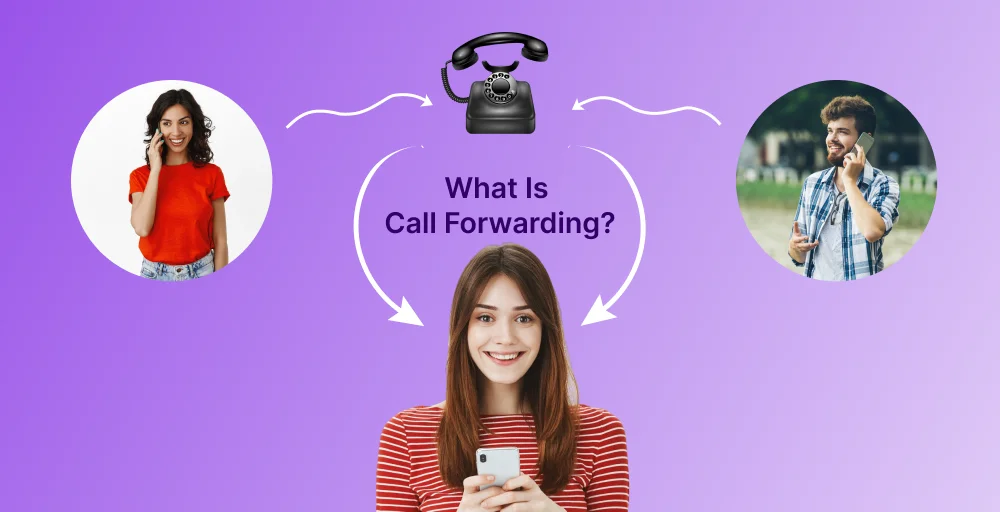
Call forwarding is a telephony feature that redirects incoming phone calls from one device to another. For instance, redirecting a landline phone’s wired calls to a cell phone or simply from one mobile device to another. Call routing helps you stay reachable by redirecting calls when the receiver is busy, unavailable, or has a non-functioning device.

Moreover, there are different types of phone call forwarding options for better control over your calls. You can choose to forward all incoming calls from one device to another, known as unconditional call forwarding, or set it up only for specific situations, such as when the line is busy, unanswered, or out of reach.
Why you might want to forward a landline call to a cell phone?
Forwarding your landline calls to a cell phone is highly beneficial as it gives you the convenience and flexibility to stay connected. It ensures you can maintain a professional presence and not miss any important calls, no matter where you are.
Here are some notable benefits you get from forwarding your landline calls;
- Answer fixed lines from any location.
- Maintain professionalism even outside the office.
- Streamlined communications to a single device.
- Avoid missed calls and improve response rate.
- Ensure business continuity during disruptions.
How to forward calls from a landline to a cell phone?
Forwarding your call from a landline to a cell phone is easy once you know the proper methods. There are multiple ways to enable this service, including using specific service codes, a cloud phone system (VoIP), or being configured through the carrier (via contacting the support team or online self-service portal).
Let’s go over each of the methods briefly.
1. Manual call forwarding using codes
The most straightforward way to redirect incoming calls to another number is by using the unconditional call forwarding features. All you need to do is enter the service code, followed by the alternate phone number.
Here’s a step-by-step process on how to forward calls from a landline to a cell phone:
- Dial *72 on your wired phone and wait for the confirmation dial tone.
- Enter the destination mobile number where you want to forward calls to. Then, press #.
- Wait for the confirmation tone and hang up the call. Now, your incoming calls will be forwarded to alternate numbers.
The *72 code will forward all incoming calls. If you only want to forward calls for specific conditions (busy or no answer), there are different codes.
For instance,
- If you want to forward a call when it’s not answered: 92 or 61
- If you wish to forward a call when the line is busy: 90 or 67
2. Call forwarding via landline provider settings
Most landline service providers offer their customers an online account management system with their service, where users can enable and disable the call forwarding feature easily.
Here, the exact steps to enable call redirection will vary depending on the provider (AT&T, Verizon, BT). That being said, here are the general steps to enable the forwarding feature.
- Head over to the provider’s website and use your credentials and log in to your customer account.
- Navigate through the features section or settings panel to find the Call Forwarding option.
- Enter the destination phone number and set conditions to enable this feature.
- Save changes to activate call redirection.
Note: If your carrier does not offer an online portal system or if you’re using a traditional phone line, you’ll need to contact the customer support team to set up call forwarding from landline to cell phone.
3. Using a VoIP call forwarding service or a cloud phone system
If you’re looking for the most straightforward and hassle-free way to set up Call forwarding from a landline to a cell phone, you can easily do so by implementing a VoIP (Voice Over Internet Protocol) or cloud phone system. Here, you can easily enable and disable call forwarding by using an intuitive web portal or mobile app (iOS and Android apps) rather than dialing phone codes.
Beyond redirecting calls, VoIP systems also offer advanced features for efficient call management, such as intelligent call routing, simultaneous ringing, auto-replies, professional auto attendants, etc.
How to cancel call forwarding?
The easiest and quickest way to cancel call diversion is by dialing the deactivation codes. You can directly dial these standardized codes on your phone and wait for the confirmation to cancel forwarding calls to the alternate number.
Here’s a list of deactivation service codes, unconditional and conditional call forwarding:
- All incoming calls (unconditional): *73
- Busy phone line (conditional): *91
- No answer (conditional): *93
Simplify call forwarding with KrispCall
With proper call forwarding rules set in place, you can ensure that you never miss an important phone call, handle call overflow more effectively, improve customer experience, and maintain a professional brand image. But with a virtual phone system, you can take this even a step further.
With it, you can also port your existing landline number to a VoIP account. This allows you to use VoIP services while keeping the exact same number. Number porting is simply the process of transferring a phone number (mobile, landline, or VoIP) from your current service provider to a new one, allowing you to keep the exact same number.
Once that’s done, just log in to your account on any device and start taking your landline calls from there. No need to forward calls or depend on a specific device, simply choose where you want to receive them.
And that’s not all. A VoIP system gives you much more than simple call deflection. With KrispCall’s cloud telephony solution, you can cut down on expensive hardware upgrades, integrate your phone system with popular business CRMs, and access advanced call management tools that make handling calls simpler and faster.
Get started with KrispCall and take your business calls from anywhere!