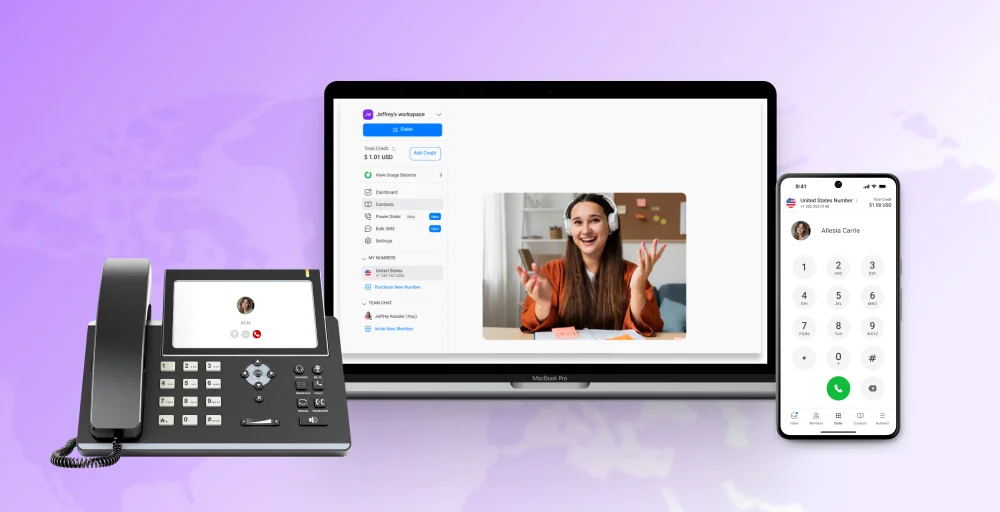
The way businesses communicate has changed dramatically. With remote work now a permanent fixture for millions of teams and global collaboration the norm rather than the exception, traditional phone systems simply can’t keep up. They are expensive to maintain, difficult to scale, and completely useless the moment your team steps away from the office.
Cloud telephony solutions solve all of that. By routing calls over the internet rather than copper wires, the cloud phone system gives businesses the flexibility to work from anywhere and add users in seconds. and access powerful features, such as AI transcription, call analytics, and CRM integrations, that legacy systems could never offer.
This guide explores the best cloud-based telephony solutions, their features and pricing, and how to choose the right cloud phone system for your needs.
✨ TL;DR
- KrispCall: Best for modern remote teams needing global virtual numbers.
- Dialpad: Best for businesses prioritizing AI-driven insights and automated transcription.
- Ooma: Best for small businesses transitioning from traditional landline systems.
- Vonage: Best for startups needing highly customizable communication API integrations.
- RingCentral: Best for enterprises requiring robust omnichannel tools and integrations.
- Zoom Phone: Best for teams already using Zoom for video conferencing.
- Grasshopper: Best for solopreneurs needing a professional mobile business identity.
- Aircall: Best for high-volume sales and support teams using CRMs.
- 8×8: Best for global organizations requiring secure, unified international communications.
- GoTo Connect: Best for IT teams needing simple, visual call routing.
- Ringover: Best for recruitment and sales teams seeking AI analytics.
How We Evaluated the Top Cloud-Based Dialers
To identify the best cloud telephony solutions, we assessed 30+ leading platforms through direct product testing and data from 2,000+ sales professionals on sites like G2, Capterra, and TrustRadius.
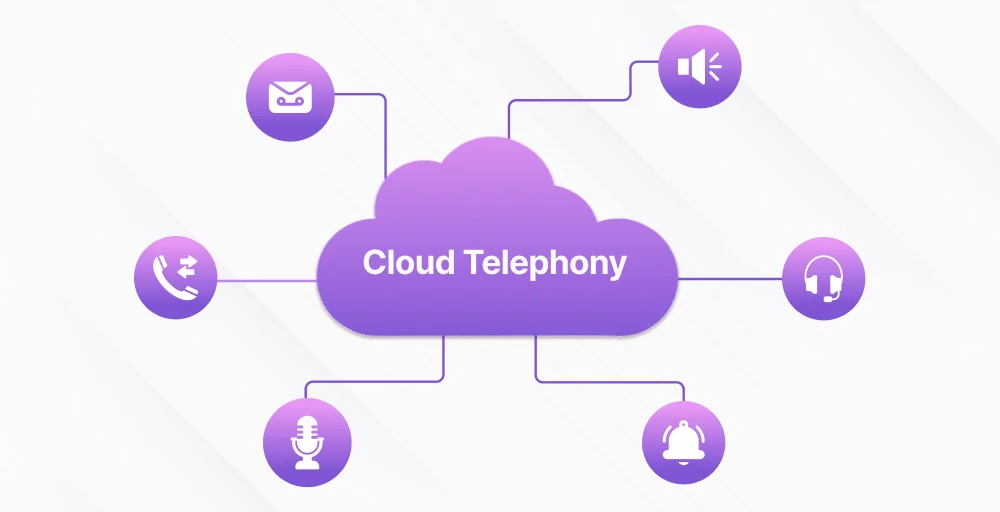
Modern organizations, especially customer service teams aiming to improve efficiency, rely on cloud calling because it offers:
- Outbound Performance: Testing dialing speed (predictive/power), connection rates, and answering machine detection.
- Workflow Integration: Prioritizing tools with deep, native syncs for CRMs like Salesforce and HubSpot.
- User Experience: Selecting interfaces that reduce “click fatigue” and simplify agent onboarding.
- Compliance & Reliability: Verifying built-in DNC scrubbing and carrier-grade uptime to protect your reputation.
- Market Benchmarks: Cross-referencing our results with research from industry authorities like GrowthList and Cognism.
Key Features You Should Look for in a Cloud Phone System
The right cloud telephony service providers offer tools that improve communication efficiency, reduce missed calls, and enhance overall customer experiences. Before diving into specific providers, here’s a breakdown of the features that matter most, and when looking for a cloud telephony system.
- VoIP calling: The foundation of any cloud phone system. VoIP (Voice over Internet Protocol) routes calls through your internet connection instead of traditional phone lines, dramatically reducing costs, especially for long-distance and international calls.
- IVR (Interactive Voice Response): IVR lets callers navigate a menu system and design a tailored inbound calling process to reach the right department or agent without a live receptionist. A well-configured IVR reduces wait times, cuts call volumes to agents, and improves the caller experience.
- SMS / MMS: Business texting is no longer optional. SMS capabilities let you send reminders, follow-ups, and support messages from the same number your customers already know.
- Power / Auto Dialer: For sales teams and contact centers, dialers automate outbound calling so agents spend more time talking and less time manually dialing. Predictive, progressive, and preview modes each serve different workflows.
- CRM Integration: Syncing your phone system with Salesforce, HubSpot, or Zoho means call data, notes, and recordings flow directly into your CRM automatically, no manual logging required.
- Call analytics & reporting: Dashboards that track call volume, duration, agent performance, and customer satisfaction give managers the insight needed to optimize team performance.
- AI features: Modern cloud platforms increasingly offer AI-powered transcription, sentiment analysis, post-call summaries, and smart routing. These features can significantly reduce admin overhead and surface coaching opportunities.
- Number portability: It allows you to retain your existing business phone number when switching providers. This is essential for maintaining brand consistency, especially when using toll-free numbers or established customer contact lines.
Top 11 Cloud-Based Telephony Solution Providers
Top cloud-based telephony providers (UCaaS) offer secure, AI-powered communication with tools like VoIP telephony solutions, video, and CRM integration. These platforms serve businesses ranging from small startups to large enterprises needing global, reliable voice solutions.
Here are the top cloud-based telephony solution providers:
| Provider | Best For | Starting Price | Standout Features | G2 Rating |
| KrispCall | Startups & remote teams | $12/user/mo | Unified Callbox, Power Dialer, 100+ countries | 4.5/5 |
| Dialpad | AI-forward teams | $15/user/mo | DialpadGPT, real-time transcription | 4.4/5 |
| Ooma | Small businesses | $19.95/user/mo | Easy setup, unlimited US/Canada calling | 4.6/5 |
| Vonage | Customizable workflows | $13.99/user/mo | Custom call flows, SMS, and number porting | 4.3/5 |
| RingCentral | Enterprise & compliance | $20/user/mo | Deep CRM integrations, global scale | 4.1/5 |
| Zoom Phone | Zoom-first teams | $15/user/mo | Native Zoom integration, high call quality | 4.6/5 |
| Grasshopper | Solopreneurs | $14/mo | Simple setup, virtual receptionist | 3.9/5 |
| AirCall | Sales & support teams | $30/user/mo | Salesforce/HubSpot sync, call insights | 4.4/5 |
| 8×8 | Compliance-heavy industries | Custom | Auto dialer, compliance tools, and QM recording | 4.2/5 |
| GoTo Connect | Hot-desking offices | Custom | Video + voice bundle, HD conferencing | 4.4/5 |
| Ringover | Web-based calling | $15/user/mo | Click-to-call, performance dashboards | 4.6/5 |
1. KrispCall
KrispCall is a modern, AI-driven cloud telephony provider offering global reach with virtual phone numbers in 100+ countries, VoIP calling, and SMS. It all managed through a unified dashboard (Unified Callbox) to support remote work, sales outreach, and contact-center operations for businesses of all sizes.
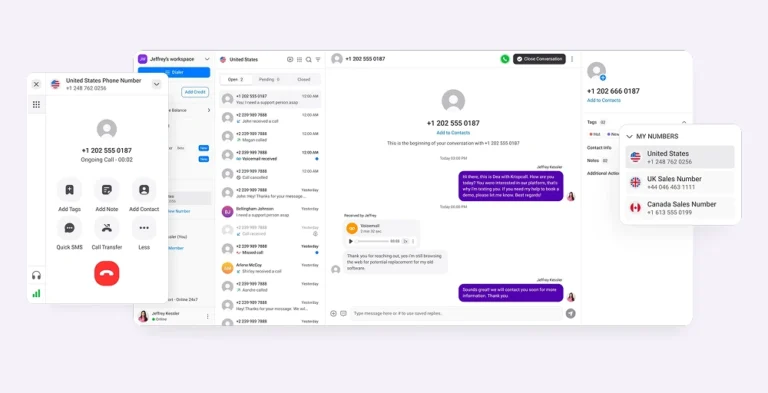
KrispCall targets startups and growing businesses seeking a flexible alternative to traditional telephony with advanced VoIP capabilities. The service includes SMS capabilities in addition to VoIP calls for broader communication.
Key features
- Shared Phone Number: Effortlessly collaborate with your team using a single phone number.
- Call & Contact Tagging: Boost your productivity by categorizing calls and contacts for easy reference.
- Multimedia Messaging: Enhance communication with rich multimedia messages, enabling clearer interactions.
- Voicemail Greeting: Create professional voicemail greetings to leave a lasting impression on callers.
- Power Dialer: Maximize your call efficiency with a powerful dialer that streamlines your outreach and automatically dials multiple prospects.
Pros & Cons
| Pros | Cons |
| Global virtual numbers in 100+ countries. | Advanced analytics only available on higher tiers. |
| SMS is included across all plans. | Limited enterprise-grade compliance features. |
| Unified Callbox simplifies multi-channel management. | The robust mobile app is still maturing compared to the desktop experience. |
Pricing
KrispCall offers straightforward tiered pricing with annual billing discounts, making it one of the most accessible options for budget-conscious teams.
| Plans | Price (user/month, annually) | Best for |
| Essential | $12 | Unified Callbox, Call Filters, Voicemail |
| Standard | $32 | Number Porting, Call on Hold Music, Starred Message |
| Enterprise | Custom | SMS Forwarding, Dashboard, Call Analytics |
Best for
Startups, remote teams, and SMBs looking for affordable global telephony with built-in SMS and a clean, modern interface.
2. Dialpad
Dialpad is a cloud telephony service provider that leverages AI-driven voice and messaging capabilities to deliver scalable, global communication for modern workplaces. It offers VoIP calling, SMS, and native collaboration features through a unified, web-based interface accessible within a single unified platform.
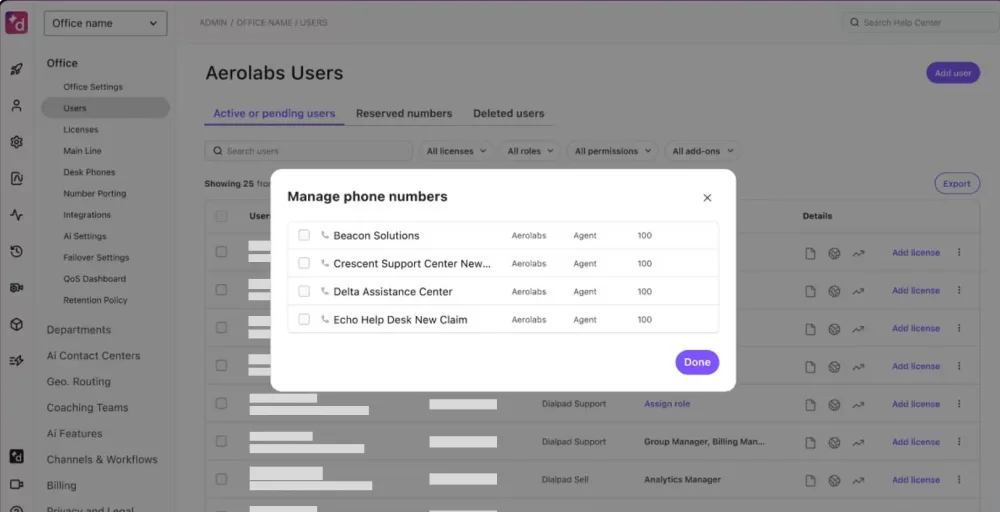
What sets Dialpad apart is its deep commitment to AI; the platform doesn’t just record calls. It understands them in real time, surfacing action items, sentiment signals, and coaching cues for managers and reps alike.
Key features
- Call Pop: Instantly access relevant information during calls to have more productive conversations.
- VoIP Number: Enjoy flexibility and cost savings with a dedicated VoIP number for all your communication needs.
- Mute Conference Participants: Easily manage conference call greeting messages by muting participants when necessary to maintain clarity.
- DialpadGPT: Leverage advanced AI technology for smarter, more intuitive interactions during calls.
- International Calling: Seamlessly connect with clients and colleagues around the globe without the hassle of high fees.
Pros & Cons
| Pros | Cons |
| Industry-leading AI transcription and coaching. | AI features require higher-tier plans. |
| Built-in video meetings reduce the need for third-party tools. | Less customizable than enterprise-focused competitors. |
| Generous free trial available. | International number availability is limited in some regions. |
Pricing
Dialpad offers a standard 14-day free trial and consists of three paid plans with annual pricing.
| Plans | Price (user/month, annually) | Best for |
| Standard | $15 | Unlimited calling, 1 local number, Visual Voicemail |
| Pro | $25 | Multi-level auto attendant. Call recording, Three-way calling |
| Enterprise | Talk to sales | Extensions, Custom call routing, File sharing |
Best for
AI-forward sales and support teams that want real-time transcription, post-call intelligence, and a polished all-in-one communication platform.
3. Ooma
Ooma is a straightforward, reliable cloud phone system built with small businesses in mind. It strips away the complexity of enterprise telephony to deliver a system that’s genuinely easy to set up, use, and manage phone communications, no IT team required.
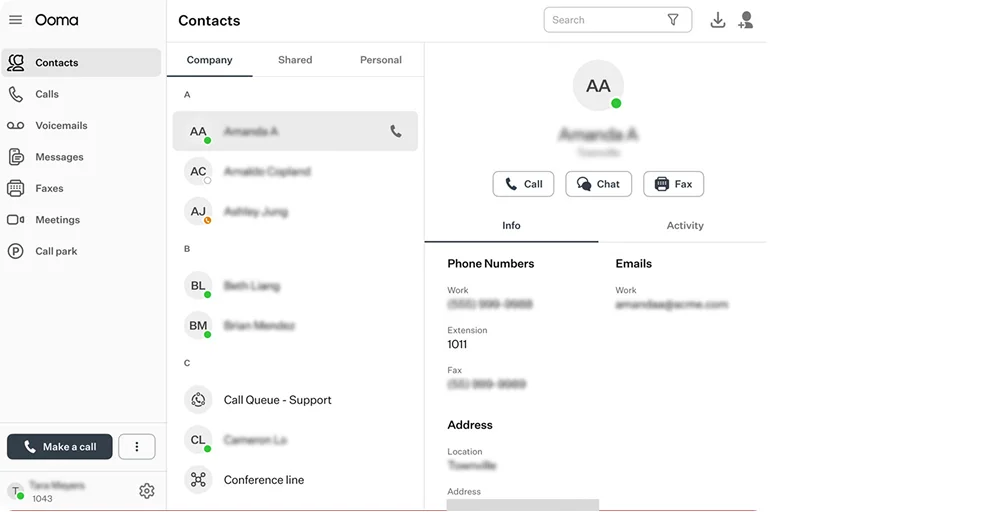
If your priority is dependable calling within the US and Canada, Ooma’s unlimited domestic and international calls planing offer outstanding value. The platform also supports hardware phones out of the box, making it a natural choice for businesses transitioning from a traditional office PBX.
Key features
- Three-Way Calling: Stay connected effortlessly by engaging multiple parties in a single conversation, enhancing collaboration and decision-making.
- Find Me, Follow Me: Never miss an important call again! Our Find Me, Follow Me feature ensures you can be reached wherever you are, keeping you in touch at all times.
- Overhead Paging: Enhance communication across your business space with our efficient overhead paging system, ensuring important messages are heard loud and clear.
- Music on Hold: Delight your callers while they wait with our captivating music on hold, improving their experience and making your business more memorable.
- Company Directory: Simplify connectivity within your organization with an intuitive company directory, making it easy to find and contact colleagues instantly.
Pros & Cons
| Pros | Cons |
| Unlimited US/Canada calling keeps costs low. | Limited advanced analytics or AI. |
| Easy setup with hardware compatibility. | International calling rates can be expensive. |
| Reliable for simple team routing. | Fewer integration options. |
Pricing
Ooma provides VoIP services for both business and home. The Ooma office offers four business phone plans.
| Plans | Price (user/month, annually) | Best for |
| Essentials | $19.95 | Call Park, Virtual Extensions, Ring Groups |
| Pro | $24.95 | Call Leaderboards, Online whiteboard, Simultaneous Ring |
| Pro Plus | $29.95 | AI Transcriptions, Auto Dialer, Call Screening |
| Enterprise | Custom Pricing | Online Bookings, Scheduled Messages, Team Chat |
Best for
Small businesses and brick-and-mortar operations that want reliable, no-fuss VoIP calling with hardware phone support and straightforward pricing.
4. Vonage
Vonage (now part of Ericsson) is one of the most established names in the best cloud telephony system, and for good reason. The platform combines enterprise-grade reliability with a highly customizable call flow builder, making it a strong choice for businesses that need tailored communication experiences without having to build everything from scratch.
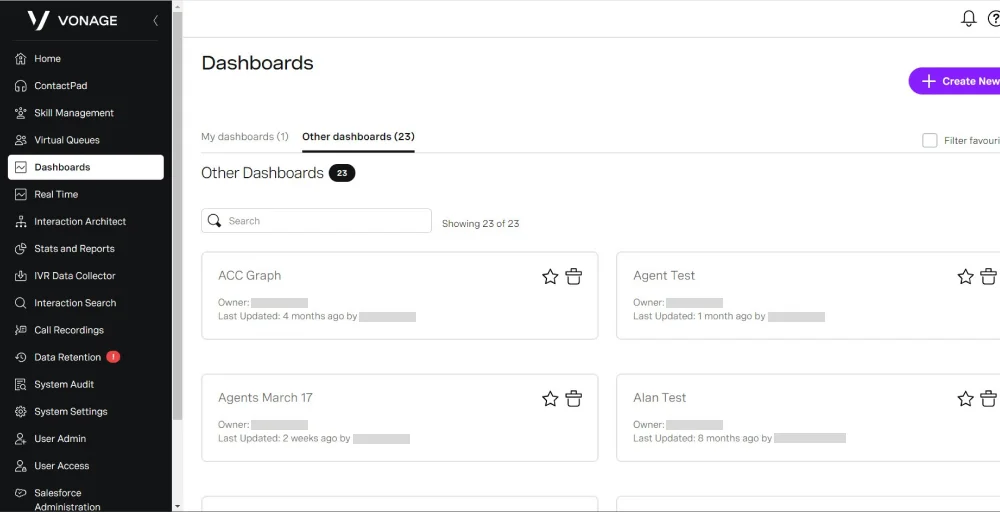
Its SMS and phone number porting capabilities are particularly well-regarded, and competitive entry pricing makes it accessible even for smaller teams.
Key features
- Show Caller ID: Vonage Caller ID reveals the identity of incoming callers, allowing you to know who is calling before you answer the phone.
- Call Announce: Identify who is calling and understand the purpose of the call before connecting it to your team using the Vonage Announce Call features.
- VonageReach: Streamline your texting and marketing initiatives to deliver messages to the appropriate lead at the optimal time.
- Call Rerouting: Maintain ongoing conversations by automatically redirecting calls to active lines during emergencies or power outages.
- IP Phone Paging System: Send a broadcast announcement or message to up to 500 recipients, who can hear it when their phones are paged.
Pros & Cons
| Pros | Cons |
| Excellent number porting support and SMS. | Support response times can be inconsistent. |
| Highly customizable call flows for complex routing needs. | The users report occasional call quality issues. |
| Long-established reliability and uptime track record. | Interface feels dated. |
Pricing
Vonage Business Communication Plan (VBC) is structured around three main tiers: Mobile, Premium, and Advanced.
| Plans | Price (user/month, annually) | Best for |
| Mobile | $13.99 | Unlimited Domestic Calling, Phone Number Porting, SMS, and MMS |
| Premium | $20.99 | Vonage Meetings, Desk Phone, Single Sign-On |
| Advanced | $27.99 | Visual Voicemail, Automatic Call Recording, Call Groups |
Best for
Businesses that prioritize SMS, number portability, and customizable call flows, especially those transitioning from legacy telephony systems.
5. RingCentral
RingCentral is the heavyweight of cloud telephony, a comprehensive, enterprise-grade platform built to handle the communication needs of large, complex organizations.
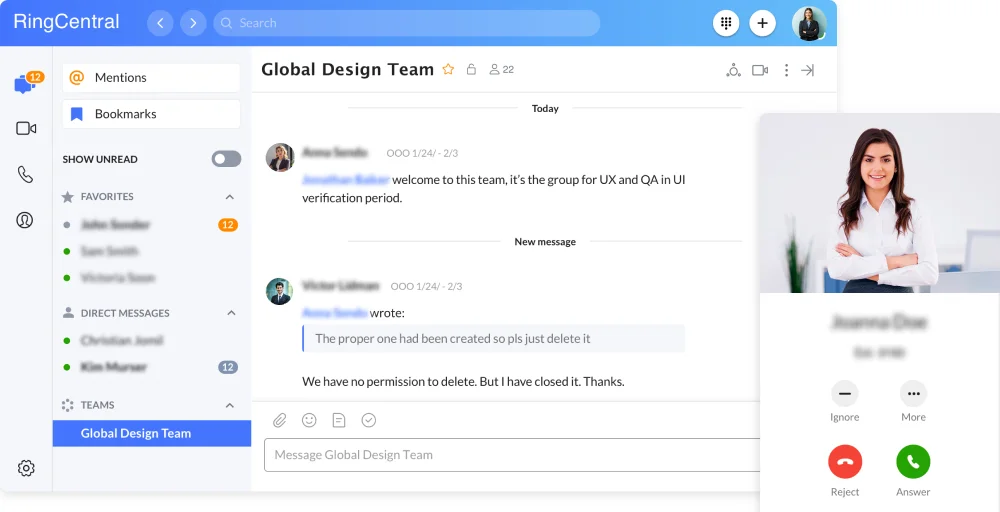
It combines voice, video, messaging, and contact center capabilities in a single platform, with deep CRM integrations, robust security and compliance features, and a global infrastructure that supports operations across dozens of countries.
For businesses that need serious scale and airtight reliability, RingCentral remains a top-tier choice.
Key features
- RingOut: Initiate voice calls directly from any application by highlighting a phone number on your computer and clicking RingOut to make the call.
- Bridge call appearance: Delegates can call on someone else’s behalf, place calls on hold, answer calls within the group, share a line, and join calls.
- Paging: Make announcements using your desk phone, computer, or mobile device.
- Heads-up display: Monitor the real-time presence status of up to 100 user extensions on both desktop and mobile.
- Answering rules: Direct calls to your local numbers from anywhere in the world by using advanced answering rules.
Pros & Cons
| Pros | Cons |
| Deep integrations with Salesforce, Microsoft 365, Google Workspace, and 300+ apps. | Steep learning curve for new admins. |
| Strong security compliance (HIPAA, SOC 2) and uptime SLAs. | Full feature access requires higher-tier plans, pushing costs up. |
| Industry-leading video, voice, and messaging in one platform. | Support quality varies by account tier. |
Pricing
RingCentral offers multiple pricing plans that cater to businesses of all sizes.
| Plans | Price (user/month, annually) | Best for |
| Core | $20 | HD voice, AI-noise cancellation, incoming caller ID, Shared lines |
| Advanced | $25 | Unlimited audio conferencing, Breakout rooms, Transcribe Calls |
| Ultra | $35 | Translate SMS texts, Cost center management, Call log reports |
| Customer Engagement Bundle | Contact sales | Call back from queue, Shared SMS inbox, Custom roles and permissions |
Best for
Mid-market and enterprise business tools that need a fully unified communications platform with deep integrations, global reach, and compliance capabilities.
6. Zoom Phone
Zoom Phone is the natural extension of Zoom’s dominant video conferencing platform into cloud telephony. If your organization already uses Zoom for meetings, adding Zoom Phone creates a genuinely seamless communication experience, with calls, meetings, and messaging all within a single, familiar interface.
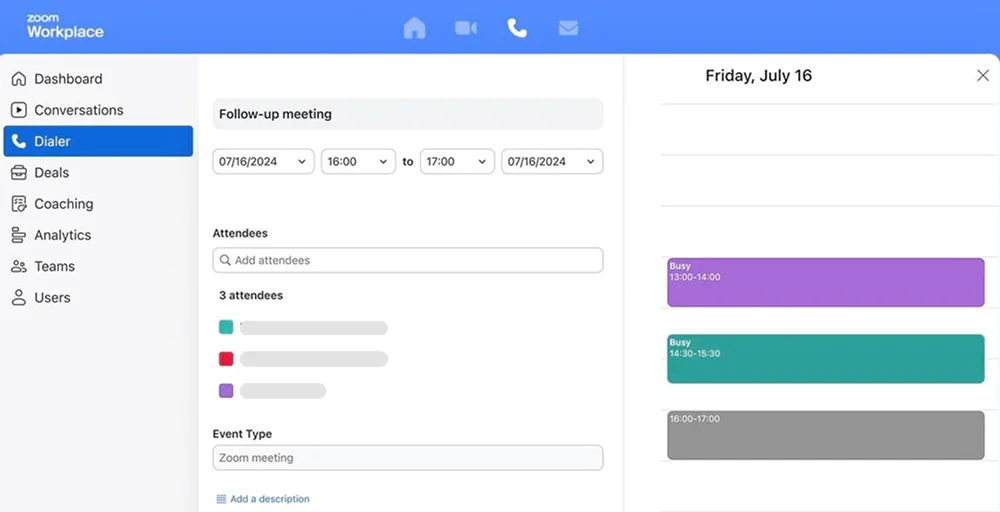
The platform delivers excellent call quality globally and a user-friendly experience that requires minimal training. However, businesses seeking a standalone phone system with advanced dialer tools may find it lacking beyond the Zoom ecosystem.
Key features
- Call Delegation: Grant administrative assistants the authority to make and receive calls on behalf of executives.
- Shared Line: A delegate can place a call on hold so a manager can easily see and retrieve it.
- Time Tracking: Facilitate customer billing based on call duration by assigning specific client codes to each call.
- Call Handling Panel: An always-accessible awareness panel assists your front office and help desk employees in managing call volume, along with a comprehensive contact presence directory for quick transfers.
- Quality Dashboards: Evaluate, troubleshoot, and diagnose issues related to Zoom Phone call quality and network performance.
Pros & Cons
| Pros | Cons |
| Frictionless integration with Zoom Meetings, zero context switching. | Weak standalone telephony if your team doesn’t already use Zoom. |
| High call quality on global routes. | Limited advanced dialer tools for inbound and outbound calls for sales teams. |
| Extremely familiar, easy-to-adopt interface. | Heavily dependent on the Zoom ecosystem for full value. |
Pricing
Zoom Phone offers three pricing plans, built for larger business needs.
| Plans | Price | Best for |
| US & CA Unlimited | $15 | Domestic SMS & MMS, Post-call summaries, Task extraction |
| Pro Plus | $18.33 | Unlimited in-meeting use, Instant messaging, Unlimited docs |
| Business Plus | $22.49 | Domestic online fax, Unlimited whiteboards, Device management |
Best for
Organizations already embedded in the Zoom ecosystem that want to consolidate video, voice, and messaging into a single platform.
7. Grasshopper
Grasshopper occupies a unique and valuable niche in the cloud telephony market: it’s built specifically for solopreneurs, freelancers, and very small businesses that want a professional business phone presence without investing in a full-featured (and full-priced) communications platform.
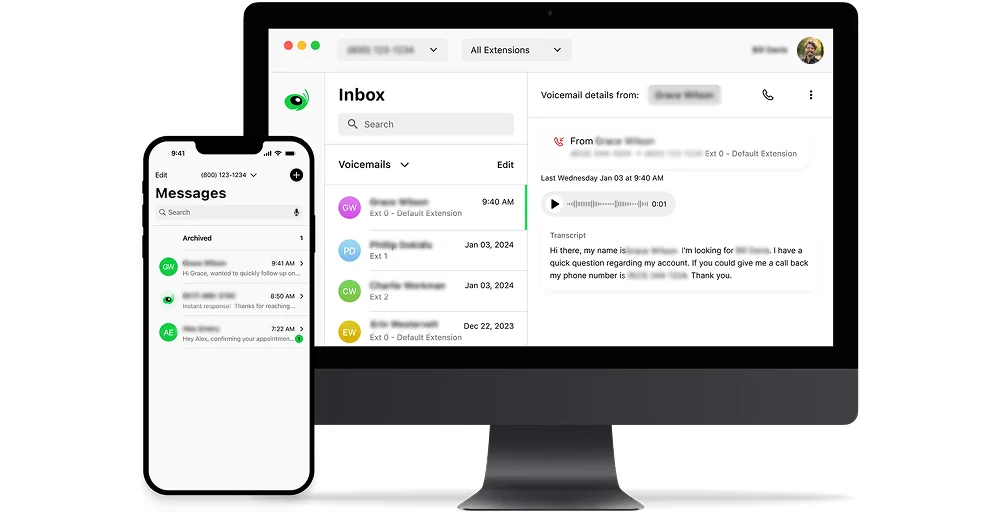
Setup takes minutes, pricing is flat and predictable, and you don’t need any technical knowledge to get started. It won’t scale to a 50-person sales team, but for a consultant who needs a dedicated business number with a virtual receptionist, it’s hard to beat.
Key features
- Call Blasting: Don’t keep customers on hold. Dial multiple phones simultaneously so that whoever is available can respond immediately.
- Voice Studio: Personalized greetings, delivered by professional voice talent, because the way you respond is important.
- International Calling: Connect with customers and partners worldwide at competitive rates.
- Virtual Receptionist: A virtual receptionist handles calls as a traditional receptionist would, helping small businesses maintain a professional image while reducing costs.
- Digital Listings Management: Ensure that your business hours, location, and contact information are consistent across all major platforms.
Pros & Cons
| Pros | Cons |
| Affordable flat-rate plans ideal for solos and microbusinesses. | Call reliability is occasionally inconsistent, according to user reviews. |
| Professional voice studio greetings elevate brand perception. | Not suited for contact center or high-volume sales use cases. |
| A virtual receptionist reduces missed calls. | No CRM integrations or API access. |
Pricing
Grasshopper offers 3 paid plans, a 7-day free trial, and pricing on a monthly or annual basis.
| Plans | Price (user/month, annually) | Best for |
| True Solo | $14 | Custom Greeting, Instant Response, Voice-to-text |
| Solo Plus | $25 | Shared Numbers, Phone Menu, Virtual Fax |
| Small Business | $55 | Multiple Numbers, Multi-user smart call routing, Call Tracking & Analytics |
Best for
Freelancers, solopreneurs, and small business owners who need a professional business phone line without the complexity or cost of a full cloud PBX.
8. AirCall
Aircall is purpose-built for sales and customer support teams that live inside their CRM. Unlike general-purpose cloud phone systems, it is designed from the ground up around integrations, particularly with Salesforce, HubSpot, Intercom, and Zendesk.
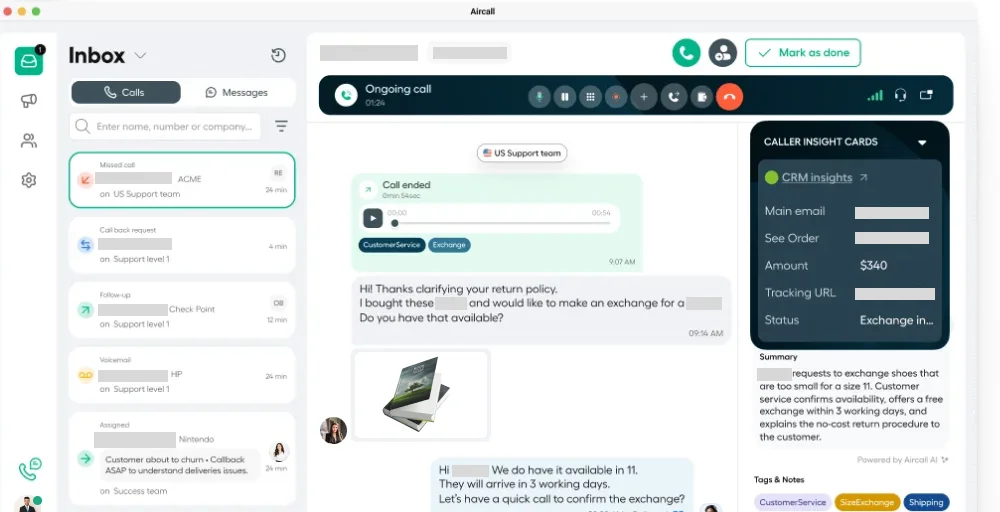
Every call is automatically logged, tagged, and enriched with CRM data, giving reps and managers a complete picture of every customer interaction. It’s not the cheapest option, but for teams where CRM hygiene is critical, the productivity gains justify the investment.
Key features
- Interactive Voice Response (IVR): Create an intelligent IVR system that directs callers to the appropriate teams on their first attempt.
- Warm Transfer: Permit your colleagues to communicate briefly with each other before handing off a live call.
- Unlimited Concurrent Calls: Make or receive any number of calls at the same time using the same phone number.
- Call Tags & Disposition Codes: Label calls to give your team the context needed for informed decisions and seamless follow-ups.
- Insight Cards: Gain additional context for each inbound call by integrating relevant information from other applications.
Pros & Cons
| Pros | Cons |
| Real-time activity feed gives managers clear visibility. | Limited standalone analytics without CRM connection. |
| Intuitive call insights and tagging improve team performance. | No built-in video conferencing. |
| Fast team adoption with minimal training needed. | Heavily dependent on integrations for full value. |
Pricing
Aircall offers three pricing plans: Essentials, Professional, and Custom.
| Plans | Price (user/month, annually) | Best for |
| Essentials | $30 | Call from any number, Ring Groups, Email reporting |
| Professional | $50 | Shared call inbox, Call whispering, Live call monitoring |
| Custom | Call for details | Mandatory tagging, Voicemail drop, Role-based permissions |
Best for
Sales and customer support teams that use Salesforce or HubSpot and need seamless call logging, CRM enrichment, and real-time coaching tools.
9. 8×8
8×8 is a robust, enterprise-grade cloud telephony service with a strong emphasis on compliance, contact center functionality, and high-volume calling. It’s a particularly good fit for regulated industries, healthcare, finance, and legal, where call recording, quality management, and emergency compliance aren’t optional.
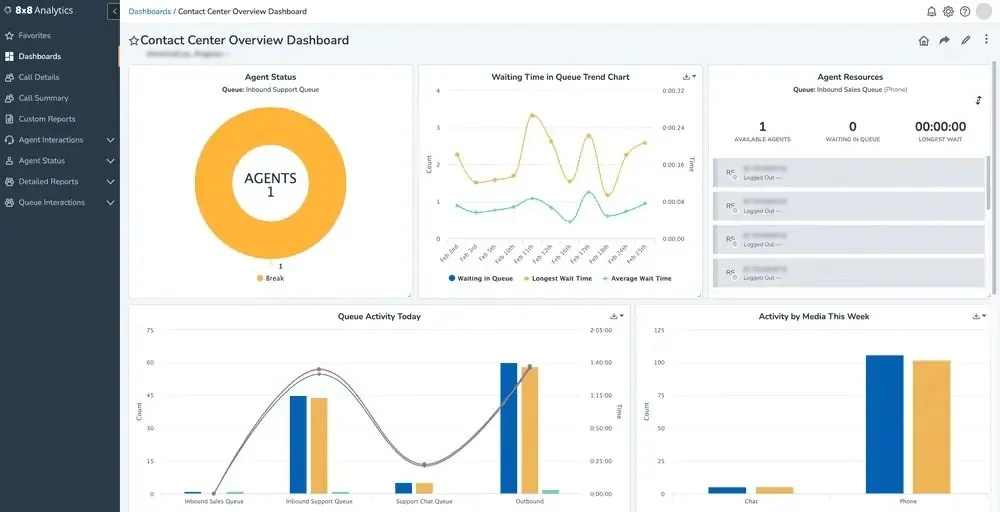
The platform’s auto dialer modes (predictive, progressive, and preview) support sophisticated outbound operations, and its paging and survey tools add layers of functionality rarely found on other platforms.
Key features
- Auto Dialer: Automated outbound calling is available in predictive, progressive, and preview modes.
- Phone Paging: Send one-way announcements to specific paging groups or organization-wide, compatible with supported devices.
- Post-Call Survey: A built-in survey tool lets you capture customer feedback and view scores in the Supervisor Workspace.
- QM Screen Recording: Record and archive screens for compliance, record keeping, training, and process improvement.
- Emergency Services Support: Compliant with Kari’s Law and RAY BAUM’s Act, we offer E112/999 location verification.
Pros & Cons
| Pros | Cons |
| Top-tier call quality with a strong global infrastructure. | The admin portal can feel clunky and dated. |
| Excellent compliance features for regulated industries. | Support quality varies by plan and region. |
| The post-call survey tool is built in. | Add-on costs accumulate quickly for full-featured deployments. |
Pricing
8×8 offers unified communications solutions and contact center products, but pricing is not publicly available; you need to contact their sales team.
| Plans | Price | Best for |
| Contact Center | Request a Quote | High-volume messaging, Omnichannel routing |
| CX Beyond Contact Center | Chat with Sales | Advanced queue management, Global coverage |
| Communications APIs | Request a Quote | Authentication and fraud, Messaging |
| Unified Communications | Chat with Sales | Receptionist Console, System analytics |
Best for
Enterprises and contact centers in regulated industries that require compliance-grade call recording, quality management, and advanced calling solution functionality.
10. GoTo Connect
GoTo Connect combines cloud voice, video conferencing, and messaging into a unified solution well-suited for distributed teams and offices that rely on flexible workspaces.
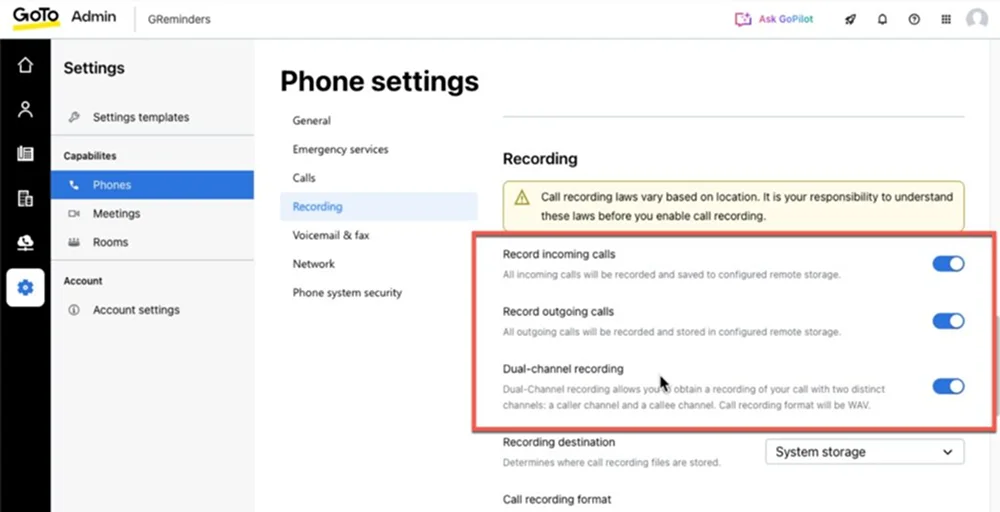
Its hot-desking capability stands out: employees can log in to any desk phone in any office and instantly have their personal settings, extensions, and automated call routing follow them.
Paired with solid video calling and an AI-powered live captions feature, GoTo Connect is a compelling all-in-one option for hybrid workplaces.
Key features
- Call Filtering: Enhance your communications by ensuring you only receive important calls, minimizing distractions, and improving focus.
- Hot Desking: Optimize your workspace with hot desking, allowing for flexible seating arrangements that boost collaboration and creativity among team members.
- HD Video Conferencing: Experience unparalleled clarity in meetings, making virtual interactions more engaging and effective.
- AI Live Captions: Improve accessibility and understanding during discussions with AI live captions, ensuring everyone stays informed regardless of their hearing abilities.
- Admin GoPilot: Streamline your administrative tasks with Admin GoPilot, allowing you to focus on what truly matters while enhancing productivity and efficiency.
Pros & Cons
| Pros | Cons |
| Hot-desking support is best-in-class for flexible offices. | SMS features are more limited. |
| Solid video and voice bundle reduces the tool. | Users report occasional service outages. |
| Responsive customer support is praised. | Pricing is not publicly listed and requires a sales conversation. |
Pricing
All GoTo Connect plans require a direct sales conversation for pricing, which varies based on team size and feature requirements.
| Plans | Price | Best for |
| Phone System | Contact Sales | Existing number porting, Call queues, and hot desking |
| Customer Experience (CX) | Contact Sales | Intercom, Paging, Virtual Fax Manager |
| Contact Center | Contact Sales | Attendant Console, Shared Inbox, Custom surveys |
Best for
Hybrid and distributed teams with shared office spaces that need flexible hot-desking, integrated video conferencing, and accessible communication tools.
11. Ringover
Ringover is a web-based cloud telephony system built for sales and customer-facing teams who spend their days calling from a browser. One-click call extensions for Chrome, Safari, and Firefox make initiating calls as simple as clicking a phone number on any webpage, a small feature that adds up to significant time savings across an entire sales team.
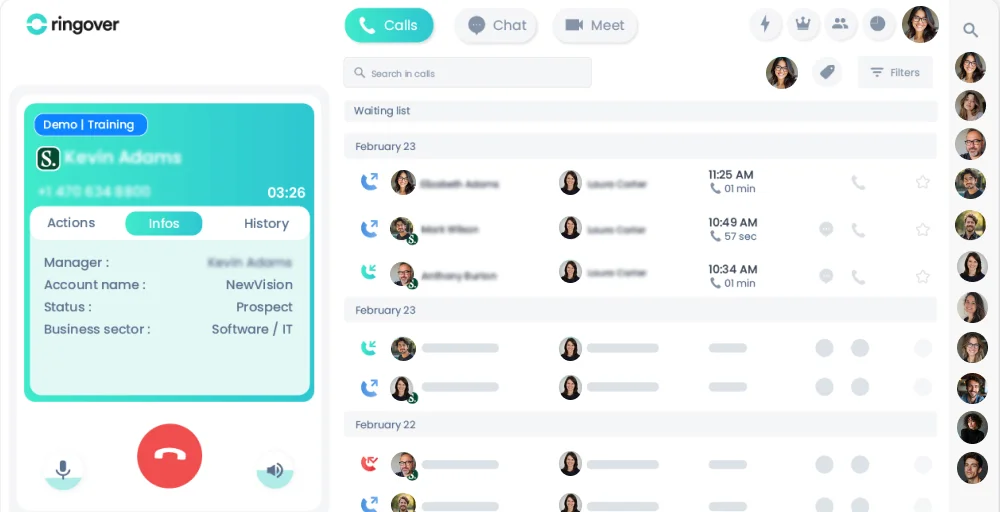
With strong performance dashboards and a clean interface, it’s a solid mid-market option for teams that value ease of use and actionable analytics.
Key features
- Extensions (click-to-call): The Ringover extensions for Chrome, Safari, and Firefox allow users to initiate a call with one click on any web page.
- Outbound Dialer: Ringover’s Outbound Dialer is designed to enhance the performance and productivity of complex call center operations, enabling them to concentrate on important conversations.
- Time-based routing: Calls can be routed based on predetermined times, accommodating opening hours, after-hours, and on-call periods.
- Advanced analytics: Users can access key insights into call activity and agent performance through clear, coherent diagrams.
- Screen Sharing: The screen-sharing feature facilitates improved communication and collaboration during meetings by allowing users to share their screens with colleagues.
Pros & Cons
| Pros | Cons |
| A browser extension makes click-to-call effortless. | Global number availability is more limited. |
| Strong performance dashboards for sales team management. | SMS glitches reported. |
| Multi-browser support (Chrome, Safari, Firefox). | Screen sharing is less polished than dedicated meeting tools. |
Pricing
Ringover offers a cloud-based VoIP phone system with three main pricing plans.
| Plans | Price (user/month, annually) | Best for |
| Talk | $15 | Call summary, Random/automatic call distribution, General blocklist |
| Business | $44 | After-Call Work, Video conference tags, Call whispering |
| Advanced | Customize your solution | Local presence dialing, Smart routing, Call campaigns |
Best for
Inside sales and customer-facing teams that work primarily from a browser and want a simple, click-to-call experience backed by solid performance analytics.
How to Choose the Right Cloud-Based Telephony Solution?
Selecting the right cloud-based business communications solution requires evaluating key factors such as scalability and integrations to align with your business needs, especially for remote teams.
1. Business size and scalability
Start with your team size, solos need simple plans like Grasshopper ($14/mo), while enterprises require RingCentral’s unlimited scaling. Check per-user pricing and easy add-ons to grow without downtime, as rigid slabs (e.g., Zoho) can trap SMBs.
2. Essential features
Prioritize VoIP, IVR, call recording, and dialers; KrispCall bundles these from $12, unlike add-on-heavy rivals. AI transcription and SMS enhance productivity, test if they fit sales/contact centers.
3. Pricing and transparency
Compare starting prices ($12-$30/user/mo) and hidden fees, such as overages; opt for all-in models to avoid surprises. Annual billing saves 15-20%, but factor in porting costs and trials.
4. Integrations and compatibility
Ensure CRM sync (Salesforce, HubSpot). Aircall excels here, boosting efficiency by 30%. Verify desktop and mobile apps and API openness for enhanced and custom call workflows.
5. Call quality and reliability
Look for HD voice, low latency, and 99.99% uptime; test international routes for global ops. User reviews on G2 highlight drops in cheaper plans.
6. Customer support and onboarding
Choose 24/7 live chat/phone over email-only; KrispCall’s fast response suits your analyses. Free migrations and demos ease setup.
Conclusion
Cloud-based telephony has made advanced features accessible to startups at affordable prices. The real decision is choosing the right platform that aligns with your team’s communication and service needs.
For budget-conscious startups and remote teams, KrispCall provides great value with global reach and SMS capabilities. Dialpad is ideal for AI-focused organizations wanting real-time insights, while Aircall is designed for sales and support teams using Salesforce or HubSpot. RingCentral remains the choice for larger enterprises needing compliance and a comprehensive communications suite.
Use the feature checklist and pricing comparison in this guide to narrow down to two or three options, then leverage free trials to assess call quality and usability before committing.
Frequently Asked Questions
Why switch to a cloud-based phone system?
Businesses switch to a cloud-based phone system to offer cost savings by eliminating expensive hardware and maintenance fees. They provide scalability, advanced features such as call forwarding and voicemail-to-email, and support for remote work on any internet-connected device.