Businesses rely heavily on cloud-based phone systems to manage customer conversations, support teams, and global calling. While AVOXI is a well-known provider of cloud contact center solutions and international virtual phone numbers, many businesses seek alternatives that offer better pricing, enhanced features, or easier integrations.
Whether you run a startup, a growing sales team, or a large enterprise contact center software, choosing the right communication platform can significantly impact productivity, customer experience, and responsive customer support.
In this guide, we explore the best Avoxi alternatives in 2026, comparing their pricing, features, strengths, and ideal use cases to help you find the right AVOXI replacement for your business.
✨ The best Avoxi alternatives
- KrispCall: Best for budget-conscious teams needing global numbers.
- JustCall: AI-powered sales and support teams.
- Talkdesk: Best for enterprise contact centers.
- 8×8: Large businesses needing UCaaS + CCaaS.
- Aircall: Customer-facing sales teams with CRM workflows.
- Yeaster: Businesses needing hybrid cloud/on-premise PBX.
- Ringover: Remote teams wanting VoIP + video + analytics.
- Vonage: SMBs with flexible domestic calling needs.
- Nextiva: Multi-location teams needing all-in-one UCaaS.
- Quo: Startups and small teams replacing personal numbers.
Why small businesses look for a Avoxi alternative?
Although AVOXI is a powerful contact center platform, small businesses often seek alternatives due to rising costs, complex pricing structures, and a desire for more specialized, user-friendly features.
Here are some common reasons companies explore cloud call center alternatives to Avoxi:
- High pricing for smaller teams: Avoxi’s pricing is often geared toward enterprise customers, which can make it expensive for startups or SMBs seeking simpler VoIP providers.
- Complex setup and onboarding: Some businesses report that configuring numbers, integrations, or routing workflows may require more configuration and custom integrations with modern cloud phone systems.
- Limited unified communication features: While Avoxi excels in contact center capabilities, inbound and outbound calls, some businesses prefer platforms that integrate voice, messaging, video, and collaboration tools into a single interface.
- Growing need for AI-driven communication tools: Many newer call center tools or VoIP systems now offer AI call summaries, analytics, coaching, and automation, which are becoming essential for modern sales and support teams.
The top 10 alternatives to Avoxi, ranked for small businesses
Based on market research on VoIP, cloud communications, and international calling, AVOXI is frequently replaced by platforms that offer more robust AI, tighter CRM integrations, or better pricing transparency for small- to medium-sized businesses (SMBs).
The following are the top 10 AVOXI competitors, ranked for small-business needs, with a focus on international reach, ease of use, and feature sets.
| Provider | Starting price | Best for | What stands out for | G2 Review |
| KrispCall | $12 /user/month | SMBs & remote teams | Affordable global numbers + unified inbox | 4.5/5 |
| JustCall | $29 /user/month | Sales teams | AI-powered calling workflows | 4.3/5 |
| Talkdesk | $85 /user/month | Enterprise | Advanced AI contact center automation | 4.4/5 |
| 8×8 | Chat with sales | Large businesses | UCaaS +CCaaS platform | 4.1/5 |
| Aircall | $30 /license/month | Customer-facing teams | CRM integrations and call analytics | 4.4/5 |
| Yeastar | Contact sales | Hybrid deployments | Cloud + on premise PBX flexibility | 4.5/5 |
| Ringover | $21 /user/month | Remote teams | VoIP + video collaboration tools | 4.6/5 |
| Vonage | $13.99 /month/line | SMBs | Flexible domestic calling plans | 4.3/5 |
| Nextiva | $15 /user/month | Multi-location users | Unified communications + CX tools | 4.5/5 |
| Quo | $15 /user/month | Startups | Simple collaborative phone system | 4.7/5 |
1. KrispCall
KrispCall is a top-tier Avoxi alternative, offering a reliable, affordable cloud-based phone system with an intuitive design and robust features. It delivers a secure, scalable virtual phone system for business calling and texting solutions ideal for teams of all sizes.

KrispCall stands out for its performance, ease of use, and value-driven, transparent pricing. It supports virtual phone numbers, call routing options, toll-free numbers, and strong integration capabilities, enabling teams to support global operations without complex infrastructure.
What makes KrispCall the best alternative to Avoxi?
KrispCall is an advanced telephony solutions known as one of the top alternatives to Avoxi due to its modern approach to unified communications, particularly for small- to medium-sized enterprises and remote teams.
- Unified Callbox: KrispCall stands out with its unified interface that combines calls, SMS, MMS, and voicemails into a single timeline, simplifying conversation tracking compared to Avoxi’s separate features.
- Pricing & transparency: It’s also more budget-friendly, starting at $12 per user/month, making it accessible for smaller organizations, unlike Avoxi’s enterprise-focused pricing.
- AI-enhanced features: With advanced AI features like call coaching and live call monitoring, KrispCall helps agents in real-time, while Avoxi focuses on call center analytics.
- Ease of setup: KrispCall allows rapid setup of international numbers in over 100 countries, whereas Avoxi may involve longer lead times and more paperwork for number porting.
KrispCall pricing
KrispCall offers three key pricing tiers, with the essential plan starting at $12/user/month, billed annually.
| Plans | Annual price (per user/month) | Key feature set |
| Essential | $12 | Unified Callbox, Pin Contact, Pin Message |
| Standard | $32 | Recording, Playback, Fast Forward, SMS Filter |
| Enterprise | Custom | Call History, Voicemail, Bulk Contact Import |
KrispCall’s standout features
- Call forwarding: This automates the process, allowing users to forward incoming calls to mobile devices, landlines, or specific team members.
- Phone Tree (IVR): Allow businesses to create custom, automated menus with keypad inputs to route callers to the correct agent or department.
- Voicemail Drop: This feature allows sales agents to instantly leave a prerecorded, professional voicemail with one click when a call goes to voicemail.
- Bulk SMS: Enables users to send high-volume, personalized text messages to hundreds or thousands of recipients simultaneously.
- Internal Message Thread: While the platform heavily promotes a “Unified Callbox” for managing all customer interactions (calls, SMS, voicemails) in one place.
KrispCall Pros
- KrispCall offers virtual numbers, including local, toll-free, and mobile, in over 100 countries.
- You can manage SMS, voice, and call logs in one place.
- It has an intuitive interface.
KrispCall Cons
- Some users have reported instability or dropped calls during peak times.
- There is limited or delayed call analytics.
- You need to upgrade your plans to get advanced features.
What users say about KrispCall
G2Review: The support before and the live support has been brilliant! The ease of using an Australian number to call Australian businesses is a game-changer for me as i live in Spain…OZ Folks don’t pick up European numbers often. Thanks for this amazing set up. My pick up call rates have jumped from 3.45% to 35% on cold outreach alone.
- Craig M. , Co-Founder, Small-Business (50 or fewer emp.)
Best for
Small businesses, startups, and remote teams need affordable international virtual numbers and an easy-to-use cloud phone system.
2. JustCall
JustCall is well-suited for sales and support teams looking to enhance their communication workflows with AI-powered features. It offers robust calling automation and intelligent tools that streamline customer interactions.
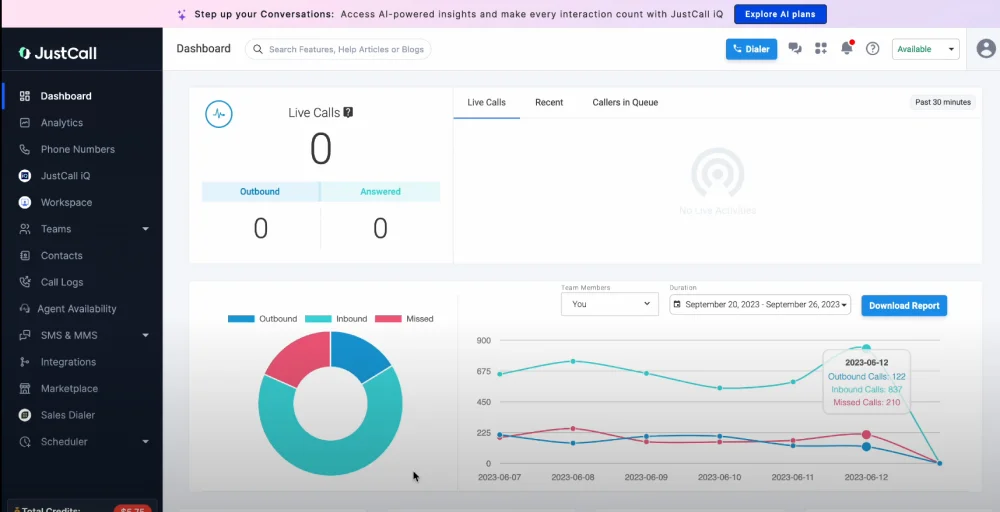
JustCall stands out for its user-friendly interface, cost-effectiveness, and advanced AI capabilities, including real-time analytics and smart routing. Its flexibility in integration and focus on scalability make it ideal for growing businesses.
JustCall’s standout features
- Intelligent routing: You can direct calls according to your team’s workload. Select the order in which multiple phones ring while calls are routed, either simultaneously or in succession.
- Outbound dialer: A complete solution for automated outbound calling that enhances outreach efficiency and boosts revenue.
- SMS integrations: Effortlessly integrate automated text messaging with nearly all major business communication platforms, including Hubspot, Slack, Zapier, and others.
- Team analytics: Gain access to detailed data that shows the activities of each team member over the past 24 hours.
- AI voice agent: Maximize missed revenue by capturing leads and blocking calendar appointments around the clock.
JustCall pricing
JustCall pricing is primarily structured for sales and support teams.
| Plans | Annual price (per user/month) | Key feature set |
| Team | $29 | Unlimited outbound calling, Caller ID, Voicemail |
| Pro | $49 | Contacts, SMS analytics, Blacklist calls |
| Pro Plus | $89 | Email and SMS workflows, Custom AI scorecards |
| Business | Request a Quote | AI call scoring, Power dialer, Phone number extensions |
JustCall pros
- Its AI voice agent enhances call handling and routing.
- This provides fully functional apps for remote team communication.
- Its platform is intuitive, allowing quick onboarding with advanced call management.
JustCall cons
- It includes call dropping and unconnected dials during network problems.
- You may encounter call issues, such as missing notifications and glitches that affect call visibility.
- The platform requires at least two users and annual billing for the best rates.
Best for:
Sales and customer support teams that rely heavily on CRM integrations and need AI-powered dialers, automation, and advanced analytics.
3. Talkdesk
Talkdesk is a premium, AI-driven cloud contact center platform (CCaaS) that uses AI to enhance customer interactions and boost agent performance and productivity. It caters to large enterprises with a scalable solution.
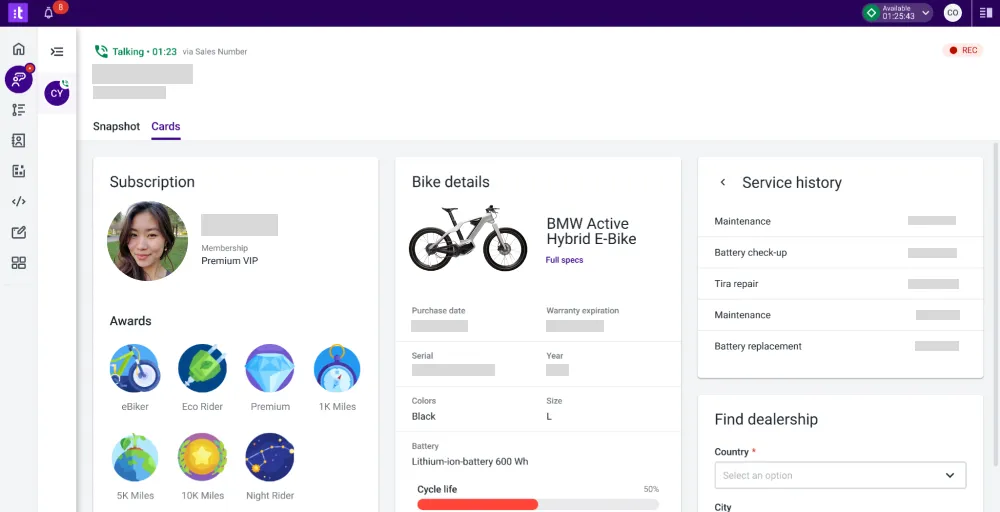
Its strong AI-driven insights and integration capabilities make it a compelling choice for organizations seeking advanced automation and performance tracking. This also excels in enterprise-grade functionality and innovation.
Talkdesk’s standout features
- Automated workflows: This reduces manual, repetitive tasks, thereby minimizing human error and reducing after-call work.
- Call barging: It is a part of the Call monitoring suite, specially designed to improve quality assurance and agent training.
- Local caller ID: This option chooses the most appropriate phone number and area code to show on your outbound caller ID when making calls.
- Voicemail: Stay informed about the company through voicemail transcription, notifications, metrics, and task assignment.
- Real-time Dashboards: This feature provides instant, actionable insights into the contact center’s performance.
Talkdesk pricing
Talkdesk offers four tiered plans ranging from $85 to $225 per user/month.
| Plans | Annual price (per user/month) | Key feature set |
| Digital Essentials | $85 | Studio & Routing, Guardian, API Access |
| Voice Essentials | $105 | Voicemail Transcription, Speech Recognition, CXA |
| Elite | $165 | Screen Recording, Custom Reporting with Live & Explore |
| Industry Experience Clouds | $225 | Performance Management, Automated Notifications |
Talkdesk pros
- Taking notes during calls is easy with Talkdesk, which also simplifies reviewing call logs and gathering data.
- Its extensive integrations enhance customer service and operational efficiency.
- The setup was quick, allowing agents to start taking calls with minimal training.
Talkdesk cons
- Here, you may encounter technical issues such as dropped calls, poor audio, and system glitches.
- Dashboard sharing and messaging capabilities are missing here.
- Connection issues may affect call quality and cause missed calls or alerts.
Best for:
Large enterprises running complex contact centers that require advanced AI automation, workforce management, and analytics.
4. 8×8
8×8 is a comprehensive, cloud-based communication platform known as a combination of UCaaS and CCaaS, designed for businesses of all sizes. It offers integration capabilities and compliance while seeking to combine VoIP, video communications, and contact center services.
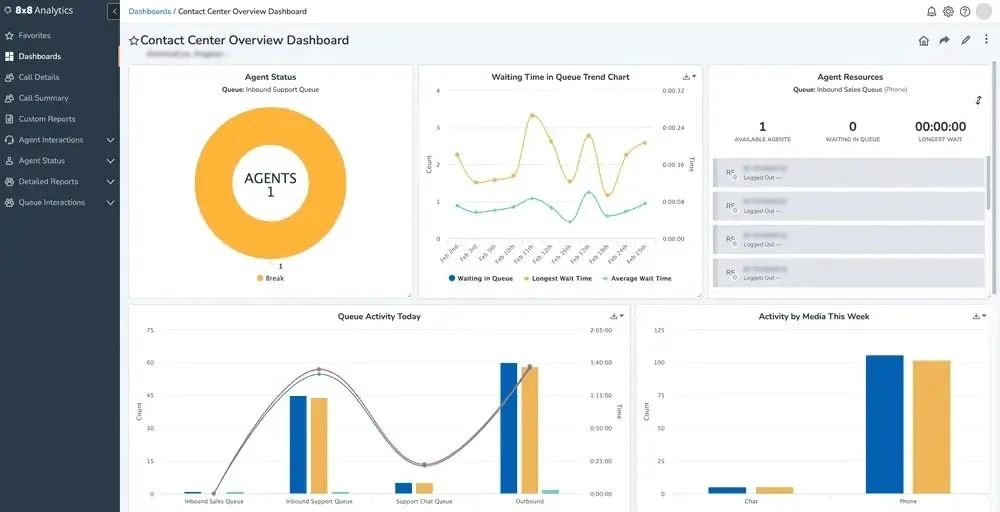
It supports SIP trunking and Internet fax, making it suitable for businesses seeking scalable, integrated telecom platforms.
8×8’s standout features
- Omnichannel routing: Connects interactions across voice, chat, email, SMS, and social media onto one platform, allowing agents to manage up to 13 interactions at once.
- Proactive messaging: Enables businesses to send personalized, one-to-many SMS or WhatsApp notifications to customers for updates, promotions, or alerts.
- Outbound campaigns: Boosts agent productivity through automated dialing and CRM integration, directing live-answered calls to agents.
- Workforce engagement management: Provides tools to optimize staffing, improve service quality, and empower agents through scheduling and performance analytics.
- AI-enabled self-service: Uses conversational AI via the intelligent customer assistant to help customers resolve inquiries on voice and digital channels without needing a live agent.
8×8 pricing
All business communication plans for the 8×8 contact center offer custom pricing. So, try to contact their sales team for detailed pricing.
| Plans | Annual price (per user/month) | Key feature set |
| Contact Center | Chat with Sales | AI-Enabled Self-Service, Omnichannel Routing |
| CX Beyond the Contact Center | Reques a quote | Conversational Intelligence, Team Lead Analytics |
| Communications APIs | Chat with Sales | High-Volume SMS, Authentication, and Fraud |
| Unified Communications | Request a Quote | Receptionist Console, System Analytics |
8×8 pros
- This offers unlimited calling to at least 14 countries.
- Its app lets you make phone calls worldwide.
- With its “Flip” feature, you can flip your desk phone call to a mobile app with just a button press.
8×8 cons
- Here, you can store communications for a limited time only.
- You may often lose calls while transferring them or get disconnects before answering the call.
- One of the diffiuclt thing here is that you cannot text groups.
Best for:
Large organizations seeking a unified platform that combines UCaaS and CCaaS for global teams.
5. Aircall
Aircall is an AI-powered customer communications platform that unifies phone, email, and chat channels, automates tasks, and delivers actionable insights. It emphasizes team collaboration, call analytics, and AI-powered insights.
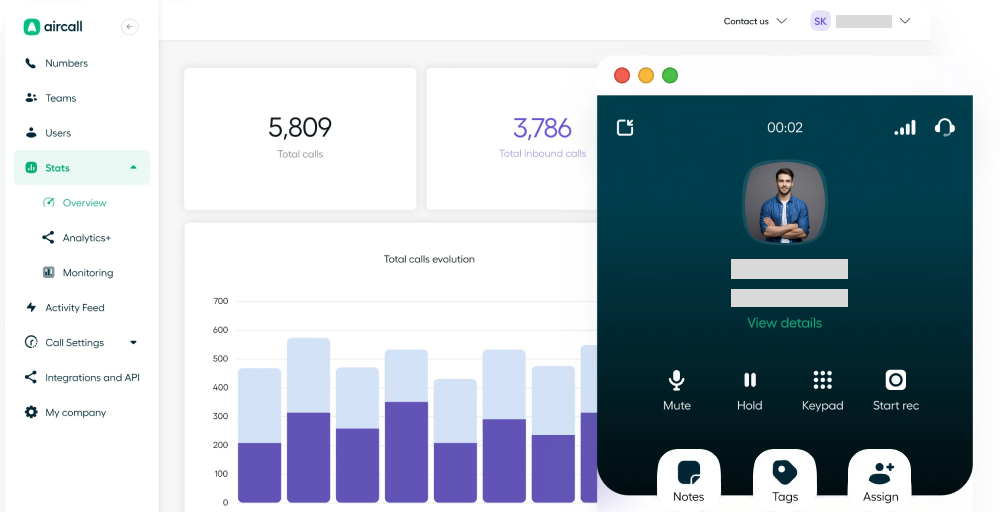
It offers high-quality voice communication with excellent sound clarity, making it ideal for customer-facing teams. Aircall’s global reach and enterprise-grade performance make it a preferred choice for growing businesses seeking a reliable, modern cloud phone system.
Aircall’s standout features
- Contact synchronization: Aircall automatically syncs contacts from CRMs, ensuring agent records are always accurate and eliminating duplicate entries.
- Warm transfer: Agents can use the “talk first” feature to brief teammates on customer context before completing a transfer, significantly reducing customer effort and improving resolution speed.
- Virtual call center: Aircall provides a 100% cloud-based platform that lets teams manage calls from anywhere, on any device, without physical hardware.
- Ring groups: Users can create custom teams based on skills, languages, or roles, enabling flexible, efficient, and targeted inbound call distribution.
- Call conference solution: The platform enables collaboration by allowing users to add participants to a live call, creating a three-way conversation for faster decision-making.
Aircall pricing
Aircall’s pricing structure is built around three core tiers.
| Plans | Annual price (per user/month) | Key feature set |
| Essentials | $30 | Call queuing, Shared contacts, Live monitoring |
| Professional | $50 | IVR (Vocal server), Queue Callback, Ring groups |
| Custom | Custom | Conference calls, Mandatory tagging, Parallel calls |
Aircall pros
- Aircall has an easy setup and can be used without advanced technical expertise.
- This can automatically sync with automated call logging and data syncing.
- It can enable fully functional mobile and desktop apps, providing flexibility for remote work.
Aircall cons
- There are issues with audio lag, dropped calls, or inconsistent audio quality.
- It has limited hardware support.
- Users have reported slow or ineffective customer service and unresolved billing disputes.
Best for:
Customer-facing teams, especially sales and support teams that rely heavily on CRM tools such as Salesforce or HubSpot.
6. Yeaster
Yeaster is a unified communications solution that offers a cloud-based PBX, integrating voice, video, messaging, and CRM across cloud and on-premises environments. It excels at scalable, enterprise communication platforms suitable for businesses of all sizes.
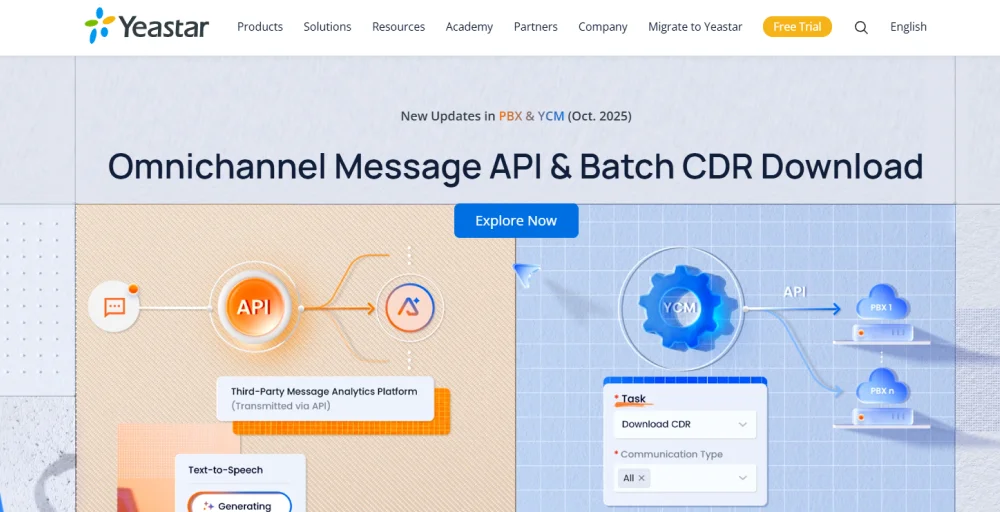
Yeastar is a versatile, feature-rich option for businesses seeking a powerful AVOXI alternative with greater customization and on-premise/cloud hybrid support. With a focus on ease of use and seamless integration, Yeastar supports modern workplace collaboration needs.
Yeaster’s standout features
- Auto-attendant: This directs calls to the right person or department without needing a live agent.
- Call Back: Allow callers waiting in a queue to hang up and receive a call back when an agent becomes available, preserving their position.
- Dial by Name: Allow callers to reach employees by entering the first three letters of their name on their phone keypad, making it easy to connect with staff without knowing their extension number.
- Voicemail Transcription: Uses AI to convert voicemail messages into text, which can be sent to emails or viewed.
- Number Masking: Protects privacy by obscuring the caller ID with asterisks, allowing employees to call customers without exposing their personal numbers or the company’s direct lines.
Yeaster pricing
Yeastar does not publicly list fixed per-user pricing, as costs vary by deployment type (cloud vs. on-premises) and team size.
| Plans | Annual price (per user/month) | Key feature set |
| Enterprise | Contact sales | Call Center, ACD, Skill-based routing, Omnichannel SMS & WhatsApp |
| Ultimate | Contact sales | Video conferencing (WebRTC), CRM platforms integration, Hotel PMS integration |
Yeaster pros
- It provides built-in video conferencing, operator panels, and the Linkus Unified Communications app for mobile/desktop.
- The Yeastar P-Series PBX system ensures customer engagement and satisfaction.
- This integrates seamlessly with various platforms and tools.
Yeaster cons
- It has limited video conferencing and insufficient integration with other applications.
- This has only limited extension use.
- Limited support for automatically setting up phones that are not from specific brands like Yealink or Snom.
Best for:
Businesses need a hybrid communication system that combines cloud capabilities with on-premise PBX hardware.
7. Ringover
Ringover is a leading business phone system built on VoIP technology, designed to help sales and support teams manage voice, video, and SMS messaging. It enhances team collaboration with AI-powered communication tools, enabling seamless connectivity for teams, clients, and partners across global locations.
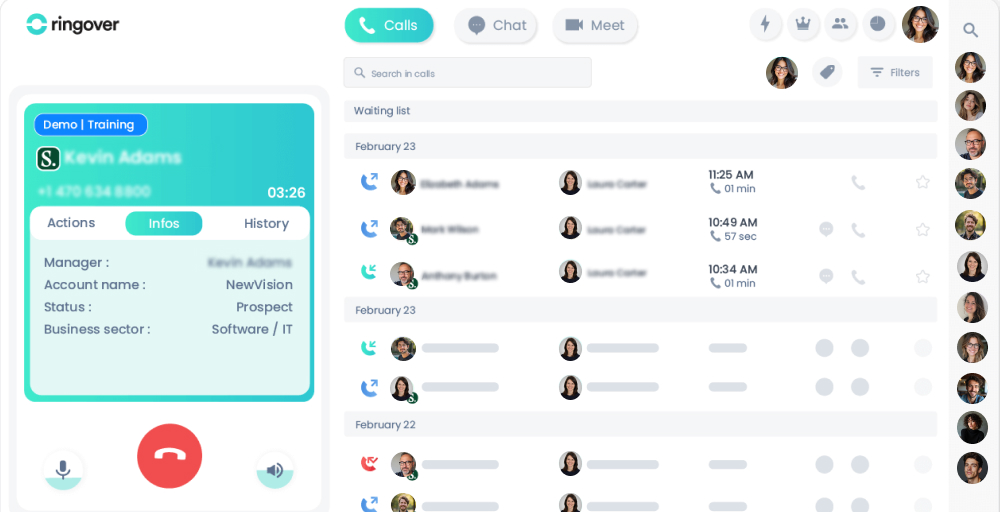
This boosts contact center performance while supporting remote and hybrid work environments. Its call center features include an intuitive, all-in-one interface. Offering advanced call routing, AI-powered transcriptions/summaries, and seamless CRM integrations to boost productivity.
Ringover’s standout features
- Screen sharing: Enhance communication and collaborate more effectively during meetings by displaying your screen for colleagues.
- VoIP phone: Consolidate your communications with Ringover’s range of advanced VoIP desk phones and softphones.
- Group routing: Organize teams and direct incoming calls to them based on their area of expertise.
- After call: Utilize automatic ACW to make the most of the time spent evaluating each call and sharing information more effectively.
- CTI Screen Pop: Access important caller details and history instantly with CTI screen pop and pre-configured CRM integration.
Ringover pricing
Ringover offers three main pricing plans. They are:
| Plans | Annual price (per user/month) | Key feature set |
| SMART | $21 | Call summary, Number porting, Call transfer |
| BUSINESS | $44 | Smart routing, Click-to-call, Video conferencing |
| ADVANCED | Customize your solution | Call whispering, Onboarding portal, After-call work |
Ringover pros
- Here, you get clear, reliable audio quality even during peak times.
- It offers local numbers in more than 65 countries.
- This includes advanced features such as analytics, call monitoring, and smart IVR.
Ringover cons
- Its entry-level plan has fewer features than the advanced plans.
- There are issues with staying logged in on the mobile app.
- You get occasional technical issues during the time of call.
Best for:
Distributed and remote teams that want VoIP, video meetings, and AI-powered call insights in one platform.
8. Vonage
Vonage is a global communication platform that offers unified communications (VBC), contact center solutions, and communication APIs for businesses of all sizes. It enables businesses to integrate voice, messaging, video, and data services seamlessly across desktop and mobile apps.
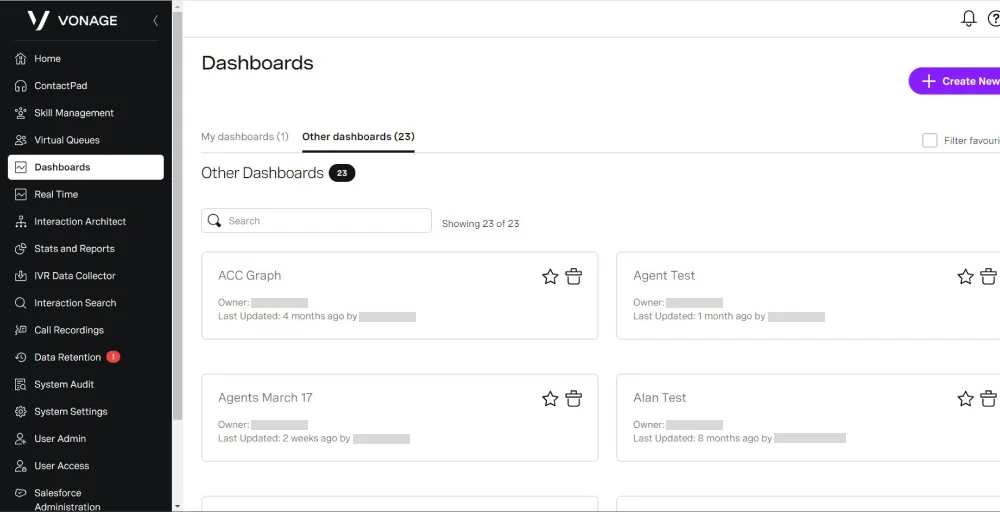
Known for its reliability and ease of use, Vonage supports unlimited domestic calling and empowers organizations to customize communication workflow automation. Its integrated ecosystem brings together enterprise-grade tools under one roof, enhancing connectivity and productivity for modern teams.
Vonage’s standout features
- Busy Lamp Field: Empower your business to identify which phones on your network are currently in use with Vonage’s Busy Lamp Field feature.
- Conference Bridge: Seamlessly organize virtual conferences and establish a secure online environment for participants with Vonage’s conference bridge functionality.
- HD Voice for Phone Calls: Experience superior call clarity on mobile, desktop, and landline phones with HD voice technology.
- IP Phone Paging System: Announce updates or messages to up to 500 recipients who can listen via their phones.
- Receptionist Console: Vonage’s Receptionist Console is designed to assist companies that handle a high volume of calls daily. Available exclusively in the US and UK.
Vonage pricing
Vonage structures its pricing across three plans, with per-line monthly rates that decrease as you add more users.
| Plans | Annual price (per user/month) | Key feature set |
| Mobile | $13.99 | Virtual receptionist, SMS and MMS, VBC Admin Portal |
| Premium | $20.99 | Desk Phone, Single Sign-On, Vonage Meetings |
| Advanced | $27.99 | On-Demand Call Recording, Visual Voicemail, Call Groups |
Vonage pros
- Vonage provides a user-friendly admin portal for SMBs to manage extensions, call flows, and billing.
- It integrates with popular tools like Salesforce and Microsoft Teams, making it ideal for customer-facing teams.
- The platform offers unlimited domestic calling across various devices and scales pricing as you add users.
Vonage cons
- Users often face issues with mobile apps, including missed notifications, delayed alerts, and repeated sign-in prompts.
- Customer support varies in quality, with reports of long wait times and unresolved complaints.
- Additionally, features such as on-demand call recording and visual voicemail are available only on the pricier Advanced plan.
Best for:
Small and mid-sized businesses that need reliable domestic calling with flexible scaling and strong integrations.
9. Nextiva
Nextiva is a leading cloud-based unified communications (UCaaS) and customer experience management platform that consolidates voice, video, team messaging, SMS, and AI-powered analytics into one interface. It’s designed to optimize every stage of the customer journey, offering scalability and flexibility for businesses of all sizes.
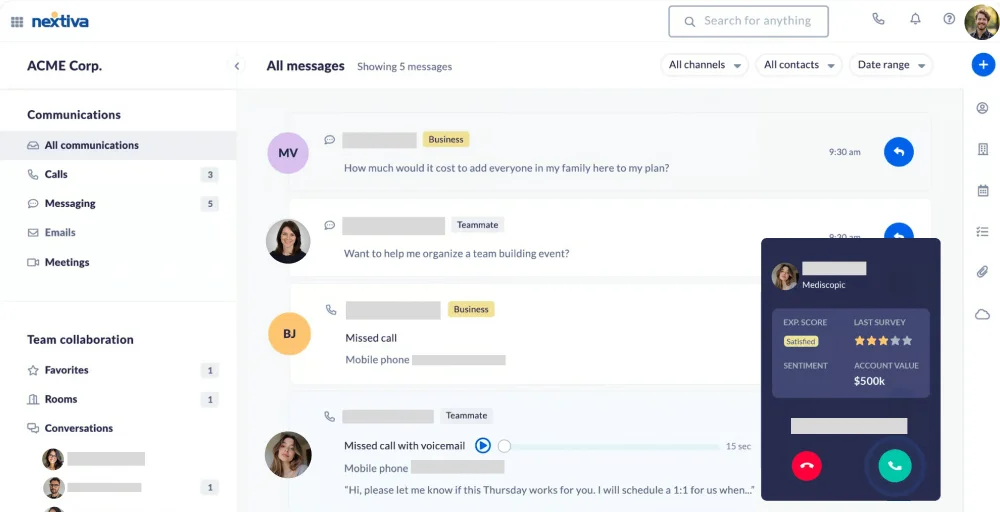
Nextiva supports seamless transitions between tiers. Users praise its intuitive interface and strong value, though some note its focus leans more toward contact center functionality than traditional VoIP services.
Nextiva’s standout features
- Call Park: Allows agents to place calls on hold in a virtual spot for any team member to pick up, great for busy offices.
- Do Not Disturb Mode: Blocks incoming calls and notifications during focus time or off-hours and reroutes callers based on settings.
- Custom Ringback: Plays a branded audio clip or recording to callers instead of generic ringing, enhancing professionalism.
- VoIP Switchboard: Provides a visual dashboard for receptionists to manage live calls, extensions, and transfers in real time.
- Anonymous Call Rejection: Automatically blocks calls from private or unidentified numbers, reducing spam and interruptions.
Nextiva pricing
Nextiva offers three clearly defines plans, starting at an accessible entry price and scaling up to advanced ones.
| Plans | Annual price (per user/month) | Key feature set |
| Core | $15 | Screenshare & file share, Business SMS, Mobile app |
| Engage | $25 | Advanced reporting, Web chat; Live & bot, Customer-to-team SMS Messaging |
| Power Suite CX | $75 | AI transcription & summarization, Voice & web chat |
Nextiva pros
- Call quality is consistently clear and reliable, even for remote teams handling high volumes.
- The platform unifies voice, SMS, video, and messaging into a single dashboard, minimizing the need for multiple tools.
- Nextiva’s strong customer support is well-regarded for its 24/7 availability and quick resolution times.
Nextiva cons
- Advanced features, such as Salesforce and HubSpot integrations, are limited to higher-tier plans.
- Some users find the desktop app slow on older machines and note a steep learning curve for certain settings.
- Contracts auto-renew, and users have reported difficulties with cancellation, including being billed for additional terms after requesting cancellation.
Best for:
Growing businesses with multiple locations that need a unified platform for voice, messaging, video, and customer experience management.
10. Quo (Formerly OpenPhone)
Quo is an AI-powered, budget-friendly, cloud-based business phone system designed for startups and SMBs. It integrates calls, texts, and contacts into a shared, collaborative workspace, enabling teams to stay aligned and respond quickly.

With built-in collaboration features and a user-friendly interface, Quo enhances productivity while maintaining a professional phone system. Its focus on affordability and seamless integration makes it ideal for businesses seeking efficient, scalable communication tools without complex setups.
Quo’s standout features
- Business SMS & MMS: Quo offers a dedicated business number for SMS and MMS, ensuring personal and professional communications are distinct.
- Simultaneous ring: Incoming calls can ring multiple devices at once, ensuring no call is missed.
- Call summaries: After each call, Quo’s AI generates a summary with key points and action items, reducing manual note-taking.
- Text messaging CRM: A unified view of contacts, call histories, and text threads provides context for customer interactions.
- Automatic call recording: Calls are automatically recorded with transcripts available on higher-tier plans for easy review.
Quo pricing
Quo offers one of the most transparent pricing, with three flat-rate per-user plans.
| Plans | Annual price (per user/month) | Key feature set |
| Starter | $15 | Internal threads, AI contact suggestions, Contact notes |
| Business | $23 | Voicemail transcripts, Group messaging, Phone menus |
| Scale | $35 | Auto-replies, Ring order, Basic call forwarding |
Quo pros
- Setup is quick and hardware-free, perfect for lean startups and remote teams.
- The shared inbox provides full visibility into customer conversations, ensuring no follow-ups are missed.
- Pricing is clear with a per-user monthly fee and a 7-day free trial on all core plans.
Quo cons
- Call reliability can be inconsistent on weak internet connections.
- SMS delivery requires carrier registration through The Campaign Registry, which can be confusing for smaller teams.
- The platform also lacks native desk phone support and advanced contact center features.
Best for:
Startups and small teams that want a simple, collaborative phone system to replace personal phone numbers.
Which Avoxi alternative is best for you?
The right choice really depends on the size of your team, your budget, and the features you prioritize most.
- For small businesses, startups, or teams looking to replace personal numbers, KrispCall offers the most accessible entry points, with solid core features and simple onboarding.
- If you’re running a large enterprise contact center and need AI-driven automation, workforce management, Talkdesk, or 8×8 is built for that level of complexity. Both offer enterprise-grade reliability but come with a steeper price tag and setup time.
- For sales and support teams that live inside a CRM and need outbound dialers, JustCall and Aircall are strong contenders. Both are purpose-built for revenue teams with deep integration ecosystems.
- If your priority is unified communications across voice, video, and messaging, Vonage, Ringover, and Nextiva each offer well-rounded platforms that go beyond just calling.
- If you need on-premise or hybrid PBX flexibility, Yeastar remains one of the few providers that genuinely supports both cloud and hardware deployments without compromising on features.
Why choose KrispCall over Avoxi?
If you’ve been using Avoxi, there’s a good chance you’re paying more than you need to, and getting less flexibility in return.Between KrispCall and Avoxi, KrispCall offers a compelling upgrade path: it’s more affordable, easier to set up, and designed for modern teams that need to move fast without getting locked into enterprise contracts.
| Features | KrispCall | Avoxi | The difference |
| Starting Price | $12/user/month | $14.99/month | KrispCall is significantly more affordable. |
| Unified Inbox | Yes | Limited | KrispCall combines calls, SMS, and voicemails in one timeline |
| International Numbers | 100+ countries | Global coverage | Both offer global numbers, but the KrispCall setup is faster |
| AI Features | Call coaching, monitoring | Call analytics | KrispCall focuses more on agent productivity |
| Setup Time | Quick self-service setup | Often requires configuration | KrispCall is easier for smaller teams |
| Best Fit | SMBs & startups | Enterprises | KrispCall is more accessible for growing teams |
Switch to KrispCall today and start saving on every user, every month. Get your international numbers set up in minutes, not days.