Customer expectations have changed dramatically in recent years. Modern customers expect fast responses, seamless omnichannel communication, and personalized support experiences. To meet these expectations, many businesses are moving from traditional on-premise contact centers to Contact Center as a Service (CCaaS) platforms.
CCaaS solutions integrate cloud-based tools that allow organizations to manage customer interactions across voice, chat, email, social media, and messaging channels from a unified interface. These platforms help companies scale quickly, support remote teams, and improve customer experience with AI-driven automation and analytics.
In this guide, we explore the 10 best CCaaS providers for contact centers, highlighting their features, pricing, and ideal use cases.
✨ Key Takeaways
- KrispCall: Best affordable cloud telephony for startups and remote teams.
- Dialpad: Leading AI-driven platform with real-time coaching and automated recaps.
- Vonage: Highly flexible developer APIs for custom communication workflows.
- Nextiva: Top all-in-one unified communications and customer journey management platforms.
- Talkdesk: Enterprise-grade automation flows with deep industry-specific cloud solutions.
- Avaya: Reliable hybrid cloud solutions for large legacy infrastructure migrations.
- Amazon Connect: Scalable pay-as-you-go model with deep AWS ecosystem integration.
- NICE CXone: Premier AI orchestration platform for complex enterprise contact centers.
- Five9: A robust, intelligent platform focused on the collaborative AI human agents experience.
- Genesys Cloud CX: Best-in-class journey orchestration with advanced workforce engagement tools.
Considering a Move to a CCaaS Platform? 5 Key Questions to Ask
Moving to a Contact Center as a Service (CCaaS) platform is a significant decision that can transform how a team communicates, collaborates, and serves customers.
But not every platform is the right fit. Before you commit to a move, consider these five key questions to help you evaluate your options with clarity and confidence.
1. How Much Will the CCaaS Platform Really Cost?
The true cost of the CCaaS platform goes beyond the monthly subscription. So, request a full pricing breakdown that includes per-minutes call charges, add-on fees, onboarding costs, and any premium support tiers.
Compare what’s included in each plan; some platforms charge extra for features like AI tools, call routing, or advanced reporting, while others include them by default.
Also consider the factors regard indirect costs; if the platform experiences frequent downtime or has slow customer support, your team’s productivity suffers, and that has a real dollar value.
2. What Contact Center Tools Are You Already Using?
Start by reviewing the communication tools your team uses to talk to customers. This includes voice calls, live chat, email, and social media messaging. Identify what is working well, what is unnecessary, and where you have gaps. If you use different tools for WhatsApp, SMS, and live chat, make sure your CCaaS integrates all three into a single “omnichannel” agent desktop.
A good CCaaS platform should integrate these channels rather than add another tool. Look for a solution that integrates omnichannel communication, workflow automation, and agent collaboration into a single interface.
If you use a separate tool for scheduling agent shifts, a modern CCaaS solution includes Workforce Engagement Management (WEM) as part of its AI features, so you won’t face integration issues.
3. Does the CCaaS Platform Integrate With Your Existing Systems?
Your CCaaS platform should integrate seamlessly with the tools your team already depends on, especially your CRM, helpdesk software, and analytics platforms. Without native integrations, agents must manually transfer data between systems, introducing errors and slowing resolution times.
This prioritizes platforms that offer out-of-the-box integrations with widely used tools like Salesforce, HubSpot, Zendesk, and Microsoft 365, and verifies that those integrations are actively maintained features.
4. Can the Platform Support Remote and Hybrid Teams?
A modern contact center solution needs to function just as well from a home office as from headquarters. Verify that your solution is fully accessible, fully browser-based, or has reliable desktop and mobile apps, so agents aren’t dependent on a specific device or network configuration.
Ensure that agents’ core functions, joining calls, managing tickets, and responding across channels, work without friction outside the office environment. The platform should operate reliably, whether agents are in the office or working remotely.
5. Are Security and Compliance Priorities Covered?
As data moves to the cloud, the risks change. Security should be a priority, not an afterthought. Make sure the platform encrypts all data both in transit and at rest. Ask vendors about their plans for handling incidents and data breaches.
Check that the platform has the right certifications for your industry, such as GDPR for protecting customer data, HIPAA for healthcare, SOC 2 for general security, and PCI DSS if you handle payment information. Lastly, look at the admin controls: you should be able to manage user roles, limit data access by permission level, and set clear rules for how long to retain and delete data.
Why trust this review?
This comparison isn’t built on vendor partnerships or paid placements. We weighed feature depth, scalability, integration support, and how each platform actually holds up for omnichannel and AI-driven workflows, then cross-checked that against real user feedback on G2, Capterra, and Trustpilot.
The aim is a shortlist that reflects what these platforms are actually like to run, not just what they promise to do.
Learn more about our content update process, content integrity standards, and software review methodology.
Best CCaaS providers for contact centers overview
The Contact Center as a Service (CCaaS) market is defined by AI-driven automation, omnichannel flexibility, and a shift toward proactive customer success rather than reactive support.
As organizations transition away from legacy on-premise systems, selecting the right CCaaS vendor requires matching specific organizational needs with platforms that offer robust, scalable, and secure cloud environments.
Here is an overview of the best CCaaS providers for 2026, including key differentiators and their best-fit scenarios:
| Provider | Key Features | Starting Price | Best For |
| KrispCall | Unified Callbox, IVR phone tree, call analytics | $12/user/month | Startups, SMEs, and remote teams need an affordable cloud phone and outbound contact centers solution |
| Dialpad | AI-powered call transcription, sentiment analysis, voice & video collaboration | $15/user/month | Teams looking for AI-driven communication and real-time coaching tools |
| Vonage | Skills-based routing, speech analytics, omnichannel engagement | $13.99/month/line | Businesses needing flexible APIs and strong CRM integrations |
| Nextiva | VoIP switchboard, advanced intelligent routing, unified communications | $15/user/month | Companies wanting an all-in-one communication and contact center platform |
| Talkdesk | AI automation, automated workflows, omnichannel support | $85/user/month | Enterprises focused on AI-powered customer experience automation |
| Avaya | Omnichannel engagement, outbound dialing, and agent performance analytics | $20/user/month | Large organizations transitioning from legacy contact center softwares |
| Amazon Connect | AI-powered analytics, video conferencing, AWS integrations | Pay per minute | Businesses needing a scalable, intelligent cloud contact center with AWS integration |
| NICE CXone | AI virtual agents, interaction analytics, and workforce optimization | $110/agent/month | Large enterprises requiring advanced CX management and analytics |
| Five9 | Intelligent voice assistants, call monitoring, automation | $119/seat/month | Mid-to-large enterprises seeking advanced AI-powered contact center solutions |
| Genesys Cloud CX | Speech-enabled IVR, customer journey management, AI agent assistance, | $75/user/month | Enterprises looking for a scalable, AI-powered omnichannel CX platform |
Top CCaaS providers in 2026
The cloud contact center as a service (CCaaS) market is defined by AI-first, natively integrated platforms that emphasize autonomous agents, deep data orchestration, and flexible omnichannel experiences. Organizations are prioritizing platforms that not only manage voice but also seamlessly integrate digital, social, and messaging channels within a single, scalable, and secure interface.
Here are the top CCaaS providers:
1. KrispCall
KrispCall is a modern cloud-based CCaaS provider that combines VoIP business phone systems with advanced contact center tools. It enables it in one app, managing voice and SMS, and, in many cases, recording, across 100+ countries, making it ideal for startups, SMEs, and frequent remote teams.
It supports both international and local communication, making it ideal for small businesses and call centers seeking a reliable, scalable virtual phone system.
Feaures
- Unified Callbox: This combines UCaaS and CCaaS on a single platform for voice, messaging, and voicemail, eliminating the need to switch between tools.
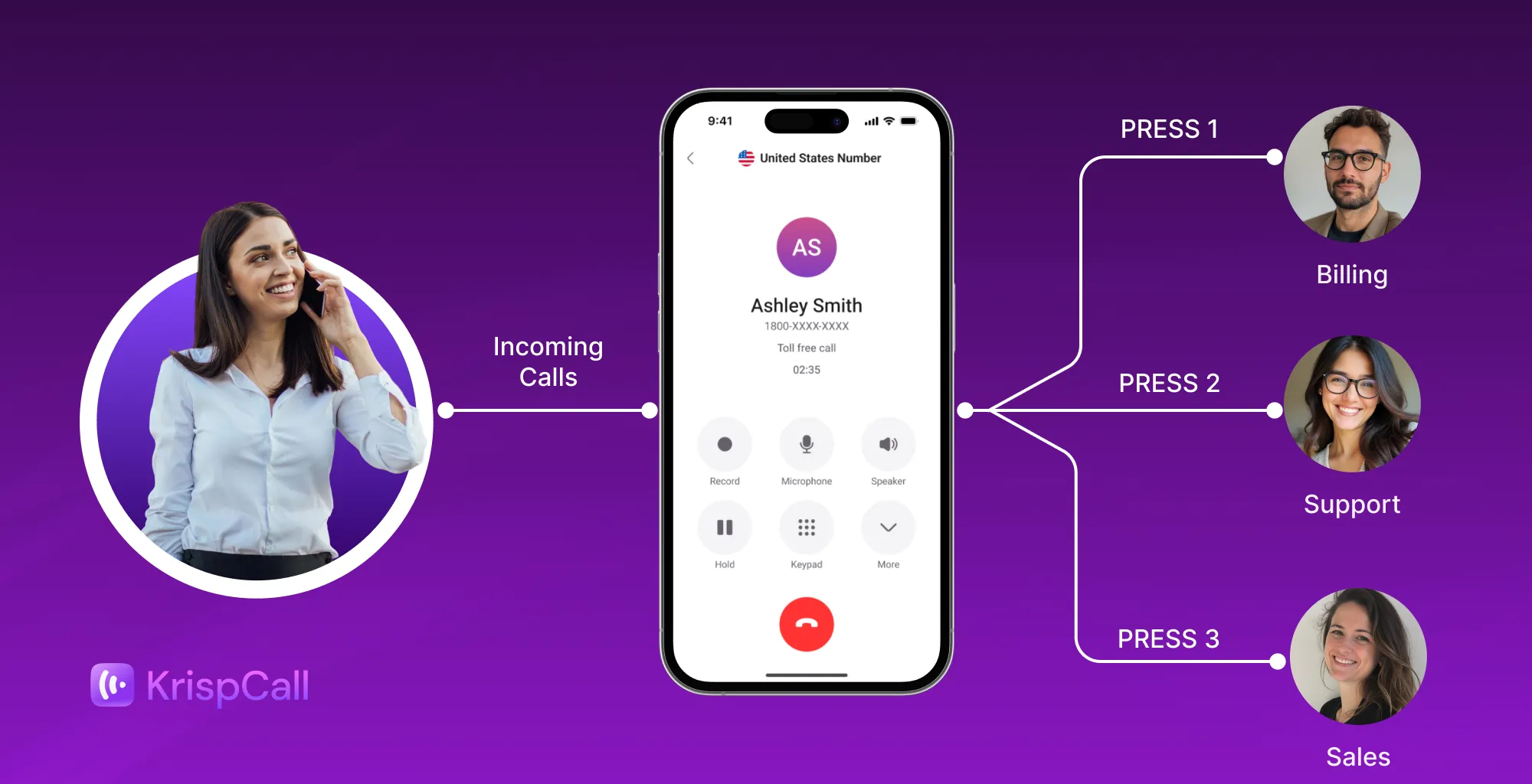
- Phone Tree (IVR): Uses pre-recorded menus to guide callers to the appropriate department, agent, or self-service option.
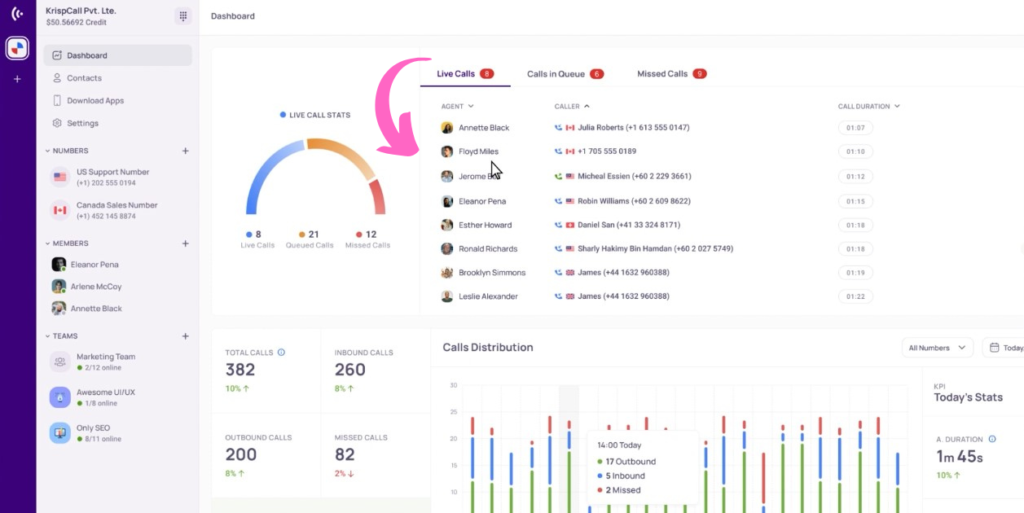
- Live Call Monitoring: Enables managers to listen to ongoing calls without the agent or customer knowing.
- Call Analytics: This tracks real-time and historical data, including call volume, duration, missed calls, and conversation rates.
- Computer Telephony Integration (CTI): CTI connects the phone system to customer relationship management (CRM) tools such as Salesforce, HubSpot, or Zoho.
Pros
- The platform offers an intuitive interface that simplifies managing multiple phone numbers.
- It has clear and reliable audio quality.
- It offers integration with CRM tools, improving productivity for sales and support teams.
Cons
- Some users find the service expensive, citing high call rates and unexpected fees.
- There are reported frustrations regarding slow number porting times.
- Users have reported lag issues with the mobile application.
2. Dialpad
Dialpad is an AI-powered CCaaS provider offering a unified, cloud-based solution for voice, video, messaging, and AI-driven support. It specializes in real-time transcription and customer sentiment analysis, and for sales teams, live coaching through Dialpad Sell.
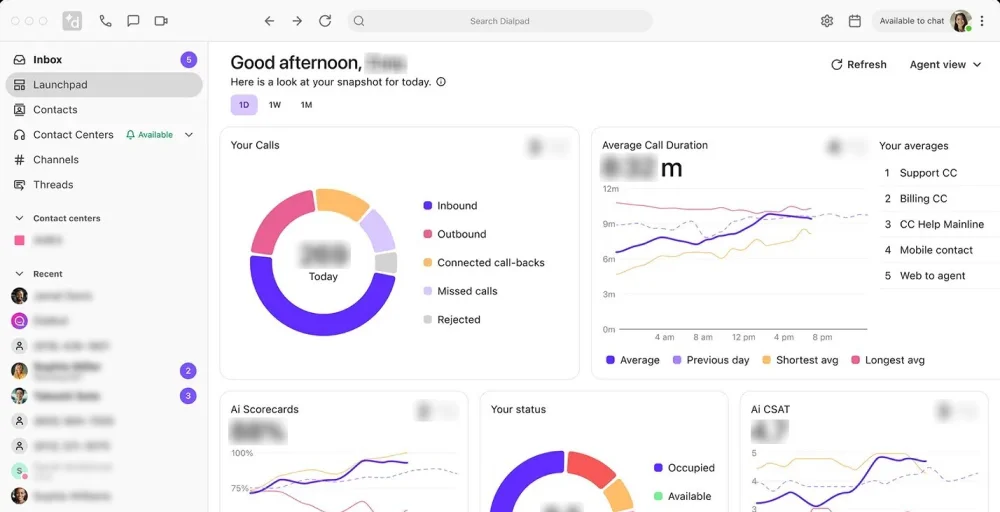
The platform is designed for omnichannel support, allowing for easy transitions between digital channels and voice.
Features
- Automatic Call Distribution (ACD): A telephony feature that automatically receives incoming calls and routes them to the most suitable agent based on predefined rules.
- Custom Caller ID: Allows businesses to control the information displayed on the recipient’s phone, increasing brand recognition and trust.
- Secure Conference Calling: Secure conference calling provides encrypted, private, and controlled virtual meeting spaces for sensitive discussions.
- Power Dialer: An outbound automation tool that dials the number from a list one-by-one as agents become available, maximizing talk time.
- Voice Transcription: This feature uses AI to convert spoken conversations into written text in real-time and post-call.
Pros
- This excels in AI integration, offering real-time AI transcription, sentiment analysis, and coaching features.
- It combines voice, video, and messaging on a single platform, reducing the need for separate tools.
- Users frequently praise the intuitive interface, which simplifies call management.
Cons
- Features such as advanced analytics, specific integrations, and auto-replies are locked behind higher-priced plans.
- Limitations exist regarding managing shared numbers and assigning tasks within the interface.
- The standard plan lacks key functionality, requiring upgrades to access crucial business features like international texting.
3. Vonage
Vonage provides a leading, flexible CCaaS platform designed to enhance customer engagement software through AI, analytics, and omnichannel support. This serves a wide range of industries, providing solutions that empower agents to work from anywhere.
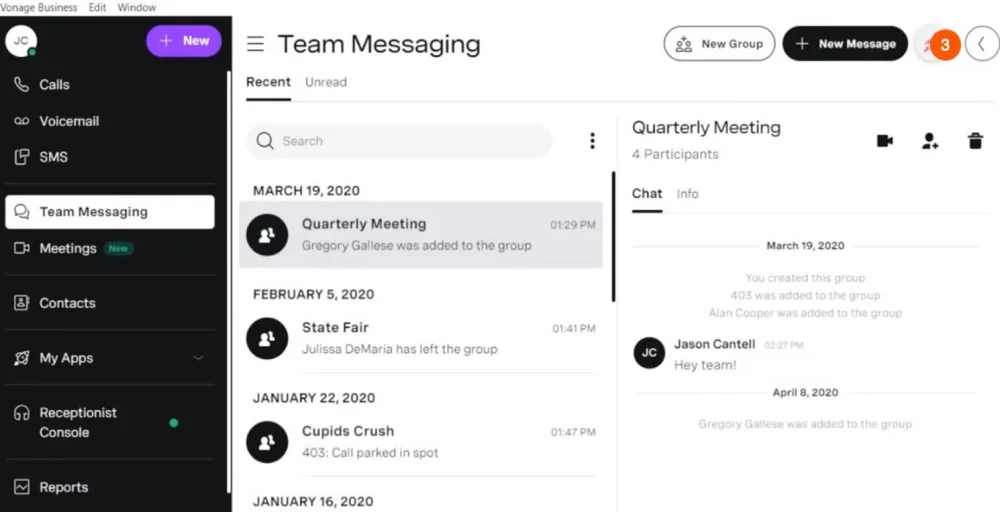
The platform is particularly suited for organizations looking to blend UCaaS and CCaaS (Vonage Fusion) and those heavily reliant on CRM platforms.
Features
- Skills-Based Routing: This technology directs incoming interactions to the specific agent best qualified to handle them.
- Post Call Survey: This gathers immediate, actionable feedback from customers regarding their experience, usually triggered automatically via IVR, SMS, or email.
- Speech Analytics: AI-powered technology that converts spoken words into text in real-time, allowing organizations to analyze customer behavior & interactions for insights.
- Call Recordings: Captures and stores the voice conversations between agents and customers for quality assurance, training, and compliance.
- Workforce Management: A suite of tools used to optimize staffing levels, agent scheduling, and the contact center’s performance to meet service level targets efficiently.
Pros
- Integrates with Amazon Chime for unified internal communications (voice, video, messaging).
- It supports remote work and allows for easy scaling.
- Provides 99.999% uptime, ensuring consistent communication with minimal disruptions.
Cons
- Its customer service is often restricted to phone and email.
- Some users report a lack of robust native team messaging and file-sharing capabilities.
- Basic plans have limited functionality, particularly with SMS and MMS.
4. Nextiva
Nextiva is a premier, all-in-one CCaaS provider that blends VoIP, UCaaS, and contact center capabilities, making it ideal for businesses seeking unified communications.
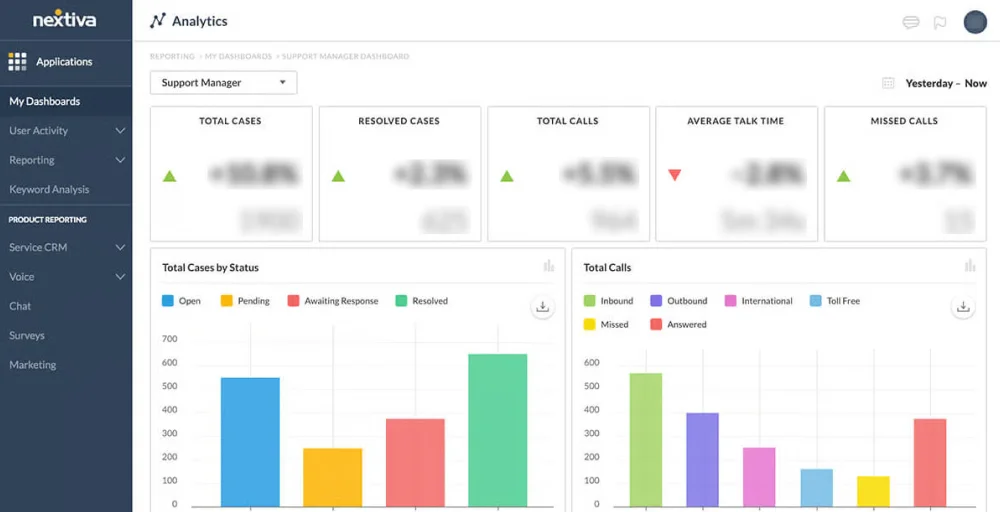
It helps companies of all sizes streamline customer interactions and boost productivity by eliminating the need for multiple, fragmented communication apps.
Known for its reliability and exceptional customer service, Nextiva also offers built-in advanced AI tools for call analytics and CRM integrations to help businesses manage their relationships more effectively.
Features
- Auto-Attendant: This system greets callers and routes them to the correct person or department, with a human receptionist available.
- Three-Way Calling: Allows you to add a third person to an existing two-way call, facilitating three-person conversations.
- Advanced Call Routing: Automatically direct incoming calls based on predefined rules and criteria.
- Custom Ringback: Allow businesses to customize the audio a caller hears while waiting for their call to be answered.
- VoIP Switchboard: A digital, web-based dashboard that acts as a central hub for managing all business communications.
Pros
- It provides unlimited calling within the US and Canada.
- Users report consistent, high-quality voice services, which are essential for remote and hybrid teams.
- This combines VoIP, video, SMS, and team messaging in one platform.
Cons
- The NextOS voice portal is confusing when managing complex call flows or locating specific extensions.
- These reports exist of occasional, unexpected call connects.
- It lacks industry-specific integrations offered by larger, pure-play CCaaS leaders.
5. Talkdesk
Talkdesk is a leading cloud-native CCaaS platform focused on AI-driven customer experience automation, offering a flexible, secure, and user-friendly interface for voice and digital channels. Talkdesk Autopilot offers 24/7 self-service across communication channels.
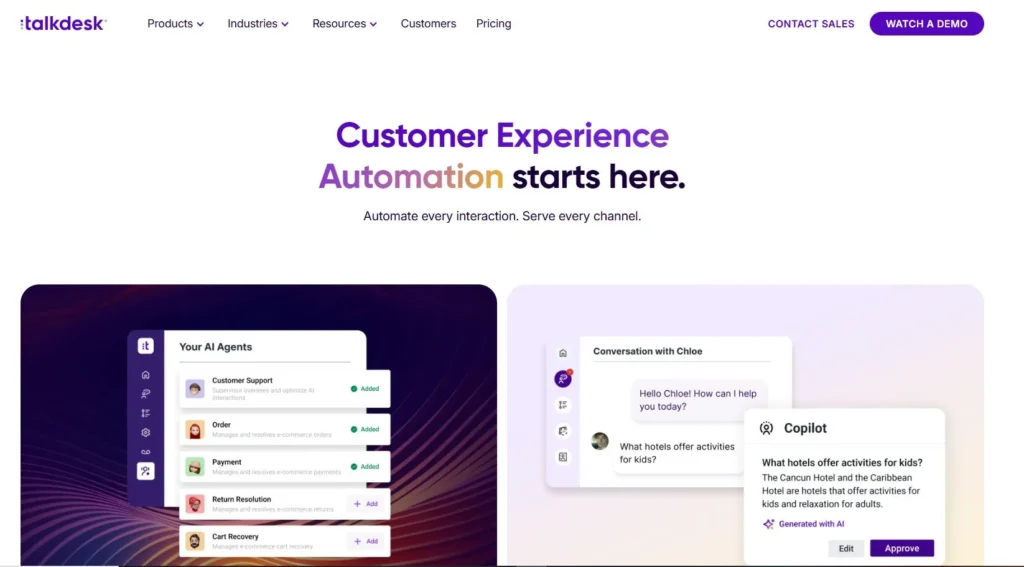
It specializes in industry-specific solutions, deep CRM integrations, and advanced agent-assistance, as well as other business tools to improve efficiency and reduce not just answers but also customer queries.
Features
- Automated workflows: These platforms integrate with CRMs (e.g., Salesforce, HubSpot) to automatically log calls, create tickets, and trigger post-call tasks.
- Call barging: Designed for supervisors, tools like Freshcaller and CloudTalk enable real-time intervention to join live calls.
- No answer call forwarding: Calls can be routed to voicemail, another extension, or an external number (mobile/landline) to prevent missed opportunities.
- Real-time Dashboards: Provide live visibility into queue status, agent availability, and call durations.
- Click-to-call: Allows users to dial directly from web browsers or CRM systems.
Pros
- You can also receive incoming calls over the phone line rather than just over a data connection.
- It is easy to implement and customize with the product.
- IVR flows and call routing are flexible and can be adjusted to meet your business needs and changes.
Cons
- This has issues with call quality and requires an Internet connection.
- When multiple conversations are active, the interface can feel information-heavy.
- Omnichannel analytics require paying for higher-tier or add-on plans.
6. Avaya
Avaya provides a robust Contact Center as a Service (CCaaS) platform designed to help organizations transition from legacy systems to cloud-based, AI-powered customer experiences.
It offers comprehensive omnichannel capabilities, including voice, email, chat, and social, supported by AI-driven automation to improve agent productivity and complex customer journey analytics.
Features
- Direct Agent Calling: Allow callers to reach a specific agent directly, bypassing general queries.
- Auto-Dial: Automates the outbound calling process from a preloaded list, increasing agent efficiency by connecting them only to live calls.
- Call Transfer: Moves an active call from one agent, department, or external party to another.
- Agent Greeting: Automatically plays a pre-recorded, professional greeting when an agent answers an inbound call.
- Queue Status: Provides real-time visibility into incoming call status, including the number of callers waiting, average hold times, and the longest wait time.
Pros
- It offers highly customizable agent desktops and workflows tailored to complex business needs.
- This can perform both inbound and outbound calls from any location.
- Real-time analytics to monitor performance and customer journeys.
Cons
- Always lagging error in authentication and static line.
- This is complex to deploy, configure, and integrate.
- Sometimes it faces latency.
7. Amazon Connect
Amazon Connect is a highly scalable, AI-powered cloud contact center as a service solution for AWS, designed for easy, self-service configuration and cost-effective, omnichannel customer support.
It enables businesses to deploy voice, chat, and task management quickly using a single browser-based agent interface, integrated with tools like Salesforce and Zendesk.
Features
- Omnichannel routing: Manages voice, chat, email, and tasks through a single engine, connecting customers with the right agent based on their preferred channel.
- Contact forecasting: Uses machine learning to anticipate future contact volumes and handling times, optimizing staffing and reducing wait times.
- Data redaction: Automatically removes sensitive information, like credit card numbers and PII, from communications to ensure security and compliance.
- Unified customer profiles: Combines customer data from various sources into a single view, giving agents immediate context for interactions.
- Agent workspace: A centralized web interface that provides agents with all necessary tools and data, enabling issue resolution without switching apps.
Pros
- As it does not offer long-term contact, you can pay based on usage minutes.
- It integrates with AWS AI services, including Amazon Polly and Lambda, as well as third-party providers.
- The contact lens for real-time sentiment analysis, conversation analytics, and transcription.
Cons
- You need a technical customer service teams to set it up, since it is not a plug-and-play system.
- This lacks comprehensive features such as automated outbound dialing and a reporting dashboard.
- Firewall settings and network issues cause connectivity disrupts.
8. NICE CXone
NICE CXone is a leading, cloud-native Contact Center as a Service (CCaaS) platform designed for enterprise-level customer experience (CX) management. It is best suited for organizations seeking a comprehensive, all-in-one solution to manage complex customer service operations.
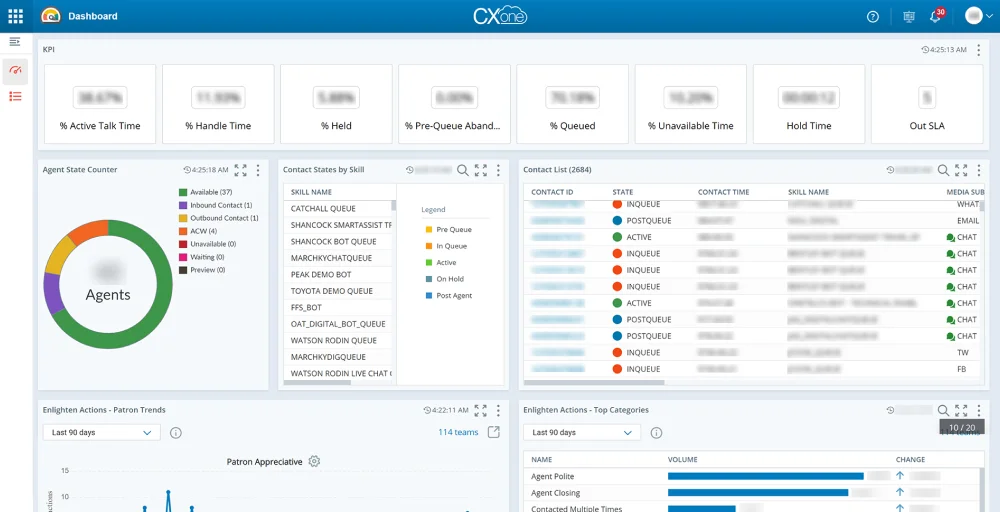
The platform is known for combining omnichannel routing, AI-driven analytics, and workforce management (WEM) into a single, unified interface.
Features
- AI Agents for Self-Service: Modern AI self-service moves beyond rigid script-based bots to conversational context-aware virtual agents that operate 24/7.
- Outbound Engagement: AI-driven outbound agents move away from manual dialing and generic mass emails toward personalized, high-conversion communication.
- Interaction Analytics: Transforms of 100% customer conversations into actionable data, far exceeding the capacity of traditional, manual quality assurance audits.
- Voice Services: They replace traditional rigid keypad menus with natural speech recognition.
- Performance Management: An AI tool focuses on optimizing both agent productivity and the contact center’s overall efficiency.
Pros
- This excels in managing interactions across voice, chat, email, social media, and more on a single, unified platform.
- It offers industry-leading tools for quality management, forecasting, and scheduling.
- This meets high standards for PCI DSS, HIPAA, and SOC2.
Cons
- Some users report occasional system lag or interface glitches during high-volume periods.
- Lacks robust, built-in internal team collaboration features.
- The platform is powerful but can be complex to set up, often requiring professional services or specialized knowledge.
9. Five9
Five9 is a “pure-play” CCaaS provider recognized for its AI-driven intelligent CX platform, which includes predictive routing, analytics, and automation. It is designed for mid-to large enterprise contact centers seeking scalable, reliable, and highly configurable customer engagement solutions.
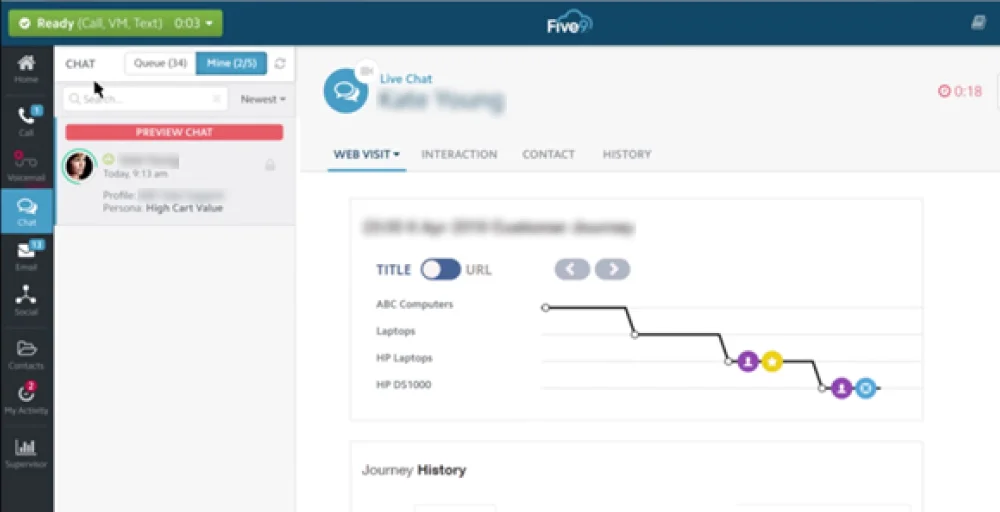
This serves over 3,000 global customers, specializing in transforming traditional, on-premises contact centers into modern, AI-enabled, cloud-native environments.
Features
- Agent call scripting: Provides dynamic, on-screen guidance to ensure consistent messaging, regulatory compliance, and improved agent confidence during calls.
- Call quality monitoring: Enables supervisors to listen in on calls or review recorded calls to assess agent performance, verify compliance, and provide coaching.
- Do Not Call Compliance: Automatically filters numbers against the national registry to avoid legal penalties and ensure regulatory adherence.
- Text-to-speech software: Converts written text into natural-sounding audio for automated, personalized customer interactions, often used in interactive voice response systems.
- Web callback services: Allow customers to request a call back via a website, reducing wait times and improving user experience by enabling browser-based communication.
Pros
- Five9 offers 99.994% uptime for stability and seamless scaling.
- It includes Intelligent Voice Assistants and Agent Assist for real-time call transcription, minimizing after-call work.
- This provides over 120 reports to monitor key performance indicators.
Cons
- Five9 is a premium solution, making it pricier than competitors.
- Its extensive features can be complex and require dedicated administrators, especially for smaller teams.
- Users report occasional call connectivity and audio problems, despite high uptime.
10. Genesys Cloud CX
Genesys Cloud CX is an AWS-based CCaaS platform providing all-in-one, AI-powered, and omnichannel capabilities for customer engagement. It enables organizations to enhance seamless customer experiences while reducing contact center operations costs.
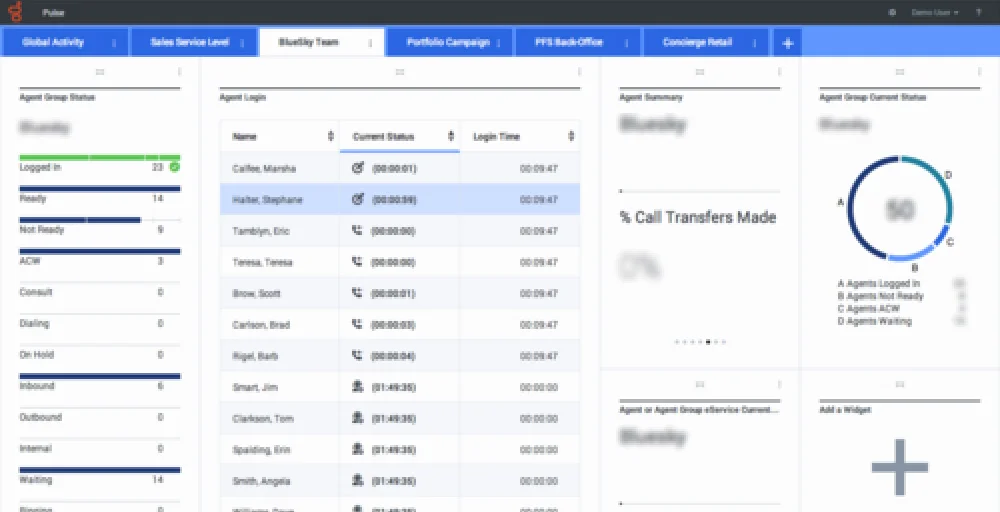
It offers high scalability, flexible, and secure, with features including voice, digital channels, AI-driven agent support, and workforce management.
Features
- Speech-enabled IVR: This feature uses artificial intelligence (AI), specifically ASR and NLU, to allow callers to interact with a phone system using natural language.
- Analytics and reporting: Gather, analyze, and interpret data generated from customer interactions, turning raw communication into valuable insights.
- Outbound campaigns: Refers to proactively reaching out to customers or prospects to promote products, conduct surveys, or provide updates, rather than waiting for them to call in.
- Journey management: This focuses on designing and optimizing the entire customer experience across various touchpoints to create a seamless, cohesive, and personalized interaction.
- Quality assurance and compliance: Ensures that interactions adhere to internal quality standards and legal regulations.
Pros
- It enables seamless omnichannel orchestration, allowing agents to manage voice, email, chat, SMS, and social media from a single interface.
- The intuitive design reduces training time and enhances the agent experience.
- It also boasts a large ecosystem (AppFoundry) with over 500 third-party connectors, including strong integrations.
Cons
- Some users have noted challenges with in-depth reporting tools and limited export options.
- While agent-friendly, the backend configuration can be complex for administrators.
- Some users feel that advanced email handling and scheduling features are limited without costly integrations.
How to choose the best CCaaS providers?
Choosing the best Contact Center as a Service (CCaaS) provider involves prioritizing scalability, robust API integrations, AI-powered agent tools, and omnichannel AI capabilities.
Here are the key factors to consider:
- Omnichannel capability: Opt for platforms that seamlessly integrate voice, email, chat, and social channels to deliver a cohesive, engaging customer experience.
- Scalability and reliability: Select solutions that guarantee high uptime and global accessibility, and can effortlessly expand alongside your business growth.
- Integrations: Focus on platforms equipped with open APIs and strong third-party integrations, such as CRM systems and automation tools, to enhance functionality.
- Reporting and analytics: Choose platforms that provide advanced, customizable data visualization tools for insightful reporting and informed decision-making.
- AI and automation: Seek out AI-driven tools with features such as interaction summaries, real-time translations, and automated agent assistance to maximize productivity.
- Security and compliance: Verify that the provider maintains strict data residency controls, PCI compliance, and comprehensive auditing practices to safeguard your information.
Conclusion
The shift to cloud-based contact centers is essential for businesses aiming to provide fast, personalized customer experiences. CCaaS platforms combine voice, messaging, social channels, and AI tools in a scalable environment, enhancing customer satisfaction and empowering agents.
Selecting the best CCaaS provider depends on your organization’s size, budget, technical needs, and customer engagement strategy. Options like KrispCall and Dialpad are ideal for startups, while Talkdesk, NICE CXone, Five9, and Genesys Cloud CX cater to enterprises with advanced features. Flexible platforms such as Vonage, Nextiva, Avaya, and Amazon Connect support growing organizations with robust integrations.
Before choosing a provider, consider factors like omnichannel support, integration, scalability, security, and total cost. The right CCaaS provider improves customer support and scales with your business, creating seamless customer journeys and stronger relationships.