One of the biggest reasons behind call center inefficiencies is agents needing to constantly switch between call center software and CRMs. This often led to inconsistent customer data, untimely responses, and poor customer experience.
The solution to this issue lies in a phone system that can seamlessly integrate with CRM. It uses Computer Telephony Integration (CTI), a key technology that bridges the two systems together and makes operational workflows much faster.
If your business is actively using Salesforce CRM for day-to-day operations, then this blog is for you. We’ve reviewed and ranked the 10 best call center phone systems for VoIP and Salesforce integration, focusing on their key aspects like features, price, and best use case.
✨ Key Takeaways
- Salesforce CTI integration is the process of connecting a phone system (VoIP or CCaaS) with the Salesforce CRM via CTI (Computer Telephony Integration).
- KrispCall, Nextiva, 8×8, Vonage, and GoTo Connect are some of the best CCaaS for Salesforce Service Cloud.
- When picking a phone system, ensure that it offers features like click-to-call, auto logging, call recording, analytics, and Salesforce Lightning support for smooth, data-driven communication.
- You can integrate your call center phone system with Salesforce by giving agents access to complete customer data and automating operational workflows.
10 best call center phone systems that integrate with Salesforce
Here are the top rated Salesforce CTI software you can use to integrate seamlessly with Salesforce.
1. KrispCall
KrispCall is a modern cloud telephony system designed with simplicity and deep Salesforce integration. It combines voice calls, SMS, and customer data under one interface, allowing agents to manage every interaction without switching platforms.
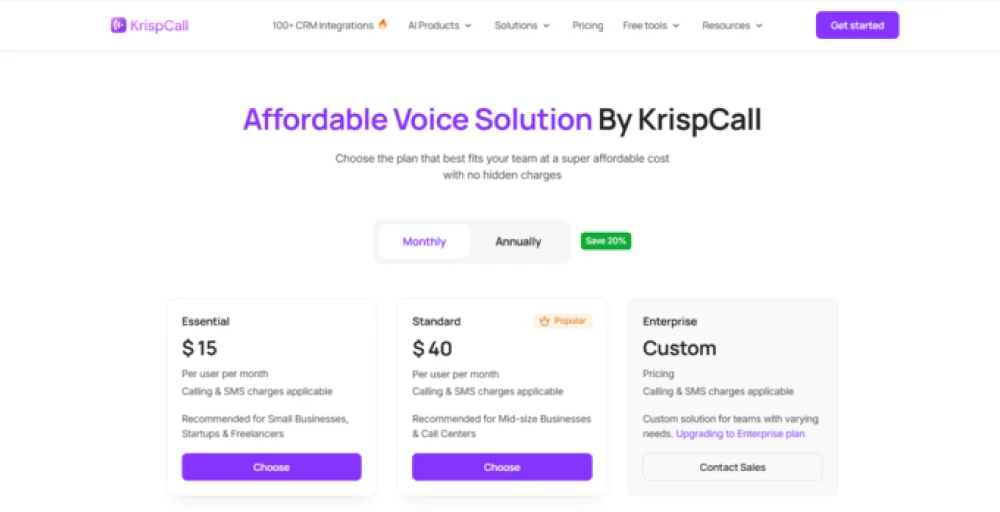
The real-time synchronization, automatic logging, simple setup process, and affordable pricing make it perfect for teams of any size looking for an all-in-one communication solution.
Pricing
- Essential: $15 user/month
- Standard: $40 user/month
- Enterprise: Contact sales
Best for
Businesses of all sizes that want an affordable, easy-to-use phone system with Salesforce integration. Teams can combine voice, text messaging, and customer data without the complicated setup or high deployment cost.
Features
- Click-to-call feature that lets you make phone calls directly from the contact record within Salesforce.
- Real-time note synchronization that automatically updates notes taken during the call in the Salesforce record.
- Automatically saves all call logs, messages, and voicemail in Salesforce.
- Real-time alerts and notifications for incoming calls and voicemails inside Salesforce.
2. Nextiva
Nextiva is among the best VoIP providers whose phone system seamlessly integrates with Salesforce. The platform combines voice, messaging, and analytics into a single workspace, making customer communication more efficient. It supports both Lightning and legacy editions, allowing agents to manage contacts directly within Salesforce.
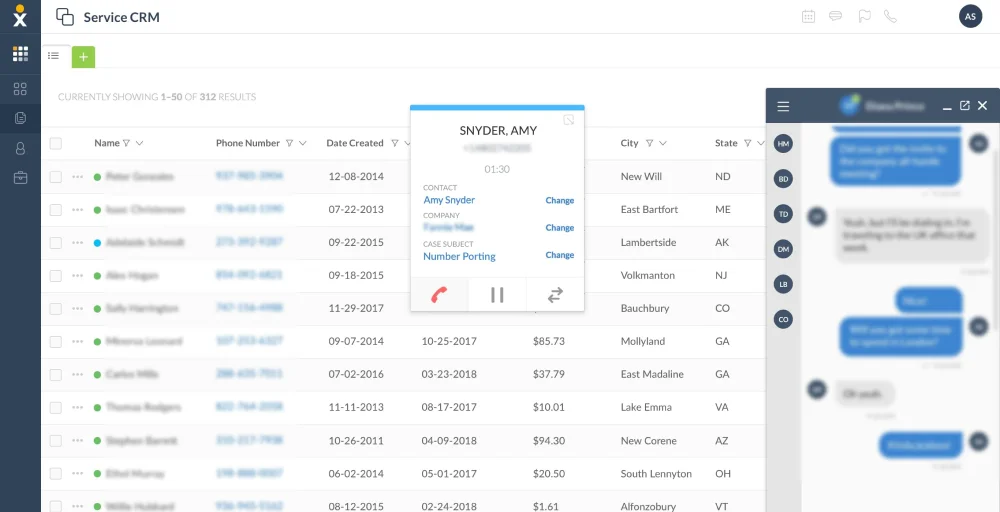
Nextiva’s phone systems excel in reliability, call quality, intuitive interfaces, analytics, and reporting tools. The only downside here is that it limits advanced features in their high-tier plans. But overall, it offers simplicity (ideal for small teams) without sacrificing too much on the essential features.
Pricing
- Core: $23 user/month
- Engage: $50 user/month
- Power Suite CX: $75 user/month
Detailed Nextiva pricing
Best for
SMBs that primarily use voice and social media channels and need only a basic level of Salesforce integration.
Features
- Automatic call logging and call notes customization.
- Contacts and account management features within the Salesforce integration panel.
- Screen pop features that show the customer’s Salesforce record when they receive a call.
- Support for both Salesforce Lightning and legacy versions.
- Cross-channel analytics integration.
3. 8×8
8×8 offers a comprehensive enterprise-grade phone system that embeds well with Salesforce. It sets itself apart through its smart communication hub, where large enterprises can connect voice, video, and messaging. The phone system becomes an extension of Salesforce, allowing agents to manage customer communication within the platform.
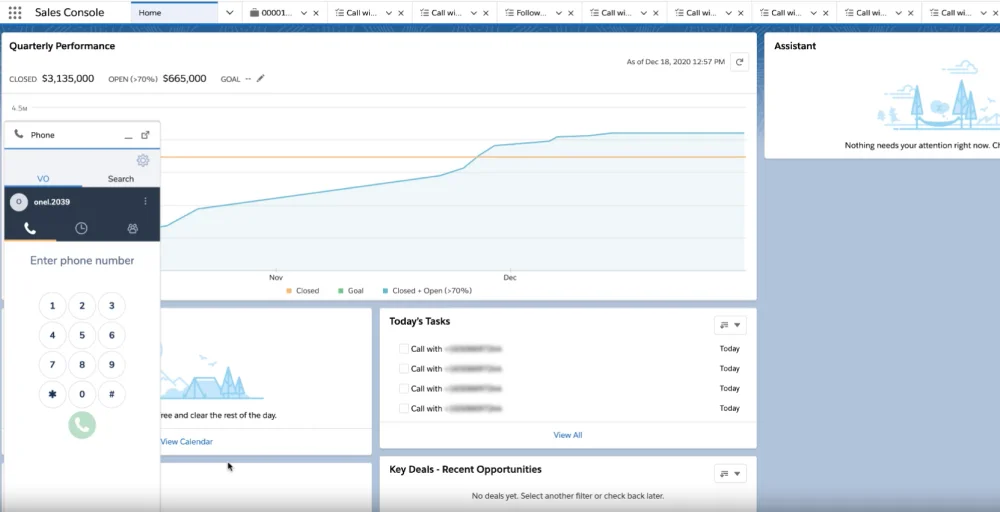
The best aspects of 8×8’s phone system are its enterprise-level scalability, reliability, and analytics capabilities. But on the downside, the system deployment process is lengthy and can often be complex and costly for smaller teams.
Pricing
For accurate Salesforce call center integration pricing, contact the 8×8 sales team.
Best for
Large enterprises need deeper Salesforce integration with more advanced features, such as call recording, task automation, and management etc.
Features
- Unified communication panel that works seamlessly within the Salesforce interface.
- Click-to-dial feature allows you to make calls directly from Salesforce customer data.
- 8×8 meeting detail synchronization with the Salesforce record for better customer interaction tracking.
- Speech analytics and quality management.
- Compliance-focused call recording.
4. Vonage
For teams that prioritize customizable Salesforce integration, Vonage‘s flexible cloud-based phone system can be a great pick. It’s designed to adapt to different business needs, allowing agents to adjust call workflows, screen pops, sync data, and manage all digital interactions from within the console.
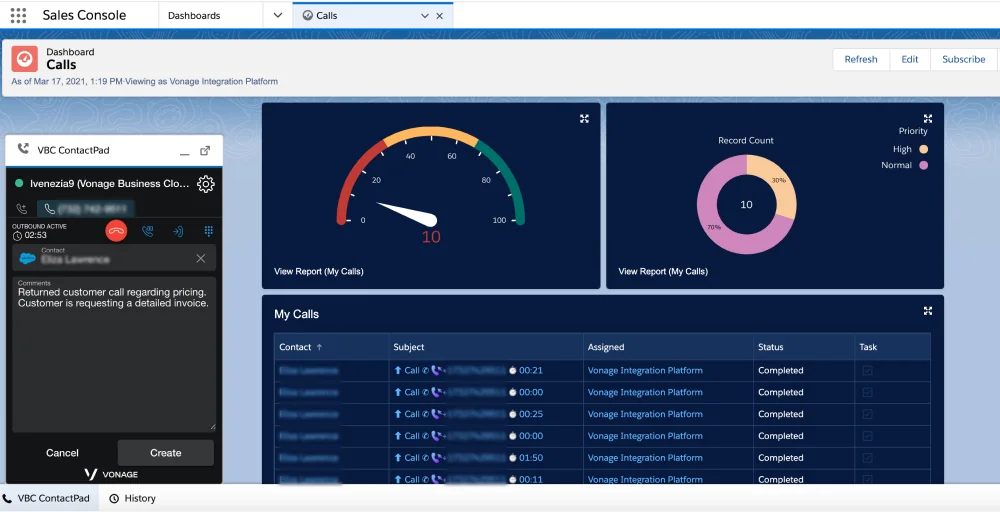
Vonage’s excellent flexibility makes it great for the team looking for more control over how the phone system fits with Salesforce. It offers basic features on its low-tier plans and advanced options in high-tier plans, allowing users to pick and choose only the features they need.
Pricing
For an accurate pricing quotation, contact the Vonage sales team.
Best for
SMBs that require flexibility, customizability, omnichannel support, and faster deployment.
Features
- Manage all voice calls within Salesforce with the embedded phone system.
- Agent’s status synchronization across voice and other digital channels.
- Seamless call handling within Salesforce and digital interaction management.
- CTI adapters for workflow tailoring.
- Channel performance reporting.
5. GoTo Connect
GoTo Connect’s phone system is well known for its simplicity, reliable performance, and good integration features. You can sync contacts, log calls, and one-click callbacks directly from CRM records. Moreover, GoTo Connect supports VoIP calling in over 50 countries, making it ideal for teams with a global presence.
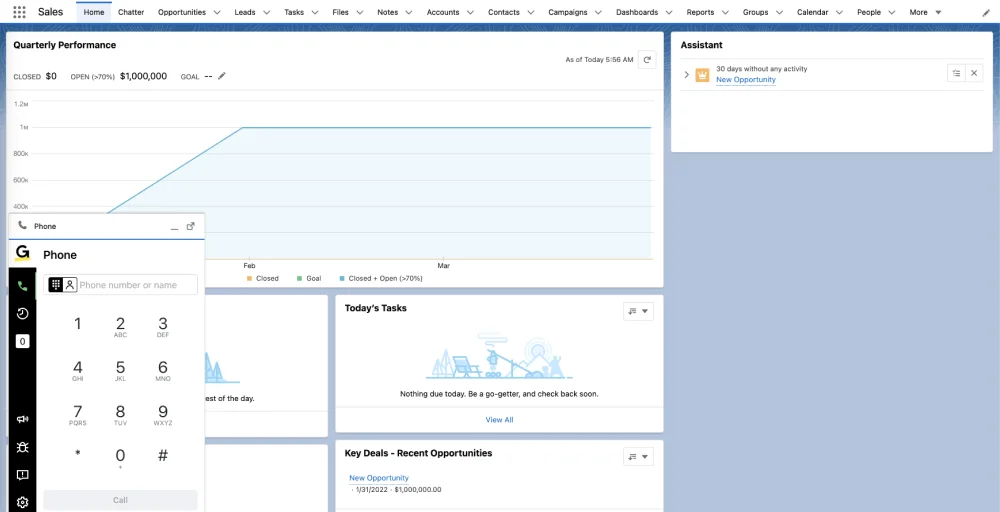
Despite lacking some of the more advanced features like extensive analytic reporting and AI-powered insight tools, GoTo Connect still remains a solid pick for streamlining communication workflows with Salesforce.
Pricing
For accurate pricing, contact the sales team.
Best for
Remote or distributed teams that need to handle large volumes of international calls (support 50+ countries).
Features
- Auto call logging and disposition synchronization with Salesforce.
- Contact syncing and one-click callback.
- Built-in analytic tools.
- Multi-channel messaging support.
- Intuitive desktop interface.
6. Dialpad
Dialpad offers a robust AI-powered communication solution that integrates well with Salesforce to create an efficient cloud contact center environment. On top of its strong voice, video, and text messaging capabilities, it also offers more advanced features like live coaching, transcriptions, sentiment analysis tools, etc.
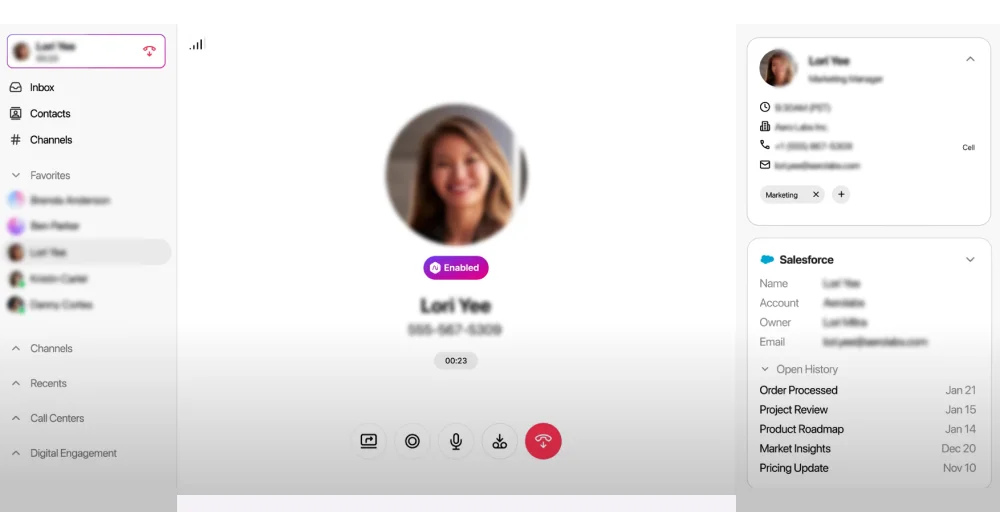
Dialpad’s phone system excels in automation, usability, and cost-effectiveness, making it ideal for small to mid-sized businesses. The only drawback is that its advanced features and AI-driven tools are only available on the higher-tier plans.
Pricing
- Standard: $27 user/month
- Pro: $35 user/month
- Enterprise: Contact the sales team
Best for
Small team looking for a robust and affordable phone system that integrates well with Salesforce and also offers a few advanced features
Features
- CTI softphone integration in Salesforce allows users to make calls directly via a contact record.
- Dialpad’s AI-powered insights, call summaries, coaching, and sentiment analysis.
- Handy widget tool that gives access to CRM data and AI features outside the Salesforce platform.
- Power dialer tool that can create dial lists from Salesforce data.
- Integrated video capabilities.
7. RingCentral
RingCentral is a top enterprise communication solution that offers one of the deepest Salesforce integrations in the market. It offers some of the best advanced call management features, robust security systems, and adheres to essential compliance.
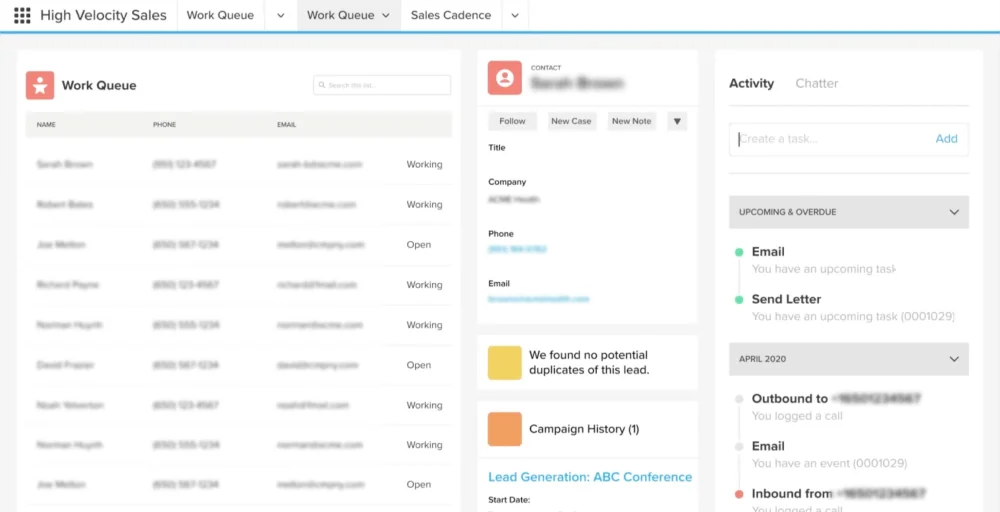
RingCentral’s phone system’s scalability and reliability are perfect for large enterprises that handle fluctuating call volumes. However, its comprehensive features come with a complicated setup and expensive price tag, which can be challenging for smaller teams.
Pricing
- Core: $30 user/month
- Advanced: $35 user/month
- Ultra: $45 user/month
Best for
Large enterprises require a robust phone system with deep integration support. Its strong security, compliance, and scalability are best suited for the healthcare and finance industries.
Features
- Skill-based routing tied to Salesforce data.
- Automated tasks and reminders from interactions.
- Monitoring and coaching functions.
- Compliant recording storage.
- Multi-level IVR systems.
8. Quo
Quo or also formerly known as OpenPhone, ranks among the most affordable phone systems with good integration with Salesforce CRM. It offers all essential features that make customer communication more efficient, such as contact syncing, call logs, and in-app texting, without the complicated setup and interface.
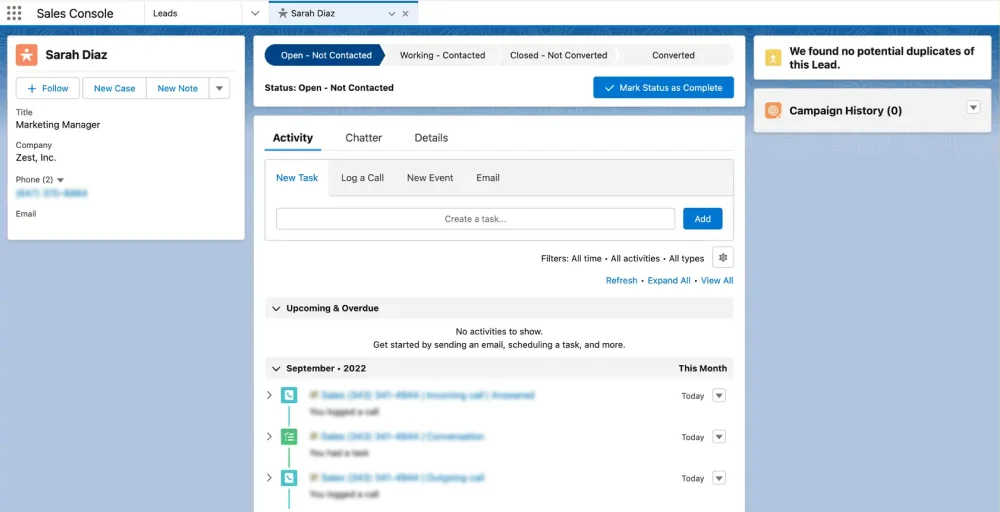
However, Quo lacks the more advanced features like automation capability, AI-driven analytics tools that are essential for large businesses and enterprises. This makes it ideal only for small businesses prioritizing simplicity and cost-effectiveness in a call center phone system.
Pricing
- Starter: $19 user/month
- Business: $33 user/month
- Scale: $47 user/month
Detailed Quo pricing
Best for
Small businesses that need an affordable phone system with limited advanced features.
Features
- Shared team inboxes for collaboration.
- Call logging and contact synchronization.
- AI calls screening and transcription.
- Unlimited US/Canada calling.
- Cross-platform apps.
9. Ooma
Like Quo, Ooma offers a simplistic phone system that performs well and integrates smoothly with Salesforce. It offers all the basic CTI features, including call recording, call logging, and screen pops, helping agents make their work more efficient and productive.
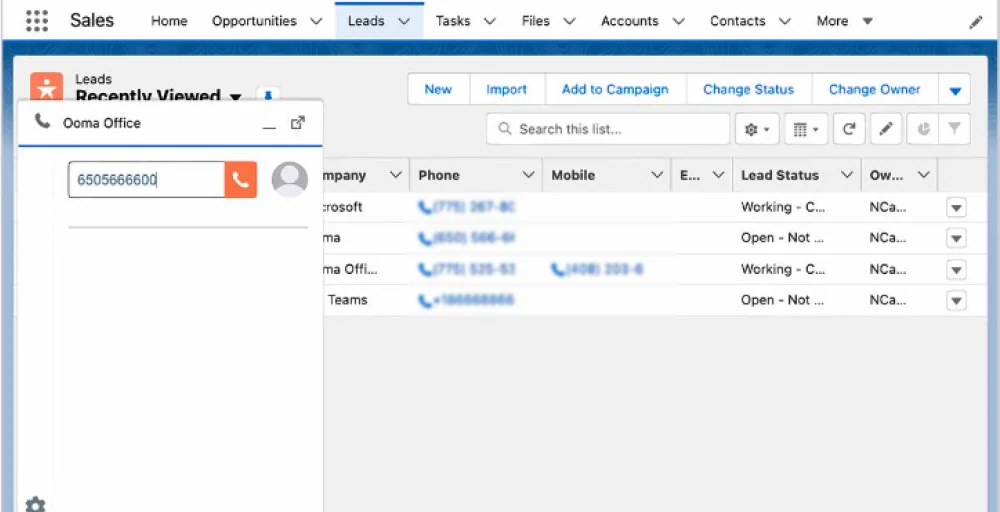
Qooma’s simplistic system, cost-effective pricing, and intuitive interface make it ideal for teams that only need a basic level of integration. The lack of customizations, scalability, and features can be limiting for large enterprises and businesses.
Pricing
- Ooma Office Essentials: $19.95 user/month
- Ooma Office Pro: $24.95 user/month
- Ooma Office Pro Plus: $29.95 user/month
Best for
Smaller teams that don’t require deep CRM integration but still need core advanced features like call logs, screen pops, task completion automations, call recording, etc.
Features
- Click-to-dial and screen pops.
- Customizable virtual receptionist.
- Call recording and transcription.
- Limited SMS per user.
- Presence detection in apps.
10. Zoom Phone
Zoom Phone extends the familiar video conferencing ecosystem into telephony, offering an integrated experience for hybrid and remote teams. Its Salesforce integration is simple to configure, allowing users to make and receive calls directly within CRM records. It’s best suited for businesses already using Zoom Meetings as their communication hub.
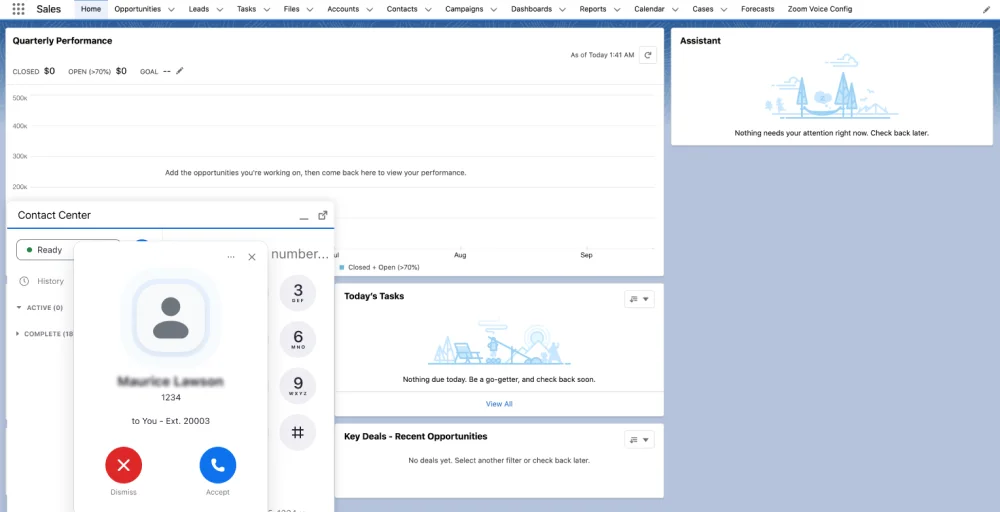
Zoom Phone’s affordability, reliability, and ease of use make it ideal for simplistic integration without the complex setup.
Pricing
- Basic: $15 user/month
- Pro Plus: $21.99 user/month
- Business Plus: $26.99 user/month
Best for
Zoom Phone is an ideal and affordable CTI solution for small business Salesforce integration setup. It’s especially great for hybrid teams that already rely on Zoom’s platform (video conferencing and meetings) for their daily operations.
- In-console call management and logs.
- Customer history on inbound.
- Meeting integration for video.
- Queue and basic analytics.
- Mobile notifications.
Essential features to look for in a CTI solution
Regardless of which Salesforce CTI solution you pick, make sure that it offers all the key essential features. This ensures you’re not stuck with partial integration that fails to address and solve your call centers’ core issues.
Core telephony features
These are the foundational features of any CTI solution.
- Automatic call distribution (ACD): It is responsible for routing calls to the right destination based on Salesforce user data, agents’ skills, language, or customer priority. With a robust automatic call distribution system, you avoid misrouting calls, lessen call transfers, and improve the resolution rate.
- Click-to-call and smart dialers: With click-to-call features and auto dialers, agents can make phone calls via clicking a button in the Salesforce platform. Removing the need to enter the phone number manually helps to save time, eliminate misdials, and make the workflow more efficient.
- Call recording and transcription: Recorded calls (both inbound/outbound) and AI-powered transcription are another core feature of the CTI phone system. They ensure compliance, assist in agent training, and perform sentiment analysis.
Integration depth
It is essential to evaluate the depth of integration to get the most out of it. A surface-level integration will only let you make phone calls from Salesforce, whereas an in-depth incorporation will make the phone system a part of Salesforce.
- Support for Salesforce Lightning: Support for Salesforce Lightning ensures all the handy features, like screen pops, click-to-dial, and call logs, are accessible to the Salesforce interface. This allows agents to work efficiently and provide better customer service.
- Customization options via CTI adapter: Another must-have of VoIP Salesforce integration is to use the CTI adapter to tailor the setup based on business operations. It allows business admins to adjust call workflows, show customized screen pop details, data mapping, etc.
Reporting and analytics
An effective Salesforce CTI integration must also offer comprehensive analytic and reporting tools to monitor customer satisfaction and overall call center performance. It should allow you to log key call center metrics such as Average Handling Time (AHT), First Call Resolution (FCR) within Salesforce reports or dashboard.
How does integrating call center phone systems with Salesforce improve customer service?
Integrating call center phone systems with Salesforce is beneficial for businesses as it helps to improve customer service. It helps to automate routine tasks and gives your agents proper customer context for faster personalized interaction.
1. Faster First Call Resolution (FCR)
An effective CTI integration gives your agents complete access to customer details and the company’s knowledge base. With these resources, your agents can respond quickly and handle support requests more efficiently.
2. True personalization
With relevant customer details such as personal information, purchase logs, support tickets, and interaction history, your agent can better understand their customers. This context helps your support agents to deliver a more personalized service.
3. Reduced hold and wait time
By combining the call center phone system’s call routing feature and Salesforce data, you can ensure your customers always reach the right department/agent. Features like skill-based routing, priority call queuing, etc, help to reduce transfers and long hold times.
4. Consistent Omnichannel Experience
Integrating phone systems with customer data gives you a unified space for handling all customer interactions. Your agents can manage customer data, phone calls, text messages, and email all within the Salesforce console. This ensures a single seamless experience for your customer.