Customers want to get answers quickly after they make the call. Even 90% of respondents stated that one of the important factors in a positive impression of support is their response rate. How fast can the support team respond to the call?
So, this makes it quite obvious you’re missing out big opportunity if your phone system can’t keep up that pace. There lies the absolute need for a phone system with multi-line channels for support.
It enables your team to handle multiple calls simultaneously from a single phone number. This keeps your business responsive and organized, even during peak hours.
In this guide, you’ll learn what a multi-line phone system is, how it works, the types available, and how to set it up based on your needs and goals.
TL;DR✨
A multi-line phone system for business allows companies to manage multiple calls simultaneously, supporting 2, 4, or 6–12 lines depending on your needs. This ensures no call goes unanswered and keeps teams connected.
It includes essential features like call hold and resume, call forwarding, voicemail (with email notifications), auto-attendant, smart call routing, and call transfers to streamline communication and boost efficiency.
Setup is simple: choose a reliable business phone service, assign extensions, record greetings, and start making and receiving calls. With the right system, businesses can improve productivity and deliver a better customer experience.
What is a multi-line phone system?
A multi-line phone system lets your business handle multiple calls at the same time. For example, you can put one caller on hold or transfer them to another department while answering a different call. You won’t miss any conversations even when the call volume is high.
It completely differs from a traditional single-line phone. With a single-line phone, customers hear a busy signal when the call is already occupied with other customers. However, business multi-line systems ensure that the next caller is routed to another line, the auto-attendant, or voicemail, even if one line is busy.
Additionally, this issue is solved more effectively with cloud-based multi-line phone systems that use VoIP technology. These systems are flexible, easy to scale, and cost less to maintain. Multiple team members can handle calls on a single business phone number across different devices, regardless of their location.
How does a multi-line phone system work?
There are two main ways to set up multiple line phone system: On-premise hardware-based systems and Cloud phone systems.
On-premise multi-line business phone systems
This traditional setup uses physical equipment installed at your office, such as a PBX (Private Branch Exchange) or KSU (Key System Unit). Each phone connects to a central unit through wiring, which manages call routing, call waiting, forwarding, and voicemail.
However, there’s a limitation of a limited number of lines. And, your business needs technical support to set up the business phone system. It is also tied to a fixed location, which creates difficulties in remote work.
Cloud-based multi-line phone systems
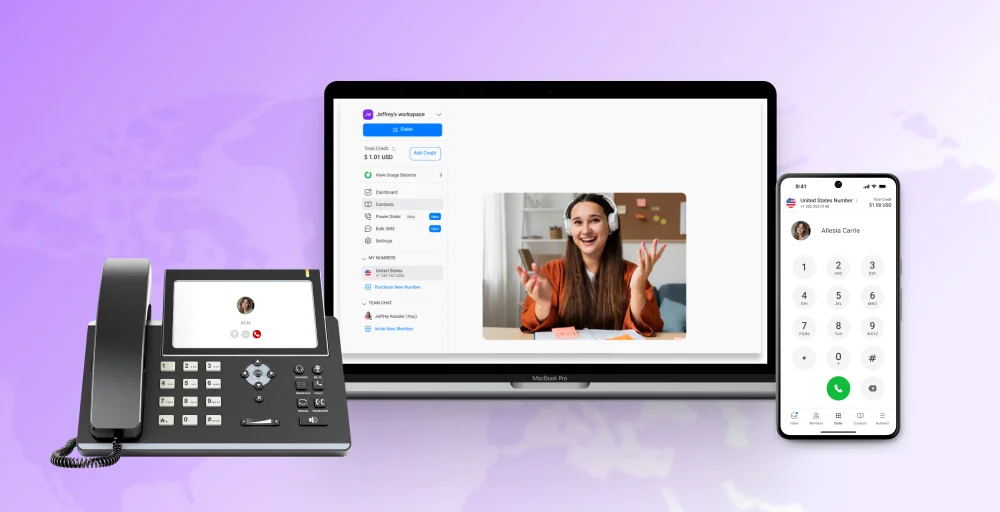
Modern multi-line systems use VoIP (Voice over Internet Protocol) to handle calls over the internet instead of physical phone lines. When someone makes a call, it uses your VoIP system, not physical cables. The voice is converted into digital data and transmitted in real time, then converted back into sound for the receiver.
You’ll eliminate the need for expensive hardware and a complex setup. It lets you run multiple calls simultaneously on a single internet connection and helps you make and receive calls from anywhere using desk phones, laptops, or mobile apps.
Types of multi-line phone systems
Different types of multi-line phone systems are available in the market, providing distinct features to businesses. Choosing the right phone system depends on your business’s call volume and size.
2-Line Phone System
A 2-line phone system is the simplest type of multi-line telephone setup that lets you use two separate phone lines or numbers on the same device. It’s ideal for small businesses with a stable and predictable call volume that don’t need advanced call handling.
This setup allows users to manage two active calls simultaneously by holding one call while answering another. Additionally, it makes it easier to separate call types, such as customer service and vendor communication.
2-Line Phone features:
- Two phone lines with separate numbers
- Hold and switch between active calls
- Basic transfer (may include blind transfer)
- Redial and voicemail support
- Distinct ringtones or indicators
Use case: A solo entrepreneur can use one line for client communication and another for vendors. Even a small retail shop can use them to answer customer inquiries and team communication without upgrading to a large system.
4-Line Phone System
A 4-line phone system provides four separate phone lines on one device. It’s the best multi-line phone system for customer service teams that handle a moderate call volume and need more control over their call management.
It supports warm transfers, internal communication, and multi-user access.
4-Line phone features:
- Four active lines with dedicated extensions
- Multi-party conferencing and speed dial
- Call forwarding to voicemail, external numbers, or other lines
- Intercom for office communication
- Optional call recording (depending on setup)
Use case: A front-desk team in a medical office can use this system to coordinate appointments, transfer calls to different departments, and return calls, all without bottlenecks.
Related 👉: Cold Transfer vs Warm Transfer: What’s Best for Your Call Center?
6–12 Line Phone System
A 6–12 line phone system is a high-capacity multi-line phone system built for larger teams or offices that handle heavy call volumes.
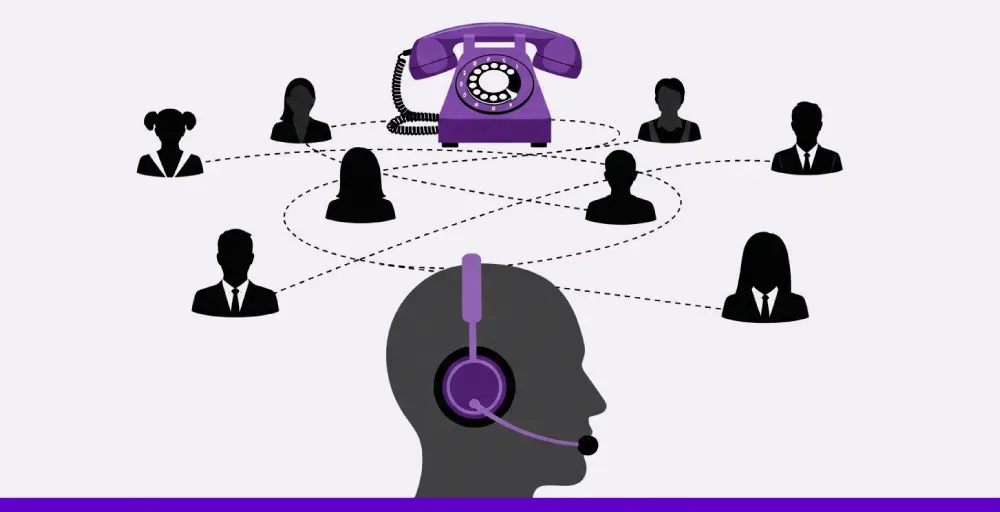
It’s built for environments where advanced call routing, high line availability, and real-time visibility are essential. These systems offer enhanced performance and are ideal for teams that manage complex call flows across multiple departments.
6-12 Line phone features:
- Support for 6 to 12 individual lines
- Line presence to monitor who’s available
- Larger screens and faster hardware
- Softkeys for one-touch access to key functions
- Bluetooth integration for hands-free calls
Use case: A team supervisor in a call center can monitor multiple lines, direct calls, and keep conversation flowing between support reps and management, all from one desk phone.
Key features of multi-line phone systems
A modern phone system handles more than just the management of multiple lines. It helps you stay organized, serve customers better, and handle busy call times with the help of advanced VoIP features.
1. Call hold and resume
The call on hold feature allows users to pause a call temporarily. In the meantime, the agent can answer another call, check details, or consult a teammate. While putting calls on hold, callers hear music or a message, which keeps them engaged until the conversation resumes.
2. Call forwarding
With this VoIP feature, you can redirect calls to another number, device, or voicemail. It’s beneficial for remote teams or employees who are frequently on the move.
Call forwarding helps them stay reachable at any time and avoid missing potential leads.
3. Voicemail and voicemail to email
When a call goes unanswered, voicemail lets callers leave a message. Cloud-based VoIP systems can also send those messages to your email, so your team can respond faster and stay organized.
4. Auto-attendant
An auto-attendant answers calls automatically and directs them based on the caller’s input. Using pre-set auto attendant scripts, it routes callers to the right department, shortens wait times, and adds a professional touch to every call.
5. Smart call routing
Smart call routing automatically connects callers to the most suitable agent or department based on their needs. This reduces wait times and improves customer satisfaction by ensuring each caller reaches the right person without unnecessary transfers.
6. Conference calling
Conference calling lets several people join the same conversation, which is useful for team check-ins or client calls. With multi-line phone systems that run on the internet, you get clear HD call quality without relying on extra software.
7. Caller ID and call logs
Caller ID and call logs provide your team with real-time information about who’s calling and when. With CRM integration, some systems can also display past interactions and customer sentiment. It helps your staff handle multiple incoming calls with more context and confidence.
8. Call transfer
Call transfer lets you send a live call to another team member or department without dropping the connection. With warm transfer, you can speak to the next person first, so the caller doesn’t have to repeat themselves, increasing customer satisfaction.

9. Call parking
Call parking allows users to place a call on hold in a shared space, enabling any team member to retrieve it from another phone. It’s a valuable part of modern calling features, especially in high-volume call environments where calls need to be quickly transferred across teams.
10. VoIP call recording
VoIP call recording enables you to automatically or manually save calls for quality checks, training, or record-keeping purposes. It’s widely used in high-volume call centers to improve service and accountability, without requiring any physical recording equipment.
Related 👉: What is a Hosted Phone System? Features, Benefits & Buying Tips
Benefits of using a multi-line phone system
A multi-line phone system offers far more than handling multiple calls simultaneously. Even when call volume grows, it helps businesses operate efficiently, maintain a professional image, and manage communications smoothly.
1. Lower costs with expanded call capacity
A VoIP-based multi-line phone system significantly reduces costs by eliminating charges associated with physical phone lines. Unlike older setups, these systems allow you to add new lines or extensions quickly and affordably to improve call quality. They achieve it through a simple online interface, thereby avoiding costly hardware investments.
2. Reliable service you can count on
As long as your internet connection is strong, multi-line phone systems deliver clear and reliable voice calls. Many service providers have backup systems in place, so if there’s a power outage or internet problem, your phone service won’t be interrupted. This helps your business stay reachable when it’s most important.
3. Professional image that builds trust
Features like auto-attendants, call queues, and customizable on-hold music make calls more professional and pleasant for your customers. When combined with CRM (Customer Relationship Management) integration, you can provide personalized greetings and tailored responses, showing customers that their business matters to you.
4. Flexible and scalable for growing teams
Multi-line phone systems support remote work and multiple office locations by allowing calls from anywhere with internet access. As your business grows, you can quickly change call routing, add new users, or connect tools. This keeps your communication system up to date with your needs.
5. Fast setup and easy customization
Unlike traditional phone systems, cloud-based phone systems offer user-friendly web portals that enable you to quickly configure call flows and customize settings. This flexibility helps you adapt quickly to seasonal changes, new products, or customer needs. It also lets you customize the experience for different teams or customer groups.
How to set up a multi-line phone system?
The traditional setup process requires you to install each physical line and invest in on-site equipment like a PBX. And, hire technicians to configure everything. It’s expensive and takes a lot of time.
A faster and more scalable option is a cloud-based (VoIP) multi-line phone system, which can be set up in minutes using just an internet connection.
Here’s how to get started:
1. Choose a service provider
Select a provider that fits your business needs and budget. Look for features like call routing, voicemail, and scalability. You can choose a local or toll-free number, or port your existing business number.
Related Article 👉: How to Choose a VoIP Provider: 9 Essential Tips
2. Assign phone extensions
Create user profiles for your team through an online dashboard. Assign each member an extension so they can handle calls, transfers, and internal communication easily.
3. Set up your cell phone greetings.
Set up how incoming calls are handled. Record a professional greeting and create an auto-attendant menu (e.g., “Press 1 for Sales, 2 for Support”) to route calls to the right team.
4. Start making and receiving calls immediately.
Your team can start making and receiving calls right away using desk phones, laptops, or mobile apps. If you don’t have a dedicated IP phone, you can use your smartphone or computer with a softphone app to make and receive phone calls from anywhere.
Choose the right multi-line phone system for your business
Managing multiple calls shouldn’t slow you down. KrispCall’s multi-line phone system helps you stay on top of every conversation clearly, quickly, and professionally.
Backed by a VoIP phone system and AI, KrispCall offers phone features like instant call summaries and AI-generated replies, so your team stays focused and productive.
Suppose you’re still relying on outdated or limited phone setups. Upgrade to KrispCall’s modern, feature-rich system and transform how your business connects with customers.
Book a Free Demo | Browse Plans