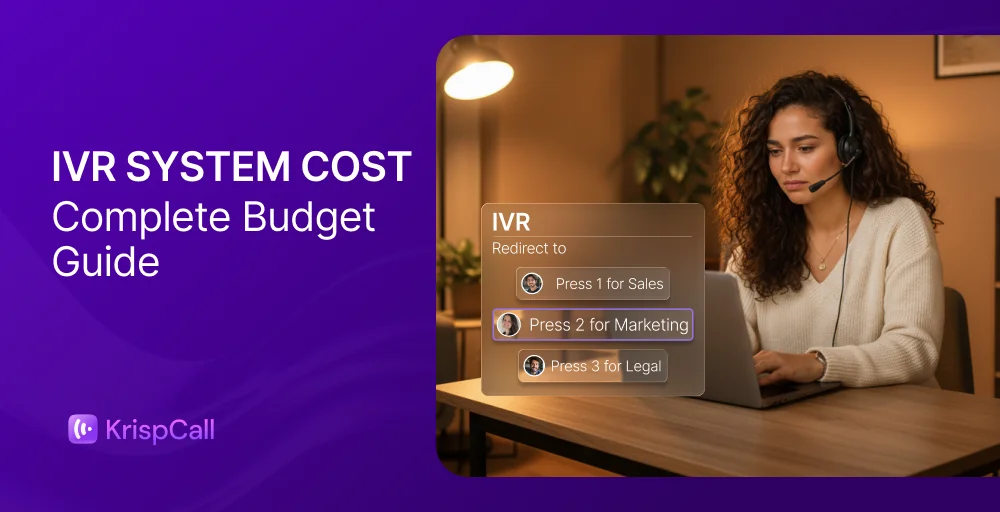
An Interactive Voice Response (IVR) system typically costs between $12 and $50 per user per month for cloud-based software. If you scale up to a custom, on-premise infrastructure with advanced features like conversational AI, upfront development, and hardware, costs can easily range from $3,000 to over $30,000.
✨ Key Takeaways
- Twilio: Best for technical teams requiring a highly customizable, programmable IVR framework.
- KrispCall: Best for small businesses needing affordable, pay-as-you-go per-minute routing.
- Zendesk Talk: Best for support teams already running on Zendesk.
- Nextiva: Best for customer-focused teams that want unlimited calling built in.
- Aircall: Best for SMBs that rely on seamless software integrations.
- Dialpad: Best for AI-first teams that want built-in transcription and call intelligence
- CloudTalk: Best for sales and support teams that need advanced automation.
- Grasshopper: Best for solo entrepreneurs and micro-businesses seeking a basic auto-attendant.
What are the three IVR pricing models, and which cost less?
IVR vendors use three main pricing models. The cheapest one depends entirely on your call volume.
| Pricing model | Average IVR cost range | Best for | Cheapest when |
| Per-minute (Usage-based) | $0.0085–$0.04 per minute | Startups, developers, and highly seasonal businesses | Calls are infrequent or short |
| Per-user (monthly subscription) | $12-$50 per user per month | Small-to-mid businesses with predictable staffing | You have multiple agents handling calls daily |
| Flat-rate (Tiered buckets) | $26-$150 per month | Micro-businesses needing simple call routing | You want a fixed, predictable monthly bill |
1. Per-minute model
In the per-minute model, you only pay for the minutes your IVR system handles. No call, no charge. Per-minute charges typically range from $0.0085–$0.04.This model works well when your inbound call volume is low or changes month to month.
The downside, however, shows fast. A busy month with high call volume can push your bill well above what a flat per-user plan would cost.
2. Per-user model
You pay a fixed monthly fee per agent or seat, regardless of how many calls go through the system. Most cloud IVR platforms use this model because it’s predictable and scales with your team size. Typically, on average, you pay $12 to $50.
At low volume, it can feel like you’re overpaying. But for sales and support teams handling dozens or hundreds of calls a day, the per-user model almost always works out cheaper than per-minute billing.
3. Flat-rate model
You pay a single fixed price per month, regardless of the number of users or call minutes. A flat-rate model can cost from $26 to $150 per month.
It’s the simplest pricing structure, but it comes with trade-offs. Flat-rate plans usually offer basic IVR functionality and pre-recorded menus rather than multi-level IVR, speech recognition, or CRM integrations. It’s a solid fit for solopreneurs and very small businesses that need a professional phone presence without complexity.
IVR cost breakdown (What You Actually Pay For)
The price you see on a vendor’s pricing page is rarely the price you pay. Here are the five core components that dictate your initial and ongoing IVR software pricing.
Setup cost
Setup fees vary dramatically based on the deployment model you choose. Cloud-based IVR systems are generally free to set up. Similarly, an on-premises IVR system requires significant capital expenditure.
- Cloud IVR: Usually $0 to $1000. Some premium IVR platforms charge a one-time onboarding fee for system setup, primary call flow development, and basic integration testing.
- On-Premise IVR: $5,000 to $25,000+. This covers physical telephony servers, infrastructure wiring, and specialized engineer labor to map out your initial call routing matrix.
Monthly subscription
This is your base cost or the recurring fee that keeps the system running. For cloud IVR, monthly subscriptions typically range from $15 to $150 per user. What’s included in that range varies significantly.
Entry-tier plans usually cover basic IVR functionality: call routing, voicemail, and limited call flows. Mid and upper-tier plans unlock multi-level IVR, unlimited IVR menus, advanced speech recognition, and call recording. Always check whether IVR is included in the base plan or sold as a separate add-on.
Call charges
Even on a per-user subscription, some vendors charge separately for call minutes. Inbound calls typically cost less than outbound calls. Here’s a general benchmark:
| Call type | Typical per-minute rate |
| Inbound (local) | $0-$0.015/min |
| Outbound (local) | $0.01-$0.13/min |
| Toll-free inbound | $0.03-$0.05/min |
| International | $0.02-$0.20/min |
Maintenance
Cloud maintenance is included in your subscription cost. The platform vendor handles all backend servers, security updates, and software bugs. However, accessing 24/7 priority IVR support or dedicated technical engineers often requires upgrading to a premium enterprise support tier.
On-Premise maintenance runs roughly 15% to 22% of the initial hardware purchase price annually ($4,000+ per month for larger systems). This handles physical line repairs, license renewals, and the salary overhead of internal IT staff needed to keep the physical hardware operational.
Add-ons (AI, integrations)
To meet modern customers’ expectations and achieve significant operational efficiency gains, businesses often scale their base software with advanced, premium tech add-ons.
- AI-powered IVR and natural language processing require an additional $20–$500+/month, or are available only on enterprise tiers.
- Conversational IVR with speech recognition is often locked behind higher plans or charged per interaction.
- CRM integrations (Salesforce, HubSpot, Pipedrive are included on mid-tier plans with some providers, but are add-ons with others.
- Basic recording may be included, but extended storage or automatic call recording beyond a set limit typically costs extra.
- Business associate agreements (BAA) for healthcare are usually available only on enterprise plans at a higher price point.
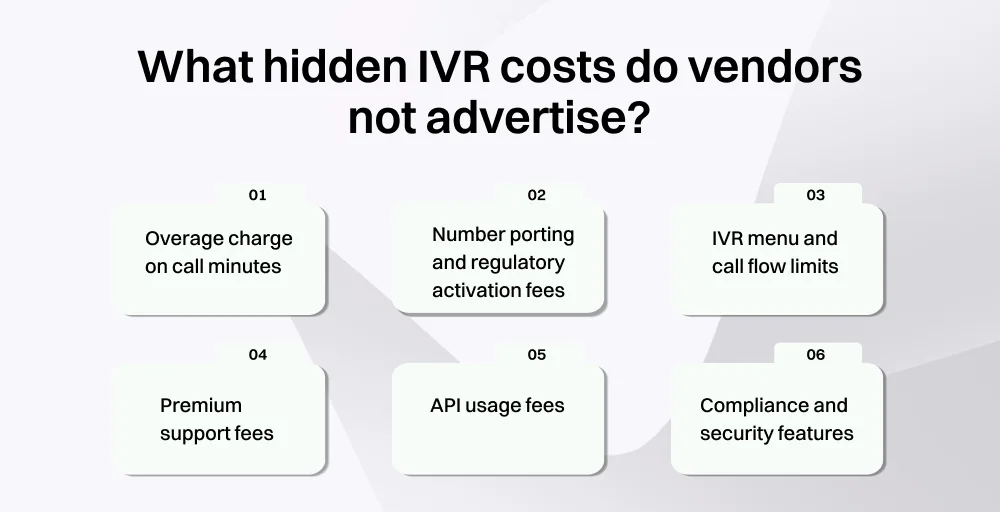
What hidden IVR costs do vendors not advertise?
When comparing the pricing of IVR service providers, it is easy to assume that the advertised rates tell the whole story. However, many vendors structurally hide some fees behind fine-print terms and service-level conditions.
1. Overage charge on call minutes
Many cloud-based solutions prominently advertise unlimited incoming calls as part of their subscription plans. However, this definition of unlimited almost exclusively applies to domestic calls within the US and Canada. Always read what “unlimited” actually covers before signing.
2. Number porting and regulatory activation fees
Bringing your existing business phone number to a new IVR provider isn’t always free. Some vendors charge a one-time porting fee of $10–$50 per number. Additionally, compliance charges, federal universal service fund (USF) fees, and local emergency service (E911) surcharges can quietly add 10% to 25% to your baseline monthly software invoice.
3. IVR menu and call flow limits
Entry-tier plans often cap the number of IVR menus, call flows, or intelligent call routing rules you can create. Hitting that cap means upgrading to a higher plan. Check menu limits before choosing a plan, especially if you need complex call routing.
4. Premium support fees
Standard plans typically include email or chat support with no guaranteed response time. Phone support, priority queues, and dedicated account managers are often reserved for higher tiers or sold as separate support packages. If your team depends on fast issue resolution, the cost of premium support should factor into your budget.
5. API usage fees
If you’re building custom IVR flows or integrating with internal business systems through an API, some vendors charge based on API call volume. Twilio is the clearest example where every API interaction has a cost attached. These fees are easy to overlook during the planning phase and difficult to predict without knowing your actual usage.
6. Compliance and security features
Standard entry-level tiers rarely comply with strict data privacy standards. To get a signed business associate agreement (BAA) for healthcare compliance, or to deploy a PCI-compliant environment for billing inquiries, vendors often force you onto their top-tier enterprise accounts, which can cost up to 300% more than the basic tier you initially budgeted for.
Cloud vs on-premsie IVR: Which is cheaper over 5 years?
The financial difference of Interactive Voice Response system comes down to upfront Capital Expenditure (CapEx) versus predictable, ongoing Operational Expenditure (OpEx).
| Cost factor | Cloud IVR (5-year total) | On-Premise IVR (5-year total) |
| Initial capital outlay (Upfront) | $0-$1000(Configuration & number porting only) | $5000-$25000(Servers, telcom cards, licenses) |
| Software subscriptions/maintenance | $9,000 – $90,000 (10 users) | $45,000 – $150,000+ |
| IT staff & Internal labor costs | Minimal | $40,000 – $120,000+ |
| Software upgrades & upgrades | Instant digital scaling, features added automatically | Required hardware refresh at Year 3 or 4 |
| Estimated 5-year TCO | Lower & predictable | Significantly higher |
For most small and mid-sized businesses, cloud IVR is cheaper over five years and considerably easier to manage. On-premises only starts to make financial sense at a very large scale, typically for contact centers with hundreds of agents and the internal IT infrastructure to support them.
If you’re not operating at that scale, the lower upfront cost of on-premise rarely holds up once the total cost of ownership is factored in.
How much does IVR cost by use case? (Healthcare, Retail, Campaigns)
IVR pricing isn’t one-size-fits-all. What you pay and what you get back depend heavily on how your business uses it. Here’s how IVR plays out across three common use cases.
1. Healthcare call flow
Average cost profile: $12 – $150+ per user per month
Healthcare is one of the highest-ROI use cases for IVR. The call volume is predictable, the queries are repetitive, and the cost of handling them with live agents is high.
Workflow improvemnet & impact:
- Prescription & appointment: Automated systems securely manage prescription refills, test result distributions, and appointment schedules without requiring human intervention.
- Workflow stats: According to recent industry field studies, outbound healthcare IVR systems that handle automated appointment reminders boost patient adherence by 6 points and reduce empty exam room costs.
2. Retail and e-commerce call flows
Average cost profile: $12 – $75+ per user per month
Retail contact centers deal with high volumes of straightforward, repetitive inbound calls, which is exactly what IVR handles best.
Workflow improvement & impact:
- Intelligent self-service routing: Instead of waiting on hold for an agent, customers input an order number to get instant shipping dates, resolve billing inquiries, or self-route to local storefronts.
- Workflow stats: Global market research shows that 68% of consumers are willing to spend more with brands that leverage smart routing and custom self-service menus to lower active wait times and elevate the overall customer experience.
3. Outbound campaigns
Average cost profile: $0.01 – $0.10 per minute (Usage-based models)
Outbound IVR runs differently from inbound. You’re initiating the call, not receiving it, which changes both the use case and the pricing structure.
Workflow improvement & impact:
- Automated customer outreach: Instead of paying outbound sales reps to manually dial leads, a conversational IVR automatically dials lists, delivers tailored promotions, collects survey feedback via voice commands, and passes hot leads directly to live teams.
- Workflow stats: Modern outbound telemarketing data reveal that self-service outbound IVR loops account for 18% of all corporate outreach campaigns, thereby freeing up 12% more live agent talk time. When used for promotional outreach, these automated drops successfully connect to qualified sales follow-ups, optimizing your sales processes without inflating internal labor payrolls.
Top IVR systems for small businesses
| Providers | Entry tier for USA (inbound calls) | Entry tier for USA (outbound calls) | IVR type | Model |
| Twilio | $0.0085/min | $0.014/min | Programmable IVR | Per-minute |
| KrispCall | $0.0197/min | $0.02/min | Multi-level IVR | Per-minute |
| Zendesk Talk | 0.012/min | $0.022/min | Multi-level IVR | Per-minute |
| Nextiva | Unlimited | Unlimited | Simple IVR | Per-user |
| Aircall | Unlimited | Unlimited | Multi-level IVR | Per-user |
| Dialpad | Unlimited | Unlimited | Multi-level IVR | Per-user |
| CloudTalk | Unlimited | Unlimited | Multi-level IVR | Per-user |
| Grasshopper | Unlimited | Unlimited | Basic Auto-attendant | Flat-rate |
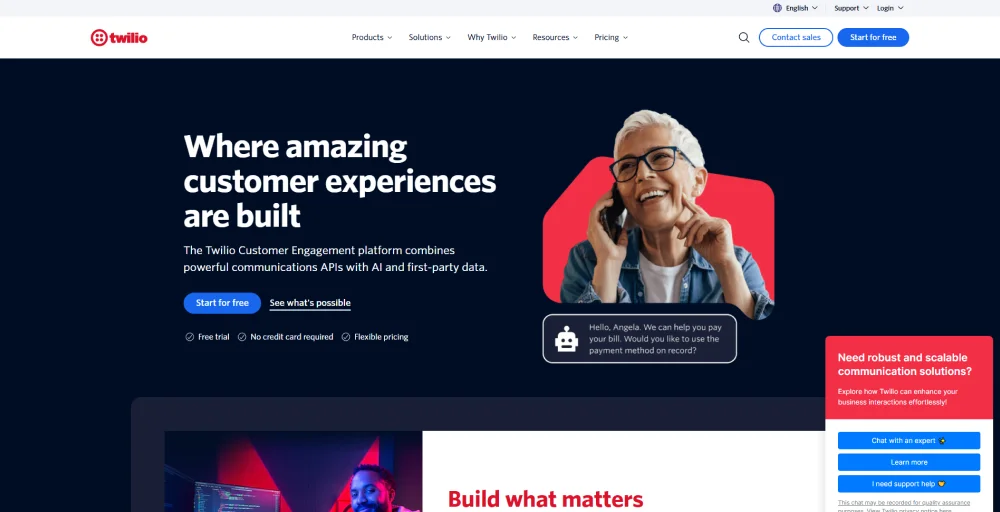
1. Twilio
Twilio is a cloud-based Communications Platform as a Service (CPaaS) that gives businesses full control over how their IVR is built and deployed. Unlike plug-and-play IVR tools, Twilio uses programmable APIs, so your team can build custom call flows, IVR menus, and routing logic from the ground up.
Pricing and plans
Twilio’s Flex plan
- Free trial: $0
- User + usage: $35 per monthly active user
- Named user pricing: $150 per named user
- Active user hour pricing: $1 per active user hour
Top features
- Programmable IVR & studio
- Real-time analytics
- SIP trunking
- International number support across 100+ countries
Best for
Developers and technical teams that need a fully customizable IVR system and have the in-house resources to build and maintain it.
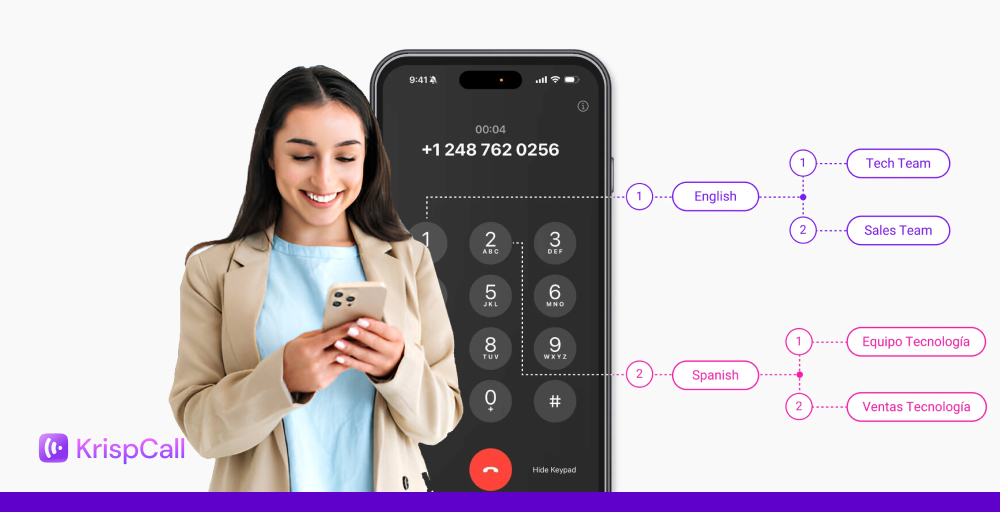
2. KrispCall
KrispCall is a cloud-based business phone system built for small to mid-sized teams that need multi-level IVR without paying enterprise rates. It combines call routing, IVR phone trees, CRM integrations, and a Unified Callbox into a single platform, all available from the entry-level plan
Pricing and plans
- Essential plan: $12/user/month (Annual pricing)
- Standard: $32/user/month (Annual pricing)
- Enterprise: Custom
Top features
- Multi-level IVR
- Unified Callbox
- Live call monitoring
- 100+ CRM integrations
Best for
Small to mid-sized businesses that want affordable multi-level IVR with global number coverage, CRM connectivity, and no technical setup required.
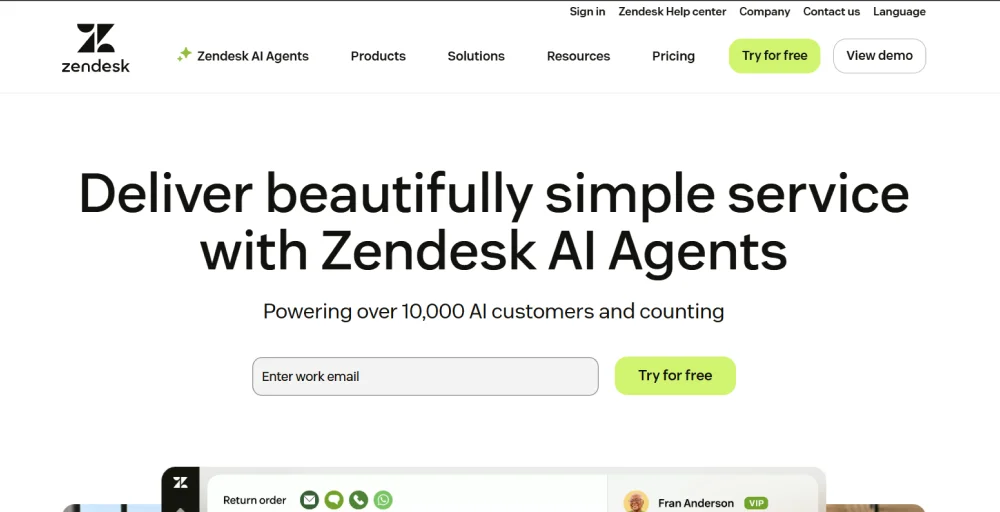
3. Zendesk Talk
Zendesk Talk is an embedded cloud call center solution built directly inside the industry-leading Zendesk Support Suite. Rather than operating as an isolated, standalone phone system, it treats voice calling as an extension of your digital helpdesk.
Pricing and plans
Zendesk customer service plan
- Support Team: $19/agent/month (Annual billing)
- Suite Team: $55/agent/month (Annual billing)
- Suite Professional: $115/agent/month (Annual billing)
- Suite Enterprise + Copilot: Talk to sales
Top features
- Email and ticketing system
- Omnichannel routing
- Skills-based routing
- Generative AI for voice
Best for
Support teams already using Zendesk that want voice fully integrated into their existing ticketing and CRM workflow, without managing a separate phone platform.
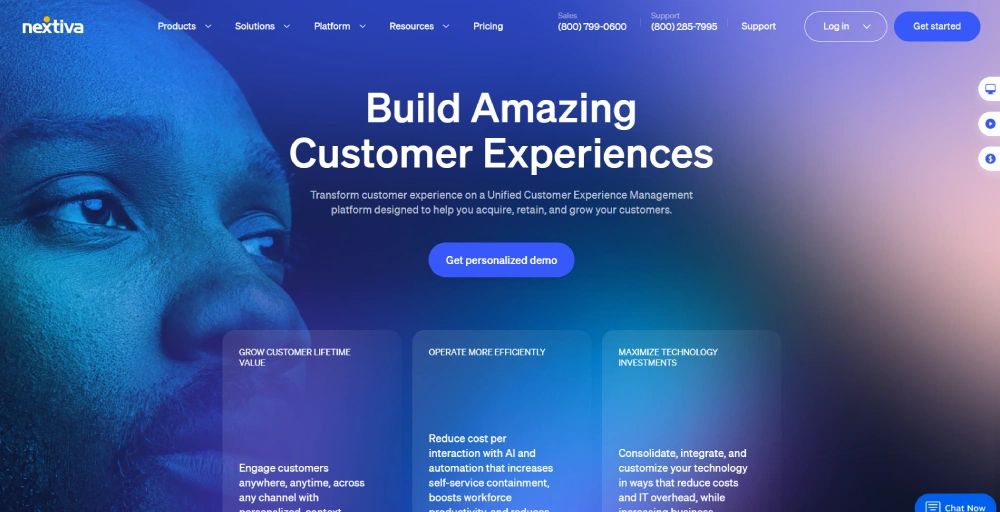
4. Nextiva
Nextiva is a premier Unified Communications as a Service (UCaaS) and contact center provider. It’s built for customer-focused teams that want reliable calling with IVR included in the subscription. It combines high-definition voice, video conferencing, team chat, and business SMS into a single dashboard.
Pricing and plans
- Core: $15/user/month (Annual billing)
- Engage: $25/user/month (Annual billing)
- Scale:$75/user/month (Annual billing)
Top features
- Unlimited calls & video meetings
- AI-powered call transcription
- Auto-attendant & call menus
- Voicemail transcription
Best for
Customer service and support teams that need reliable IVR, unlimited domestic calling, and a clear upgrade path from basic call routing to full contact center capabilities.
5. Aircall
Aircall is an AI-powered, voice-centric cloud call center platform built specifically for modern sales and support teams. It includes the IVR from the entry-level plan and also offers CRM integrations, call recording, and unlimited inbound calling.
Pricing and plans
- Essentials: $30/license
- Professional: $50/license
- Custom: Contact the sales team
Note: Aircall bills per license and requires a minimum of 3 licenses across its entry- and mid-tier plans.
Top features
- 250+ integrations and API access
- Softphone for desktop, Android, iOS
- Salesforce CTI integration
- Advanced analytics and live monitoring
Best for
Small to mid-sized sales and support teams that need IVR and CRM integrations from day one, and have at least three users to meet the minimum license requirement.
6. Dialpad
Dialpad is an AI-first cloud communications platform. Leveraging its proprietary large language model (DialpadGPT), the system transcribes conversations in real time, extracts actionable insights, and monitors caller sentiment across all plans.

Pricing and plans
Dialpad Connect business phone system offers three subscription tiers:
- Standard: $15/user/month billed annually
- Pro: $25/user/month billed annually
- Enterprise: Talk to sales
Note: Dialpad Support (contact center) is a separate product starting at $80 per user per month.
Top features
- Dialpad AI recaps
- AI voice isolation
- Visual multi-level IVR
- Predictive AI CSAT
Best for
AI-first sales and support teams that want built-in call intelligence, transcription, and automated summaries from day one.
7. CloudTalk
CloudTalk is an advanced, data-driven cloud call center platform engineered for high-performance sales and customer support operations. Its primary strengths lie in intelligent automation, international scale, and deep integration, enabling businesses to run hyper-efficient outbound campaigns globally.

Pricing and plans
- Lite: $19/user/month billed annually
- Essential: $29/user/month billed annually
- Expert: $49/user/month billed annually
Top features
- Visual call flow builder
- Power dialer & Smart dialer
- Multi-level IVR & Skill-based routing
- AI conversation intelligence
Best for
CloudTalk is best for mid-sized international sales teams, outbound-heavy telemarketing teams, and scaling contact centers that want deep CRM integration and automated dialing workflows.
8. Grasshopper
Grasshopper is a lightweight virtual phone system built specifically for freelancers, solopreneurs, and small businesses. Rather than replacing your infrastructure, Grasshopper functions as a software overlay that handles automated call forwarding and messaging directly through an individual’s existing mobile or desktop devices.
Pricing and plans
- True Solo: $14/month billed annually
- Solo Plus: $25/month billed annually
- Small Business: $55/month billed annually
Top features
- Basic auto-attendant
- Instant response auto-texts
- Simultaneous call handling
- Voicemail-to-email transcription
Best for
Solopreneurs and new entrepreneurs who only need a basic business phone number, extensions, and a professional greeting.
How do you negotiate a lower IVR price?
Most IVR vendors have more pricing flexibility than their published plans suggest. These techniques can bring the number down before you sign anything.
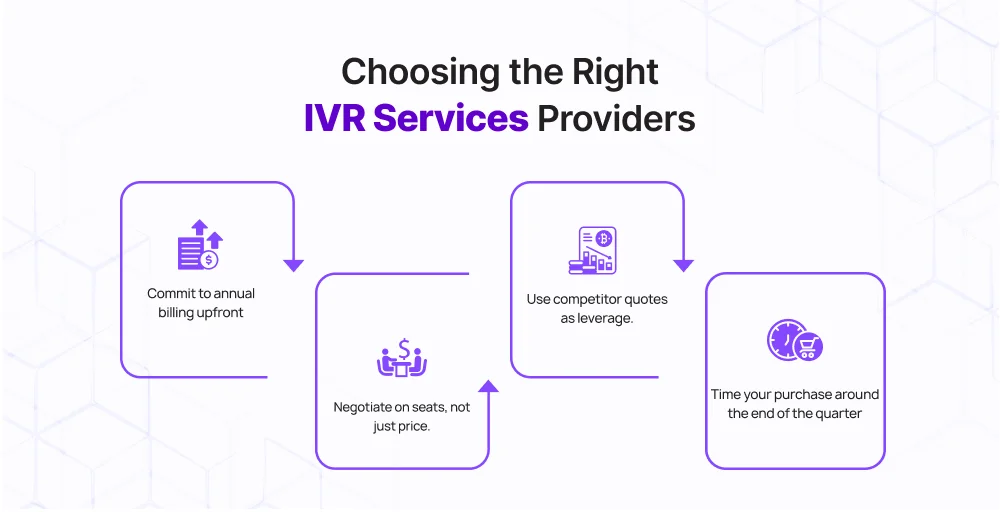
- Commit to annual billing upfront to save up to 20–40% on a monthly plan.
- Use competitor quotes as leverage. Most vendors would rather match a competitor than lose the deal.
- Negotiate on seats, not just price. If you’re buying multiple licenses, ask for volume pricing.
- Time your purchase around the end of the quarter, as they are more likely to come with additional discounts, extended trials, or waived onboarding fees.
How to estimate your IVR system budget?
Before you talk to a single vendor, run through these steps to know what you should actually be spending.
Step 1: Calculate your monthly call volume. Pull your current call logs and find your average monthly inbound and outbound call count.
Step 2: Decide which pricing model best fits your volume: per-minute pricing or a per-user plan with unlimited calling.
Step 3: List the specific functional tools your workflow requires and factor in specialized security standards such as PCI compliance or a Business Associate Agreement (BAA).
Step 4: Identify exactly how many internal agents, sales reps, or support staff need phone lines, alongside the total number of local or toll-free business numbers you intend to maintain.
Step 5: Factor in setup and onboarding costs. Cloud IVR is usually free to set up, but professional onboarding, custom IVR prompt recording, and initial configuration support can add one-time costs.
Note: If your business handles predictable call volumes with a stable headcount, a per-user subscription model offers the cleanest budget predictability. If your call volumes are highly seasonal or vary drastically month-to-month, a usage-based, per-minute model will lower your upfront operational costs.
Our recommendation
Finding the perfect balance between IVR system cost and advanced features ultimately depends on your organization’s unique workflow, technical resources, and call volumes.
If you’re a developer building custom call flows, Twilio gives you the most control. If your team runs entirely on Zendesk, Zendesk Talk is the logical choice. Dialpad wins on AI. CloudTalk and Aircall both serve sales-heavy teams well once you’re past the entry tier.
For most small to mid-sized businesses, though, KrispCall stands out as an exceptionally versatile choice. It offers multi-level IVR, CRM integrations without upgrading, global number coverage, and transparent per-user pricing, making it a practical starting point.