More Americans are hanging up on traditional landlines for good, and it’s easy to see why.
According to Pew Research, 98% of Americans now own a cell phone, with roughly nine in ten owning a smartphone. Paying for a home phone tied to one address while carrying a mobile phone everywhere simply doesn’t make sense for most people anymore.
But before you cancel your landline service, there’s one important question: what happens to your phone number? Whether it’s a home phone number your family has had for decades or a business line your customers call every day, losing that number can be a real problem. Fortunately, you don’t have to.
This guide explains exactly how to get rid of your landline while keeping your number through call forwarding or by porting it to a mobile carrier or a VoIP phone service.
🌟Key Highlights
- You can keep your landline number by activating call forwarding or completing a number porting request to a new provider.
- Call forwarding redirects calls from your home phone number to a cell phone, but your traditional phone line must stay active (and you keep paying for it).
- The standard call forwarding activation code in North America is *72, though this can vary by carrier; always confirm with your current provider.
- Number porting permanently transfers your existing phone number to a mobile carrier or a VoIP service, allowing you to cancel your landline completely.
- Google Voice is a free option for porting a home phone number, though it comes with limitations compared to full VoIP providers.
- The porting process takes 3–7 business days with mobile carriers and up to 2–4 weeks with some VoIP providers.
- Keep your landline number active throughout the porting process—canceling too soon can result in the permanent loss of your number.
Your Two Options: Call Forwarding vs. Number Porting
There are two ways to get rid of your landline but keep your number. The right choice depends on whether you want a quick, temporary solution or a permanent switch that eliminates your landline bill entirely.
- Call forwarding: Routes calls from your home phone to your cell phone. Fast to set up, but your traditional phone line (and its cost) stays active.
- Number porting: Permanently transfers your existing phone number to a mobile carrier or VoIP phone service. Eliminates your landline bill completely.
Let’s look at each in detail.
Option 1: Call Forwarding
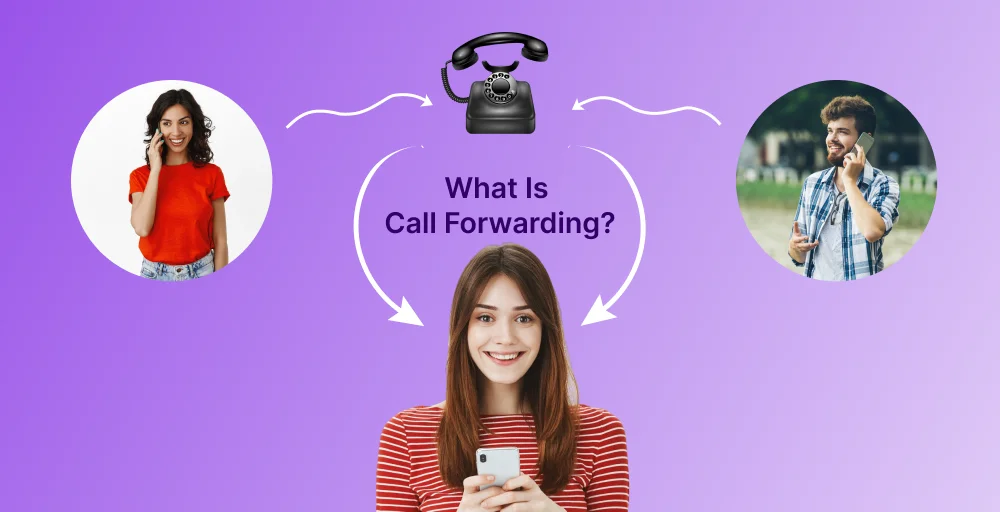
Call forwarding is a phone service feature that automatically redirects incoming calls from your landline number to another number — typically your cell phone or mobile phone.
Every call made to your home phone number gets silently rerouted. The caller dials the same number they always have, and your mobile phone rings instead.
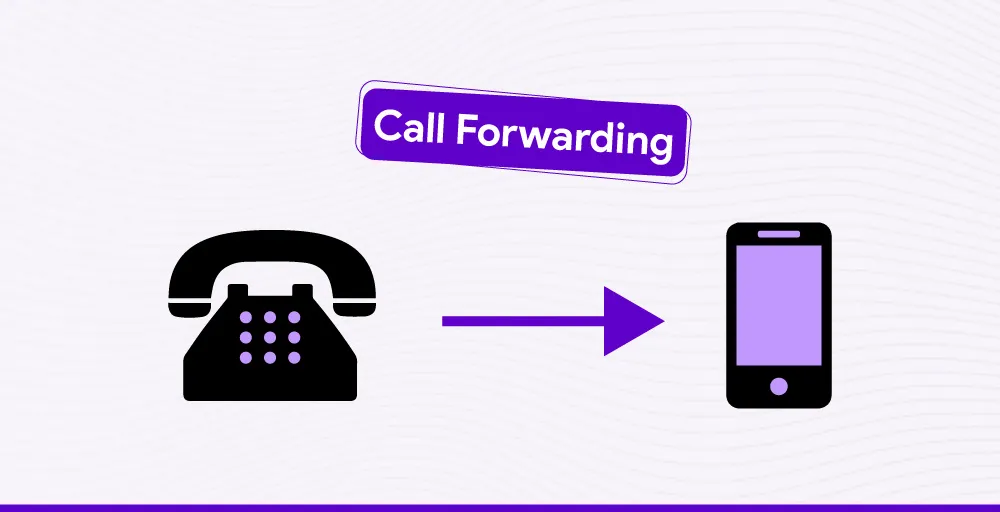
This is the fastest way to stop using your physical landline without having to deal with number porting immediately. If you want a step-by-step walkthrough, our guide on how to forward calls from landline to cell phone covers every method in detail.
IMPORTANT LIMITATION: Standard landline call forwarding routes calls to one designated number only. The ability to cascade calls across multiple numbers is a feature of VoIP phone service and cloud-based call routing — not traditional phone lines.
How to Activate Call Forwarding on a Landline
- Pick up your landline and listen for a dial tone.
- Dial *72, the standard call forwarding code used by most phone companies in North America. Some carriers use *21 or 72# instead. Confirm with your current provider first.
- Enter the 10-digit cell phone number you want calls forwarded to.
- Wait, the system will automatically call that number. The person at the forwarding number must answer the call to activate call forwarding. If there’s no answer or the line is busy, hang up and try again.
- Test it: call your landline from a separate phone to verify calls ring on your mobile.
Tip: To deactivate call forwarding later, dial *73 on your landline (or your carrier’s equivalent deactivation code). Forwarding will stop immediately.
The Key Cost Trade-Off
Call forwarding keeps your traditional phone line active. You’re still paying your service provider the same monthly fee for a phone line you’re no longer physically using. If eliminating that cost is your goal, call forwarding won’t help. You need to port your number.
Option 2: Number Porting
Number porting is the process of permanently transferring your existing phone number from your current landline provider to a new carrier or VoIP service.
Once the porting process is complete, you can cancel your old landline service entirely and save money going forward — while keeping the same number you’ve always had.
This is the right move for anyone who wants to get rid of their landline for good. There are two main options for porting your number: to a mobile carrier or to a VoIP phone service.
Porting Your Landline Number to a Mobile Carrier
Porting your home phone number directly to a mobile carrier lets you make and receive calls using your old landline number on your cell phone. Your existing number simply becomes your cell phone number: no separate device, no separate plan.
To get started, contact your mobile carrier (or a new provider you’d like to switch to) and request a port. They’ll ask you to provide details from your customer service record with your current landline provider, including your account number, billing address, and the personal identification number (PIN) on your account. These must match exactly what your existing provider has on file — mismatches are the most common reason a porting request gets rejected.
Processing time: 3 to 7 business days in most cases.
Benefits of Porting to a Mobile Carrier
- Keep your home phone number on a mobile phone: no separate device needed
- Gain access to text messaging, voicemail, and call routing features unavailable on traditional landlines
- Consolidate to one mobile service and reduce monthly bills
- Emergency SOS and real-time location sharing with emergency services
- Especially valuable for businesses: customers keep calling the same number
Challenges of Porting to a Mobile Carrier
- Brief service downtime during the switch — usually just hours
- Not all mobile carriers support landline-to-mobile porting; confirm first
- Early termination fees from your old landline provider if you’re under contract
- Some carriers charge a one-time fee to complete the port
- Account details must match your existing provider’s records exactly to avoid delays
Porting Your Landline Number to a VoIP Phone Service
VoIP phone service — which stands for Voice over Internet Protocol — transmits calls over the internet rather than a traditional phone line. Your voice is converted into digital data, sent over your Wi-Fi or broadband connection, and converted back to sound on the other end. The result is clear, reliable communication from anywhere with an internet connection.
Porting your landline number to a VoIP provider gives you more features than a standard mobile carrier and often at a lower cost, especially for international and long-distance calls. VoIP phone service is also accessible across multiple devices simultaneously: your smartphone, computer, and tablet can all use the same number.
Popular VoIP Options for Porting Your Landline Number
- Google Voice: A VoIP service from Google that supports porting a home phone number. It’s a solid option for personal use and light business calls, though it lacks some advanced features, such as IVR menus and call analytics, that paid VoIP providers offer. Worth considering if cost savings are the primary goal.
- KrispCall: A cloud phone system built for businesses and power users. Supports landline number porting and offers call routing, voicemail-to-email, power dialer, AI coaching, and IVR — all manageable across multiple devices from one interface.
- Other VoIP providers (Ooma, Vonage, Nextiva, etc.): Various options at different price points with varying feature sets. Compare porting support, fees, and call quality before choosing.
Steps to Port Your Number to a VoIP Service
- Confirm that your existing phone number is eligible for porting — not all landline numbers can transfer to all VoIP providers.
- Gather your required documents: proof of account ownership, your account number, and your billing address as they appear on your customer service record with your current provider.
- Sign up with your chosen VoIP service and submit your porting request along with the required documents. For KrispCall, send documents to porting@krispcall.com with the subject “Number Port Request.”
- Your new VoIP provider reviews the request and contacts your current provider to verify account holder details and confirm ownership.
- Once your existing provider approves the transfer, your new provider will confirm the porting date.
- Your number is fully transferred. The process typically takes 2 to 4 weeks — longer than mobile carrier porting, so plan accordingly.
IMPORTANT: Do not cancel your current landline service before the porting process is fully complete. If your old number goes inactive before the port is finalized, you can permanently lose that number. Keep it active until your new provider confirms the transfer is done.
Comparing Your Options at a Glance
| Factor | Call Forwarding | Mobile Carrier Port | VoIP Phone Service |
| Eliminates landline bill | ✗ No | ✓ Yes | ✓ Yes |
| Keeps existing phone number | ✓ Yes | ✓ Yes | ✓ Yes |
| Setup time | Minutes | 3–7 business days | 2–4 weeks |
| Requires traditional phone line | ✗ Yes (must stay active) | ✓ No | ✓ No |
| Text messaging support | ✗ No | ✓ Yes | ✓ Yes (most providers) |
| Multiple devices | ✗ No | ✗ No | ✓ Yes |
| International calls | At landline rates | At mobile rates | Usually lowest cost |
| Cost savings vs. landline | ✗ None | ✓ Moderate | ✓ Highest |
| Business call features | Basic | Moderate | Most extensive |
Important Considerations Before You Switch Services
Whether you’re porting to a mobile carrier, switching to a VoIP phone service like Google Voice or KrispCall, or simply activating call forwarding, there are a few things you should address before you start.
1. Keep Your Number Active Until the Port Is Complete
This is the most critical rule. Your landline number must remain active throughout the entire porting process. If you cancel your old landline service before the transfer finalizes, you risk permanently losing that number. Don’t cancel until your new provider explicitly confirms the port is done.
2. Verify Your Account Details Match Your Customer Service Record
Your porting request will be checked against the information your existing provider has on file. Your name, billing address, account number, and any personal identification number (PIN) on the account must match exactly. Even small discrepancies like a middle initial or an old address can cause your request to be rejected and delay the process significantly. Avoid delays by verifying your account details before submitting.
3. Check for Early Termination Fees and Hidden Fees
Review your contract with your current landline provider before you initiate a port. Some phone companies charge early termination fees or number transfer fees. Check for hidden fees and unexpected costs so you can factor them into your decision. In some cases, it may be worth waiting until your contract term ends before switching services.
4. Confirm Your New Provider Supports Landline Porting
Not every mobile carrier or VoIP provider accepts landline number porting. Some new carriers also restrict which types of numbers are eligible. Before starting the process, confirm with your new provider that your specific phone line and number are eligible for transfer — don’t assume.
5. Don’t Cancel Until You Receive Confirmation
Even after submitting a porting request, your number works on your old service until the transfer finalizes. Continue using your existing number as normal, and only contact your old provider to cancel once your new provider confirms that your number is fully active on the new service.
6. Test That Your Number Works on the New Service
Once the port is complete, call your own number from a separate phone to verify that it rings correctly on your new cell phone or VoIP phone service. Check voicemail, text messaging, and any call routing features you’ve set up. Confirm everything works before you cancel your old landline service.
Conclusion: Choose the Right Path to Ditch Your Landline
Traditional landlines are increasingly hard to justify when a cell phone goes everywhere with you and VoIP phone service delivers more features at lower cost.
The good news: you don’t have to choose between getting rid of your home phone and keeping the phone number that matters to you.
If you need a quick fix, call forwarding gets you receiving calls on your mobile phone within minutes — though your old landline service and its bill stay active.
If you want to eliminate your landline permanently and save money, number porting is the answer. Port your number to a mobile carrier for simplicity, or to a VoIP provider like Google Voice or KrispCall for the most features, including text messaging, call routing across multiple devices, and international calls.
Either way, keep your existing number active until the port completes, watch for any hidden or early termination fees in your current contract, and your transition will be smooth. The era of traditional landlines is ending. Your number doesn’t have to end with it.