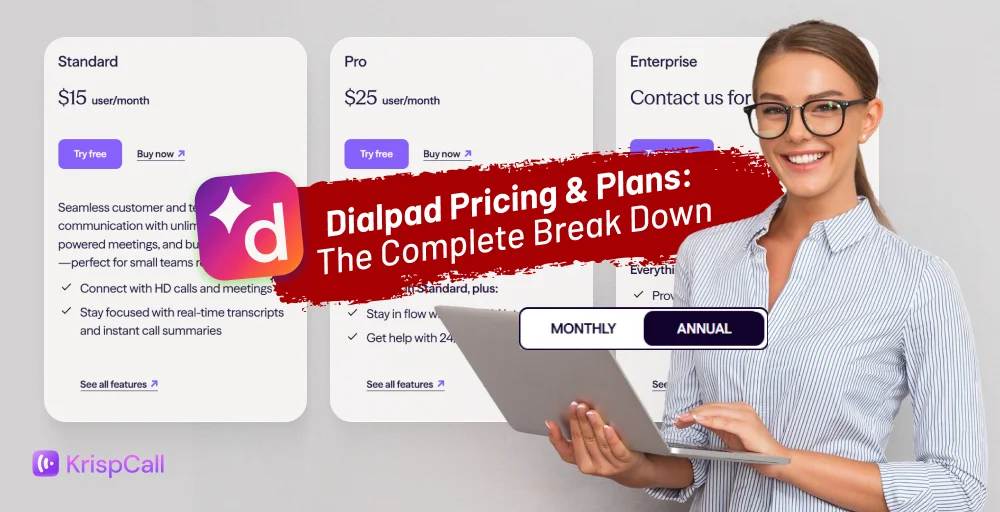
Dialpad may look like one of the most affordable business phone systems, starting at just $15, but the real question is: Does the spending stop there?
With Dialpad’s maze of plans, add-ons, and hidden fees, what seems like a bargain upfront can turn into a series of unexpected costs once you dig deeper.
To help you avoid surprises, we’ve broken down Dialpad’s pricing and plans for 2026 to reveal what each tier includes, what’s missing, and where hidden fees tend to appear.
By the end, you’ll know exactly which features you’re getting, what you’re paying for, and whether Dialpad is the right fit for your business or if another provider offers better value without the fine-print frustration.
✨ Key Takeaways
- Dialpad offers several pricing plans in 2026: Standard, Pro, and Enterprise, with prices varying by features and billing options.
- If you need extra features like additional phone numbers, enhanced video capabilities, AI-powered tools, or premium support, they’re available as add-ons, but each comes with additional costs.
- Dialpad has several hidden fees, including SMS overage charges of $0.008 per message after 250 messages, mandatory administrative cost recovery fees, and international calling restrictions despite advertising “unlimited calling” that applies only to the US and Canada.
Dialpad pricing and plans overview
Dialpad Connect offers three main plans: Standard, Pro, and Enterprise. Public pricing is available for Standard and Pro, while the Enterprise plan requires contacting Dialpad’s sales team for a custom quote.

While the advertised base prices appear competitive, many essential features are locked behind higher-tier plans or available only as paid add-ons, which can significantly increase the total cost of ownership.
Let’s take a quick glance at the breakdown of Dialpad’s core Connect plans and their price points:
| Feature | Standard | Pro | Enterprise |
| Monthly price (per user) | $27 | $35 | Custom quote required |
| Annual price (per user) | $15 | $25 | Custom quote required |
| Minimum users | 1 | 3 | 100 |
| Maximum office locations | 1 | 10 | Unlimited |
| Unlimited calling | US, Canada, &billing country only | US, Canada, &billing country only | US, Canada, &billing country only |
| International calling | Per-minute rates apply | Per-minute rates apply | Per-minute rates apply |
| SMS/MMS messaging | 250 messages/user/month included | 250 messages/user/month included | 250 messages/user/month included |
| International SMS | ❎Not available | ✅Available | ✅Available |
| Video meeting participants | 150 | 150 | 150 |
| Video meeting duration | 5 hours max | 5 hours max | 5 hours max |
| Ring groups (departments) | Up to 3 | Up to 25 | unlimited |
| SLA (Service Level Agreement) | ❎Not available | ❎Not available | ✅Available |
| Additional numbers (individuals) | ❎Not available | Local or international | Local or international |
| Extension | ❎Not available | ❎Not available | ✅Available |
| CRM integrations | Google Workspace only | Salesforce, Hubspot, etc | Advanced integrations + SSO |
| Support level | 24/7 web & chat only | 24/7 web, chat & phone | Priority support + dedicated account manager |
Dialpad’s Standard plan
The Dialpad Standard plan starts at $15/user/month when billed annually, which is a $180 upfront commitment. But if you prefer monthly billing, the price rises to $27/user/month, totaling $276 per year.
This entry-level tier provides the basic features of a cloud-based phone system, but several important features remain unavailable unless you upgrade to the Pro or Enterprise plan.
Key features:
- Unlimited domestic calling in the US and Canada
- Business SMS/MMS (region-based availability)
- Real-time call transcriptions and voicemail summaries
- Team messaging
- Video meetings for internal and external conversations
- Google Workspace and Microsoft 365 integrations
- Web and chat support
The Standard plan provides a versatile foundation for everyday telephony, though it excludes multi-office support, advanced CRM integrations, 24/7 live support, international texting, additional numbers, and enterprise-grade controls that are found in higher Dialpad tiers.
Dialpad’s Pro plan
The Pro plan starts at $25 per user per month (or $300 in total) when billed annually. The month-to-month subscription begins at $35 per user per month (or $ 420 in total).
This tier opens the door to stronger integrations, expanded messaging abilities, and multi-office support, making it a better fit for teams that need broader administrative control and deeper workflow connectivity.
Key features (along with all the features of the Standard plan)
- Custom moments (track phrases or keywords during calls)
- Dialpad API access
- Multiple phone numbers per user
- 24/7 live support
- Hold queues
- Global SMS
- Quality-of-service reports
Although Pro offers several upgrades over the Standard plan, many of Dialpad’s key capabilities, including guaranteed uptime, unlimited ring groups, premium support, phone extensions, and advanced security and compliance tools, remain exclusive to the Enterprise tier.
Dialpad’s Enterprise plan
Dialpad’s Enterprise plan does not have publicly listed pricing. To get exact costs, businesses must contact the sales team for a customized quote.
This tier is built for large organizations that require advanced security, guaranteed reliability, and extensive administrative controls across multiple offices and departments.
Key features (along with every Standard and Pro feature)
- SSO (Okta, Azure, OneLogin)
- Priority routing
- Service Level Agreements (SLA)
- Extensions
- Unlimited ring groups
- Enterprise-level security controls
- Full app integrations and API access
The Enterprise plan includes Dialpad’s most advanced capabilities. However, some premium services or add-ons like toll-free numbers and support enhancements may still incur additional costs.
Dialpad’s add-ons
Although Dialpad’s base plans are competitively prices, the platform’s actual cost becomes evident once you factor in add-ons. Many features that businesses consider essential, or that competitor business phone apps include as standard, are locked behind additional paywalls.
This can quickly escalate your overall investment, sometimes doubling or tripling the advertised base price. Here are the key add-ons you should be aware of:
Additional phone numbers
- Additional local numbers: $5 per number per month
- Additional international or toll-free numbers: $15 per number per month
- Conference room lines: $15 per number per month
Enhanced video capabilities
- Meetings for 10-150 participants: Starts at $15 per user per month
- Meetings with 45+ minutes duration: Starts at $15 per user per month
- Large-scale meetings (up to 1500 participants): pricing available per request
Internet fax (eFax)
- License fee: pricing unknown (must contact sales)
- Usage fee: $0.10 per page after exceeding the monthly limit
Global unlimited calling
- Fair use limit: 1,500 minutes per month included
- Overage billing: After 1,500 minutes, international calls are billed through calling credits
Premium features:
- Dialpad Business Intelligence (BI): Pricing available per request
- Manage a coaching team: Pricing available per request
- AI CSAT (Customer Satisfaction): Pricing available per request
- Platinum Support: Pricing available per request
Extra costs and hidden fees in Dialpad plans
Beyond the advertised add-ons, Dialpad has several hidden fees and usage-based charges that aren’t prominently disclosed during the sales process. Some hidden fees you need to know about:
1. SMS overage charges
Each Dialpad user receives only 250 outbound US SMS per month. It is a limitation that active customer-facing teams quickly exceed. Once you hit this cap, per-message charges apply, and they can add up fast.
Dialpad charges $0.008 per SMS for each message delivery attempt. Message statuses like sent, delivered, and undelivered will impact your balance, and only failed messages are exempt from charges.
2. Per-minute calling charges (support & sell plans)
If you’re using Dialpad Support or Dialpad Sell, there’s a critical detail buried in the fine print: you pay per-minute charges on top of your seat licenses.
The charges:
- Inbound calls: $0.01 per minute within the US & Canada
- Outbound calls: $0.02 per minute within the US & Canada
3. Administrative cost recovery fee
This is perhaps the most frustrating hidden fee because it’s mandatory, non-negotiable, and rarely mentioned during the sales process. Every user must pay an annual compliance fee that covers regulatory filings, reporting requirements, and administrative costs.
The amounts vary by plan and user count, and you can either pay on a month-to-month basis or as a lump sum on annual contracts.
4. Number porting and setup fees
When migrating from another provider to Dialpad, you’ll likely want to keep your existing phone numbers, but this seemingly standard service comes with surprise charges.
If you want to port local US and Canadian numbers, it’s free, but porting international phone and fax numbers may incur fees (exact fees are not listed), depending on the provider.
5. International calling rates (the “Unlimited” catch)
Dialpad prominently advertises “unlimited calling,” but there are significant restrictions that only become clear after you sign up.
The reality:
- Unlimited applies only to: The United States and Canada
- International destinations: Subject to per-minute rates ranging from $0.01 to $0.50+ per minute
- Fair use cap: Only 1,500 minutes per month to international destinations through the Global unlimited add-on
- Calling credits required: Must be pre-purchased to make international calls
- No transparent rate card: Must contact support or dig through documentation to find per-country rates
Other Dialpad plans
Dialpad also offers AI-powered plans designed for specific business use cases, allowing organizations to choose tools that align with their operational goals.
Dialpad Support
Dialpad Support is designed for customer service teams that require intelligent automation and AI-driven insights across multiple communication channels.
It offers three plans: Essentials at $39/user/month; Advanced at $95/user/month; and Premium at $150/user/month, all billed annually.
Dialpad Sell
Dialpad Sales is crafted for sales teams seeking to enhance performance through AI-driven insights and automation in their sales processes.
It offers three plans: Essentials at $60/user/month; Advanced at $95/user/month; and Premium at $150/user/month, all billed annually.
Related 👉: Explore Ooma Pricing & Plans in Detail
Dialpad plan & pricing compared to competitors
When evaluating Dialpad’s pricing, it’s essential to compare it against competitors to understand whether you’re getting the best value for your investment.
While Dialpad positions itself as an AI-powered unified communications leader, several alternatives like KrispCall offer comparable features at more competitive prices with transparent pricing structures.
KrispCall has emerged as a compelling alternative to Dialpad, especially for small to mid-sized businesses and startups or contact centers seeking affordable, feature-rich business phone solutions without hidden costs.
G2 Review: “KrispCall has been a game-changer for our communication workflow. The dashboard is super intuitive, making it easy to manage multiple numbers, track calls, and collaborate with the team. The call quality is consistently clear, and I love that everything, from call logs to voicemail, is neatly organized in one place.”
—Srushtidhar L. AI Voice Agent & amp, AI Automation Strategist, Small-Business (50 or fewer employees)
KrispCall offers 3 pricing tiers designed to accommodate businesses at different growth stages. All plans include core business phone features, with higher tiers adding advanced capabilities for growing teams and enterprises.
Essential plan
The Essential plan costs $12 per user per month with annual billing and $15 per user per month with monthly billing. It is KrispCall’s entry-level offering, designed for freelancers, startups, and small teams with up to 5 users.
Despite being the most affordable option, it includes a strong set of features that many competitors, like Dialpad, lock behind higher-tier plans or costly add-ons.
What’s included:
- One free local/mobile number (UK, US, or Canada)
- Shared phone number capability
- Click-to-dial functionality
- International calling to 100+ countries (per-minute rates apply)
- Call notes during conversions
- Call/SMS filters
Standard plan
The Standard plan is KrispCall’s most popular offering, designed for mid-sized businesses, growing teams, and call centers that need comprehensive unified communication features. It costs $32 per user per month when billed annually or $40 per user per month when billed monthly.
This plan removes the user limit and adds powerful tools for sales, support, and team collaboration.
What’s included:
Everything in Essential, plus:
- Bulk SMS
- Comprehensive call analytics and reporting
- Call transfer
- Call recording with unlimited storage
- 100+ native CRM integrations and more
Enterprise plan
KrispCall’s Enterprise plan offers maximum flexibility and customization for large organizations with unique requirements. Pricing is tailored based on your specific needs, user count, and feature requirements.
What’s included:
Everything in Standard, plus:
- Dedicated account manager
- API and webhook access
- Developer support
Core features you’ll get with every plan
Regardless of which plan you choose, every KrispCall subscription includes these essential features:
- Web and mobile app access (iOS and Android)
- Call whispering, barging, and forwarding
- Caller ID customization
- Do not disturb mode
- Browser extension for click-to-call
- Number porting
- SMS and MMS capabilities
- End-to-end call encryption
- 24/7 live chat support
- Knowledge base and documentation, and more
Best features of Dialpad and KrispCall
When comparing business phone systems, both KrispCall and Dialpad offer standout features that cater to different business needs. Dialpad excels in AI-driven communication and enterprise-ready integrations, while KrispCall focuses on cost-effective, globally accessible, and easy-to-manage telephony tools.
Dialpad
- AI-powered call transcriptions: Automatically transcribes calls and voicemails in real-time, making it easy to review conversations or share notes across teams.
- Voice intelligence (VI): Provides AI-driven insights, call coaching, and sentiment analysis for sales and support teams.
- Advanced call routing & IVR: Interactive voice response (IVR), auto-attendant, and flexible call routing features help direct calls efficiently across departments and teams.
- Multi-location & multi-device support: Allows employees to use the same account across multiple offices and devices, keeping workflows consistent.
- CRM integrations: Deep connectivity with major platforms like Salesforce, HubSpot, and Microsoft Dynamics to streamline sales and customer support workflows.
KrispCall
- Unified Callbox: Centralized dashboard to manage calls, messages, voicemails, and call analytics in one place.
- Global phone coverage: Supports business numbers and calling from over 100 countries, enabling truly international operations.
- Unlimited call recording: Record calls across all plans at no additional cost, useful for training, compliance, and quality assurance.
- Call barging and monitoring: Supervisors can join, listen, or intervene in live calls, enhancing team training and support.
- Flexible integrations: Connects with popular CRMs and productivity tools, including Salesforce, Slack, ActiveCampaign. Bitrix24 and Copper to streamline workflows.
KrispCall vs Dialpad: Compare features, pricing, and value
Choosing the right business phone system requires careful evaluation of features, pricing, and overall value. Both KrispCall and Dialpad offer cloud-based communications solutions, but they cater to different business needs and budgets.
Here is a side-by-side comparison table of KrispCall and Dialpad:
| Category | KrispCall | Dialpad Connect |
| Price range | $12-$15/user/month | $15-$27/user/month |
| Global coverage | local/mobile/toll-free in 100+ countries | 50+ countries (higher tiers) |
| Pin contacts/ messages | Yes | No |
| CRM integrations | From the Essential plan ($12/user/month) | From the Pro plan ($25/user/month) |
| Number porting | Yes, available in all plans | Yes, available in all plans |
| Customer support | 24/7 in all plans | Strong but varies by tier |
| Custom caller ID | Yes | Yes |
| API and Webhook access | Yes | yes |
KrispCall is ideal for budget-conscious businesses needing global reach and flexible features, while Dialpad is best for large enterprises requiring AI capabilities and unified communications with strong compliance requirements.
- KrispCall is more affordable with a lower entry point ($12-15/user/month vs $15/user/month annual for Dialpad), and offers more transparent pricing.
- KrispCall offers global coverage across 100+ countries with virtual numbers, helping teams establish an international presence without physical infrastructure.
- Dialpad excels in AI sophistication with advanced real-time coaching, sentiment analysis, and AI-powered insights.
- KrispCall leads in sheer number of integrations, especially with CRM and helpdesk platforms.
- Dialpad offers strong video conferencing capabilities integrated into its unified platform, making it stronger for teams prioritizing video meetings.
- Dialpad provides superior enterprise-grade capabilities, including GDPR, HIPAA, ISO, and SOC2 compliance certifications.
Is Dialpad still worth using?
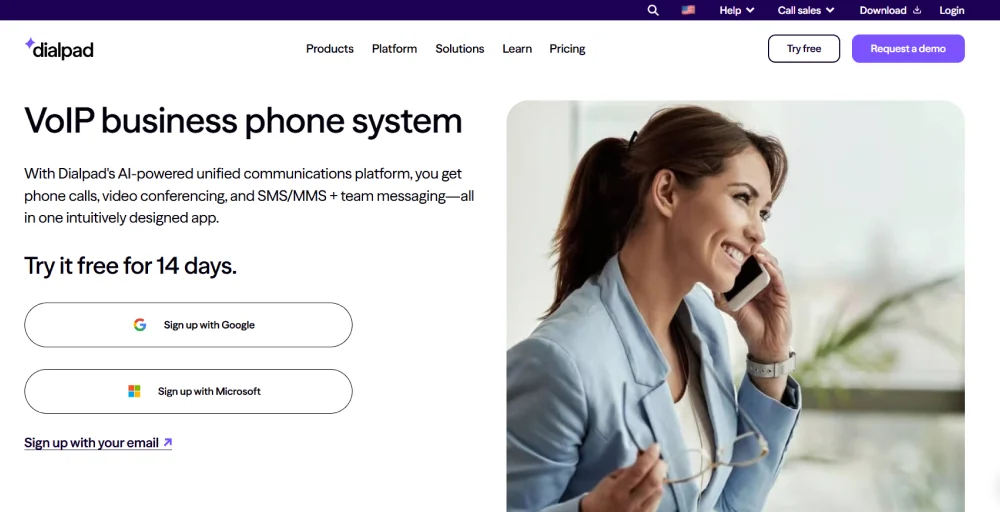
Dialpad remains a competitive business phone system in 2025, particularly for organizations prioritizing AI-powered voice intelligence. Its heavy investment in its proprietary DialpadGPT model, trained on over 7 billion minutes of business conversations, sets it apart from competitors relying on third-party solutions.
Dialpad pros & cons
Here is a comprehensive evaluation of Dialpad’s pros and cons based on current user experience and expert reviews:
| Pros | Cons |
| Industry-leading DialpadGPT that provides real-time transcription, sentiment analysis, and automated post-call summaries. | CRM integrations are often buggy and require custom API development. |
| Integrate voice, video, team messaging, and SMS in one interface. | Hidden fees, including porting charges, add-on costs that make true pricing difficult to determine upfront. |
| Excellent call quality with minimal lag or connection issues. | Inconsistent customer support, where some report excellent service, and others experience long wait times. |
| Real-time coaching helps sales and support teams improve performance. | Metered international calling and expensive outside the US/Canada. |
| Auto-tracks keywords for compliance and call analysis. | Valuable features are locked behind higher tiers or add-ons. |
| 24/7 live support available on Pro and Enterprise plans only. | More complex setup and configuration compared to alternatives like KrispCall. |
Bottom Line: KrispCall offers better value
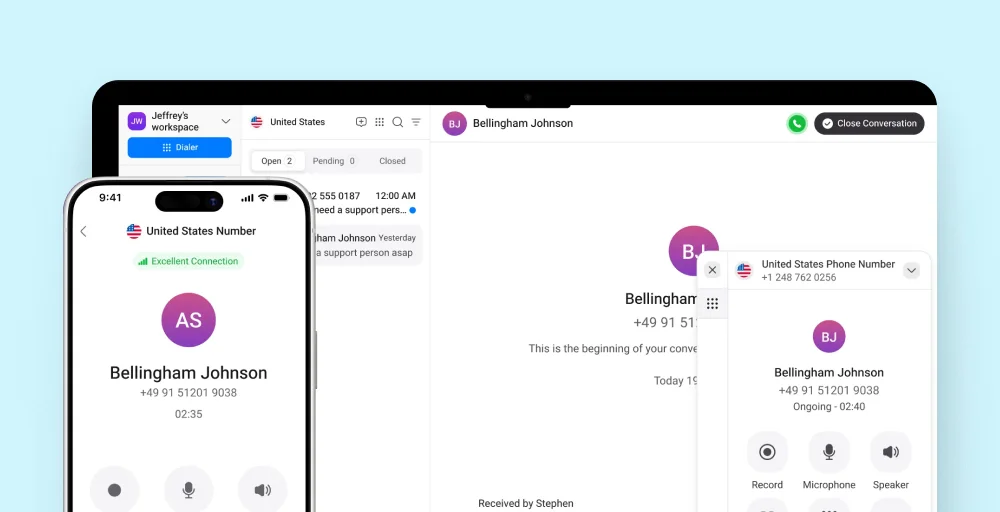
KrispCall ultimately provides better value than Dialpad with its entry-level plans starting lower and essential features included from the beginning, making it easier for business to manage their budget confidently.
KrispCall provides more flexibility across all tiers with virtual numbers, extensive CRM integrations, and powerful call management tools without requiring an upgrade to higher plans, where Dialpad locks key capabilities behind Pro or Enterprise tiers.
In the end, KrispCall stands out as the smarter choice for businesses seeking a cost-effective, feature-rich telephony system that scales smoothly as they grow. Its simplicity, global reach, and stronger value proposition make it a better long-term investment than Dialpad for most modern teams.