Summarize this blog with:
Getting a business phone system for your accounting firm is more than a business number. The system must also handle client calls, the tax-season rush, remote staff, and private financial conversations. And it should do all that without making daily work harder.
The right setup gives you a professional firm number, organized call routing, and a record of every call. It also grows with your team. This guide shows you how to get a business phone system for your accounting firm what to look for, how to choose and set up a system, and how to get ready for tax season.
What Is a Business Phone System for an Accounting Firm?
A business phone system helps an accounting firm take inbound calls and make outbound calls from one central place. It lets your team use dedicated business phone numbers, assign extensions, route calls to the right employees, and manage voicemail.
For example, you can direct a client calling about a tax return to the tax team, while a payroll question goes to the payroll department. This helps clients reach the right person without unnecessary transfers.
A business phone system also helps your team manage calls, follow up with clients, and keep work and personal calls separate.
Business Phone System vs. Personal Phone
Using a personal number for client calls can blur the line between work and personal life. A business phone system helps most accounting firms keep client communication separate, manage calls more efficiently, and maintain a professional image. The key differences are outlined below.
| Feature | Personal Phone | Business Phone System |
| Phone number | Uses an employee’s personal number for client calls. | Provides a dedicated business number for clear client communication. |
| Call management | Offers basic call handling with limited team controls. | Supports features such as call forwarding, call routing, and extensions. |
| Voicemail and greetings | Usually uses personal voicemail and greetings | Allows professional greetings and business voicemail. |
| Call records | Work calls may be mixed with personal call history. | Call logs show who called, when, and for how long, in one shared place. |
| Team communication | Makes it harder to share calls or direct clients to the right employee. | Helps route clients to the appropriate accountant or department. |
| Work-life balance | Can lead to client calls outside working hours on a personal number. | Helps separate business communication from personal calls, for example by using a second phone number that you can switch off after work hours. |
| Staff changes | Clients may need to contact a new number when an employee leaves. | Admins can update users and call routing without changing the firm’s main business number. |
| Professional image | May make a small firm appear less organized. | Creates a consistent and professional point of contact for clients. |
Why Cloud Phone Systems Fit Modern Accounting Firms
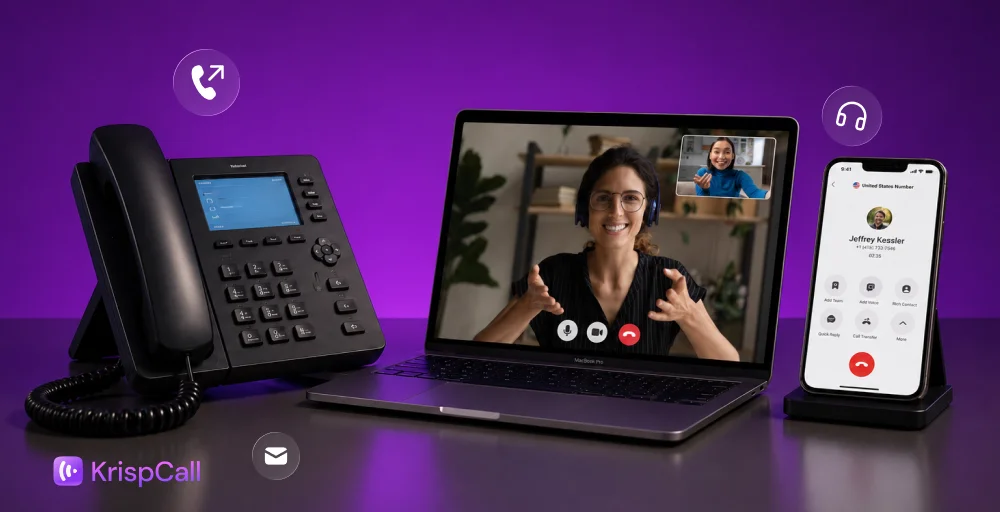
A cloud-based phone system lets your accounting firm make and receive business calls over the internet using VoIP (Voice over Internet Protocol). You may also see it called a virtual phone system. Instead of relying only on traditional office phone lines, your team can use supported desktop apps, browsers, mobile apps, or compatible desk phones.
This setup works well when accountants work remotely, are spread across multiple offices, or are hired only for the busy tax season.
Cloud phone systems also make it easier to add users, update call settings, and remove access when seasonal employees leave. You can do it without installing new phone lines or disrupting daily operations.
Why Do Accounting Firms Need a Business Phone System?
Accounting firms handle a mix of routine and high-volume client calls, so a phone system built for accountants can make communication easier to manage.
Handle Tax-Season Call Volume
Tax season can change your call pattern overnight. Clients call about deadlines, missing documents, and the status of their returns. A basic setup can’t keep up. A call queue holds callers in line. Routing rules send each inbound call to the right person. Overflow rules route extra calls elsewhere, and callbacks let callers skip the wait. Together, they stop one accountant from answering everything.
Keep Client Communication Organized
Multiple people often talk to the same client. When notes and messages are scattered, follow-ups slip, and calls get missed. Shared call logs, voicemail, and missed-call alerts keep everyone on the same page, so your team can reply faster.
Give Clients a Clear Path to the Right Person
A caller with a payroll question shouldn’t have to explain it three times. An auto-attendant greets callers and offers a short menu: tax, bookkeeping, payroll, or general questions. Good routing isn’t about adding more menus. It’s about getting callers to the right person in fewer steps.
Support Remote and Multi-Office Teams
A cloud-based system lets remote staff take firm calls without using their personal numbers, so they stay reachable wherever they work. One firm number and clear extensions keep the experience consistent across offices.
Protect Client Communication
Your clients share private financial details, so your phone system must protect them. Look for user permissions (who can see what), encryption, multi-factor login (MFA), recording controls, and settings for how long records are kept.
Essential Features to Look For in an Accounting Firm Phone System
The right phone system should match your firm’s size, daily communication needs, and ability to handle seasonal changes.
Business Numbers, Extensions, and Direct Lines
Start with a main firm number, then add direct phone lines or extensions for partners and departments where they help clients reach the right person. Local numbers build familiarity with nearby clients, and toll-free numbers suit firms with clients in several states.
Auto-Attendant and Intelligent Call Routing
An auto-attendant greets callers and sends them to the right place. Callers get quick answers about where to go, and your team gets fewer misrouted calls. Routing rules use the department, availability, or time of day to send each inbound call where it belongs, making call handling more efficient.
Call Queues, Overflow, and Callbacks
When several clients call at once, a queue keeps them in line instead of giving a busy signal. Overflow rules send extra calls to another team. Callbacks let callers ask for a call back instead of waiting on hold. These tools matter most in tax season, when a sudden rush can overwhelm your staff.
Business Hours, After-Hours, and Voicemail
Your phone system should treat office hours, weekends, holidays, and busy periods differently. After hours, calls can go to voicemail, another person, or a callback plan, so they never go unanswered. Voicemail transcription turns messages into text you can scan.
Call Recording, Monitoring, and Analytics
Call recording helps with notes, training, and settling questions about what was said. Call monitoring and analytics show how many calls you get, how long callers wait, and how many go unanswered. Before you turn on recording, check your workplace’s consent and record-keeping rules.
Mobile, Browser, and Softphone Calling
Remote accountants and seasonal staff should be able to use the firm’s phone system without their personal numbers. With browser calling, desktop apps, and mobile apps, clients see the same firm number on every device.
CRM and Business Tool Integration
A phone system that connects to your CRM saves typing. After a call, it can log the call on the client’s record, with the time and length. It can also set a follow-up reminder. For special needs, ready-made integrations and APIs mean your team doesn’t have to enter the same details twice.
Business SMS
Business texting works well for appointment reminders, confirmations, and quick updates. But don’t send sensitive financial details by text just because it’s easy.
How to Choose the Right Phone System for Your Accounting Firm
Choose a reliable phone system based on your firm’s current business needs, daily communication patterns, and how those needs may change over time.
Start With Your Firm’s Size and Call Volume
A solo CPA has different requirements from a growing CPA firm with several departments or offices. Compare both normal call volume and peak tax-season demand before deciding how many users, queues, numbers, or advanced features you actually need.
Map Your Client Call Journey
Think through what happens from the first ring to the final follow-up. A new client inquiry, tax question, document-status request, appointment request, and after-hours call may each need a different destination.
Check Security and Reliability
Don’t judge a provider on features alone. Ask about login security, user permissions, data protection, and recording controls. Also check uptime, call quality, and support. Keep your calling apps and desk phone software up to date. Also ask what happens to calls if the service or your internet goes down.
Check Scalability for Seasonal Staff
Ask one simple question: how easy is it to add temporary users in tax season and remove them afterward? Good user management lets you change access and routing without extra admin work.
Choose Features Based on Actual Needs
More features don’t make a system better. A small practice may only need reliable routing, voicemail, remote calling, and basic reports.
How to Set Up a Business Phone System for an Accounting Firm
Setting up a business phone system involves more than choosing a number. You’ll need to organize departments, configure call routing, connect relevant business tools, and test the setup to ensure clients can reach the right person without unnecessary delays.
Step 1: Choose or Port Your Business Number
Decide whether you need a new business number or want to keep your existing number through number porting. If clients already know your current number, keeping it can make the transition less disruptive.
Step 2: Create Departments and Extensions
Set up departments such as tax, bookkeeping, payroll, reception, or partner lines. Give employees direct extensions where they genuinely improve the client journey.
Step 3: Build the Call Flow
Record your main greeting. Then set up the auto-attendant, routing rules, queues, office hours, after-hours handling, voicemail, and overflow. Keep it simple, so callers reach the right person without a maze of menus.
Step 4: Add Employees and Devices
Add full-time, remote, and seasonal employees to the system, and choose the devices they need. Apply the appropriate permissions to each user instead of giving every employee administrative access.
Step 5: Connect Relevant Business Applications
Connect the CRM, accounting software, practice management software, calendar, or other tools that genuinely support the firm’s workflow. Where useful, enable automatic call logging or customer-record updates.
Step 6: Test Before Going Live
Make test calls in and out. Try transfers, queues, voicemail, and after-hours routing. Also test what happens when things go wrong, like when no one answers. Train your staff before launch, so they know how to transfer calls and handle voicemail. A setup that looks fine on a dashboard can still confuse callers once real calls start.
How to Prepare Your Phone System for Tax Season
Tax season can put a different level of pressure on an accounting firm’s phone system, so your call workflow should adapt to demand.
| Period | What to Change |
| Normal Season | Keep standard staffing, routing, business hours, and department structure. |
| Peak tax season | Add seasonal employees, increase queue capacity, adjust routing and overflow, and use callbacks or voicemail for non-urgent requests. |
| After tax season | Remove temporary access, restore normal routing, and review missed calls, wait times, and queue performance. |
Don’t set up your phone system once and forget it. Adjust routing, staffing, and queues before the rush starts. That keeps response times fast and clients happy.
Common Mistakes Accounting Firms Should Avoid

A few small setup mistakes can make it harder for clients to reach your team. Here’s what to watch out for when choosing and managing your firm’s phone system.
- Using personal numbers for client calls: This can create privacy issues and make communication harder to manage when staff changes.
- Designing for average call volume: A setup that works in a quiet month may break down when filing deadlines drive a surge in calls.
- Sending every call to one person: Use departments, routing, queues, and overflow so one employee does not become the bottleneck.
- Ignoring after-hours calls: Decide whether callers should reach voicemail, another employee, or a callback workflow.
- Giving seasonal staff too much access: Use role-based permissions and remove temporary access when the busy period ends.
- Adding too many features: Choose tools that solve actual communication problems instead of paying for complexity your firm will not use.
How Much Does a Business Phone System Cost for an Accounting Firm?
Pricing varies by provider, so compare what’s included rather than the headline number. These factors move most of the cost:
- Users and phone numbers: Most plans charge per user, plus extra for additional numbers.
- Calling usage and international needs: Heavy outbound or international calling can add up.
- Cloud vs. hardware: Cloud systems avoid big equipment costs, while desk phones add them back.
- Advanced features: Recording, analytics, and advanced routing may sit in higher tiers.
- Integrations and implementation: Custom integrations and setup help can carry separate fees.
- Seasonal users: Ask whether you can pay only for temporary users when you need them.
Why KrispCall for Accounting Firms?
KrispCall is a cloud phone system that puts your firm’s calls in one place. It includes business numbers, call routing, auto-attendants, queues, voicemail, recording, call reports, and CRM integrations.
A Cloud Phone System Built for Accounting Workflows
KrispCall lets your team call from desktop and mobile, whether they work in the office, at home, or across locations. It also has a dedicated page for accountants and CPA practices.
Handle Busy Tax Seasons
Call routing, auto-attendants, and queues help you handle more calls as demand rises. You can adjust the setup as needed without rebuilding the whole system.
Keep Client Communication Organized
Call logs, voicemail, and texts keep each client conversation in one place. KrispCall also connects with CRMs and other business tools, so your team switches between fewer apps.
Support Remote and Seasonal Teams
Desktop and mobile calling keep remote staff connected under the firm’s number. You can also change user access as your team changes.
Monitor and Review Calls
With call recording, live call monitoring, and call analytics, supervisors can review calls, see call trends, and spot problems early.
Get Started with KrispCall for Your Accounting Firm
A good phone system gives your firm a professional number, routes each caller to the right person, and records every conversation. It should also stretch to meet the tax-season rush and shrink back afterward. Start with your firm’s size and call volume, map how clients move from first ring to follow-up, and choose only the features that solve real problems. Test everything before launch, and review routing and staffing before each busy season.
KrispCall is a phone system built for accountants and CPA practices. You can set up business phone numbers or keep your current one by porting your number. Then build your call flow with call routing, an auto-attendant, and call queues so clients reach the right person without a maze of menus. Voicemail, call recording, and call analytics help your team follow up quickly and spot problems early. CRM integrations save your staff from entering the same details twice.
Ready to see how KrispCall fits your practice?
Book a demo or get started today, and have your phone system ready before the next filing deadline.
Frequently Asked Questions
What type of phone system is best for an accounting firm?
A cloud-based system usually fits best. It supports remote work, seasonal hiring, and fast changes without hardware headaches.