Sales teams that use built-in calling tools directly within their CRM experience a significant increase in their sales revenue and generate over 300% more qualified leads. That’s not just a productivity boost, it’s a competitive edge.
But not all integrations are created equal. If your VoIP tool doesn’t sync seamlessly with HubSpot, you risk heavy workflows, missed opportunities, and wasted hours toggling between apps.
To identify the best VoIP software for HubSpot, we evaluated calling platforms that claim HubSpot compatibility.
Let’s explore the top HubSpot phone integration tools in 2026 and who they’re best suited for:
✨ Key Takeaways
- HubSpot VoIP integration connects your VoIP phone system with a HubSpot CRM so you can access all your information in a single dashboard.
- The best HubSpot VoIP integrations in 2026 are KrispCall, CallHippo, RingCentral, Vonage, 8×8, Zoom Phone, and Dialpad.
- To choose the right VoIP for your HubSpot setup, consider team size, call volume, budget, scalability, automation, support, and onboarding.
What is HubSpot VoIP integration?
HubSpot VoIP integration connects your software or phone systems to CRM or third-party applications, allowing them to share your every call, follow-up, and contact information, and also log these interactions automatically.
This means your reps automatically have all the context they need, previous conversations, key details, and next steps, without having to switch between different tools or manually take notes. This works through direct third-party integration with your existing VoIP phone systems.
7 Best HubSpot VoIP integrations in 2026 (with pros & cons)
Choosing the best HubSpot VoIP integrations ensures your team gets a seamless calling experience, automation, and efficiency.
Here’s a breakdown of the top HubSpot compatible VoIP providers:
| Provider | Pricing | Best for |
| KrispCall | $12/user/month | Startups and small businesses. |
| Aircall | $30/license/month | Small to mid-sized sales and support teams. |
| RingCentral | $20/user/month | Larger SMBs and mid-market teams. |
| JustCall | $29/user/month | Remote-first teams |
| CloudTalk | $25/user/month | High-volume sales team. |
| Zoom Phone | $8/user/month | Mid to large teams are using Zoom already. |
| Dialpad | $15/user/month | AI-driven communication. |
1. KrispCall
When it comes to the HubSpot VoIP integrations, KrispCall stands out as one of the most powerful solutions. It is an AI-powered cloud phone system for HubSpot that offers deep integration with CRM tools and provides AI-powered real-time analytics.
KrispCall offers an open API for custom workflows, giving your team the flexibility to scale and automate interactions effortlessly.
With virtual phone numbers available in 100+ countries, KrispCall empowers global teams to operate locally, all while staying deeply integrated within HubSpot’s CRM ecosystem.
Key features
- Instant SMS follow-ups
- 2-way contact and lead syncing
- Call history at your fingertips
- Automatic call logging
- Calling inside HubSpot
Pros
- You don’t have to switch between tabs or applications to make and receive calls.
- Allows you to view a contact’s call history, notes, and other data from a single dashboard.
- Gives all detailed information about each prospect’s status, whether it’s new or in progress.
Cons
- You can’t track call duration at peak call times.
- It is slow while syncing text messages.
- Importing CSV files from Google Contacts is a hassle.
Pricing
- Essential: $12 per user, per month.
- Standard: $32 per user, per month.
- Enterprise: Custom
Ideal for which team/business size
Early-stage startups, small businesses, and distributed teams looking for an affordable HubSpot softphone integration, especially those needing virtual numbers across multiple countries without complex infrastructure.
2. Aircall
Aircall is a VoIP phone system that integrates with HubSpot to streamline call management for sales and support teams.
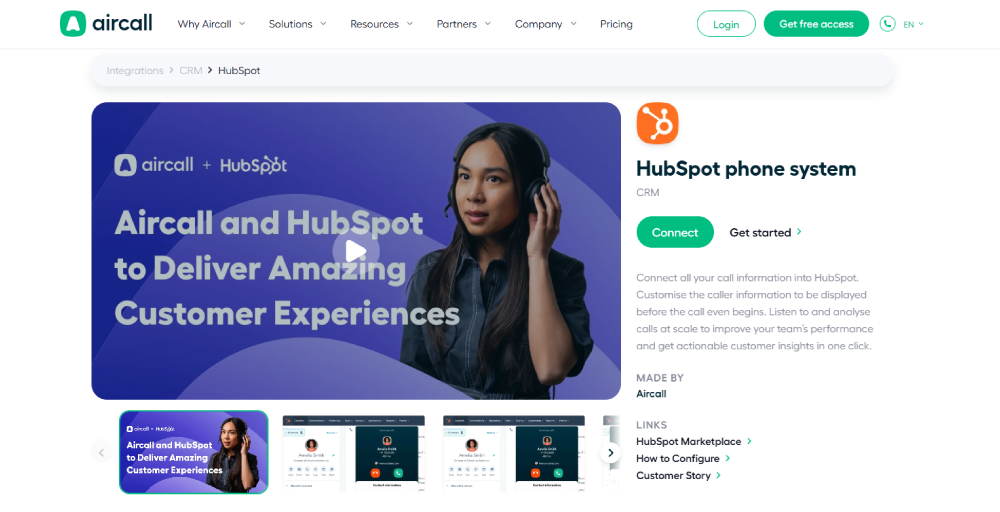
The platform focuses on improving customer communication through seamless VoIP CRM integration, making it popular with teams who want better efficiency and service quality without complexity.
Key features
- Tag syncing
- Automatic ticket creation
- Advanced call routing
- Click-to-call
- Insight cards
Pros
- No IT support or hardware is needed; you can deploy it within hours.
- All call data, recordings, and notes sync directly into HubSpot for complete customer visibility.
- Team access call information with automatic data sync for faster decision-making.
Cons
- SMS capabilities are limited within countries and plan-based.
- Limited bandwidth and echo during peak times while making a call.
- Pricing can go higher with the increase in features, add-ons, and users.
Pricing
- Essentials: Starts at $30 per license.
- Professional: Begins at $50 per license.
- Custom: Call for details
Ideal for which team/business size
Small to mid-sized sales and support teams that need fast onboarding, real-time call analytics, and tight integration with HubSpot, especially teams prioritizing collaboration and CRM workflows.
3. RingCentral
RingCentral offers a comprehensive cloud-based communication solution, integrating VoIP phone services, video conferencing, messaging, and contact center features.
It also has a certified integration with HubSpot, allowing sales and support teams to manage calls, record activities, and automate workflows directly within their CRM system.
Key features
- Easy call disposition and logging
- SMS logging and workflows
- RingCentral AI assistant
- Multi-level IVR
- Activity sync for offline logging
Pros
- Eliminates the need for manual dialing as you can place calls with click-to-dial.
- RingCentral’s integrated AI assistant summarizes calls and captures insights.
- Enhances the reporting and tracking of active deals, tickets, or companies with log calls.
Cons
- Text messages are not logged as a thread.
- SMS made anywhere outside of that Chrome extension, including a phone app, doesn’t integrate.
- The inbound calls do not pop up on the screen.
Pricing
- Core: Starts at $20 per user, per month.
- Advanced: Begins from $25 per user, per month.
- Ultra: From $35 per user, per month.
Ideal for which team/business size
Larger SMBs and mid-market teams that want to consolidate calling, texting, video meeting, and messaging into one enterprise-grade platform, particularly those already using RingCentral for unified communications.
4. JustCall
JustCall also offers a HubSpot VoIP integration, providing an AI-powered communication platform that enables teams to manage voice, SMS, and WhatsApp conversations directly within HubSpot.
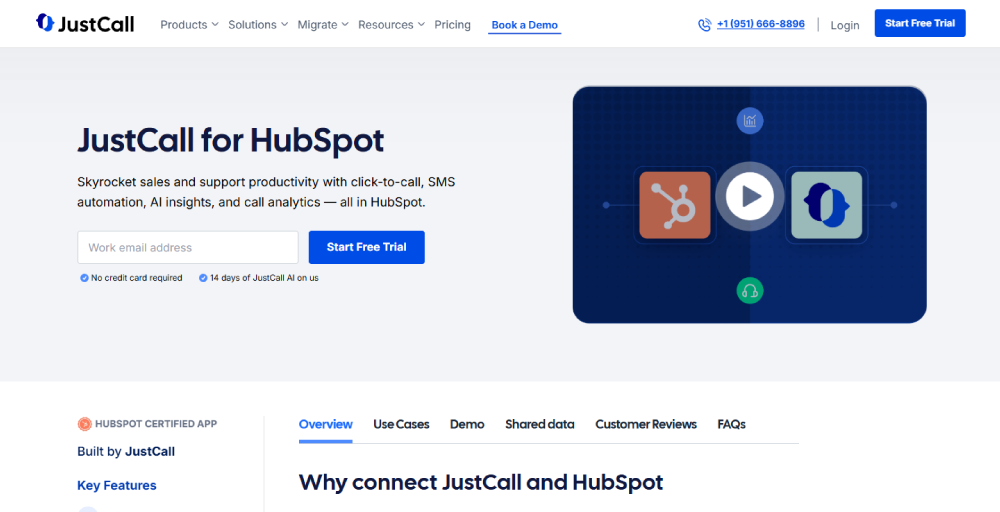
The integration also creates a ServiceHub ticket for inbound communication, routes them appropriately, and maintains complete interaction records for better customer relationship management.
Key features
- Auto dialing
- Task automation
- AI coaching
- Support ticketing
- Activity logging
Pros
- Calling systems enable real-time voice communications and foster effective and immediate conversations.
- Voice calls add a personal touch, allowing for emotions and tone to be conveyed accurately.
- No need to switch tools for running automated SMS campaigns.
Cons
- Call quality and reliability depend on network stability and internet connectivity.
- Voice calls lack a written record, making it harder to refer back to details.
- Scheduling calls across different time zones can be challenging and inconvenient.
Pricing
- Team: $29 per user, per month.
- Pro: $49 per user, per month.
- Pro Plus: $89 per user, per month.
- Business: Request a quote.
Ideal for which team/business size
SMB and remote-first teams in sales and customer support that want a plug-and-play VoIP system with automation, texting, and call tracking, ideal for teams scaling quickly with HubSpot at the center of their operations.
5. CloudTalk
CloudTalk integrates seamlessly with HubSpot’s market-leading CRM platform to streamline your call center operations.
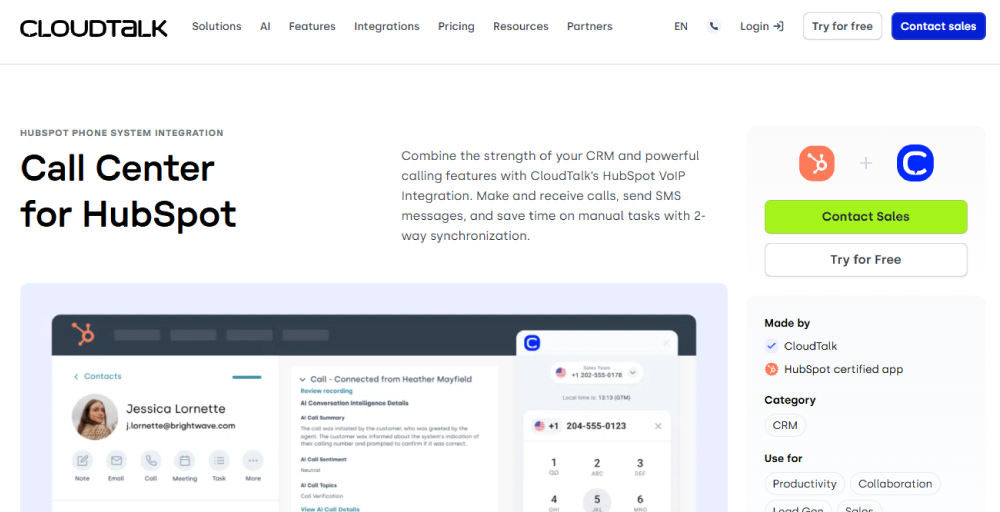
This allows sales and support teams to focus on closing deals and delivering exceptional customer experiences while maintaining comprehensive call management within their existing VoIP and HubSpot automation.
Key features
- Live call monitoring
- Call intervention
- Coaching mode
- Wallboard
- Automate workflows with custom triggers
Pros
- Without switching systems, you can easily add users, features, and lines.
- It has the ability to allow open call listening amongst colleagues.
- Automatic login of all recordings, calls, notes, and tags in HubSpot.
Cons
- If you need video conferencing, you need an additional tool for that.
- Asks for repeated login while switching from the CloudTalk app to the HubSpot caller.
- Its mobile app lacks the features of the desktop.
Pricing
- Starter: $25 per user, per month.
- Essential: $29 per user, per month.
- Expert: $49 per user, per month.
- Custom: Contact for a tailor-made offer.
Ideal for which team/business size
Mid-sized businesses and B2B support teams needing advanced features like intelligent call routing, IVR, and performance analytics, particularly those running outbound sales campaigns within HubSpot.
6. Zoom Phone
Zoom Phone extends Zoom’s unified communication platform to cloud telephony, integrating seamlessly with HubSpot for comprehensive business communication.
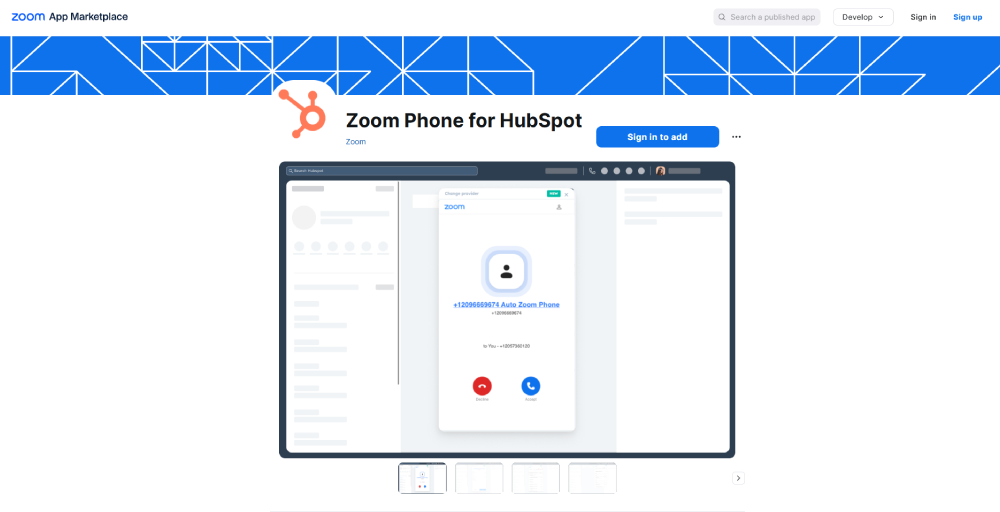
The HubSpot integration allows the team to maintain productivity and connectivity from anywhere while managing customer relationships within a single platform, powering seamless communication for businesses globally.
Key features
- Make and receive calls in HubSpot
- Automatic activity logging
- Send and receive SMS
- Unified softphone experience
- Voicemail & recording access
Pros
- You can get basic call metrics logs without paying any extra setup cost.
- Reduces call charges as you can transfer calls from one system to another call system.
- Can integrate voice, video, and messaging into a single platform.
Cons
- Need to pay for add-ons for international numbers or advanced call queue analytics.
- Call dropping, friction setup, and missing data types are issues.
- You cannot automatically track the transcripts or outcome; there is no sentiment analysis, and the analytics are minimal.
Pricing
- Pro: $8.00 per month, per user.
- Pro Plus: $18.33 per month, per user.
- Business Plus: $22.49 per month, per user.
Ideal for which team/business size
Mid-sized to large organizations already using Zoom for meetings and webinars who want to extend that ecosystem to voice, a natural fit for teams seeking unified communication with seamless HubSpot integration.
7. Dialpad
Dialpad’s integration with HubSpot enhances workflows by embedding its robust AI and SMS capabilities directly into the CRM, thereby extending the reach of customer interactions.
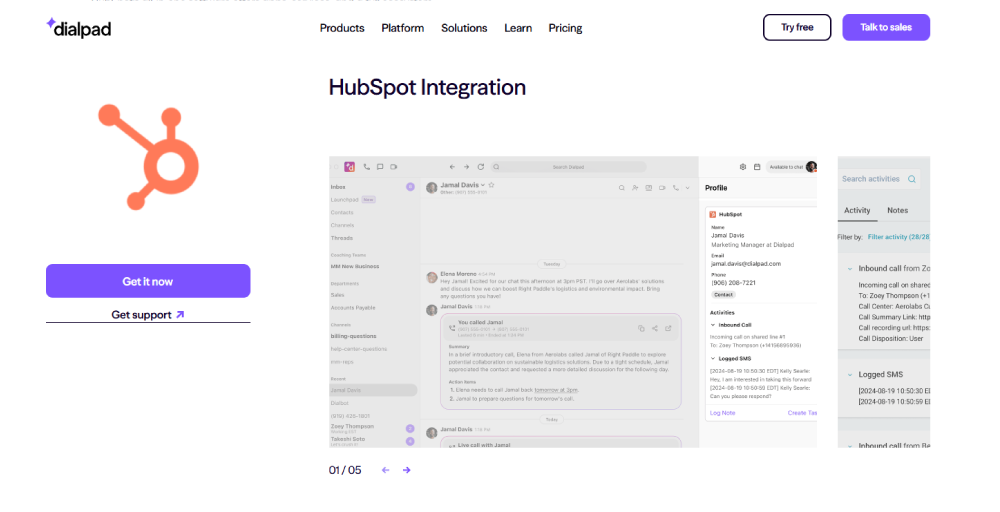
The integration serves to unify all communications, bringing data from Dialpad into HubSpot and vice versa, creating a comprehensive and actionable view of customer engagements.
Key features
- Calling in HubSpot
- SMS logging
- Send SMS using HubSpot workflows
- Automatic ticked creation
- Contact management
Pros
- You don’t need any separate tool for call transcripts, auto tagging, and AI tagging.
- It is available in all ways, whether it’s mobile, desktop, or web browser.
- The contact profile is shown in HubSpot from Dialpad to allow agents to jump to HubSpot during a call.
Cons
- Advanced call routing and sentiment analysis features are only available in Pro or Enterprise plans.
- It has a slow resolution time during the time of plan changes or the onboarding process.
- Lacks the dashboards and call center KPIs features.
Pricing
- Standard: $15 per user, per month.
- Pro: $25 per user, per month.
- Enterprise: Contact us for pricing
Ideal for which team/business size
Tech-savvy startups and growth-stage teams that value AI features like real-time transcription, voicemail sentiment analysis, and smart routing, especially those looking to modernize communications without a steep learning curve.
Related 👉: VoIP Salesforce Integration.
How to choose the right VoIP for your HubSpot setup?
Selecting the right HubSpot VoIP integration requires careful evaluation of several key factors that will impact your team’s efficiency and success.
Consider team size and call volume
Start by evaluating the number of users who will require phone access and the expected monthly/daily call volume. Small teams may only have basic call features, while large operations need multiple phone lines, softphone apps, a call queue, and advanced call routing.
Budget and scalability
When planning your budget, consider immediate costs and future growth. Review your budget for communication tools and anticipate changes as your business expands. Look at pricing models per user, including setup fees and costs for additional features.
Desired automation level
The level of automation you choose affects your team’s productivity. So, decide how much manual work to automate basic integration, which might simply sync contacts, while advanced options offer automated call logging, workflow triggers, lead scoring, and AI-generated summaries.
Support and onboarding
The success of your VoIP adoption largely depends on the implementation process and ongoing support. Consider the complexity of the setup and the level of support needed afterward. Evaluate the provider’s onboarding process, training resources, technical support, availability, and user documentation quality.
Final thoughts: Best pick based on business type
Whether you are focused on optimizing sales outreach, enhancing support interactions, or automating your follow-ups, your communication platform should amplify your CRM, not operate separately from it.
If you are looking for a VoIP solution built for modern teams that need flexibility, intelligence, and true HubSpot integration, KrispCall is a standout choice.
Designed to smooth workflows, KrispCall offers two-way syncing, intelligent call logging, click-to-call from within HubSpot, and AI-driven insights that remove the guesswork from every customer touchpoint.
So, if you are serious about using HubSpot phone integration as a level for automation, alignment, and growth, it’s time to explore what KrispCall can do for your team.