Businesses today have more options than ever for handling incoming calls. Two of the most common solutions are AI receptionists and auto attendants. While both help manage inbound calls, they differ significantly in how they handle calls, route them, and support customer needs.
Traditional auto attendants rely on menu options and predefined routing rules to transfer callers to the right department.
AI receptionists use artificial intelligence and natural language processing to understand caller requests, answer questions, schedule appointments, confirm appointments, and resolve routine inquiries without human intervention.
For businesses struggling with missed calls, high call volumes, staff burnout, or rising customer expectations, choosing between an AI receptionist and an auto attendant can have a major impact on customer experience, customer satisfaction, and overall business communication.
✨ Key Takeaways
- An auto attendant routes calls using touch-tone menus and predefined rules. It cannot resolve caller requests, understand natural language, or retain any caller context between calls.
- An AI receptionist uses NLP and large language models to understand spoken language in real time, complete tasks, and resolve calls without human intervention.
- The core difference is that auto attendants route calls to a person. AI receptionists resolve calls themselves.
- Businesses in scheduling-heavy industries, healthcare, legal, real estate, and home services see the strongest ROI from deploying AI receptionists because appointment management and after-hours coverage are core operational needs, not edge cases.
What are the key differences between an AI receptionist and an auto attendant?
One of the biggest differences between an AI receptionist and an auto attendant is how they handle caller requests.
Auto attendants primarily route calls to the right department, while AI receptionists can answer questions, schedule appointments, handle appointment booking, and resolve customer inquiries without requiring a live person.
Every other difference, language understanding, personalization, integration depth, flows from that single distinction. The table below shows the AI receptionist vs. the auto-attendant.
| Attribute | Auto Attendant | AI Receptionist |
| Interaction style | Rapid menus; keypad or basic voice commands | Natural, Conversational dialogue |
| Core function | Routes calls to departments, queues, and voicemails | Resolves injuries. Qualified leads, and |
| Setup complexity | Low, minutes of configure | Moderate, prompt, and guardrail setup |
| Integration capability | Zero | CRM, helpdesk via API, calendar |
| Speed to resolution | Slower, multiple menu layers required | Faster, it goes straight to the caller’s intent |
| Error handling | Repeats menus on invalid input | Asks clarifying questions, adapts |
| Resolution capability | Zero | FAQs, scheduling, lead capture |
| Language understanding | None, matches keypad inputs to routes | Understands unstructured natural speech |
| Availability | Business hours | 24/7 without staffing cost |
| Best use cases | Simple, predictable routing | Complex, high-volume, or after-hours interactions |
How does the technology behind an AI receptionist actually work?
Unlike traditional IVR systems, auto-attendant, and automated phone systems, an AI receptionist combines automatic speech recognition, artificial intelligence, and natural language understanding.
The AI agent can connect with existing systems such as CRMs, scheduling systems, and help desks while providing multilingual support across multiple languages.
| Capability | Auto Attendant | AI Receptionist |
| Interface | DTMF touch-tone or fixed voice commands | Open natural language; handles follow-up questions and context changes |
| Architecture | Rule-based, stateless decision trees over SIP/PSTN | ASR + LLM + TTS processing in real time |
| Data interaction | One-way routes based on predefined rules | Retrieves and updates data via CRM, calendar, and helpdesk APs |
| Context | Treats each call as a separate step; no memory | Maintains context throughout the call; uses customer history |
| Escalation | Routes to the queue or transfers to the agent | Detects sentiment, identifies frustrated callers, and initiates informed human handoff |
| Resolution | Zero, routing only | Resolves FAQs, schedules appointments, and captures leads without human handoff |
What is an auto attendant, and how does it work?
An auto attendant is a rule-based phone routing system that answers inbound calls automatically, presents pre-recorded menu options, and directs callers to the correct department or extension based on their keypad input.
It is also known as a digital receptionist or automated phone receptionist. It acts as the initial point of contact for incoming calls.
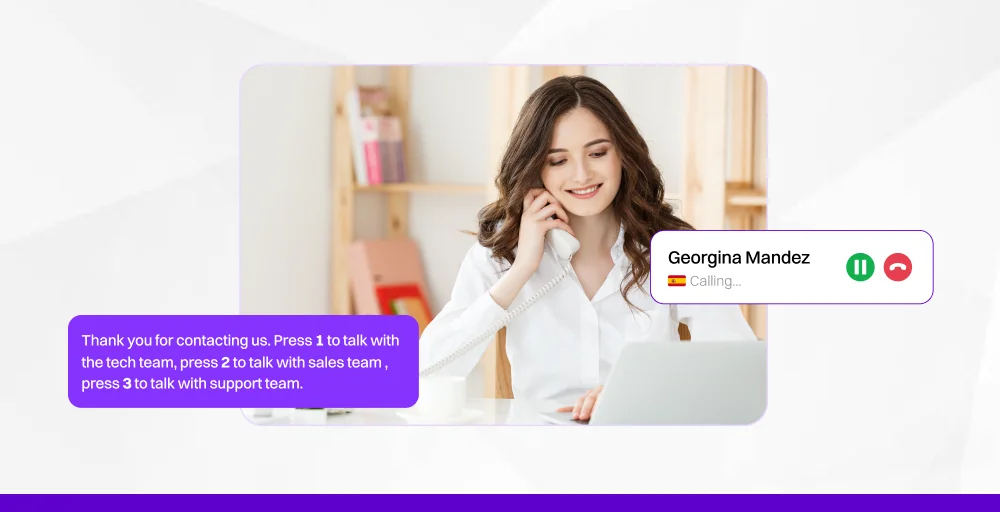
Here’s how the process works:
Step 1: When someone calls your business number, they first hear a greeting message, either a standard greeting or a custom recording you uploaded.
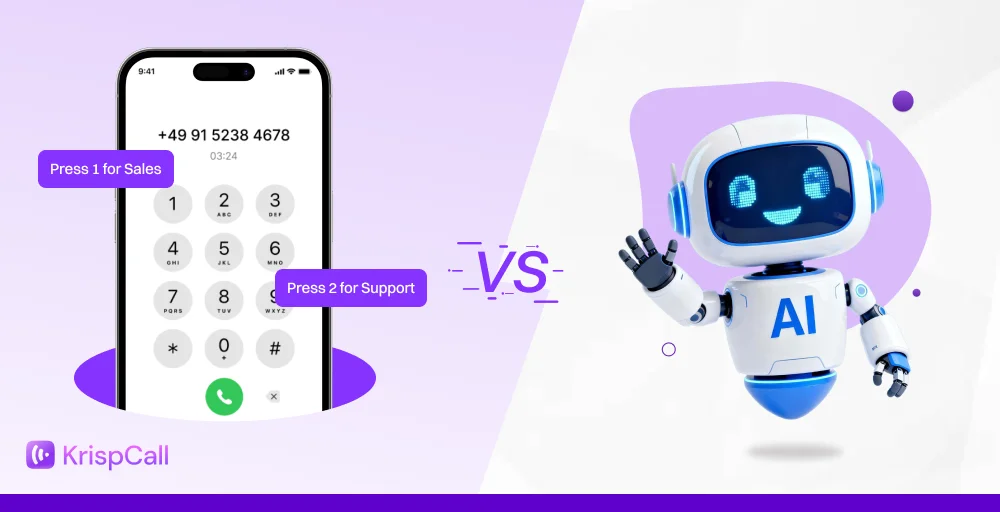
Step 2: The system detects a DTMF (dual-tone multi-frequency) touch-tone input. Then presents menu options such as “Press 1 for Sales, Press 2 for Support.”
Step 3: Based on the caller’s selection, the call is automatically transferred to the designated destination, such as a department, extension, external phone number, or voicemail.
Step 4: If the caller does not make a selection, the auto attendant follows a predefined action, such as forwarding the call to voicemail or ending the call.
Auto attendants do several things well. Setup takes minutes; most VoIP plans include the feature natively. There is no staffing dependency for automatic call distribution. Every caller receives a consistent greeting. For predictable, structured call flows, the system is reliable and low-cost.
What is an AI receptionist, and what can it do?
An AI receptionist is a voice AI system that uses natural language processing and large language models to answer inbound calls, understand spoken requests, and resolve them, including scheduling appointments, answering FAQs, capturing leads, and routing to humans when needed.
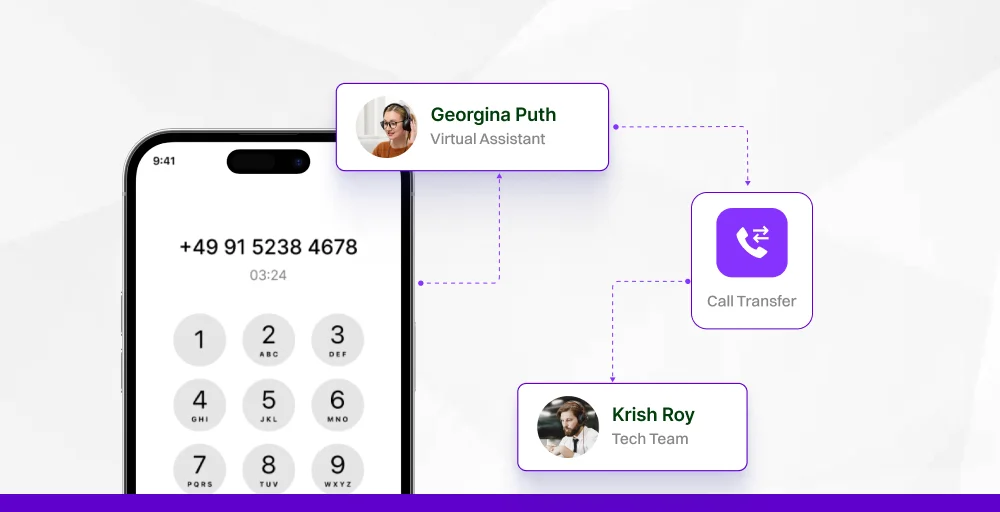
This technology stack operates in a linear sequence. Like a caller speaks. Automatic Speech Recognition (ASR) converts the spoken words to text. A large language model (LLM) interprets the caller’s intent.
The system resolves the request or routes it to the right person. Text-to-speech (TTS) delivers a natural, conversational response.
Key capabilities of an AI receptionist include:
- Handles natural language, no menu navigation required
- Operates 24/7 without staffing costs
- Books, reschedules, and cancels appointments in real time
- Captures and qualifies inbound leads
- Answers FAQs on pricing, hours, services, and policies
- Escalates to human agents when the call requires it
- Generates full call transcripts for QA and workflow review
What are the pros and cons of an auto attendant vs. an AI receptionist?
While both auto attendants and AI receptionists help businesses manage incoming calls, they differ significantly in their capabilities, level of customer interaction, and overall user experience. Let’s examine the pros and cons of each solution.
Auto attendant pros and cons
An auto attendant is an automated system that answers incoming calls, plays pre-recorded greetings, and routes callers to the correct department or extension via keypad/voice inputs. It is highly effective for reducing labor costs and ensuring 24/7 call management, but it can lack a personal touch.
Pros
- Universal caller familiarity: Touch-tone menus are understood globally. Callers of all ages and backgrounds know how to interact with them, eliminating the learning curve.
- Deterministic routing: Hard-coded rules ensure that every caller who presses a designated number reliably reaches the same destination, with zero ambiguity.
- Near-zero setup overhead: Auto attendants are included in most VoIP plans, like KrispCall. Businesses can set them up in under an hour, without needing developers or complex integrations.
- Low ongoing cost: No AI infrastructure or maintenance is required, allowing the system to run indefinitely with minimal effort.
- Reliable for simple call flows: For businesses with a few departments and predictable call types, auto attendants efficiently handle calls without complications.
Cons
- No conversational ability: Forcing callers to select options from a preset menu. If their needs aren’t listed, they can only press 0 for the operator or hang up.
- High cognitive load: Complex menu trees require callers to remember options and respond quickly, increasing hang-ups.
- Zero resolution power: The system can’t answer questions or resolve issues. Callers must always wait for a human to help.
- After-hours gap: Outside business hours, calls go to voicemail, resulting in lead delays and often causing them to lose interest.
AI receptionist pros and cons
An AI receptionist can handle multiple calls simultaneously, making it ideal for businesses experiencing high call volumes. Because the system is always on, it can answer calls during peak hours, after hours, weekends, and holidays. This allows employees to focus on higher-value work instead of repetitive tasks.
Pros
- Natural language understanding: Callers communicate in their own words and at their own pace, allowing phrases like “I need to move my Thursday appointment to sometime Friday afternoon” to be treated the same as “Can I reschedule?” The system interprets intent from unscripted speech.
- Task resolution without human handoff: An AI receptionist can manage tasks independently, opening calendars, finding availability, confirming bookings, and sending confirmation texts, all while the caller is on the line without transfers or holds.
- 24/7 availability at no extra cost: After-hours, weekend, and holiday calls are managed with the same standards as daytime calls, eliminating overtime pay and coverage gaps.
- Concurrent call scaling: The AI receptionist can handle multiple calls at once without any drop in quality or wait times, ensuring every caller receives the same speed and service.
- Call transcript generation: Each call generates a structured, searchable transcript for quality assurance, sentiment scoring, and ongoing improvement, enhancing the system over time.
Cons
- Integration dependency: Key capabilities such as appointment availability and CRM updates require API access to backend systems; without a clean, accessible API, the system is limited to FAQ responses.
- Upfront calibration required: The system needs configuration of brand voice, guardrails, escalation logic, and FAQs before it can perform at the required level, which takes time.
- Ongoing optimization: Regular review of call transcripts, initially weekly and then monthly, is necessary to catch miscommunications and adapt to new call types as your business grows.
- Higher initial investment: An AI receptionist requires a larger upfront investment than a basic auto attendant, but this cost is often offset by savings in headcount and efficiency in lead capture and call handling.
When should a business use an auto attendant vs. an AI receptionist?
The decision comes down to one question: Does your business need calls routed, or resolved?
If your callers mostly need to reach a specific department and your team is available to handle those calls, an auto attendant is sufficient. If your callers need answers, appointments, or action, and especially if those calls happen outside business hours, an auto attendant is leaving value on the table.
Use an auto attendant if:
- Call volume is low, and routing needs are simple (up to 2–3 departments).
- Callers are already familiar with the menu, and abandonment rates are low.
- No CRM or scheduling integration is needed.
- Budget is a hard constraint, and call complexity is minimal.
- All inbound calls occur during staffed business hours.
Upgrade to an AI receptionist when:
- After-hours or overflow calls are going to voicemail and costing leads.
- Staff fields the same 5–10 questions on every shift.
- The business operates in a scheduling-heavy vertical, such as healthcare, legal, real estate, or home services.
- The caller drop-off rate is increasing during high-volume windows.
- A consistent after-hours caller experience is a business priority.
- Call volume has grown beyond what the front-desk staff can handle without a hold time.
Use both together (the integrated approach):
Combining auto attendants and AI receptionists allows businesses to manage every call more effectively. Auto attendants can direct callers to the right department, while AI receptionists handle routine inquiries and escalate complex questions to live agents when needed.
The automated attendant handles the initial split. A caller reaches the main line and is asked whether they are calling about sales, support, or billing. One keypress gets them to the right track. From there, the AI receptionist takes over, handling the conversation, resolving the request, or routing intelligently to a specific human when the call genuinely requires one.
After hours, the AI receptionist takes full ownership. No voicemail fallback. No “we’re closed, call back during business hours.” The caller gets a real conversation and a real resolution, regardless of the time.
How do you transition from an auto attendant to an AI receptionist?
Transitioning from a rigid, keypad-based auto attendant to an AI receptionist means replacing frustrating phone trees with conversational, natural language interactions. The shift allows the AI to autonomously handle tasks such as booking appointments or checking business hours, while providing context-aware transfers to human staff.
The transition to an AI receptionist can be completed by following this step-by-step process:
- Audit Your Call Types: Review call logs to understand exactly why people call. Identify common queries (e.g., hours, location, appointment rescheduling) versus complex issues that require human empathy and expertise.
- Build a Knowledge Base: Document your frequently asked questions, business policies, and procedures to act as the “brain” for the AI agent.
- Configure Integrations: Connect the AI directly to your existing software. This enables the bot to interact in real-time, such as checking availability on Google Calendar or pulling data from a CRM like HubSpot or Salesforce.
- Implement Soft Handoffs: Program the AI to know when to escalate. When a request requires a human, the AI can perform a warm transfer, passing a full conversation summary to the next agent so the caller never has to repeat themselves.
- Run a Parallel Test: Route only one specific call type (e.g., after-hours inquiries or a single department) to the AI for 10-14 days. Monitor transcripts closely to fix gaps in the AI’s script or routing calls rules before rolling it out company-wide.
Depending on your current phone system, you can either upgrade with native AI add-ons or plug in a conversational voice agent via APIs with your existing provider.
How does KrispCall’s AI call handling stack up against the competition?
KrispCall’s AI receptionist combines advanced call handling capabilities with intelligent automation to help businesses manage incoming calls more effectively. Unlike traditional auto attendants that simply route calls through menu options, KrispCall’s AI voice agent can engage callers in a natural conversation, understand customer inquiries, and take action without requiring manual intervention.
The platform can answer calls, schedule appointments, confirm appointments, send text messages, and route calls to the right person based on caller requests.
By integrating with existing systems such as CRM platforms and scheduling systems, businesses can automate repetitive tasks while improving customer experience and customer satisfaction.
For businesses dealing with high call volumes, peak hours, or after-hours inquiries, KrispCall helps ensure every call receives immediate engagement.
Whether you’re operating from a single office or expanding into new locations, the AI receptionist is always on and capable of handling multiple calls simultaneously.
Key benefits include:
- Intelligent call routing to the right department
- Appointment booking and scheduling support
- Multilingual support across multiple languages
- Reduced missed calls and abandoned calls
- Seamless escalation to live agents for complex questions
- 24/7 support during business hours and after hours