Modern customers value speed and autonomy, often preferring to solve issues independently rather than waiting to speak with a human agent. According to a Harvard study, about 81% of customers attempt to resolve issues themselves before contacting a live representative.
This shift has turned customer self-service from an optional convenience into a core operational strategy. If your self-service experience is weak, customers get frustrated and escalate to your agents, adding unnecessary cost and workload.
This guide covers what customer self-service actually is, the types that work best, how to measure whether yours is performing, and the common mistakes that quietly undermine the whole effort.
✨ Key Takeaways
- Customer self-service allows customers to solve problems on their own without contacting a support agent.
- Common channels include knowledge bases, AI chatbots, IVR systems, self-service portals, community forums, and mobile apps.
- Key benefits: lower support costs, 24/7 availability, faster resolution, higher satisfaction, and reduced agent workload.
- Measure success using metrics like self-service containment rate, CSAT, FCR, CES, and ticket deflection rate.
- The biggest mistakes businesses make: outdated content, poor search, no fallback to live support, and ignoring mobile users.
What is customer self-service?
Customer self-service is a proactive customer support model that allows customers to find answers, complete tasks, or resolve issues on their own.
Rather than relying entirely on human channels (like phone queues, live chats, or email tickets), organizations deploy a variety of help center articles or AI chatbots to help end users search, select, and resolve issues at their own pace, on their own schedule.

Common actions handled through self-service infrastructure include:
- Resetting credentials and managing security keys.
- Updating billing information, processing returns, and tracking shipments.
- Troubleshooting software errors or hardware configurations.
- Sourcing step-by-step guides for product implementation.
What is the difference between good and bad customer self-service?
Not all self-service is equal. 77% of consumers say that offering a poor self-service experience is worse than not offering any self-service at all, because it wastes their time.
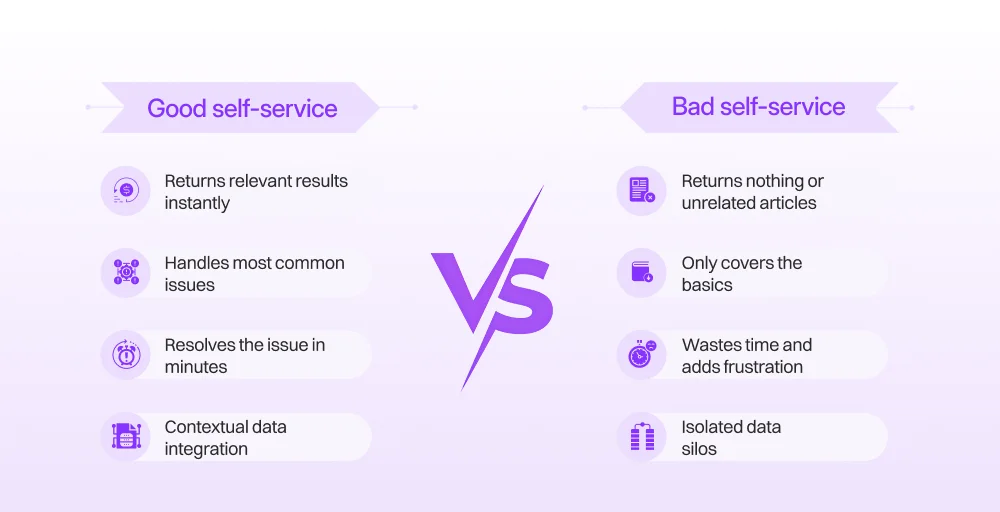
The gap between a great self-service experience and a frustrating one often comes down to a few key factors.
1. Findability
Good self-service returns relevant results even when a customer’s phrasing varies or contains typos. Bad self-service buries answers behind poor search, confusing navigation, or outdated categories. If a customer cannot find what they need within a few clicks, they give up.
2. Content quality
Good self-service is clear, well-structured, and supported by visuals like screenshots or short video walkthroughs. Bad self-service serves up walls of unformatted text, outdated steps, and missing information, leaving customers more confused than before.
3. Coverage
Good self-service handles the full range of common issues, including edge cases, so customers rarely hit a dead end. Bad self-service only covers the basics and forces escalation for almost everything else.
4. Escalation
Good self-service always offers a clear path to a live agent, and passes along full context, so the customer never has to repeat themselves. Bad self-service traps customers in closed loops: automated menus and chatbots that cycle through the same options with no exit.
5. Intent
Good customer self-service software is built to resolve customer problems. Bad self-service is built to deflect tickets and keep agents isolated from customers.
6. Mobile usability
Good self-service works cleanly on any screen size without excessive scrolling or zooming. Bad self-service is effectively broken for any customer on a phone, which is a large portion of most user bases.
What are the main types of customer self-service channels?
Self-service comes in several forms. The right mix depends on your product, your customer base, and the types of requests you handle most often.
Knowledge base and FAQs
The foundation of any self-service architecture is the self-service knowledge base.
A self-service knowledge base is a searchable library of articles, guides, and how-tos that help customers understand your product and solve common problems. FAQs are typically shorter and organized around the questions your support team hears most often.
AI chatbots and virtual assistants
AI chatbots handle customer questions in real time through conversational interfaces on your website, app, or messaging platforms. AI-powered chatbots leverage natural language understanding (NLU) and LLM models to understand natural language, recognize intent, and pull accurate answers from your knowledge base or CRM data.
Customer self-service portal
A self-service portal is a dedicated web-based platform where customers can manage their own accounts. Once logged in, customers gain direct access to their account databases. Depending on the business, this might include viewing billing history, updating contact details, tracking orders, submitting support tickets, or checking service status.
Community forums
Peer-to-peer (P2P) community forums let customers help each other. Users post questions, share workarounds, and document solutions that your support team may not have written up yet. For software products in particular, an active community can answer highly specific questions faster than any internal team.
IVR and AI phone self-service
Interactive Voice Response (IVR) is the automated phone menu system that greets callers and routes them based on their input. Basic IVR systems use keypad selections. More advanced AI-powered IVR can understand spoken requests and resolve issues, such as account balance checks, appointment scheduling, or order status updates, without transferring the call to an agent.
Mobile app self-service
Many customers access support entirely through their phones. A mobile app with built-in self-service features, such as order tracking, account management, in-app chat, and push notifications for service updates, meets customers where they already are.
What are the benefits of customer self-service?
When self-service is built properly, the returns show up across multiple areas of the business, such as:
1. Lower support costs
Human-driven support channels are expensive, factoring in agent wages, overhead, and platform seating licenses. Studies suggest that companies that use AI chatbots for customer service see a 30% reduction in support costs. Self-service portals can reduce support call volumes, allowing agents to focus on more complex queries.
2. Continuous 24/7 availability
Human support teams require shift rotations, overnight bonuses, and international office outposts to cover global markets. Self-service software runs continuously, providing identical, high-tier technical support over weekends, national holidays, and deep overnight hours without added headcount or operational overhead.
3. Faster resolution
Self-service systems operate with zero queues, delivering instant resolutions regardless of spikes in user demand. Consumers can bypass hold times and routing delays entirely. Industry data indicates that over 61% of customers prefer self-service for simple issues, and the primary reason is speed.
4. Enhanced live agent productivity
When self-service handles routine requests, agents spend less time answering the same questions. This reduces burnout and frees capacity for complex issues that genuinely require human judgment. The result is a more sustainable support operation and higher-quality responses for cases that do reach agents.
5. Data-driven insights into customer pain points
Every query typed into a self-service search engine, chatbot input, or portal tab creates a clear record of what customers are actually looking for. Analyzing this search behavior gives product and engineering teams a direct, unfiltered view of where the experience is breaking down.
What are the most effective customer self-service strategies to reduce support tickets?
Having self-service channels is not enough on its own. The way you build and manage them determines how much ticket reduction you actually see.
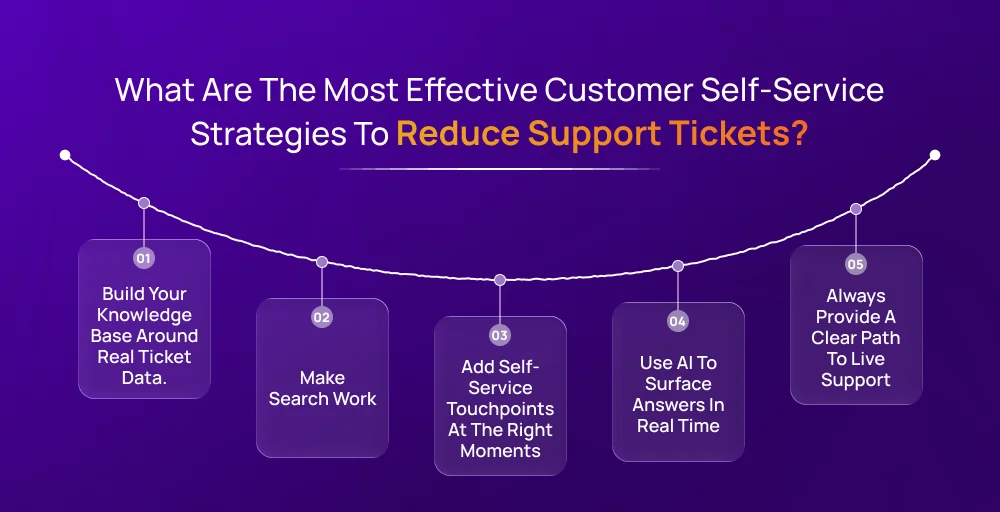
1. Build your knowledge base around real ticket data
The most effective knowledge base articles address questions your customers are actually asking. Pull your most common support tickets, group them by topic, and create articles that answer each one directly. Review this list quarterly and add new articles as new patterns emerge.
2. Make search work
Invest in a knowledge base platform with strong search functionality. Use the same language your customers use in their searches, free of technical jargon. Track failed searches (search queries that return no results) and use that data to identify content gaps.
3. Add self-service touchpoints at the right moments
Effective self-service meets customers when they need help. That means placing links to relevant articles on error pages, inside the product when a customer first uses a feature, in onboarding emails, and as the first option in your chatbot flow.
4. Use AI to surface answers in real time
Use AI-powered chatbots and smart search tools to interpret a customer question and return the most relevant answer immediately. When a chatbot is connected to your knowledge base and updated regularly, it handles a broad range of queries without escalation.
5. Always provide a clear path to live support
If a customer cannot resolve their issue through self-service, they need a clear, easy way to reach an agent. Customers who feel trapped in a self-service loop become more frustrated than customers who never had the option at all. A seamless handoff from self-service to a live agent is what separates a good system from a frustrating one.
How do you measure customer self-service success?
Without measurement, there is no way to know whether your self-service is actually working or just adding another layer of friction. These are the core metrics to track to measure your customer self-service success:
| Metric | What it measures | Formula |
| Self-service containment rate | The percentage of customer interactions fully resolved by self-service, with no agent involvement | (Issues resolved by self-service ÷ Total customer interactions) × 100 |
| Ticket deflection rate | The reduction in support tickets resulting from self-service usage | (Tickets without self-service − Tickets with self-service) ÷ Tickets without self-service × 100 |
| CSAT (Customer Satisfaction score) | How satisfied were customers with their self-service experience | (Positive responses ÷ Total survey responses) × 100 |
| FCR (First Contact Resolution) | The percentage of issues resolved in the first interaction | (Tickets resolved on first contact ÷ Total tickets) × 100 |
| CES (Customer Effort Score) | The perceived ease of use of a self-service interaction | Average user response on a standard 1-7 rate scale following the question: “How easy was it to resolve your issue today?” |
| Knowledge base article view | Which content is being used and how often | Total views per article over a set period of time |
| Failed search rate | The percentage of searches that return no useful results | (Searches with no result ÷ Total searches) × 100 |
How do you keep customer self-service content accurate and up to date?
Self-service content has a shelf life. A help article that was accurate six months ago may now contain outdated screenshots, discontinued features, or pricing that has changed. If a customer follows those outdated instructions and encounters broken features or security errors, their trust in your brand erodes entirely.
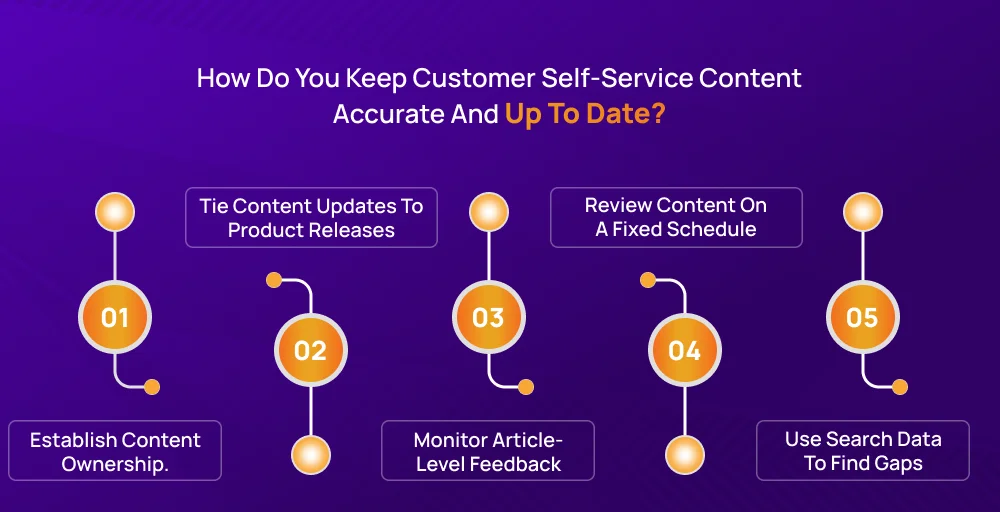
1. Establish content ownership
Every knowledge base article should have a named owner, typically someone from the product, support, or documentation team. Without clear ownership, content drifts. No one notices that an article is outdated because no one is responsible for checking. Ownership makes maintenance accountable.
2. Tie content updates to product releases
Any time a feature changes, a pricing plan is updated, or a workflow is modified, that should automatically trigger a review of affected knowledge base articles. Build this into your product release process.
3. Monitor article-level feedback
Most knowledge base platforms allow customers to rate whether an article was helpful. Track this data at the article level. A consistently low helpfulness score on a specific article is a signal to rewrite it.
4. Review content on a fixed schedule
Set a recurring review calendar (at least quarterly or monthly for high-traffic articles). Go through each article and check whether the steps still work, whether the screenshots are up to date, and whether the information reflects your product as it exists today.
5. Use search data to find gaps
Your search analytics will show you what customers are looking for. If a search term returns no results or consistently low-performing articles, that is a content gap. Address it by creating a new article or improving an existing one.
5 mistakes businesses should avoid when implementing customer self-service?
When launching or scaling a self-service platform, avoid these common pitfalls to ensure your system drives satisfaction rather than user frustration:
1. Making it impossible to escalate to a live human agent
One of the biggest mistakes you can make is hiding your contact info or trapping users in endless automated loops. This frustrates customers who have a legitimate need for human help and significantly damages satisfaction scores. Always surface a clear escalation option, whether that is a phone number, a chat option, or a ticket submission form.
2. Not treating self-service as a customer experience investment
Businesses that build self-service purely to cut operational costs often launch a bare minimum FAQ page, leave it unmaintained, and wonder why support ticket volume does not drop. Self-service capabilities only reduce costs sustainably when they genuinely serve customers well. That requires ongoing investment in content, tooling, and customer feedback loops.
3. Building self-service in isolation
Your support agents know exactly what questions customers ask and how they phrase them. If they are not involved in building and reviewing knowledge base content, you will miss the most important context for making that content useful.
4. Ignoring mobile experience
A significant portion of your web traffic comes from mobile devices. If your self-service is not optimized for small screens, then you are creating a bad experience for a significant segment of users. Test every self-service touchpoint on mobile before launch and again after every major update.
5. Organizing documentation around internal company jargon
Structure your self-service taxonomy around your customers’ vocabulary. If a customer searches for “how to fix a broken bill,” they won’t find an article titled “Accounts Receivable Reconciliation Framework Tier-2.” Use clear, everyday language and natural search terms.