Imagine calling a business when you’re ready to book an appointment, ask a question, or make a purchase, only to hear a busy signal or reach voicemail. Chances are, you’d call someone else. Every missed call is a missed opportunity, and businesses lose valuable customers simply because no one was available to answer.
An AI receptionist solves that problem by answering every call 24/7 with natural, human-like conversations. It helps customers immediately, books appointments, qualifies leads, and ensures every call has the chance to become a customer.
This guide explores more than 50 real-world AI receptionist use cases that show how AI helps businesses capture more leads, improve customer service, and never miss an opportunity.
✨ Key Takeaways
- An AI receptionist uses voice AI and natural language processing to answer calls, understand caller intent, and take action, booking appointments, answering FAQs, routing calls, and automatically updating customer data.
- It differs from a virtual receptionist, a traditional answering service, and a human receptionist primarily in terms of scale, cost, and availability. It never misses a call, never puts someone on hold, and works nights, weekends, and holidays for a flat monthly fee.
- Use cases span the full customer journey: awareness (missed call recovery), consideration (lead qualification), conversion (appointment scheduling), support (order tracking), retention (renewal reminders), and operations (CRM automation and call analytics).
- Industries from legal services to home services to healthcare use AI receptionists, and many customer service leaders rely on them to improve customer satisfaction.
What Is an AI Receptionist?
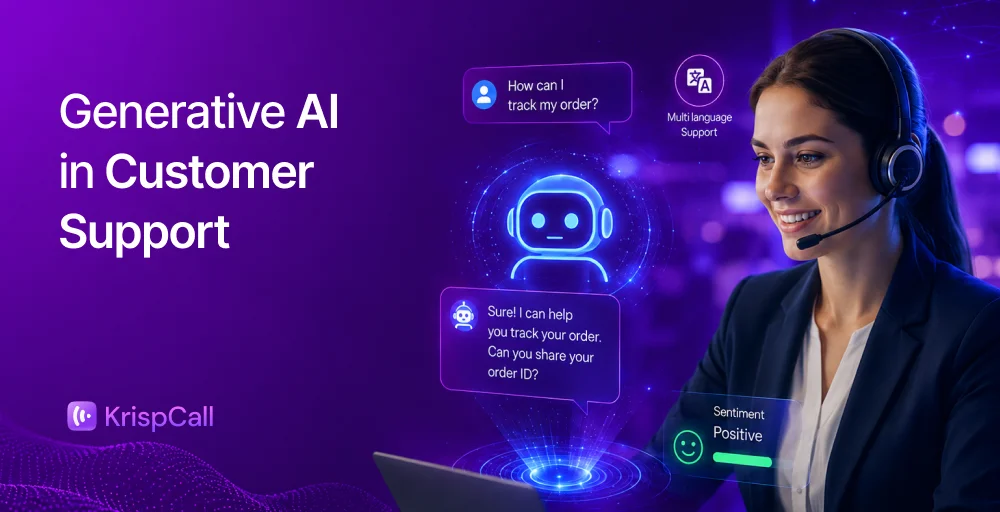
An AI receptionist is a voice-based digital assistant that uses conversational AI and natural language processing (NLP) to handle inbound business calls. It answers incoming calls for a business, understands what the caller wants NLP, and completes the request.
It can schedule an appointment, answer a routine question, route an urgent call to the right person, or log customer details into a CRM, without human intervention, while complex situations are transferred to a team member.
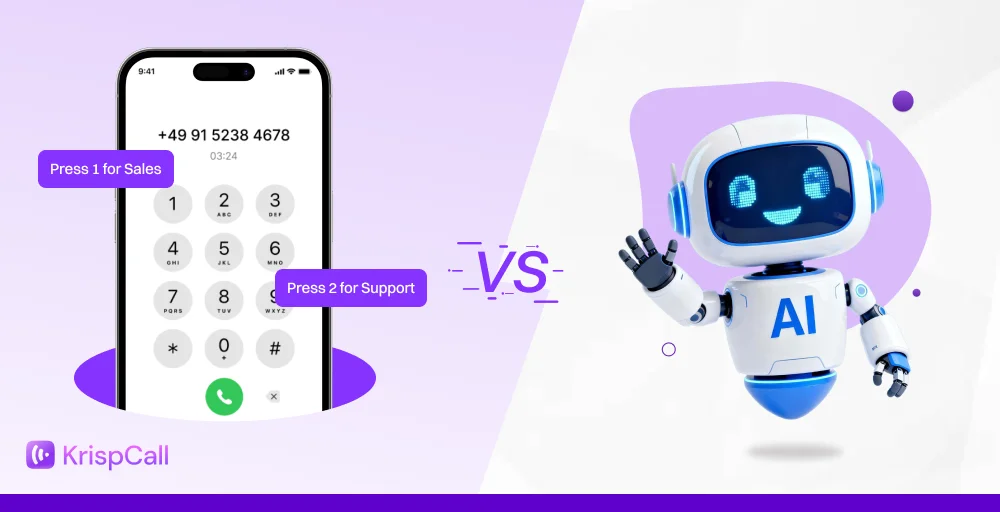
Unlike a traditional phone tree, an AI receptionist platform lets callers speak naturally. It understands what they say and helps them without complicated menus. Callers speak the way they would to a person, and the AI responds, clarifies, and acts, so businesses can answer calls even outside regular business hours.
How an AI Receptionist Works
An AI receptionist improves call handling by answering business phone calls, understands callers’ needs, and completes tasks such as booking appointments, answering questions, and transferring calls. Here’s how the process works.
1. Answer the call: When someone calls your business number, the call is automatically answered by the AI receptionist based on the rules you set, such as all calls, busy periods, or after hours.
2. Greet the caller: The AI receptionist’s answer is a natural, professional greeting and starts the conversation. Its voice, greeting, and tone can be customized to match your business.
3. Understands the request: The caller explains what they need in their own words, and the AI identifies their request. If more information is needed, it asks simple follow-up questions.
4. Complete the task: Once it understands the request, the AI takes action by booking appointments, answering common questions, checking availability, or transferring the call when necessary.
5. Updates your systems: During or immediately after the call, the modern AI systems update your booking system or CRM, record the conversation, and send confirmations or notifications where needed.
6. Keep your team informed: After the call, your team receives any important updates, while call summaries and transcripts are saved for future reference. This ensures every inquiry is handled and nothing is missed.
AI Receptionist vs Virtual Receptionist
Though both terms are used interchangeably, they aren’t the same thing. An AI receptionist uses conversational artificial intelligence. In contrast, a virtual receptionist is a remote, live human agent who fields calls on your business’s behalf.
Here are some key differences between an AI receptionist and a virtual receptionist:
| Factors | AI Receptionist | Virtual Receptionist |
| Who answers | Software/voice AI | A remote human employee |
| Concurrent calls | Handle multiple customers at once | One call at a time |
| Availability | 24/7, including nights and holidays | Limited to scheduled shifts |
| Consistency | Same quality on every call | Varies by individual and shift |
| Cost structure | Flat monthly fee | Hourly or per-minute billing |
| Call transfers | Transfer calls automatically when needed | Transfer calls manually |
| Best for | High call volumes, after-hours support, and routine customer inquiries | Businesses that prefer every call to be answered by a person |
AI Receptionist vs Answering Service
While live answering services excel at human empathy, AI receptionists dominate in operational speed, instant task completion, and cost efficiency.
Let’s compare an AI receptionist vs. an answering service:
| Factors | AI Receptionist | Answering service |
| Working mechanism | Automated AI voice software | Remote human call agents |
| Response speed | Instant answers, zero hold time | Varies based on agent availability |
| Concurrent calls | Handle infinite simultaneous calls | Limited by provider’s staff size |
| Message taking | Records details and updates your systems | Takes a message and sends it to your team |
| Pricing | Flat monthly subscription fee | Pay-per-minute or per-call structure |
| Appointment booking | Books appointments automatically | Usually takes a message or books manually |
| Best for | High volume, routine scheduling | Complex queries, crisis handling, legal |
AI Receptionist vs Human Receptionist
An AI receptionist uses automated voice software to handle calls simultaneously, book appointments instantly, and answer routine questions 24/7. A human receptionist (traditional receptionist) sits at your front desk or works remotely, managing physical office logistics, greeting visitors, and handling sensitive situations with genuine emotional intelligence.

Choosing between them depends on whether your business prioritizes operational speed or a premium in-person customer experience:
| Factors | AI Receptionist | Human Receptionist |
| Physical presence | Virtual only; no physical footprint | Greets visitors, signs for packages, |
| Call capacity | Multiple calls simultaneously | One call at a time |
| Working hours | Around the clock, no breaks | Fixed hours; vacation, sick days, lunch breaks |
| Cost | Flat monthly fee | Salary, benefits, and overhead |
| Response time | Answers instantly | May place callers on hold |
| Call transfers | Route calls to the right person automatically | Transfer calls manually |
| Best for | High call volumes, after-hours support, and routine inquiries | Complex situations and personalized customer service |
Related 👉: AI Receptionist vs Auto Attendant: Key Differences, Pros, Cons
AI Receptionist Use Cases Across the Customer Journey
An AI receptionist transforms the customer journey by handling high-volume front-desk tasks from booking appointments to answering routine questions. It operates 24/7, providing instant call responses and capturing valuable leads without needing a human on the line.

Awareness
At the awareness stage, a customer is just discovering a business, often through an ad, a Google search, or a referral, and picking up that first call matters enormously. A prospect who calls after hours or during a busy stretch and reaches voicemail rarely calls back; they call the next business day. This is also the stage where businesses can capture valuable data about where leads are coming from, before that information gets lost.
- 24/7 call answering: The AI receptionist answers every inbound call around the clock, including nights, weekends, and holidays, so a business never loses a lead simply because a call was missed.
- Missed call recovery: Instead of letting unanswered calls go to voicemail, the AI captures the caller’s name, number, and reason for calling, turning what would have been a lost opportunity into a logged lead.
- Lead capture: Basic details, name, contact information, and intent get collected automatically on every call, ready to flow into a CRM.
- Campaign attribution: By asking how a caller found the business, the AI ties inbound calls back to specific marketing campaigns, helping teams understand which ads actually generate phone calls.
- Local branch routing: For businesses with multiple locations, the AI routes callers to the correct branch based on their location or ZIP code, rather than to a generic central line.
Consideration
Once a prospect is actively comparing options, response speed becomes the deciding factor. A caller with a pricing question who gets put on hold or reaches voicemail will often just call again. AI receptionists keep these conversations moving without needing a sales rep on every call.
- Product questions: The AI answers customer questions about services, features, and offerings using the business’s own knowledge base, in plain conversational language.
- Pricing questions: Instead of forcing callers to wait for a callback, the AI can share pricing ranges or general cost information so callers can self-qualify.
- Lead qualification: Through a short set of questions about needs, budget, or timeline, the AI determines whether a caller is a strong fit before looping in a human agent.
- Callback scheduling: When a caller needs to speak with a specific person who’s unavailable, the AI offers a scheduled callback rather than an open-ended “we’ll get back to you.‘
- Demo booking: For product-based businesses, the AI can schedule product demos directly from an inbound call, with no email back-and-forth required.
Conversion
At the conversion stage, the caller is ready to commit, and any friction here can cause them to disengage. This is where managing appointment scheduling, calendar integration, and clear next-step customer communications matters most.
- Appointment scheduling: The AI handles appointment booking and other scheduling requests directly on a live calendar in real time, without requiring a human to coordinate availability.
- Calendar booking: Seamless calendar integration means double bookings and manual back-and-forth disappear.
- Customer onboarding: After a booking or purchase, the AI can walk new customers through what happens next, collect any needed intake information, and answer early questions.
- Payment reminder: For services that require deposits or payments, the AI can send a phone reminder before a scheduled visit.
- Confirmation SMS: Every booking is immediately followed by a text confirmation, reducing no-shows and giving customers a written record.
Customer Support
Once someone becomes a customer, a large share of their calls are routine, checking an order, asking about a bill, or resetting a password. These calls take up disproportionate time from human agents when they could be resolved instantly.
- Order tracking: The AI pulls real-time order or shipment status and relays it over the phone without agent involvement.
- Billing questions: Routine billing and invoicing questions are answered directly; AI agents resolve routine requests, allowing human agents to spend more time on complex customer issues.
- Password reset: The AI can walk callers through self-service password reset steps, eliminating the need for a live agent.
- Ticket routing: The AI transfers complex calls to the right team with the full conversation history.
- Troubleshooting: For common technical issues, the AI can walk a caller through basic troubleshooting before escalating to a specialist.
Retention
Retention is where many businesses quietly lose ground. A customer who calls off leaving. Repeatedly about the same unresolved issue, or who never gets asked for feedback, is at real risk of leaving, and most businesses only notice after the fact. Modern AI receptionists can surface these signals in real-time.
- Renewal reminder: The AI proactively reaches out or answers inbound calls about upcoming rewards, reducing accidental lapses.
- Customer feedback: Right after a call or interaction, while the experience is still fresh, the AI can collect structured feedback.
- Churn detection: Repeated customer calls about the same issue or negative sentiment in a conversation can flag an account to a retention specialist before it reaches a cancellation request.
- Upsell opportunities: When a seller’s needs suggest they could benefit from an additional service or plan, the AI can route them to
- Loyalty programs: The AI can answer questions about loyalty program status, points, or perks without requiring a human agent.
Operations
Every call an AI receptionist handles generates data, and the data only has value if it feeds real business decisions rather than sitting in an unreviewed call log.
- CRM automation: Caller details, call transcripts, and outcomes are logged automatically, eliminating manual data entry.
- Analytics: Call volume, peak hours, common questions, and conversion rates become visible in a single dashboard.
- Compliance: The AI can enforce required disclosures and consent language on every relevant call.
- Workforce optimization: By absorbing routine calls, the AI frees human staff to focus on higher-value work that actually requires judgment.
- Revenue attribution: Closed deals and bookings can be traced back to the specific ad, and often the specific marketing channel, that started them
AI Receptionist Use Cases by Industry
The core capabilities of an AI receptionist, answering calls, understanding caller intent, and taking action, look different depending on the industry.
Lead Generation Use Cases
- Answer calls 24/7: Eliminates missed opportunities by instantly capturing late-night, weekend, and holiday leads.
- Capture missed-call leads: Acts as an immediate safety net during high-volume overflow periods so buyers don’t turn to competitors.
- Qualify inbound leads: Asks custom, automated intake questions to gauge a prospect’s budget, timeline, and buying intent.
- Route sales inquiries: Send highly qualified buyers straight to active sales reps while filtering out low-intent callers.
- Book demos: Accesses calendar integrations to lock in live product demonstrations directly during the initial call.
- Schedule callbacks: Coordinates specific times for sales professionals to call back when live streams aren’t possible.
- Verify service area: Cross-reference a caller’s location with operational ZIP codes before initiating the onboarding flow.
- Identify lead source: Asks callers how they heard about the business to map phone data back to specific marketing campaigns.
- Handle multilingual inquiries: Dynamically detects and shifts between dozens of languages to capture diverse market demographics.
- Filter spam calls: Blocks robotic solicitations and cold sales pitches to protect your team’s time.
Sales & Conversion Use Cases
- Schedule appointments: Checks your calendar in real-time to book meetings or slots. Integrates automatically with calendars like Google Calendar or Calendly.
- Send booking confirmations: Instantly delivers SMS or email confirmation details to the customer after a booking is finalized.
- Send reminders: Automatically sends text or email reminders prior to the appointment to lower no-show rates.
- Collect customer details: AI receptionist captures names, phone numbers, and specific needs before looping in your sales team.
- Share pricing information: Access your knowledge base or product catalog to answer frequently asked questions (FAQs) and handle pricing objections.
- Recommend products: Acts as a consultative sales agent by suggesting items based on caller preferences or inventory data.
- Upsell services: Suggests premium tiers or add-ons during the booking or ordering process.
- Cross-sell products: Recommends complementary items based on the customer’s inquiry about the primary product.
- Transfer high-intent leads: Evaluates buyer readiness and seamlessly routes highly qualified prospects directly to your senior sales team.
- Collect payment intent: Processes transactions or collects secure payment information while the caller is still on the line
Customer Support Use Cases
- Answer FAQs: Pulls instantly from your company’s knowledge base to resolve questions regarding hours, pricing, and services.
- Check order status: Integrate directly with CRMs or e-commerce databases to provide real-time shipping and delivery updates.
- Route support tickets: Analyze caller intent and context to intelligently forward complex issues to the correct department.
- Verify customer identity: Uses automated security checks (PIN verification or voice biometrics) to authenticate accounts before discussing sensitive information.
- Provide billing information: Assists with checking account balances, processing payments, or explaining invoices
- Handles returns: Guides customers through return policies, issues RMA numbers, and schedules mail pickups or drop-offs.
- Troubleshoot common issues: Walks users through step-by-step diagnostic workflows or password resets.
- Escalate urgent cases: Identifies urgency keywords and sentiment to trigger warm transfers or on-call alerts for immediate human assistance.
- Provide after-hours support: Answers calls 24/7 to capture leads, take messages, or explain emergency call procedures.
- Send follow-up messages: Automatically dispatches SMS confirmations, troubleshooting links, or case summary updates.
Operations & Productivity Use Cases
- Update CRM records: The AI reads and writes to platforms like HubSpot, Salesforce, and Pipedrive mid-conversation to log activity, update lead statuses, and create custom fields without manual data entry.
- Sync calendars: Native integration with Google Calendar and Outlook lets the AI check availability, book slots, confirm appointments, and send automated text reminders.
- Generate call summaries: The system automatically transcribes calls, decodes customer intent, and generates concise text summaries with action items.
- Create support tickets: The AI captures issues verbally and logs them directly into help desk platforms, assigning priority levels instantly.
- Assign calls automatically: The AI assesses caller intent and routes the call directly to the most qualified team members, avoiding long holds.
- Track call analytics: Dashboard aggregates data on conversation duration, outcome rates, and customer sentiment to help businesses refine their strategies.
- Monitor peak call times: Analyze calling patterns to help teams accurately forecast busy periods and scale accordingly.
- Record customer feedback: The AI asks specific, customizable questions after an interaction or service to digitize verbal feedback and log it into your databases.
- Manage multiple locations: AI receptionists answer multiple simultaneous calls, applying specific location rules, hours, and routing paths for different branches.
- Reduce receptionist workload: By deflecting repetitive FAQs and managing initial screening, the AI drastically lightens the front desk’s burden, eliminating busy signals and missed opportunities.
Customer Retention & Growth Use Cases
- Renewal reminders: Automatically notify customers before their subscription or service expires, with timely reminders and simple renewal options.
- Membership reminders: Send reminders about upcoming membership expirations along with the benefits of renewing.
- Customer satisfaction surveys: Prompts callers post-interaction with a brief, natural dialogue, CSAT survey to calculate CSAT scores in real-time.
- Review requests: Gently ask satisfied callers to leave a review on platforms such as Google or Yelp to boost local search visibility and build trust.
- Loyalty program updates: Inform callers of their loyalty tier status, points balance, and unredeemed rewards to drive repeat business and customer engagement.
- Win-back campaigns: Re-engage inactive or lost customers via automated, conversational SMS re-engagement campaigns or voice calls.
- Churn detection: Analyzes conversational tone and inquires (e.g, questions about cancellation) to proactively route customers to human retention specialists.
- VIP customer routing: Initially identifies high-value clients via VIP caller identification and warm-transfers them to priority human staff, bypassing hold times.
- Collect Voice of Customer feedback: Extracts valuable qualitative feedback from caller transcripts to identify product pain points and feature requests.
- Revenue attribution: Logs every call outcome directly into the company’s CRM, tracing inbound calls back to specific marketing campaigns or lead sources.
Never Miss Another Business Call with KrispCall’s Virtual Receptionist
Missed calls, busy signals, and routine questions waste staff time and can lead to lost revenue and unhappy customers. An AI receptionist helps at every step of the customer journey: it captures leads businesses might miss, quickly qualifies and converts prospects, resolves routine support calls instantly, and identifies retention risks before they lead to cancellations.
For any business, whether a single location or multiple sites, an AI receptionist ensures that no call or customer is overlooked.
Many businesses compare AI receptionist providers before choosing a solution. KrispCall’s AI receptionist is designed to handle these tasks without requiring changes to the existing phone system. It connects to a business’s phone number, calendar, and CRM, and starts answering calls, booking appointments, and collecting customer information from day one.
For small businesses facing multiple calls during busy hours or larger teams managing calls across several locations, KrispCall’s AI receptionist decreases unanswered calls, allows human agents to focus on more important customer conversations, and turns every call transcript into valuable customer data. All this comes for a flat monthly fee, avoiding the cost of hiring an additional full-time employee.