TL;DR
- Remote communication thrives when different communication tools are used for different conversations.
- Create clear communication guidelines so everyone knows where to share updates, ask questions, and collaborate.
- Proactive and asynchronous communication reduces delays and keeps projects moving across time zones.
- Regular check-ins, adding buffer time between meetings, and recognizing team achievements build stronger collaboration.
- Recording meetings and documenting decisions protects teams from repeated misunderstandings and missed context.
The biggest communication problems in remote teams come from scattered conversations, unclear expectations, and a lack of context. Your team can be online at the same time and still miss each other completely.
Clear communication keeps remote teams aligned, regardless of where they work. Here are 10 practical tips to improve communication, support better collaboration, and help your team stay productive in 2026.
1. Choose the Right Tool for Each Type of Conversation
Using one communication tool for everything often leads to missed updates. Instead, match each conversation with the right platform to improve your remote team communication and help them respond more efficiently.

Instant Messaging
Use chat for quick questions, daily updates, and informal discussions. Create dedicated channels for different teams or projects to keep conversations organized and easy to follow.
Video Meetings
Schedule video calls for brainstorming, project kickoffs, one-on-one meetings, and discussions that require real-time collaboration. Share an agenda beforehand for an even better result.
Project Management Tools
Track tasks, deadlines, and project progress in one business phone system. This gives everyone clear visibility into ongoing work and reduces unnecessary follow-ups.
Cloud Phone System
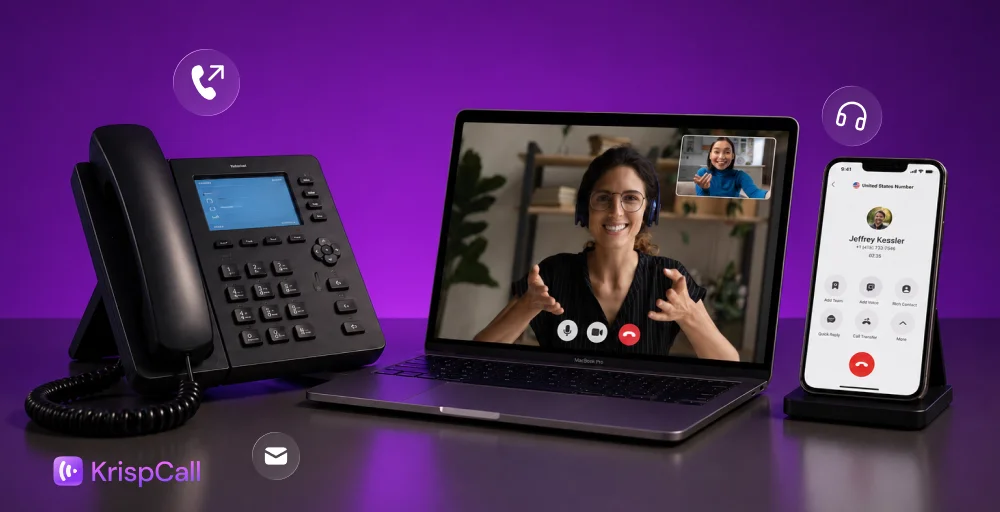
Handle customer and business calls via a virtual cloud phone system. Features such as virtual phone numbers, international calling, call routing, IVR, a shared call inbox, and call recording help distributed teams stay connected.
AI Voice Agents
AI voice agents seamlessly handle after-hours calls, routine follow-ups, and even initial lead qualification. It can work 24/7, capture details, and hand off with a proper context and summary.
2. Establish Clear Channel Norms
Remote teams often use multiple communication platforms every day. Without clear guidelines, employees spend unnecessary time deciding where to send messages or searching across different business phone apps for important information.
Create business communication guidelines that define how each channel should be used. For example, instant messaging can handle quick updates, project management tools can track tasks, and email can be reserved for external communication. When everyone follows the same structure, information becomes much easier to find.
It’s equally important to set expectations around response times. Team members should know which messages require immediate attention and which can wait until the next working session. Explicit rules reduce interruptions while helping remote teams communicate more consistently.
3. Adopt Proactive Communication
Remote work leaves fewer opportunities for spontaneous conversations. Instead of waiting for someone to ask for an upgrade, encourage team members to regularly share progress, roadblocks, and next steps.
That means:
- Flagging blockers the moment they appear, not at the next scheduled check-in
- Sharing status updates without being prompted, even the short ones
- Looping in the right people early on
Features like shared call inboxes, intelligent call routing, and AI Voice Agents help businesses respond promptly, even when employees work across different locations or time zones.
4. Add Some Buffer Time
Back-to-back video or phone calls with zero breathing room are a fast way to burn out a remote team. Build in 5-10 minutes before or after meetings for casual check-ins: how someone’s week is going, a quick personal update, nothing work-related.
This digital water cooler method may seem small, but these moments are what an office hallway used to provide for free. Having this brief moment isn’t a waste of time; it’s a way to build rapport that makes hard conversations easier later.
5. Be Mindful of Time Zones
Working across different time zones can slow communication if schedules aren’t planned carefully. A meeting that’s convenient for one team member might fall outside another’s working hours.

Some practical fixes:
- Use a shared calendar
- Identify a core overlapping working window
- Rely on asynchronous communication that doesn’t need a live conversation
- Rotate meeting times, so the inconvenience is shared
If your team serves global customers, international calling, virtual phone numbers, and intelligent call routing can help maintain smooth business communication.
6. Schedule Regular Feedback and Check-ins
Regular check-ins help remote teams stay connected and aligned. They also give employees a chance to discuss progress, raise concerns, and receive feedback before small issues grow into larger ones.
Keep team meetings focused with clear agendas, and schedule one-on-one conference calling sessions to discuss individual goals and development. A consistent feedback routine helps build trust and improves collaboration across the team.
7. Appreciate Small Wins and Milestones
Recognizing achievements keeps remote employees engaged and motivated. Celebrating both individual and team accomplishments helps create a positive work environment, even when everyone works from different locations.
A small shout-out during a meeting, a message in the team chat, or a celebration of project milestones can boost morale. Small moments of appreciation encourage stronger teamwork and reinforce a culture where everyone’s contributions are valued.
8. Embrace Asynchronous Communication
Not every message needs an instant reply, and treating them all as urgent is what makes remote work exhausting. Asynchronous communication allows team members to reply when they’re available, making virtual team communication easier across different time zones without interrupting deep work.
Use shared documents, project management tools, and recorded updates to keep everyone informed. This approach reduces unnecessary meetings while giving employees the flexibility to work at their most productive hours.
9. Keep the Messages to the Point
Clear and concise messages save time and reduce misunderstandings. Instead of sending long paragraphs, focus on the key information, provide the necessary context, and clearly state any action required.
Using descriptive subject lines, bullet points, and short pargarphs also makes messages easier to read. Well-structured communication helps remote teams respond faster and stay aligned.
10. Record Meetings and Document Key Decisions
Important discussions shouldn’t disappear once a meeting ends. Recording meetings and documenting decisions creates a reliable reference for team members who couldn’t attend or need to revisit important information.
Store meeting notes, action items, and recordings in a shared workspace so everyone has access to the latest updates. If your team handles customer calls, call recording, and a shared unified callbox also helps preserve context and maintain consistent communication.