
Virtual team communication helps everyone stay connected, whether your team is remote, in-person, or a mix of both.
A recent Gallup report shows that 79% of employees now work in hybrid or remote models. That means quick chats in the office aren’t always possible, and without a clear way to communicate, confusion can quickly build up.
This guide will show you simple, practical ways to improve virtual team communication so your team stays focused, collaborates smoothly, and achieves more together.
What is virtual team communication?
Virtual team communication refers to the way remote teams interact, share information, and collaborate using digital software. It includes everything from video conferences and instant messaging to VoIP calls and collaborative documents.

Unlike traditional in-office communication, virtual communication relies heavily on digital infrastructure.
For example, instead of walking over to a coworker’s desk, you might send a Slack message or start a virtual call.
This approach helps teams work seamlessly across time zones and locations, keeping everyone aligned, meeting deadlines, and maintaining top work performance.
Key elements of effective virtual team communication
Just showing up to a virtual meeting isn’t enough. Real virtual team communication happens when a few crucial things are in place, things that help everyone stay on the same page and get work done.
When teams focus on these key elements, they can beat the usual remote work hurdles and work better together.
- Clear goals and expectations: Make sure everyone understands the company’s goals and what’s expected of them. Regularly share individual and team objectives to avoid confusion and keep everyone accountable.
- Defined communication norms: Set ground rules for response times, preferred channels (e.g., email vs. instant messaging), and communication tone. This keeps everyone aligned and avoids miscommunication.
- Documenting everything: Written documentation ensures that no information is lost. From meeting notes to project plans, having things in writing allows team members to revisit key decisions at any time.
- Open feedback culture: Encourage regular, constructive feedback. It helps build trust, keeps everyone growing, and ensures that issues are addressed before they become roadblocks.
- Being mindful of cultural differences: In global teams, misunderstandings can stem from cultural differences. Promote empathy and educate your team on working across diverse backgrounds.
Types of virtual communication tools used by remote teams
Remote teams rely on a mix of communication tools to stay connected, organized, and efficient. Choosing the right tools helps teams feel more engaged, whether they are working from home or the office.
1. Video conferencing tools
Video conferencing tools help teams connect face-to-face, even when they’re working from different cities or even other countries.

These tools are great for team meetings, one-on-ones, or real-time brainstorming that require more than just chat or email. While tools like Slack support quick updates, you’ll need a reliable virtual meeting platform for deeper collaboration.
Platforms like Zoom, Microsoft Teams, or Google Meet enable teams to host interactive video calls, share screens, chat live, and even use virtual whiteboards.
2. Instant messaging platforms
Instant messaging platforms like Slack and Microsoft Teams allow teams to have quick conversations. Team members can send updates, ask questions, share files, and keep track of projects, all in one organized chat workspace.
These tools often integrate with other work apps, so everything from task updates to emails stays synced and easy to find.
Still, constant messages can be distracting, especially when working from home. The continuous pressure of checking messages and the fear of missing an update can cause team members to lose focus on their work.
3. Project & task management apps
Managing and keeping track of team members’ work can get messy when you are not in the same room.
Leveraging tools like Trello, Asana, and Monday.com can be a great option in this situation that helps you to organize tasks, set deadlines, and view project progress, all in a single platform, reducing confusion and keeping projects on track.
Teams can share real-time updates, attach files, and leave comments using project and task management apps. Integrating these tools with your calendar, email, or chat workspaces also makes it easy for you to stay on top of your to-do list.
4. Business phone systems & VoIP apps
Voice calls are important even in a remote setup, especially when a clear, direct conversation is required with your team.
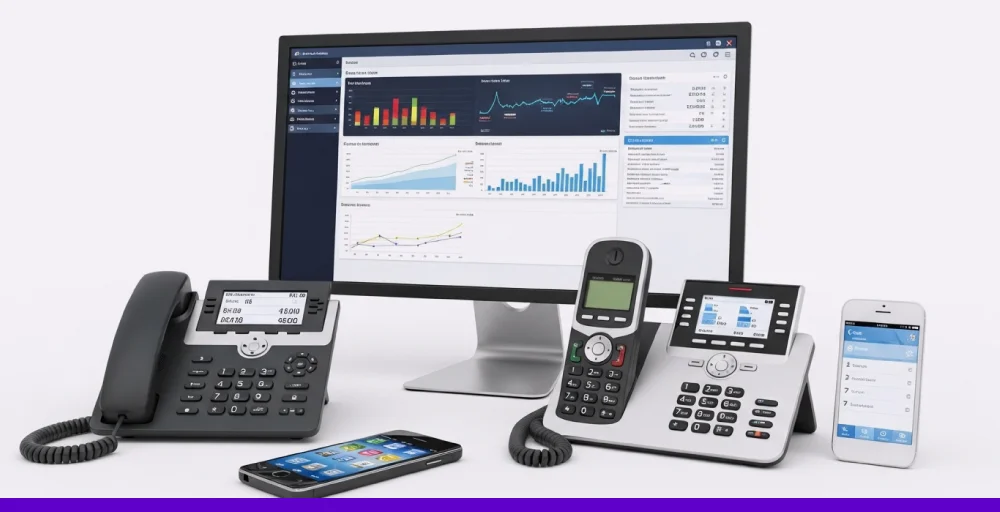
Business phone systems and VoIP apps let you make and receive calls over the internet. These tools can be used by remote teams, customer support, or anyone requiring a reliable way to communicate with clients or coworkers.
Tools like KrispCall, RingCentral, and Nextiva are the best phone systems as they offer advanced features like call recording, call forwarding, voicemail-to-email, and team extensions. All these features can be accessed through a computer, a smartphone, or even VoIP desk phones.
If you’re running a call center team or just need a business phone app, these platforms help you stay professional and connected, without requiring a physical office.
5. Social Media & community platforms
Staying connected is not just about providing updates, tasks, and attending meetings; it’s also about building close relationships.
Social media and online groups help remote and hybrid teams bond, share ideas, and celebrate wins. These platforms also give your team a space to stay engaged beyond just work.
Sites like LinkedIn, X (Formerly Twitter), and Facebook Groups are useful for sharing organization updates, connecting with others in your industry, and promoting your brand. Internally, they can boost morale and make your team feel more connected. Externally, they help you build brand reputation while giving your company a human touch.
Why does strong communication matter in virtual teams?
Good communication is the backbone of any team, but it’s even more important when your team is remote or hybrid.
Misunderstandings can easily occur without regular face-to-face interaction. Clear and consistent communication helps everyone stay aligned and feel like they’re part of the same team.
Here’s why strong communication matters in virtual teams:
- Boosts productivity and team alignment: When communication is clear, everyone knows what to do and works toward the same goals. This reduces confusion and wasted time.
- Reduces misunderstandings and delays: Clear instructions and regular updates help avoid mix-ups. Team members won’t waste time guessing or redoing work. It keeps projects moving on schedule.
- Builds trust and keeps teams engaged: Regular check-ins and open conversations help people feel supported and heard. This creates a stronger connection across remote teams. Engaged employees are more motivated and loyal.
- Impacts customer service and project outcomes: When internal communication flows well, customers feel the difference. Teams respond faster, solve problems more efficiently, and deliver better results. Strong communication also plays a critical role during periods of organizational change. Whether a company is adopting new technologies, transitioning to hybrid work, or restructuring teams, proven change management models help leaders communicate expectations clearly, maintain employee engagement, and minimize disruptions throughout the process.
Common virtual team communication challenges
Even though teams can communicate using video conferencing and other instant messaging tools, remote communication comes with its own set of challenges.
Here are some common remote work challenges:
- Lack of understanding: Without in-person interactions, it’s harder to read tone, body language, or quickly clarify things, which can lead to misunderstandings.
- Message overload: Too many messages from multiple platforms can overwhelm team members, causing them to miss important updates or feel distracted.
- Time zone difference: Scheduling meetings or collaborating in real time can be tricky when team members are spread across different regions of the world.
- Technology issues: Unstable internet, app glitches, or unfamiliar tools can disrupt conversations and slow down collaboration.
- Lack of personal connection: When teams don’t interact beyond work tasks, it can lead to feelings of isolation and lower morale over time.
How to improve virtual team communication?
If you want to improve virtual team communication, you need to establish clear guidelines, foster trust, and choose the right tools that fit the team’s working style. Implementing these strategies, teams can bridge physical distances and build stronger, more cohesive collaboration.
1. Set clear communication norms
Setting clear guidelines helps teams to communicate more efficiently. Therefore, define how your team should use different channels, like using email for formal updates, instant messaging for quick questions, and video calls for discussions.
Set expectations around response times, tone, and availability, so everyone knows what’s appropriate.
Create and implement a simple guide that outlines these norms. Also, review and adjust it regularly based on team feedback, especially as your team grows or adapts to new tools.
2. Keep meetings structured and purposeful
Scheduling multiple remote meetings can lead to team burnout. So, always set a clear agenda, assign a meeting lead, and stick to the time limit. This ensures meetings stay focused and that every attendee knows why they’re there and what they need to contribute.

Share the agenda in advance and assign someone to take notes or share action points afterward. Consider if a quick update or a shared document can replace the meeting.
3. Make information easy to access for everyone
Important details can get lost when files and updates are scattered across apps. Everything should be organized in shared folders, cloud drives, or team wikis. This helps team members quickly find what they need, without having to ask or dig through messages.
Use a tool like Google Drive, Notion, or Confluence for central storage. You can also label folders clearly and keep naming consistent. Regularly clean up old or duplicate files to avoid clutter.
4. Create a virtual “open door” policy
Most team members may hold back during meetings because of self-doubt, fear, or being misunderstood.
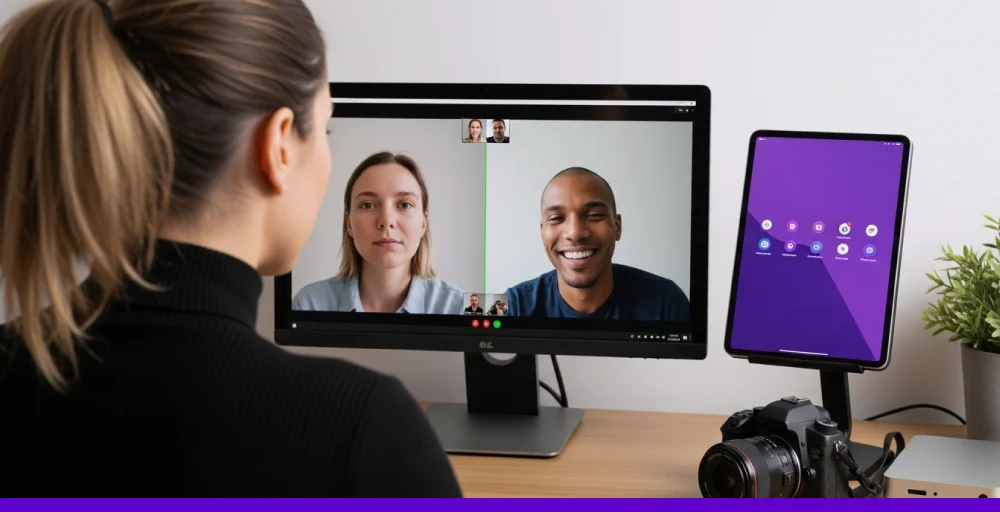
To overcome this issue, it’s important to build a culture of open dialogue, where individuals feel safe to ask questions, share ideas, or raise concerns, even outside of scheduled discussions.
Make your availability known and ensure there are easy ways for your team to connect with you, whether through a brief video call or a simple chat message. When leaders model openness and support, it encourages others to speak up and engage with confidence.
5. Promote non-work interactions to build trust
Successful virtual teams thrive on more than just tasks and deadlines. Personal connections, fostered through light conversations and shared laughter, play a significant role in building trust and strengthening collaboration.
A good practice is to create a casual chat space, like a #random or #coffee-break channel, where teammates can share jokes, weekend stories, or interesting finds. Also, hosting virtual games or informal catch-up calls can help maintain a sense of camaraderie.
Ready to boost remote collaboration?
If you want smoother interaction across your remote or hybrid team, KrispCall is the best option. It offers a cloud-based business phone app that works on desktop, mobile, and even VoIP desk phones, so you are always connected.
With features like internal message threads, call monitoring, and number sharing, managing a call center team or remote support crew becomes effortless.
KrispCall also integrates with popular tools your team already uses, helping you streamline workflows without switching between apps. Whether you want to make virtual calls, handle client support, or work with global teams, KrispCall ensures clear, reliable interaction with your team.