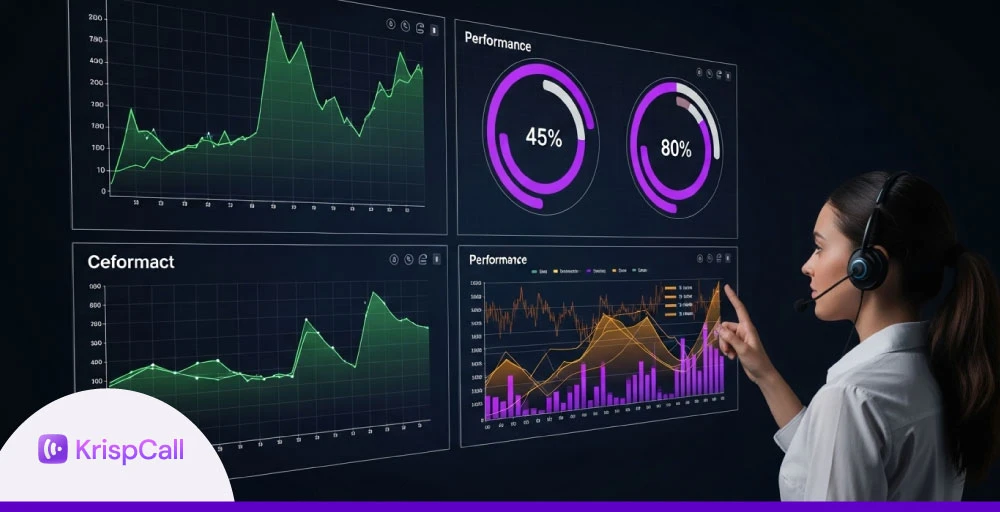
Call centers generate a massive amount of contact center data every day, from call volumes and agent performance to wait times and resolution rates. But raw numbers alone don’t tell the whole story.
Call center reporting turns that complex data into clear, actionable insights that help call center managers improve efficiency, service quality, and overall contact center performance.
In this blog, we’ll break down what call center reporting refers to, explore its types, and highlight the benefits it brings to your team and customers.
✨ Key Takeaways
- Effective call center reporting transforms raw data into structured, actionable insights, helping track key performance indicators like FCR, AHT, and call volumes.
- Accurate reports help enhance customer service operations, control costs, boost center agents’ productivity, and guide data-driven decisions.
- Modern contact center reporting tools like KrispCall, Five9, Genesys Cloud, 8×8, and Nextiva provide real-time dashboards, analytics, and automation for stronger contact center operations.
What is call center reporting?
Call center reporting is the process of collecting and presenting raw data, both real-time and historical, into structured reports. These may highlight key metrics such as IVR usage, average call transfer rate, schedule adherence, and net promoter score.

At its core, call center reporting provides visibility into call center operations, helping managers monitor customer service trends and agent performance.
By tracking key call center metrics and KPIs, leaders can compare performance against internal goals or industry benchmarks and use these insights to optimize staffing, refine training programs, and enhance overall operational efficiency.
Related 👉: What Is a Call Center and How Do They Work?
Call center reporting vs analytics: Key differences
Call center reporting focuses on collecting and presenting historical and real-time data in a structured format, allowing managers to monitor key metrics such as call volume, wait times, and agent performance.
Call center analytics, on the other hand, goes deeper by examining patterns, trends, and correlations in the data to uncover actionable insights, predict customer behavior, and improve decision-making.
While reporting shows what is happening, analytics explains why it’s happening and helps plan for future improvements. So, understanding their differences is essential for improving call center operations efficiently.
| Feature | Call center reporting | Call center analytics |
| Purpose | Presents raw data in structured reports | Extracts insights and trends from data |
| Main goal | Tracks metrics and KPIs | Helps improve strategy and predict outcomes |
| Data covered | Real-time updates and historical records | Historical data with trend analysis |
| Decision support | Supports daily operations | Guides long-term improvements |
| Complexity | Simple data presentation | Advanced analysis requiring specialized tools |
Why is call center reporting important?
Call center reporting plays a vital role in refining operations, supporting agents, analyzing customer feedback, and delivering a better customer journey. Here’s how effective reporting makes a difference:
1. Increased customer satisfaction
Call center reports offer insights into customer behavior across touchpoints. This helps refine the customer journey and address issues quickly, leading to smoother interactions and improved customer experience.
2. Elevated agent performance
Tracking key performance metrics such as first contact resolution and average wait time enables targeted coaching for center agents. This keeps them aligned with contact center operations goals and supports effective contact center reporting.
3. Optimized call center operation cost
Contact center reporting and analytics make it easier to optimize your contact center software and operational costs. Analyzing historical trends and identifying underused channels or inefficient processes helps maximize resources and improve contact center optimization.
4. Informed decision making
Reporting transforms raw data into actionable insights. With tools like call center reporting software, managers can track performance, spot trends, and make informed choices that align with broader contact center solutions.
5. Gain real-time business information
Live call center reporting allows teams to react instantly to spikes or issues. Sharing real-time updates across departments improves collaboration, supports fast decisions, and strengthens your approach to analytics.
Types of call center reports
Call center reporting isn’t limited to just one type of data. Different reports serve different operational needs, giving managers a 360-degree view of how their contact centers are performing.
Here are five essential types of reports every center should use:
I. Agent performance reports: Agent performance reports track individual and team productivity, including metrics like resolution rates, response times, and call center KPIs. They help evaluate efficiency and spot coaching opportunities.
II. Quality assurance reports: Quality assurance reports are focused on service quality. These reports assess call recording, script adherence, and tone of interaction. They’re key to maintaining consistent support and improving customer experience.
III. Call volume reports: Call volume reports show the number of incoming, outgoing, and missed calls. They help with staffing decisions and workload management across your contact center solutions.
IV. Real-time reports: Call center real time reporting offers live updates on queues, active agents, and current call status. This helps managers respond instantly to traffic spikes or service issues.
V. Call abandonment reports: These reports highlight how many callers hang up before speaking with an agent. By tracking wait times and drop-off patterns, you can reduce loss and improve customer retention using your call center reporting tools.
Key call center reporting KPIs
To effectively monitor and enhance call center operations, it’s important to track key performance indicators (KPIs) that measure agent efficiency, customer experience, and overall operational performance.
A. Agent performance KPIs
- Average handle time (AHT): Average time an agent spends on a call, including talk, hold, and after-call work.
- Agent utilization: Percentage of an agent’s available time spent actively handling calls.
- Call transfer rate: Frequency of calls transferred between agents and departments.
B. Customer experience KPIs
- First call resolution (FCR): Percentage of calls resolved on the first attempt.
- Customer satisfaction Score (CSAT): Direct feedback from customers about their experience.
- Net promoter score (NPS): Likelihood of customers recommending the service.
C. Operational efficiency KPIs
- Call abandonment rate: Percentage of calls where customers hang up before reaching an agent.
- Service level: Percentage of calls answered within a target timeframe.
- Average wait time: The time customers wait before speaking to an agent
- Occupancy rate: Percentage of time agents spend on call-related tasks versus idle time.
5 Best call center reporting tools in 2026
Here are the Top 5 call center reporting tools, offering powerful analytics, real-time insights, and features tailored to boost performance and customer satisfaction.
| Call center reporting software | Starting Price | Features | Best For |
| KrispCall | $15 per user per month | Real-time call analytics, Advanced call routing and session management, Seamless CRM integrations | SMBs looking for an affordable, easy-to-use analytical tool |
| Five9 | $119 per month | Agent call scripting, Call center data importing, and Call conferencing software | SMBs needing customizable, AI-driven CX |
| Genesys Cloud | $75 per user per month | WhatsApp integration, Speech and text analytics, Advanced WEM tools | Enterprises needing advanced analytics and workforce optimization |
| 8×8 | Contact the sales team | Intelligent customer assistant, Omnichannel routing, Workforce engagement management | Businesses requiring scalable omnichannel call center solutions |
| Nextiva | $23 per user per month | Trend analysis, Custom reports, Real-time dashboards, and wallboards | SMBs seeking affordable, all-in-one CCaaS |
1. KrispCall
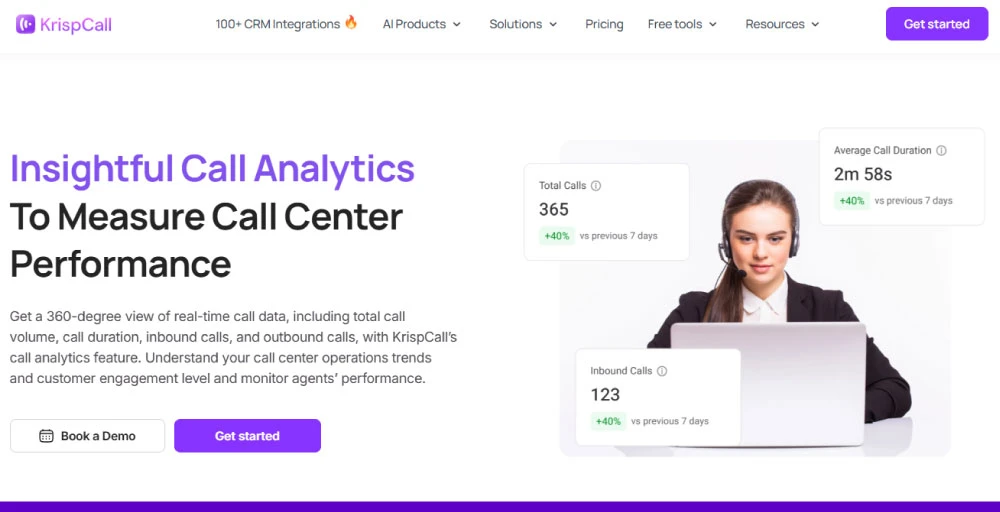
KrispCall’s call center reporting tool focuses on simplicity, offering essential insights like call volume, agent activity, and live tracking. Through its call analytics feature, teams can slice and dice data to build simple, customized reports for day-to-day decisions.
Ideal for small or growing teams, this setup provides enough visibility into contact center performance to spot trends or bottlenecks, but without overwhelming dashboards or unnecessary complexity.
Features
- Live call monitoring
- Call transcription
- Shared phone number
- Multi-level IVR
Pros
- Offers cost-effective plans suitable for businesses of all sizes.
- Provides 24/7 customer support.
- Delivers real-time call analytics and insights for better agent performance management.
Cons
- There is no bulk delete option for text messages.
- Mobile apps have limited functionality compared to web apps.
Pricing
- Essential: $15/user/month
- Standard: $40/user/month
- Enterprise: Custom


2. Five9
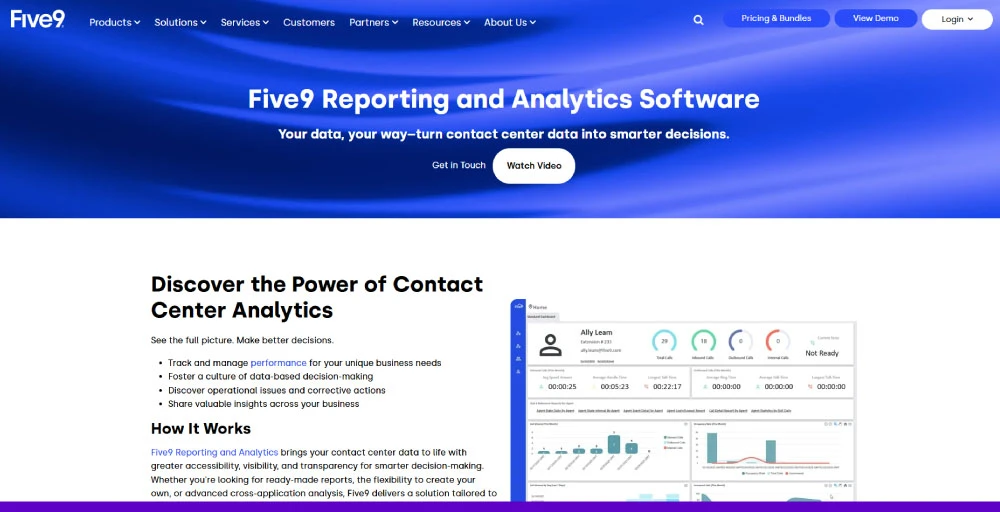
Five9 delivers real‑time reporting that keeps supervisors tuned into agent and queue performance across voice and digital channels. It includes over 140 prebuilt reports and integrates smoothly with CRM systems, making it easier to track contact center analytics and tailor insights to operational goals.
Whether you’re tracking transfers, handle times, or customer sentiment, the mix of live dashboards and scheduled reporting helps maintain control during busy periods and strategic planning alike.
Features
- Real-time and historical dashboards
- Automated quality management (QM)
- Speech recognition software
- AI-powered speech and text analytics
Pros
- Highly secure and reliable for consistent interaction.
- HD video conferencing ensures clear, professional virtual meetings.
- Strong outbound capabilities for efficient call management.
Cons
- Limited third-party integrations reduce flexibility.
- Significant learning curve for new users.
Pricing
- Digital (Digital-only): $119 per month
- Core (Voice-only): $119 per month
- Premium (Digital+Voice): Contact sales
- Optimum (Digital+Voice+WEM): Contact sales
- Ultimate (Digital+Voice+WEM+Analytics): Contact sales
3. Genesys Cloud
Genesys Cloud offers dynamic contact center reporting and analytics via customizable dashboards and API access for deeper analysis. While historical data exports can be aggregated and limited at broader levels, users can power custom tools like Power BI for more granular visibility.
This flexibility supports a data-driven approach to contact center optimization, especially when linked to customer journey maps and operational goals.
Features
- Data export support
- Analytics as a service (A3S) solution
- Mobile app (iOS and Android)
- Predictive dialing
Pros
- Intuitive and easy-to-use interface for smooth navigation.
- Works well for remote teams and integrates with other systems.
- Responsive and helpful customer support for quick issue resolution.
Cons
- Transcription and speech recognition can be unreliable at times.
- Manager portal UI is less intuitive compared to competitors.
Pricing
- Genesys Cloud CX 1: $75/user/month
- Genesys Cloud CX 2: $115/user/month
- Genesys Cloud CX 3: $155/user/month
- Genesys Cloud CX 4: $ 240/user/month
4. 8×8
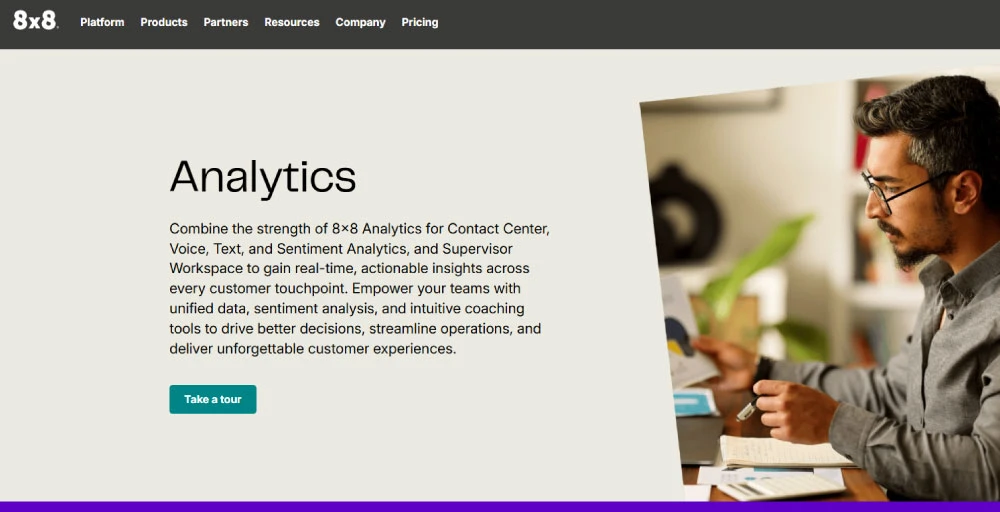
8×8’s cloud contact center reporting blends live dashboards with sentiment-based insights powered by AI. Recent updates (Creovai‑based) include automatic quality checks, real‑time coaching suggestions, and unified visibility across voice and Viber or social messaging channels.
This intelligent setup helps teams spot issues faster and support agents in the moment, bridging reporting and coaching naturally in daily workflow.
Features
- Intelligent voice response (IVR)
- High-volume messaging
- Omnichannel routing
- AI-enabled self-service
Pros
- Multichannel offerings for versatile interaction options.
- Supports video meetings with ample participant capacity.
- Unlimited calling area for broader connectivity.
Cons
- Some users have reported dropped calls, lags, or echoes.
- Mobile apps are glitchy and slow.
Pricing
Contact the sales team
5. Nextiva
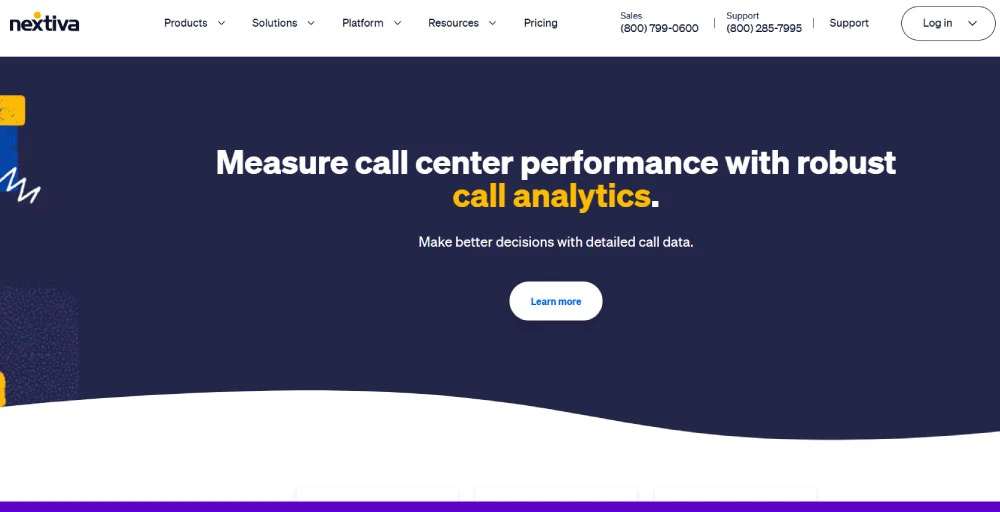
Nextiva’s call center reporting dashboard is straightforward and scheduler‑friendly, offering both real‑time and historical views on metrics like wait times, AHT, and queue staffing levels. Scheduled email reports ensure stakeholders stay in the loop automatically.
Pre‑configured dashboards help supervisors monitor performance at a glance while exporting CSV data for deeper trend analysis, making it approachable for teams managing contact center metrics more efficiently.
Features
- Automatic call distribution
- Predictive dialer
- Auto Attendant
- Advanced call routing
Pros
- Unlimited users on all plans.
- 24/7 live support for continuous assistance.
- Extensive collaboration features for team productivity.
Cons
- Limited scalability for growing businesses.
- Fewer integrations are available on the lower-tier plans.
Pricing
- Core: $23/user/month
- Engage: $50/user/month
- Power suite CX: $75/user/month
Call center reporting challenges and solutions
Despite its benefits, call center reporting comes with its own set of technical, organizational, and operational barriers.
Below are five common challenges along with practical solutions to overcome them:
1. Information overload and limited scope
Too much raw data can be overwhelming, especially when reports lack clarity or actionable insights. Traditional tools often provide surface-level call metrics but fail to capture cross-channel patterns or deeper context.
Solution: To resolve this, adopt a system with visual summaries, filters, and multi-channel analytics. Focus on tools that highlight trends, agent insights, and customer behavior instead of overwhelming you with endless stats.
2. Data integration and accuracy issues
Disconnected systems and poor data quality can lead to inconsistent or misleading reports. Incomplete data from different channels weakens contact center performance analysis and decision-making.
Solution: The fix lies in standardizing data inputs and using reporting software that integrates easily with your CRM, helpdesk, and IVR systems. A centralized data source improves accuracy, ensures consistency, and supports more reliable call center analytics.
3. Security and privacy concerns
Call centers handle sensitive information, from customer details to payment data. Without proper safeguards, your reporting system could pose serious security and compliance risks.
Solution: Choose platforms with end-to-end encryption, strict access controls, and compliance with data regulations. Prioritize tools that treat privacy as a core function and offer built-in protection features.
4. System complexity and implementation
A complex reporting system often comes with steep learning curves, technical challenges, and costly downtime during implementation. Choosing the wrong system can slow operations rather than improve them.
Solution: Start with a phased rollout. Look for tools that offer intuitive interfaces, flexible customization, and scalability. Ensure hands-on training and onboarding support to reduce friction and keep your operations running during the transition.
5. Organizational resistance and skill gaps
Employees may resist new tools, especially if they lack clarity on how to use them or don’t see immediate value. Skills gaps and a lack of ownership can further hinder system adoption.
Solution: Address this with clear international communication, ongoing support, and role-based training. Show how better reporting improves FCR, customer outcomes, and agent performance. Assign reporting responsibilities and embed them into everyday workflows.
Call center reporting best practices
Whether you’re aiming to improve customer service, increase agent productivity, or align with broader business goals, these reporting practices help you achieve your objectives with clarity and consistency.
Here are five tips that make call center reporting more effective:
I. Encourage agent feedback
Your agents are on the front lines and understand customer pain points better than anyone. Gathering their feedback on workflows, reporting formats, and recurring issues helps refine reports and improve the overall contact center performance.
When agents feel heard, they’re more engaged and invested in delivering better results.
II. Share performance reports with stakeholders
Reports shouldn’t stay locked in the supervisor’s dashboard. Sharing KPIs and call center metrics with sales, product, and support teams creates alignment.
Stakeholders gain visibility into customer trends, and it encourages cross-team collaboration to boost the overall customer experience.
III. Adapt to industry benchmarks
Comparing your data against industry standards helps identify where your contact centers fall short or lead. Whether it’s hold times or FCR, adapting to benchmarks gives your reports more context and helps guide competitive improvements across your contact center analytics.
IV. Set clear KPIs and analytics
Define measurable goals that reflect your business objectives, like average handle time, CSAT, or abandonment rates. Use focused analytics to avoid distractions and keep reports aligned with what truly matters. Review and refine these KPIs regularly to ensure they stay relevant.
V. Use analytics to drive action
Don’t just collect data, act on it too. Use insights from your reporting tools to tweak training, adjust staffing, or improve workflows. Whether you’re optimizing IVR flows or updating scripts, tying reporting to real action helps you improve both operations and outcomes.
Conclusion
Effective call center reporting is the backbone of successful call center management. By tracking essential call center metrics and KPIs such as FCR, AHT, and customer satisfaction, businesses gain the clarity needed to refine workflows, improve agent productivity, and strengthen the overall customer experience.
When paired with advanced call center analytics, reporting becomes a powerful driver of contact center optimization. With modern contact center solutions like KrispCall, and others, businesses can transform raw data into actions that refine the customer journey map and strengthen long-term results.