A client texts asking for an urgent update. Another sends a photo for clarification. Meanwhile, a lead replies to last week’s follow-up.
Three separate conversations, three separate devices, and a whole lot of confusion. This is where most business texting often falls apart, not because teams don’t care, but because their tools aren’t built for it.
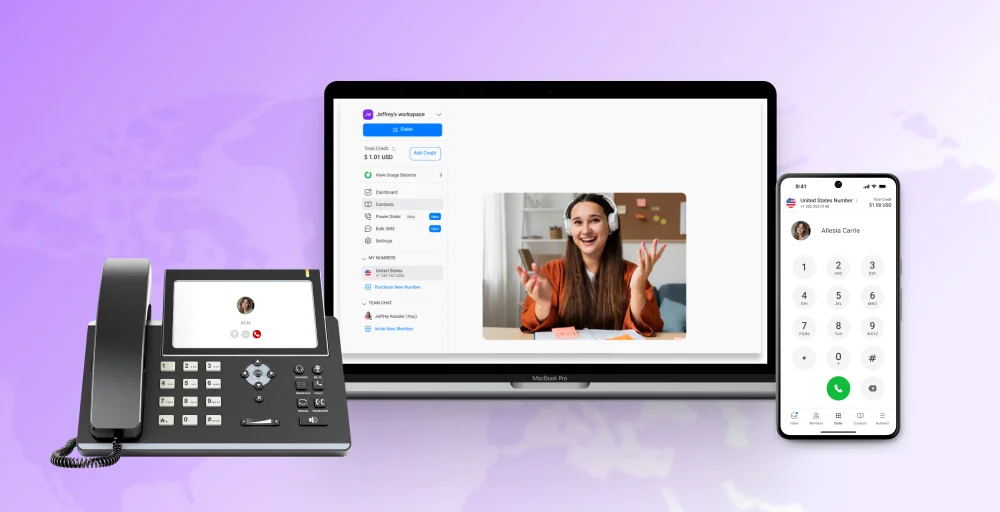
VoIP texting apps change this by combining calls, MMS, AI assistance, and sms with VoIP into one organized platform.
In this blog, you’ll explore the 10 best VoIP with text messaging solutions designed to help your teams work faster, reply smarter, and keep every interaction on track.
✨ Key Takeaways
- VoIP texting apps keep all messages, calls, and contacts in one organized workspace, reducing confusion and helping teams respond faster.
- MMS support, virtual numbers, AI replies, and CRM syncing make VoIP texting ideal for real-time customer conversations, marketing, and remote collaboration.
- Some of the best VoIP texting apps are KrispCall, Dialpad, Quo (formerly OpenPhone), Google Voice, RingCentral, and Grasshopper.
- Choosing the right app depends on call quality, pricing model, cross-device access, advanced features, and business-specific cases
What are VoIP texting apps?
VoIP texting apps are platforms that allow businesses to send and receive SMS and MMS using internet-based phone numbers. They combine calls, texts, and contact details in one workspace, removing the need for multiple devices or carriers.

A VoIP texting service supports business phone numbers, toll-free numbers, and even virtual numbers, enabling companies to communicate with customers locally and globally at lower costs. It’s a practical tool for sales, support, and remote teams who need clear, efficient messaging.
How VoIP texting apps work?
VoIP texting apps use internet protocols to send and receive messages instead of relying on traditional mobile networks.
When you send a message, the app converts it into data packets and routes it through the internet using VoIP technology. These packets reach the recipient’s device as a regular SMS or MMS, even if they are not using VoIP. This allows businesses to use virtual phone numbers to communicate just like standard mobile numbers, but with greater accessibility, lower cost, and improved tracking.
These apps run through cloud-based platforms, which means your messages, call logs, contacts, and chat history are stored securely and can be accessed from any device (desktop, tablet, or mobile). They integrate with CRMs and business tools and support automation, AI-generated responses, and campaign texting, making it easier to handle large message volumes without manual effort.
Key features to look for in a VoIP texting app
When comparing voice texting apps, it’s important to understand how each tool supports clear messaging, team efficiency, and compliance.
1. Communication essentials
Browse the market and look for apps that support two-way texting. Use real business phone numbers so customers can reply directly and continue the conversation. Some VoIP with MMS support is equally important, allowing teams to share images, PDFs, and links for product demos, automated webinars, or support documents, making explanations clearer and more effective.
If you handle multiple contacts at once, like leads or clients, group texting and segmented campaigns help target messages based on tags, preferences, or audience type.
2. Automation & workflow
The next thing to look for is automation and workflow. These help reduce the manual work and ensure timely responses. Auto-replies handle after-hours queries or common questions, while scheduled texts are ideal for reminders, follow-ups, and announcements.
Go for platforms that offer prebuilt templates for routine messages and use smart routing to direct incoming text to the right person or department based on keywords or topic.
3. Intelligence & integration
Another thing is that the best VoIP messaging apps also need to support intelligence and integrations. Platforms with AI responders assist you with fast, consistent replies and CRM syncing, whether with Salesforce, HubSpot, or Zoho, which keeps every interaction linked to customer needs.
A VoIP texting service that offers a shared team inbox, with both call and text history, helps teams maintain context. Features like delivery tracking and analytics provide insight into message performance, response rates, and overall engagement.
4. Compliance & security
Finally, compliance and security are non-negotiable as they keep your business protected. Features like TCPA and HIPAA readiness help ensure that customer data and consent are handled properly.
End-to-end encryption secures message content, and built-in opt-in and opt-out flows support legal compliance while respecting customer preferences.
Benefits of VoIP texting apps for businesses
Let’s take a look at how these apps make everyday business texting more effective and practical:
- Faster customer response: VoIP messaging apps keep all messages in one organized dashboard, helping teams respond quickly without switching devices or platforms. This reduces wait times and improves service quality.
- Lower cost: Since messages are sent over the internet, businesses avoid high carrier fees, hardware expenses, and maintenance costs. In fact, according to recent VoIP statistics, businesses can cut phone costs by up to 50% and even save up to 32 call minutes per employee per day. This makes VoIP texting a highly cost-efficient communication solution for both small and large teams.
- Better customer engagement: Features like media sharing, personalized texting, and reply tracking allow businesses to hold meaningful conversations that keep customers active, informed, and connected.
- Scalable for any business size: VoIP texting platforms grow with your needs. It supports single agents to full departments or large multi-location teams without affecting performance or organization.
- High delivery + engagement rates: VoIP texting applications use strong routing systems and delivery tracking, ensuring messages reach the intended recipient and generate a better response rate.
How were these apps ranked?
Each VoIP texting app was evaluated against the criteria outlined above: communication essentials, automation and workflow, integration depth, compliance and security, pricing transparency, and cross-device reliability. Rankings also factor in verified user ratings from G2 to reflect how each platform performs in real business use, not just on a feature list.
More on how content is researched and maintained: content update process, content integrity standards, and software review methodology.
Top 10 VoIP texting apps for small businesses (Ranked for 2026)
| Voice over IP texting apps | G2 review | Starting price |
| KrispCall | 4.5 / 5 | $15 per user per month |
| Dialpad | 4.4 / 5 | $27 per user per month |
| Quo (formerly OpenPhone) | 4.7 / 5 | $19 per user per month |
| Google Voice | 4.1 / 5 | $7 per user per month |
| RingCentral | 4.3 / 5 | $30 per user per month |
| Grasshopper | 3.9 / 5 | $18 per month |
| Line2 | 2.7 / 5 | $9.99 per month |
| Textedly | 4.6 / 5 | $29 per month |
| Sideline | 4.5 / 5 | $14.49 |
| MightyCall | 4.4 / 5 | $20 per user per month |
1. KrispCall
KrispCall is a cloud-based VoIP system that combines voice calls, SMS/MMS, and business texting under a single platform. It delivers a virtual phone number (local, mobile, or toll-free) that works on iOS, Android, or web, letting businesses handle calls and VoIP text messaging from any device.

Its mix of calling, texting, and CRM integration makes it a solid contender among top VoIP text messaging apps.
Key features
- Two-way texting & MMS support
- Unified Callbox and multi-device access
- Mass texting and bulk campaigns
- CRM and third-party integration
- Global virtual numbers
Pros
- User-friendly interface and simple setup.
- Offers competitive pricing for small and mid-sized teams.
- Wide global reach with virtual numbers from 100+ countries.
- Excellent 24/7 customer support.
Cons
- Does not offer video conferencing
- Some user finds the advanced features complex
- No free trial is available
Who it’s best for
KrispCall works well for small to mid-sized businesses, startups, call centers, sales teams, or support operations that need a unified way to manage calls and business texting. It also suits businesses expanding internationally or serving customers across different regions.
Pricing
- Essential: $15/user/month
- Standard: $40/user/month
- Enterprise: Custom pricing
Upgrade to VoIP and Save More
Cut costs and enhance call quality with KrispCall’s affordable VoIP system. Sign up today and see how much you can save.
2. Dialpad
Dialpad blends business texting with AI-powered assistance, giving teams a quick way to handle SMS and MMS conversions across devices.

Dialpad’s built-in transcription, automated suggestion, voicemail-to-email, and CRM integration have positioned it among the top VoIP messaging apps for companies seeking unified communications.
Key features
- Omnichannel customer service
- Three-way calling
- Voicemail-to-email
- Workforce management (WFM)
Pros
- The AI transcription and analytics features save time on manual note-taking.
- Works well for remote or hybrid teams.
- Easily scalable as the team grows.
Cons
- Toll-free numbers cost extra
- Key features like Zapier and Slack only come with expensive tiers
- Reliability issues like dropped calls, connection problems, and recording issues.
Who it’s best for
Dialpad fits small-to-medium businesses, remote teams, sales groups, or support operations needing both calling and text capabilities in a single platform.
Pricing
- Standard: $27/user/month
- Pro: $35/user/month
- Enterprise: Contact the support team
3. Quo (formerly OpenPhone)
Quo, formerly known as OpenPhone, focuses on flexible, team-friendly texting features such as shared numbers, text templates, scheduled messages, and MMS support. It works across desktop and mobile, letting you call and text from computers or smartphones.

This makes Quo a strong candidate among VoIP messaging apps for small businesses and startups that want unified communication through internet-based calling and text messaging.
Key features
- AI call tags
- Custom profiles and contact management
- Shared multichannel inboxes
- Unlimited calling and messaging to US and Canadian numbers*
Pros
- Built-in integrations with major CRM platforms and other tools.
- Affordable pricing for small teams and startups.
- Simple, easy, and quick sign-up process.
Cons
- Limited advanced features in the basic plan.
- Users complain about poor customer support or slow issue resolution
- Occasional downtime, call dropouts, or flagged “spam risk” calls.
Who it’s best for
Quo is an exceptionally good choice for startups, small businesses, and freelancers that value simplicity, basic automation, shared inboxes, and CRM integration without heavy infrastructure or big budgets.
Pricing
- Starter: $19/user/month
- Business: $33/user/month
- Scale: $47/user/month
4. Google Voice
Google Voice is a cloud VoIP service that provides businesses (and individuals) with a virtual phone number for calls and messaging. It supports easy call handling and SMS inside the Google ecosystem.

As a free VoIP texting app for personal use and a paid option for teams, it suits small groups that want simple, low-cost calling and texting without any heavy setup.
Key features
- Easy integration with Google’s ecosystem
- Unlimited texting in the United States
- Custom voicemail greetings
- Advanced reporting with BigQuery integration
Pros
- Low cost and affordability.
- Cross-device compatibility.
- Easy porting of existing numbers.
Cons
- Hidden cost of add-ons.
- Sparse CRM or third-party support.
- Limited advanced features and integrations.
Who it’s best for
Google Voice suits solo entrepreneurs, freelancers, small teams, and startups that need an affordable business phone number for calls and basic texting without investing in heavy infrastructure. It works well for companies already using Google Workspace and those needing a simple VoIP texting app.
Pricing
- Starter: $10/user/month
- Standard: $20/user/month
- Premier: $30/user/month
5. RingCentral
RingCentral brings business texting into a full VoIP phone system, making it a solid pick for small to mid-sized businesses that need call routing, auto-attendants, and SMS in one place.

With consistent reliability across desktop, iOS, and Android and dependable message delivery, RingCentral stands out as a dependable VoIP text messaging app for long-term business use.
Key features
- Inbound/outbound business SMS
- Messages sync instantly across mobile and desktop apps
- Group SMS/MMS
- Enhanced SMS deliverability
Pros
- Easy to add or remove users, numbers as the business demands.
- Extensive integration with many third-party tools and CRMs.
- It offers a relatively easy-to-use interface and mobile app.
Cons
- Lack of adequate features in the mobile app.
- Texting is not supported on a shared number.
- The reporting tool lacks customization capabilities that the user needs.
Who it’s best for
RingCentral fits the needs of businesses of any size. It’s especially useful when you want a single platform for calls, text messaging, meetings, and team communication.
Pricing
Business Phone
- Core: $30/user/month
- Advanced: $35/user/month
- Ultra: $45/user/month
- Customer Engagement Bundle: Contact the support team
6. Grasshopper
Grasshopper is a virtual phone system designed for small businesses that lets you easily manage a dedicated business number for calls and SMS, without extra hardware or complex setup.

Its focus on texting, call forwarding, voicemail, and custom greetings makes it a practical choice for users who want a clean, minimal VoIP texting option that keeps personal and business communication separate.
Key features
- Unlimited users
- Instant response (auto text reply)
- Desktop & Mobile apps
- Predictable pricing for scalable growth
Pros
- The setup process is simple and does not require any technical expertise or additional hardware.
- Reliable 24/7 customer support.
- It offers professional contact to help separate private and business calls.
Cons
- Lacks direct integration with third-party software applications.
- It doesn’t have any video conferencing capabilities.
- Frustrating call quality issues like lags or dropped calls.
Who it’s best for
Grasshopper suits freelancers, solo professionals, startups, and local service providers who want a business phone and texting system that keeps personal and business separate while maintaining a professional image.
Pricing
- TRUE SOLO: $18/month
- SOLO PLUS: $32/month
- SMALL BUSINESS: $70/month
Related 👉: Top 10 Grasshopper Alternatives in 2026 (Tried & Tested)
7. Line2
Line2 is a cloud-based phone and texting solution that gives small businesses and solopreneurs a dedicated second number for calls and messages. It works across smartphones, tablets, and computers, helping teams answer texts on the go, manage multiple lines, and stay responsive without relying on personal numbers.

Key features
- Number porting
- Voicemail transcriptions
- Caller ID
- Integration with CRM
Pros
- It offers a 30-day money-back guarantee for its users.
- Affordable and transparent pricing plans.
- Unlimited calls within Canada and the USA.
Cons
- Only one photo can be sent at a time.
- Fewer integrations compared to other tools.
- Lacks advanced AI features.
Who it’s best for
Line2 is ideal for small teams, consultants, and remote professionals who want an easy-to-manage secondary number for calling and texting without investing in a full-scale call center setup.
Pricing
- Monthly: $9.99
- Annual: $7.99
8. Textedly
Textedly is a VoIP-enabled SMS platform built for businesses that rely on text-based outreach, alerts, and promotions. While its focus is on mass SMS and MMS, it also supports VoIP features like voice calling and toll-free numbers, making it a versatile tool for both texting campaigns and basic telephony.

Key features
- AI text messaging service
- Mass group texting
- Schedule a text
- Comprehensive analytics
Pros
- Offers a 14-day free trial.
- Flexible contact management and automation.
- The platform allows for easy message personalization.
Cons
- Does not offer a mobile app.
- No team inbox or advanced calling features.
- Pricing increases with contact list volume.
Who it’s best for
Textedly works well for agencies, retail brands, real estate professionals, event organizers, and service providers that need both mass texting and a VoIP number for business visibility and basic calling.
Pricing
- Basic: $29/month
- Bronze: $49/month
- Plus: $79/month
- Enterprise: $125/month
- Elite: $169/month
9. Sideline
Sideline is a mobile app that adds a dedicated second number to your existing phone, giving small businesses and freelancers a simple way to handle business calls and SMS separately from their personal line. It offers a reliable texting platform without forcing you to commit to a full VoIP phone system.

Key features
- SMS+MMS messaging
- Custom signature under your message
- Unlimited texting
- Auto-reply to texts
Pros
- Clear separation of personal and business communications.
- Affordable compared with full business VoIP platforms.
- Supports team messaging and number sharing.
Cons
- Requires an existing phone number to sign up for the service.
- No built-in analytics or marketing tools.
- Fewer integrations compared to enterprise-grade services.
Who it’s best for
Sideline fits freelancers, solo entrepreneurs, and small teams who need a simple second number for business communication, especially if they want to keep personal and business contacts separate without investing in complex systems.
Pricing
Sideline pricing offers flexible plans to fit different needs and budgets.
- Monthly: $14.49
- Half-yearly: $69.99
- Yearly: $129.99
10. MightyCall
MightyCall offers businesses a complete virtual phone setup with SMS and MMS built right in, making it easy to manage calls, texts, voicemails, and contact history from one place.

It merges calling and messaging features to help teams stay reachable and organized without requiring a traditional phone setup.
Key features
- Business phone numbers
- Desktop and mobile apps
- Voicemail to email and text
- Business contact book
Pros
- Offers local or toll-free numbers depending on business needs.
- Easy website navigation with a clean, intuitive UI.
- Higher uptime and timely customer support.
Cons
- Texting features are simpler compared with specialized SMS platforms.
- Pricing can grow steeply with additional users or numbers.
- Lacks integration with niche CRM and third-party tools.
Who it’s best for
MightyCall suits small to mid-sized businesses (SMBs), customer-service oriented teams, local businesses, or remote teams that want a unified phone and text system without investing in extensive hardware.
Pricing
- Core: $20/user/month
- Pro: $30/user/month
- Power: $40/user/month
- Enterprise: Contact sales team
Industry-specific uses of VoIP texting
VoIP texting serves diverse industries because ot supports real-time connections, maintains professionalism, and adapts to different communication needs. Here are key industry-focused use cases and how VoIP texting supports each:
1. Remote teams & distributed workforce communication
VoIP texting keeps teams connected across locations without relying on personal numbers. Shared business lines, group messaging, and device syncing help coordinate tasks, send quick updates, and keep conversations documented for reference. Team members can text from any device, keeping communication consistent across time zones and work styles.
2. Two-way texting for customer support
Businesses use VoIP texting services to respond to inquiries, appointment requests, order updates, or account questions instantly. Conversations stay organized under one business number instead of being scattered across personal devices. Support agents can view message history, transfer chats, or trigger automated replies during off-hours to maintain faster responses and a reliable customer experience.
3. Text-based marketing
Marketers use VoIP texting to send SMS and MMS campaigns, promotional offers, event reminders, newsletters, and loyalty updates. Features like group messaging, keyword-driven replies, and scheduled campaigns help deliver targeted messages at scale. Delivery tracking and opt-in management keep outreach compliant while improving engagement.
4. HIPAA-compliant patient communication
Healthcare providers share appointment reminders, prescription details, and care instructions through HIPAA-compliant VoIP texting systems. Encrypted messaging and access control keep patient information protected, making it suitable for telehealth coordination, follow-up care, and routine updates.
5. Temporary number texting
Real estate agents, recruiters, freelancers, and online sellers often need temporary or anonymous numbers for short-term interactions. VoIP sms supports disposable or secondary business numbers for specific projects, protecting personal identity while providing a professional communication channel.
Feature comparison: VoIP texting vs SMS vs OTT apps
| Factor | VoIP texting | SMS (standard carrier SMS) | OTT messaging apps (e.g., WhatsApp, Telegram) |
| Cost difference | Subscription-based pricing, which can be cost-effective for businesses sending many messages. | Pay-per-text, which can get expensive for high volume. | Usually free, as long as recipients have the app. |
| Delivery speed | Fast and similar to SMS | Fast, near instant delivery if on a cellular network and in coverage. | Typically instant while both sender and recipient are online. May delay if someone is offline or has a poor data connection. |
| Tracking/analytics | Often includes delivery reports, open/read receipts, campaign performance metrics, contact management. | Mostly basic send/receive confirmation. No built-in analytics or campaign tracking. | Depends on the app. Typically no business-grade analytics for marketing or tracking across users. |
| Business identity & branding | Good for branding and business use. Supports dedicated numbers, custom greetings, and business caller ID. | Uses personal or assigned numbers and are limited to no branding features beyond the number itself. | Uses personal or user-registered profiles. Branding is limited and varies depending on how users manage their profiles. |
| Multi-device access | Designed to work on multiple devices like desktop, mobile, and web, and allow team access under one number. | Usually tied to a single phone SIM/device. Limited to devices with an active SIM card. | Many OTT apps offer multi-device support, but often tied to the user account. May not support shared business use or team access under one verified number. |
| Security | Many offer encryption and secure handling, potentially HIPAA-compliant for sensitive industries if configured right. | Dependent on carrier and device security. Basic SMS is not encrypted end-to-end and is less secure for sensitive data. | Many apps provide end-to-end encryption. |
How to choose the right VoIP texting app?
Choosing the right VoIP texting app depends on matching app capabilities with business needs. Here are the key criteria and how to evaluate them:
1. Call quality
Ensure the app delivers a clear, consistent voice and text. Test the service under network conditions to ensure it works consistently, even on variable bandwidth. If your business handles many calls and texts daily, prioritize apps known for reliable call/text performance so clients and colleagues always stay reachable.
2. Cost
Compare pricing models: subscription, pay-per message, number of users or lines supported, and add-on costs. For frequent messaging or team use, a flat monthly fee or bundled plan may offer value than pay-per-text. Ensure the plan includes all needed features like messaging, calling, and voicemail to avoid surprise charges.
3. Cross-platform availability
Choose an app that works across devices (desktop, mobile, tablet). This ensures team members can send messages or answer calls from wherever they are. If your workspace is distributed or remote, cross-platform support ensures continuity.
4. Encryption and security
If you have sensitive information, like personal data, health records, or payments, then encryption and secure data handling matter. Look for apps that offer encryption, secure authentication, and compliance with relevant privacy standards. A secure platform helps protect both your business and clients.
5. Advanced features, including call forwarding
Consider whether you need call routing, forwarding, voicemail-to-text or email, auto-attendants, message scheduling, mass texting, multi-user support, or shared inboxes. For small businesses or solo professionals, simple texting and calling may be enough. For teams or customer-facing operations, advanced call management and multitasking features can improve efficiency and responsiveness.