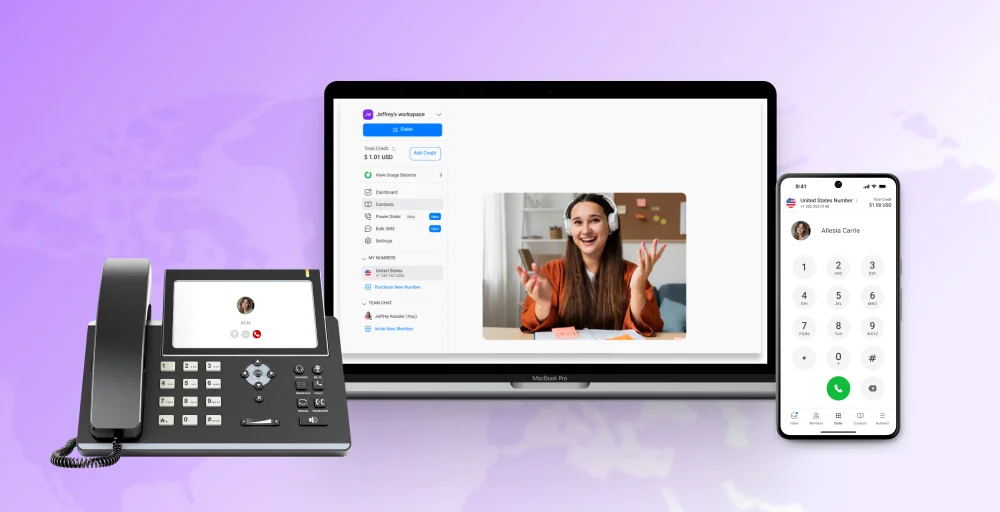
Traditional phone systems are costly, rigid, and lack the features modern businesses need, especially for remote work. This is a significant problem that stifles growth and flexibility.
The solution is Voice over Internet Protocol (VoIP). This technology utilizes an existing internet connection instead of outdated analog lines to transmit calls, offering significant cost savings and superior quality.
This means, VoIP offers the crucial flexibility that businesses need to remain competitive on a global scale. According to a recent industry report, the global VoIP market is expected to grow from $134.86 billion in 2023 to $151.21 billion in 2024, representing a compound annual growth rate (CAGR) of 12.1%.
If you are considering switching from your traditional phone system to VoIP, this guide will help you understand the basics of VoIP, its benefits, and how to set it up.
✨ Key Takeaways
- VoIP (Voice over Internet Protocol) is a technology that enables you to make and receive phone calls over the internet, rather than traditional phone lines.
- Common terminologies used in VoIP are Session Initiation Protocol (SIP), codecs, DHCP, PSTN, jitter, and latency
- Some of the essential VoIP features are call forwarding, voicemail, call analytics, IVR, and many more.
- To set up a VoIP network, understand business needs, set up hardware, choose a VoIP service provider, select and configure features, and deploy, test.
Overview of Voice over Internet Protocol (VoIP)
Voice over Internet Protocol, or (VoIP), is a technology that enables you to make low-cost phone calls using the internet instead of traditional phone lines. Think of it like the difference between mailing a physical letter and sending an email.
In a traditional letter, you need to have a postal infrastructure (mailboxes, postmen, sorting facilities, delivery trucks) to send a message from one point to another. However, email can travel quickly over the internet, arriving within seconds, regardless of distance.
VoIP works similarly but for phone calls: instead of relying on dedicated copper telephone wires, your voice is transmitted as digital data packets over the internet, just like an email or a video stream.
VoIP Types
Businesses typically have two options for implementing VoIP: on-premise PBX or hosted (cloud-based) PBX. Both systems utilize Private Branch Exchange (PBX), but they may differ in terms of their setup, management, and responsibilities.
On-Premise PBX
In an on-premises PBX, all the hardware and equipment which are needed to make VoIP phone calls are kept in your office. Here, calls are made through IP phones that connect to an IP-PBX serves with the help of a local network.
Hosted (Cloud-Based) PBX
The hosted PBX is managed by a third-party provider that handles all its tasks, including hardware, setup, and maintenance. With this, you can get instant setup and deployment of your features.
VoIP terminology
Voice over Internet Protocol (VoIP) utilizes various industry-standard protocols and codecs to ensure reliable call completion and high-quality sound. Here are some key technical terms associated with VoIP:
- Audio codecs: These VoIP codecs determine the method by which your voice data is compressed, transmitted, and ultimately perceived on both sides of the call. Some of the known VoIP codecs are G.711, G.722, and G.729.
- Session Initiation Protocol (SIP): A protocol used to start, maintain, modify, and terminate the VoIP sessions in real-time with each connection. The SIP is used when both endpoints communicate via video, message, or voice.
- Public Switched Telephone Network (PSTN): In VoIP, PSTN represents the traditional, circuit-switched telephone infrastructure being replaced by IP-based services.
- Jitter: Jitter refers to the variation in the time it takes for data packets to travel from the sender to the receiver. High jitter can cause noticeable delays, often experienced by users as “lag.”
- Dynamic Host Configuration Protocol (DHCP): DHCP enables client devices on a network to automatically obtain an IP address, along with other essential settings required to establish a connection. It also prevents duplicate IP addresses. VoIP phones can operate using either a static or dynamic IP configuration.
- Latency: Latency is the delay between sending a signal and it reaching the receiving endpoint. Essentially, it measures the time it takes for a user’s voice to be transmitted and heard by the other party.
Related 👉: How Does VoIP Work? A Complete Guide to Voice over IP
The key advantages of a VoIP system
A VoIP system offers numerous benefits, and its implementation depends on your business goals, strategy, and structure.
Here are some of the common reasons on why VoIP systems are functional:
- Cost savings: The VoIP system helps to reduce the cost of hardware setup and its maintenance. While traditional telephone landlines are expensive due to their limited number of lines, VoIP allows you to make calls over the internet, making it a more cost-effective approach.
- Flexibility & mobility: You can easily make VoIP phone calls with a smartphone and the help of the internet. It is the best remote office phone system, which allows you to make calls from anywhere in the world.
- Scalability: VoIP is a highly scalable solution. For instance, if you plan to expand your business or hire more staff, VoIP makes it easy to do so. It lets you add team members with just a few clicks within your account dashboard.
- Advanced features: VoIP solutions offer a range of advanced business phone system features. You are free to add these features whenever you choose to do so. Some VoIP service providers provide voicemail, call on hold, auto-dialing, virtual receptionist services, and more.
- Portability: Another advantage of VoIP systems is that they are portable. You can easily carry them wherever you want. Unlike traditional phone lines, they are not tied to physical wires, as they work via the internet, making them easy to carry.
- Improved integration: VoIP systems easily integrate with CRM systems, email, productivity tools, and collaboration platforms. This allows for increased productivity for unified communications, where calls, messages, and video conferences work seamlessly together.
Essential VoIP features for your business
To make your business communication more effective and competitive, you need advanced features beyond basic calling capabilities. VoIP offers numerous powerful features that help to enhance your business operations, improve teamwork, and boost customer satisfaction.
Here are some VoIP features that are essential for your business:
Call management
VoIP provides auto-attendants, call queuing, advanced call routing, and voicemail-to-email capabilities that manage all call activities. It helps reduce missed calls and improves overall responsiveness.
Outreach & sales
Sales teams benefit from features call recording, call forwarding, analytics dashboard, click-to-dial, and CRM integration. These tools help to analyze performance, track customer interactions, and improve conversion rates.
Team collaboration
VoIP combines voice, video, messaging, and file sharing into a single platform. Teams can conduct virtual meetings, engage in real-time chat, and collaborate across different locations, enhancing productivity and connectivity.
Customer experience
Customer experience is essential for the success of any business, enabling it to deliver faster and more personalized support. VoIP tools, such as call analytics, IVR menus, and customized greetings, help make customer interactions smooth and facilitate quick resolution of contacts.
AI-powered insights
Modern VoIP solutions utilize AI for features such as sentiment detection, predictive call routing, and speech analytics. These AI-powered insights enable businesses to understand their customers’ needs and refine their communication strategies.
How to set up a VoIP network for your business
To set up a VoIP (Voice over Internet Protocol) network for your business, begin by assessing your specific communication needs and setting a budget.
Here’s a step-by-step guide on how to get started with a voice over IP phone system:
Step 1: Understand your business needs
Before setting up VoIP, it is essential to have a clear understanding of why your business needs a business VoIP phone system. So, identify the key purpose of using it, and then determine the number of users using it, the call volume necessity, or the need for remote working.
You also must determine its scalability for future business growth, feature expansion, flexible plans, cloud-based platforms, and modular hardware.
Step 2: Set up the hardware
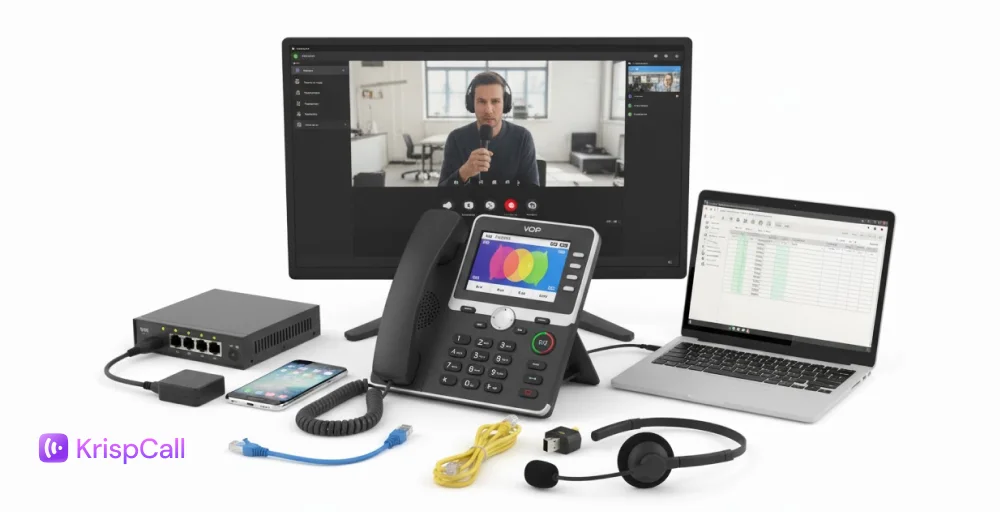
Setting up a VoIP system is a simple process if you have the right hardware that meets your needs. Some of the significant VoIP essential elements that one must have are:
- Internet: You must have a reliable, high-speed internet connection that can handle your phone lines.
- Router & server: This device directs internet traffic to different VoIP devices, ensuring seamless communication
- SIP trunk: A device that connects your PBX system with your tradition device to avoid sharing the internet connection.
- IP phones: A dedicated VoIP phone or SIP phone that can make and receive calls over the internet.
Step 3: Choose your VoIP solution and provider
There are numerous VoIP providers available in the market, including IP PBX, cloud-based, hosted, and on-premises solutions, among others. Before selecting one, evaluate vendors and examine their features, including comprehensive offerings, reliable uptime guarantees, customer support, and flexible pricing, to determine if it aligns with your business needs.
Upgrade to VoIP and Save More
Cut costs and enhance call quality with KrispCall’s affordable VoIP system. Sign up today and see how much you can save.
However, if you’re looking for a reliable and hassle-free solution, then KrispCall stands out as one of the leading cloud-based providers that offers an easy setup process, enterprise-grade features, customer-friendly pricing, and exceptional customer support for your business.
Step 4: Select and configure essential features
Modern VoIP systems offer more than just basic calling features. So, prioritize that they must have the following features:
- Auto-attendant (IVR): Provides automated greetings that route callers efficiently and eliminate the need for dedicated receptionists. For example, press 1 for Sales or press 2 for Support.
- Call recording: It is necessary for the regulated industries to provide valuable training. It allows you to review conversations, which help to improve customer service and coach the team.
- Call forwarding (Voicemail): Call forwarding ensures that any missed calls do not result in lost opportunities. So it routes calls to other available team members or captures messages for follow-up.
- Conferencing calling: This feature is perfect for calls with more than three participants. Such advanced conferencing calling should support multi-party calls, screen sharing, file transfers, and video conferencing for seamless collaboration.
- Call analytics: It helps businesses provide valuable data on call volume, duration, and other performance metrics.
Step 5: Deploy, test, and train
If you completed the selection process of your provider and features, then it’s time to test them. Try to configure your network with Quality of Service (QoS) before installing softphone apps or IP phones in your organization.
Train your team on key features and always run comprehensive tests of the calls to verify call quality, feature functionality, and routing accuracy.
Related 👉: How to Set Up VoIP in a Few Simple Steps?
How secure is VoIP?
Most IT experts have crafted their concerns about VoIP security. One of the most common questions we usually hear is “How secure is VoIP?” But the security of your Voice over IP phone system really depends on how you set it up.
Suppose you opt to run a phone system or an on-premises system. In that case, you’ll need to implement voice protocols and oversee the necessary security measures to prevent potential attacks or hacking, or adhere to VoIP standards. To enhance the security of your VoIP system, ensure that it has been installed in your organization and check whether the router’s built-in security features are active.
If you’re apprehensive about the possibility of VoIP calls being hacked, intercepted, or eavesdropped on, rest assured, professionally set up VoIP systems are quite secure. Your VoIP service provider may provide encryption for your installed phones. Since this can differ based on the device and setup, you should reach out to them to confirm compatibility.
To feel more comfortable, here are a few simple questions you can ask any VoIP provider:
- What security certifications do they have?
- What outside security tools or software do they use?
- How do they find and stop security threats?
- How well do they train their staff on security rules?
Experience the future of business calling with KrispCall!
VoIP is not just about saving money; it is considered the backbone of modern business communication. By leveraging your internet connection, a platform like KrispCall replaces traditional, costly phone systems with modern VoIP business phone systems.

It offers a flexible, feature-rich, and scalable solution that empowers your team with mobility, ensures seamless communication regardless of location, and provides powerful management tools that drive productivity. Choose KrispCall to confidently step into the future of business calling, ensuring your communication infrastructure is as dynamic and innovative as your business itself.
Book a Free Demo to see a personalized walkthrough of how KrispCall can streamline your business telephony operations.