
Integrating KrispCall call analytics with Salesforce is essential for making better business decisions. While Salesforce manages all customer data, KrispCall captures crucial details about every phone call, which are often missed.
By automatically syncing this rich call information into Salesforce, the integration improves reporting accuracy and gives managers and teams real-time insights.
This unified view ultimately helps track team performance more effectively, create more accurate sales forecasts, and drive smarter growth strategies.
✨ Key Takeaways
- KrispCall’s call analytics feature delivers actionable insights that help businesses collect, analyze, and evaluate phone call data for better decision-making.
- While integrating Salesforce with KrispCall call analytics, consider features such as real-time dashboards, call activity, and team reporting tools.
- To get better analytics for Salesforce reporting, ensure you have custom reports & dashboards, performance analysis, call patterns, and sales forecasting.
What is KrispCall Call Analytics Feature?
KrispCall call analytics feature is a valuable component of a cloud-based phone system that enables companies to collect, review, and evaluate call data for informed decision-making. The call analytics include call data such as the total number of calls received, missed, and dialed, call duration, call volume, waiting time, live calls, agents’ performance, and call traffic analysis, etc.
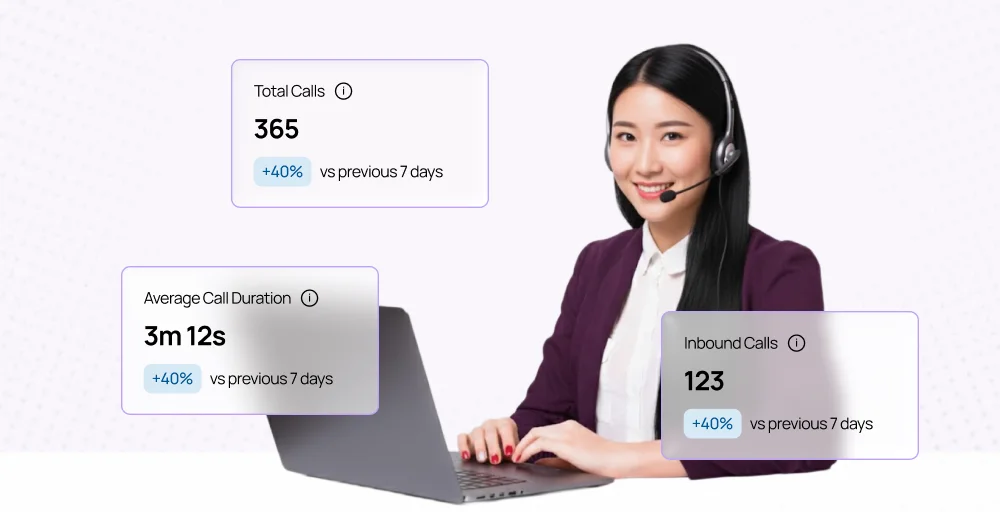
Key metrics for call centers in call analytics software include first call resolution (FCR) rate, average handle time (AHT), service level, post-call work, net promoter score (NPS), and churn rate. These metrics are important for assessing agent performance, identifying areas for improvement, and optimizing the overall customer experience.
How to connect KrispCall Analytics to Salesforce?
Integrating KrispCall analytics with Salesforce CRM is a simple process, and it is necessary to ensure that businesses have unified communication and CRM data, which helps create a robust analytics system for sales and support teams.
Here is a step-by-step guide to setting up KrispCall to Salesforce:
1. Integration setup overview
Start by installing the KrispCall app or connector from the Salesforce AppExchange. Then, log in to your KrispCall account and get Salesforce access using your credentials. Next, configure the integration settings and define the call data you want synced.
2. Mapping KrispCall data fields to Salesforce objects
Map the KrispCall data fields to the right Salesforce objects, such as leads, contacts, opportunities, or activities. This ensures that all call information is stored correctly in Salesforce. Field mapping helps keep data accurate and enables effective analytics reporting across both systems.
3. Ensuring automated call data synchronization
After you finish mapping, turn on automatic syncing between Salesforce and KrispCall. This will keep every call, log, note, and recording up to date in real-time without any manual work. With automatic syncing, your team can see the latest details of all interactions, which helps improve teamwork and boost customer engagement.
4. Testing the data flow
Once the configuration is complete, perform a test of the first few calls to verify that all call data is captured, recorded, and displayed in Salesforce performance reporting analytics. Check whether call logs, notes, analytics, and recordings are organized correctly based on customer records.
What are the benefits of using KrispCall call analytics with Salesforce?
By integrating KrispCall call analytic with Salesforce, you get actionable insights that enhance sales performance, improve customer service, and boost overall call center productivity.
1. Automatic call logging
When you use KrispCall with Salesforce, it automatically logs every call for you. This means agents don’t have to enter information manually, which saves time and reduces mistakes. It also maintains a complete history of customer conversations, making it easier to track follow-ups and deliver consistent service.
2. Detailed call metrics
KrispCall captures all relevant call metrics, including duration, frequency, and volume. These call center metrics provide management with a comprehensive understanding of agent performance and customer engagement levels. By analyzing this data, teams can identify prevailing trends, optimize call strategies, and proactively address potential issues.
3. Enhanced reporting
The integration improves Salesforce reporting by combining call data with information from customer relationship management (CRM) systems. This allows managers to access call reports to track team productivity, call results, and customer interactions. The integration offers useful insights to help improve processes and evaluate overall call center performance.
4. Better decision-making
Access to real-time analytics enables informed, data-driven decision-making. Managers can pinpoint strengths and weaknesses in agent performance, call handling, and sales approaches. This insight helps optimize workflows, improve training programs, and implement strategies that enhance overall efficiency.
5. Improved forecasting
Historical call data from KrispCall helps predict future call volumes, customer call trends, and staffing needs. Accurate forecasting allows managers to allocate resources effectively and avoid bottlenecks during peak periods. This ensures a smoother operation, better customer service, and improved readiness for business growth.
What are the essential features of KrispCall call analytics in Salesforce?
While performing the integration of KrispCall with Salesforce reporting and analytics, you should look out for the following features:
- Real-time dashboards: KrispCall provides real-time dashboards within Salesforce, giving managers and agents instant visibility into call activities. You can monitor ongoing calls, track agent performance, and identify trends in real time.
- Reports and visualizations: Users can access tailored reports and visualizations to meet their specific business needs. These reports combine call data with CRM insights, making it easier to analyze patterns, track KPIs, and measure campaign effectiveness.
- Call logging and recordings sync: All call recordings are automatically synced with Salesforce, ensuring accurate documentation and easy retrieval. Agents and managers can access past interactions directly within the CRM, enhancing customer service continuity.
- Team reporting tools: The platform provides tools to evaluate group performance and collaboration effectiveness. Managers can compare agent activity, track goal achievement, and identify areas needing support.
Leveraging analytics for better Salesforce reporting
Integration of KrispCall with Salesforce reporting analytics can turn businesses’ raw call data into actionable insights, enabling more intelligent decisions and improved operational performance. These analytics help teams understand trends, optimize workflows, and enhance customer engagement.
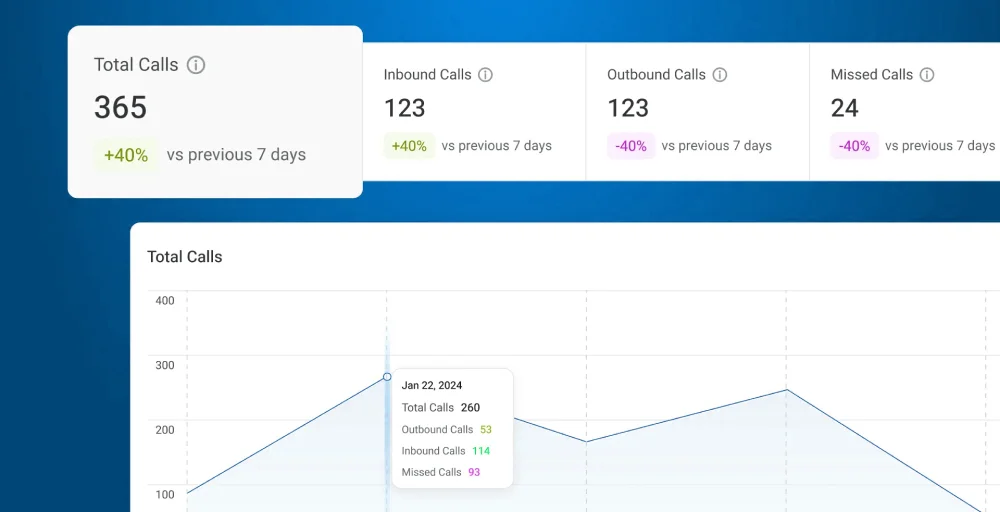
1. Reports & dashboards
KrispCall lets you access reports and dashboards that combine call data with CRM insights. This helps visualize key metrics in a way that aligns with your team’s goals. Managers can quickly assess performance, monitor campaigns, and make informed decisions based on up-to-date data.
2. Performance analysis
Detailed analytics provide visibility into individual and team performance, including call volume, duration, and activity. This helps managers identify strengths, uncover bottlenecks, and implement targeted coaching. By understanding performance patterns, teams can continually improve productivity and customer service quality.
3. Call patterns
Analyzing call patterns reveals trends in customer peak call times and common inquiries. These insights allow managers to optimize staffing, call routing, and response strategies. Recognizing patterns also helps teams proactively address recurring issues and improve overall efficiency.
4. Sales forecasting
KrispCall analytics offer both historical and real-time data that can enhance the accuracy of sales forecasting. By analyzing call trends and volume metrics, sales leaders can better anticipate demand, allocate resources effectively, and establish realistic targets. This proactive approach helps achieve sales goals and drive revenue growth.
Conclusion
Integrating KrispCall call analytics with Salesforce gives your business the power to make smarter decisions using clear data. It improves your reports and gives managers and teams real-time insights into how well they’re performing.
This powerful combination provides managers and teams with actionable, real-time performance insights. Ultimately, this leads to improved team performance tracking, accurate sales forecasting, and better decision-making that drives strategic growth across the organization.
Start using KrispCall call analytics today and transform the way your team tracks, analyzes, and improves every customer interaction.