Tinder has become a widely popular app in the online dating world. With over 9.6 million subscribers and 60 million active users, it’s one of the most-used dating apps. And, it’s continuously attracting millions of new sign-ups every month. It has simply become a hub for people who love making connections, casual dates, or expanding their networks.
However, you don’t want to risk your personal phone number privacy while creating friends. Sharing your real number can lead to spam calls, unsolicited messages, and potential data breaches, all of which compromise your peace of mind.
The good news? There are proven ways to create a Tinder account while keeping your personal number private. One of them is using virtual phone numbers.
This guide covers everything you need to know about using a virtual phone number for Tinder verification, from what it means to step-by-step registration instructions.
What does a virtual number for Tinder actually mean?
A virtual phone number is a telephone number that is not tied to a physical SIM card or a specific device. Instead, it operates from the cloud and can receive calls and SMS messages through an internet connection. Think of it as a secondary phone number you can use independently of your primary line.
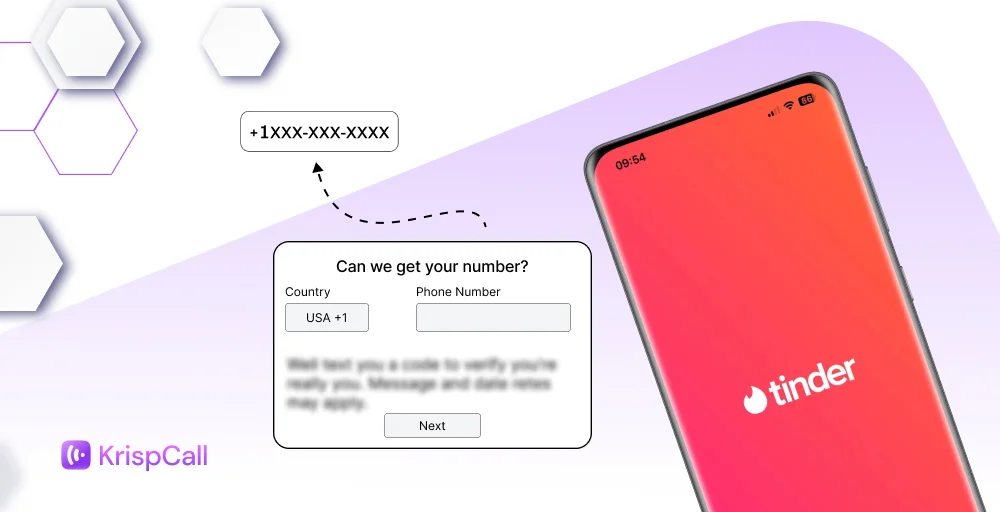
On Tinder, a virtual number works just like a regular phone number during sign-up. You enter the virtual number on the registration screen, receive the one-time password (OTP) via the provider’s app or dashboard, and enter it to complete verification.
With this, Tinder never stores your real personal number, only the virtual one. Virtual numbers come in two main types:
- VoIP numbers: These operate entirely over the internet. These VoIP numbers are widely available and cost-effective, though some platforms try to detect and block them.
- Non-VoIP numbers: These are assigned through traditional telephony infrastructure and are therefore harder for apps to flag. Both VoIP and non-VoIP numbers can successfully receive OTPs for Tinder verification, though non-VoIP numbers tend to have a higher success rate.
Why do you need a virtual number for Tinder verification?
Tinder requires phone number verification for security and anti-spam purposes. Here is why many users look for an alternative to their real phone number:
- Privacy protection: Using and sharing your personal number with a platform you only use temporarily can lead to potential data leaks, third-party marketing, and unwanted contact.
- Managing multiple accounts: Some users, such as content creators, might need multiple Tinder accounts. Each account requires a unique phone number.
- Avoiding spam and unsolicited calls: Once a number is associated with an online platform, it can sometimes end up in marketing databases.
- Regional flexibility: A virtual number lets you register with a number from a specific country or area code, which can be useful if you are traveling or want to match with people in a different region.
- Peace of mind: Knowing that your real number is never linked to your dating profile adds a layer of comfort, especially for first-time users.
How to register Tinder using a virtual number?
You can register on Tinder using a virtual phone number by getting one from services like KrispCall or Dialpad, which offer virtual numbers in multiple countries.
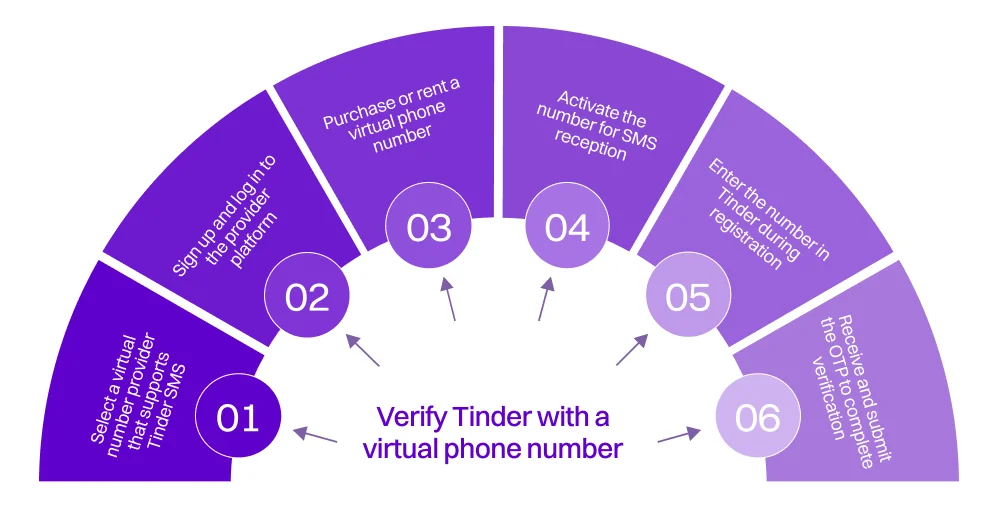
Step 1: Select a virtual number provider that supports Tinder SMS
Not all virtual number services work with Tinder due to Tinder’s sophisticated fraud detection. Choose providers like KrispCall that offer SMS-capable numbers for dating apps. Ensure they support sending and receiving SMS verification texts.
Step 2: Sign up and log in to the provider platform
To get started, sign up and log in to the provider platform. First, go to your chosen provider’s website and create an account. You’ll need a valid email address and a password. You also need to verify your identity and agree to the terms of service or community guidelines.
Step 3: Purchase or rent a virtual phone number
Choose a new phone number from your preferred area or country code. Most providers offer Pay-as-you-go options for one-time use, Monthly subscriptions for ongoing use, and the ability to select numbers by country, area code, or city. Prices usually range from $2 to $20, depending on how long you need the number and its features.
Step 4: Activate the number for SMS reception
Once purchased, activate your number through the provider’s dashboard. Ensure SMS reception is enabled; some services require you to specifically activate text message functionality. Test the number by sending a message to verify it’s working properly.
Step 5: Enter the number in Tinder during registration
Open Tinder and start signing up. You can either download the Tinder app or go to the website. Select the option to “Sign up with a Phone Number.” Enter your virtual number in the phone number field and be sure to include the correct country code. Then, proceed to the next step.
Step 6: Receive and submit the OTP to complete verification
Return to your virtual number provider’s platform to check for the incoming SMS from Tinder. The verification code usually arrives within seconds to a few minutes. Copy the code and paste it into Tinder’s verification field. Once verified, you can complete your Tinder profile setup and gain full access to all features.
Related 👉: How to Get a Temporary Phone Number for PayPal Verification?
Popular virtual number services for Tinder
Popular virtual number services for Tinder include KrispCall, Google Voice, or Dialpad.
Here are some of the best virtual number services for Tinder:
1. KrispCall
KrispCall is widely recommended for Tinder because it offers non-VoIP, “real mobile”-style numbers alongside VoIP lines. These non-VoIP numbers are more likely to pass Tinder’s verification system than standard VoIP numbers.
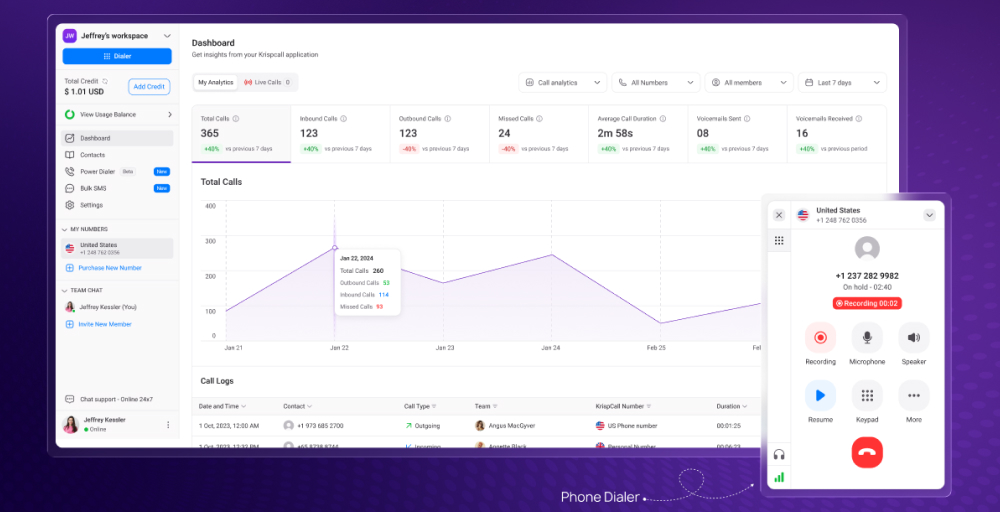
Many users report a high success rate when they choose a fresh, non-VoIP number. However, Tinder may still reject some KrispCall numbers if they have been flagged in the past or if you reuse the same number across multiple accounts too quickly.
2. Google Voice
Google Voice is a free service (for personal use) that links a virtual number to your existing Google account, making it incredibly convenient for US-based users.
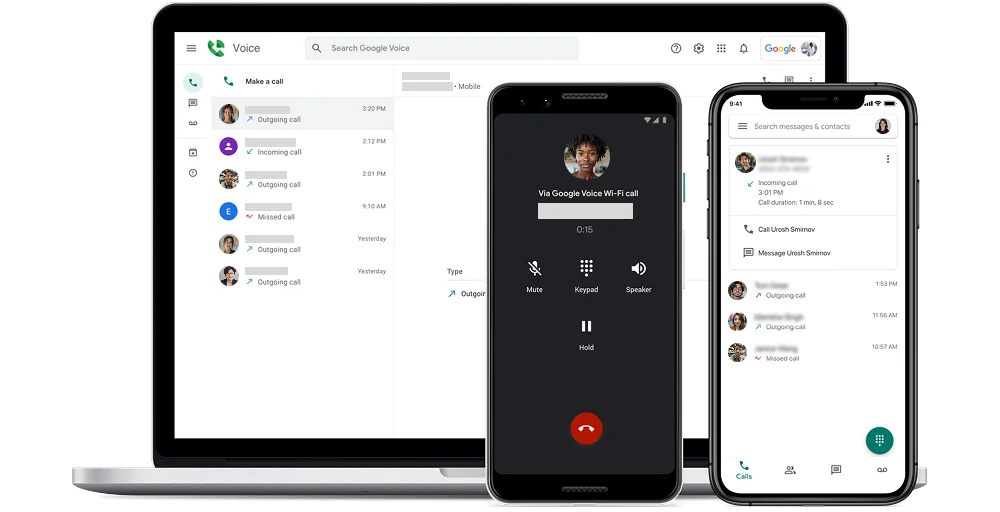
However, Tinder’s system tends to detect and block clearly labeled VoIP numbers, and Google Voice lines are often identified as such, leading to inconsistent or failed sign-ups and higher chances of being blocked or flagged.
3. Dialpad
Dialpad is an AI-powered business communication platform designed for professional calling and messaging. It is not meant for privacy-focused use or dating apps. While Dialpad numbers can receive SMS and voice calls, verification systems often view them as VoIP numbers.
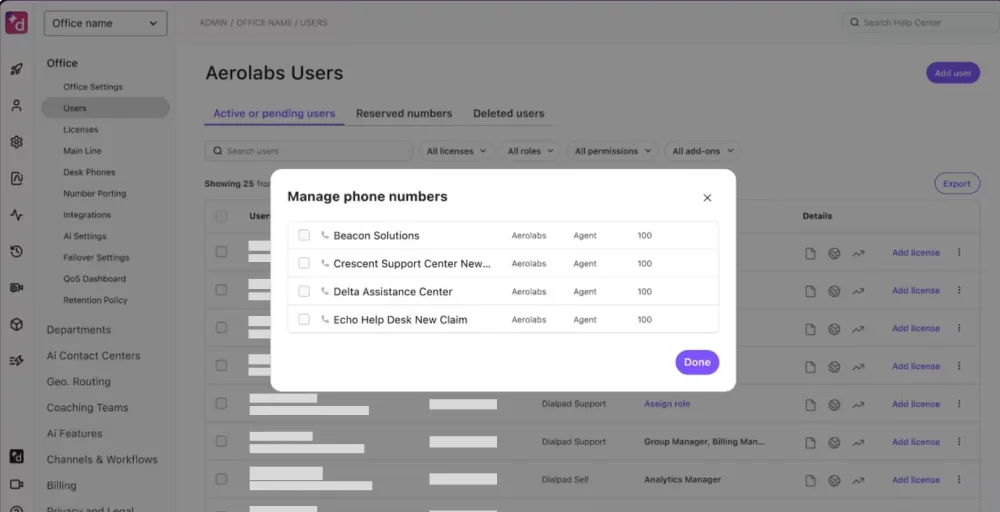
This can lead to platforms like Tinder rejecting the number or marking the account as suspicious, especially if the number comes from a known business provider. Since Dialpad is a paid service, it may be more than necessary compared to cheaper virtual-number providers that work better for consumer apps like Tinder.
4. TextNow
TextNow provides free or low-cost phone numbers for the US and Canada that work over Wi-Fi. This is helpful for people who want to keep their personal phone number private while using Tinder. However, the free option often has issues because Tinder sometimes blocks or fails to send verification codes to public VoIP numbers, which are commonly used.
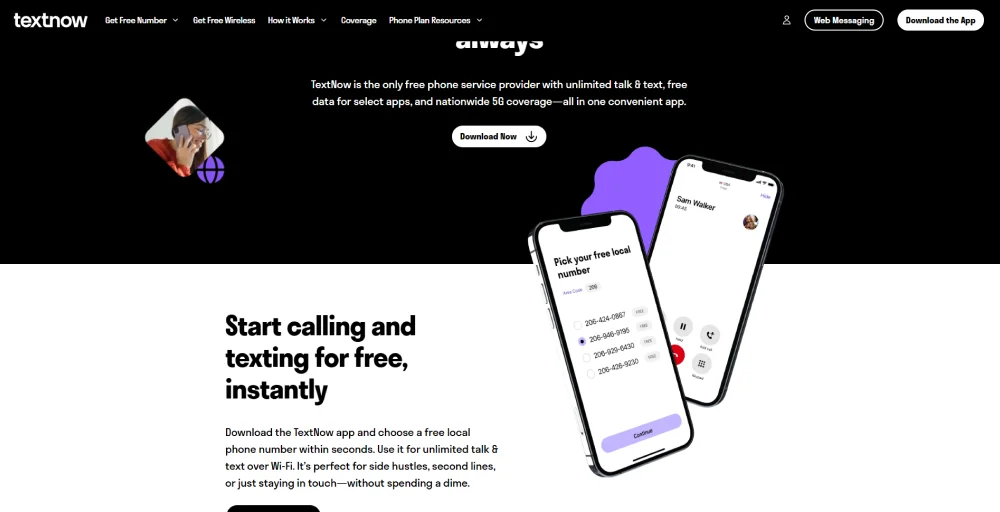
To get a more reliable number for verification, many users choose TextNow’s paid “Lock-In Number” or premium plans. Even with these paid options, success can vary depending on whether the number has been used before or has been linked to any suspicious activity.
5. Hushed
Hushed is designed as a privacy‑ and burner‑style app, letting you buy temporary numbers for short‑term use such as dating, travel, or side projects. However, its numbers are typically VoIP‑based and often recycled or shared, which makes them a weak option for Tinder verification.
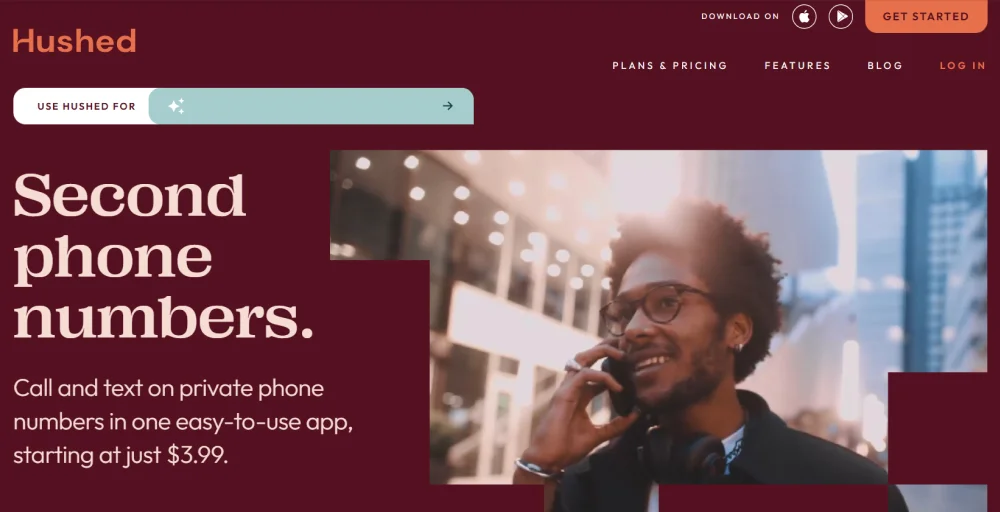
Hushed numbers frequently fail verification or are outright blocked by Tinder and similar platforms. Hushed warns that it cannot guarantee compatibility with third‑party apps, so using it for Tinder is more of a gamble and better suited to situations where you don’t mind losing the number or facing repeated signup failures.
What are the other methods to register for Tinder?
Option 1: Sign up using a prepaid or burner phone
A burner phone number is an expensive prepaid mobile device, or, more commonly, a prepaid SIM card you can use temporarily for a specific purpose. The term “burner” comes from the ability to “burn” or discard the number after use.
For Tinder, you don’t necessarily need to discard the number, but having a separate, low-cost option offers privacy without a long-term commitment and follows Tinder’s terms.
And this prepaid or burner phone number is best if:
- You prefer a completely independent physical number.
- You want guaranteed SMS delivery without relying on internet services.
- You are concerned about the reliability of the virtual number service.
- You plan to use dating apps frequently and want a dedicated device.
- You travel internationally and need local numbers in different countries.
Steps to use a burner phone for Tinder
Step 1: Buy a prepaid SIM card or burner phone (costs $20-$40) with basic SMS service from a local carrier, electronics store, or convenience store.
Step 2: Insert the SIM into an unlocked, compatible phone and activate the number via the carrier’s website or by following the instructions.
Step 3: Open Tinder, choose “Sign up with Phone Number”, and enter your prepaid number to start the account registration process.
Step 4: Receive the Tinder verification OTP on the prepaid phone, enter it in the app, and complete registration.
Step 5: Finish setting up your Tinder profiles (photos, bio, preferences); the prepaid number now acts as your Tinder contact, keeping your personal details or number hidden.
Option 2: Use a temporary number app for Tinder
Temporary number apps provide short-term phone numbers designed for one-time verifications or brief usage. These apps generate disposable numbers that expire after a set time frame, ranging from minutes to days or weeks. They are particularly useful for users who only need to verify an account once and don’t require ongoing access to that number.
Risks of number reuse or expiration
While convenient and often free or very low-cost, temporary numbers come with important considerations:
- Number recycling: Once your temporary number expires, it may be reassigned to another user who could potentially access your Tinder account if they receive verification codes.
- No incoming messages after expiration: You can’t receive password resets or security notifications once the number expires.
- Account recovery issues: If you lose access to your Tinder account, recovery can be difficult or impossible without the original number.
- Reliability concerns: Some temporary numbers get blocked by Tinder due to previous misuse by other users.
- Limited timeframe: You must complete the verification process within the number’s active period.
How temporary number apps work for Tinder
Step 1: Download a reputable temporary‑number app (such as TextNow, Burner, TextFree, or 2ndLine) from your device’s app store.
Pro tip: You can also use a virtual phone number as a temporary number.
Step 2: Open the app, sign up (usually with an email address), complete setup, and obtain a temporary phone number; some numbers are free with ads, while others require payment.
Step 3: Open Tinder, choose “Sign up with Phone Number,” enter the temporary number with the correct country code, and request the verification code.
Step 4: Switch back to the temporary‑number app, open the inbox or messages section, and find the Tinder SMS; the code usually arrives within 1–2 minutes.
Step 5: Copy the OTP from the temporary‑number app and paste it into Tinder’s verification screen. Once verified, finish your profile, but be aware that if the number expires or is reused, you may lose access or encounter recovery issues.
Buy a Second Phone Number for Business & Personal Use
Why virtual phone numbers work best for Tinder verification?
Virtual phone numbers work best for Tinder verification because they let you register without exposing your real number, while still giving you a stable, non‑burner‑style line that can reliably receive codes and support long‑term use. So, consider using virtual phone number providers for Tinder verifications.
Let’s look out for a KrispCall, which can be a good option for Tinder verification.
A virtual‑number provider like KrispCall is better option.
- Non‑VoIP/real‑carrier‑style numbers: Many virtual‑number providers (including KrispCall) offer real‑mobile or carrier‑grade numbers instead of obvious VoIP lines, which Tinder is less likely to block and has much higher success rates during SMS verification.
- Reusable and persistent: Unlike temporary apps, a virtual number helps to give you a dedicated number you can keep long‑term, so you can safely receive OTPs, password‑reset messages, and account‑recovery codes over time without losing access.
- Better control and privacy: You can manage call‑forwarding, SMS logs, and multiple lines from one dashboard, and avoid tying your personal SIM to Tinder or carrying extra physical devices.
Burner/prepaid and Temporary numbers can be risky
- Higher cost and hassle over time: Burner or prepaid phones require buying new numbers, SIMs, or devices repeatedly, and prepaid plans are often more expensive per‑day than regular or virtual‑number plans.
- Limited security and updates: Older burner phones often lack modern encryption, biometrics, and security updates, making them easier to physically compromise or misuse if lost or stolen.
- Number recycling and reuse risks: Temporary‑number services often recycle numbers quickly; once your number expires, Tinder codes or password‑reset messages can be used to create a new account for the user, increasing the risk of hijacking or data leakage.
- Blocked or unreliable delivery: Many free temporary apps (Google Voice, TextNow‑style services) are flagged as VoIP and frequently blocked by Tinder, leading to failed OTP delivery or “phone number rejected” errors.
- Account‑recovery problems: If the temporary number expires and you can’t receive SMS anymore, you may lose access to your Tinder account or be unable to recover it through official channels.
Related Article👉: How to Get a Virtual Phone Number for Telegram Verification?
Challenges while signing up for Tinder using virtual phone numbers
Signing up for Tinder using virtual phone numbers can be tricky because the app relies on active real phone numbers to verify identities and prevent spam. While virtual numbers protect your privacy, Tinder’s anti‑fraud systems often treat them with extra suspicion.
Here are the main challenges when using a new virtual number for Tinder signup process:
- Provider reliability: Success rates vary widely between providers; choosing a low-quality or VoIP-heavy service can lead to frequent “phone number rejected” errors and failed sign-ups.
- Number blocking: Tinder may block certain virtual or VoIP-style numbers that have been previously flagged for spam, abuse, or bot activity.
- Service compatibility: Not all virtual-number providers are accepted by Tinder’s verification system, and some types of lines (such as free VoIP numbers) are more likely to be rejected.
- Verification delays or failures: Some virtual-number services experience delays in delivering SMS codes or fail to receive them at all, forcing multiple sign-up attempts.
- Cost considerations: Reliable virtual-number providers that work well with Tinder usually require a paid plan, turning what looks like a “free privacy” option into an ongoing expense.
- Account recovery limitations: If you use an unstable or temporary-style virtual number, you may struggle to recover your account later because you cannot receive password-reset or security-verification messages.
- Number availability: Popular area codes or countries may have a limited supply of virtual numbers, which may force you to choose less-convenient options or providers in other regions.
- Geographic limitations: Some virtual-number services only offer numbers in specific countries or regions, which may not match Tinder’s supported locales or can trigger location-based checks.
- Technical requirements: Virtual numbers require a stable internet connection and proper app-level SMS handling; poor connectivity or platform bugs can disrupt the verification flow.
Conclusion
Using a virtual phone number for Tinder is one of the most practical ways to verify your account while keeping your personal number private. Virtual numbers let you register, receive OTPs, and manage your Tinder profile without tying the app to your real SIM, reducing spam and unwanted contact on your main line.
For most users, a dedicated virtual‑number service offers the best balance: stable, long‑term numbers with strong SMS delivery, better compatibility with Tinder’s verification system, and far fewer recovery headaches than temporary apps or burner phones.
If you want a reliable virtual‑number‑for‑dating solution, KrispCall provides professional‑grade numbers in 100+ countries, high‑quality SMS delivery, flexible pricing, and easy setup, making it well‑suited for Tinder and other apps where you want privacy without sacrificing reliability.
Ready to create your Tinder account while keeping your personal number private?
Get started with KrispCall today and experience worry-free online dating with complete privacy protection.