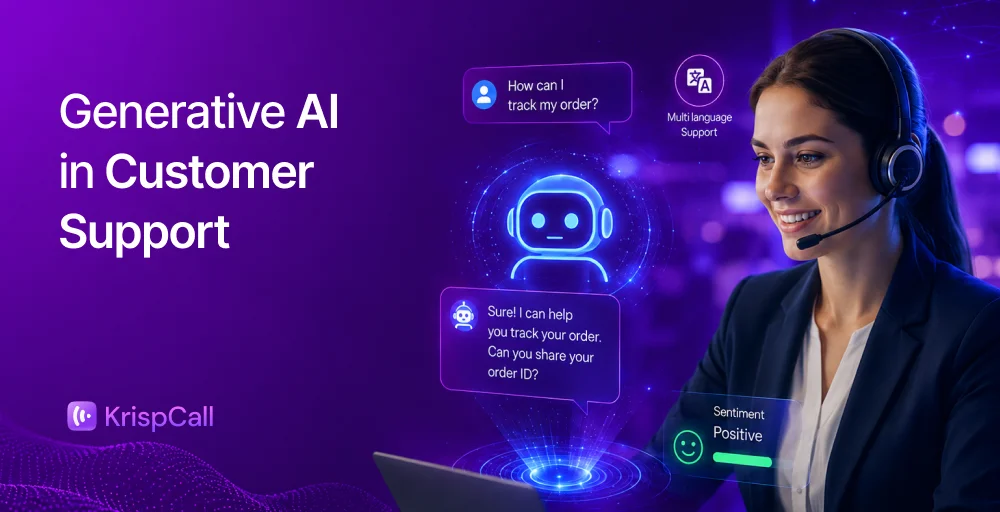
Customers expect to receive quick, smooth, and more effective support services.
That’s why most businesses are now utilizing customer service automation to meet the increasing expectations of their customers. By utilizing automation tools, such as AI chatbots and virtual assistants, companies can efficiently manage repetitive tasks.
In this blog, we will explore the concept of customer service automation, its benefits, best practices to enhance customer support, and strategies for automating customer services.
✨ Key Takeaways
- Customer service automation leverages AI to handle customer inquiries and manage routine tasks efficiently.
- Customer service offers numerous benefits, including enhanced efficiency through reduced overload, faster responses, 24/7 availability, and cost-effectiveness.
- Effective customer service automation relies on selecting the right tools, identifying opportunities, building a knowledge base, and maintaining a human touch.
What is customer service automation?
Customer service automation utilizes tools such as AI, virtual assistants, IVR, chatbots, or self-service portals to efficiently handle customer queries and repetitive tasks without requiring human intervention.

This technology enables tasks such as answering basic customer questions, routing calls, processing requests, and more.
Utilizing customer service automation enhances operational efficiency, enables faster response times, and provides valuable analytics to enhance the overall customer experience.
Benefits of customer service automation
Customer service automation offers benefits like boosting agent productivity, reducing workload, and streamlining the entire support process.
Here are some of the main benefits:
1. Enhanced efficiency and reduced workload
One of the main advantages of automation is that it handles repetitive and time-consuming tasks such as sorting tickets, sending confirmation emails, and responding to customers’ inquiries, helping businesses automate core business processes with AI, while freeing employees for higher-value work.
This reduces manual work, helping team members to focus on complex cases that require both emotional intelligence and critical thinking.
2. 24/7 customer service automation
Automated services provide 24/7 customer support, unlike a human agent.
With automation tools like chatbots, help desks, and automated responses, help is available instantly at any time, whether it’s 3 a.m. or 3 p.m. This is especially suitable for global businesses or eCommerce brands where customers are in different time zones.
3. Cost saving
Hiring and training sessions can be costly for a business during busy times. Using automation lessens this burden by reducing the need for extra staff and managing high-volume tasks more effectively and efficiently.
For example, instead of hiring human agents to handle FAQs, a well-trained chatbot can do the job at a lower cost and with fewer errors.
4. Better customer experience and support
Automation helps to improve customer support by providing fast, convenient, and consistent service.
When a business answers and guides customers instantly, it helps to build a strong relationship and brings a positive impression towards the company. Similarly, it ensures consistency and customers receive the same high-quality response.
5. Accelerate issue resolution
When customers’ issues are resolved quickly, customers are more likely to stay loyal.
Automation helps by instantly routing tickets to the right department, providing suggested solutions, or answering the customer on the spot. This avoids unnecessary delays and reduces average resolution time, keeping service responsive and efficient.
How to automate customer service?
Automating customer service makes it easier for the team members. It is essential to begin by knowing what needs to be automated and choosing the right tools. Here’s a simple way to get started:
1. Identify and seize the opportunities
The first step is to review the workflow to identify repetitive and low-complexity tasks that don’t require human intervention. The job includes greeting customers, answering FAQs, and routing tickets to the appropriate team.
Automating these tasks allows agents to focus on more complex and sensitive issues that truly need human involvement. Take time to analyze the customer journey and pinpoint areas where customers experience delays or where team members spend the most time.
Understanding these areas helps determine which parts can be automated without sacrificing the personal touch.
2. Choose the right tools
Selecting the right tools is crucial to achieving successful automation. When making a decision, it is essential to know your budget and understand how advanced technologies are needed for operational purposes. Aim for a user-friendly, scalable, and solution that is capable of integrating with other existing infrastructure.
Look at features like Natural Language Processing (NLP), sentiment analysis, and omnichannel customer support automation. The right tools streamline support workflows while offering flexible insights.
3. Build a knowledge base and a service portal
A well-structured knowledge base is a game-changer for self-service. It starts by creating content that answers the most common customers’ questions, such as FAQs, step-by-step guides, and short video tutorials. It is essential to ensure that the knowledge base is easy to navigate with clear categories, search options, and quick links to related content.
Adding a feedback system also helps you keep information accurate and relevant. Regularly review customer queries and feedback to update the knowledge base, ensuring customers can solve issues on their own. This helps reduce the support team’s workload and boosts customer satisfaction.
4. Implement chatbots and virtual assistants
Implement chatbots and AI agents for customer service, as they are among the most popular ways to automate customer support workflows. They can instantly provide common answers, collect customers’ details, and even guide users through steps. A well-trained chatbot can handle multiple inquiries simultaneously, reducing wait times and offering customers quick solutions.
To create effective chatbots, design them with a user-friendly and natural conversational flow. Use AI-powered bots to understand the context and assist human agents in resolving issues when needed.
5. Integrate multi-channel support
It is crucial to unify all communication channels, such as email, live chat, and social media, into one seamless system to make it easier for customers to get in touch. Multi-channel integration makes sure that team members can access customers’ information and history regardless of how they contact the team.
Using multi-channel support enables customers to avoid repeating their inquiries to the team when they switch platforms. It helps to make the conversation smooth and provide consistent, high-quality services to customers.
6. Monitor and analyze the performance
After implementing automation, you need to monitor its performance regularly to check whether it is operating correctly. Check response times, resolution rates, and customer satisfaction scores to ensure that automation is functioning effectively. This helps identify issues and find ways to improve before they affect the customer experience.
Use analytics tools to gather insights from chatbot conversations, knowledge base usage, and ticketing systems. These insights reveal how effective the automation is and where customer support is needed, helping to improve the automation strategy.
7. Maintain human touch
While automation is strong, customers still want to feel like they’re talking to a real person when things get complicated. Always give them a simple way to reach a human agent through TextToHuman functionality, especially for sensitive issues.
Maintain a balance between automation and real human interaction. Use automation to handle repetitive and predictable tasks, but rely on the team for conversations that need empathy, understanding, and personalized solutions. This helps keep services both efficient and customer-friendly.


Best practices of customer service automation
To maximize the benefits of customer service automation, it’s essential to follow some proven best practices.
This ensures your automation runs smoothly, enhances customer experience, and supports your team effectively. Here are some key steps to remember:
- Automate routine tasks: Use customer service automation to streamline repetitive activities such as support, FAQs, and ticket management. This tool helps reduce humans’ workload and allows agents to focus on complex issues.
- Maintain data security and compliance: Choose software like GDPR and CCPA that protect customers’ privacy and adhere to data laws. This helps build trust through transparency.
- Train AI with real conversations: Train your AI tools using actual customer interactions so they can better understand context and respond appropriately to different types of queries.
- Develop human-like AI interactions: Design your chatbots to sound friendly and conversational. Using natural language and a conversational tone makes the customer experience smoother.
- Ensure easy transition to human support: Always provide the option to talk to a real person. If an issue becomes too complex or emotional, customers should be able to reach a human agent quickly.
- Keep improving AI models: AI should continue updating itself. Feed it new data, update knowledge bases, and regularly test the system to enhance accuracy and performance.
- Balance automation with human interaction: Automation is great, but don’t rely on it for everything. Let real agents handle sensitive or complicated issues where human intervention is most important.
- Implement monitoring and contingency plans: Sometimes, automation might not work or go offline. Have backup plans in place to ensure customers can still get support if bots are down or make errors.