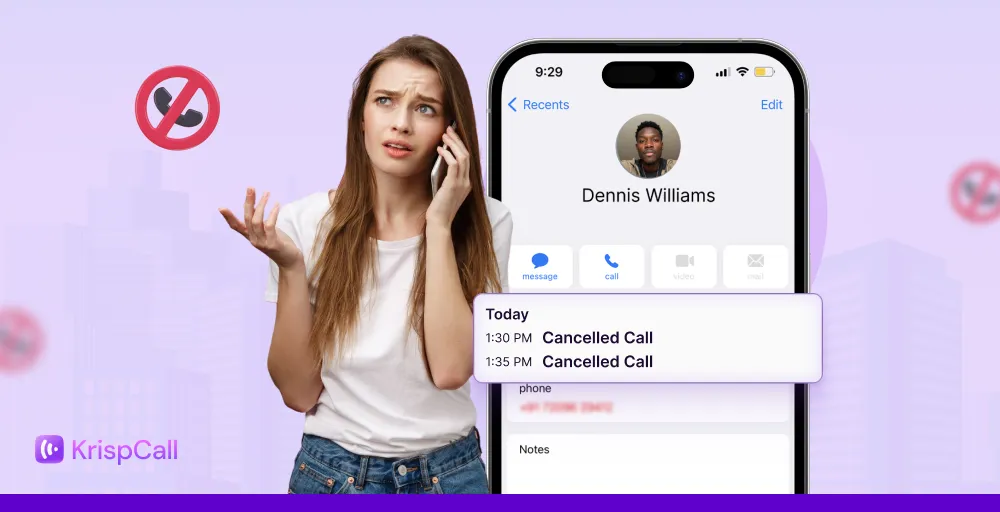
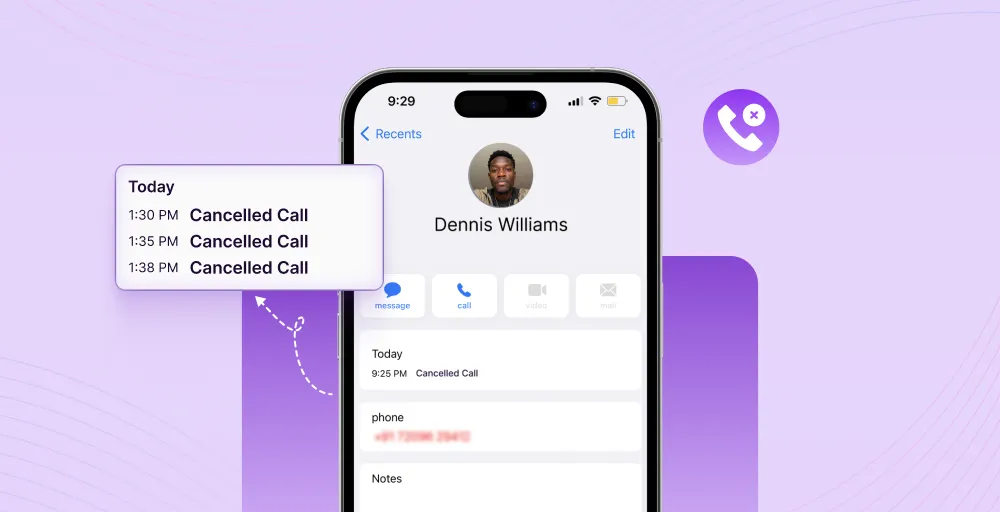
Quick Answer: A cancelled call is an outgoing call you ended before the recipient answered. It appears only on your phone, not theirs, and shows 0 seconds duration. It does not mean you were blocked, and it is not the same as a missed call.
You dialed someone, then saw “Cancelled” in your call log. Did it ring on their end? Do they know you called? Were you blocked? This guide answers all of it, for every device and platform.
What does a cancelled call mean?
A cancelled call is a phone call that you (the caller) started and ended before the recipient answered. The call never fully connected, which means:
• Call duration shows as 0 seconds in your log
• The cancelled status appears only on your device
• The recipient’s phone may or may not have rung, depending on timing
• No notification reaches the recipient if you hang up fast enough
The key distinction is that you controlled the cancellation. It was not triggered by the recipient declining, by a network outage, or by being blocked. You initiated it — intentionally or accidentally.
Can the other person see a cancelled call?
It depends on one thing: timing.
| Scenario | Does recipient see it? |
| You cancelled within 1–2 seconds of dialing | No — call never reached their carrier |
| You cancelled after 3–5 seconds (mid-ring) | Maybe — they may see a brief missed call |
| You cancelled after their phone rang visibly | Yes — they will see a missed call notification |
| You cancelled via FaceTime instantly | No — FaceTime requires connection before notifying |
Bottom line: If you hung up within the first couple of seconds, there is a strong chance the other person saw nothing at all. If their phone had already started ringing, they likely saw a missed call.
Related 👉: What does it mean by “Your Call Has Been Forwarded to voicemail”
Does a cancelled call mean you are blocked?
No. A cancelled call does not mean you have been blocked. A cancelled call appears because you ended the call — not because of anything the recipient did.
Blocking and cancellation are completely different mechanisms. Here is how to tell them apart:
| Signal | Cancelled Call | Blocked Call |
| Who causes it | You (the caller) hung up | Recipient’s device or carrier blocks it |
| Call log label | “Cancelled” | May show “Failed”, one ring, or go straight to voicemail |
| What you hear | Silence / hang-up tone | 1 ring then voicemail, or busy tone |
| Recipient notified? | Only if it rang first | Not always — depends on carrier |
| Your texts deliver? | Yes, normally | Often not — iMessage stays blue but doesn’t deliver |
If you are trying to determine whether you have been blocked, look for a pattern: calls that consistently go to voicemail after exactly one ring, combined with iMessages that never show “Delivered”, are more reliable indicators than a cancelled call entry.
What causes calls to be cancelled? 7 key reasons
Understanding why calls get cancelled helps you troubleshoot issues and improve your calling experience. Here are the 7 most common reasons:
1. Accidental disconnection
The most common reason for a cancelled phone call is simply human error. You might accidentally press the end call button while adjusting your phone or trying to enable the speakerphone during the ringing phase.
This is particularly frequent on touchscreen devices where buttons are easily triggered. A slight swipe or tap in the wrong area can end the call before you realize what happened, leaving a cancelled call in your log.
2. Intentional call termination
Sometimes you deliberately cancel a call after initiating it. This happens when you realize you’re calling the wrong person, remember you need to check something first, or decide the timing isn’t right for the conversation.
In business settings, sales representatives or call center agents might cancel calls when they notice they’ve dialed an incorrect number or need to update information before proceeding with the call.
3. Poor network connectivity
Weak cellular signals or unstable network conditions can cause calls to cancel automatically before connecting. When your device can’t maintain a strong enough connection to complete the call setup, it terminates the attempt and logs it as cancelled.
This is especially common in areas with limited coverage, like elevators, basements, rural locations, or buildings with thick walls. The call fails during the initial handshake phase between your device and the network.
4. Call settings and rejections
Certain phone settings can cause calls to be cancelled without your direct input. Call blocking features, Do Not Disturb mode configurations, or carrier restrictions on specific number types can automatically terminate outgoing calls during the connection phase.
For businesses using VoIP systems, administrator settings or call routing rules might cancel calls that don’t meet specific criteria. Virtual number configurations can also affect how and when calls are allowed to proceed.
5. Device or software issues
Technical glitches in your phone’s OS or calling app can cause calls to cancel unexpectedly. Software bugs, outdated firmware, or corrupted call settings may interrupt the connection process before the call is established.
A cancelled phone call on an iPhone or Android might result from system errors, a damaged SIM card, conflicting apps, or issues with the phone’s dialer application. Restarting the device often resolves these temporary software issues.
6. Insufficient balance or service issues
If you’re using a prepaid plan or have service restrictions, calls can be cancelled automatically when you lack sufficient credit. The system initiates the call, but terminates it before connection when it detects you can’t cover the call charges.
This also applies to international calls or premium numbers that require additional authorization. Service suspensions due to billing issues will cause outgoing calls to cancel immediately after dialing.
7. Network congestion or carrier problems
During peak usage times or in crowded areas, network congestion can prevent calls from connecting properly. When too many users are accessing the same call tower, your call attempt may be canceled due to insufficient network resources.
Carrier-side technical issues, like maintenance work, system outages, or routing problems, can also result in cancelled calls. These problems affect the telecommunications infrastructure rather than your device, resulting in call failures.
Check out 👉: What Does Outgoing Call Mean? Everything You Need to Know
What does a cancelled call mean on an iPhone?
A cancelled call iPhone displays when you end an outgoing call before the recipient answers. iOS logs this in your recent calls list with the “Cancelled” label, making it easy to distinguish from other call types.
On iPhone, cancelled calls typically occur when you tap the red end button during the ringing phase, experience network issues, or when iOS automatically terminates the call due to connectivity problems. The recipient generally won’t receive any notification unless their phone rang before you cancelled.
How to troubleshoot call issues on iPhone?
If you’re experiencing frequent cancellations of calls unintentionally, here are practical solutions to fix cancelled calls:
1. Check your network connection
Ensure you have a strong cellular signal. Switch between Wi-Fi Calling and cellular to see which offers better stability. Poor connectivity is the leading cause of automatic call cancellations.
2. Disable call blocking features
Navigate to Settings > Phone > Call Blocking & Identification to review blocked contacts. Also check Settings > Focus to ensure Do Not Disturb or other focus modes aren’t interfering with outgoing calls.
3. Update iOS software
Go to Settings > General > Software Update and install any available updates. Apple regularly releases patches that fix calling bugs and improve network performance, resolving many issues with cancelled call.
4. Reset Network Settings
Access Settings > General > Transfer or Reset iPhone > Reset Network Settings. This clears corrupted network configurations without affecting your personal data, often resolving persistent call problems.
5. Check carrier settings
Open Settings > General > About and wait for a carrier settings update prompt if available. Outdated carrier configurations can cause connection issues, leading to cancelled phone calls.
6. Restart your iPhone
A simple restart clears temporary system glitches affecting the phone app. Press and hold the power button (and volume button on newer models), slide to power off, then turn it back on after 30 seconds.
What does a canceled call mean on Android?
A cancelled call log appears in your Android phone when you end an outgoing call before the other person answers. Android devices display this with labels like “Cancelled,” “Outgoing cancelled call,” or similar variations, or nothing at all, depending on your device manufacturer and Android version.
The cancelled call meaning on Android is the same as iPhone, like you terminated the call during the ringing phase, either intentionally or due to technical issues. Since Android powers devices from multiple manufacturers (Samsung, Google Pixel, OnePlus, etc.), the exact display format may vary, but the underlying meaning remains consistent.
How to troubleshoot call issues on Android?
If you’re experiencing frequent unintended cancellations of calls on your Android device, try these solutions:
1. Verify signal strength
Ensure you are in an area with better coverage or toggle Airplane mode on and off to reconnect to the strongest available tower. A weak cellular network often causes automatic call cancellations.
2. Reset network settings
Access Settings > System > Reset Options > Reset Wi-Fi, Mobile & Bluetooth. This clears network configurations without affecting personal data and often resolves connectivity-related call disconnection.
3. Remove and reinsert the SIM card
Power off your device, remove the SIM card, inspect it for damage, gently clean it, and reinsert it securely. Poor SIM contact can cause intermittent network connections, leading to phone calls being cancelled during dialing.
4. Update software
Check for updates and keep your Android software up to date by going to Settings > System > System Update. Also, update your phone app through the Google Play Store.
5. Restart your phone
Power off your device completely, wait 30 seconds, then turn it back on. A simple restart clears temporary system glitches, refreshes network connections, and resolves many calling app errors.
How to Prevent Frequent Cancelled Calls?
Preventing cancelled calls comes down to seven areas: network strength, calling habits, device settings, software hygiene, app conflicts, account balance, and your communication infrastructure.
1. Maintain Strong Network Coverage
A weak signal is the leading cause of automatic call cancellations. To stay connected:
- Check your signal bars before every important call and move to an open area if reception is poor
- Enable Wi-Fi Calling on iPhone via Settings, then Phone, then Wi-Fi Calling, or on Android via Settings, then Connections, then Wi-Fi Calling
- Toggle Airplane Mode on and off to force your device to reconnect to the strongest available tower
- In low-signal buildings, move near a window or to a higher floor before dialling
2. Develop Mindful Calling Habits
Many cancelled calls are caused by the caller, not the network. Before hitting call:
- Confirm you have the right contact selected before dialling
- Hold your phone securely throughout the ringing phase
- Avoid multitasking or walking during the connection phase
- Double-check the number format for international calls, including the country code and area code
3. Enable Screen Lock During Calls
The proximity sensor locks your screen when the phone is held to your ear, preventing accidental taps on the End Call button. To verify it is active:
- On iPhone: Settings, then Accessibility, then confirm proximity sensor is enabled
- On Android: Settings, then Display or Settings, then Accessibility, depending on your device
- Check that your phone case does not cover the sensor at the top of the device
- Replace cracked screen protectors as they can interfere with sensor accuracy
4. Keep Your Device Updated
Outdated software is one of the most overlooked causes of persistent cancelled calls. Manufacturers regularly release patches that fix calling bugs and SIM communication errors. To stay current:
- Enable automatic updates over Wi-Fi on both iPhone and Android
- Update your carrier settings separately on iPhone via Settings, then General, then About
- Keep your dialler or phone app updated through the App Store or Google Play Store
- Restart your device after every major OS update to apply changes fully
5. Review and Adjust Your Call Settings
Misconfigured settings silently cancel calls without any visible warning. Run through this checklist:
- Remove outdated entries from your blocked contacts list
- Check that Do Not Disturb and Focus modes are not active during calling hours
- Verify your default dialler app has a microphone and network permissions on Android
- For VoIP users, audit call routing rules and time-based restrictions in your admin panel
6. Monitor Third-Party App Interference
Battery saver apps, task killers, and aggressive security apps frequently terminate calls before they connect, especially on Android. To identify and fix app conflicts:
- Boot into Safe Mode to disable all third-party apps and test if calls connect normally
- If calls work in Safe Mode, uninstall recently added apps one by one to find the culprit
- Whitelist your phone and dialler app in any battery optimisation settings
- Avoid running task killer apps that automatically close background processes
7. Use a Business Phone System for Consistent Call Reliability
For businesses, a pattern of cancelled calls means lost leads and damaged customer experience. A dedicated business communication platform like KrispCall solves cancelled calls at a systemic level:
- Call analytics identify exactly where and why calls terminate before connecting, giving teams the data they need to fix root causes.
- Call quality monitoring maintains stable audio even across congested or low-signal networks, reducing mid-ring dropouts.
- Smart call routing automatically reroutes calls when network conditions degrade, rather than failing silently.
- Missed call alerts notify your team instantly when a call goes unanswered, so no lead is lost without follow-up.
- Built-in diagnostics surface call failure patterns across your entire team, not just individual devices.
For high-volume outbound teams, a purpose-built VoIP platform is the most reliable long-term solution for keeping cancelled call rates low and customer satisfaction high.
Cancelled call vs other types of call
Understanding the differences between call types helps you interpret your call log accurately and troubleshoot communication issues effectively.
Cancelled call vs missed call
| Aspect | Cancelled call | Missed call |
| Initiated by | Caller | The recipient receives but doesn’t answer |
| Who sees it | Only appears on the caller’s phone | Only appears on the recipient’s phone |
| Action taken | Caller ends the call | Recipient ignores or doesn’t respond |
| Notification | No notification to the recipient (usually) | Recipient sees missed call notification |
A cancelled call occurs on the outgoing side. You initiated the call and ended it before the connection was established. The recipient typically doesn’t know you tried to call unless their phone rang briefly.
On the other hand, a missed call happens on the receiving end when someone calls you, but you don’t answer. Your phone registers the attempt and displays a notification.
Cancelled call vs declined call
| Aspect | Cancelled call | Declined call |
| Initiated by | Caller terminates | The recipient actively rejects |
| Who sees it | Caller’s phone only | Recipient’s phone shows declined/rejected |
| Action taken | The caller presses the end button | The recipient presses the decline/reject button |
| When it occurs | During outgoing call setup | During incoming call notification |
The key difference lies in who takes action. With a cancelled call, you’re the one making the call, and you end it during ringing.
And with a declined call, you’re receiving a call and actively reject it by pressing the decline button. The recipient knows about declined calls because their phone rang and they consciously chose not to answer.
Cancelled call vs failed call
| Aspect | Cancelled call | Failed call |
| Initiated by | User action (intentional/accidental) | System/network issue |
| Cause | Manual disconnection | Technical error or restriction |
| When it occurs | During the ringing phase | Before or during the connection attempt |
| Error message | Usually none (just Cancelled) | Often shows an error code or message |
A cancelled call results from human action, such as pressing the end button or another action that triggers cancellation on your end. A failed call occurs due to system-level issues such as network unavailability, invalid numbers, carrier restrictions, or service outages. Failed calls often display error messages like “Call Failed” or “Cannot Connect.”
Cancelled call vs busy call
| Aspect | Cancelled call | Busy call |
| When it occurs | During outgoing ringing | When the recipient is on another call |
| Action taken | Caller terminates voluntarily | The system automatically responds |
| Who sees it | Caller’s phone | Caller hears busy tone |
| Retry possible | Immediately | Should wait until the line is free |
With cancelled calls, you control the outcome by ending the call yourself. But when a call is in progress, the recipient’s phone is already engaged in another conversation, and the network automatically sends a busy signal. You’ll hear a busy tone instead of normal ringing, and the call never actually connects.
Cancelled call vs dropped call
| Aspect | Cancelled call | Dropped call |
| Initiated by | The callers ends during ringing | Network/technical failure |
| Who sees it | Caller’s phone | Both parties experience it |
| When it occurs | Before a call is answered | During the active conversation |
| Cause | Manual or accidental termination | Signal loss, network issues |
The timing difference is what differentiates these two calls. Cancelled calls happen before anyone answers, while dropped calls occur during active conversations. When you cancel a call, you end it during the ringing phase, so the conversation never begins.
A dropped call means you were already talking when the connection suddenly failed due to a poor signal, network issues, or technical problems.
Cancelled calls in VoIP and business phone systems
In call center and VoIP environments, a cancelled call is a tracked performance metric. It refers to any outbound call that terminates before connecting to an agent or recipient. High call cancellation rates indicate systemic problems in the dialer configuration, network infrastructure, or carrier setup.
Common business VoIP causes:
• Incorrect number format — missing country code or area code.
• Call routing rules that auto-reject calls outside business hours.
• SIP registration drops due to internet instability.
• Spam filtering at the carrier level, blocking outbound numbers.
• Insufficient account credits for outbound calling.
For businesses: monitor cancelled call rates in your call analytics dashboard. A sudden spike typically indicates a dialer misconfiguration, a carrier issue, or a number flagged as spam.